Websites crash, blame ad blockers: a hidden war in the digital world
When you use an ad blocker, encountering an “ad-block wall” or a pop-up asking you to disable it for access is common. While opinions on these ad-block walls vary — some implementations being more reasonable than others — they are generally straightforward in their intent. These websites openly express their dislike for ad blockers and request users to turn them off. However, a new and concerning trend has emerged with certain anti-ad block pop-ups that not only restrict access but also misattribute blame to ad blockers for website issues. In this article, we’ll explore this phenomenon in detail, examining the tactics behind these deceptive messages and their implications for user trust and website credibility.
While browsing for smart TV reviews, I came across a website called FlatpanelsHD. With my AdGuard ad blocker for Windows app running to block ads and interruptions, I opened the site, only to be met with a pop-up. It claimed the site couldn’t load properly because “html-load.com is broken,” and urged me to allow html-load.com to proceed.
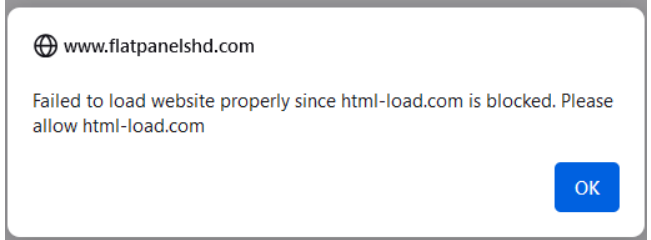
I was surprised by this message, especially since the site seemed to be loading more or less correctly in the background. However, that didn’t last long.
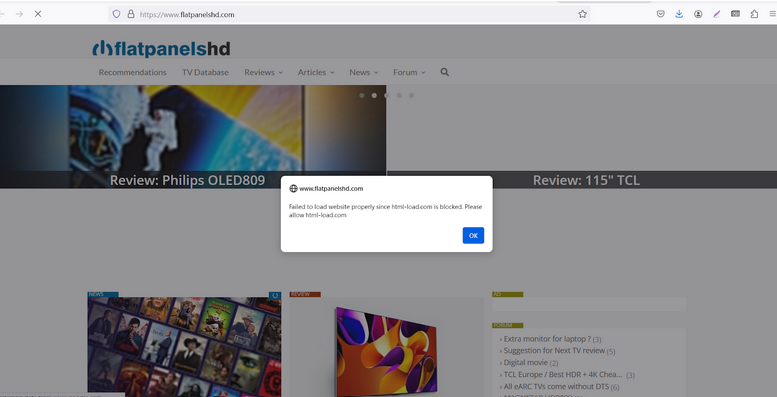
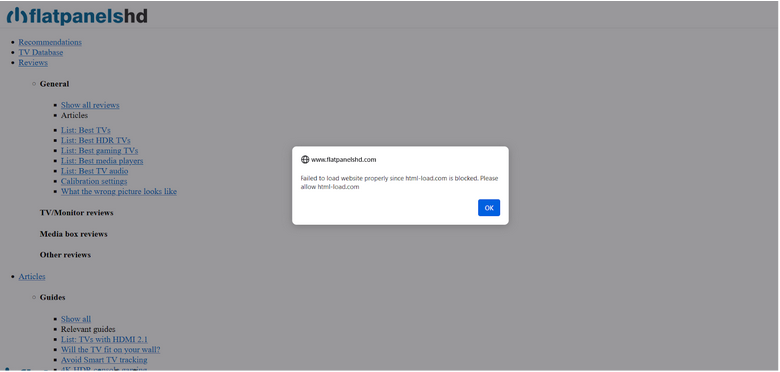
A few seconds later, the page no longer displayed the intended content and instead showed a jumble of strings, some of which were hyperlinked.
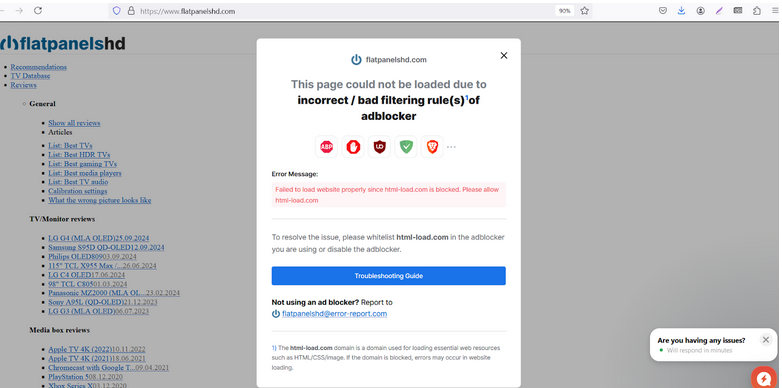
After clicking “OK,” another pop-up appeared, further explaining the situation. It read: “The page could not be loaded due to incorrect/bad filtering rule(s) of ad blocker.” In fine print at the bottom, it added: “The html-load.com domain is used for loading essential web resources such as HTML, CSS, and images. If this domain is blocked, errors may occur in website loading.”
After some research, we at AdGuard discovered that dozens of websites employ similar tactics, displaying pop-ups that blame ad blockers for layout issues.
Below is a screenshot of yet another site that displays the same exact behavior.
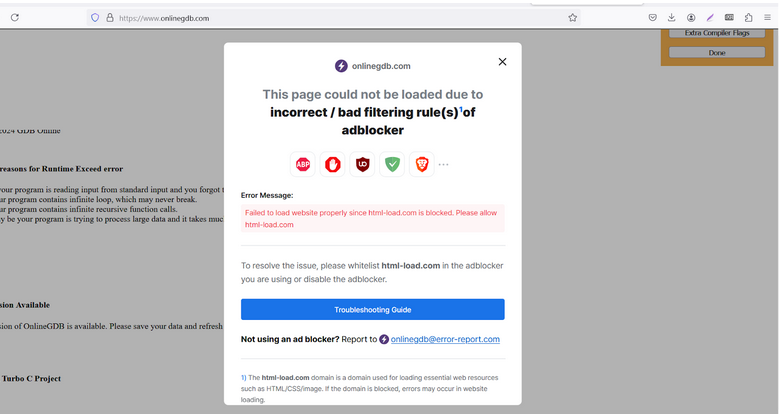
The catch here is this is not what is actually happening — ad blockers are not breaking these websites, it is so-called ad recovery tools that make them look broken. While it’s true that sometimes ad blockers can garble the original layout after blocking ads due to a bad or outdated filtering rule, this happens very rarely and almost never results in a complete breakdown of the layout.
Before we delve any deeper into why we believe the messages we’ve shown above are deceptive, let us show some other examples of similar if not the same behavior that we’d encountered earlier.
In August last year, we noticed similar tactics being used by Mail.ru, a popular Russian email service and web portal. Suddenly, a block displaying news stopped showing for users with ad blockers. As we looked into the root of the issue, we discovered that Mail.ru had added code to the page that, upon detecting an ad blocker, hid the news section. After implementing this code, Mail.ru made sure to point the finger at ad blockers as the culprit, going as far as emailing a notice to users that blamed ad blockers for the disappearance of certain elements from the page.
From what we’ve seen recently, it seems that the trend of framing ad blockers for the incorrect display of web pages (that is de-facto lying to users) is gaining momentum and becoming global.
Classic ad block walls: what’s the difference?
This approach of forcing users to disable their ad blockers is both new and not new at the same time. The very idea that users need to turn off their ad blocker to access content isn’t novel; it has long been employed by websites that greet visitors with ad block walls or anti-adblock pop-ups. These pop-ups typically request users to disable their ad blocker or add the site to their ad blocker’s whitelist.
In the case of these “classic” ad block walls, publishers openly acknowledge that their issue with ad blockers lies in their mere use, not in how they disrupt the website’s layout. Opinions on the “classic” ad block walls approach may vary, but at least the publishers are being honest. When it comes to our own policy, we believe that ad blocker detection messages should be allowed if they offer a feasible value exchange that does not put the user’s privacy or security at risk.
The same cannot be said for the new approach we’re focusing on in this article. So, let’s dive a little deeper into how it works behind the scenes.
First method: Reliance on external styles
What we’ve observed is the work of so-called ad recovery tools. These tools operate in various ways, often attempting to bypass ad blockers to display ads or recover lost revenue.
One common method involves an ad recovery tool loading styles from external sources. External styles are CSS (Cascading Style Sheets) files that define how a website looks and feels — everything from layout to colors.
If a website relies on an external style from a certain domain, the ad recovery tool loads this style from external sources, and if that domain is blocked by an ad blocker, the website’s layout can break. To address this issue and maintain the layout, AdGuard can sometimes load styles manually after a script is blocked. This approach helps ensure that the website remains visually coherent, even when ads are being filtered out.
This can be complicated, particularly on iOS or within browser extensions.
Second method: Misleading warning messages
There is also a second method.
Many websites, including FlatpanelsHD, do not rely on external styles; their layout remains intact even when ads are blocked. However, if the site detects that a script from html-load.com (in our case) isn’t loading, it triggers a misleading warning message. After clicking “OK,” a larger warning appears, filled with confusing jargon about CSS and images. In reality, it’s not the ad blocker causing issues, but an ad-recovery tool that removes the layout using special scripts.
When it detects that some requests are blocked or some specific elements are hidden or something went wrong with loading ads, the ad-recovery script removes all elements with style and link tag by using a script like:
document.querySelectorAll('link,style').forEach((e)=>e.remove())
This tactic misleads users into believing that the ad blocker is responsible for the failure. In reality, the site is attempting to shift the blame away from its own choice to use an ad-recovery tool, which is causing the problem, and pin it on the ad blocker instead.
Conclusion
What we’ve established here is that some websites are misrepresenting the reason for why they would not open with an ad blocker one. They come up with misleading messages that blame ad blockers for loading issues. In our view, such unscrupulous behavior only casts them in a negative light. When websites deceive users right from the moment they land on their pages, these sites risk damaging their reputation and eroding user trust. As the saying goes, if someone wrongs you once, they’re likely to do it again.
This kind of misdirection not only harms the relationship between users and ad blockers, but also between users and the websites themselves, because they manipulate user behavior with misinformation and abuse user trust.


















































