AdGuard for Windows v6.2 release
Hello! You’d better get a hold on something because we are about to drop the biggest changelog you have ever seen! It may be overwhelming if you haven’t monitored the beta releases — we reworked Filtering log and Filter editor, gave Assistant a new look, integrated AdGuard with Windows 10 notifications center, majorly improved several extensions... The list goes on and on. Just hop in and see for yourself.
UI
Let’s start with UI changes. Both Filtering log and Filter editor have been seriously redesigned. We need to say a big ’thank you’ to everyone who has expressed his or her opinion because few changes depend as heavily on users’ feedback as these.
[Changed] Filtering log rework #96
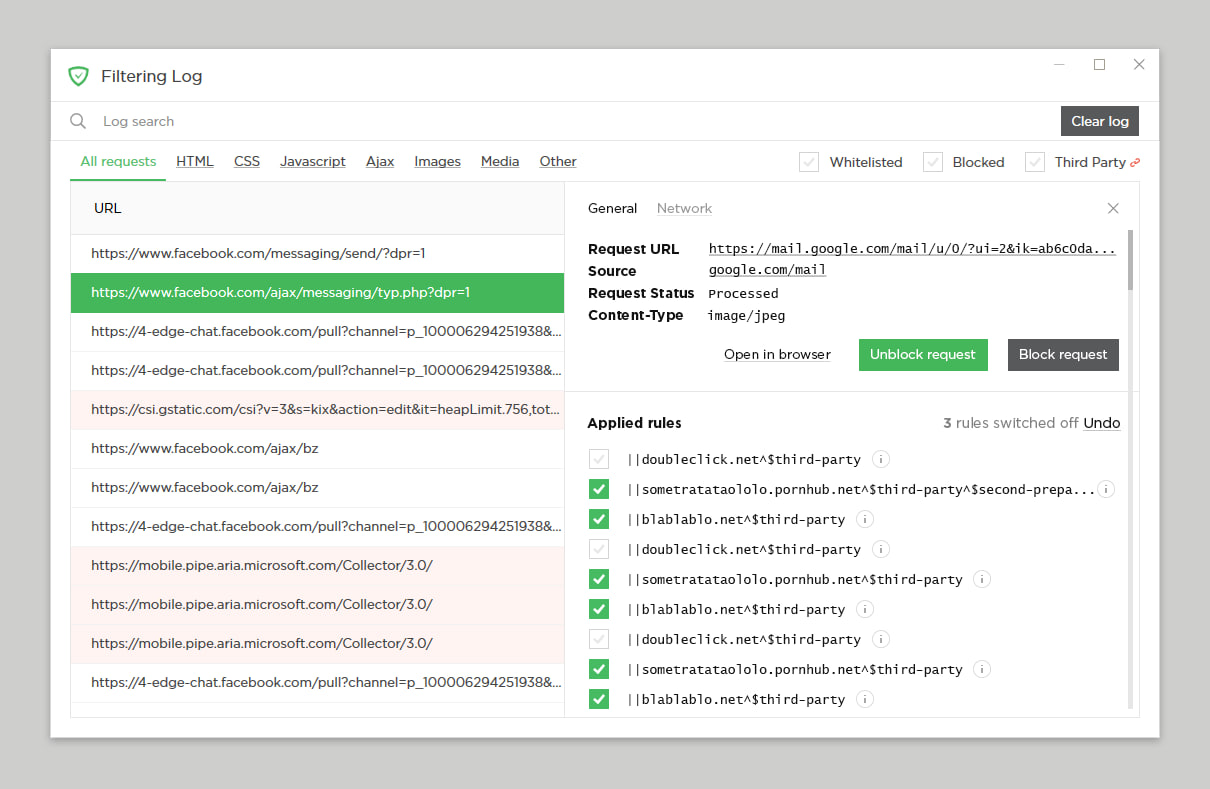
We know for certain that quite a few of our users are actively using Filtering log — both for creating new custom rules and generally knowing what’s going on. So why not help them a bit? It has undergone a major renovation. New Filtering log overlaps with Filter editor a great bit, for example, you can create new rules and unblock blocked requests right therefrom.
There are more details to see about each request, too. The request details dialog window is very reminiscent of the Developer tools in Chrome browser. All in all, the new Filtering log is much more than a simple list of which requests are blocked and which are not.
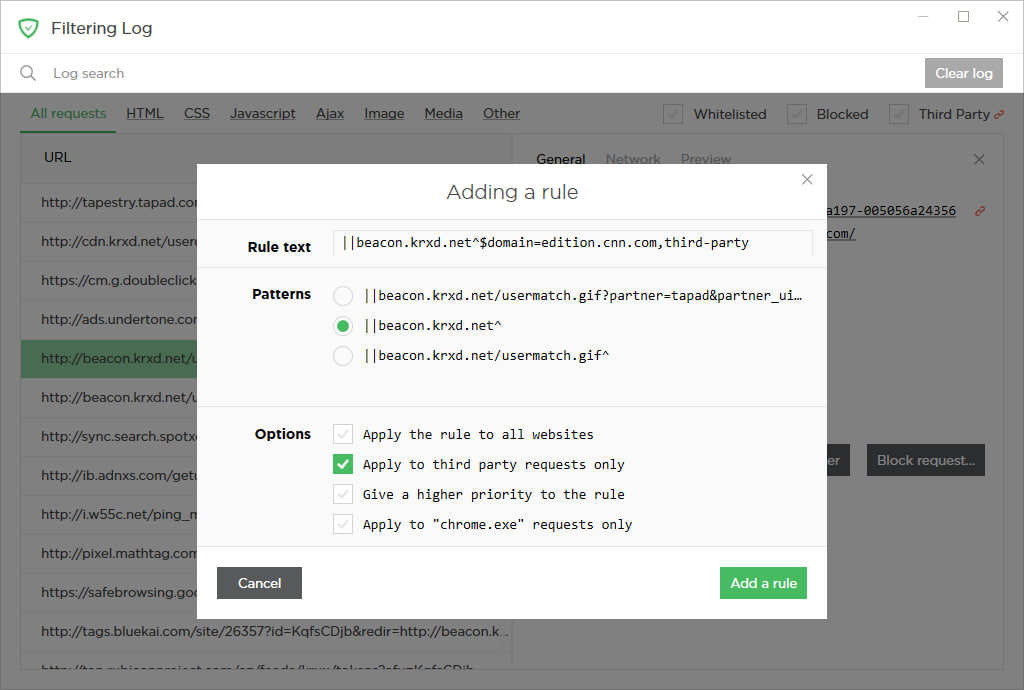
- [Improved] Search criteria in the Filtering log have been extended #1513
[Changed] Filter editor rework #1293
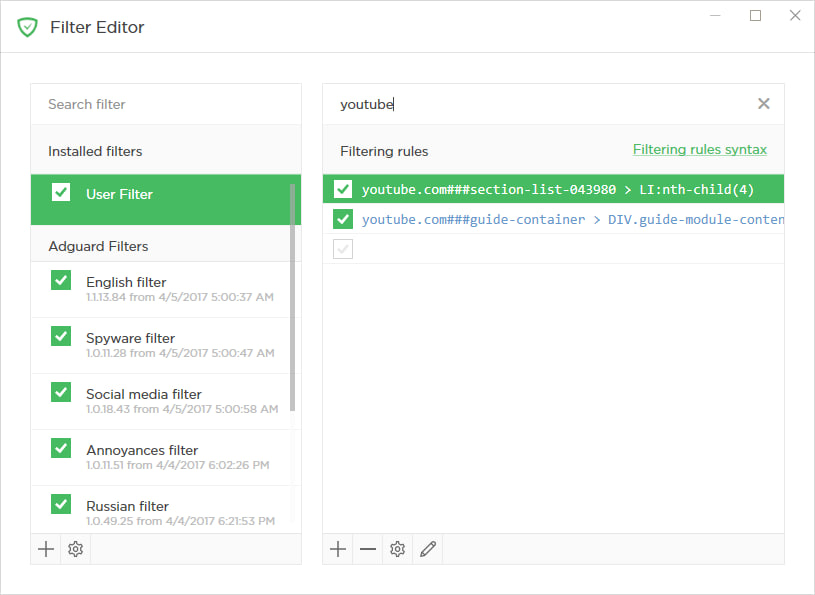
Filter editor has also changed for the best. The addition of an ’Edit mode’ allows replacing the data grid with a text area. This lets you copy/paste/delete many rules at once without having to bother with export/import.
Basic hotkeys are now available, which will speed up the process of working with the filter editor. There are many other quality of life changes, especially to the UI, which will draw your attention as soon as you launch the new version.
- [Added] An option to disable pop-up text in the Filter editor #1082
- [Added] A switch to change the filter list display mode #574
- [Changed] The link to custom rules creation manual is added to the Filter editor #1410
[Added] Integration with Windows 10 notifications center #1554
Many Windows 10 users find the Notification center to be helpful when it comes to tracking the activity of their apps. We have finally decided to take advantage of it and integrated AdGuard with the center. AdGuard has a surprisingly decent amount of various notifications. Just to name a few: notifications related to the license/trial period, automatic filter activations, new rules in User filter, Safebrowsing triggers, update checks results, etc. If you use Windows 10, you’ll be able to find them all in one place now, thus making it much easier to keep up with what’s going on with AdGuard.
[Changed] Network settings moved to a separate settings tab #1404
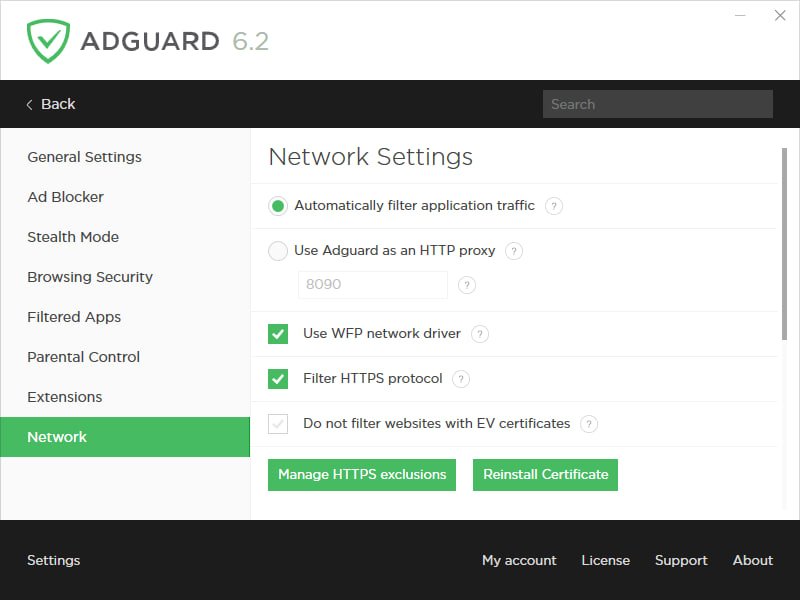
This one is rather straightforward. Previously, all network settings were crowding inside the ’General settings’ tab making it harder to scroll up and down, searching for the one setting you need. Adding a separate first-level tab makes it easier to navigate through the app.
Assistant and other extensions
While not being an integral part of AdGuard for Windows, some extensions (or userscripts) have grown over time to become strongly associated with it. And we showed them some love!
AdGuard Assistant
A lot has been done in terms of improving AdGuard Assistant, and a lot more is planned for the future, so we decided to allocate it a separate, own GitHub repository: https://github.com/AdguardTeam/AdguardAssistant/
By the way, you may notice that the ’Report website’ button now leads to a whole new page. Basically, what you see is a web reporting tool that allows you to easily send us a report on anything from a missed ad to a false positive. More about this later.
What else is done already? The biggest change is the ability to drag the Assistant icon across the page and place it wherever you see fit. Moreover, AdGuard will memorize the position of the Assistant icon for each website separately, so you can really customize it according to your taste and preferences.
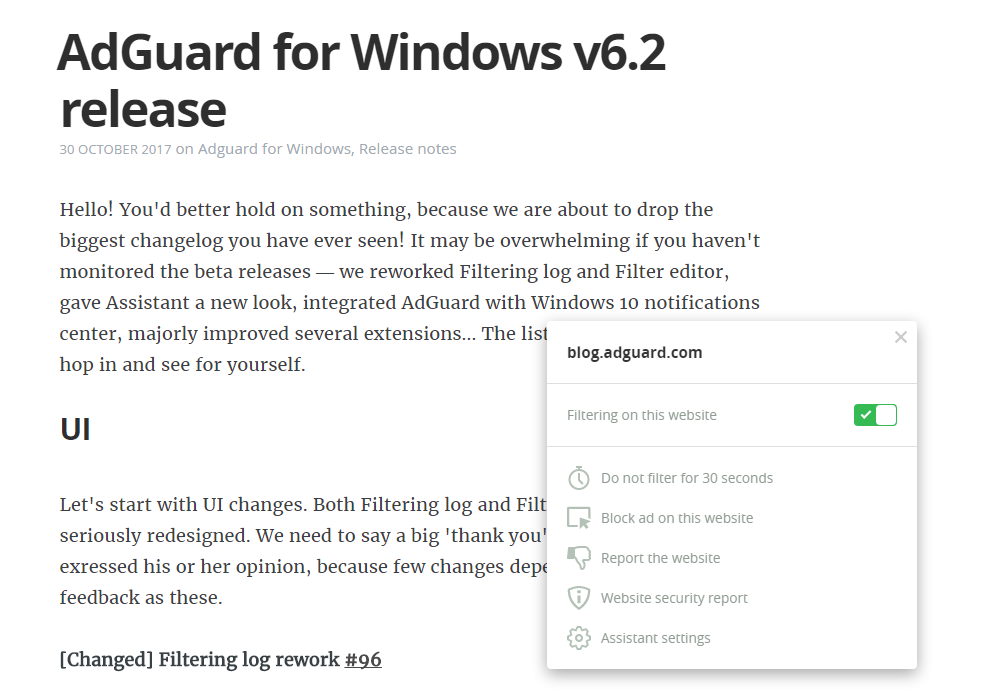
The Assistant interface overall has become smaller but retained full functionality compared to earlier versions. There is even one new feature: a switch for toggling the filtering on the website on and off. Previously, the Assistant wasn’t shown on websites with disabled filtering, and you had to go to User filter to enable it back.
Oh, and we could use your help with translating the new Assistant. Did you know that anyone can volunteer as a translator? If you feel confident, head right here and find your native language. Don’t forget to read through the translator’s memo.
AdGuard PopupBlocker
[Added] AdGuard PopupBlocker extension v2.1 #1883
For quite a while now, AdGuard works as a userscript manager — you can install any script via AdGuard to use it in any browser. PopupBlocker has always been one of the ’native’ userscripts that are installed by default, alongside AdGuard Assistant. Its purpose is clear — to block any unwanted pop-ups.
Previous version (v1.0) was functional but very little beyond that. We have completely redesigned the PopupBlocker. It now has advanced pop-up detection, compared to its predecessor and its alternatives, restores the initial click behavior and is invisible to other scripts. All in all, new PopupBlocker is a solid addition to your online protection suite.
By the way, it is available as a standalone script that can be used on its own with any other userscript manager. To find more information about PopupBlocker, visit its GitHub repository.
Reports web app
[Added] Integration with Reports Web App #1964
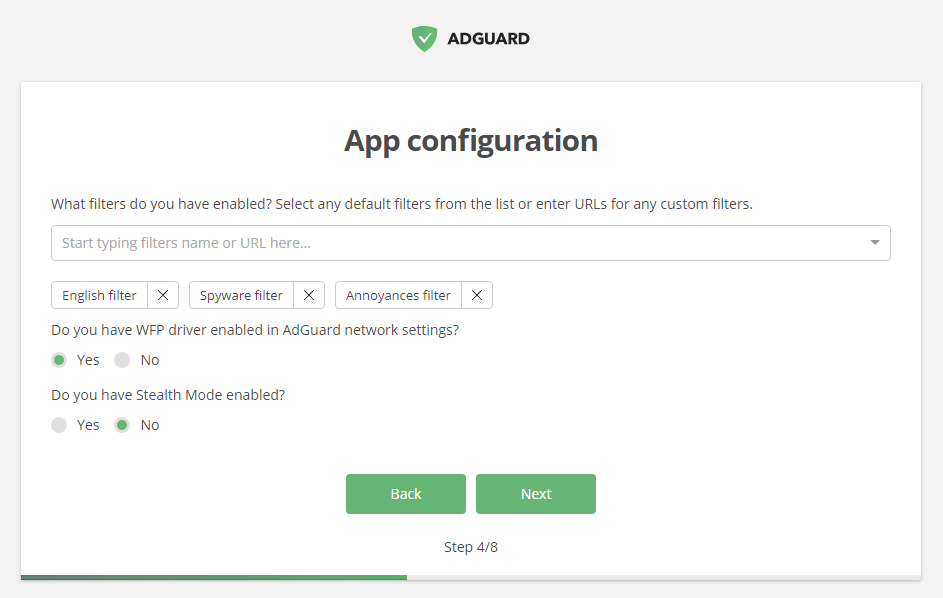
When it comes to keeping our filter lists updated, we owe our users a big one. Thanks to their timely reports of missed ads, false positives etc., AdGuard filters are always up-to-date. We want to make the process of reporting a website easy for users and informative for filter developers, that’s why we decided to integrate AdGuard for Windows with a special web reporting tool.
When you see any problem like missed ad or annoyance, click on the Assistant icon and choose «Report this website». You will be taken to a new page and asked to fill in some information about your AdGuard settings and the nature of the problem. Good thing is that AdGuard pre-fills most of the fields automatically, so most of the job is already done for you :)
We hope this change will strengthen the feedback from our users and allow AdGuard filters to stay at the cutting edge of ad blocking technology.
Userscripts handling
[Changed] The way AdGuard handles userscripts #1714
A lot of effort has been put into improving (better to say, rethinking) the way AdGuard works with userscripts. This actually has two different aspects:
First, from now on, the communication between AdGuard and Assistant is based on WebSocket, which results in better performance. This is also perfectly applicable to AdGuard Browser extension, when it is working in the integration mode with AdGuard for Windows.
Second, we have taken a whole complex of measures that allow for any external userscripts that you install via AdGuard to show higher speed and execution stability.
Other important changes
[Added] Settings export/import #1405
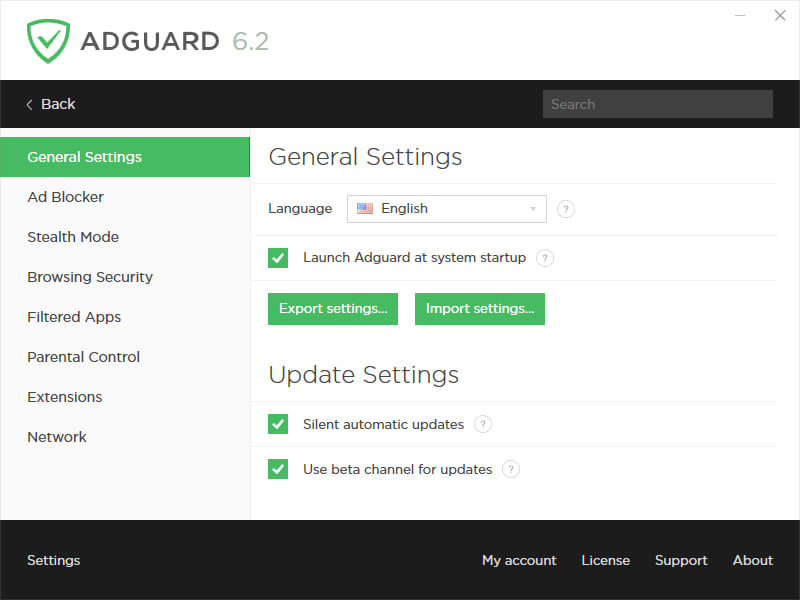
A lot of users were asking for this, and finally we deliver. Now you can save your settings configuration into a file and then use it to set up AdGuard on another machine exactly how you prefer. Another implication of this is to quickly switch between different settings profiles without having to feverishly click through a dozen of tabs and checkboxes.
[Improved] A complete «Exit AdGuard» functionality was added #1509
Now users have a choice between closing AdGuard as they usually do, and closing it completely. That means closing the Windows service as well as UI, and when UI is getting started again, the service will start as well (you may be asked for the admin privileges, though).
[Added] An option to create custom filters not backed with a file #1669
In addition to the usual option of adding any list by URL or loading it from a local file, you can now create independent new filters from scratch. It is possible to create several such filters, give each of them their own name and fill with any rules. As a result, you can create a set of specified filters which can be separately enabled, disabled and edited.
In conclusion
See, we didn’t lie, this changelog is monstrous! And that’s only major changes, imagine the full list! Jokes aside, we realize that it is not only hard for the users to digest all at once, but also not very healthy to unload new features in such big chunks. We will try to keep AdGuard for Windows updates come more steadily: with fewer changes but more often.
Share your thoughts and opinions in the comment section and see you next time!


















































