Enjoy the new AdGuard website — and help us make it better
A launch of a new corporate website often excites the company much more than the users. AdGuard, probably, is not an exception. But we still couldn’t hold the agitation within the office walls. We proudly present our newly redesigned website — new.adguard.com! And besides, we’d like to ask you for some help :)
You might wonder why new.adguard.com and not just ’adguard.com’? That is because the old site doesn’t go anywhere yet. It is still accessible and fully operational too. Both websites will co-exist for some time until we finish polishing and translating the new one (by the way, we need translators — more about it towards the end of the article). In the meantime, you can use either of them. But mind you, the new version is so better looking :)
New impression
Let’s assume we have managed to ignite the spark of curiosity in you, and you clicked on the link. The first thing you will notice right away is the new look — much cleaner than the old version, and easier on the eyes. The old website had always seemed to us as a bit too high-contrasting, so we’ve made the color scheme more unified across the board. Also, check out the new AdGuard mascot:

Let’s see how many of him you can find on the website :)
No matter where you go, you won’t get lost on the new site, for it has inherited the basic structure and the most important features from the old one. But we’ve made a lot of changes on the appearance, logic, and functionality to make everything work faster, help better, look smarter.
Informative and helpful
All products are now described and explained on their dedicated pages (and there’s one for every product), all the information is structured, perfectly organized and vividly illustrated, all the Frequently Asked Questions — thoroughly answered.
Don’t miss the new MyAccount section — this is the control unit for managing the AdGuard products you possess and the devices you have protected. An absolutely necessary thing for any AdGuard license hoarder :) Bonus part: you can now transfer your license keys between different accounts if need be. No helpdesk assistance required.
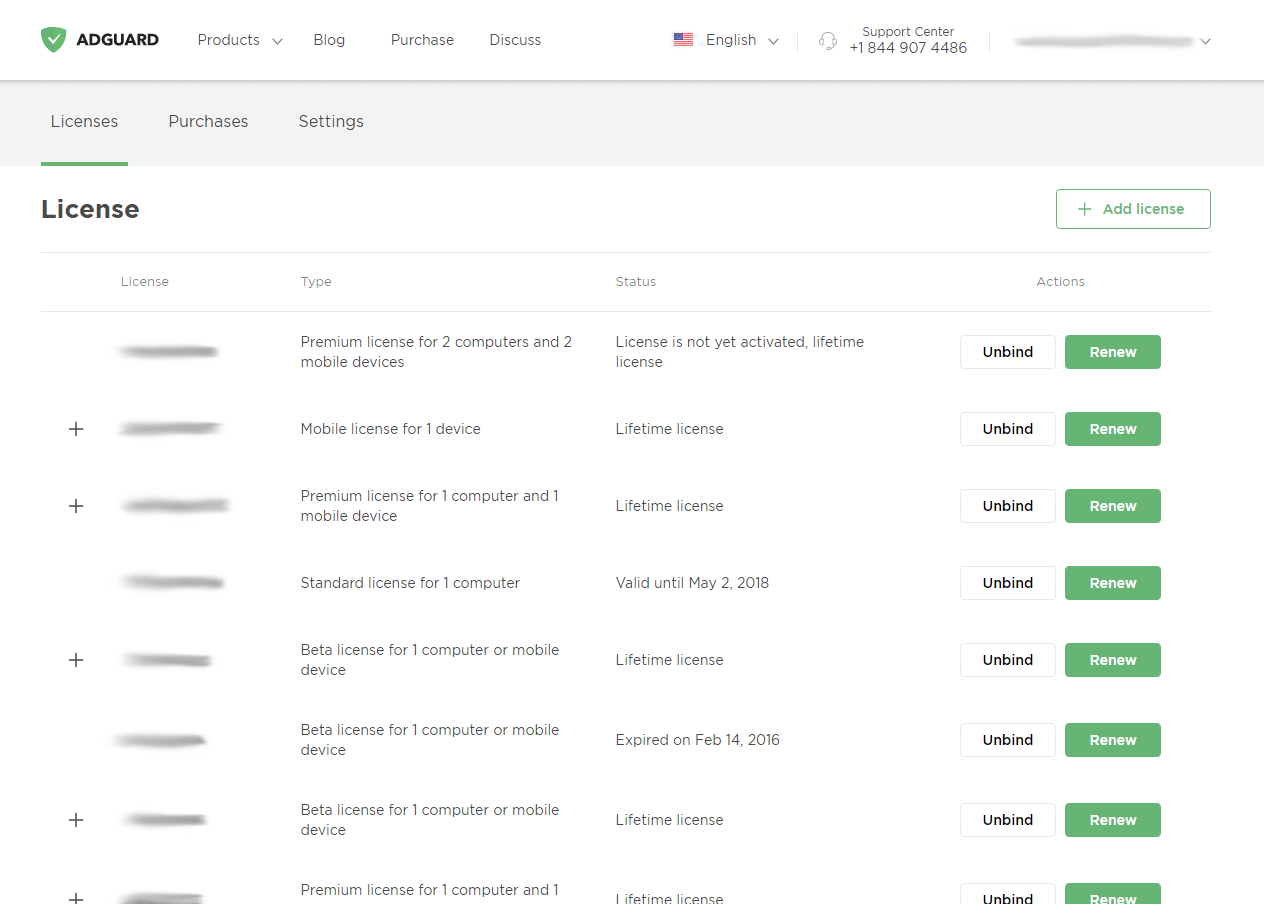
By the way, it has become much more convenient to contact our Support Center if you have any trouble or concern, or to address our Knowledge Base with any question regarding ad blocking, privacy control, DNS filtering, family protection — you name it. Actually, the footer of the new website provides access to any page you could possibly want to find; you barely need the rest of the website.
Access on the go
Ever tried to visit adguard.com from a mobile device? You used to get redirected to the mobile version, with its own problems and limitations. Try it with the new site — it is the whole new story. Basically, it’s the exact same ’big’ site, including its functionality, but on your cell phone.
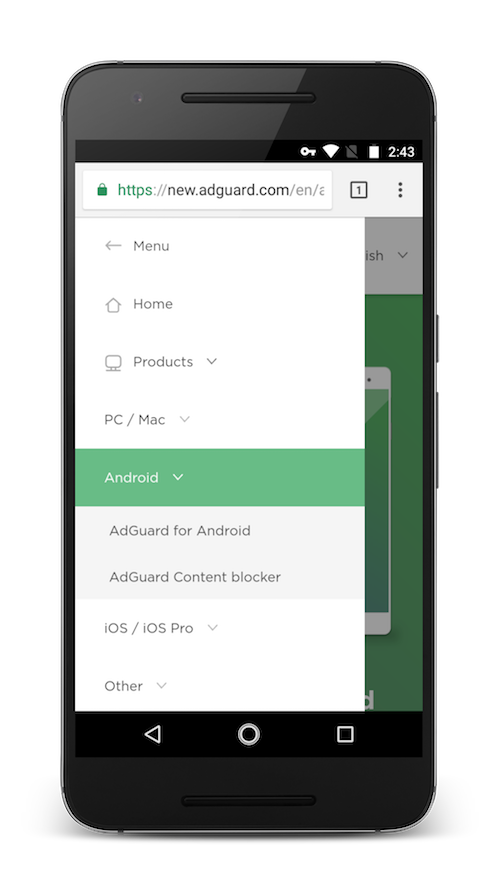
I would argue that some pages look even neater on the mobile version. Use side menu to navigate through the website just as easily — and do it fast, the website won’t burden your phone or tablet with heavy media elements and long loading times.
Your help needed
The website is still going to undergo some changes — nothing big, just minor improvements here and there, but we need your help in testing it and reporting the unnoticed bugs. Send us bug reports, as well as your ideas and requests on lacking functions and content. Find us anywhere: social media, forum, support service and even right here in comments.
Besides, we really need your assistance with translating the website. As you can see, the only language available so far is English, and we’d like new.adguard.com to be accessible for everyone. If you feel confident about translating from English into your native language, head straight to OneSky service. It is a place where literally anyone can contribute towards translating the website. There’s a lot of work to do, but even the smallest of input is really appreciated and helps the cause. Sure, the most prolific contributors get free AdGuard licenses — just contact us anywhere if you believe you’ve done a good job and deserve a reward :)
In conclusion
Speaking for the whole AdGuard team here, I really hope you like the new website, but even if you don’t, we’ll do our best to make it better.
Oh, and by the way. The summer is coming to an end, and to sweeten the pill, we are preparing a new promotion. Stay tuned, and you won’t miss anything!


















































