Introducing AdGuard v1.0 for Linux: The protection you trust, now on your command line
For years, Linux users have been asking for their own version of AdGuard — that’s why we’ve poured our time and energy into making the Linux experience a powerful one. With AdGuard v1.0 for Linux, you now have access to a broad range of features and a complete, flexible way to stay protected on Linux.
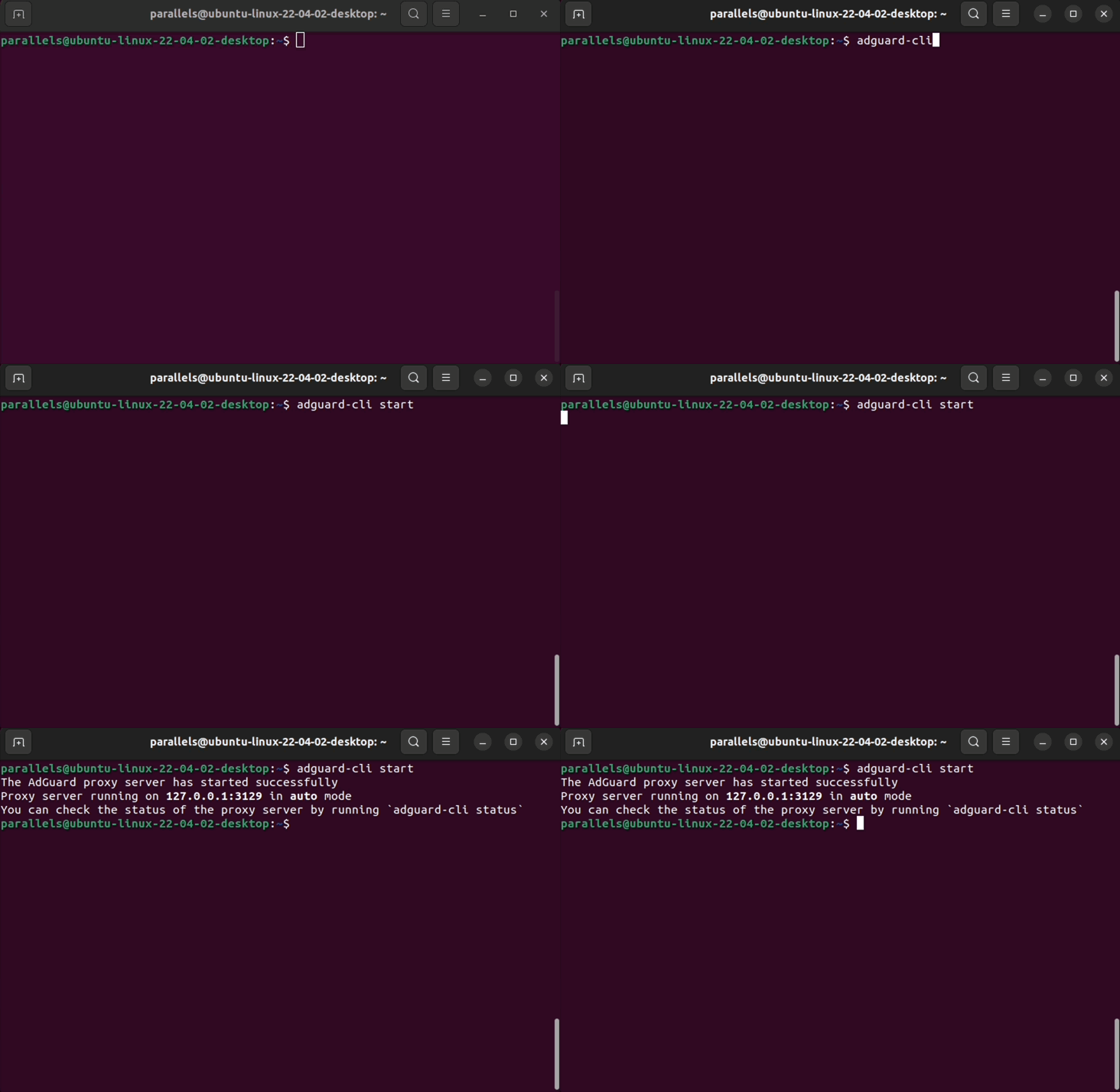
If you tested AdGuard v1.0 for Linux nightly, you’ll love the stable version – it adds even more features to enhance performance and usability.
New features
App exclusions
This feature drastically improves the usability of AdGuard for Linux. If you’re not familiar with it yet — it lets you selectively route traffic from specific apps, skipping AdGuard’s filtering when you don’t need it. Whether you’re troubleshooting or just want to keep seeing the ads from a certain service, this can come in handy.
And to make your life even easier, we’ve put together two pre-built lists of browsers and apps to be excluded from HTTPS filtering — so setting up exclusions is faster and way less manual.
The list can be edited in the files proxy.yaml (for app exclusions) and browsers.yaml (for browser exclusions). You can edit them using the built-in terminal editor (or any other text editor) by entering nano [path to the file], and then restart the protection. To see the location of the file, check the output of the config command.
Differential filter update
In this version, we have replaced the filter update method with a differential one. To put it simply, instead of fetching the entire filter list, AdGuard for Linux will only download the changes that were made to the list since the last update. Less traffic will be spent on updating and filters will be updated faster. You will always have the most current versions of filters and a more accurate ad blocking.
Other useful features
New here? Don’t miss these standout features AdGuard for Linux has to offer. They were implemented on our previous nightly and beta versions, but still worth taking a look.
Interactive setup wizard
Did you find yourself running to the AdGuard Knowledge Base right after installing AdGuard v1.0 for Linux nightly, just to figure out how to get it all working? While the docs are helpful, sometimes you just want things to make sense right out of the gate.
That’s why we’ve implemented an interactive setup wizard. It guides you through the configuration process step by step, right in your command line — no guesswork, no extra tabs. Prefer the good old config file method? No worries, that’s fully supported.
App filtering
Blocking websites is great, but let’s be honest — real protection goes beyond the browser. And with AdGuard v1.0 for Linux, you can filter app traffic!
It’s a useful feature for our Linux users who don’t have access to the full UI experience like Mac and Windows users do.
Filters, your way
Here’s another improvement we were able to implement since the nightly build: we’ve put in some work on the filtering capabilities of AdGuard for Linux, giving you more control over what gets filtered and what doesn’t. Here’s what you get:
- Support for user rules
- Ability to add filters from the AdGuard list or install custom filters via URL
- Ability to remove, enable, and disable filters
Support for variety of proxy modes
When it comes to proxy management, AdGuard v1.0 for Linux boosts a useful feature: now, we offer support for SOCKS5 and HTTP proxy modes.
We’ve also implemented automatic proxy reloads whenever you set up new filters or configurations. It instantly applies updates to blocklists, settings, or proxy rules whenever you change your settings, so your ad and tracker blocking is always up to date and to your preferences — no effort needed and no gaps in protection.
Getting started
How to install
To install the latest version of AdGuard for Linux, open the terminal run the following command:
curl -fsSL https://raw.githubusercontent.com/AdguardTeam/AdGuardCLI/release/install.sh | sh -s -- -v
If required, enter your admin password.
Press y to create a link in /usr/local/bin to the executable and wait until the installation is complete.
Activation
AdGuard for Linux requires an AdGuard license. If you don’t have a license yet, you can log in or create an account to get a free 14-day trial. If you already have a license, log in to activate it.
After installation, enter:
adguard-cli activateSelect the desired option:
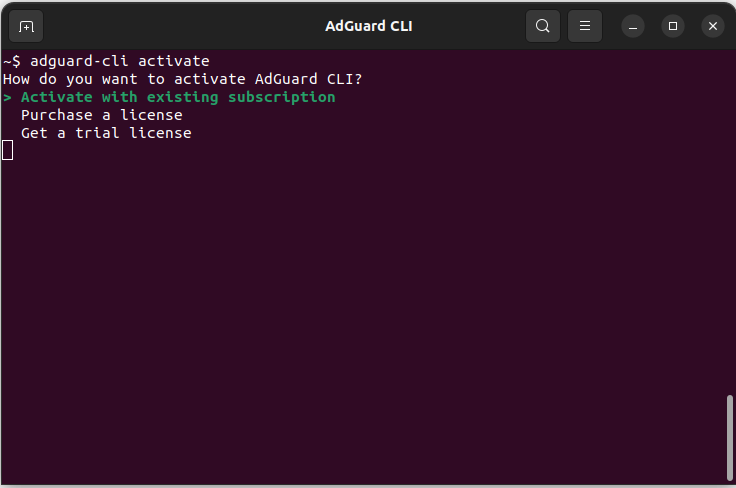
Follow the provided link to proceed with the activation.
Setting up
To run the configuration wizard, enter:
```sh
adguard-cli configure
```
The wizard will ask basic questions required for the initial setup.
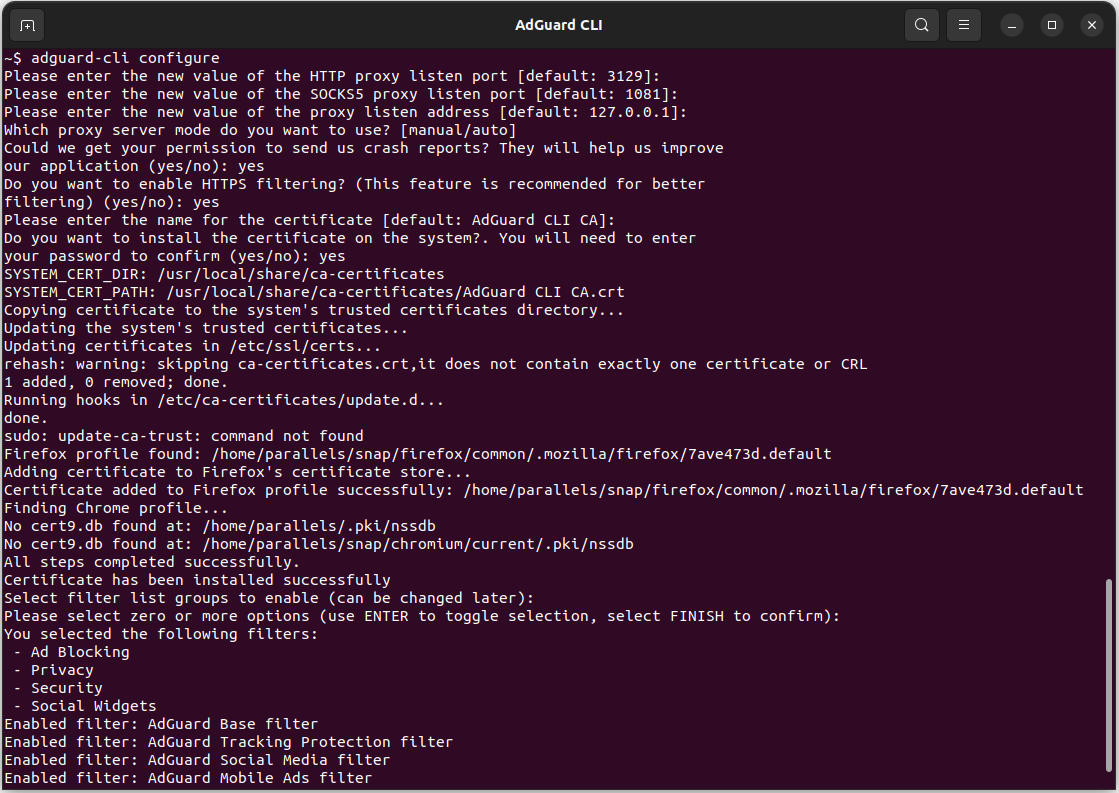
Starting the protection
To start the AdGuard protection, enter:
```sh
adguard-cli start
```
To stop it, enter:
```sh
adguard-cli stop
```
To check the protection status, enter:
```sh
adguard-cli status
```
Working with AdGuard for Linux
Now that you are all set to start using AdGuard for Linux, it’s time to explore all its features. For further information on the configuration process, how to work with filters and all the available commands, check out our Knowledge Base.
Send your feedback
Since it is AdGuard v1.0 for Linux debut, your feedback and feature suggestions would mean the world to us. If you want to help us improve, here’s what you can do:
- Create an issue on GitHub. Before creating the issue, we recommend you to check the repository. Maybe somebody has already found and reported the same problem.
- Reach us out on social media and leave us your feedback.
We are always grateful for your support. Now it is time to install AdGuard v1.0 for Linux and experience enhanced security on your Linux firsthand.


















































