Best privacy build of AdGuard Browser Extension
If you want to quickly and reliably protect yourself from ads and tracking in your browser without any additional downloads, installations, or financial costs, then the AdGuard Browser Extension is what you need. In this article, we'll talk about its features and useful options.
First look at AdGuard Browser Extension
Opened the extension settings and got confused? No problem, we’ll explain everything.
The main settings of the AdGuard Browser Extension can be found in the *Filters* tab. Filters in the context of blockers are sets of rules that determine which elements of websites should be blocked and which should not. Rules can be grouped into different filters based on common characteristics or goals. For example, rules that block ads in a certain language or filters that block cookie notifications.
In AdGuard Browser Extension, filters are grouped according to their role: ad-blocking filters, privacy protection filters, social media-related filters, etc.
Ad Blocking: These filters are aimed at identifying and blocking ad banners, pop-ups, video ads, and other types of advertising materials.
Privacy: These filters help prevent user tracking on the internet by blocking trackers and cookies that collect user data.
You can enable and disable individual filters as well as entire groups.
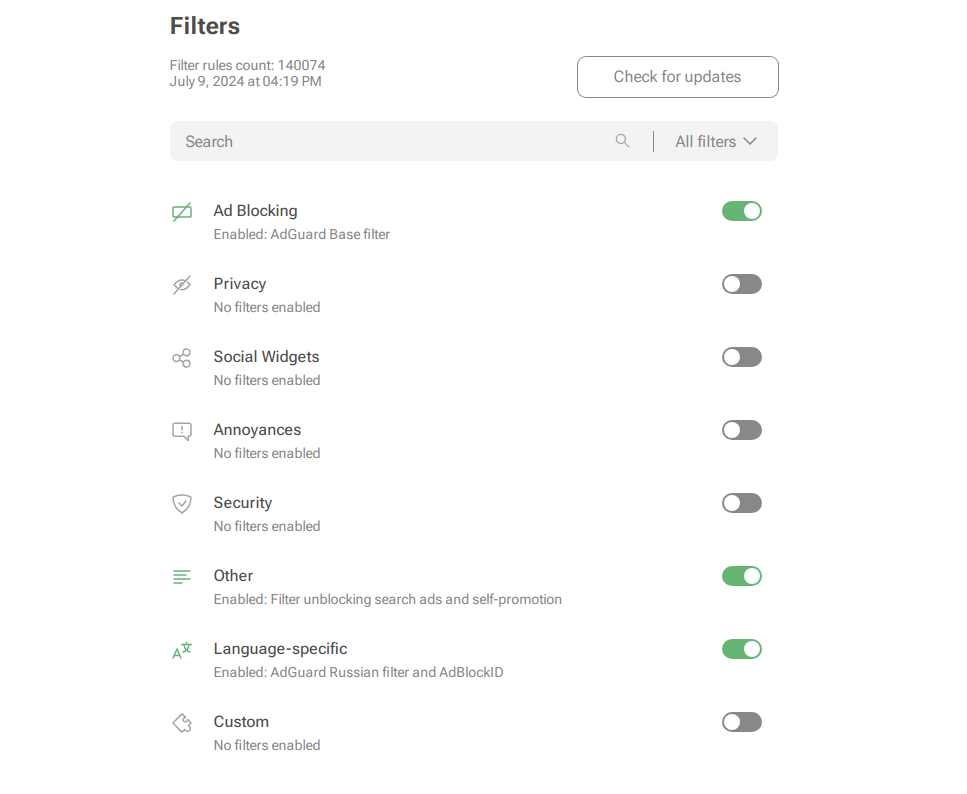
In the extension settings, you'll also find Custom filters where you can upload both your own filters and any other filters available online. But be careful — not to add too many Custom filters: the rules might start to conflict with each other or with other filters, which can actually make the extension work worse.
Using the extension starter pack: Key settings and filters
We recommend exploring all the features and filters of the extension to make working with it most useful. We have added notes to each item to explain the role of all features and filters.
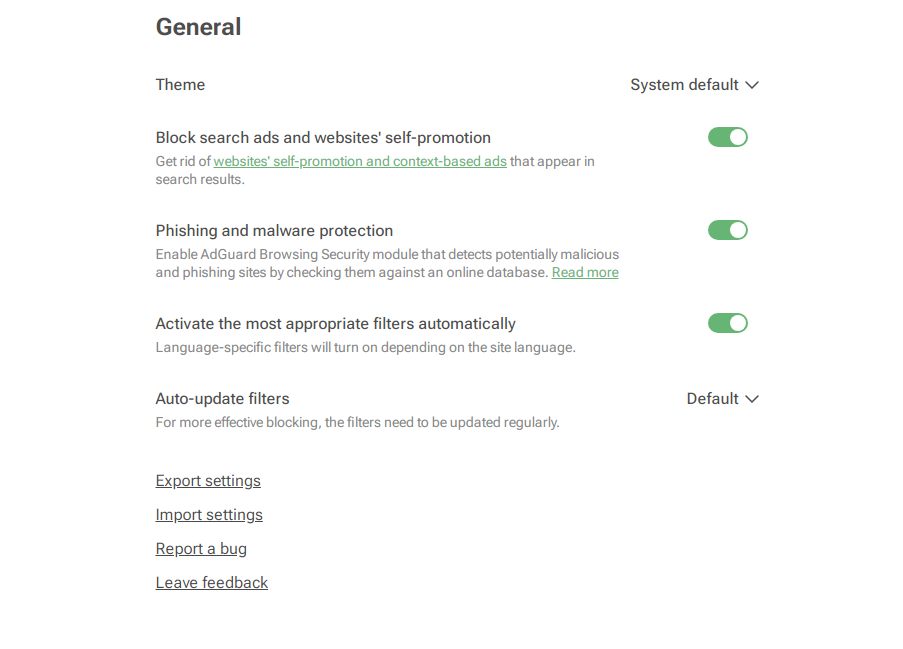
But if you don’t have time to dive into the details — don’t worry. For quality performance of the extension, it’s enough to enable the most useful filter groups:
- Ad Blocking gets you rid of annoying banners, pop-ups, video ads, and other irritants for good.
- Privacy protects your data from online trackers by blocking all known tracking methods.
- Security shields you from malware, phishing, and other online threats.
- Language-specific allows you to block ads more accurately in different languages.
You don't need to enable all filters in each group, one is usually enough.
Don’t want to block ads on certain sites?
If you don’t want to block ads on certain sites, you can add them to Allowlist.
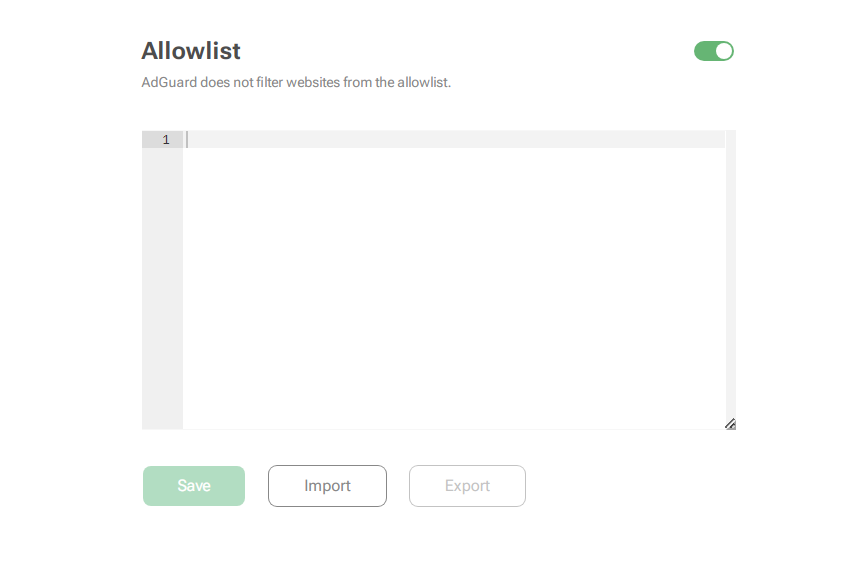
Websites added to Allowlist will not be filtered and ads on them will not be blocked.
Don’t forget to regularly update filters
Sometimes, even with the AdGuard Browser Extension enabled, you might see ads. Usually, this happens when a website is updated or we haven't yet learned about new ads and haven't added new filtering rules to our filters. Regularly updating the extension’s filters usually solves this problem. You don’t have to do this manually: you can enable Auto-update filters in the extension settings under the General features section. This way, filters will update automatically.
But what if updating filters doesn’t help and ads are still showing up?
Sometimes, even the strongest magic doesn’t work… but we’ll fix it
Unfortunately, there are cases when updating filters doesn’t eliminate annoying ads. For such situations, we’ve prepared a step-by-step guide on what to do if you encounter this issue.
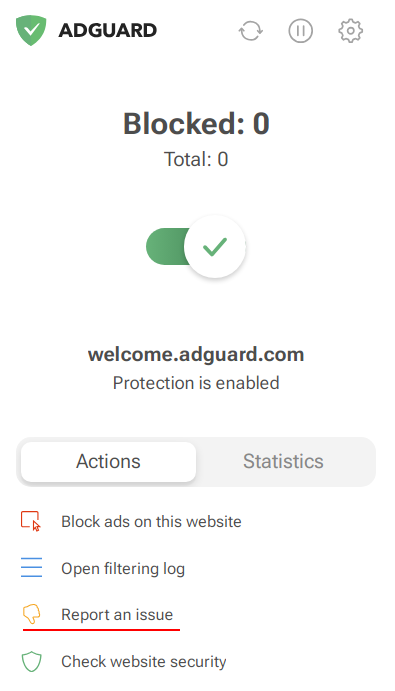
You can report a problem by opening the AdGuard Browser Extension menu or on our reporting page.
Fill in information about the product you’re using, its version, and your device’s OS — this will help filter developers find and fix the problem more easily. We recommend opening the report page from the AdGuard Browser Extension menu by clicking the "Report a problem" button. This is more convenient because all fields will be filled in automatically.
If you encounter a different type of problem, you can email support@adguard.com for help.
Stay connected
We constantly monitor privacy-related events and share news and tips about ad blocking and data protection with you. Subscribe to our newsletter to learn how to protect yourself from phishing and malware with AdGuard, get rid of annoying ads, find out which AI can be trusted, and much more.
Download the AdGuard desktop app for your OS for complete privacy immersion
AdGuard Browser Extension is one of the most convenient solutions for quick and reliable protection against ads and tracking. But remember, it doesn’t block ads in apps and games. For full protection, install the AdGuard app on your device.
Check out a detailed comparison between Browser Extension and AdGuard apps, on our compare page.


















































