Browser protection
This page is about AdGuard Mini for Android, which safeguards Samsung Browser and Yandex Browser and provides DNS protection. To protect your Android device entirely and get more advanced settings, download AdGuard for Android.
Browser protection is the core filtering feature of AdGuard Mini for Android. It blocks ads on webpages in Samsung Browser and Yandex Browser.
AdGuard Mini works through the Content Blocking API, a browser technology that allows apps to block ads and apply filtering rules on webpages. This approach is fully in line with Google Play policies.
How to enable Browser protection
- Open AdGuard Mini for Android and go to Protection → Browser protection
- Toggle on the browser you use
- Confirm AdGuard as the ad blocker in the browser:
- Samsung Browser: open the browser menu, tap Ad blockers, and toggle on AdGuard
- Yandex Browser: go to browser Settings → Content blocking extensions and check that AdGuard is enabled.
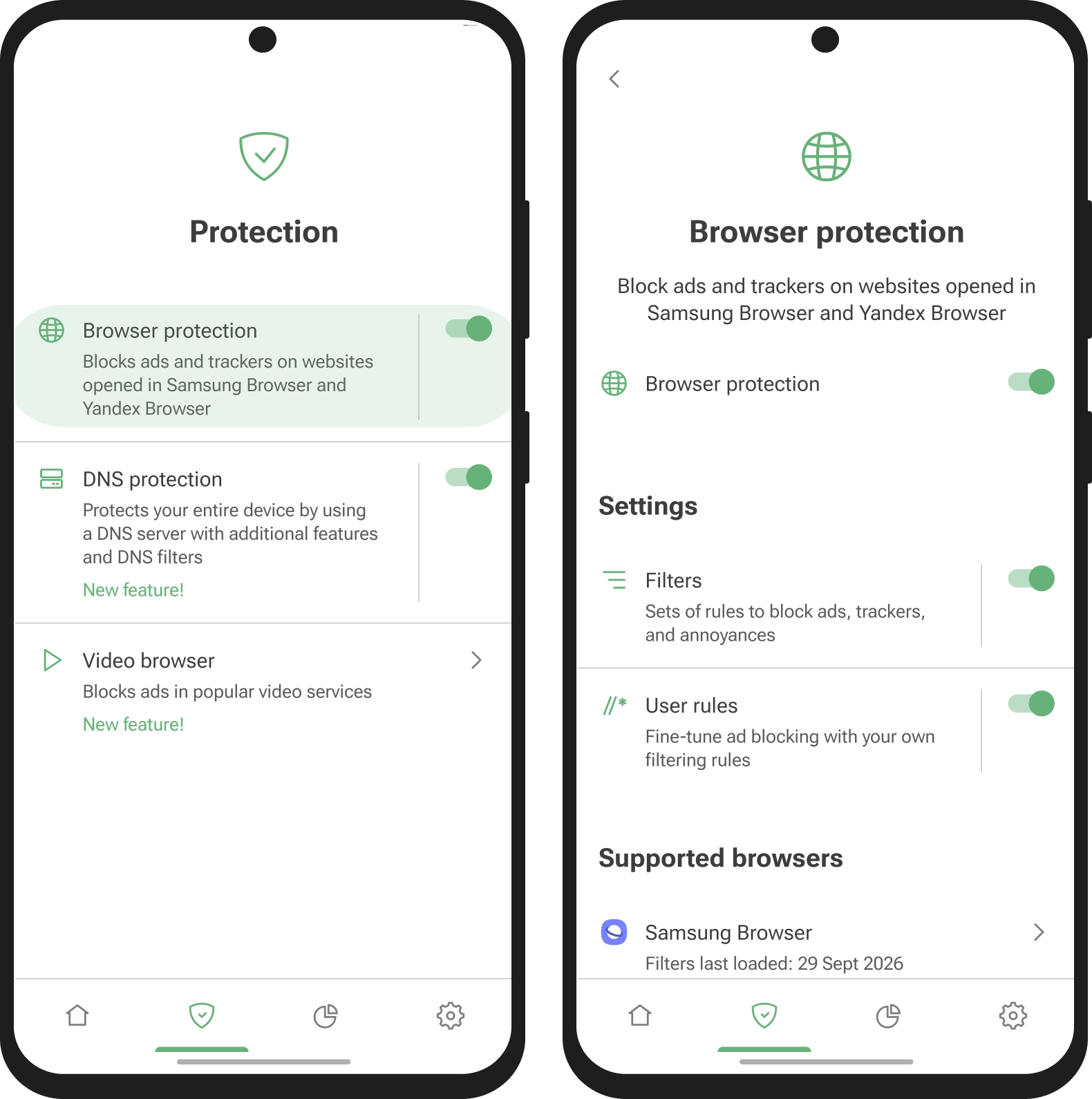
Here you can also set up Filters and User rules.
Filter
Filters are lists of rules that tell AdGuard Mini for Android what to block or hide on webpages. They are organized into categories:
- Ad blocking blocks banners, popups, and other ads
- Tracking protection hides your online activity and personal data from web trackers (available in the full version)
- Social widgets removes social media buttons and embedded widgets
- Annoyances hides cookie notices, newsletter popups, and other distracting elements
- Security blocks known malicious and suspicious domains
- Language-specific includes filters for specific languages and regions
- Other covers additional filtering cases
- Custom filters let you add any third-party filter list by URL for more targeted blocking (available in the full version)
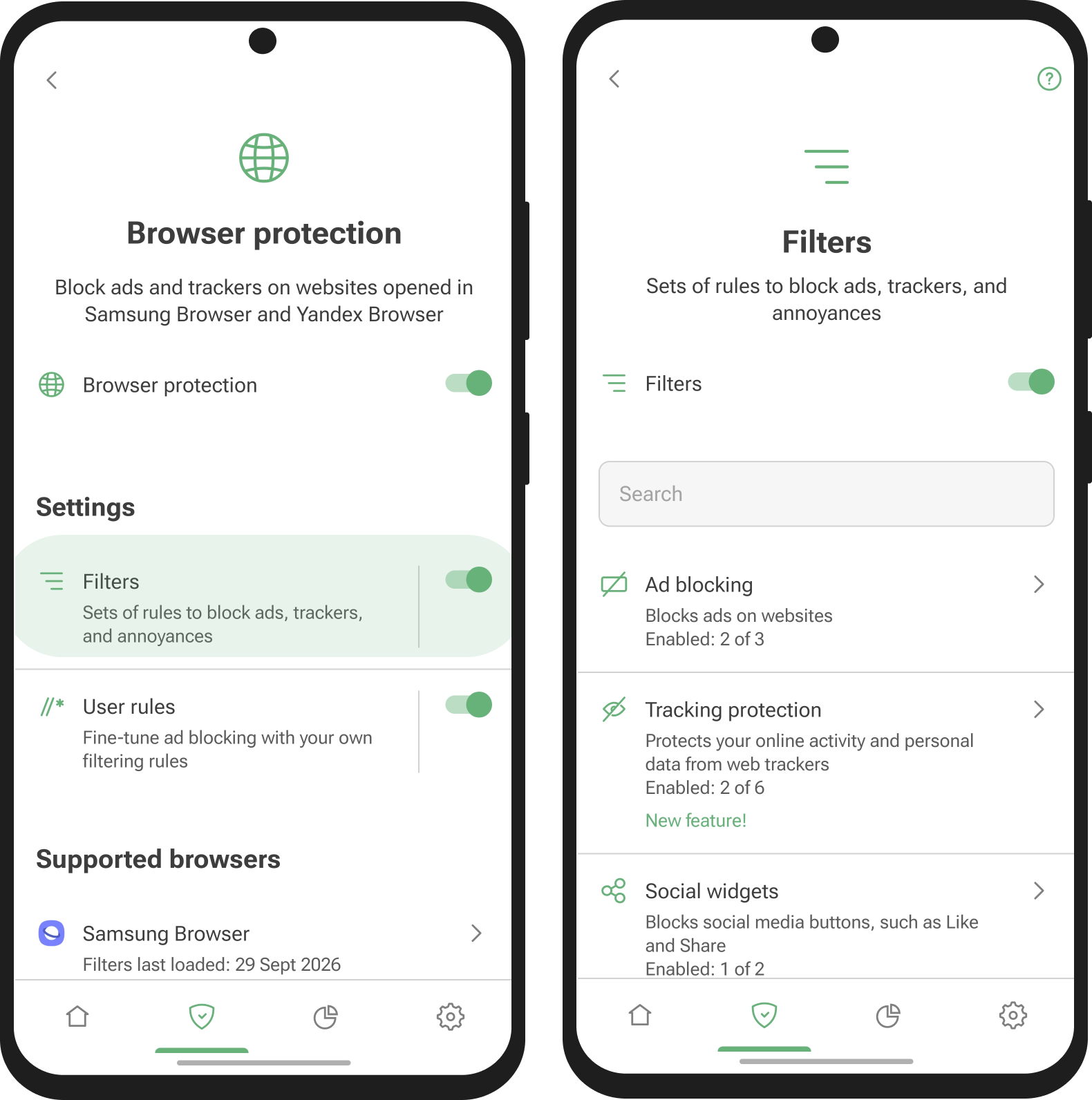
To manage filters, go to Protection → Browser protection → Filters. Browse the categories and enable the filters you need. We recommend keeping Ad blocking and your Language-specific filters enabled.
Benutzerregeln
User rules are custom filtering rules that let you adjust ad blocking yourself: disable filtering on a website that doesn’t work correctly, add a rule you got from support, or write your own rule for a specific page. They form your personal filter list, applied on top of the enabled filters, and use the same filtering rules syntax as all AdGuard filters.
To add a rule, go to Protection → Browser protection → User rules.
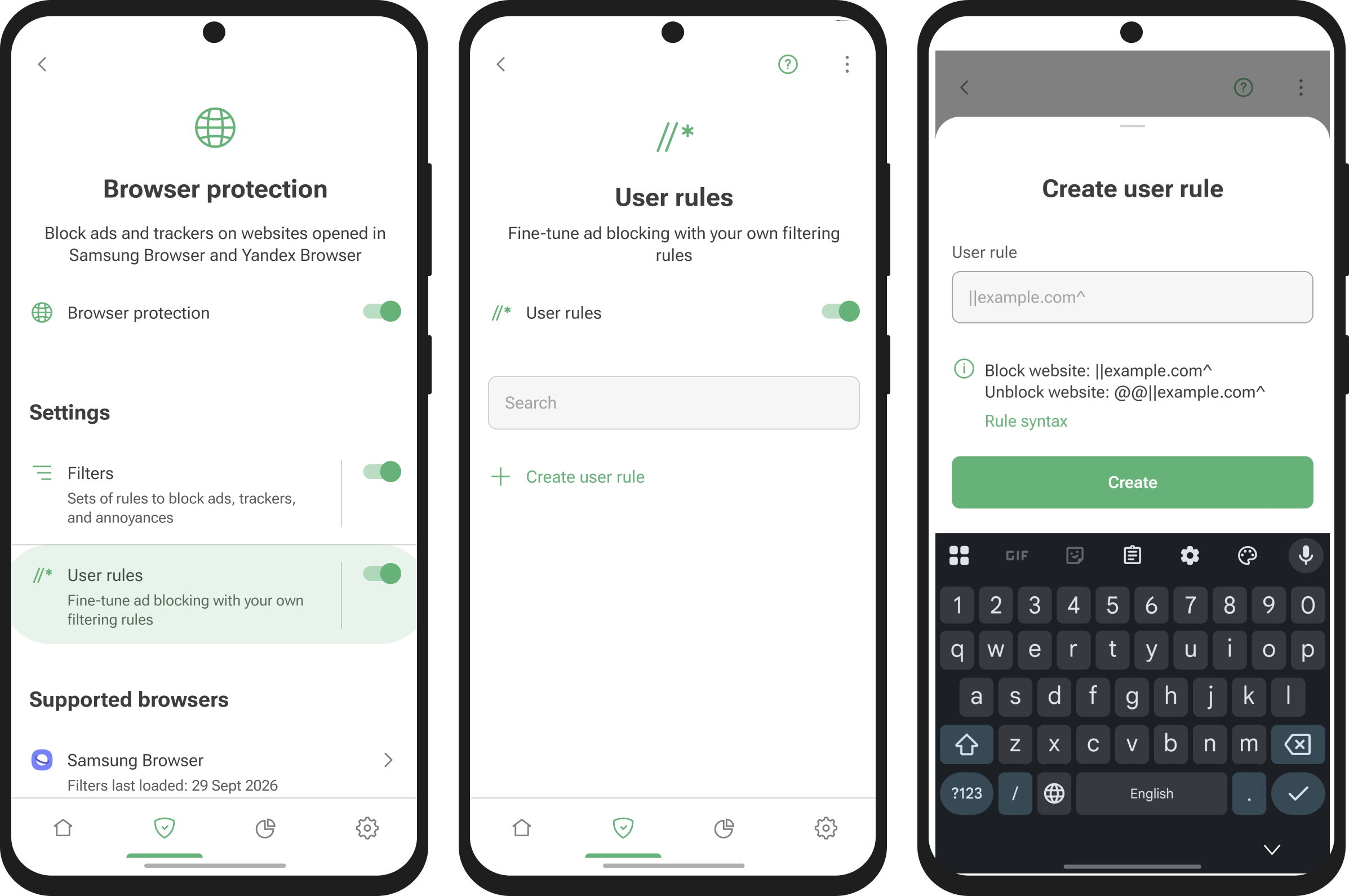
Keep in mind that User rules apply to Browser protection, that is, to webpages in Samsung Browser and Yandex Browser. To block domains at the DNS level across the whole device, use DNS user rules instead. And if a rule you added breaks a website, simply disable or delete it in the User rules list.