Paramètres réseau
Cet article décrit AdGuard pour Windows v8.0, un bloqueur de publicité complet qui protège votre appareil au niveau du système. Il s'agit d'une version bêta encore en développement. Pour l'essayer, téléchargez la version bêta d'AdGuard pour Windows.
Cette section vous permet de gérer la façon dont AdGuard filtre votre trafic Internet et fournit des outils supplémentaires pour contrôler les fonctionnalités liées au réseau.
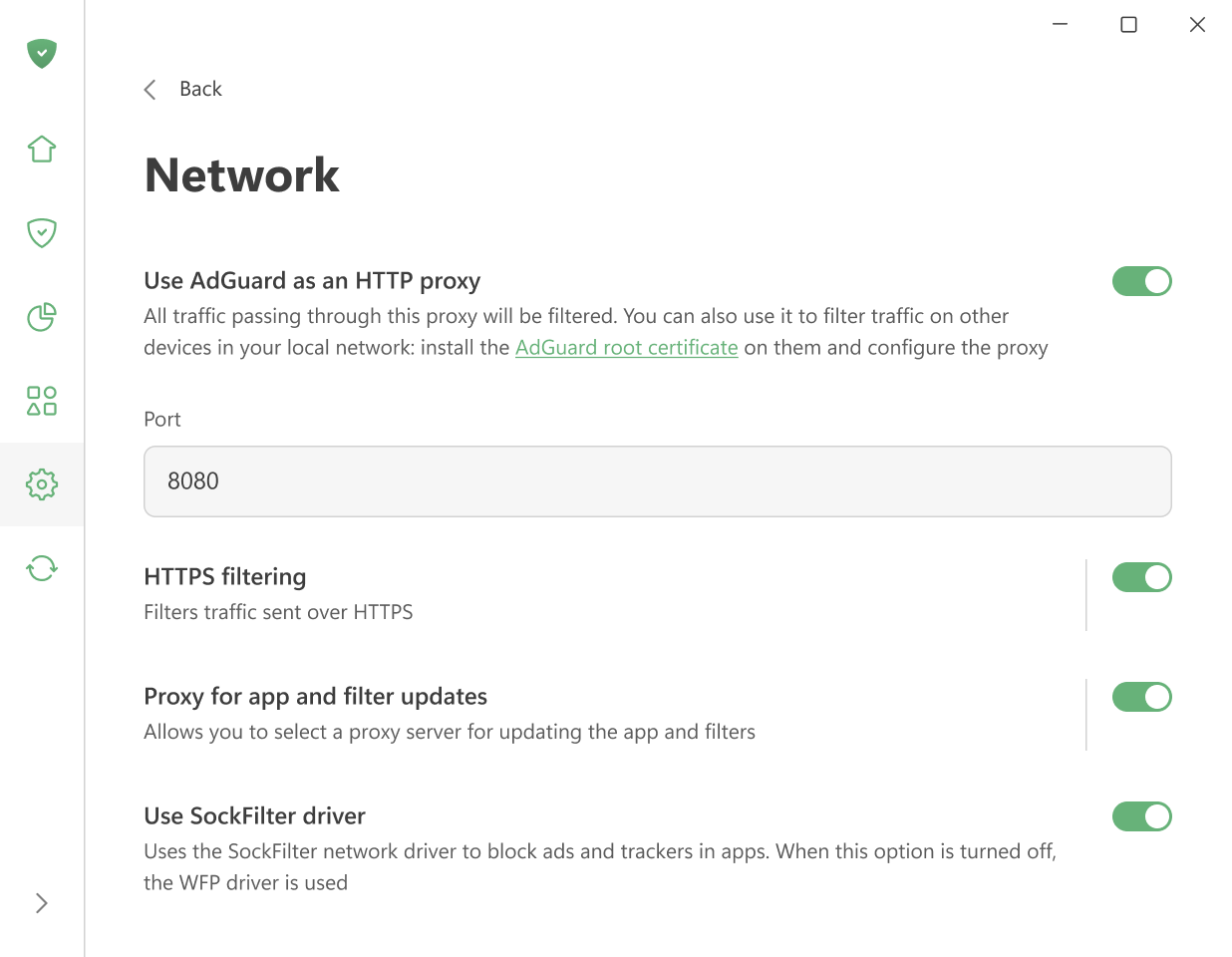
Utiliser AdGuard comme proxy HTTP
Activez cette option pour que AdGuard fonctionne en tant que proxy HTTP. Tout le trafic qui le traverse sera soumis au filtrage — pas seulement sur votre ordinateur, mais aussi sur d'autres appareils de votre réseau domestique.
Pour filtrer le trafic sur d'autres appareils, installez-y le certificat racine d'AdGuard et configurez le proxy manuellement.
Les autres paramètres sont activés par défaut.
Filtrage HTTPS
La plupart des sites Web utilisent aujourd'hui le chiffrement HTTPS. Sans filtrage HTTPS, AdGuard ne peut pas bloquer les publicités sur des sites Web comme YouTube, Facebook ou X (Twitter).
Nous vous recommandons de laisser l'option Filtrer HTTPS activée, sauf si vous avez une raison particulière de la désactiver.
Avec cette option, vous pouvez :
-
Réinstaller ou télécharger le certificat AdGuard
-
Ajouter des sites Web à une liste qui ne sera pas filtrée
-
Choisir de filtrer ou pas les sites web dotés de certificats EV (Extended Validation)
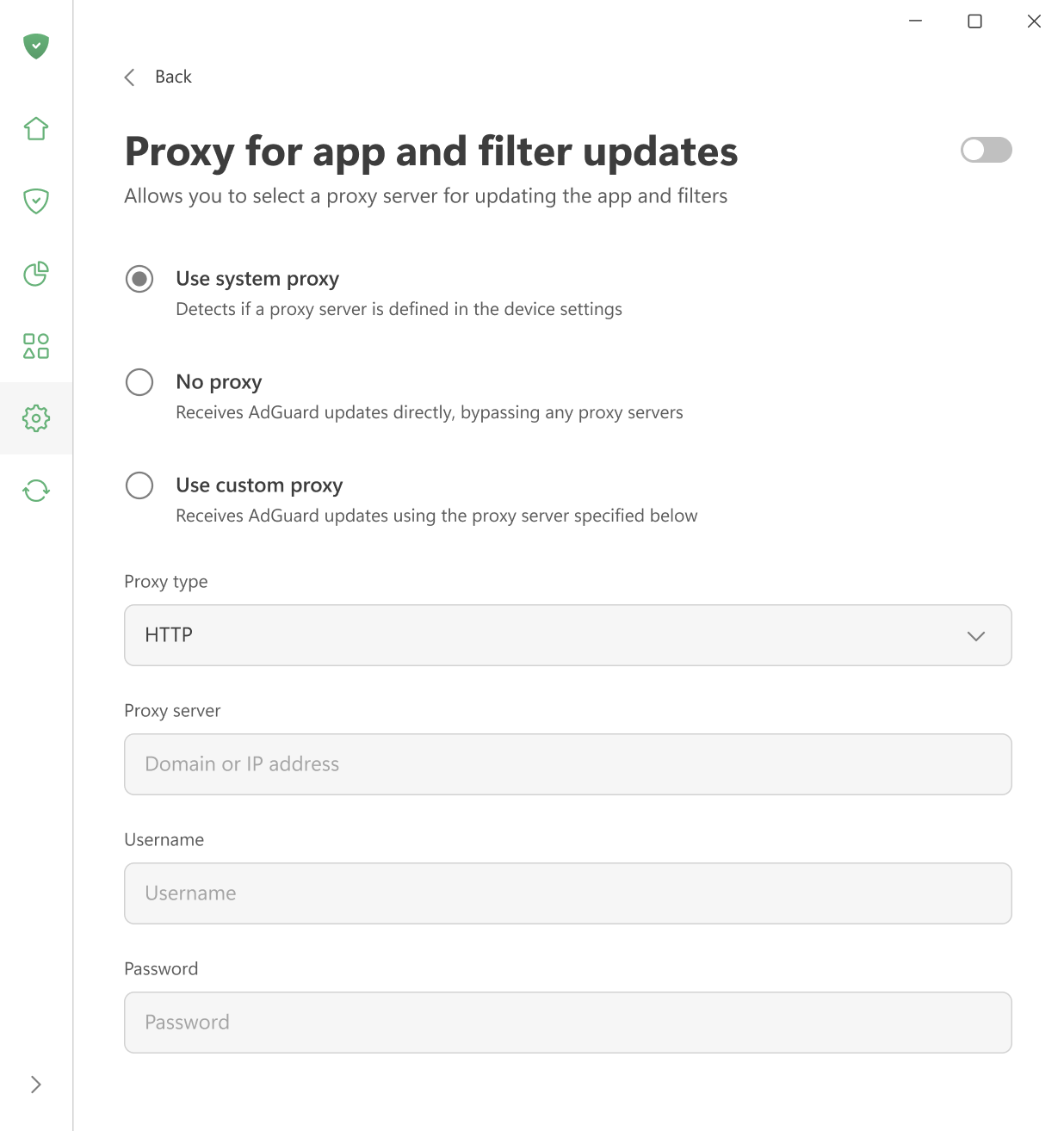
Proxy pour les mises à jour des applications et des filtres
Ici, vous pouvez choisir quel proxy AdGuard doit utiliser pour télécharger les mises à jour des filtres ou les nouvelles versions de l'app — le proxy système, un proxy personnalisé ou aucun proxy.
Utiliser le pilote SockFilter
Enable this option to use the SockFilter driver, which helps block ads and trackers in apps on Windows 8 and later. If this option is disabled, AdGuard will switch to the older WFP driver instead.
SockFilter was first introduced in v8.0 RC. It is an experimental, lightweight kernel-mode network driver that works at the socket level (TCP/UDP). Instead of inspecting or modifying packets as they travel through the full Windows networking stack, a sock filter intercepts socket calls (e.g., connect, send, receive, bind) at a higher, more stable abstraction level. This makes it ideal for applications that need to monitor or control network activity without deep packet processing.
When fully tested and implemented, SockFilter has the potential to bring several advantages over other drivers:
- It operates at a higher, socket-level layer: SockFilter works with socket operations rather than raw packets, making it less complex and more stable than WFP’s low-level packet filtering.
- No interference with other network drivers: Because it sits above VPN, firewall, and antivirus WFP filters, it avoids filter-ordering problems and compatibility conflicts common in the WFP stack.
- Greatly reduced risk of NETIO-related BSODs: SockFilter doesn’t run inside the NETIO packet pipeline, so it avoids the typical crash scenarios caused by WFP callouts mishandling buffers, classification results, or packet memory.
When it comes to disadvantages, SockFilter driver sees only socket-level operations and does not capture traffic generated by other kernel drivers or components that bypass the standard Winsock API. From a low-level networking perspective, this can be viewed as a limitation, since the driver cannot access raw packets or inspect non-socket traffic. However, for an ad-blocking application, this behavior is not just acceptable but optimal. All relevant traffic from browsers and user-mode applications goes through standard sockets, and that’s exactly what we need to control. At the same time, ignoring low-level driver traffic removes unnecessary complexity, avoids compatibility issues, and keeps the system stable.