Problems caused by extending restricted settings
Questo articolo riguarda AdGuard per Android, un blocca-inserzioni multifunzionale che protegge il tuo dispositivo a livello di sistema. Per vedere come funziona, scarica l'app di AdGuard
In an effort to improve user privacy, Google has expanded the restriction settings in Android 15. More settings, such as App usage access, now require an additional permission to be enabled. Poiché le funzioni Firewall e Rileva Samsung Pay richiedono che l'impostazione Accesso all'uso dell'app sia abilitata affinché funzionino correttamente, puoi aver riscontrato problemi nell'usarle. To resolve these issues, please follow the steps below.
AdGuard has a strict no-logging policy, which means that we do not collect your data or send it to third parties. We only ask for access to data without which the application cannot function.
Basic instructions
- On your Android device, open the Settings app.
- Tap Apps.
- Tap AdGuard
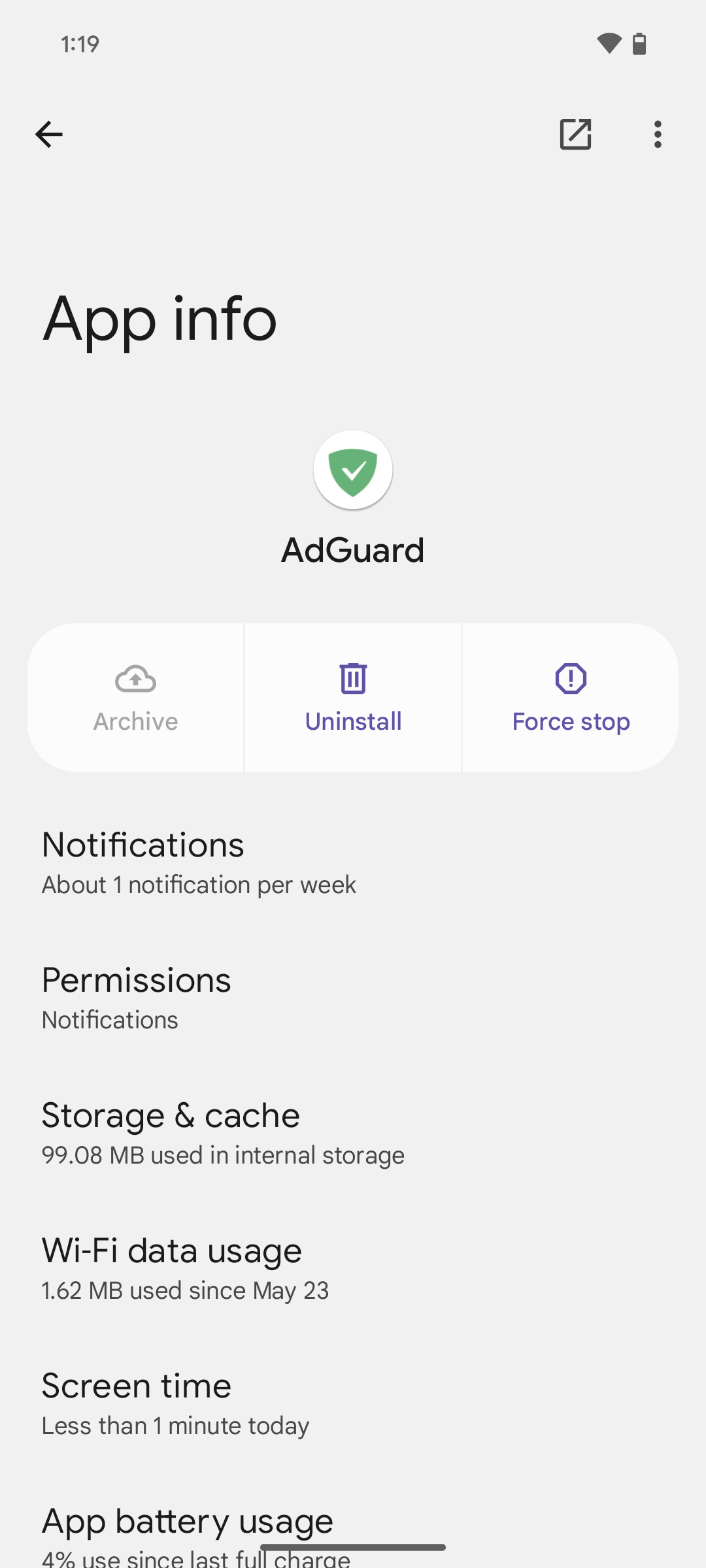
If you can't find it, first tap See all apps or App info.
- Tap More (⁝) → Allow restricted settings.
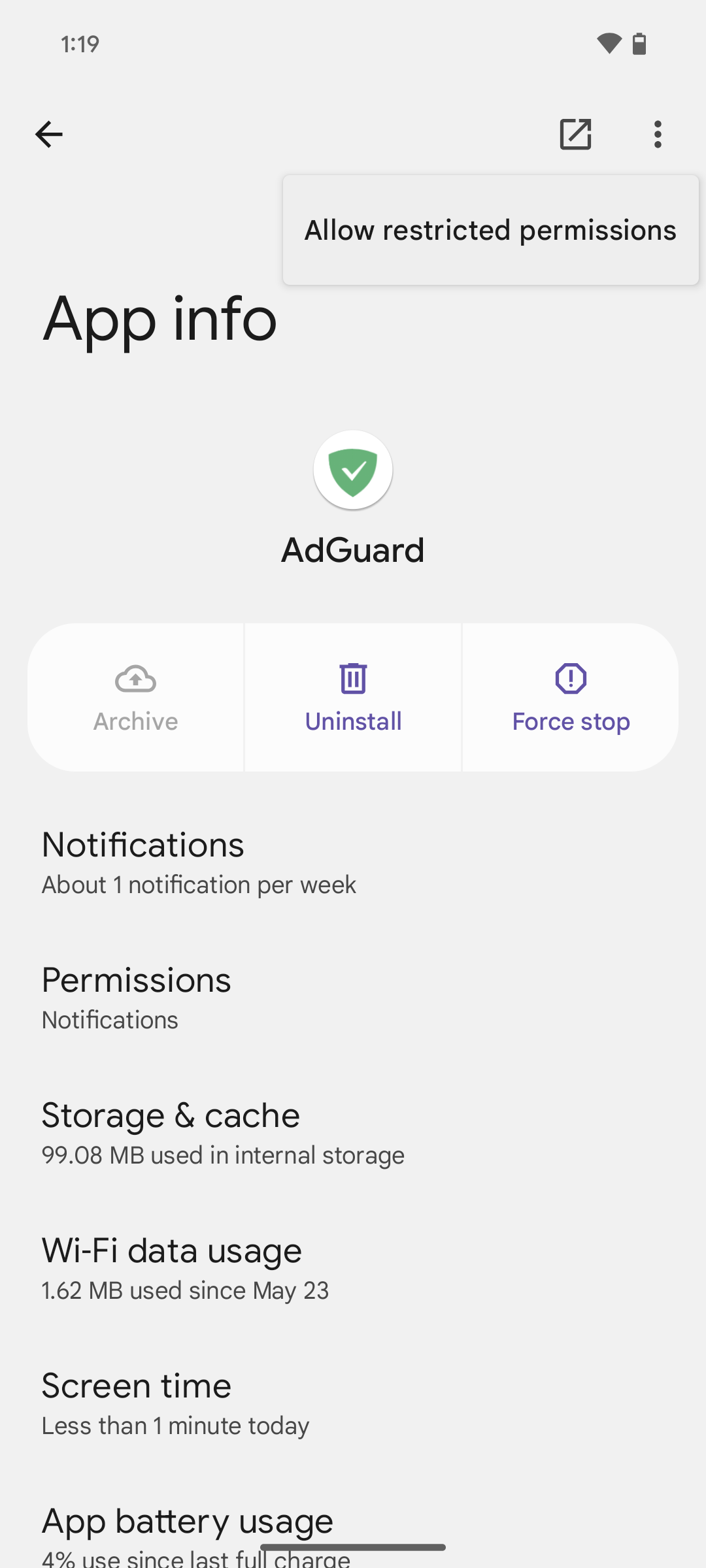
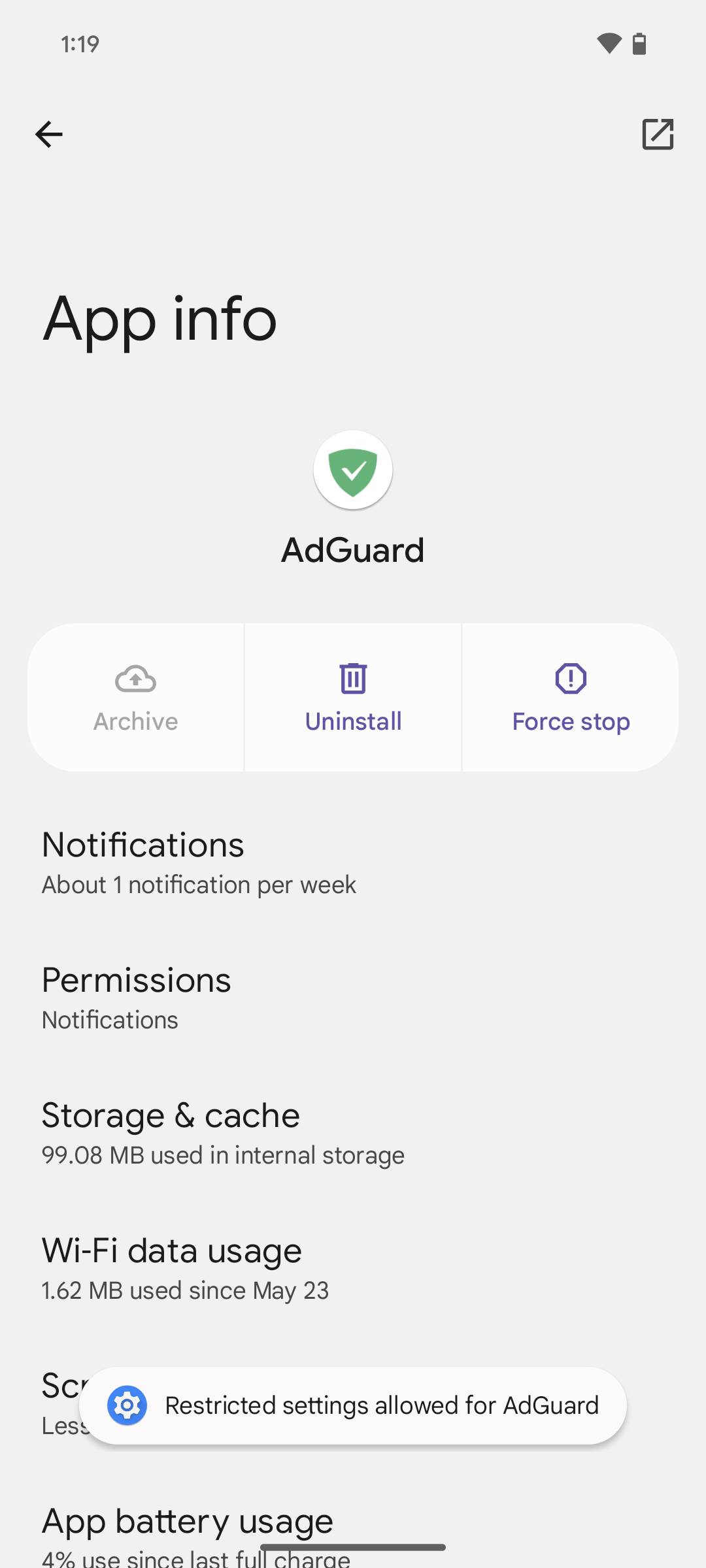
Follow the on-screen instructions.
All done! Now the Firewall and Detect Samsung Pay features will work correctly.
For OneUI 7.0 users
For Samsung devices with OneUI 7.0, the app permission settings follow a different path. Follow these steps to configure app usage access:
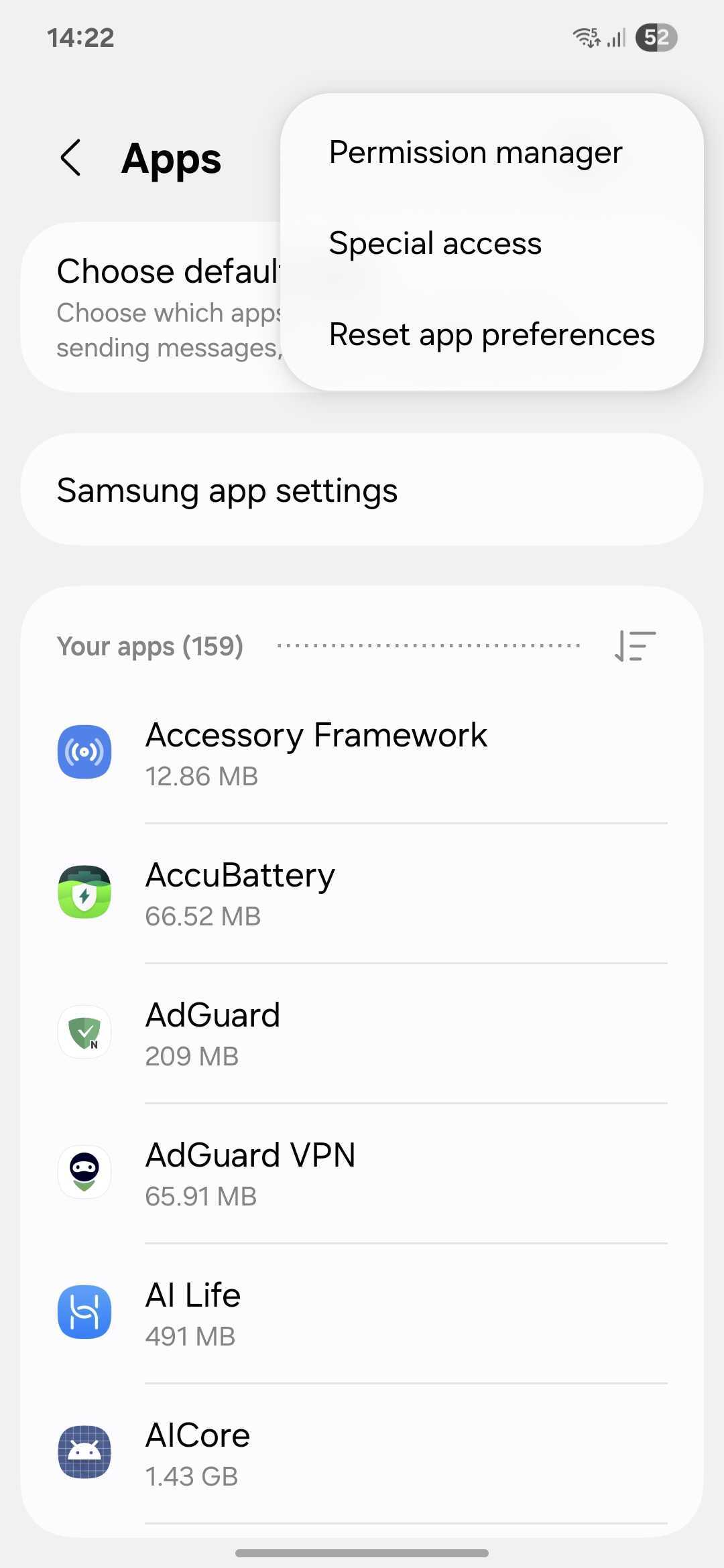
- Open System settings → Apps
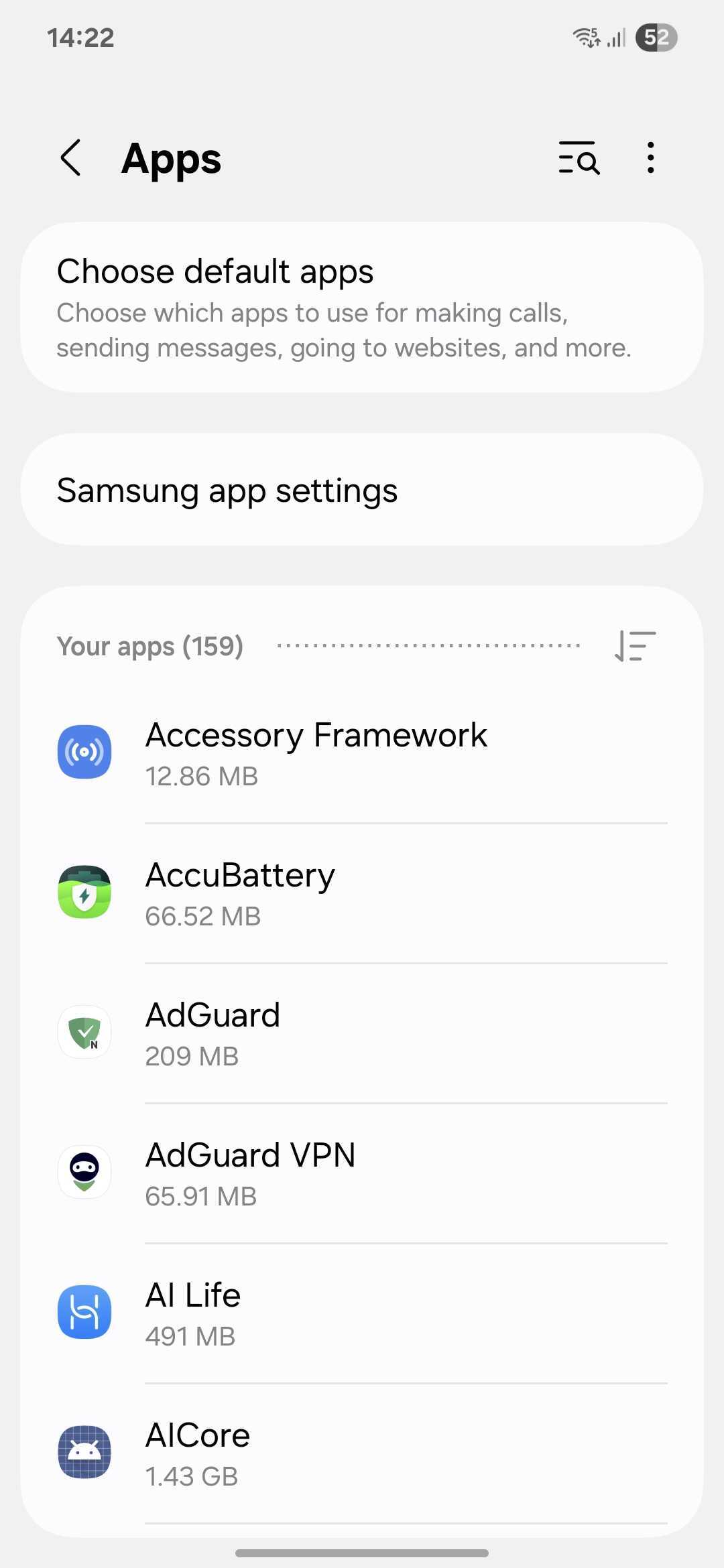
- Tap the menu icon (⋮) in the top-right corner, then select Special access
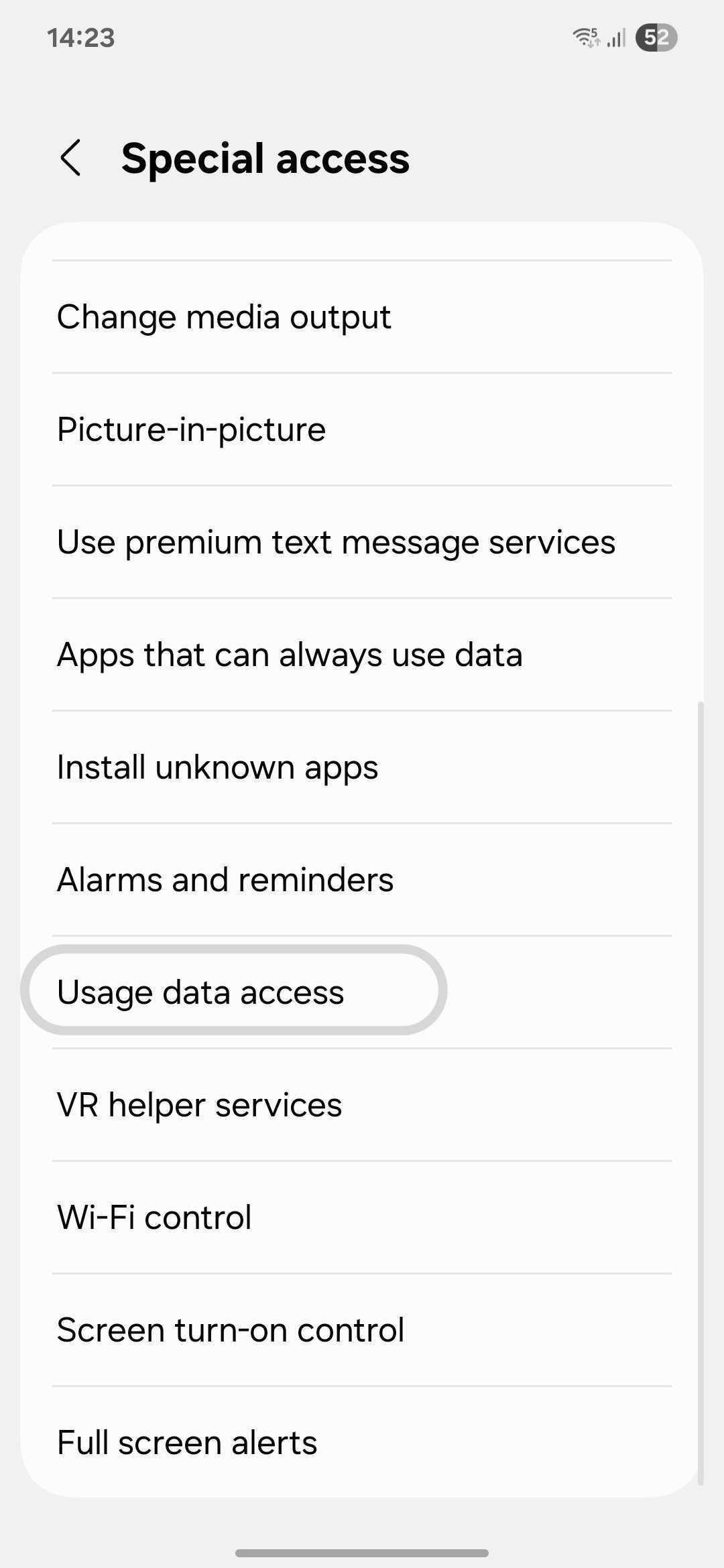
- Select Usage data access
- Find and enable AdGuard
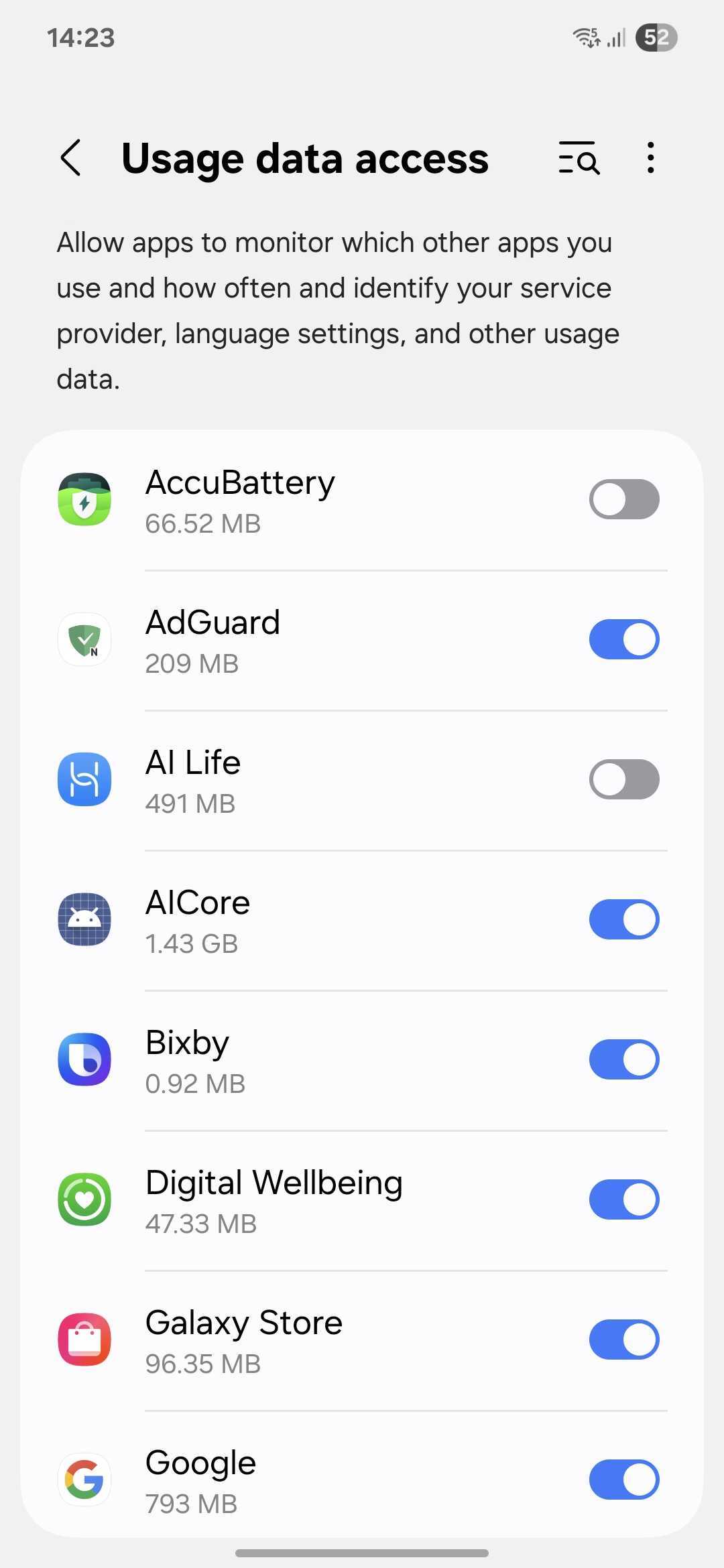
All done!