Impostazioni di rete
Questo articolo descrive AdGuard per Windows v8.0, un blocca-inserzioni completo che protegge il tuo dispositivo a livello di sistema. Questo è una versione beta ancora in fase di sviluppo. Per provarlo, scarica la versione beta di AdGuard per Windows.
Questa sezione ti permette di gestire come AdGuard filtra il tuo traffico nella rete globale e fornisce strumenti aggiuntivi per il controllo delle funzioni correlate alla rete.
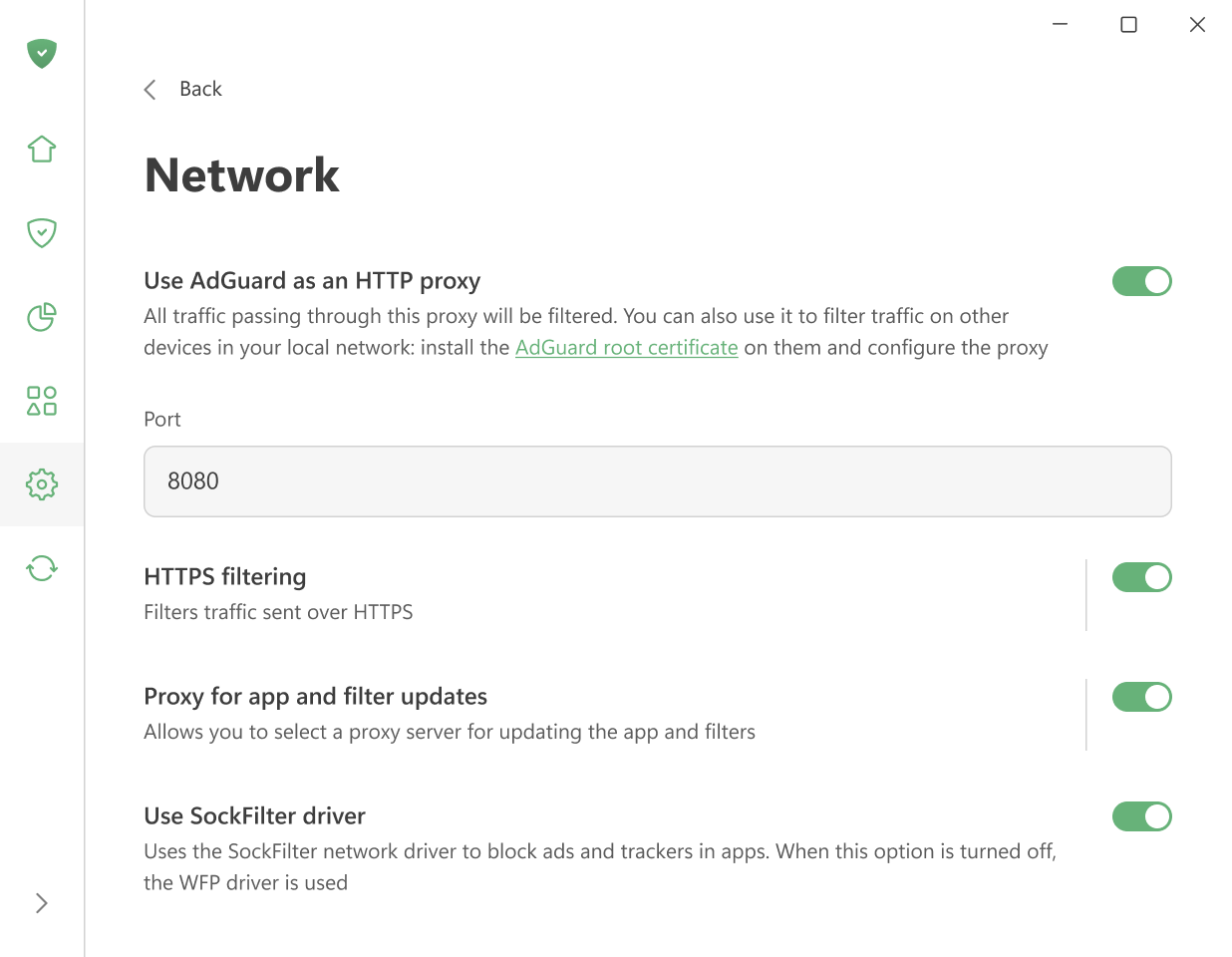
Usa AdGuard come proxy HTTP
Abilita questa opzione per far funzionare AdGuard come proxy HTTP. Tutto il traffico che lo attraversa sarà filtrato — non solo nel tuo computer, ma anche in altri dispositivi della tua rete dedicata domestica.
Per filtrare il traffico in altri dispositivi, installa il certificato root di AdGuard in essi e appronta manualmente il proxy.
Altre impostazioni sono abilitate per impostazione prescelta.
Filtraggio HTTPS
Oggi la maggior parte dei siti web usa la crittografia HTTPS. Senza il filtraggio HTTPS, AdGuard non può bloccare le inserzioni in siti web come YouTube, Facebook o X (Twitter).
Si consiglia di mantenere l'opzione Filtra HTTPS attivata a meno che non si abbia una ragione specifica per disattivarla.
Con questa opzione, puoi:
-
Reinstallare o scarica il certificato di AdGuard
-
Aggiungere siti web a una lista che non sarà filtrata
-
Scegliere se filtrare i siti web con certificati EV (Extended Validation)
Proxy per aggiornamenti app e filtri
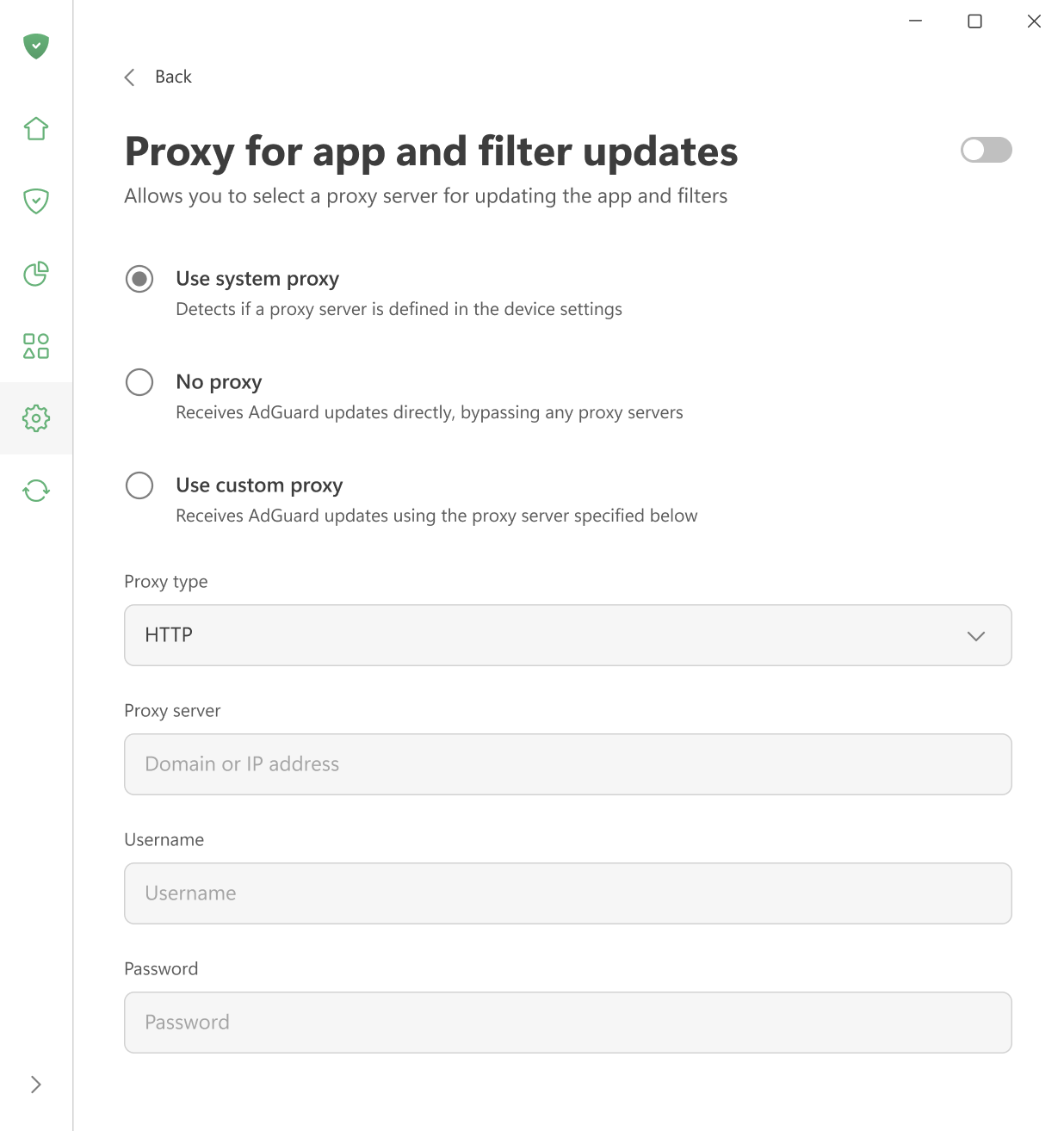
Qui puoi scegliere quale proxy AdGuard deve usare per scaricare gli aggiornamenti dei filtri o nuove versioni dell'app — il proxy di sistema, un proxy personale o nessun proxy.
Usa il driver SockFilter
Enable this option to use the SockFilter driver, which helps block ads and trackers in apps on Windows 8 and later. If this option is disabled, AdGuard will switch to the older WFP driver instead.
SockFilter was first introduced in v8.0 RC. It is an experimental, lightweight kernel-mode network driver that works at the socket level (TCP/UDP). Instead of inspecting or modifying packets as they travel through the full Windows networking stack, a sock filter intercepts socket calls (e.g., connect, send, receive, bind) at a higher, more stable abstraction level. This makes it ideal for applications that need to monitor or control network activity without deep packet processing.
When fully tested and implemented, SockFilter has the potential to bring several advantages over other drivers:
- It operates at a higher, socket-level layer: SockFilter works with socket operations rather than raw packets, making it less complex and more stable than WFP’s low-level packet filtering.
- No interference with other network drivers: Because it sits above VPN, firewall, and antivirus WFP filters, it avoids filter-ordering problems and compatibility conflicts common in the WFP stack.
- Greatly reduced risk of NETIO-related BSODs: SockFilter doesn’t run inside the NETIO packet pipeline, so it avoids the typical crash scenarios caused by WFP callouts mishandling buffers, classification results, or packet memory.
When it comes to disadvantages, SockFilter driver sees only socket-level operations and does not capture traffic generated by other kernel drivers or components that bypass the standard Winsock API. From a low-level networking perspective, this can be viewed as a limitation, since the driver cannot access raw packets or inspect non-socket traffic. However, for an ad-blocking application, this behavior is not just acceptable but optimal. All relevant traffic from browsers and user-mode applications goes through standard sockets, and that’s exactly what we need to control. At the same time, ignoring low-level driver traffic removes unnecessary complexity, avoids compatibility issues, and keeps the system stable.