フィルタリングが機能せず、広告がブロックされない
info
この記事は、Safariブラウザでのみ機能する「AdGuard Mini for Mac」に関するものです。 Mac全体を保護するには、AdGuardアプリをダウンロードしてください。
In some cases, filtering may not work and ads may still be displayed even though AdGuard Mini for Mac and the proper filters are enabled. これは通常、Safariのバグが原因でフィルタの更新がうまくいかないときに発生します。
対処法
- Safariを開きます。
- 左上のメニューで「Safari」をクリックします。
- 「環境設定…」→「拡張機能」をクリックします。
- これらの AdGuard Mini拡張機能チェックボックスをオフにします: [カスタム]、[一般]、[その他]、[プライバシー]、[セキュリティ]、[ソーシャル]、[AdGuard for Safari]
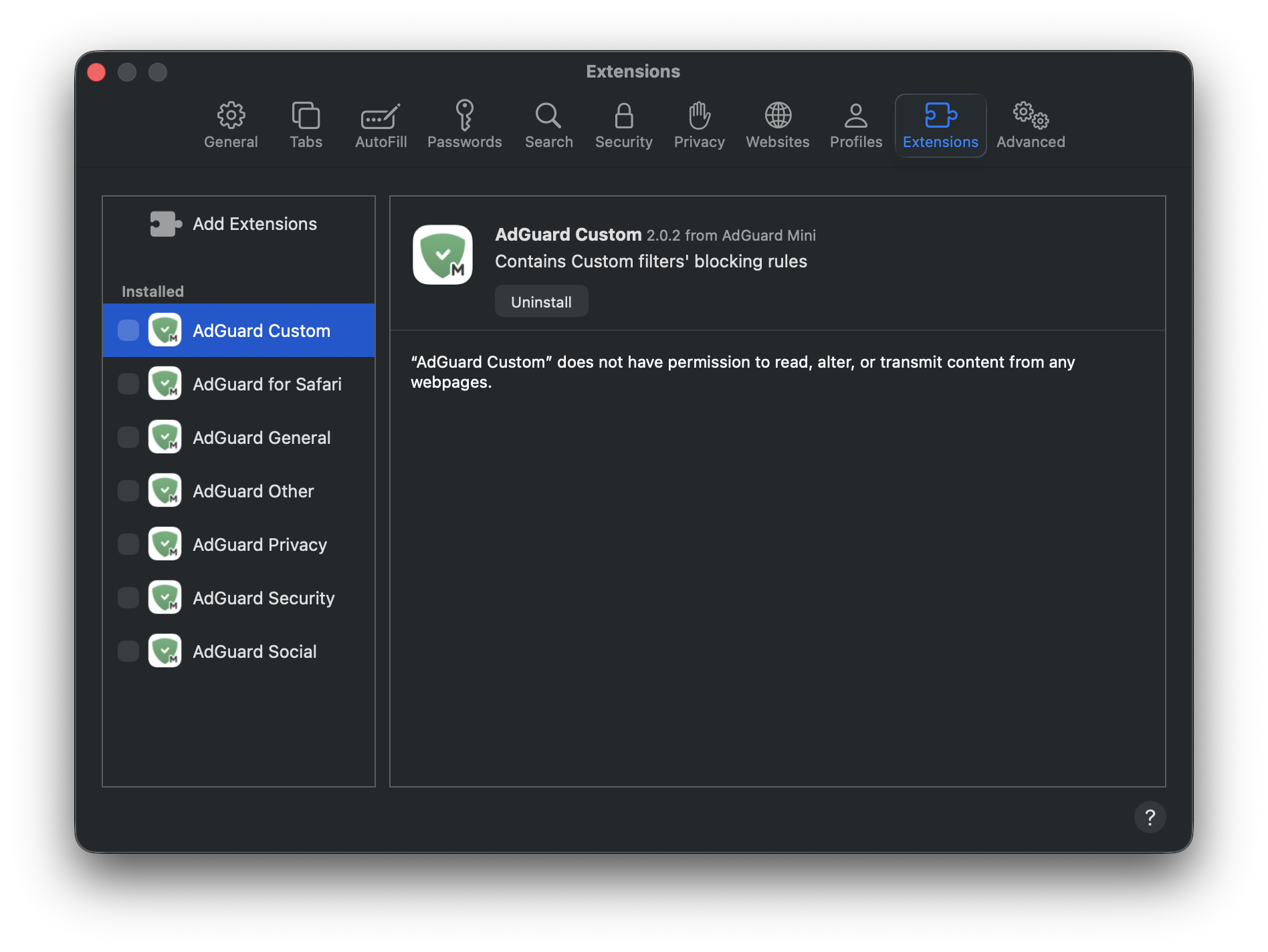
- Safari を再起動します。
- Safariに戻る→「環境設定...」→「拡張機能」に戻り、AdGuardの拡張機能を再度有効にします。
- Open AdGuard Mini’s menu.
- Click Check for updates icon.
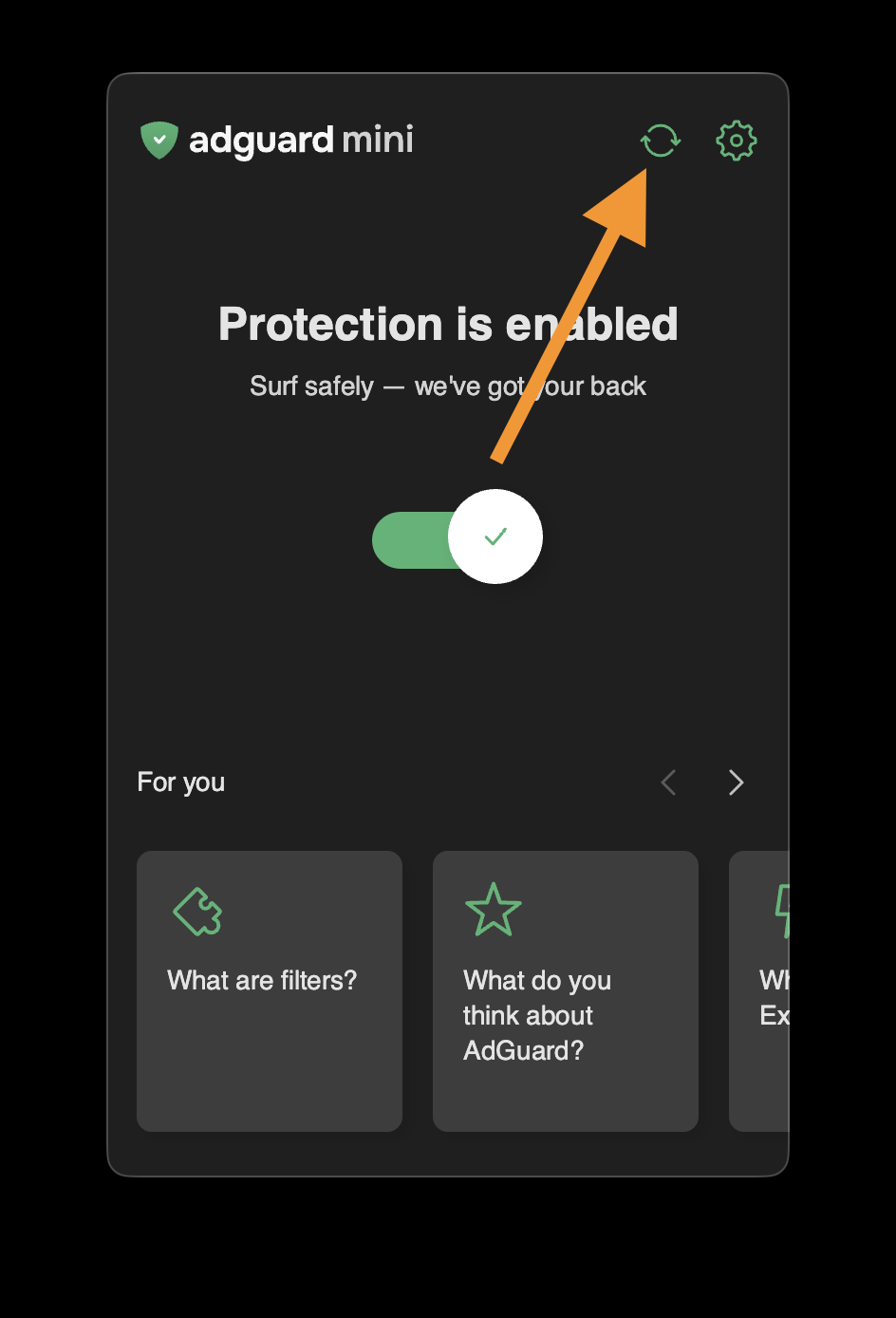
- Do not close the AdGuard Mini window until the filters are updated.
If this doesn’t help and ads are still not being blocked, please contact our support at support@adguard.com.
If you only have problems with a specific page or website, you can report it directly from the browser: click the AdGuard Mini icon next to the Safari search bar and then click Report an issue.