Configurações de aplicativo
Este artigo descreve o AdGuard para Windows v8.0, um bloqueador de anúncios completo que protege seu dispositivo em nível de sistema. Esta é uma versão beta que ainda está em desenvolvimento. Para experimentá-lo, baixe a versão beta do AdGuard para Windows.
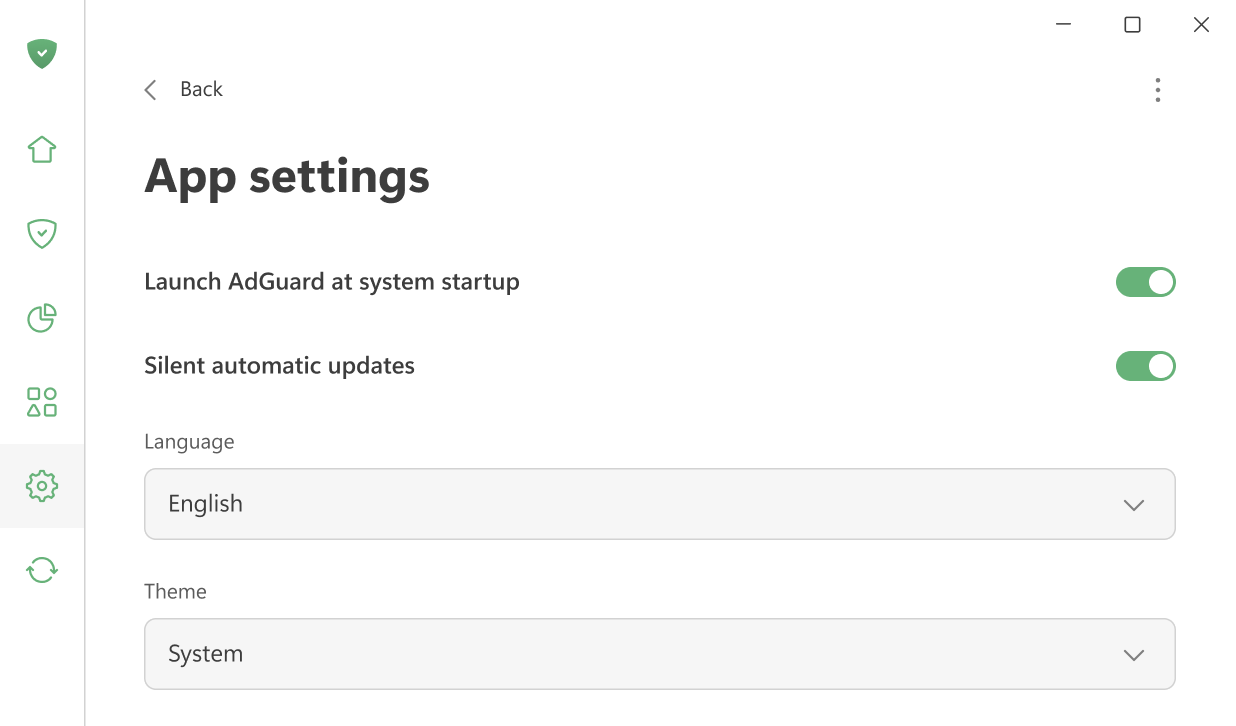
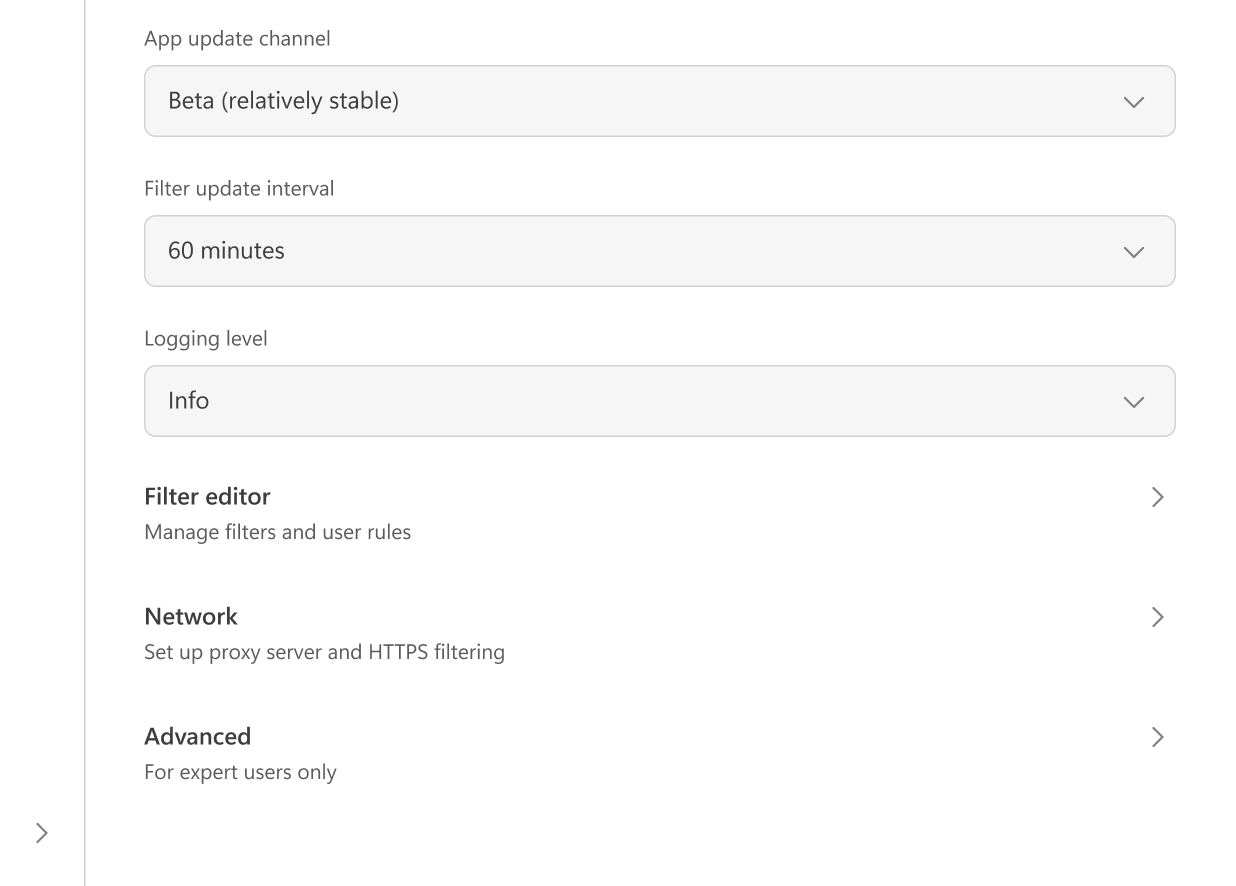
Aqui você pode ajustar as principais configurações do aplicativo: escolher entre os temas claro e escuro, definir o idioma do aplicativo, ativar o AdGuard para iniciar no startup do sistema e permitir atualizações automáticas silenciosas. Também é possível selecionar o canal de atualização e especificar com que frequência o AdGuard verifica a atualização dos filtros.
Se desejar, você pode concordar em enviar dados de uso do aplicativo anonimizados para nos ajudar a melhorar o produto.
Em caso de problemas, você pode alterar o nível de registro para criar registros detalhados para a equipe de suporte.
No Editor de filtragem, você pode adicionar suas próprias regras de filtragem ou importar filtros prontos para uso.
Configurações de rede incluem todas as opções relacionadas à filtragem de rede e como o AdGuard interage com a rede do seu sistema.
As configurações Avançadas destinam-se a usuários experientes. Eles raramente são necessários no uso diário e só devem ser alterados se você souber o que está fazendo ou se nossa equipe de suporte solicitar.