How to keep using AdGuard after Chrome removed MV2
This article describes two ways to keep blocking ads: switching to the MV3 version of AdGuard Browser Extension in Chrome, or continuing with MV2 in a browser that still supports it.
The Chrome Web Store removed all remaining Manifest V2 (MV2) extensions, including . Chrome disables such extensions and reports them as no longer supported. The MV3 version is not affected.
Keep only one ad blocker enabled in a browser. Two blockers filtering the same traffic cause missed ads, broken page layouts, and pages that load indefinitely. If the browser has built-in ad blocking, disable it before installing AdGuard.
Switching to MV3 in Chrome
MV3 is the current version of AdGuard Browser Extension for Chrome and the only one available from the Chrome Web Store.
If you installed AdGuard from the main Web Store page and allowed Chrome to update extensions, you already have MV3 and don’t need to do anything.
If you installed AdGuard Ad Blocker MV2 from its own Web Store page, Chrome can’t replace it automatically: the two versions have different extension IDs. To switch to MV3:
- Install AdGuard Ad Blocker from the Chrome Web Store.
- Open
chrome://extensions, remove AdGuard Ad Blocker MV2, and enable the MV3 version. - Re-add your custom rules and third-party filters: MV3 doesn’t import them from MV2.
- Reload open tabs.
MV3 applies most blocking rules through the browser’s declarative engine, which limits the number of rules and changes how filters update. Before switching, see the AdGuard Browser Extension MV3 article.
Continuing with MV2 in other browsers
MV2 and MV3 are built from the same codebase and released together, so MV2 keeps receiving filtering engine updates, filter updates, bug fixes, and security fixes. MV2 ends when a browser stops running Manifest V2, not when we stop updating it.
Firefox 浏览器
Firefox supports MV2 extensions and has no plans to deprecate them. AdGuard for Firefox is built on MV2 and distributed through Firefox Add-ons, so it installs and updates like any other add-on.
-
Go to the AdGuard ad blocker add-on page.
-
Click Add to Firefox and confirm the permissions.
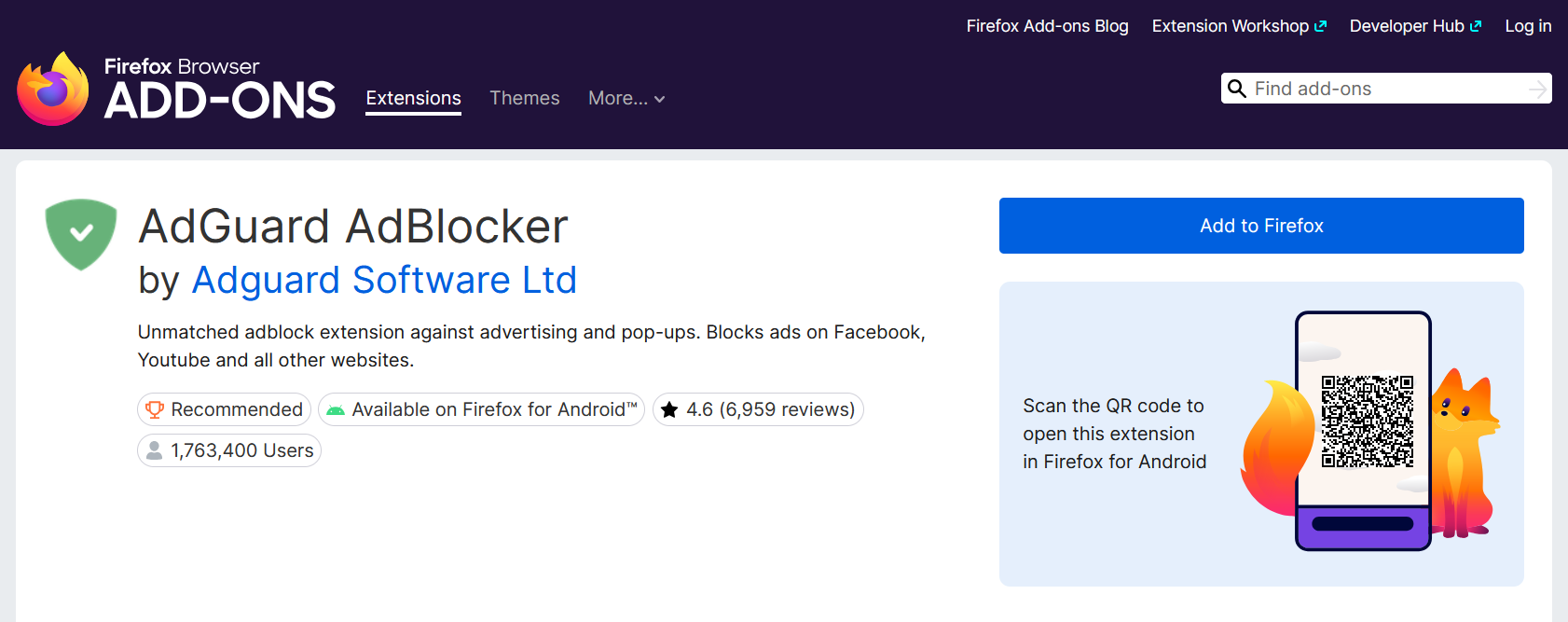
Firefox’s Enhanced Tracking Protection blocks trackers rather than ads and can stay enabled alongside AdGuard.
Brave
Brave supports MV2 through its own compatibility mode and hosts the AdGuard build on its backend, independent of the Chrome Web Store. Brave installs and updates it automatically.
-
Go to
brave://settings/extensions/v2. -
Turn on Enable AdGuard.
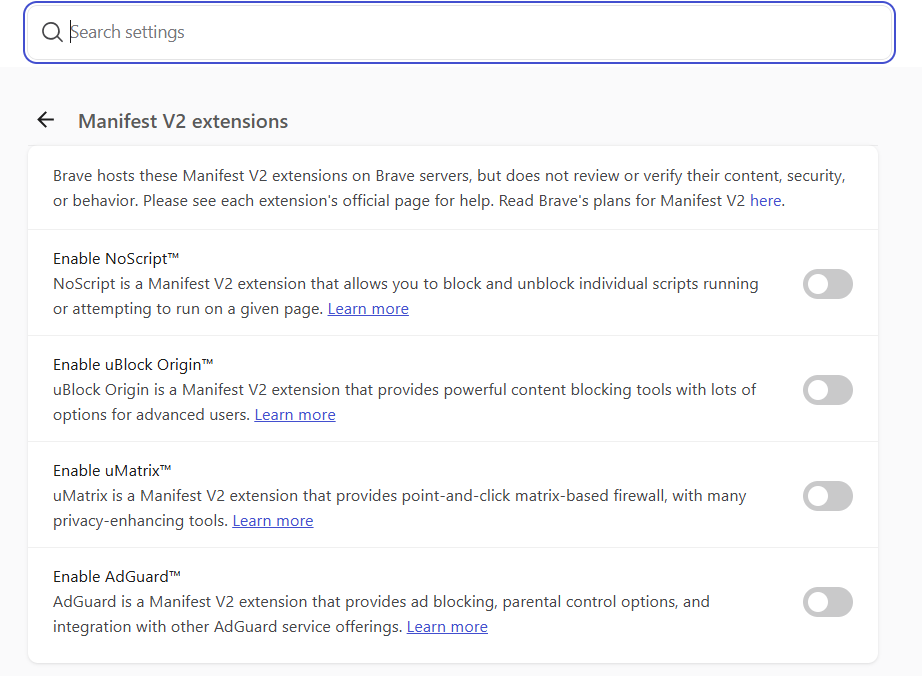
Brave describes MV2 support as best-effort rather than a permanent guarantee. Brave Shields also blocks ads — turn it off if AdGuard should do the filtering.
ungoogled-chromium, Helium, and other Chromium builds
These browsers keep MV2 support but have no Chrome Web Store integration, so the extension is installed manually:
- ungoogled-chromium is a modified Chromium that patches MV2 support back in.
- Helium is an open-source Chromium-based browser that supports Chromium extensions and can import the ones already installed in your previous browser. It blocks ads and trackers by default — disable that if AdGuard should do the filtering.
- Portable Chromium builds that kept MV2 use the same steps. Check the build’s documentation, as some maintainers removed MV2 support.
- Download
chrome.zipfrom AdGuard Browser Extension releases and unpack it to a folder you won’t move or delete. - Open
chrome://extensions. - Turn on Developer mode.
- Click Load unpacked and select the extension folder.
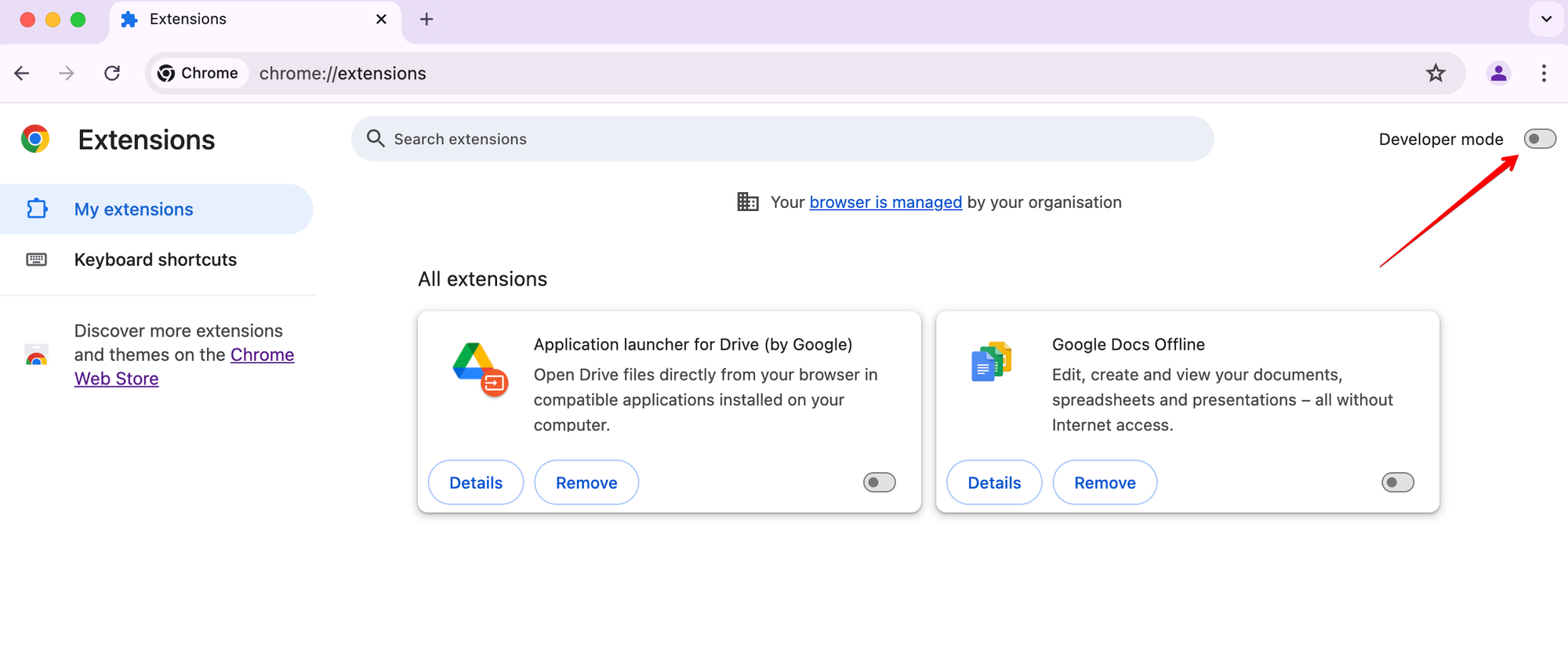
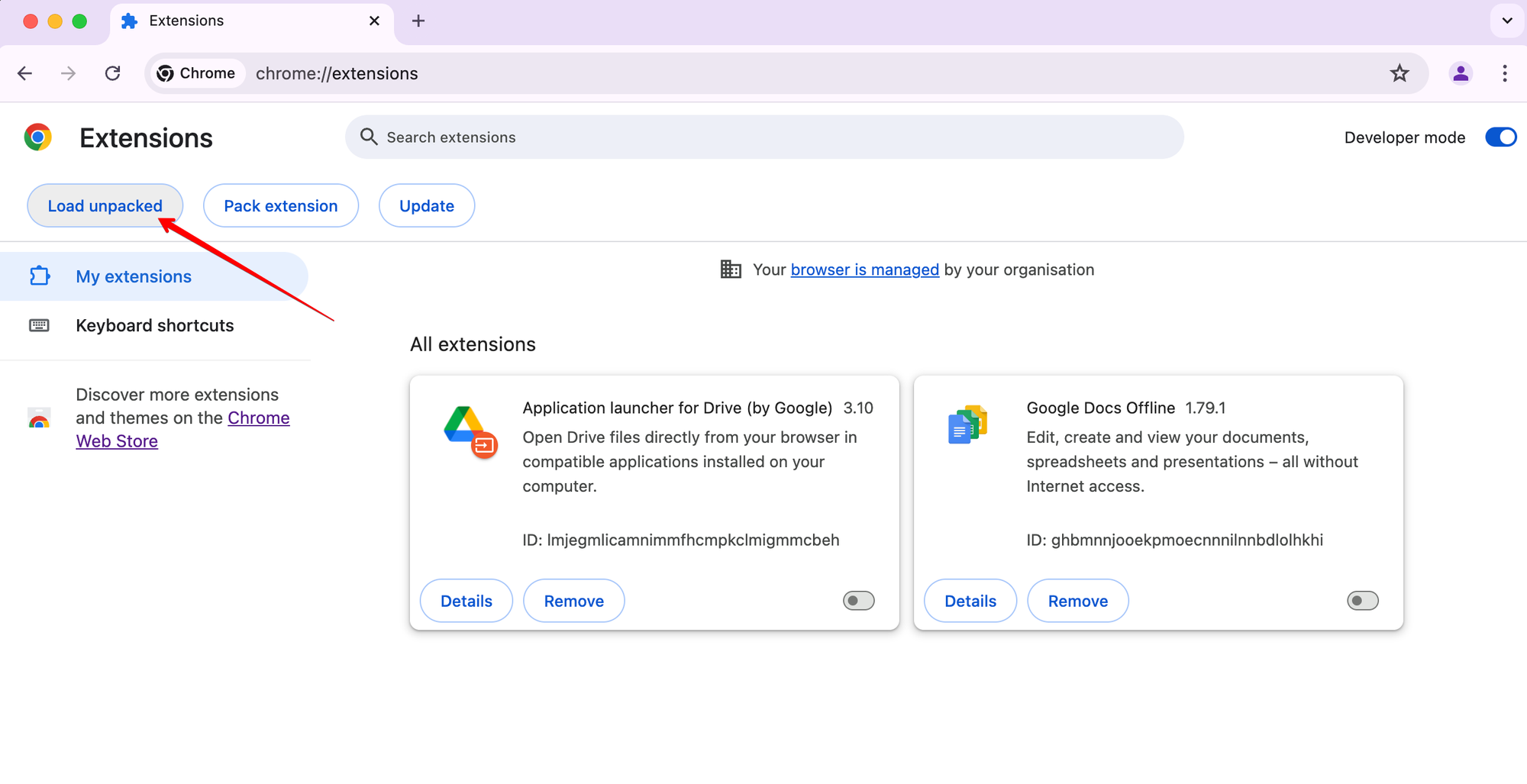
An unpacked extension is loaded from the folder you selected and stops working if that folder is moved or deleted. Unpacked extensions don’t update automatically: to get a new version, download and load the build again.
For the full Developer mode → Load unpacked flow, see the How to install unpacked in the browser section in How to debug rules in the MV3 extension.
Microsoft Edge
The MV2 build is still available from Edge Add-ons, but Microsoft is phasing Manifest V2 out: warnings started appearing in August 2026, and the transition for consumer Edge is expected to finish by the end of 2026. Managed enterprise installations get more time. Treat Edge as a temporary option. See Edge is phasing out the extension platform ad blockers relied on.
System-wide AdGuard apps
The AdGuard app for Windows, Mac, Android, iOS, and Linux filters traffic in all browsers and other applications, regardless of manifest versions.