Assistant
This article is about AdGuard for Android, a multifunctional ad blocker that protects your device at the system level. To see how it works, download the AdGuard app
Assistant is a handy tool to quickly change app or website settings and view statistics without opening the AdGuard UI.
How to access Assistant
- On your Android device, swipe down from the top of the screen to open the notification shade.
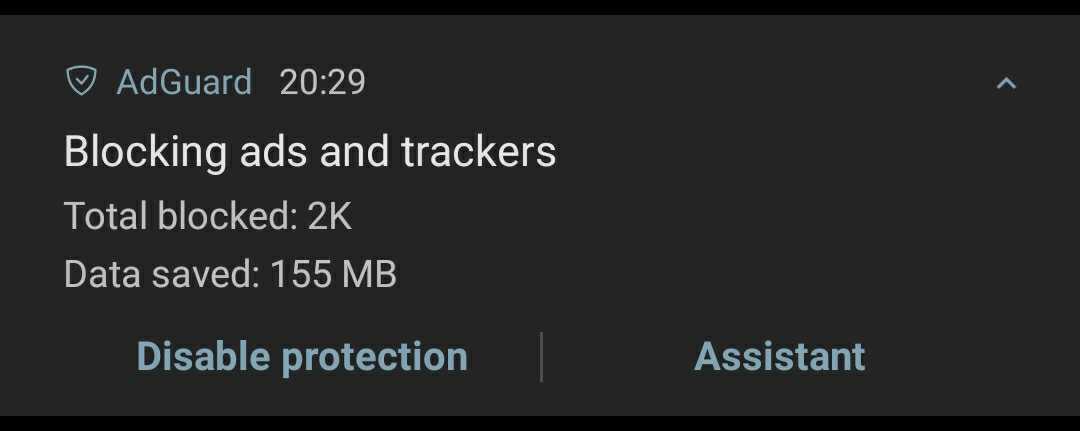
- Find and expand the AdGuard notification.
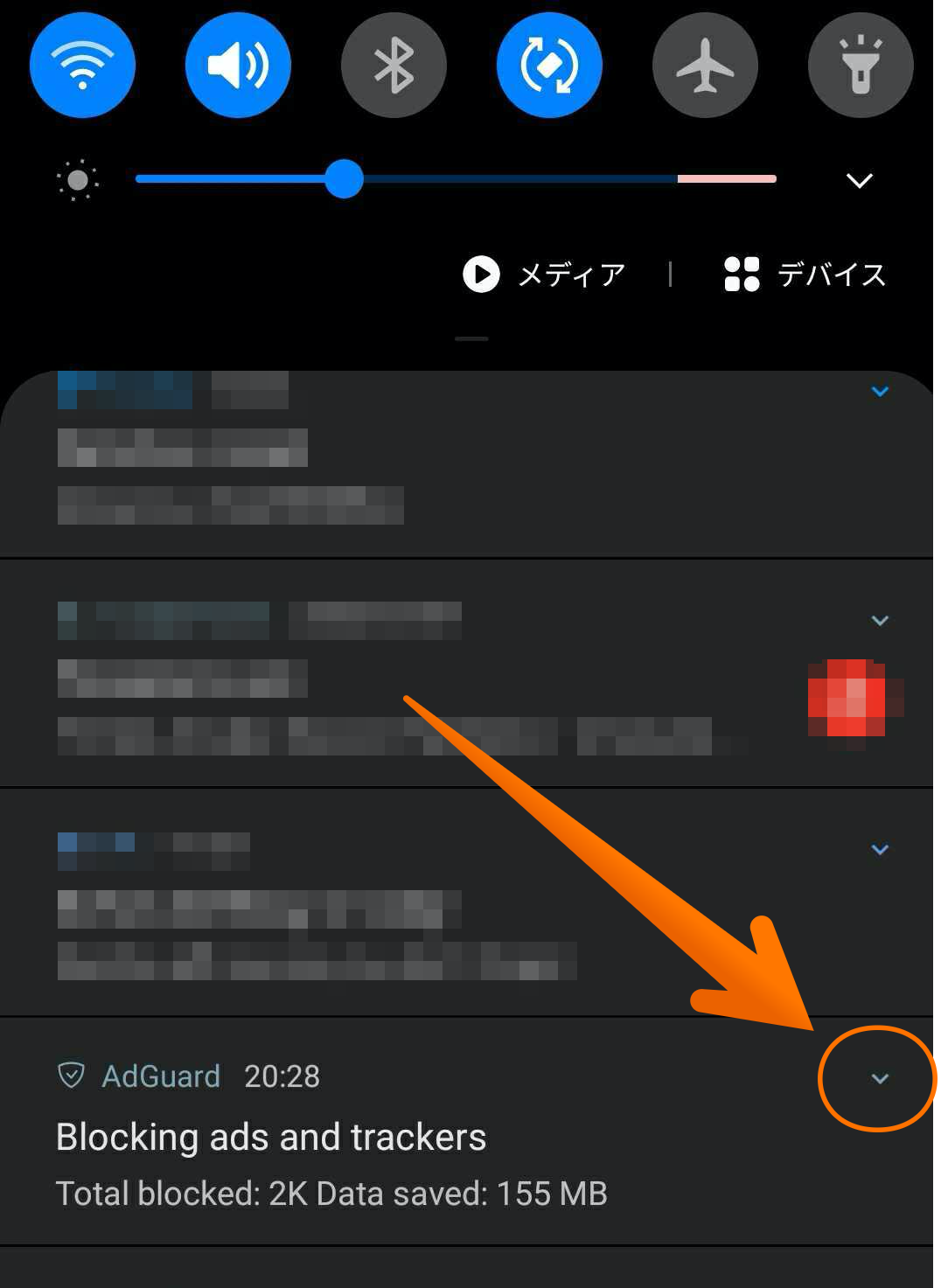
- Tap Assistant.
How to use Assistant
When you open Assistant, you will see two tabs: Apps and Websites. Each of them contains a list of the recently used apps and websites respectively.
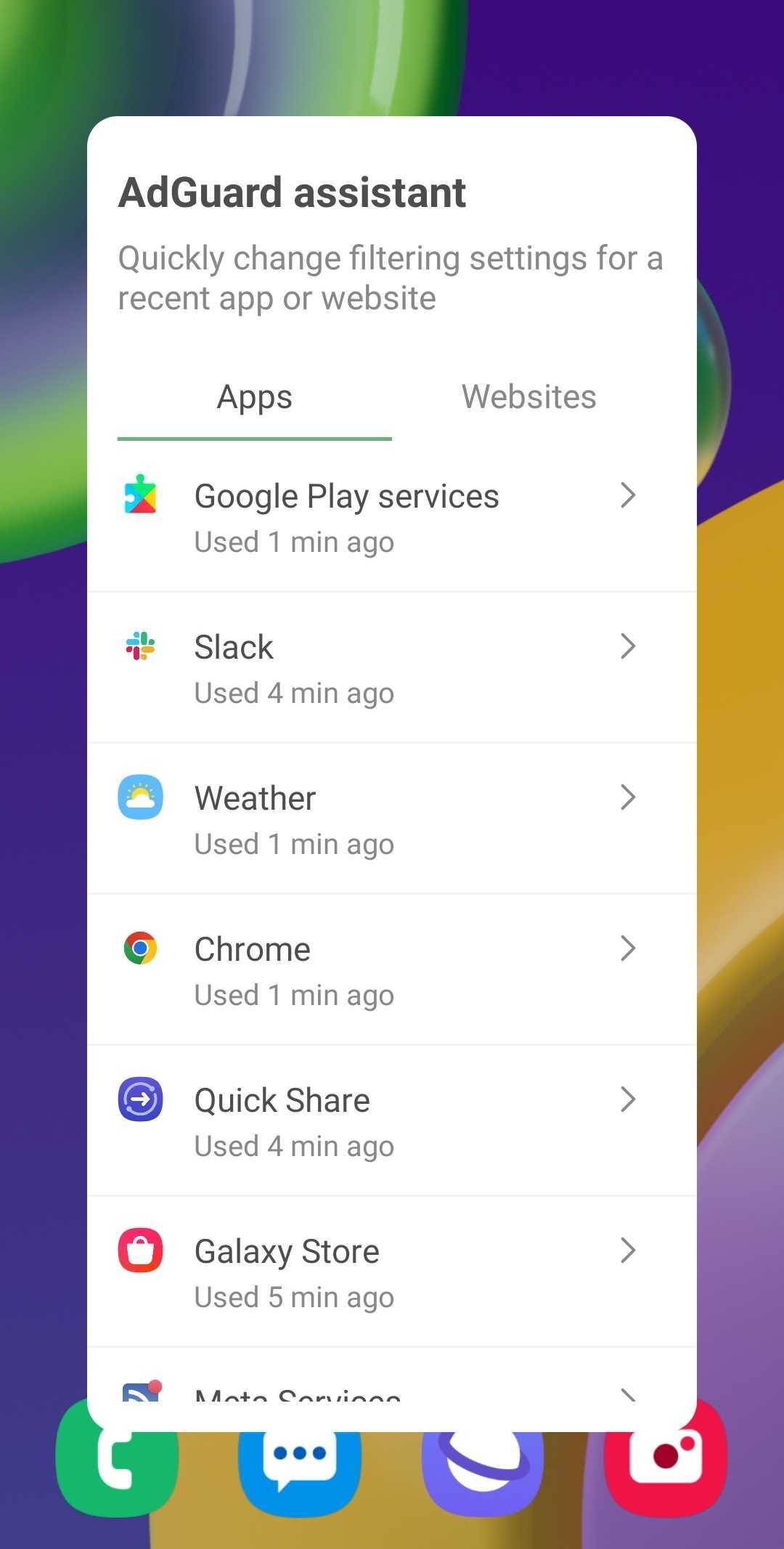
Apps tab
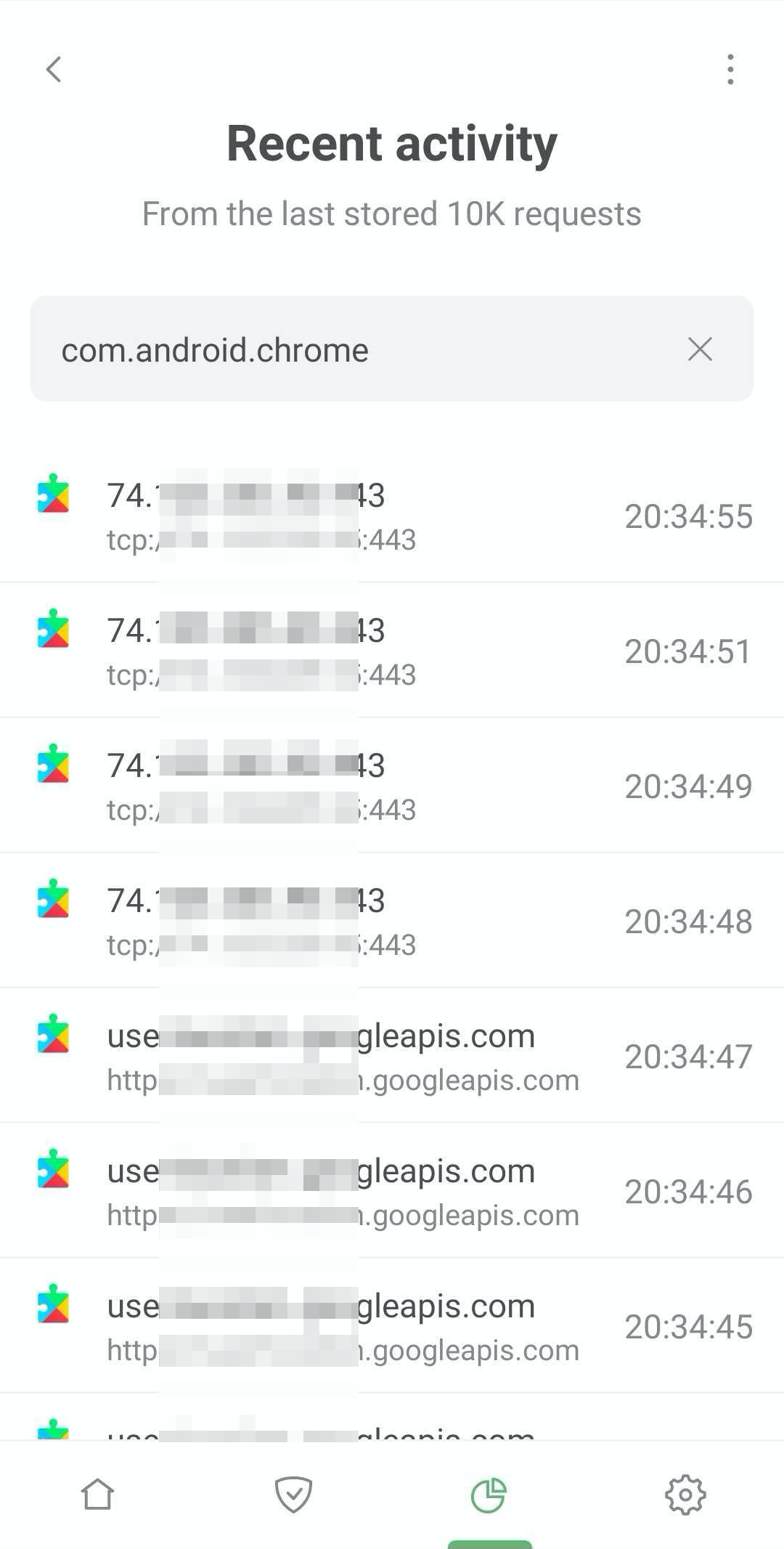
After you select an app (let's take Chrome as an example), you'll get a few options of what you can do.
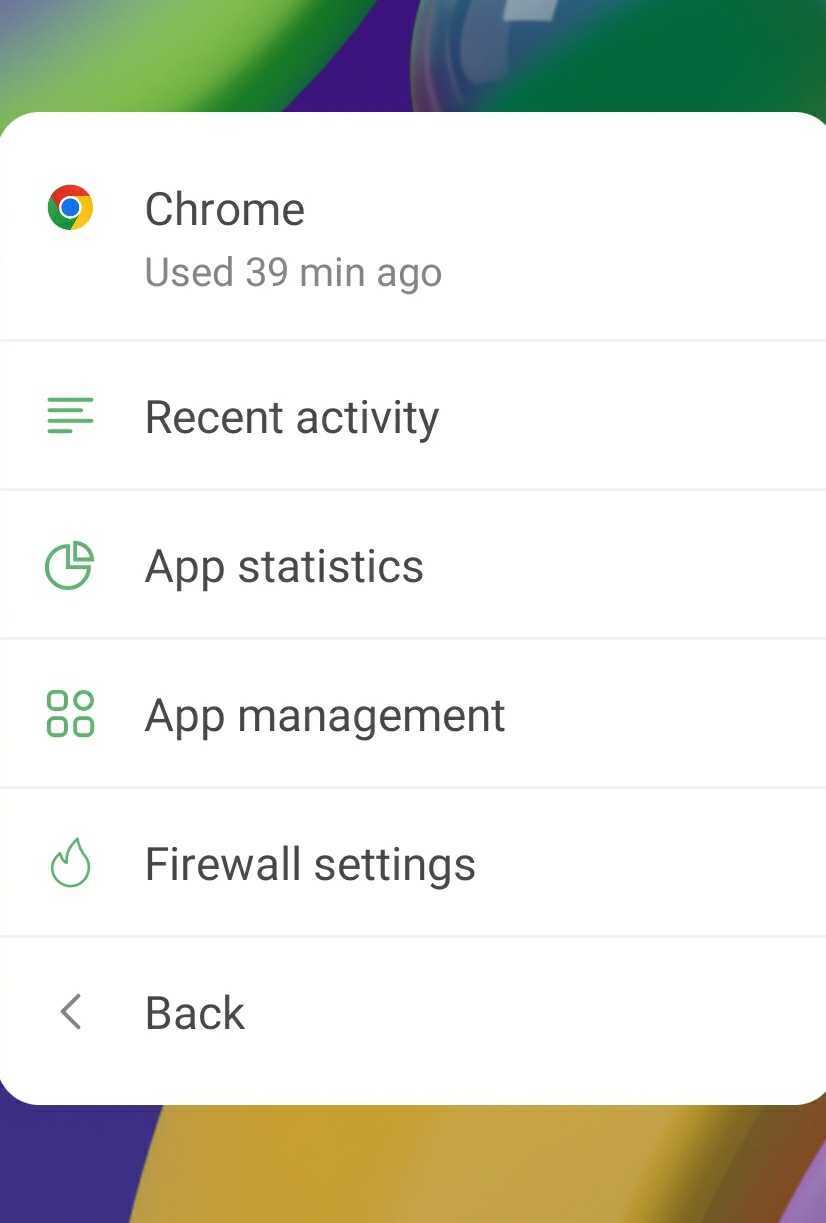
Recent activity
You'll be taken to the AdGuard app, where you'll see detailed info on the last 10K requests made by Chrome.
App statistics
You'll be taken to the AdGuard app, where you'll see detailed statistics about Chrome:
- Number of ads and trackers blocked in Chrome
- Data saved by blocking Chrome's ad or tracking requests
- Companies that Chrome sends requests to
App management
You'll be taken to the AdGuard app screen where you can disable AdGuard protection for the app.
Firewall settings
You'll be taken to the AdGuard screen where you can change Firewall settings for the app, meaning you can manage the app's Internet access.
Websites tab
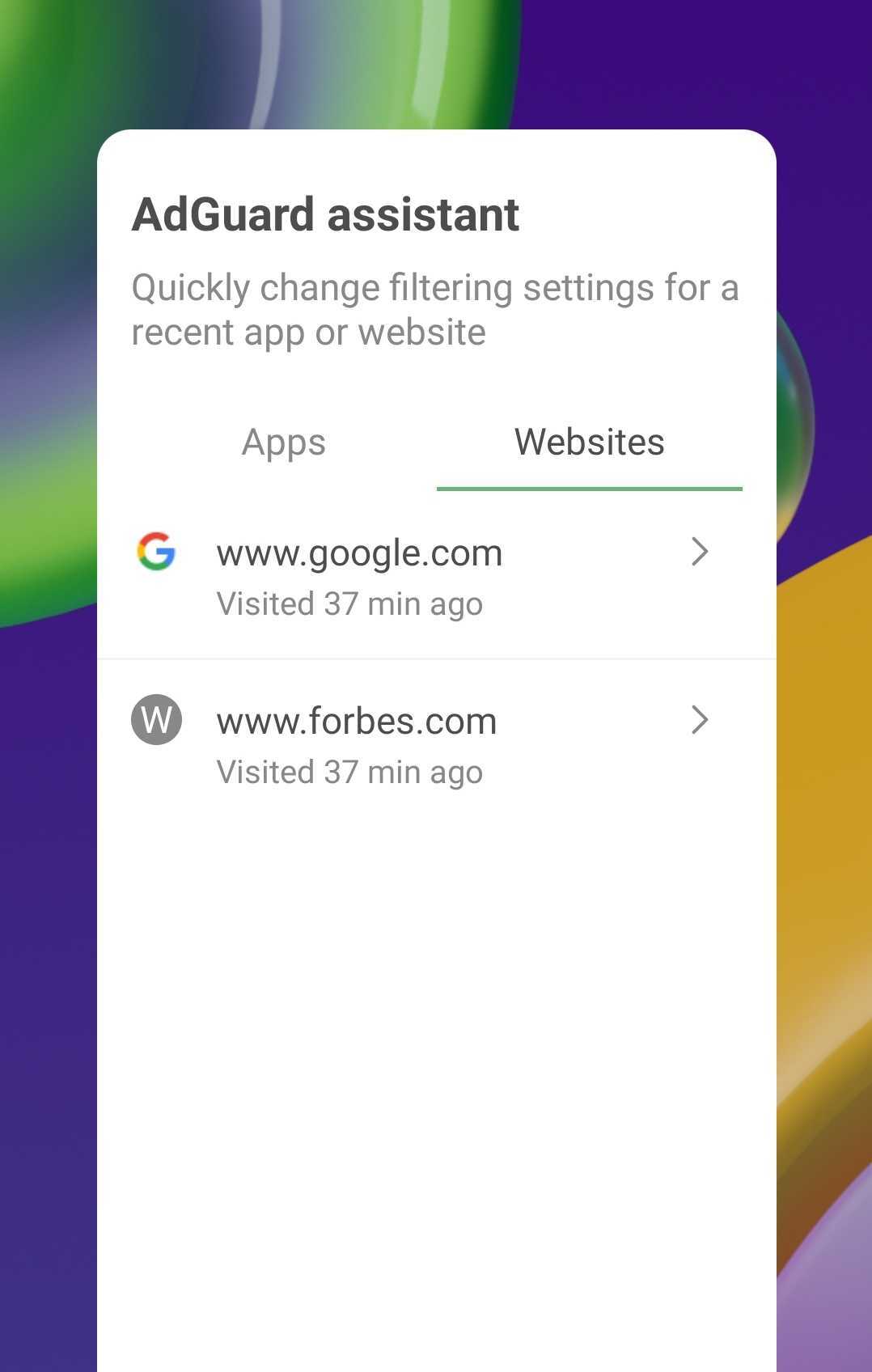
Select a website (we use google.com here purely as an example) and you'll see few options of what you can do.
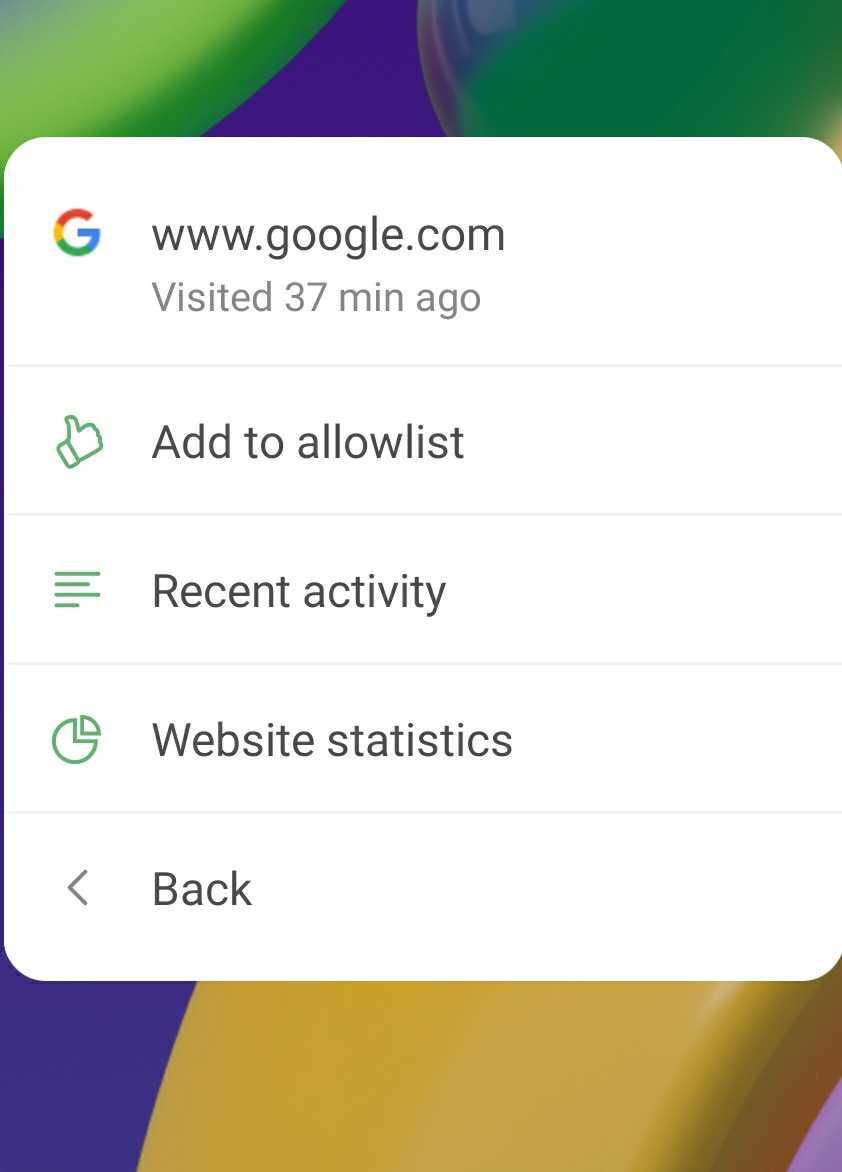
Add to allowlist
Tapping this option will instantly add google.com to allowlist, and AdGuard will no longer filter it (meaning ads and trackers won't be blocked for the website).
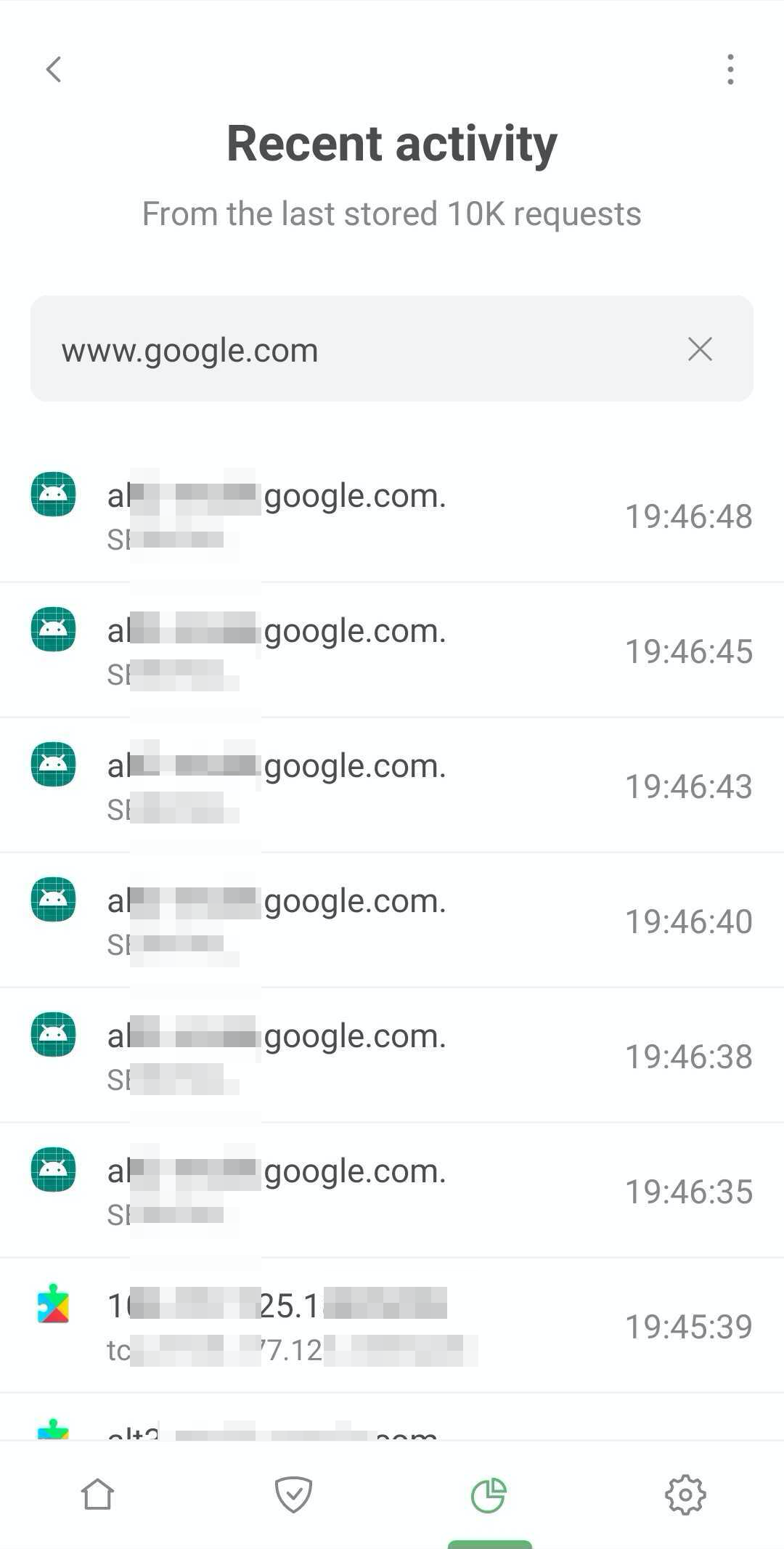
Recent activity (websites)
You'll be taken to the AdGuard app, where you'll see detailed info on the last 10K requests to google.com.
Website statistics
You'll be taken to the AdGuard app, where you'll see detailed statistics about google.com:
- Number of blocked ad and tracking requests to google.com
- Data saved by blocking ad and tracking requests to google.com
- Apps that send requests to google.com
- Information about google.com's subdomains