How mobile carriers make money off your data behind your back
At first glance, the relationship between a customer and a mobile operator seems pretty straightforward. You pay a monthly fee, and in return you can make calls and roam the Internet until you run out of data or the next bill arrives. However, it’s only at first glance that this relationship is nothing more than a simple ‘service for payment’ exchange.
What many of us don’t realize is that mobile operators are not just providing a service, but also collecting and selling our personal data. Every time we use their cellular networks, we give them access to our web history, call history, text messages we send, mobile apps we use, and more. This data can reveal a lot about our preferences, habits, and behaviors. Naturally, it may benefit advertisers who use it to target us with personalized offers.
We often hear about how companies like Meta and Google use our data for ad profits. But their services — think Instagram or Gmail — are at least free, and we sort of expect them to come with strings attached (after all, the only free cheese is in the mousetrap). On the other hand, when it comes to mobile carriers, we’re already footing an ever-increasing cell phone bill, and we might assume that that’s all they get from us. Unfortunately, this is not the case.
Major mobile carriers, such as AT&T, Verizon, and T-Mobile — 1st, 2nd, and 3d largest mobile services providers in the US by market share, respectively — are all in that data-sharing (i.e. data-selling) business.
How mobile carriers get to access and share our sensitive data
In order to learn about how leading mobile carriers use customer data, we need to look no further than their privacy policies. But before we dive into their murky waters, we should mention that they share your data in two ways: by default and with your consent.
The default option means that you are automatically enrolled in an ad personalization program and you have to change your settings to opt out of it (which is unrealistic if you don’t know that the said program exists). Information about you that is shared and collected by default is usually less personalized than that gathered on an opt-in basis, because of privacy laws.
When it comes to ad personalization programs that require explicit user consent, carriers have more leeway as to what types of data they can collect and how to use it. The premise is: you’ve agreed to all of that data collection and sharing, and so shall have no qualms about it. The reality is, however, more complex. It’s not a secret that many people don’t read privacy policies or consent forms before clicking “accept”: a third of Americans admit they have never taken to reading a privacy policy before agreeing to it. Companies, in turn, take advantage of user reluctance to read the fine print, and employ dark patterns in the user interface to goad us into agreeing to sharing our personal information. They may do this by deliberately using ‘vague’ language in consent forms and/or by implying that you will get worse service or miss out on some benefits if you don’t opt in.
How mobile carriers milk customer data for money
Admittedly, consent is a tricky issue. Mobile carriers may claim that they share customer data with their permission, but they may also trick them into giving it. Having said all of this, let’s take a closer look at T-Mobile, a mobile carrier, whose tracking program has been dubbed “creepy”, “invasive,” but also “common,”.
T-Mobile
T-Mobile’s privacy policy says that it collects app usage data from its customers and shares it with advertisers for ‘Relevant Ads,’ unless the customers opt out. Notably, this only affects Android users, as Apple users are spared. Mobile advertising ID (MAID) of iOS users — which is an identifier that is used to track user behavior and preferences for ad purposes — is not so readily available anymore since 2021, when Apple introduced App Tracking Transparency (ATT) feature. The feature made it much easier for iOS users to opt out of third-party tracking, which made iOS devices less useful for advertising.
T-Mobile says it does not use app usage data to select advertisements per se, instead it analyzes it to create “models and inferences” about the users, such as their interests and buying intentions. This information is based on the names of the apps they have installed and how much time they spend on them. T-Mobile combines this data with the information that customers provide themselves, such as gender and age range, and shares it with advertisers alongside users’ MAIDs. This enables advertisers to target ads based on the customers’ profiles.
One might wonder, however, how much of a privacy risk MAID poses, since T-Mobile claims that it is not linked to a customer’s name or any other identifying information. Is this just much ado about nothing and we’re blowing out a minor issue out of proportion? Not really. While MAID does not directly reveal a person’s identity, it does not mean that it is safe from being exposed by third parties, such as marketers. They can use special services offered by data brokers to “unmask” the users and, for instance, get their full name, physical address, and other personal details, as a report by Motherboard revealed a few years ago.
As if the ‘Relevant Ads’ program was not enough, T-Mobile also has another program called ‘Personalized Ads and Offers’ that collects even more data. This program requires customers to give their “expressed permission” to enroll, but this may not be very hard to obtain, considering how consent forms are often designed. This program analyzes customer traffic in a more detailed way, and collects data such as “precise location” and “top-level domain information about your web browsing activity from your broadband data.” This means that T-Mobile collects and shares information about the URLs of the websites you visit, but not the specific pages within them. This data can still reveal a lot about your interests and needs, and can be used by marketers to tailor ads to you with high precision.
Verizon
T-Mobile’s handling of user data is not unique. Verizon also collects and ‘sells’ user data, but with different programs. One of them is “Business and Marketing Insights,” which all users are automatically enrolled in. This program tracks how you use your phone by analyzing your web history, device location, apps, features, demographic data and interests. Some of this data may come from third parties. Verizon then sells it in aggregate form to advertisers, unless you opt out. The other two programs are “Custom Experience” and “Custom Experience Plus,” with the latter being an opt-in. “Custom Experience Plus” collects more data in comparison to just “Custom Experience.” In addition to the websites you visit and the apps you use, it also logs the phone numbers customers call or receive calls from and device location data.
Verizon claims they “make efforts” to avoid harvesting sensitive data, such as visits to websites related to health and sexuality, as well as sensitive location data, by using special filters. But, as we’ve seen with Meta and others, such filters may not be effective. Verizon also says it does not share information collected for “Customer Experience” programs with third parties “for them to use for their own advertising.” However, it admits that it shares the data with “service providers who work for us” and that it uses the data itself to “personalize our communications with you, give you more relevant product and service recommendations, and develop plans, services, and offers that are more appealing to you.”
This sounds like advertising, even though Verizon does not call it that (“Business and Marketing Insights” and “Customer Experience” programs, for instance, do not even have the word “ad” in their names). Such lack of transparency is troubling. And it looks even more troubling in light of Verizon’s recent history. In 2021, after renaming its Verizon Selects program “Customer Experience,” the company came under fire for enrolling customers who had previously opted out. A simple oversight? We would not be so sure.
AT&T
While privacy policies are publicly available, so anyone could dig in and find out how their personal data is being used, it’s not something you’d normally do. What’s more, you often have to wade through walls of text scattered across many pages, full of vague and confusing language, to make sense of a privacy policy. Sometimes, we only learn about the data practices of mobile operators when data breaches expose them to the public. In March this year, a data breach of a third-party AT&T marketing vendor revealed that nearly 9 million AT&T customers had their data, such as their names, account numbers, phone numbers, email addresses, devices used, and installment agreement data, shared with the marketer.
AT&T privacy policy states that it collects information about how you use its network, as well as your device information. This includes web browsing and app data, such as sites you visit, videos you watch and links to ads you see.
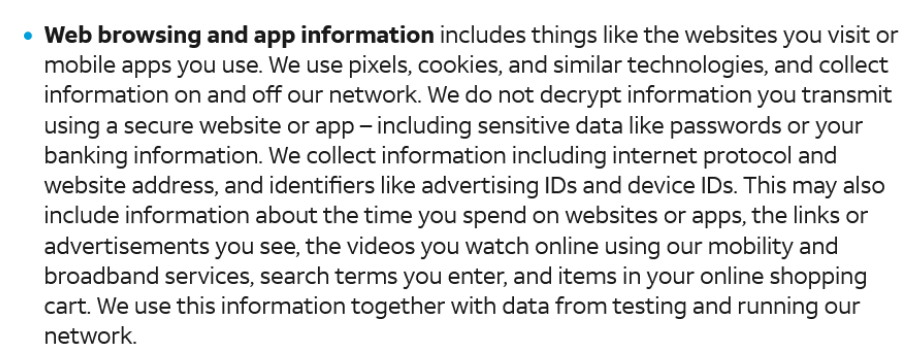
Source: AT&T privacy policy
AT&T can augment its already impressive dossiers on its customers with information from outside sources such as credit reports, marketing mailing lists, geographic and demographic information, and even public posts on social networking sites. By default, all AT&T customers are enrolled in the company’s “Personalized Advertising” program. This program allows advertisers to target ads to customers based on their data, including their ethnic and racial data. However, this program does not use web browsing data. An opt-in “Personalized Plus” program, on the other hand, allows advertisers to take advantage of app usage information, web history, Customer Proprietary Network Information, and precise location.
Is the EU any different?
The EU has stricter data protection and privacy regulations than the US, which still does not have a federal privacy law. This makes it harder for mobile operators to surreptitiously collect customer data, as the EU’s General Data Protection Regulation (GDPR) requires them to obtain customer consent to use their data for advertising. But while there are more hurdles to bulk data collection and sharing in the EU than anywhere else, that doesn’t mean EU mobile operators aren’t doing it.
Recently, Europe’s Big 4 telecom operators (Deutsche Telecom, Orange, Telefonica, and Vodafone) decided to take it up a notch by forming an ad tech joint venture to monetize their customer data through digital advertising. They plan to use a new ad tracking system called TrustPid, in which carriers assign “pseudo-anonymous tokens” to users based on their IP address and mobile number. While the technology has been touted as privacy-friendly, it has already been compared to the infamous “supercookie,” a controversial tracking code that, unlike a regular cookie, cannot be simply blocked.
European Digital Rights (EDRi) group, for instance, argues that the way the new system is supposed to work “will enable websites and apps to easily identify people and correlate identities with TrustPid marketing tokens.”
How to stop mobile operators from profiling you for ads?
When it comes to stopping mobile operators from profiling you for ads, the first thing you need to do is to find out which programs you have been automatically enrolled in, and opt out of them. Normally, every mobile operator has an opt-out form buried somewhere on their website or in your personal account. In the case of AT&T, for instance, you need to first sign in to your account to opt out of “Personalized Advertising” program, also there is a separate page where you can opt opt of your CPNI being used for ads by AT&T and its affiliates, like Cricket entities, and DIRECTV. The same is true for Verizon and T-Mobile.
You also can restrict mobile providers’ access to your traffic by using a VPN. A VPN will hide your real IP address, your location and encrypt your internet traffic. This way neither your ISP, nor advertisers would be able to see what websites you visit and target you based on your web history. However, it does not mean that they would not be able to target you based on your other data which is not related to your online browsing, such as the information about your age and gender you voluntarily might have provided to the operator, as well as your device type, network usage, call records and location, which can be pinpointed by other means than ID, for example, through cell tower triangulation.
As for TrustPid — a likely future of ad-tracking in Europe — a device level VPN that allows you to use an alternative DNS server (for example, AdGuard DNS), instead of your ISP’s default one, might help. Instead of your ISP’s servers, your DNS queries will be encrypted and sent to the VPN’s DNS server, which should make it harder for TrustPid to link your online activities with your identity.




















































