Zuckerberg is proud, our future is awful, apps scan your photos yet again: AdGuard's digest
How do you do today? Our digest is hardly good to raise your mood, but we discuss important stuff. A lot has already happened in the first half of October, and probably some more big changes lie ahead.
1. Mark Zuckerberg: criticized but not embarrassed.
Everybody keeps talking about the "Facebook Files" — the unpleasant revelations about the way Facebook founder and CEO Mark Zuckerberg makes decisions about the present and the future of the world's largest social network, and about how he pushes these decisions into action.
October hadn't started well for Facebook: the 6-hour outage of the whole ecosystem on October, 4th managed to harm other ecosystems and break the whole Internet for some time. Another outage had happened four days after, but it probably didn't seem a big deal for the Facebook SMM team: hurrying to inform and support their users via Twitter, they just copypasted the text from Oct, 4th.
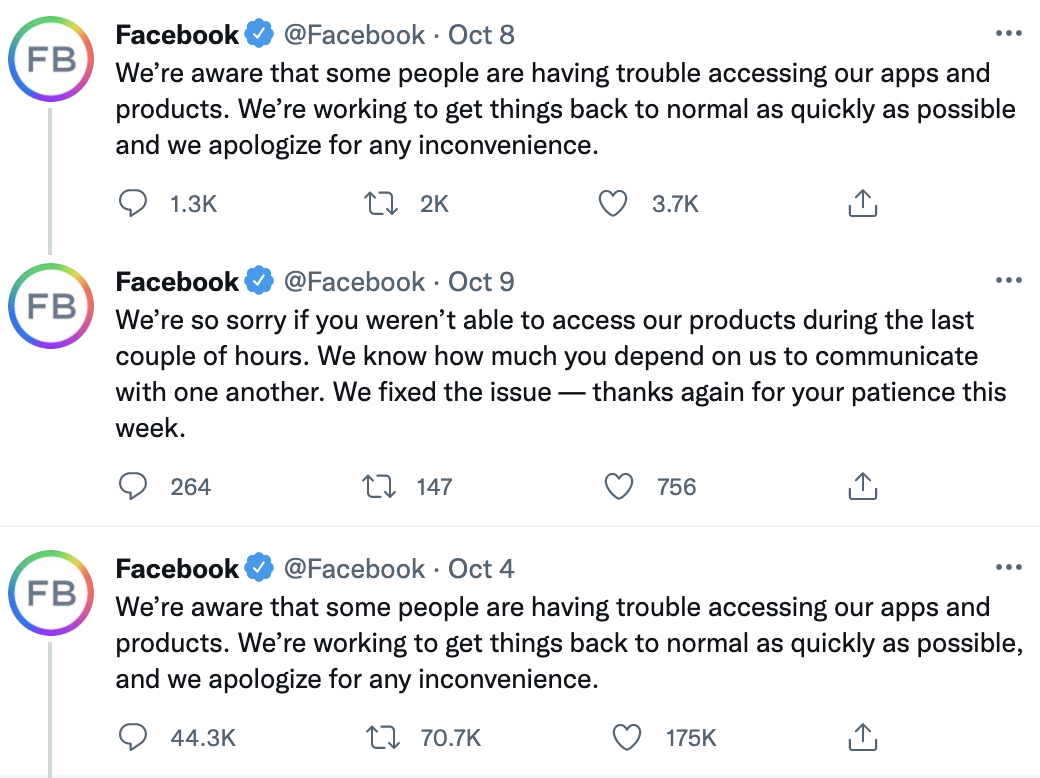
But Mark Zuckerberg is not the man to copypaste anything, definitely. And he is very much the man to illustrate the American culture of success, optimism, and positive thinking. In his post about the October crash, he found what to be excited about it: now everybody has noticed that people need Facebook.
"The deeper concern with an outage like this isn't how many people switch to competitive services or how much money we lose, but what it means for the people who rely on our services to communicate with loved ones, run their businesses, or support their communities".
As if businesses really had to lose tons of money, and people had to be nervous about being connected to the close ones so that Facebook could feel demanded…
Further on, Mark Zuckerberg simply says in his post, that "claims do not make sense", the accusations (meaning the "Facebook Files") are false, Facebook cares about "safety, well-being, and mental health" of its users much more than about profits. "If we didn't care about fighting harmful content, then why would we employ so many more people dedicated to this than any other company in our space…?", Mr. Zuckerberg asks.
Mmmm, probably because advertisers, content makers, and regulators somehow dislike harmful content? Well, there's no need to be smart, Zuckerberg vocalizes the same concern a few sentences later:
"The argument that we deliberately push content that makes people angry for profit is deeply illogical. We make money from ads, and advertisers consistently tell us they don't want their ads next to harmful or angry content".
Well, it's a matter of taste, but we are not convinced. Documents and testimony, and research, and our own person experience of using Facebook, versus… words, just words. The last sentence says "I'm proud of everything we do to keep building the best social products in the world and grateful to all of you for the work you do here every day". Our cyber god has no doubt about the way he creates his metaverse. He's proud, he's the best, he's right, he does not hesitate.
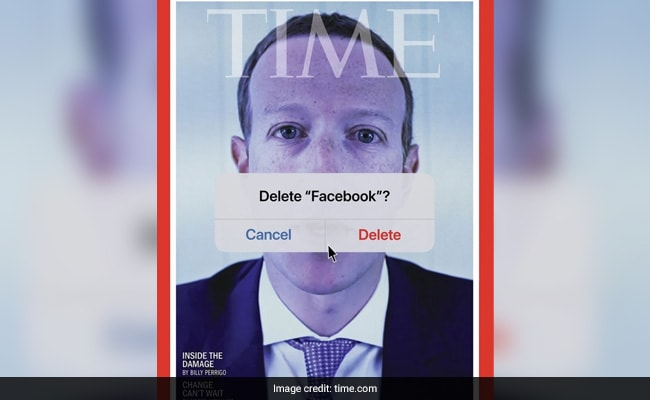
2.Apple did something good for privacy and security, but it's up to you to benefit from it.
It may seem like we criticize Apple all the time, but we are actually fair people, and when they do something good regarding security, we'll be among the first to pay respects. The company has recently updated its App Store Review Guideline. Apps now (well, actually starting Jan 31, 2022) must let users delete their accounts within the app if the users were previously able to create them there. Well, actually it is put as "to initiate deletion of their account", so you'll probably have to click some link from an email or do some other actions app developers make us do in the hope that we get tired and drop the process midways.
And there is no use in a feature you don't use. Abandoned accounts are a threat. It's hard to keep all your sign-ups in mind, but at least before deleting an app, go delete your account. It won't totally prevent your data from being kept, sold, and leaked, but will increase the chances that this will not happen.
3. Moar dystopia! Here's some from The Internet Archive.
Futurology is extrapolating present trends into the future. It can't take into account black swans, nuclear wars, alien landings, sudden AI self-awareness, and all that unexpected stuff. But it is always so much fun, so people do it anyway.
The Internet Archive is a website that indexes and stores snapshots of web pages throughout their history so that we could compare some NYT in 2001 and in 2011 or find their article that had been removed or lost. They call this engine a Wayback machine. The team celebrated its 25th birthday by creating a Wayforward machine.
The future of the WWWeb is just as ugly as the past but not as funny and nostalgic: popups are everywhere and everything works very slowly (although we're not sure if this was intended or not). Some sites — yes, sites still exist a century from now — had been closed due to regulation lobbed by monopolies. Others are not available because of copyright restrictions and political reasons. You must present your ID, birth certificate, election voting record, and six other documents to get access. To cut the long story short, the Internet is to be fragmented, firewalled, paywalled, censored, totally owned and controlled by states and corporations.
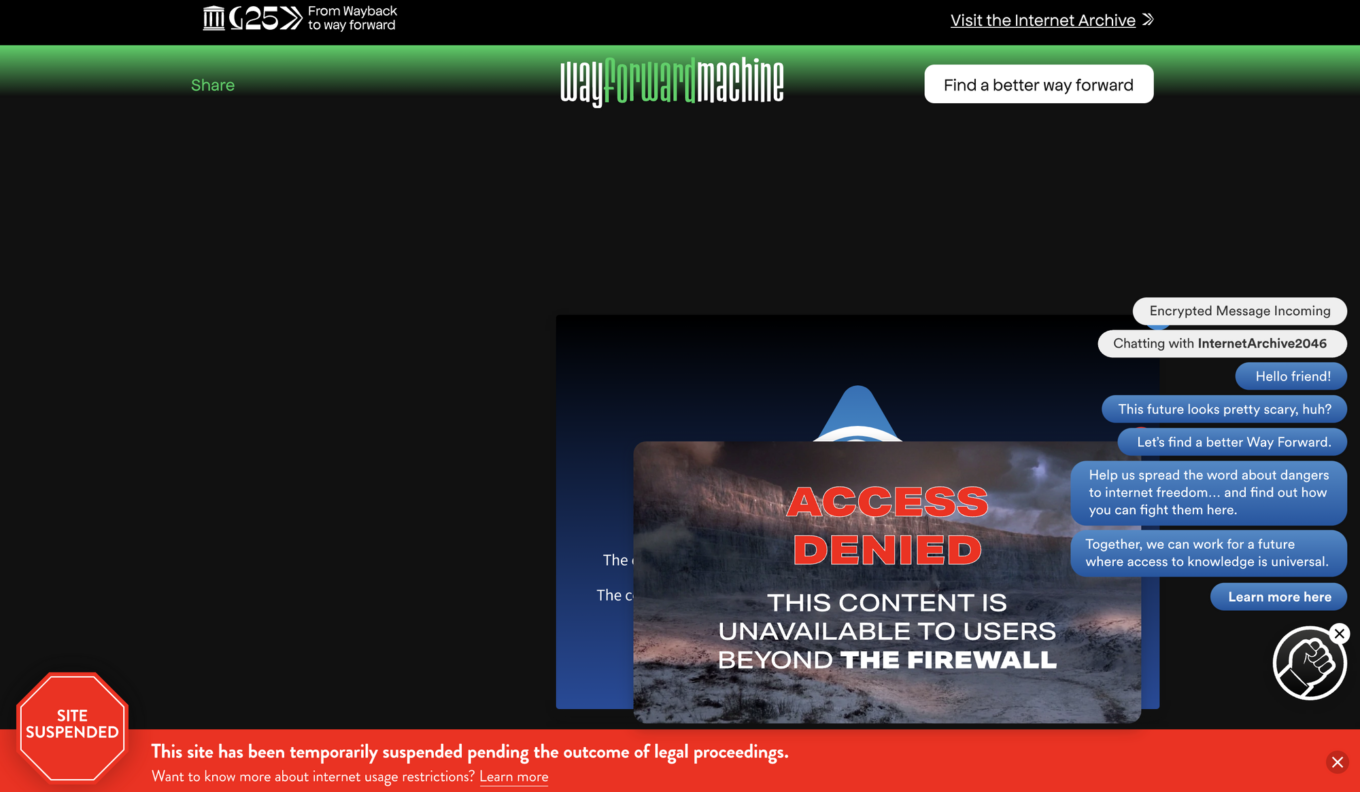
The Internet Archive wants you to protest against information access restrictions or donate some money so they could protest for you.
But we can't help but notice that the Web is being made toxic not only by restrictions. Information abundance and the illusion of necessity to absorb it all are no less dangerous. The constant flow of news, clips, tweets, tiktoks, stories, compilations, new show episodes, podcasts, and so on are drowning your brain into a tsunami of dopamine triggers, false alarms calling for attention to things unrelated to you, FOMO, anxiety, and imposed desires. Restrictions are not the root of the problem: the lack of control over information is.
4. Another new feature of Apple just exposed Chinese apps behaving Chinese.
A Chinese tech influencer ran Apple's new "Record App Activity" feature on iOS 15 released last month and found out that WeChat scanned all user's new photos in the background every one minute, even when the app was not running. People at Tencent Holdings, where the app is made, rejected all accusations of incorrect app behavior but on the other hand promised to make the app stop doing that. To be fair, "Tencent's QQ messaging app and Taobao, Alibaba Group Holding's top online shopping marketplace" has been also caught digging routinely in the photos on a phone (why would Taobao do that? Same old Big Data obsession?).
The guy that had found all that out noticed that the problem is not only the photos being private and not meant for third and maybe even second parties to see. "Scanning occupies memory and consumes power", and a lot of those considering the scanning frequency. Well, manage your apps' permissions wisely and sparingly, what else is there to say.
5. Google voice assistant: hears more than you think, makes more mistakes than you'd like, will listen more and make more mistakes in the future.
Google is gradually rolling out a new feature called "Quick Phrases" for its voice assistant on Pixel phones. Finally, you'll be able to spare all the effort you are wasting by saying "Hey Google" before speaking out a command. Just say a short command like "Answer" or "Decline" to pick up or reject a phone call, "Stop" or "Snooze" to silence an alarm or timer, and so on.
Convenient, is it not? What could go wrong?
We have already cited a research about false triggers: words and phrases that voice assistants can mistake for commands addressed to them. After they recognize such a word, they start listening, and sometimes recording and sending your words to be analyzed by people. These samples are used to perfect voice recognition technologies and to do who-knows-what-else the manufacturer desires to do.
BTW, some guys from three respectful universities came up last year with a Raspberry Pi-based device that scans network traffic in order to detect voice assistants streaming audio from their environment to their servers. This gizmo is supposed to alarm you if your servile robots spy on you in favor of their real masters.
6. Mozilla found a new place for an ad, what a joy.

Science-fiction authors of the 20th century imagined ads displayed in the sky and on the moon, injected in people's dreams, and telepathized into their daily thoughts. But even they couldn't imagine ads in search suggestions.
Mozilla's Firefox browser will be serving ads in the address bar: just start typing something and be offered a supplemented search request, a link from already prepared search results, or a so-called "sponsored" suggestion, that is, an ad served via AdMarketplace engine. It was tested as an opt-in feature but appears to be switched full on by default in Firefox 93.
What's wrong with that, except for increasing the advertising pressure to your mind and psyche yet a little more? Search suggestions have historically been a high-tech feature, search companies competed to make them smart, personalized, useful, and handy, to make them do some job for the user, to guess what they want and spare them the trouble to explain it to the search engine. It's sad when tech companies trade technology for yet another ad space.




















































