AdGuard for Safari: in-depth overview

The AdGuard product family consists of many members and each has its own character. There is an ‘older’ and ‘younger’ generation. AdGuard for Safari was released in November, 2018. Though it’s closer to youngsters, it soon became one of the most popular ad blockers for browsers. It replaced our classic browser extension that existed before Apple’s restrictions, and we had to do our best to make the current extension comparable to the previous one. AdGuard for Safari can’t be compared to full-fledged desktop ad blocking apps, but has many virtues.

It’s free, for starters! And it will definitely save you from ads, trackers, phishing, and malicious websites. But first things first. Let’s take a look inside AdGuard for Safari and find out what it can do.

General
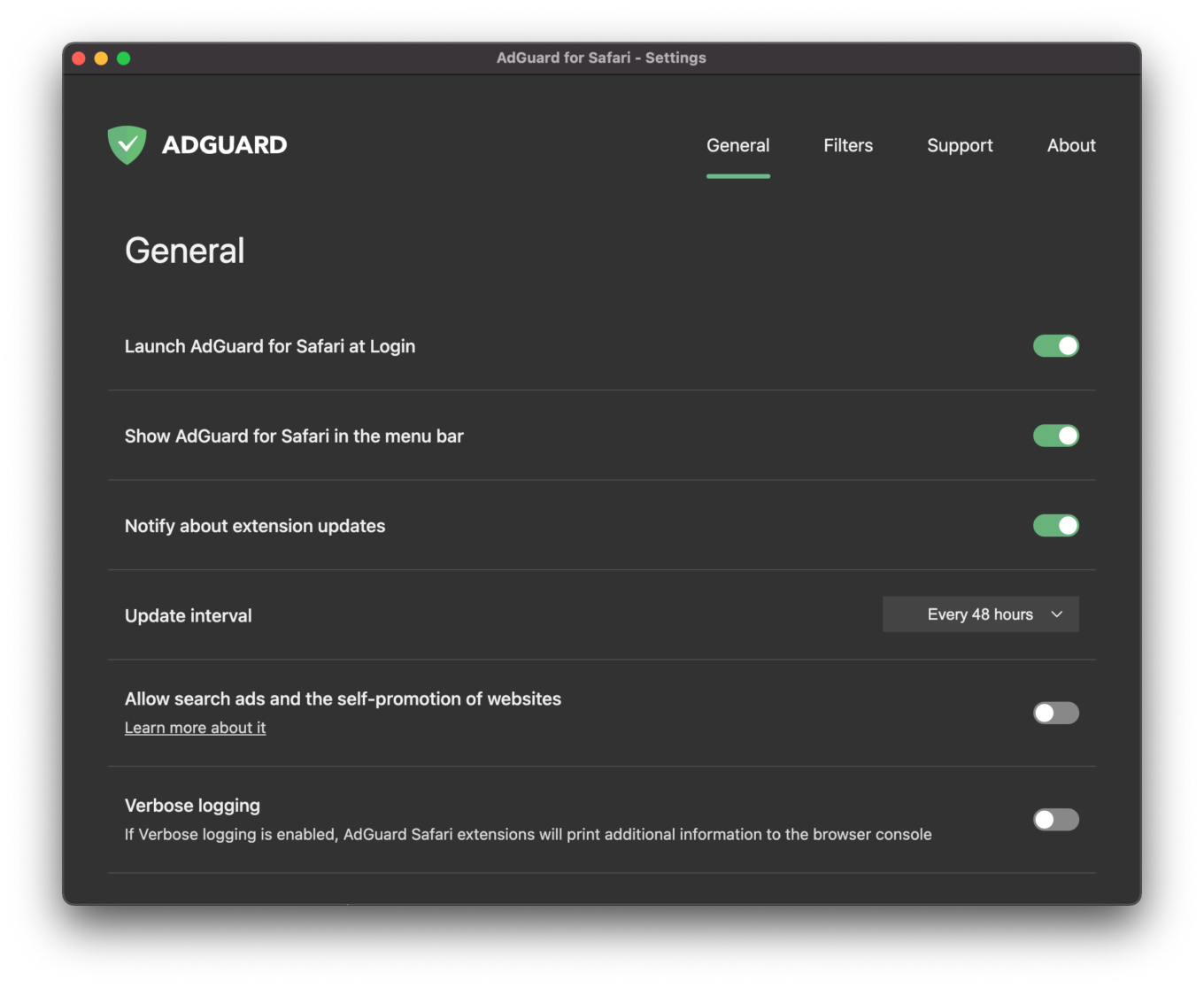
The General tab

The first tab is the General screen where you can set up basic things like notifications, update intervals, and launching AdGuard at system startup. You can also choose to display the AG icon in the menu bar – a nice option for minimalists, we’d say. And most importantly, you can choose which content blockers you’re going to use, but more on that later.

Filters
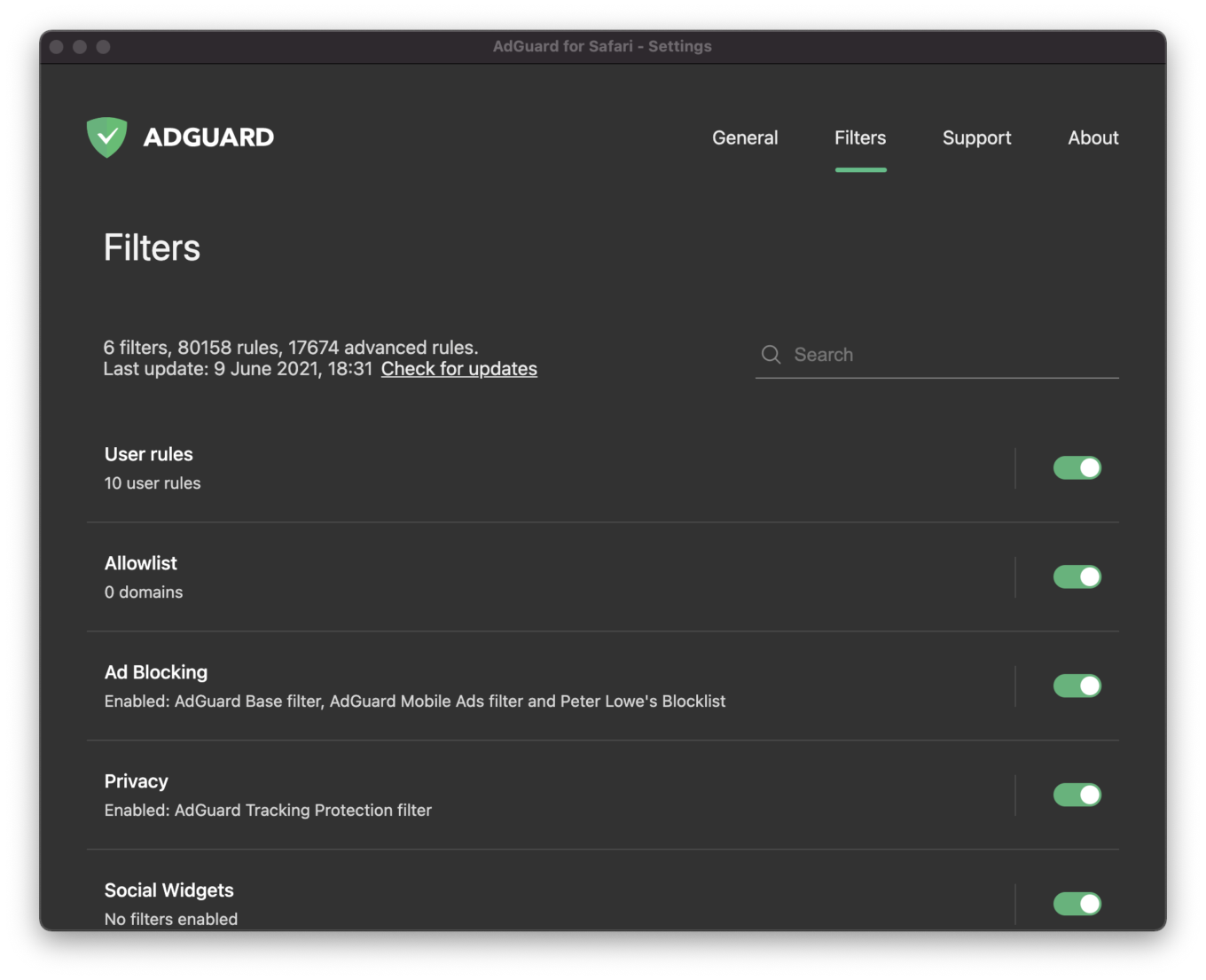
The Filters tab

A filter is a set of rules that can filter web traffic and, in particular, block advertising content (banners, pop-ups and such) and stop tracking. For the convenience of users we have combined them into thematic categories. Eight categories of filters are at your disposal: Ad Blocking, Privacy, Social widgets, Annoyances, Security, Language-specific, Custom and Other filters. If you’re curious to know more about them, here is an extensive article describing them.

In the Filters tab you can enable/disable the whole category, or fine-tune separate filters inside it. If you make changes, this would be reflected in the Content Blockers section (located in the General tab). In other words, you can adjust things in the Filters tab and see what has changed in the Content Blockers section.

Okay then, now that we’ve worked it out, let’s go back to the General tab and find the Content bloсkers section here.

Content Blockers
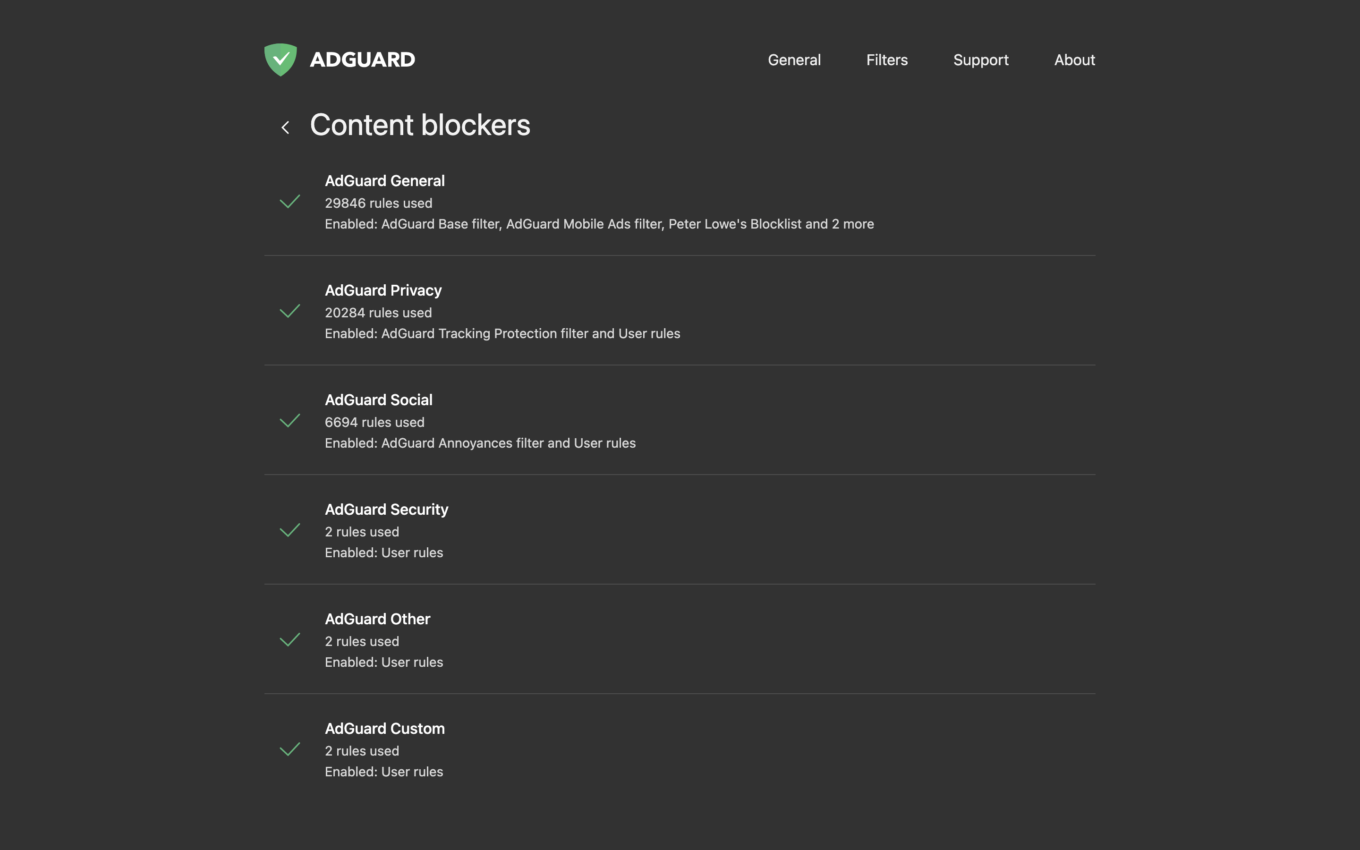
Content Blockers

A сontent blocker is a thematic cluster of filters. For instance, all filters that come within the topic of privacy will be included in the content blocker with the corresponding name — AdGuard Privacy. “Why make it so difficult?”, you may ask. There are two reasons, in essence: it’s much more convenient to manage structured filters and there still is Apple’s restriction.

As you might remember, Apple has put limitations on ad blockers for Safari, particularly it allowed them to use only 50,000 filtering rules simultaneously. Don’t be deceived with this seemingly big number – actually, it’s too small. Luckily, there is a way to bypass this restriction. One ad blocker can be divided into several content blockers each containing up to 50K rules. This measure seems appropriate.

Here is a list of 6 content blockers grouped thematically. The good thing about content blockers is that all filters and lists enabled and number of rules used are here before your eyes. For example:

AdGuard General
21700 rules used
Enabled: AdGuard Base filter

Now let’s look at each content blocker separately.

AdGuard General

AdGuard General is a category for filters of overall orientation – basically, that’s all you need to know. We recommend that you keep the AdGuard Base filter from here always enabled.

Note that to enable any filters, blocking and tracking lists attributed to any given content blocker, you should go to the Filters tab. Here, in the Content blockers section, you can only see what is already enabled and working.

AdGuard Privacy

Then goes AdGuard Privacy where the Tracking Protection filter developed by our specialists is enabled by default. This content blocker is the main tool against counters and other web analytics tools. Look into other filters and lists in the Privacy filter (found in the Filters tab) – they will help you hide your online activity from tracking.

AdGuard Social

If you’re sick and tired of Like buttons and such, choose the Social Media filter – our own filter that we support – and you’ll feel much better afterwards. There are other options, for instance, a world-renowned Fanboy's Social Blocking List. It blocks social content, widgets, scripts and icons. To enable any of them, go to the Filters tab, press Social Widgets and switch the above-mentioned filters on.

AdGuard Security

This content blocker unites several security-related filters. Malware Domains Blocklist blocks domains that are notorious for spreading malware and spyware. Spam404 protects you from Internet fraudsters. Finally, NoCoin Filter List disrupts browser-based cryptominers such as Coinhive.

AdGuard Other

AdGuard Other is a group of ‘eclectic’ filters. For example, there is a filter that unblocks searches and self-promo ads. In some cases, it helps find exactly what you are looking for, because these kinds of ads are more relevant and less intrusive than others.

Disclaimer: we don’t have any ‘acceptable ads’ paid by advertisers. Instead, we provide users with an option to see search ads and websites' self-promotion. Read more about it here.

AdGuard Custom
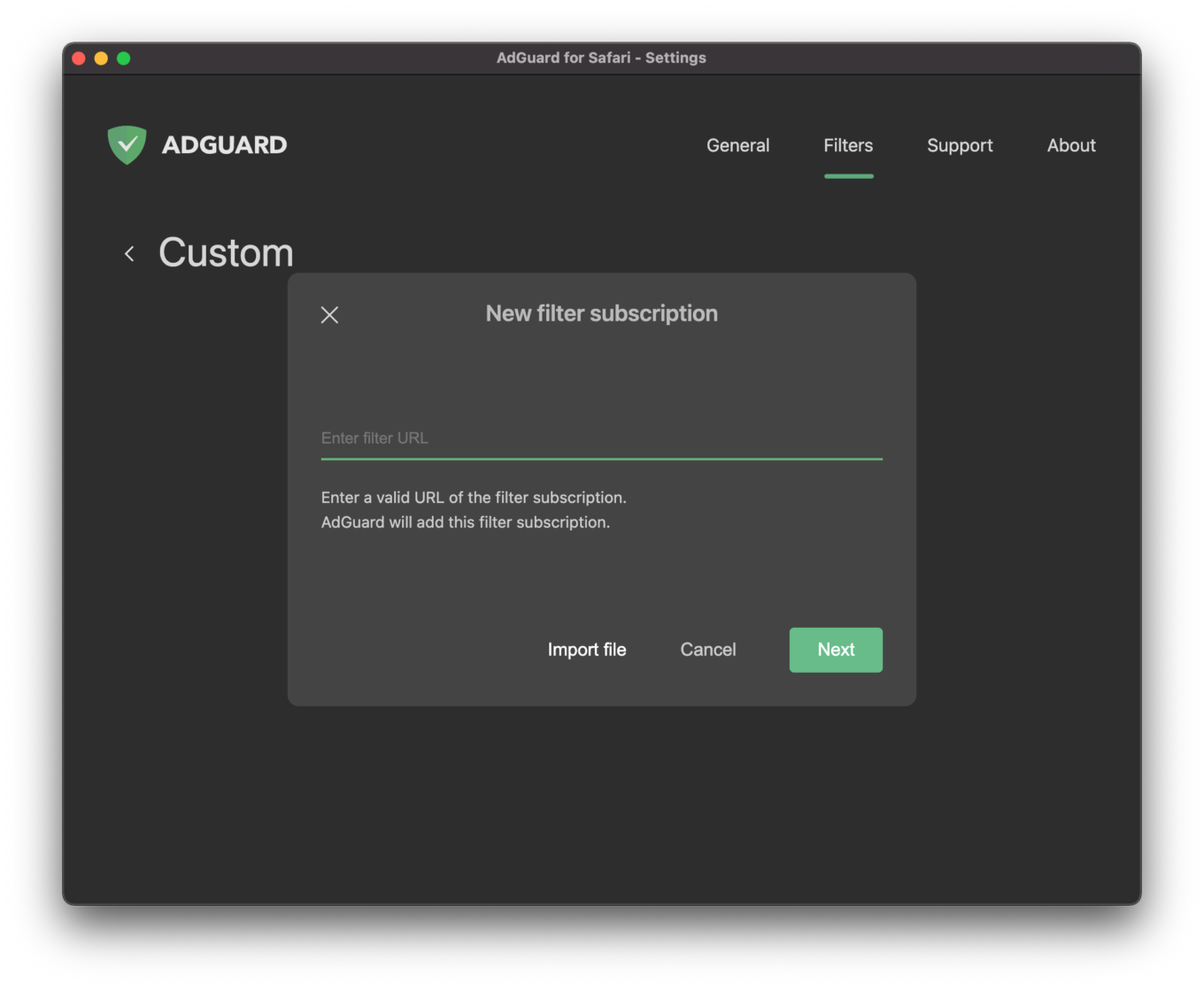
Adding a custom filter is easy

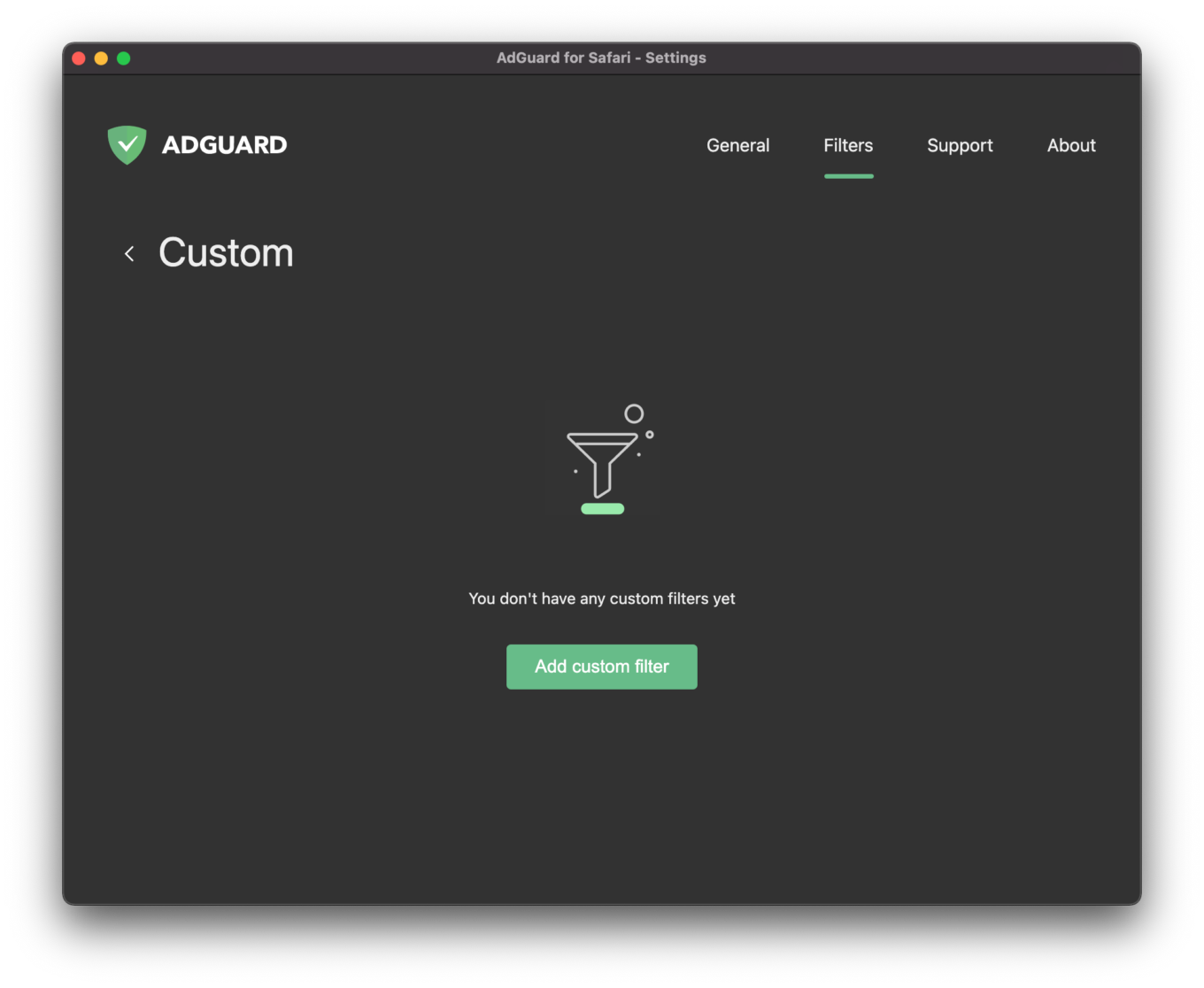
AdGuard Custom is extra space left for supplementary filters you may want to add. Adding a filter is not rocket science. There is no need to know how to create user rules, you can use the ready-made filters. Just enter a valid URL of the filter subscription in the field, and voila.

Also, we decided to check what has changed since AdGuard for Safari first release in November, 2018. Then we made a comparison table of popular ad blockers. Here is an updated version for April, 2020.
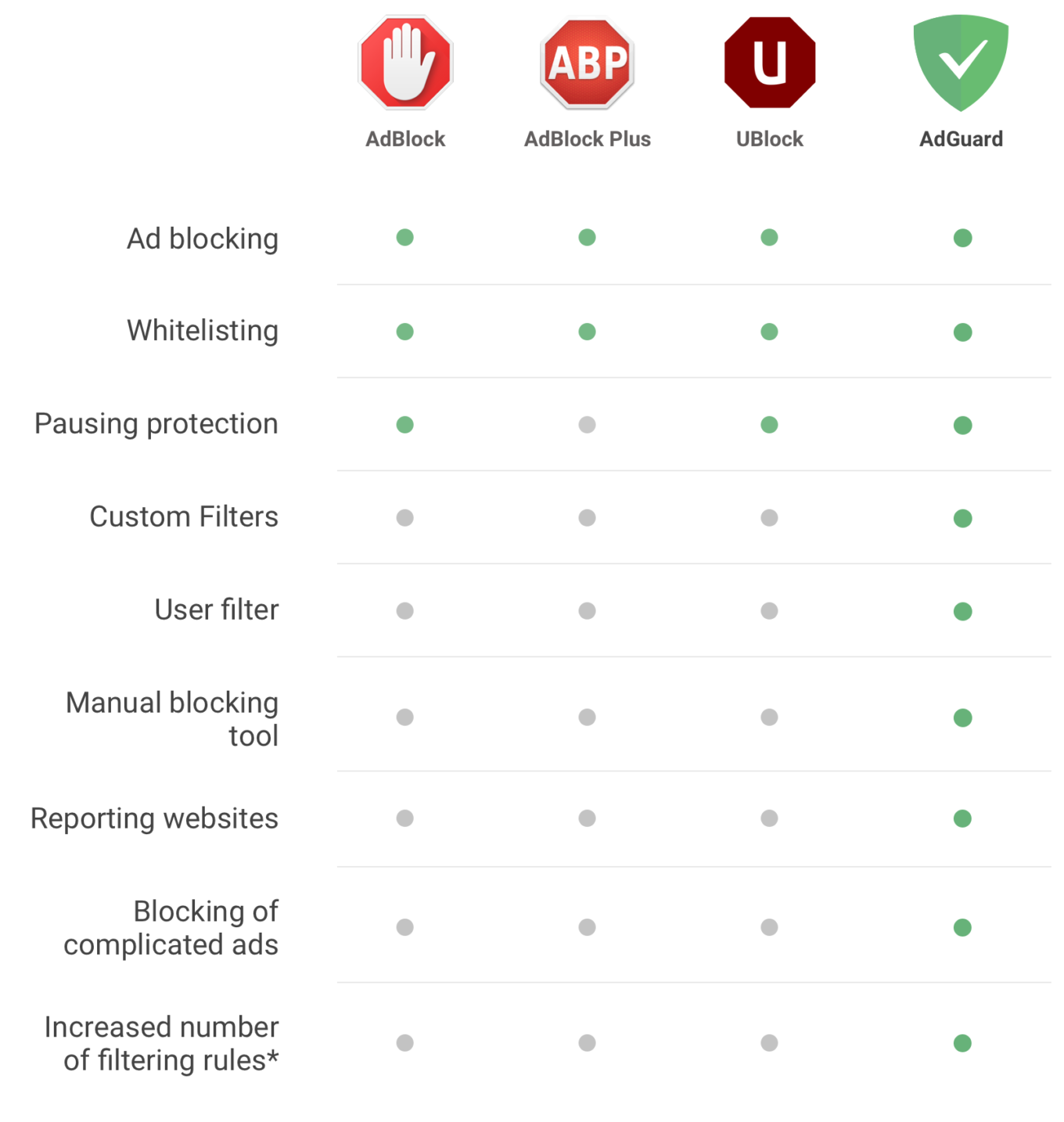
Ad blockers' comparison chart

*⠀300K filtering rules vs. 50K

Whitelist
Whitelist

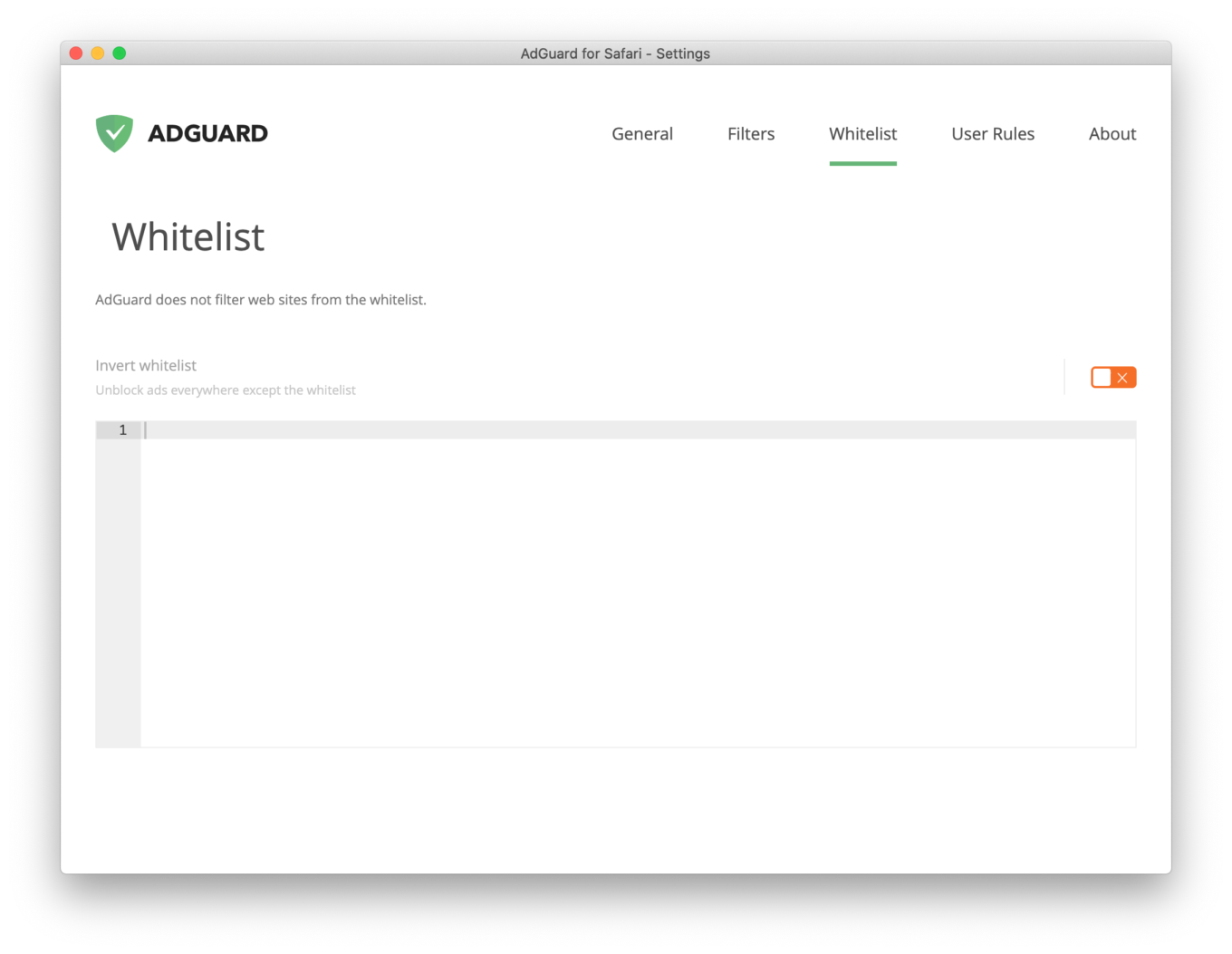
To put it simply, Whitelist is a list of exceptions — websites that AdGuard won’t block. If you want to see some ads for a reason (say, you want to support your favorite website), there is a solution.
How does it work? Add a website to Whitelist and ad blocking will be disabled for it. You can add as many websites as needed.

There is an option to import/export a list of exclusions. If you’ve already created one and want to apply it to another device, just press the corresponding button. One click and no manual rewriting!

Note: Whitelist can be inverted — this means AdGuard will not block ads and tracking anywhere except for the websites you’ve put on this list.

User Rules
User rules

User rules are a great option for those who want to customize the filtering process. Of course, certain skills are required to write and apply those: in particular, you would need to master rule syntax. If you feel like learning something new (which might be especially useful during self-isolation), here is a comprehensive guide to that.

About
About AdGuard

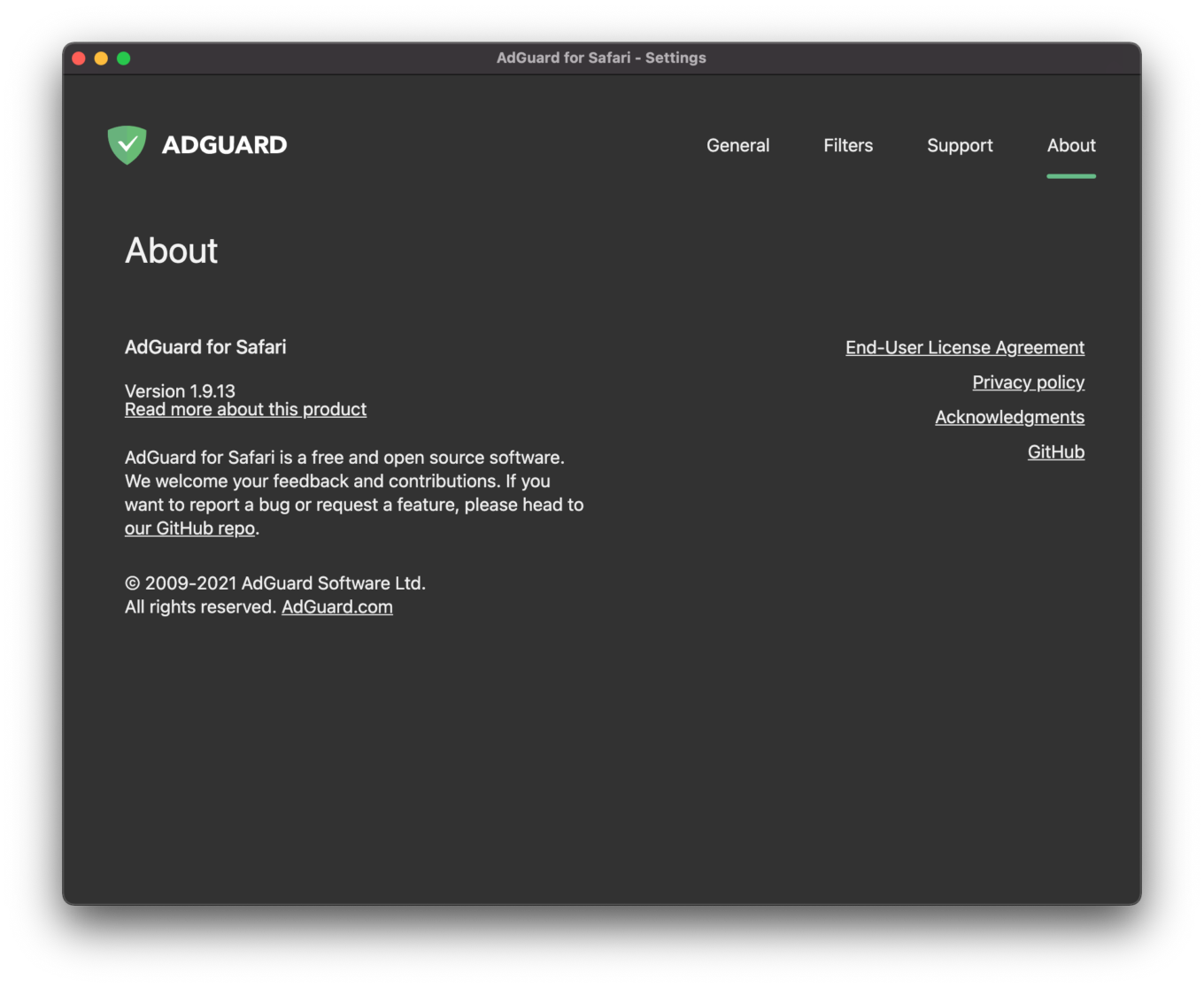
Last but not least important tab. Here you can see what version you have, read EULA (End-User License Agreement) and privacy policy accurately. If interested, you can also see credits and acknowledgements to third-party developers and others who contributed to our products a lot.

Finally, there is a link to our repository on GitHub. If you are even a little bit of a geek, it might be of interest to you. You can monitor the product development, create feature requests and report bugs there, for instance.

Reminder: AdGuard for Safari can be downloaded for free from the App Store. Can’t stand those ads and be worried about trackers anymore? They shall not pass!


این پست را دوست داشتید؟
AdGuard VPN AdGuard DNS AdGuard Mail AdGuard Wallet
صفحه اصلی AdGuard برای Windows
صفحه محافظت AdGuard برای Windows که ویژگی‌ها و تنظيمات محافظت را نشان می‌دهد
صفحه آمار AdGuard برای Windows که آمار تبلیغات و رَدیاب‌های مسدود شده را نشان می‌دهد
صفحه مدیریت برنامه AdGuard برای Windows که گزینه‌های مدیریت محافظت برای برنامک‌های نصب‌شده روی دستگاه را نشان می‌دهد
۲۰٬۴۴۳ 20443 بررسی
بسیار عالی!

AdGuard برای Windows: مسدودکننده تبلیغات برای رایانه شخصی

AdGuard برای ویندوز چیزی فراتر از یک مسدودکننده تبلیغات است. این یک ابزار چندمنظوره است که تبلیغات را مسدود می‌کند، دسترسی به سایت‌های خطرناک را کنترل می‌کند، بارگذاری صفحات را سریع‌تر می‌کند و از کودکان در برابر محتوای نامناسب محافظت می‌کند
با دانلود برنامه شما شرایط توافقنامه مجوز را قبول می کنید
Microsoft Store
با دانلود برنامه شما شرایط توافقنامه مجوز را قبول می کنید
AdGuard برای Windows v8.0، دوره آزمایشی 14روزه
صفحه اصلی AdGuard برای Mac
صفحه حالت نهان AdGuard برای Mac
۲۰٬۴۴۳ 20443 بررسی
بسیار عالی!

AdGuard برای مک: مسدودکنندهٔ تبلیغات در سطح سیستم

AdGuard برای Mac یک مسدودکنندهٔ تبلیغات منحصربه‌فرد است که با در نظر گرفتن macOS طراحی شده است. علاوه بر محافظت از شما در برابر تبلیغات آزاردهنده در مرورگرها و برنامه‌ها، شما را در برابر ردیابی، فیشینگ و کلاهبرداری نیز محافظت می‌کند
با دانلود برنامه شما شرایط توافقنامه مجوز را قبول می کنید
بیشتر بخوانید
AdGuard برای Mac v2.19، دوره آزمایشی 14روزه
صفحه اصلی AdGuard برای Android
صفحه حفاظت در برابر ردیابی AdGuard برای Android
صفحه مدیریت برنامه AdGuard برای Android که گزینه‌های مدیریت محافظت برای برنامک‌های نصب‌شده روی دستگاه را نشان می‌دهد
صفحه آمار AdGuard برای Android که آمار تبلیغات و رَدیاب‌های مسدود شده را نشان می‌دهد
صفحه اصلی مرورگر خصوصی AdGuard برای Android
کد QR برای بارگیری AdGuard برای Android
۲۰٬۴۴۳ 20443 بررسی
بسیار عالی!

ادگارد برای اندروید: مسدودکنندهٔ تبلیغات برای همهٔ برنامه‌ها

تبلیغات و ردیاب‌ها را در همه مرورگرها، بازی‌ها و سایر برنامه‌ها مسدود می‌کند. از حریم خصوصی شما محافظت می‌کند و به شما امکان می‌دهد کنترل کنید برنامه‌هایتان چگونه از اینترنت استفاده می‌کنند. از طریق APK نصب می‌شود
با دانلود برنامه شما شرایط توافقنامه مجوز را قبول می کنید
بیشتر بخوانید
اسکن برای دانلود
استفاده از هر کد خوان QR موجود در دستگاه شما
AdGuard برای اندروید v4.14، دوره آزمایشی 14روزه
صفحه اصلی AdGuard برای iOS
صفحه محافظت AdGuard برای iOS که ویژگی‌ها و تنظيمات محافظت را نشان می‌دهد
صفحه آمار AdGuard برای iOS که آمار تبلیغات و رَدیاب‌های مسدود شده را نشان می‌دهد
کد QR برای بارگیری AdGuard برای iOS
۲۰٬۴۴۳ 20443 بررسی
بسیار عالی!

AdGuard برای iOS: مسدودکنندهٔ تبلیغات فراتر از Safari

بهترین مسدودکننده تبلیغات iOS برای iPhone و iPad. AdGuard همه انواع تبلیغات و ردیاب‌ها را در Safari حذف می‌کند و از حریم خصوصی شما در همه برنامه‌ها در سطح DNS محافظت می‌کند
با دانلود برنامه شما شرایط توافقنامه مجوز را قبول می کنید
بیشتر بخوانید
اسکن برای دانلود
استفاده از هر کد خوان QR موجود در دستگاه شما
AdGuard برای iOS نسخه 4.5
صفحه اصلی AdGuard Content Blocker
صفحه فیلترها در AdGuard Content Blocker
صفحه تنظيمات در AdGuard Content Blocker
۲۰٬۴۴۳ 20443 بررسی
بسیار عالی!

مسدودساز محتوای AdGuard

AdGuard Content Blocker انواع تبلیغات را در مرورگرهای تلفن همراه که از فناوری مسدود کردن محتوا پشتیبانی می کنند حذف می کند - یعنی اینترنت سامسونگ و مرورگر Yandex. ویژگی های آن در مقایسه با AdGuard برای اندروید محدود است، اما رایگان، نصب آسان و کارآمد است
با دانلود برنامه شما شرایط توافقنامه مجوز را قبول می کنید
بیشتر بخوانید
مسدودساز محتوای AdGuard نسخه 2.8
صفحه اصلی افزونه مرورگر AdGuard
صفحه حفاظت در برابر ردیابی افزونه مرورگر AdGuard
۲۰٬۴۴۳ 20443 بررسی
بسیار عالی!

افزونه مرورگر AdGuard

AdGuard سریع ترین و سبک ترین افزونه ای است که انواع تبلیغات را در صفحات وب مسدود می کند! AdGuard را برای مرورگری که میخواهید انتخاب کنید و وب گردی امن و سریع را تجربه کنید.
نصب
با دانلود برنامه شما شرایط توافقنامه مجوز را قبول می کنید
نصب
با دانلود برنامه شما شرایط توافقنامه مجوز را قبول می کنید
نصب
با دانلود برنامه شما شرایط توافقنامه مجوز را قبول می کنید
نصب
با دانلود برنامه شما شرایط توافقنامه مجوز را قبول می کنید
نصب
با دانلود برنامه شما شرایط توافقنامه مجوز را قبول می کنید
بیشتر بخوانید
نصب
با دانلود برنامه شما شرایط توافقنامه مجوز را قبول می کنید
بیشتر بخوانید
افزونه مرورگر AdGuard نسخه 5.5
صفحه اصلی AdGuard Assistant
۲۰٬۴۴۳ 20443 بررسی
بسیار عالی!

AdGuard دستیار

افزونه مرورگر همراه برای برنامه های دسکتاپ AdGuard. این امکان را به شما می دهد که آیتم های سفارشی را در وب سایت ها مسدود کنید، وب سایت ها را به لیست مجاز اضافه کنید و گزارش ها را مستقیما از مرورگر خود ارسال کنید
AdGuard دستیار نسخه 1.4
۲۰٬۴۴۳ 20443 بررسی
بسیار عالی!

AdGuard Home

AdGuard Home یک راه حل مبتنی بر شبکه برای مسدود کردن تبلیغات و ردیاب ها است. آن را یک بار روی روتر خود نصب کنید تا همه دستگاه های موجود در شبکه خانگی خود را پوشش دهید - بدون نیاز به نرم افزار مشتری اضافی. این امر به ویژه برای دستگاه های مختلف اینترنت اشیا که اغلب حریم خصوصی شما را تهدید می کنند بسیار مهم است
AdGuard Home نسخه 0.107
صفحه اصلی AdGuard Pro برای iOS
صفحه محافظت AdGuard Pro برای iOS که قابلیت‌ها و تنظيمات محافظت را نشان می‌دهد
صفحه آمار AdGuard Pro برای iOS که آمار تبلیغات و رَدیاب‌های مسدود شده را نشان می‌دهد
۲۰٬۴۴۳ 20443 بررسی
بسیار عالی!

AdGuard Pro برای iOS

AdGuard Pro برای iOS با تمام ویژگی‌های پیشرفته محافظت در برابر مسدود کردن تبلیغات ارائه می‌شود. این نسخه همان ابزارهای نسخه پولی AdGuard برای iOS را ارائه می‌دهد. این نسخه در مسدود کردن تبلیغات در سافاری عالی عمل می‌کند و به شما امکان می‌دهد تنظیمات DNS را برای محافظت متناسب با نیاز خود سفارشی کنید. این نسخه تبلیغات را در مرورگرها و برنامه‌ها مسدود می‌کند، از فرزندان شما در برابر محتوای نامناسب محافظت می‌کند و اطلاعات شخصی شما را ایمن نگه می‌دارد.
با دانلود برنامه شما شرایط توافقنامه مجوز را قبول می کنید
بیشتر بخوانید
AdGuard Pro برای iOS نسخه 4.5
صفحه اصلی AdGuard Mini برای Mac
صفحه محافظت Safari در AdGuard Mini برای Mac
صفحه ایجاد رویه در AdGuard Mini برای Mac
۲۰٬۴۴۳ 20443 بررسی
بسیار عالی!

AdGuard Mini برای Mac — مسدود کننده تبلیغات Safari

AdGuard Mini برای Mac یک مسدودکنندهٔ قدرتمند تبلیغات برای Safari است. این برنامک سبک، تبلیغات را حذف می‌کند، ردیاب‌ها را مسدود می‌کند و بارگذاری صفحه را سریع‌تر می‌کند. این ابزار به شما کمک می‌کند تا بدون حواس‌پرتی در Safari گشت‌و‌گذار کنید و داده‌های خود را خصوصی نگه دارید
نصب
با دانلود برنامه شما شرایط توافقنامه مجوز را قبول می کنید
بیشتر بخوانید
AdGuard Mini برای Mac نسخه 2.3
صفحه اصلی AdGuard برای Android TV با محافظت فعال شده
صفحه مسدودسازی تبلیغات AdGuard برای Android TV که ویژگی‌ها و تنظيمات آن را نشان می‌دهد
صفحه تنظيمات AdGuard برای Android TV
صفحه مدیریت برنامه AdGuard برای Android TV که برنامک‌هایی را نشان می‌دهد که در آن‌ها تبلیغات و رَدیاب‌ها مسدود شده‌اند
۲۰٬۴۴۳ 20443 بررسی
بسیار عالی!

AdGuard برای Android TV

AdGuard برای Android TV تنها برنامه‌ای است که تبلیغات را مسدود می‌کند، از حریم خصوصی شما محافظت کرده و همانند یک دیوار آتش برای تلویزیون هوشمند شما عمل می‌کند. در مورد تهدیدات وب هشدار دریافت کنید، از DNS ایمن استفاده کرده و از انتقال داده اینترنتی رمزگذاری شده بهره‌مند شوید. آرامش داشته باشید و غرق نمایش‌های مورد علاقه خود با امنیت عالی و تبلیغات صفر شوید!
AdGuard برای Android TV v4.14، دوره آزمایشی 14روزه
نماد AdGuard، Agnar، در حالی که پنگوئن Linux را در دست دارد
۲۰٬۴۴۳ 20443 بررسی
بسیار عالی!

AdGuard برای لینوکس

AdGuard برای لینوکس اولین مسدود کننده تبلیغات لینوکس در سراسر جهان است. تبلیغات و ردیاب‌ها را در سطح دستگاه مسدود کنید، از بین فیلترهای از پیش نصب شده انتخاب کنید یا فیلترهای خود را اضافه کنید - همه از طریق رابط خط فرمان
AdGuard برای لینوکس نسخه 1.4
۲۰٬۴۴۳ 20443 بررسی
بسیار عالی!

AdGuard Temp Mail

یک تولید‌کننده رایانشانی موقت رایگان که شما را ناشناس نگه می‌دارد و از حریم خصوصی شما محافظت می‌کند. هرزنامه‌ای در صندوق ورودی اصلی شما در کار نخواهد بود!
۲۰٬۴۴۳ 20443 بررسی
بسیار عالی!

AdGuard VPN

75 محل در سرتاسر جهان

دسترسی به هر محتوا

رمزگذاری قوی

سیاست عدم ذخیره وقایع

سریعترین اتصال

24/7 پشتیبانی

ارزیابی رایگان
با دانلود برنامه شما شرایط توافقنامه مجوز را قبول می کنید
بیشتر بخوانید
۲۰٬۴۴۳ 20443 بررسی
بسیار عالی!

AdGuard DNS

AdGuard DNS راه حلی جایگزین برای مسدودسازی تبلیغات، حفاظت حریم خصوصی و نظارت والدین است. راه اندازی آسان و استفاده رایگان، آن حداقل حفاظت لازم در برابر تبلیغات آنلاین،ردیاب ها و فیشینگ ها را میدهد،و در همه سیستم عامل ها و دستگاه ها کار می کند.
۲۰٬۴۴۳ 20443 بررسی
بسیار عالی!

AdGuard Mail

از هویت خود محافظت کنید، از هرزنامه دوری نمایید و صندوق ورودی خود را با نام‌های مستعار و رایانشانی‌های موقت ما امن نگه دارید. از خدمت رایگان فوروارد رایانامه و برنامک‌های ما برای همه سامانه‌عامل‌ها لذت ببرید
۲۰٬۴۴۳ 20443 بررسی
بسیار عالی!

AdGuard Wallet

یک کیف پول ارز دیجیتال امن و خصوصی که به شما امکان کنترل کامل بر دارایی‌هایتان را می‌دهد. چندین کیف پول را مدیریت کنید و هزاران ارز دیجیتال را برای ذخیره، ارسال و مبادله کشف کنید.
در حال بارگیری AdGuard برای نصب AdGuard، روی پرونده نشان داده شده توسط پیکان کلیک کنید گزینه "بازکردن " را انتخاب و روی "تایید" کلیک کنید — برای دانلود فایل منتظر بمانید. در پنجره باز شده، آیکون AdGuard را به پوشه "برنامه ها" بکشید.بابت انتخاب AdGuard متشکریم! گزینه "بازکردن " را انتخاب و روی "تایید" کلیک کنید — برای دانلود فایل منتظر بمانید. در پنجره باز شده روی "نصب" کلیک کنید.بابت انتخاب AdGuard متشکریم!
AdGuard را روی دستگاه تلفن همراه خود نصب کنید

















































