AdGuard 3.0 for Android

You can say that with this huge update, AdGuard for Android is entering a new era. A jump like this can be only compared to the transition from the very first AdGuard for Android version to v2, and it's still more exciting this time.
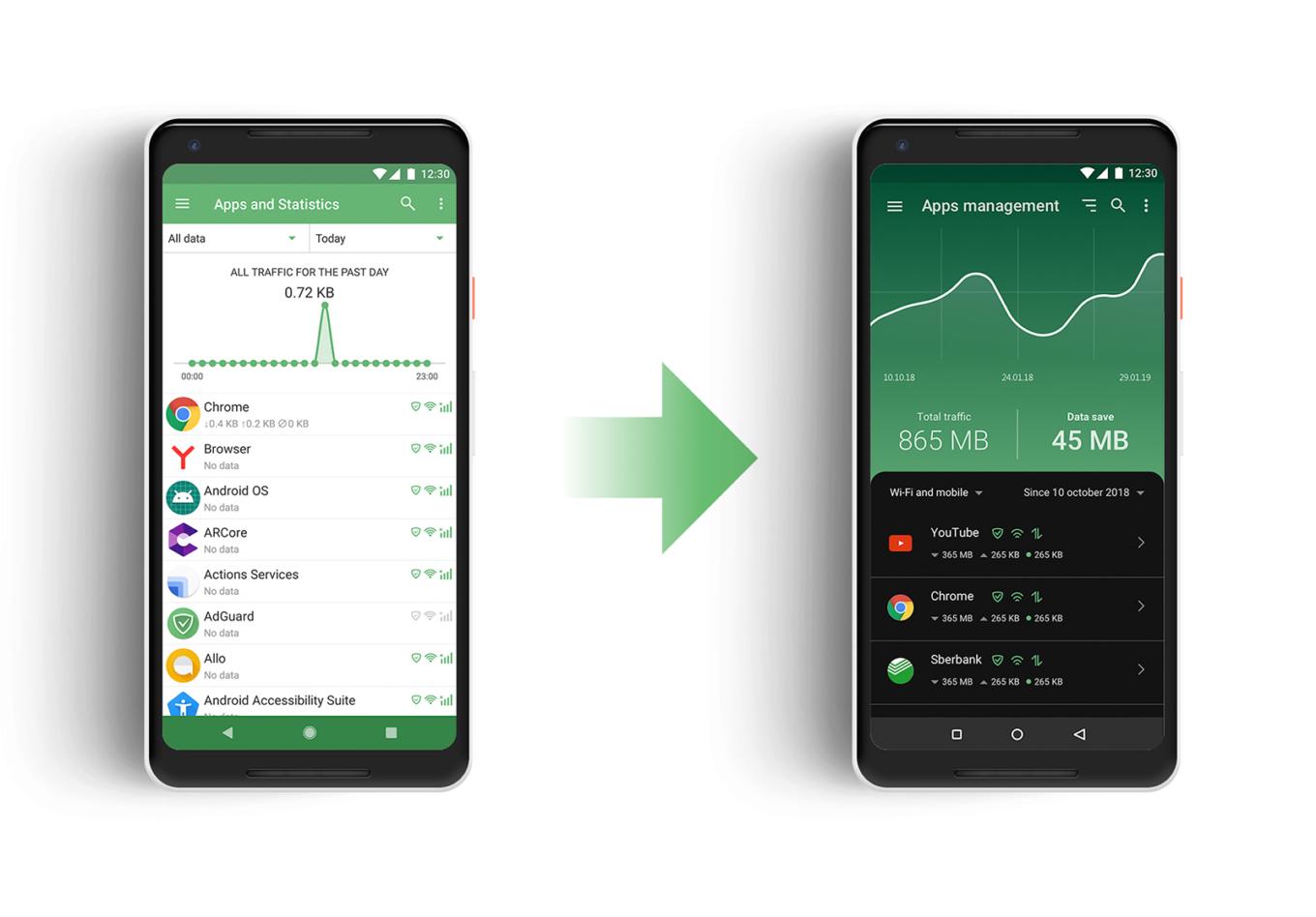
Just look at how better it looks now!

There are significant changes to the UI, as you might expect from an update this big, but in fact the headliner of the new version is Stealth Mode, a new module dedicated solely to privacy protection. Let's kick things off by taking a closer look at the newcomer, and then continue checking out the rest of the changes (there are many more to talk about).

Stealth Mode #2094

It is telling that we’re starting our feature overview with Stealth Mode, listing it even before the redesign, or anything else. With Stealth Mode, AdGuard takes another role in addition to ad blocker and app manager: the role of a privacy protection tool, and a strong one at that. AdGuard has had a special Tracking Protection filter for a long time, but the new module presents an entire range of tools. Some of them will suit almost everyone, and others are for more hardcore users.
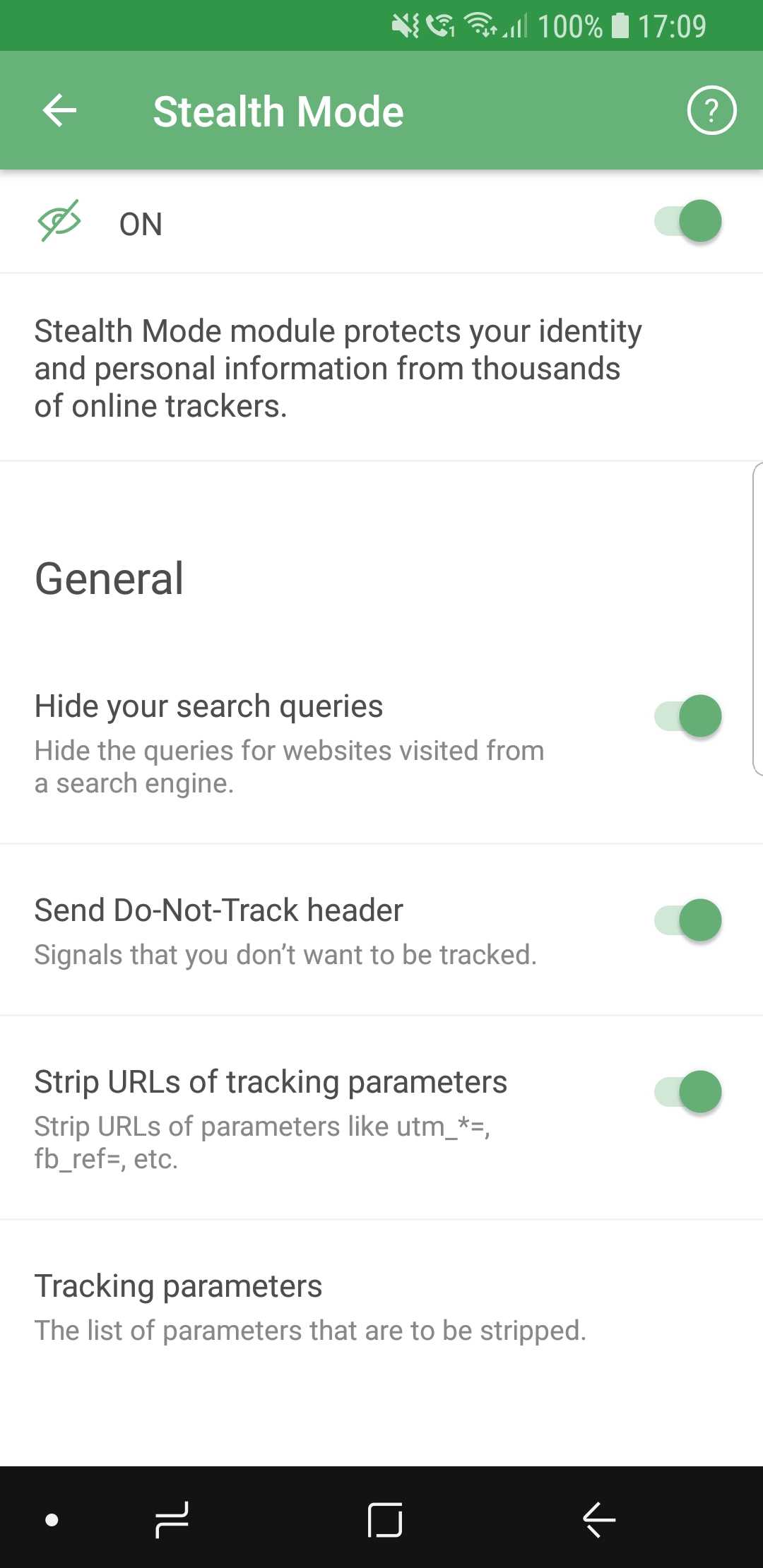
AdGuard Stealth Mode

Let's quickly go over them, but instead of mentioning every single feature, we will group them into categories.

  • General

Here we placed the features that you can enable without any risk of facing much inconvenience. Options like hiding your search queries or removing tracking parameters from URLs are almost strictly advantageous, and you have no reason not to use them if you care about privacy.

  • Tracking methods

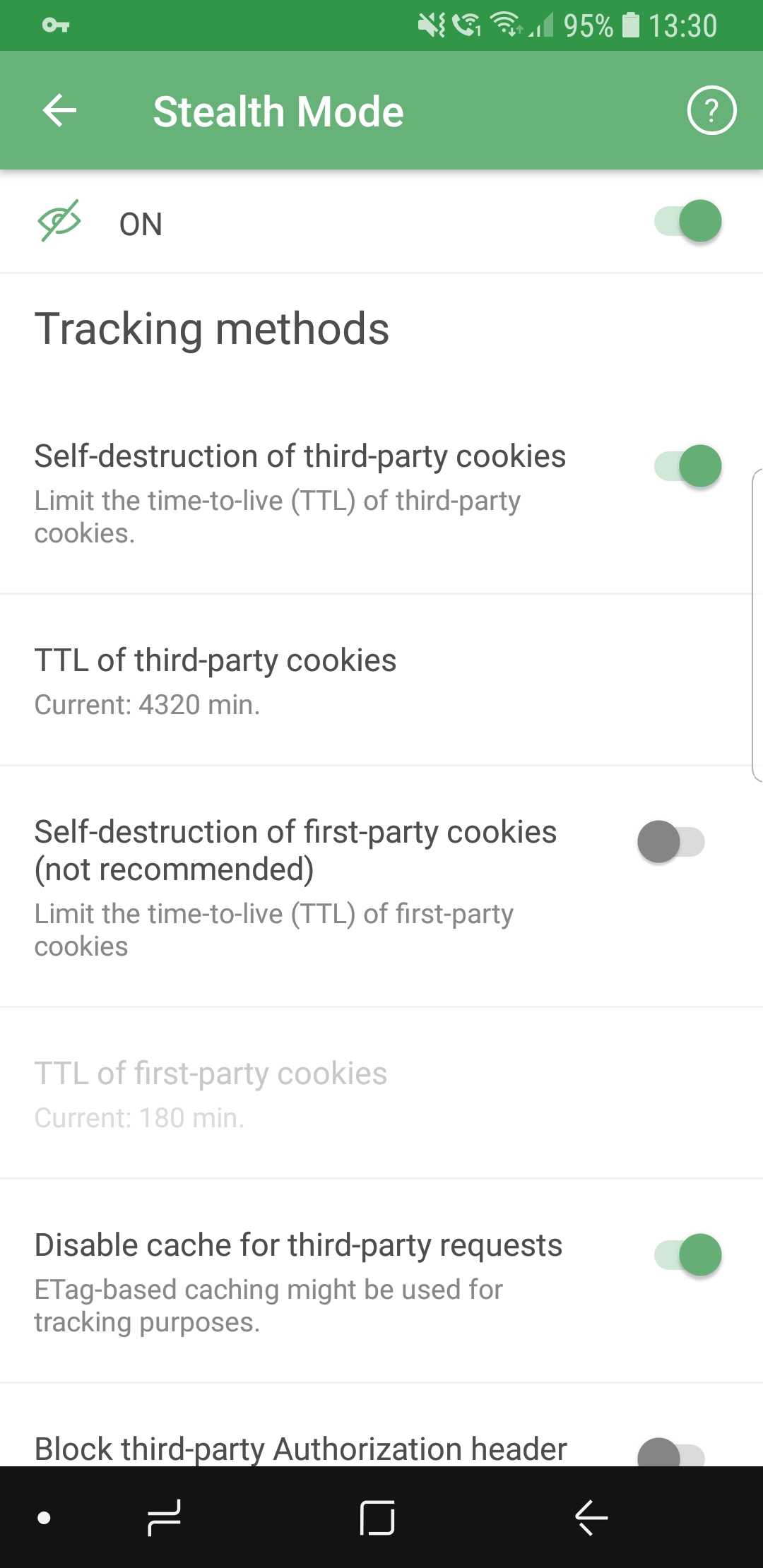
So many options they don't fit on screenshots

Includes options that prevent websites from tracking you by using various mechanisms, for example, cookies. It’s worth mentioning that enabling self-destruction of first-party cookies is not recommended unless you want to take privacy protection to the absolute limit, as it may cause some websites to work improperly, or not work at all.

  • Browser API

In this section, you can enable or disable browser API-related options. Read the description for each of them first to find a good balance between privacy and convenience (for example, blocking Push API will prevent servers from sending any notifications to your browser).

  • Miscellaneous

As the name suggests, this category contains a mish-mash of options. Hiding your User Agent or masking your IP address are the sort of features you will find there.

If you feel intimidated by the variety of available options, you will like the new first launch wizard that will help you choose the configuration most suited for you — more on that later.

New UI

As important as Stealth Mode is, the tone of the update is largely dominated by the visual changes, and this time there are plenty. Almost every aspect of the old design was reworked, revamped and (hopefully) improved. There’s too much to mention in one chunk of text, so let's divide them into more digestible paragraphs.

App redesign #713

Everything is new here. New overall style, new icons, new layout. Our designers spent countless hours on it, going through many iterations. The end goal was to make users feel confident in their ability to navigate the app quickly and easily, and we believe we managed to achieve that.
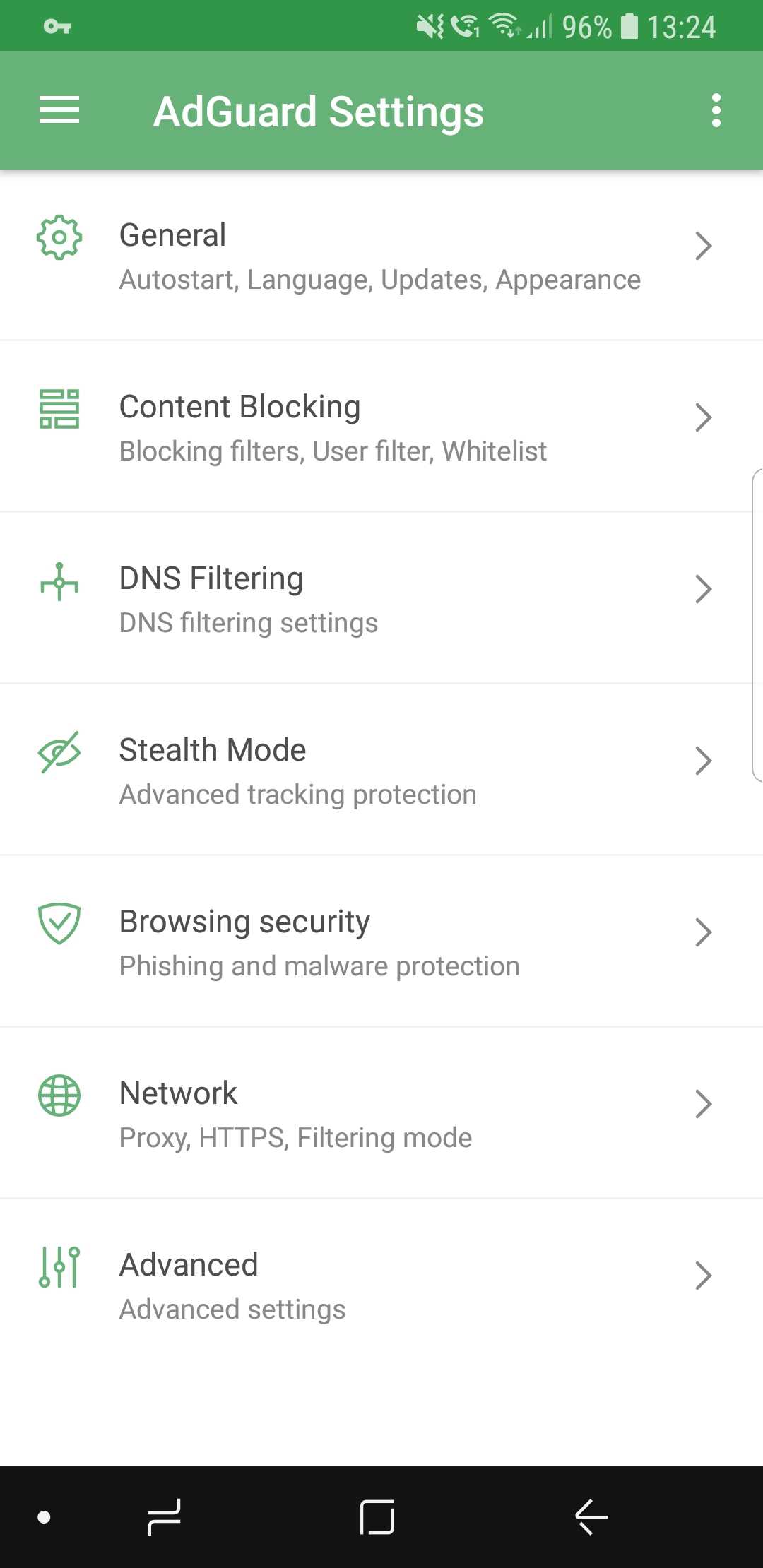
New AdGuard for Android design

We did a lot of tidying up, removed all the elements that clogged up the screen, and added intuitive icons. If you want to get somewhere, it will be very clear to you how to do so.

Dark theme #104

This is probably one of the most desirable features ever. We’ve received requests from users to add a dark theme basically since the app was introduced for the first time more than three years ago. Finally, it has arrived.
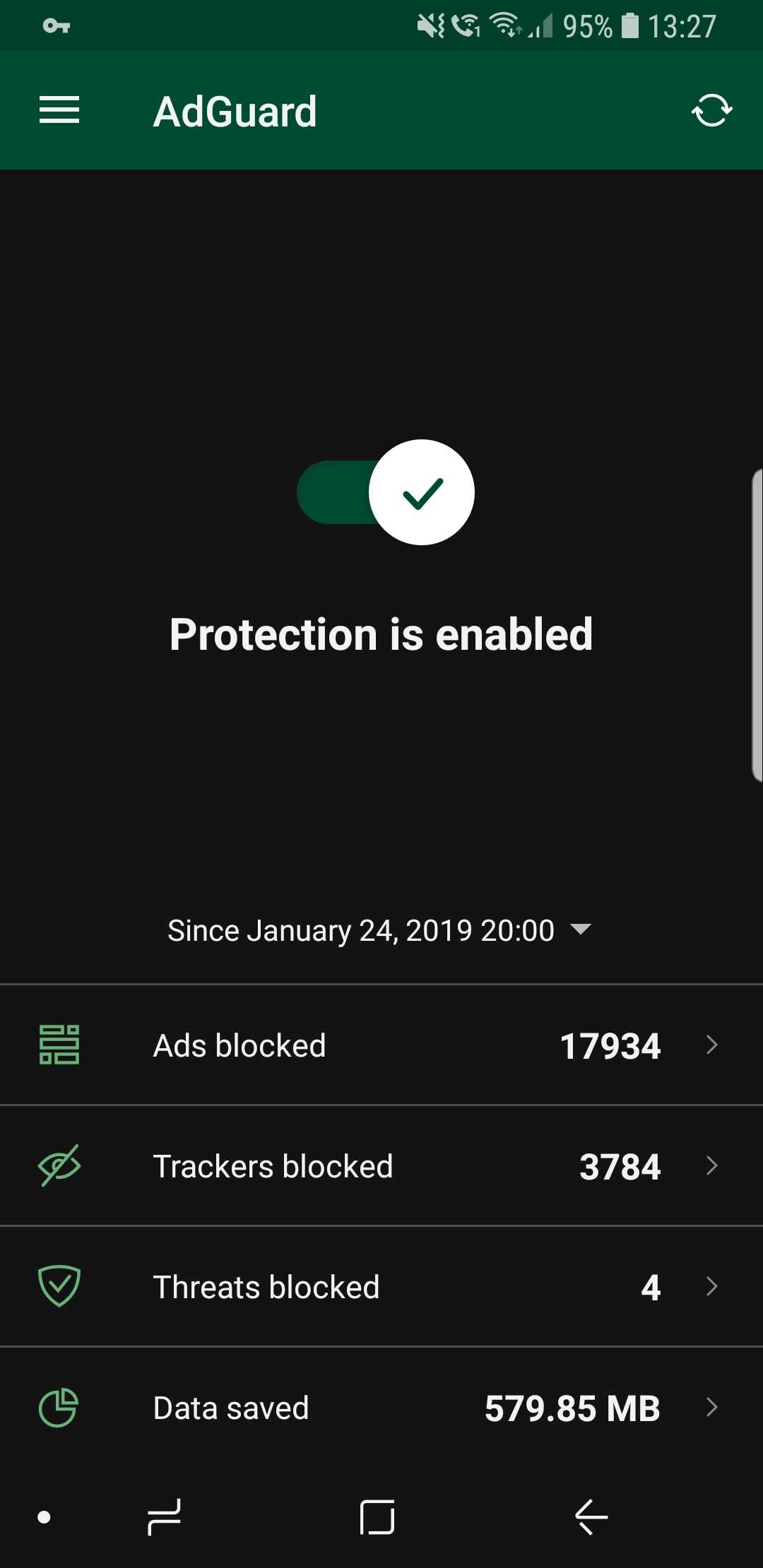
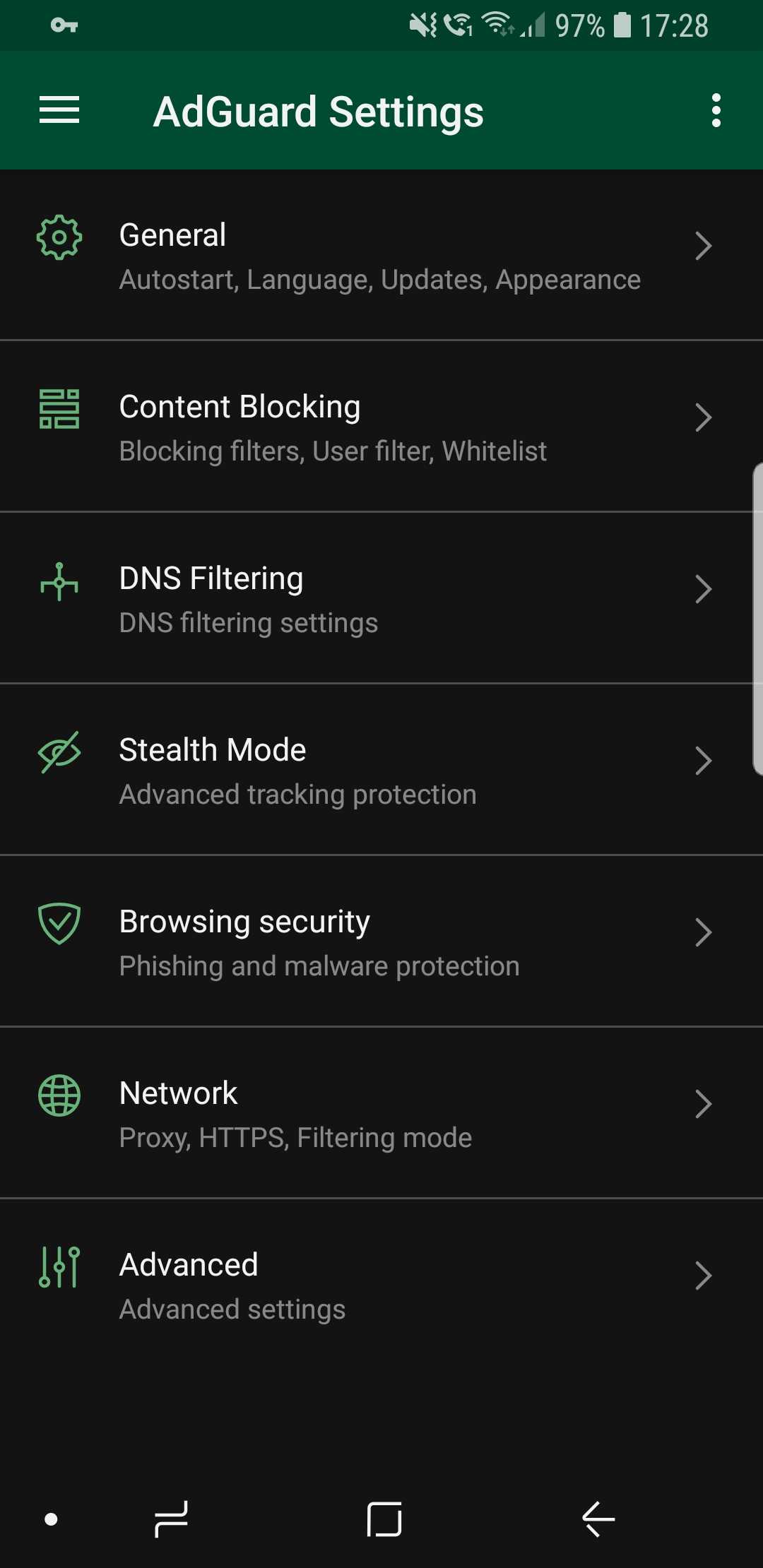
Dark theme looks awesome! (source: us)

It is also true that for every voice that demands a dark theme, there is an equally loud one that goes against it. We would never betray our more conservative users, so the classic light theme is still available (and it's still the default one, for what it's worth).

Statistics charts #2083

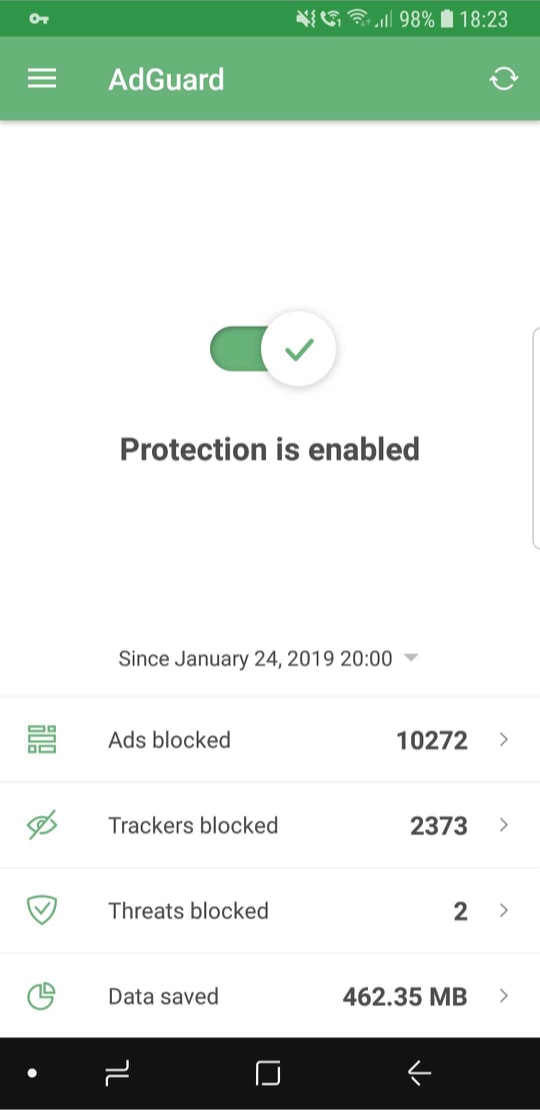
Statistics are useful; it’s always nice to know how many ads were blocked, how much traffic was saved, and so on. But simply looking at bland numbers is not very informative, and also plain boring. Charts provide more information and are much more comprehensive.
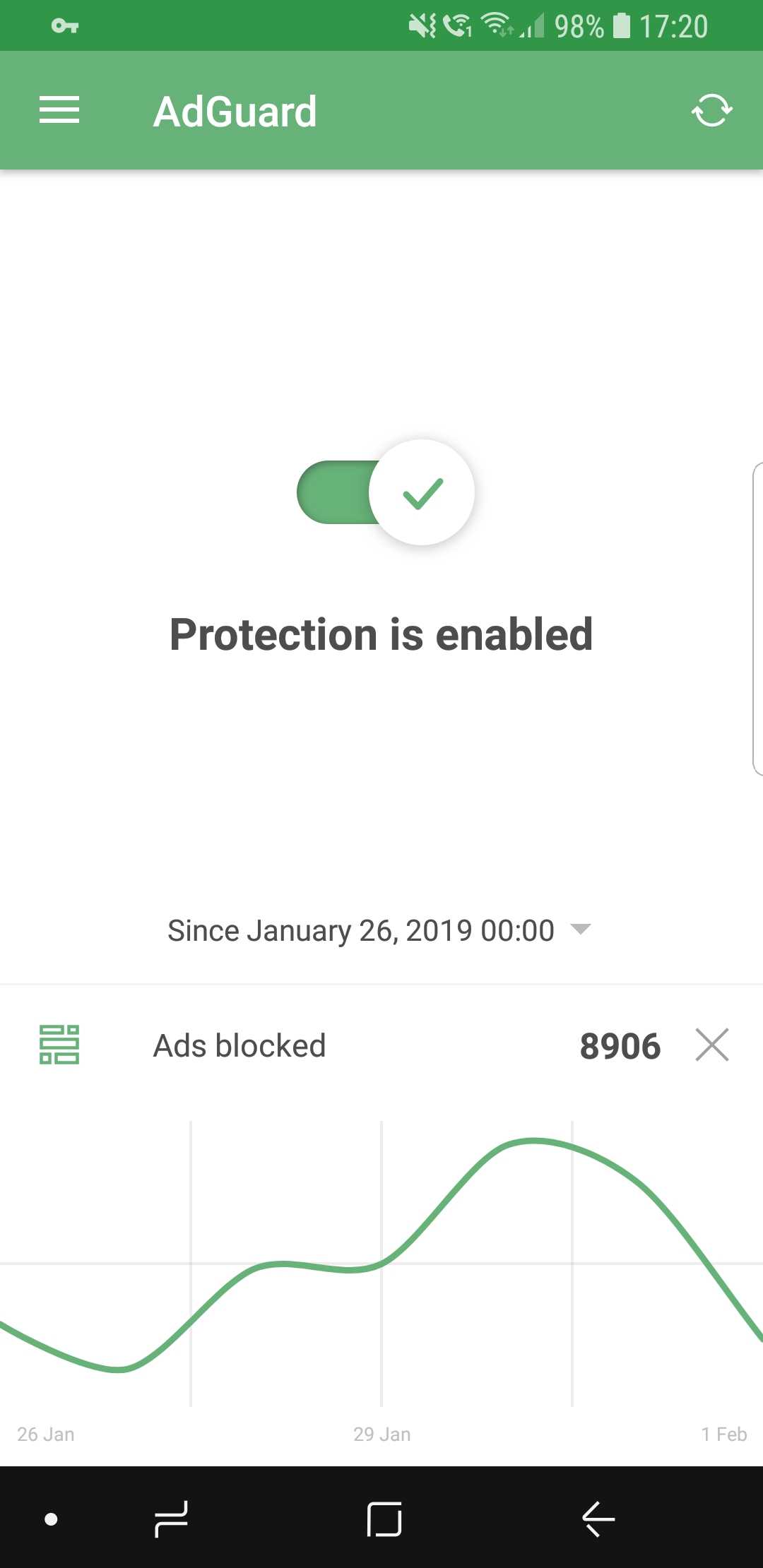
Curves are much better than numbers (that's a fact)

While on the main screen, select the preferred time period and tap on the stat you're interested to display the chart (or go inside Apps Management to look at app-specific charts).

First launch wizard #1965

The wizard's goal is to make you familiar with AdGuard if its your very first time interacting with it. Upon the first launch, it will walk you through the available features and make some suggestions. Feel free to enable or skip any of them, depending on your preferences.
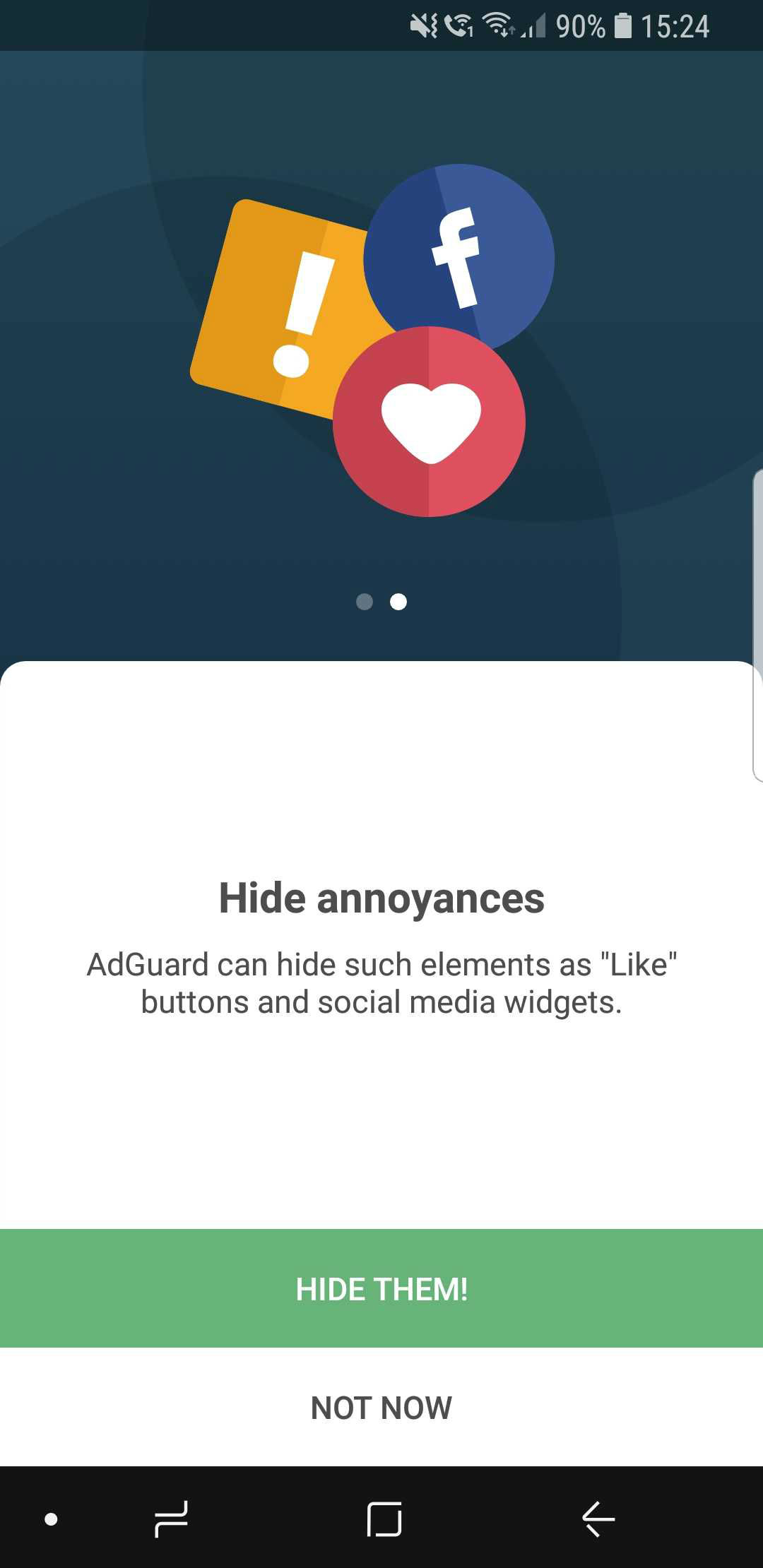
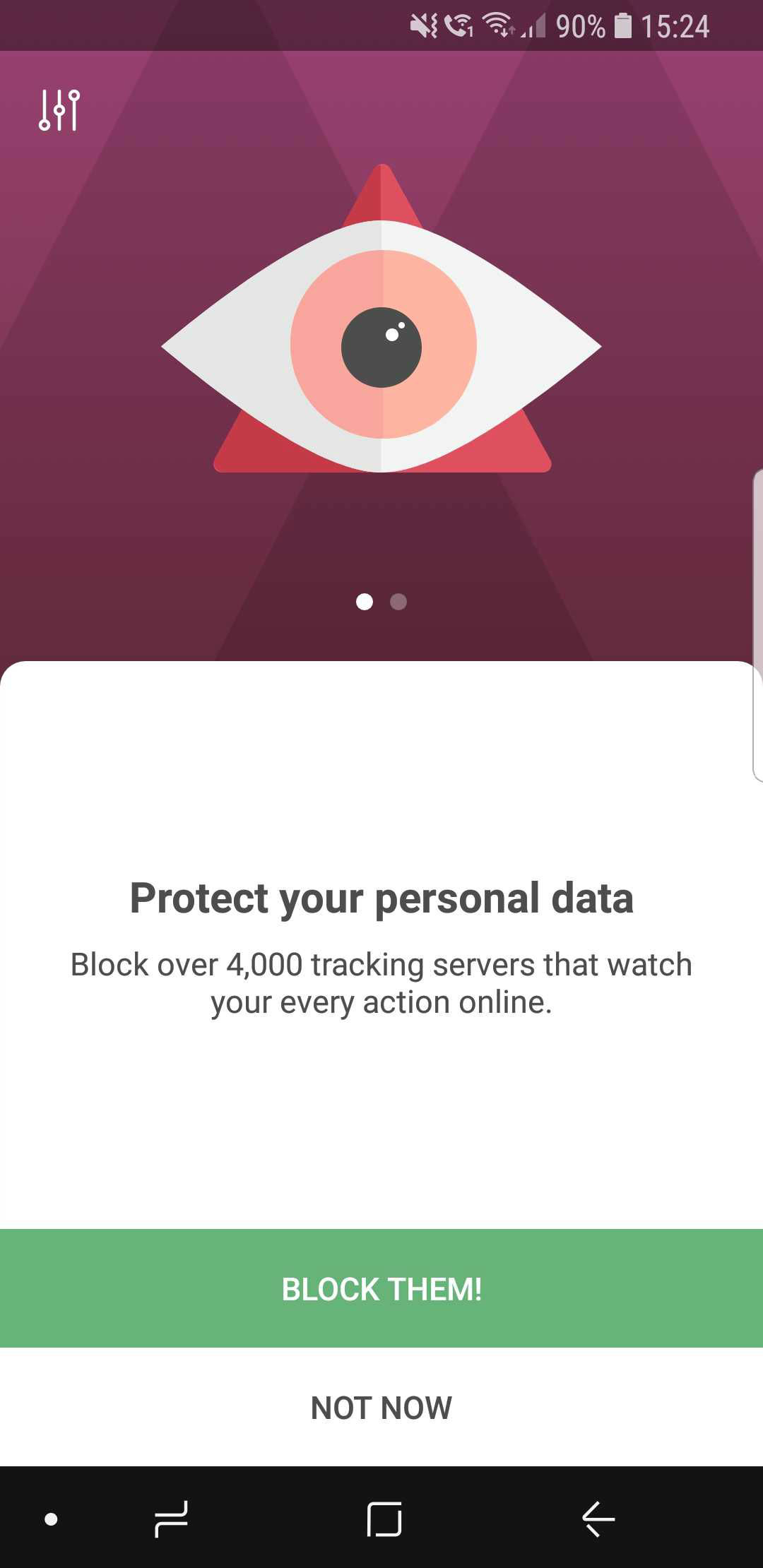
The wizard will help you avoid getting overwhelmed at first

Widget redesign #2354

The apps icon has changed, so the widget needed to be altered as well. Not much to say here: aside from the change in looks, widgets now provide some statistics about blocked requests and so on.
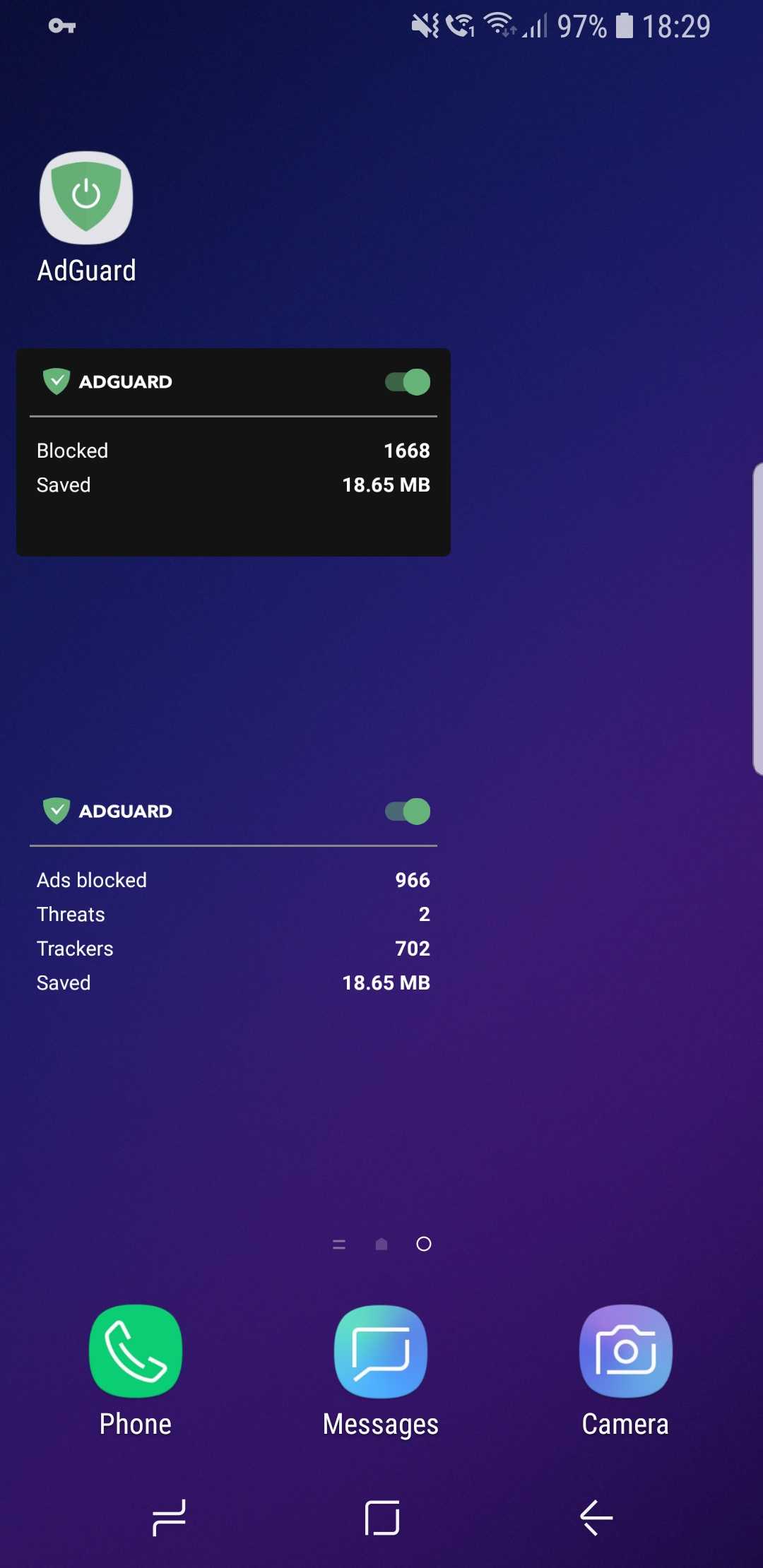
New AdGuard widgets

CoreLibs update

In case you need a refresher, CoreLibs is the new filtering engine that AdGuard is built upon. What AdGuard can and can't do is defined by it, so no wonder it's so important. One of the biggest advantages of CoreLibs compared to the previous engine is that it's cross-platform. This means AdGuard for Android can now take the best from the other AdGuard apps, and you can already see it in action with Stealth Mode.

In this update, CoreLibs receives a further boost, granting better performance and filtering quality. About 150 improvements were made to the filtering engine. We cannot list them all here, but here is a link if you want to check them out.

Other changes

Here are some of the more niche features that will primarily appeal to more tech-savvy users.

Improved DNS functionality #2415

We are now using our own DNS proxy server, which supports all existing DNS protocols. What does that mean for you, the user?

  1. AdGuard now supports the DNS-over-TLS protocol, which is one of the most secure modern DNS protocols
  2. To configure a DNS-over-HTTPS (another secure DNS protocol) server, you don’t need to know the SDNS and can use a simple string like https://dns.adguard.com/dns-query
  3. You can indicate any number of upstream servers for your custom DNS server setup

More filter subscriptions #12
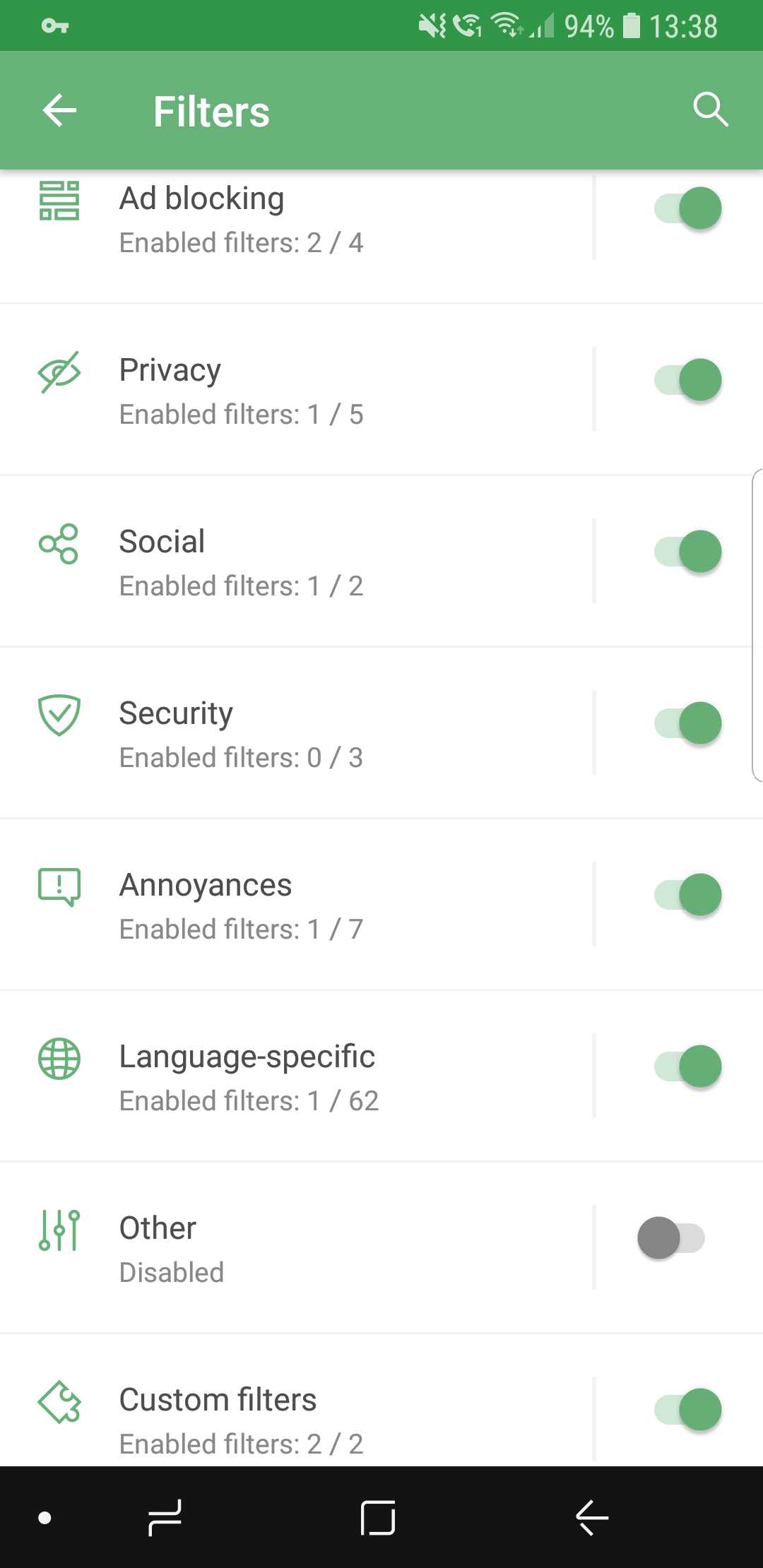
More filters! More!

Self-explanatory: the more, the better! If your favorite subscription wasn’t in the default list before, check it again.

Custom subscriptions by URL #13

…and if it's still not there, no big deal! Just add it manually, because now it's extremely easy. Just tap the respective button, enter the URL, and your filter will appear among the rest. The new filter will be updated automatically, and of course you can add more than one at a time.
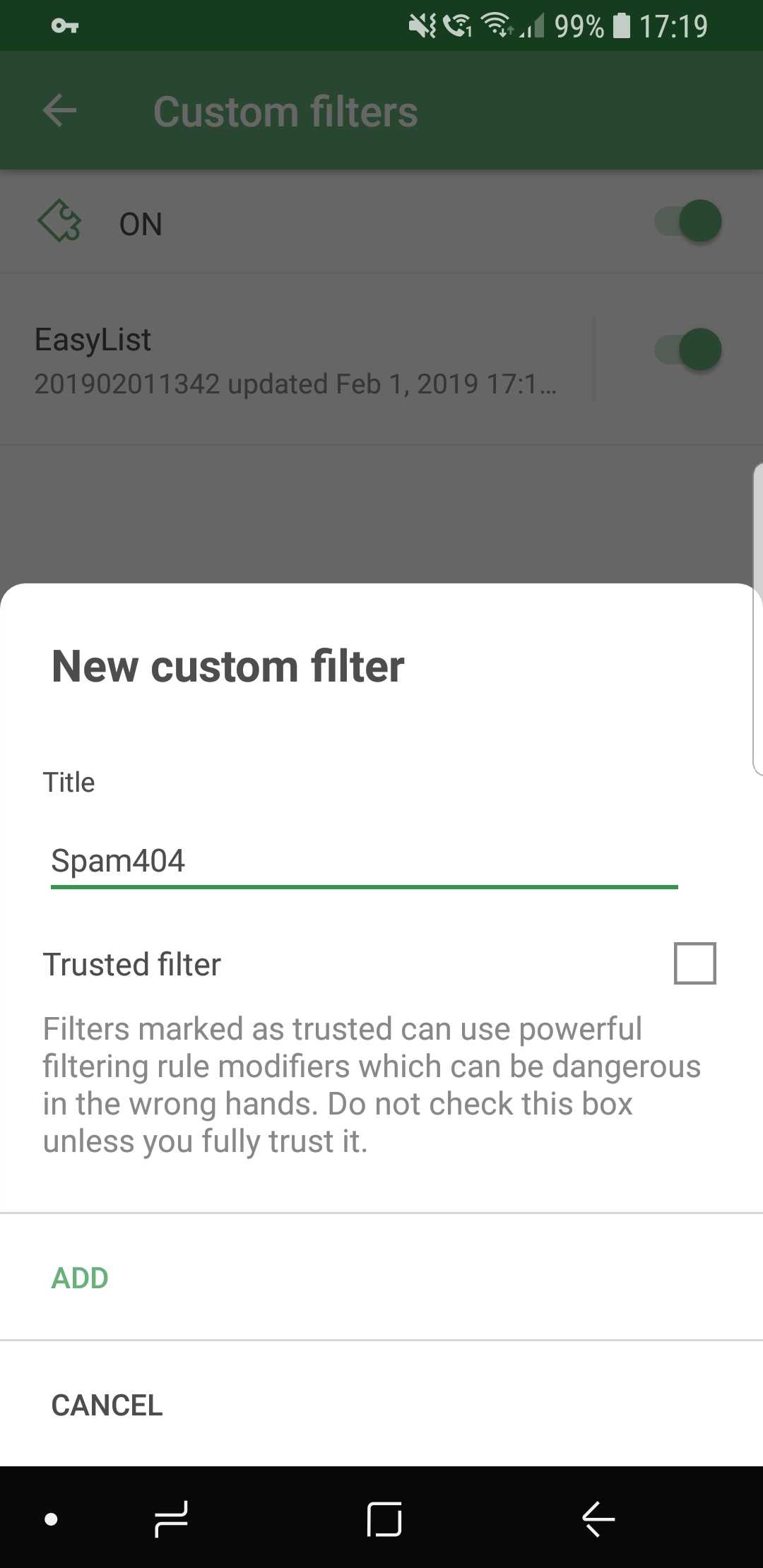
Ok, just one more, I swear...

Conclusion

And that wraps it up for AdGuard 3.0 for Android! Traditionally, the full changelog is available on GitHub. Make sure you install the new version by checking for updates (an icon on the main screen of the app), and if you are new to AdGuard, check out the free trial by downloading the app from our official website.

Let us know about your first impressions of the new AdGuard by leaving a comment below, and see you soon with more news!

PS: Unfortunately, all these wonderful changes would have not been possible without using some of the features available only on newer Android OS versions. Similar to Windows XP, the days of Android 4.x are coming to an end. And despite this wasn't an easy decision, starting with this version AdGuard will only work on devices with Android OS 5+. Owners of devices with Android 4.x can find previous versions of AdGuard on GitHub.

We are currently answering questions about the update on Product Hunt, so if you have any — we are waiting for you there. Oh, and by the way, there is an exclusive 40% discount for "hunters" there, don't tell anyone :)


Tetszett ez a bejegyzés?
AdGuard VPN AdGuard DNS AdGuard Mail AdGuard Wallet
Az AdGuard for Windows főképernyője
Az AdGuard for Windows Védelem képernyője, amely a védelem funkcióit és beállításait mutatja
Az AdGuard for Windows Statisztikák képernyője, amely a letiltott hirdetések és nyomkövetők statisztikáit mutatja
Az AdGuard for Windows Alkalmazáskezelés képernyője, amely az eszközre telepített alkalmazások védelemkezelési beállításait mutatja
20 409 20409 értékelések
Kiváló!

AdGuard: hirdetésblokkoló Windowshoz

Az AdGuard Windowsra több mint egy reklámblokkoló. Ez egy többcélú eszköz, amely blokkolja a hirdetéseket, szabályozza a hozzáférést a veszélyes webhelyekhez, felgyorsítja az oldalak betöltését, és megvédi a gyermekeket a nem megfelelő tartalmaktól
A program letöltésével elfogadja a licencszerződés feltételeit
Microsoft Store
A program letöltésével elfogadja a licencszerződés feltételeit
AdGuard Windowsra v8.0, 14-napos próbaidőszak
Az AdGuard for Mac főképernyője
Az AdGuard Mac-hez Lopakodó mód képernyője
20 409 20409 értékelések
Kiváló!

AdGuard: hirdetésblokkoló Mac-hez

Az AdGuard for Mac egy egyedi reklámblokkoló, amelyet kifejezetten a macOS-hez terveztek. Amellett, hogy megvéd a zavaró hirdetésektől a böngészőkben és az alkalmazásokban, védelmet nyújt a követés, az adathalászat és a csalás ellen
A program letöltésével elfogadja a licencszerződés feltételeit
Olvasson tovább
AdGuard Macre v2.19, 14-napos próbaidőszak
Az AdGuard for Android főképernyője
Az AdGuard for Android Követés elleni védelem képernyője
Az AdGuard for Android Alkalmazáskezelés képernyője, amely az eszközre telepített alkalmazások védelemkezelési beállításait mutatja
Az AdGuard for Android Statisztikák képernyője, amely a letiltott hirdetések és nyomkövetők statisztikáit mutatja
Az AdGuard privát böngészőjének főképernyője Androidon
QR-kód az AdGuard for Android letöltéséhez
20 409 20409 értékelések
Kiváló!

AdGuard: hirdetésblokkoló Androidra

Blokkolja a hirdetéseket és a nyomkövetőket minden böngészőben, játékban és egyéb alkalmazásban. Védi a magánszféráját, és lehetővé teszi, hogy szabályozza, hogyan használják az alkalmazásai az Internetet. APK-n keresztül telepítve
A program letöltésével elfogadja a licencszerződés feltételeit
Olvasson tovább
Letöltésre szolgáló szkennelés
Használjon a készüléken elérhető QR-kódolvasót
AdGuard Androidra v4.14, 14-napos próbaidőszak
Az AdGuard for iOS főképernyője
Az AdGuard for iOS Védelem képernyője, amely a védelem funkcióit és beállításait mutatja
Az AdGuard for iOS Statisztikák képernyője, amely a letiltott hirdetések és nyomkövetők statisztikáit mutatja
QR-kód az AdGuard for iOS letöltéséhez
20 409 20409 értékelések
Kiváló!

AdGuard: hirdetésblokkoló az iOS-hez

A legjobb iOS-es reklámblokkoló iPhone-hoz és iPadhez. Az AdGuard mindenféle hirdetést és követőt eltávolít a Safariban, és DNS-szinten védi az adatvédelmedet az összes alkalmazásban
A program letöltésével elfogadja a licencszerződés feltételeit
Olvasson tovább
Letöltésre szolgáló szkennelés
Használjon a készüléken elérhető QR-kódolvasót
AdGuard iOS-re v4.5
Az AdGuard Content Blocker főképernyője
Az AdGuard Content Blocker Szűrők képernyője
Az AdGuard Content Blocker Beállítások képernyője
20 409 20409 értékelések
Kiváló!

AdGuard Tartalomblokkoló

Az AdGuard Content Blocker kiküszöböli a mobilböngészők minden olyan hirdetését, amely támogatja a tartalomblokkoló technológiát — nevezetesen a Samsung Internet és a Yandex böngésző. Funkciói korlátozottak az AdGuard for Androidhoz képest, de ingyenes, könnyen telepíthető és hatékony
A program letöltésével elfogadja a licencszerződés feltételeit
Olvasson tovább
AdGuard Tartalomblokkoló v2.8
Az AdGuard Browser Extension főképernyője
Az AdGuard Browser Extension Követés elleni védelem képernyője
20 409 20409 értékelések
Kiváló!

AdGuard Böngészőkiegészítő

Az AdGuard a leggyorsabb és a legkönnyedebb hirdetésblokkoló bővítmény, amely hatékonyan blokkolja az összes hirdetéstípust az bármelyik weboldalon! Válassza az AdGuard lehetőséget az Ön által használt böngészőhöz, hogy hirdetésektől mentesen, gyorsan és biztonságosan böngészhessen.
Telepítés
A program letöltésével elfogadja a licencszerződés feltételeit
Telepítés
A program letöltésével elfogadja a licencszerződés feltételeit
Telepítés
A program letöltésével elfogadja a licencszerződés feltételeit
Telepítés
A program letöltésével elfogadja a licencszerződés feltételeit
Telepítés
A program letöltésével elfogadja a licencszerződés feltételeit
Olvasson tovább
AdGuard Böngészőkiegészítő v5.5
Az AdGuard Assistant főképernyője
20 409 20409 értékelések
Kiváló!

AdGuard Asszisztens

A [AdGuard asztali alkalmazások] böngészőbővítménye(https://adguard.com/products.html?_plc=hu). Lehetővé teszi a webhelyek egyéni elemeinek blokkolását, webhelyek hozzáadását az engedélyezési listához, és jelentések küldését közvetlenül a böngészőből
AdGuard Asszisztens v1.4
20 409 20409 értékelések
Kiváló!

AdGuard Home

Az AdGuard Home egy hálózati alapú megoldás a hirdetések és nyomkövetők blokkolására. Telepítse egyszer az útválasztóra, hogy lefedje az otthoni hálózat összes eszközét – nincs szükség további kliensszoftverre. Ez különösen fontos a különféle IoT-eszközök esetében, amelyek gyakran veszélyt jelentenek az Ön magánéletére
AdGuard Home v0.107
Az AdGuard Pro for iOS főképernyője
Az AdGuard Pro for iOS Védelem képernyője, amely a védelem funkcióit és beállításait mutatja
Az AdGuard Pro for iOS Statisztikák képernyője, amely a letiltott hirdetések és nyomkövetők statisztikáit mutatja
20 409 20409 értékelések
Kiváló!

AdGuard Pro iOS-re

Az AdGuard Pro iOS-hez verziója minden fejlett hirdetésblokkoló védelmi funkcióval rendelkezik. Ugyanazokat az eszközöket kínálja, mint az AdGuard iOS fizetős verziója. Kiválóan blokkolja a hirdetéseket a Safariban, és lehetővé teszi a DNS-beállítások testreszabását a védelem személyre szabásához. Blokkolja a hirdetéseket a böngészőkben és alkalmazásokban, megvédi gyermekeit a nem megfelelő tartalmaktól, és biztonságban tartja személyes adatait.
A program letöltésével elfogadja a licencszerződés feltételeit
Olvasson tovább
AdGuard Pro iOS-re v4.5
Az AdGuard Mini for Mac főképernyője
Az AdGuard Mini for Mac Safari védelem képernyője
Az AdGuard Mini for Mac Szabály létrehozása képernyője
20 409 20409 értékelések
Kiváló!

AdGuard Mini Mac-hez — Safari hirdetésblokkoló

Az AdGuard Mini Mac-re egy hatékony Safari hirdetésblokkoló. Ez a könnyű alkalmazás eltávolítja a hirdetéseket, blokkolja a nyomkövetőket, és felgyorsítja az oldalak betöltését. Segít zavaró tényezők nélkül böngészni a webet Safariban, és megőrzi az adataid privát jellegét
AdGuard Mini Mac-hez v2.3
Az AdGuard for Android TV főképernyője engedélyezett védelemmel
Az AdGuard for Android TV hirdetésblokkolás képernyője, amely a funkciókat és beállításokat mutatja
Az AdGuard for Android TV Beállítások képernyője
Az AdGuard for Android TV Alkalmazáskezelés képernyője, amely azokat az alkalmazásokat mutatja, ahol a hirdetések és nyomkövetők le vannak tiltva
20 409 20409 értékelések
Kiváló!

AdGuard Android TV-hez

Az Android TV-hez készült AdGuard az egyetlen alkalmazás, amely blokkolja a hirdetéseket, védi az Ön adatait, és tűzfalként működik a Smart TV-ben. Figyelmeztetéseket kaphat a webes fenyegetésekről, használjon biztonságos DNS-t, és élvezze a titkosított forgalom előnyeit. Pihenjen, és merüljön el kedvenc műsoraiban a csúcsminőségű biztonság és  zero  hirdetés!
AdGuard Android TV-hez v4.14, 14-napos próbaidőszak
Az AdGuard kabalája, Agnar, aki a Linux pingvint tartja
20 409 20409 értékelések
Kiváló!

AdGuard Linuxhoz

Az AdGuard for Linux a világ első rendszerszintű Linux-hirdetésblokkolója. Blokkolja a hirdetéseket és a nyomkövetőket eszközszinten, válasszon az előre telepített szűrők közül, vagy adja hozzá sajátját – mindezt a parancssori felületen keresztül
AdGuard Linuxhoz v1.4
20 409 20409 értékelések
Kiváló!

AdGuard Temp Mail

Ingyenes ideiglenes email címgenerátor, amely névtelenül tartja és védi magánéletét. Nincs spam a fő postaládájában!
20 409 20409 értékelések
Kiváló!

AdGuard VPN

75 végpont világszerte

Hozzáférés bármilyen tartalomhoz

Erős titkosítás

Nincs naplózás

Gyorsabb kapcsolódás

0-24 támogatás

20 409 20409 értékelések
Kiváló!

AdGuard DNS

Az AdGuard DNS egy bolondbiztos módszer az internetes hirdetések blokkolására, amely nem igényel alkalmazásokat. Könnyen használható, teljesen ingyenes, könnyen beállítható bármilyen eszközön, és csak minimálisan szükséges funkciókat biztosít a hirdetések, számlálók, rosszindulatú webhelyek és felnőtteknek szóló tartalmak blokkolásához.
20 409 20409 értékelések
Kiváló!

AdGuard Mail

Védje személyazonosságát, kerülje a kéretlen leveleket, és tartsa biztonságban postafiókját álneveinkkel és ideiglenes email címeinkkel. Élvezze ingyenes email továbbító szolgáltatásunk és alkalmazásaink előnyeit minden operációs rendszerre.
20 409 20409 értékelések
Kiváló!

AdGuard Wallet

Biztonságos és privát kriptopénztárca, amely teljes ellenőrzést biztosít eszközei felett. Kezeljen több pénztárcát, és fedezzen fel több ezer kriptovalutát tárolásra, küldésre és cserére
Az AdGuard letöltése megkezdődött Kattintson a nyíllal jelzett gombra a telepítés elindításához. Válassza a "Megnyitás" lehetőséget, és kattintson az "OK" gombra, majd várja meg a fájl letöltését. A megnyílt ablakban húzza az AdGuard ikont az "Alkalmazások" mappába. Köszönjük, hogy az AdGuardot választotta! Válassza a "Megnyitás" lehetőséget, és kattintson az "OK" gombra, majd várja meg a fájl letöltését. A megnyílt ablakban kattintson az "Telepítés" gombra. Köszönjük, hogy az AdGuardot választotta!
Telepítse az AdGuardot mobileszközökre is: