Best URL shorteners 2024: How to choose the right one
At first glance, it may seem that a short link is just a matter of convenience, but in reality, it carries much more meaning. Shortened URLs are easier to perceive and remember; once the reader sees them, they are more likely to click on the link.
Short links help maintain brand professionalism, help get around character limits in twitter, and make the text more visually appealing. In addition, UTM tags built into URL shorteners provide valuable analytics: number of clicks, geographic distribution of users, and traffic source, which is undoubtedly vital for marketing and content optimization.
Using link shorteners has long ceased to be a trend or temporary need. Now, concise links are important for everyday use on social networks and for business. In this article, we'll compare popular URL shorteners and look at the benefits of each.
What is a link shortener?
A short link creation service is a site that allows you to shorten any link, and it will work the same as the original long one. By using URL shorteners, you can make short links from long and awkward URLs.
How does a URL shortener work?
To make your link shorter, you need to follow a couple of simple steps.. Initially, the user enters a long URL into the shortener. The service generates a unique identifier, which becomes part of the new, short link. This unique identifier is associated with the original URL in the service database.
When a user follows a shortened link, the service automatically redirects him to the original long URL. This is achieved by finding the corresponding long URL associated with the short link's unique identifier. Thus, the shortened URL instantly directs the user to the desired page.
There are various algorithms for generating unique identifiers in shortened URLs. Some link shorteners generate them randomly, while others allow users to set shortened URLs. For example, a shortened URL for a marketing campaign might include the brand name or campaign keyword.
Benefits of URL shorteners
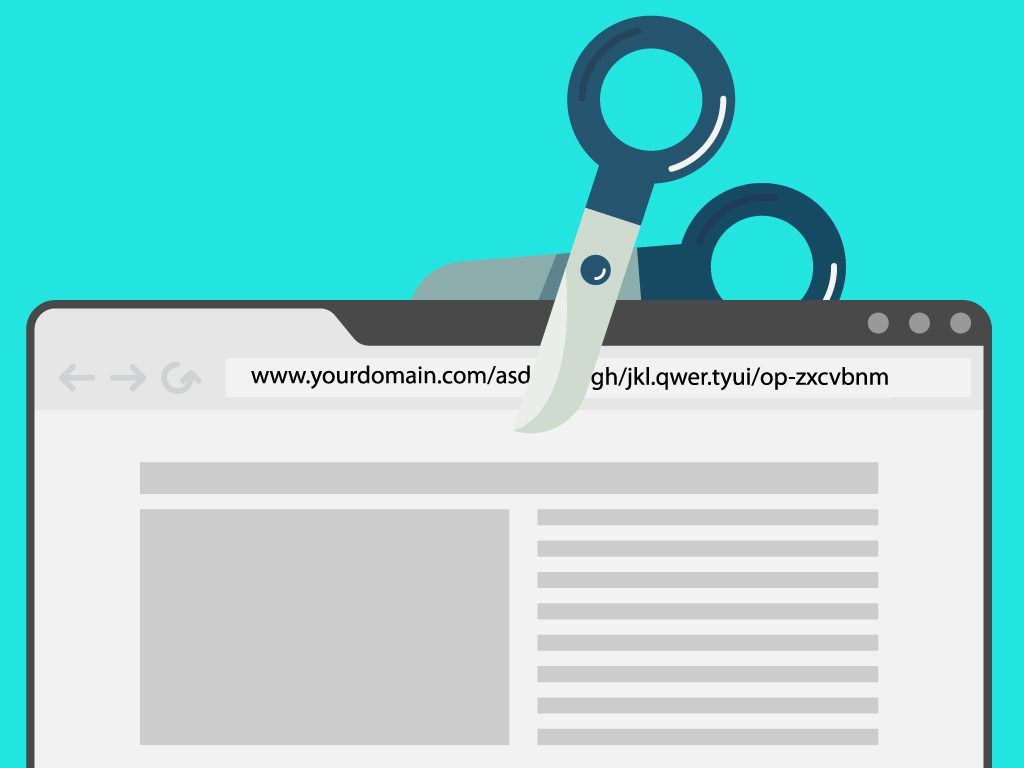
Link shorteners are tools that not only simplify long and complex web addresses but also provide new opportunities for businesses and individual users. Let's take a look at the benefits these tools have.
Make the link visually appealing
One of the main functions of URL shorteners is to improve the look of links. Long URLs are often bulky and difficult to understand. Shortened URLs, however, are much more compact and aesthetically pleasing. They fit easily into text messages, social media posts and promo materials, making the content visually appealing. In addition, shortened URLs are easier to remember and share with others.
Increase brand trust
Some services allow you to choose URLs for shortened links; for example, you can add a company name there. This increases user trust as they see a familiar brand in the URL.
Protect against malicious links
Many modern URL shorteners implement security measures to protect users. These measures may include virus and malware scanning, warnings about suspicious sites, and blocking malicious links.
How to choose the best URL shortener
The ideal URL shortener is secure, functional, and affordable. Different link shorteners offer various features, which may be more or less suitable for specific requirements and purposes.
Factors to consider
Privacy. No one is immune from such services beginning to sell their users' data to third parties one day. Therefore, if you don't want the service to sell your data to someone, you should read the privacy policy before using it.
Functionality. If branding is important to you, it's worth considering services like Rebrandly or T2M, which offer custom shortened URLs. For basic needs, simple services such as Ow.ly or TinyURL are suitable.
When it comes to data collection, most professional URL shorteners, including Bitly and ClickMeter, offer extensive analytics. Google URL Shortener or TinyURL may be suitable for minor needs, although they offer limited analytics capabilities.
Cost. Cost is another crucial factor, especially for small businesses or individuals on a budget. Some URL shorteners only offer free versions with basic features, while others provide subscription options to access advanced features. For example, Bitly or Rebrandly offer affordable plans that may suit small businesses and individuals. The more expensive but feature-rich ClickMeter or T2M plans may be more suitable for larger businesses. Compare the costs and choose what suits you best.
Reputation. Prioritizing services with high reliability and a positive reputation is essential. If a service has few users, a low user rating, negative reviews, or is recently created, these could signal potential future discontinuation. In this case, your links may become inactive or, worse, direct users to incorrect or malicious URLs.
Review of the best URL shorteners
Bitly
Bitly was launched in 2008 and has since established itself as one of the market leaders. It offers a simple interface to quickly shorten URLs, advanced analytics and link management features. The service allows you to track the number of clicks, traffic sources, geographic location and other vital metrics. Bitly also allows users to customize their URL shorteners by adding branded short links, making them more recognizable and increasing trust.
Features
- Year of release: 2008
- Lifetime links. However, ad campaign links may be removed for inactive accounts
- 301 redirect sends the user to the landing page. Search engines will transfer page rank from the original URL to the new one
- Bitly uses cookies to identify statistical conversions, preserve privacy and provide personalized recommendations
- Paid plans include additional features such as conversion analytics, custom URLs, branded domains, integration with various services and other features
- Price: $8/month for the cheapest plan
TinyURL

TinyURL is one of the most famous and longest-running URL shorteners on the Internet. Since its introduction in the early 2000s, TinyURL has grown its reputation as a reliable and easy-to-use tool that helps shorten long, unwieldy web addresses. Both individual users and enterprises of various sizes widely use this service.
The service is very simple: to make a long link shorter, just paste the original URL into the field provided for this on the site and click the button. TinyURL does not typically require users to log in to create short links, and short links generated by TinyURL are generally accessible without the need for user authentication. However, users who create an account and log in can create branded domains, manage their created short links, and monitor the click-through statistics.
Features
- Year of release: 2002
- Lifetime links, regardless of account type
- TinyURL uses a 301 redirect. However, the user can choose a temporary (302) redirect when creating short links
- Cookies used for link analytics and to improve the interface
- TinyURL allows you to shorten URLs for free. However, some features are only available to paying customers
- Price: $10/month for the cheapest plan
Rebrandly

Rebrandly is one of the best URL shorteners focusing on branding and marketing. The service maintains a consistent professional style because it is being widely used by both businesses and individuals.
With Rebrandly, you can create custom short links with your brand name or keywords. This makes links more convenient to use and increases their visual perception and recognition.
The service also provides detailed analytics, tracking clicks, traffic sources, and behavior. This data can be used to improve marketing strategies and customer interactions. Rebrandly supports integration with various platforms and marketing tools, making it convenient for integrated marketing strategies.
Features
- Year of release: 2009
- Lifetime links, regardless of account type
- Uses a 301 redirect, resulting in a permanent redirect
- Cookies may be used for analytics, content personalization and service delivery
- Rebrandly has paid plans that provide access to tools such as link branding, analytics, custom domains, and other advanced features
- Price: $13/month for the cheapest plan
Other popular link shorteners
Ow.ly

Ow.ly is a URL shortener built into the Hootsuite social media management platform. It allows users to shorten links immediately before publishing on social networks.
Features
- Year of release: 2009
- Links are limited to the duration of your Hootsuite account
- The most commonly used is the 301 redirect. However, as part of Hootsuite, this may support different methods depending on the user's settings
- As part of Hootsuite, Ow.ly uses cookies for analytics and session management
- Ow.ly is part of Hootsuite, and its features are available through paid Hootsuite plans, which offer a wide range of social media management tools
- Price: $99/month for the cheapest plan
ClickMeter
ClickMeter is a link shortening service for marketers that shortens URLs and offers extensive analytics.
Features
- Year of release: 2012
- The validity period of the link depends on the type of account: free ones may have restrictions
- Uses a 301 redirect, resulting in a permanent redirect
- May use cookies for analytics and to improve user experience
- ClickMeter provides various paid plans with advanced features such as analytics, conversion tracking, integrations with other tools, etc.
- Price: $29/month for the cheapest plan
T2M
T2M offers a comprehensive link shortening platform that includes branded links, QR codes, and click tracking, complemented by in-depth analytics.
Features
- Year of release: 2017
- The link's duration of validity is contingent upon the account type, with free accounts possibly subject to limitations
- In most cases, uses a 301 redirect
- T2M uses cookies for analytics and to provide personalized services
- T2M offers paid plans with various features, including statistics, custom domains, analytics, and more
- Price: $10/month for the cheapest plan
Shorte.st

Shorte.st is a unique URL shortener that allows users to earn money by displaying ads before redirecting to the original URL.
Features
- Year of release: 2014
- Lifetime links, regardless of account type
- Shorte.st also uses a 301 redirect for permanent redirection
- Cookies may be used to track conversion statistics and provide personalized advertising
- Shorte.st has paid plans that provide additional features such as branding, analytics, and the ability to get paid when someone clicks on your links
- By adding an ad layer to your links the service helps you monetize your traffic
- Price: Not provided
Sniply
Sniply is a social media marketing tool that allows you to shorten any link and add a customizable call-to-action message to the destination web page, and then monitor engagements and track results.
Features
- Year of release: 2014
- Lifetime links, regardless of account type
- Uses a 301 redirect, resulting in a permanent redirect
- Sniply may use cookies for analytics and to personalize content
- With Sniply you can create custom domains, branded links, carry out A/B tests, track analytics for URLs and measure effectiveness of your campaigns
- There is no free version, but there is a 2 week trial period
- Price: $9/month for the cheapest plan
YOURLS
YOURLS is a free and open-source URL shortening alternative that allows users to run their URL shortener on their server.
Features
- Year of release: 2009
- Link expiration dates can be set by the user when setting up their YOURLS server
- YOURLS provides the ability to select the type of redirect during installation. A 301 redirect is usually used
- Cookies depend on the configuration set by the user during installation
- YOURLS is open-source software. Open-source projects are usually associated with better trust as their code can be reviewed by the community
- YOURLS is completely free, but accepts donations. Also, if you deploy it on a virtual private server, there may be associated hosting and maintenance costs
- YOURLS doesn’t provide any paid plans
Polr

Similar to YOURLS, Polr is open-source software that allows users to install and manage a URL shortening service on their servers.
Features
- Year of release: 2014
- The user can set the expiration date of links when setting up the server
- Supports both 301 and 302 redirects depending on user settings
- Cookies depend on the configuration set by the user
- Polr is open-source software. Charges may arise due to hosting and technical support costs
- Price: Paid plans not supported
Short links use cases
As mentioned above, short URLs are helpful for more than just personal use. Besides being convenient, shortened links also help achieve business goals in various areas, from marketing and education to scientific research and personal use. Let's look at how they simplify access to information and help improve company efficiency.
Business and marketing
- Branding and awareness: Companies use URL shorteners to create custom branded links that increase brand awareness and trust. For example, a company might use shortened URLs with the brand name on social media, banner ads, or emails.
- Detailed analytics. Shortened URLs allow you to track the effectiveness of your marketing campaigns by analyzing the number of clicks, traffic sources and audience behavior. This information is critical for assessing ROI (return on investment) and optimizing marketing strategies.
Education and research
- Easier access to educational resources. Teachers use shortened URLs to make academic materials, educational platforms and digital libraries more accessible to students.
- Collaboration. Scientific researchers use shortened URLs to share long and complex links to scientific articles, research databases and online tools. This makes it easier for colleagues to collaborate and share knowledge.
- Organizing and archiving materials. URL shorteners can be used to create easier and more memorable links to various resources and databases.
Personal use
- Simplify information sharing. In social networks, text messages or emails, exchanging short links is much more convenient than long addresses, especially regarding locations on maps or specific web pages.
What to expect in the future from url shorteners
Integration with content management systems (CMS) and marketing platforms. URL shorteners will integrate more with content management platforms and marketing tools, allowing for more efficient content management and distribution. This will automate the process of shortening links and distributing them on social networks, blogs, or newsletters.
Improved integration with analytics tools. URL shorteners will offer more advanced integration with analytics services, helping businesses better understand audience behavior and link performance.
Expanding functionality through APIs. Providing powerful APIs for developers will allow them to integrate URL shortener functionality into various applications and services, expanding their capabilities.
Fraud and phishing protection. Future developments will include more sophisticated phishing and fraud detection and prevention systems.
Advanced privacy and control settings. URL shorteners will offer more advanced privacy settings as regulations become more stringent to protect user data. This may include improved options for data management and protection.
Use of blockchain technologies. It is possible that in the future we will see the integration of blockchain technologies to increase the transparency of shortened URLs. Blockchain can help ensure that link traffic and interaction data are reliable and immutable.
As technology advances and users require change, these tools will adapt to offer more convenient and versatile solutions for managing and distributing links on the Internet.
Conclusion
To choose the right link shortening service, you need to consider several factors, including security needs, functionality, and cost. While some services offer advanced analytics and branding features, others stand out for their simplicity and accessibility. Ultimately, the best URL shortener is the one that suits your requirements and helps you achieve your goals in the most efficient way.




















































