TechTok #10. Choosing between robots and fruit
We say time and again that privacy is important, and there are few things in our lives where this importance manifests stronger than in the cell phones we use. We hardly step out of our homes without the phone, we use it to stay connected with friends and relatives, to shop online, to work and to play games. Making a wrong choice here can severely impact our privacy, and not in a positive way. An anonymous user seems to agree with us and asks a question:
Which one is better for your privacy — iOS or Android?
As we know, iOS is owned by Apple, and Android is owned by Google, and the two leviathans of the mobile OS market have very different approaches to protecting user data. Each has their own unique features and trade-offs:
Apple is known to employ a ‘walled garden’ philosophy, with a closed ecosystem where they have near complete control over both hardware and software. A lion’s share of their profits comes from selling hardware, including iPhones, and not from advertising. This gives Apple a strong incentive to prioritize user privacy as a selling point.
Google’s Android, in its turn, is mostly known for its open-source nature, which facilitates great flexibility and customization. Unlike Apple, Google’s main revenue stream is advertising, and at its foundation lies data collection. This core concept directly collides with the idea of prioritizing users’ privacy. This clash becomes especially apparent in Google’s numerous, but unsuccessful attempts to replace third-party cookies with a new system that would collect users’ data in a privacy-friendly way.
So this is it, then? iOS is better for privacy than Android, case closed? Not quite. Let’s make a deeper dive into several privacy aspects that should inform your decision when choosing between getting an iPhone or an Android device.
App store policies and app security
In some sense, your phone is as secure and private as the apps installed on it. So having strong app store policies goes a long way in making sure that no malicious or just non-private apps make their way onto the users’ devices.
Apple’s App Store on iOS is famous for its rigorous manual review process for all apps submitted to the App Store. There is a good reason for it, but it doesn’t make it foolproof. When a developer wants to upload their app to the App Store, they are required to list all the ways in which their app is going to collect data about users in the form of special labels. They are called “nutrition labels”, are divided into three categories (“Data used to track you”, “Data linked to you”, “Data not linked to you”), and include such labels as Financial info, Location, Contacts, and many more.
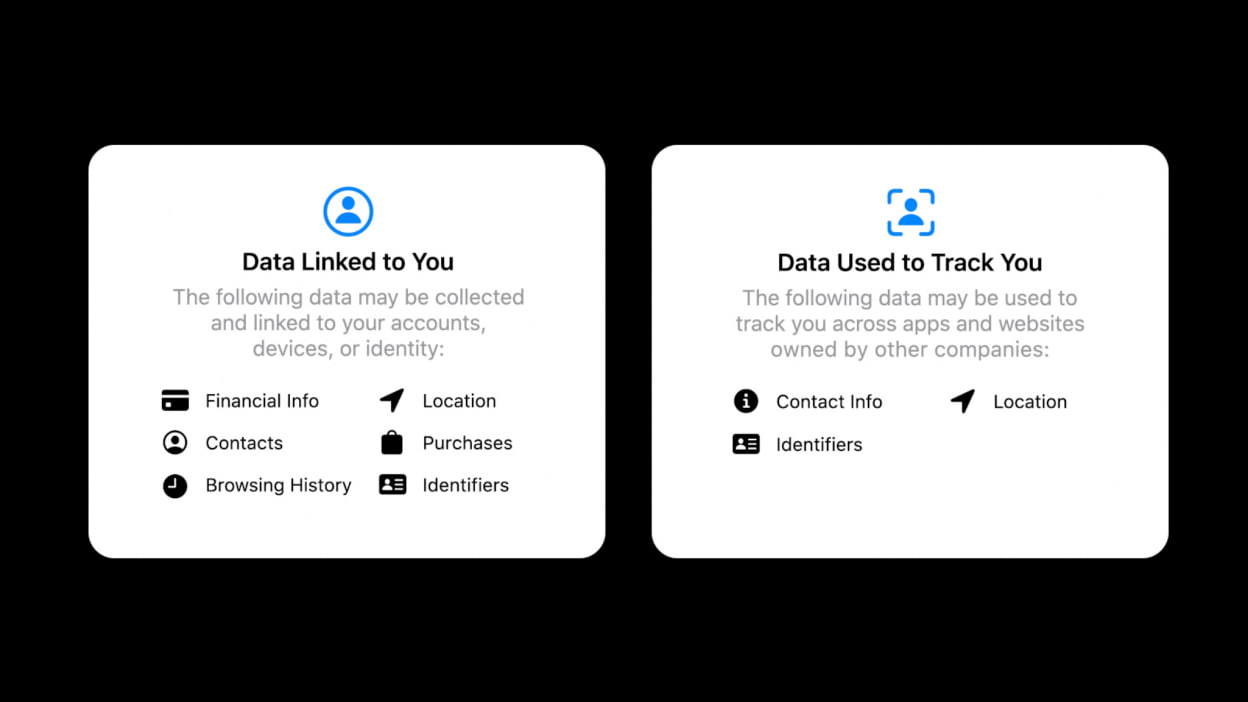
Image: mashable.com
Apple doesn’t independently verify every single app’s data collection methods, so if a developer is caught violating privacy rules, Apple will take action, but it will be a reactive and not a proactive measure.
In September 2020, alongside with iOS 14.5, Apple has introduced App Tracking Transparency (ATT) — a privacy framework that requires apps to get a user’s explicit permission before they can track users’ activity across other apps and websites. When an app wants to track a user, it displays a standardized pop-up message that asks for permission. And if the user chooses “Ask App Not to Track,” the app is denied access to the IDFA (a unique identifier for advertisers), making it much harder to track the user’s activity across different platforms.
On Android, by far the most used app store is Google Play Store. Similar to Apple’s “privacy nutrition labels,” Google requires all app developers to fill out a “Data safety” form.
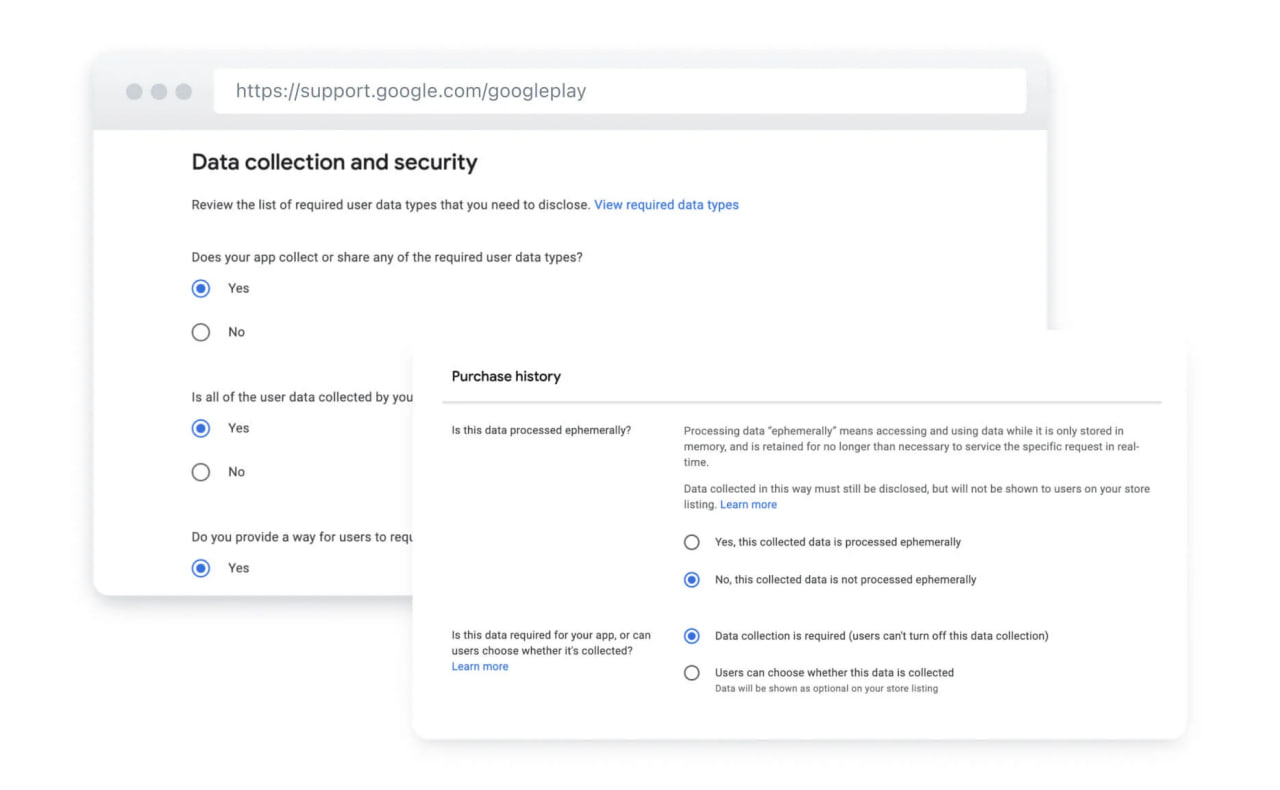
Image: onesignal.com
This section, visible on every Play Store listing, details what user data the app collects and why and if the data is shared with third parties. Google Play also features automatic scans that every new app and every app update have to go through. These scans are designed to detect things like malware and attempts to access sensitive user data without permission or for malicious purposes. They also look for policy violations, such as misrepresenting the app’s functionality. However, the general notion is that Google’s automatic scans are less reliable than Apple’s manual app reviews.
Another layer of defense is Google Play Protect — a security service built into every Android device with the Google Play Store installed. Its job is to provide continuous, on-device protection for the user by automatically scanning all apps on the device, regardless of whether they were installed from the Play Store or from a third-party source.
Speaking of which, we can’t talk about app security on Android and not mention sideloading, i.e. the process of loading a third-party app from outside the app store. On iOS this option is limited and only available in several select countries (mostly in EU). The process of sideloading an app on iOS is rather complicated, and in general this option is rarely used by iPhone owners. Sideloading on Android is much more common, it offers great freedom and flexibility, but also burdens the user with a lot of responsibility. Loading an app from a dubious, untrusted source can introduce significant security and privacy risks.
Data collection and user-level controls
When it comes to data collection, or rather lack thereof, it's hard not to give credit to Apple, especially in comparison with Google. Apple built their philosophy around collecting as little data as possible. Some of the examples of the practical implementation of this philosophy include:
- On-device machine learning. Many of the smart features on an iPhone, such as photo recognition and predictive text suggestions, are handled directly on the device, and no data reaches Apple servers.
- Approximate location. When an app asks for your location, you have the option to share only your “approximate location” rather than your precise GPS coordinates.
- Privacy-preserving ad attribution. When an app runs an ad that leads to a purchase, Apple provides a way for the app to know the ad was successful without revealing any information about the individual user who made the purchase.
- Already-mentioned App Tracking Transparency and Privacy nutrition labels.
Coupled with other privacy-friendly features like Mail Privacy Protection (which hides your IP address and prevents tracking pixels) and Private Relay (which works like a VPN for Safari), these measures ensure that iOS users have numerous active and passive ways to protect their privacy.
On the contrary, Google’ inherent reliance on data collection for its advertising business means that, by design, Android devices aren’t that well-equipped for privacy protection, at least by default. It is not to say that Google doesn’t provide any tools for users to manage and delete their data. Features like Privacy Dashboard, which gives you a clear overview of which apps have accessed sensitive permissions, and Activity Controls, which allows users to turn on or off different types of data collection (such as app activity, location history, YouTube history), are instrumental to keeping your personal data protected. Needs to be mentioned that Android also provides the ability to delete or re-generate your unique advertising ID on demand.
However, when it comes to privacy, with Google there tends to be a fly in the ointment, and possibly more than one. We already mentioned Privacy Sandbox — Google’s long-standing plan to phase out third-party cookies in a way that balances user privacy with the needs of advertisers. Many experts and privacy researchers pointed out multiple holes in it, questioning the very premise that marrying tracking and privacy is possible. Google itself seems to have similar thoughts, as it has postponed its own plan on phasing cookies out, potentially indefinitely.
Updates and security patching
Despite this topic being more security-oriented, security and privacy often go hand-in-hand, so we can’t ignore it. But we will keep it short.
Because Apple controls both the hardware and software within their ecosystem, they can push security updates to all supported devices simultaneously, ensuring a consistent level of protection. They also typically provide security updates for a longer period than most Android manufacturers, normally for 5-6 years after the initial device rollout.
The lack of a centralized system on Android means that security updates are rolled out by individual phone manufacturers and carriers, often at different times. This leads to potential inconsistencies and delays, in some cases for a year or two. Everything is very vendor-specific, so if you decide to go for an Android device, you have to do your research. Some Android vendors (like Google itself with its Pixel phones) are much better at providing timely updates than others, and it's best if you learn about your vendor of choice before the purchase.
So what do I choose?
In many of the comparisons we made today Apple came out ahead. In general, iOS offers better privacy controls, more built-in security features, stricter app review process. If you are the type of user who likes things “out of the box,” the iPhone may be the phone for you.
But there is one metric where Android scores much, much better — flexibility. With Android, you are free to do more or less whatever you want, up to installing GrapheneOS — a custom, secure, privacy-oriented mobile operating system. You may download any apps, both those that will boost your device’s privacy shields, and those that will siphon your data and compromise the entire system. If you are a seasoned, tech-savvy user, who is not afraid of challenges and research, Android will offer you more than iOS ever could. In the end, the choice is always yours.
Hopefully you’ve found this unusual edition of TechTok with a heavy focus on one question interesting and helpful. Want to ask your own question? Send it over through this form, and you might see it answered in the next TechTok article!




















































