AdGuard 3.0 for Android

You can say that with this huge update, AdGuard for Android is entering a new era. A jump like this can be only compared to the transition from the very first AdGuard for Android version to v2, and it's still more exciting this time.
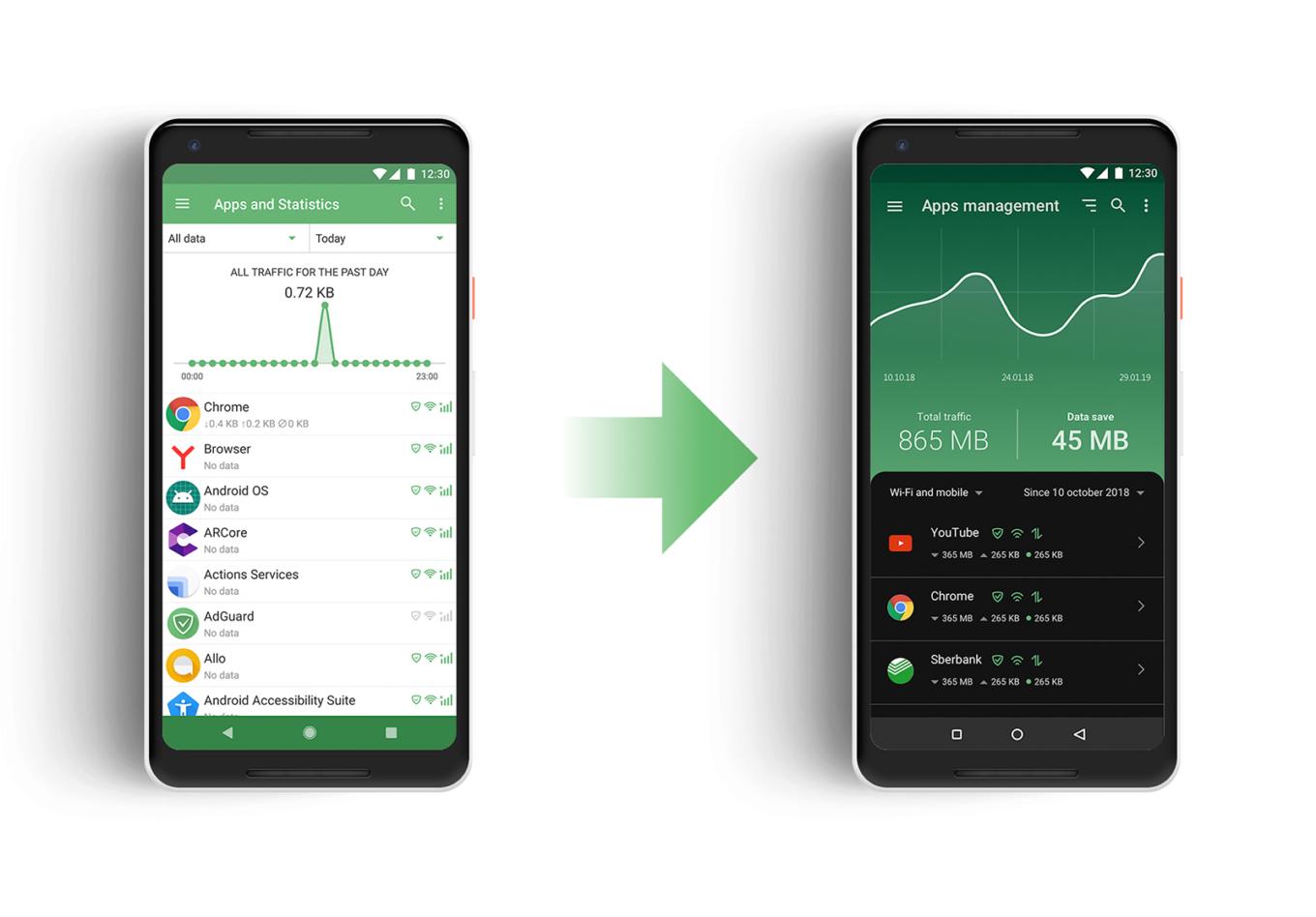
Just look at how better it looks now!

There are significant changes to the UI, as you might expect from an update this big, but in fact the headliner of the new version is Stealth Mode, a new module dedicated solely to privacy protection. Let's kick things off by taking a closer look at the newcomer, and then continue checking out the rest of the changes (there are many more to talk about).

Stealth Mode #2094

It is telling that we’re starting our feature overview with Stealth Mode, listing it even before the redesign, or anything else. With Stealth Mode, AdGuard takes another role in addition to ad blocker and app manager: the role of a privacy protection tool, and a strong one at that. AdGuard has had a special Tracking Protection filter for a long time, but the new module presents an entire range of tools. Some of them will suit almost everyone, and others are for more hardcore users.
AdGuard Stealth Mode

Let's quickly go over them, but instead of mentioning every single feature, we will group them into categories.

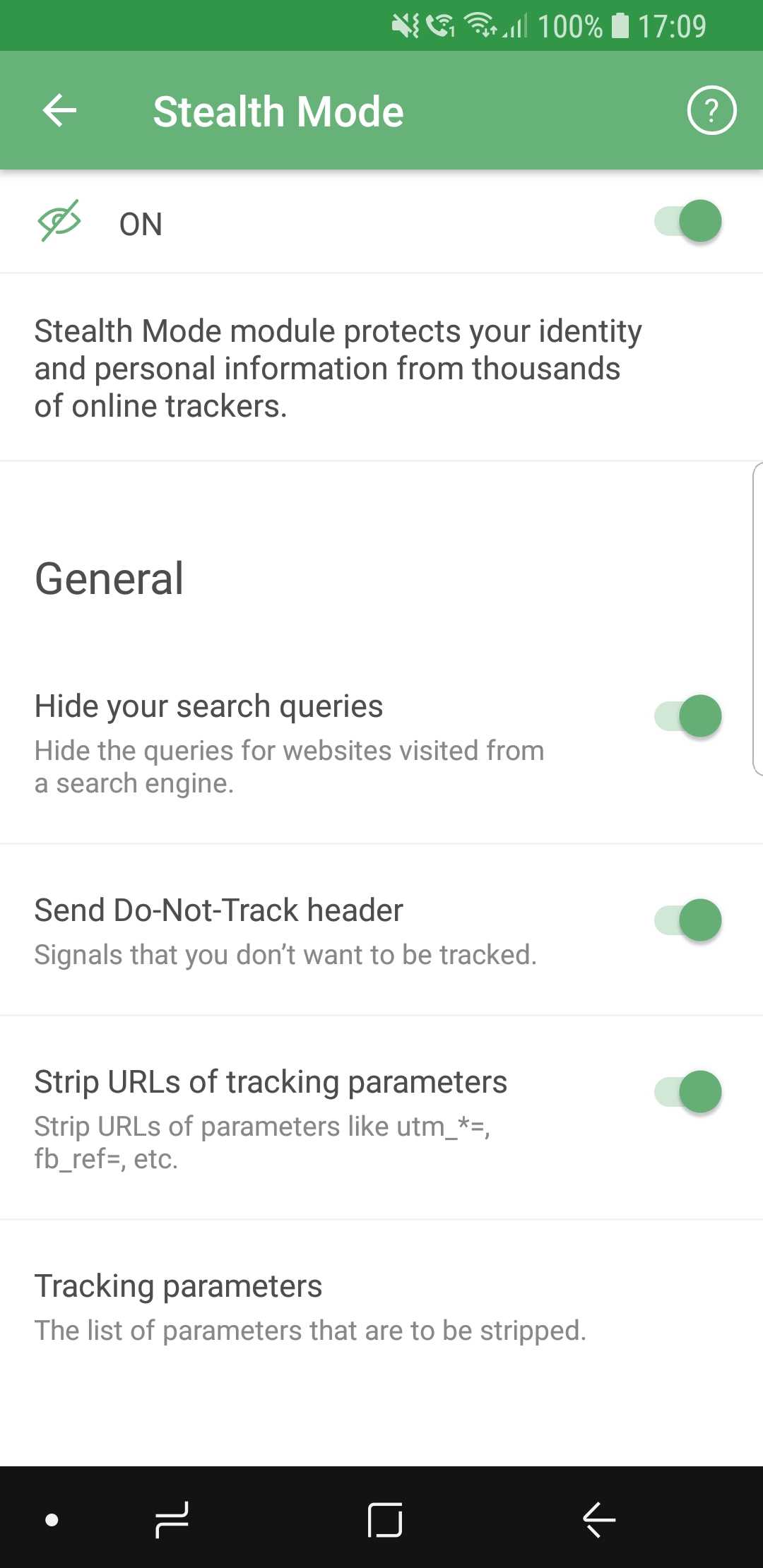
  • General

Here we placed the features that you can enable without any risk of facing much inconvenience. Options like hiding your search queries or removing tracking parameters from URLs are almost strictly advantageous, and you have no reason not to use them if you care about privacy.

  • Tracking methods

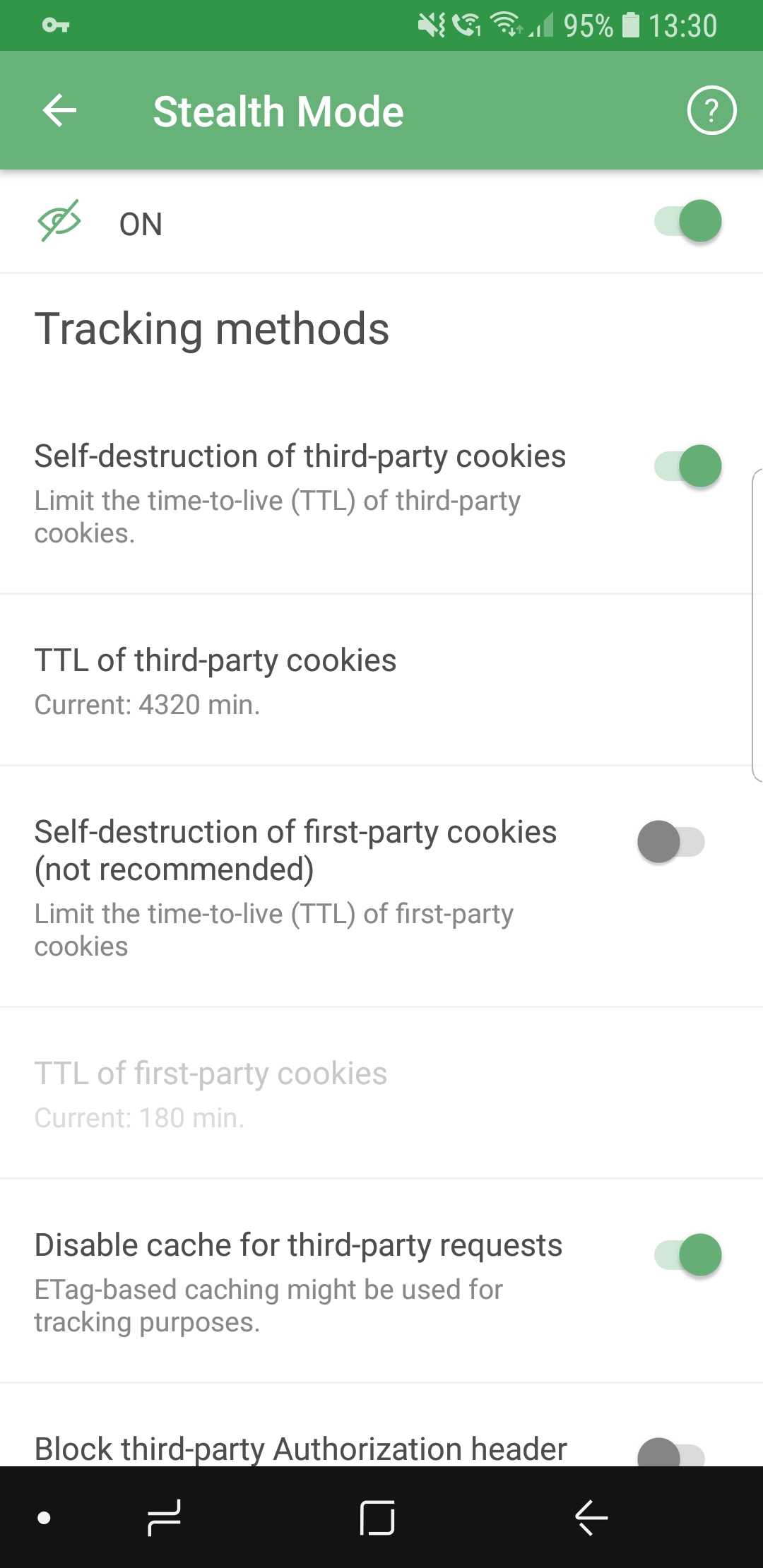
So many options they don't fit on screenshots

Includes options that prevent websites from tracking you by using various mechanisms, for example, cookies. It’s worth mentioning that enabling self-destruction of first-party cookies is not recommended unless you want to take privacy protection to the absolute limit, as it may cause some websites to work improperly, or not work at all.

  • Browser API

In this section, you can enable or disable browser API-related options. Read the description for each of them first to find a good balance between privacy and convenience (for example, blocking Push API will prevent servers from sending any notifications to your browser).

  • Miscellaneous

As the name suggests, this category contains a mish-mash of options. Hiding your User Agent or masking your IP address are the sort of features you will find there.

If you feel intimidated by the variety of available options, you will like the new first launch wizard that will help you choose the configuration most suited for you — more on that later.

New UI

As important as Stealth Mode is, the tone of the update is largely dominated by the visual changes, and this time there are plenty. Almost every aspect of the old design was reworked, revamped and (hopefully) improved. There’s too much to mention in one chunk of text, so let's divide them into more digestible paragraphs.

App redesign #713

Everything is new here. New overall style, new icons, new layout. Our designers spent countless hours on it, going through many iterations. The end goal was to make users feel confident in their ability to navigate the app quickly and easily, and we believe we managed to achieve that.
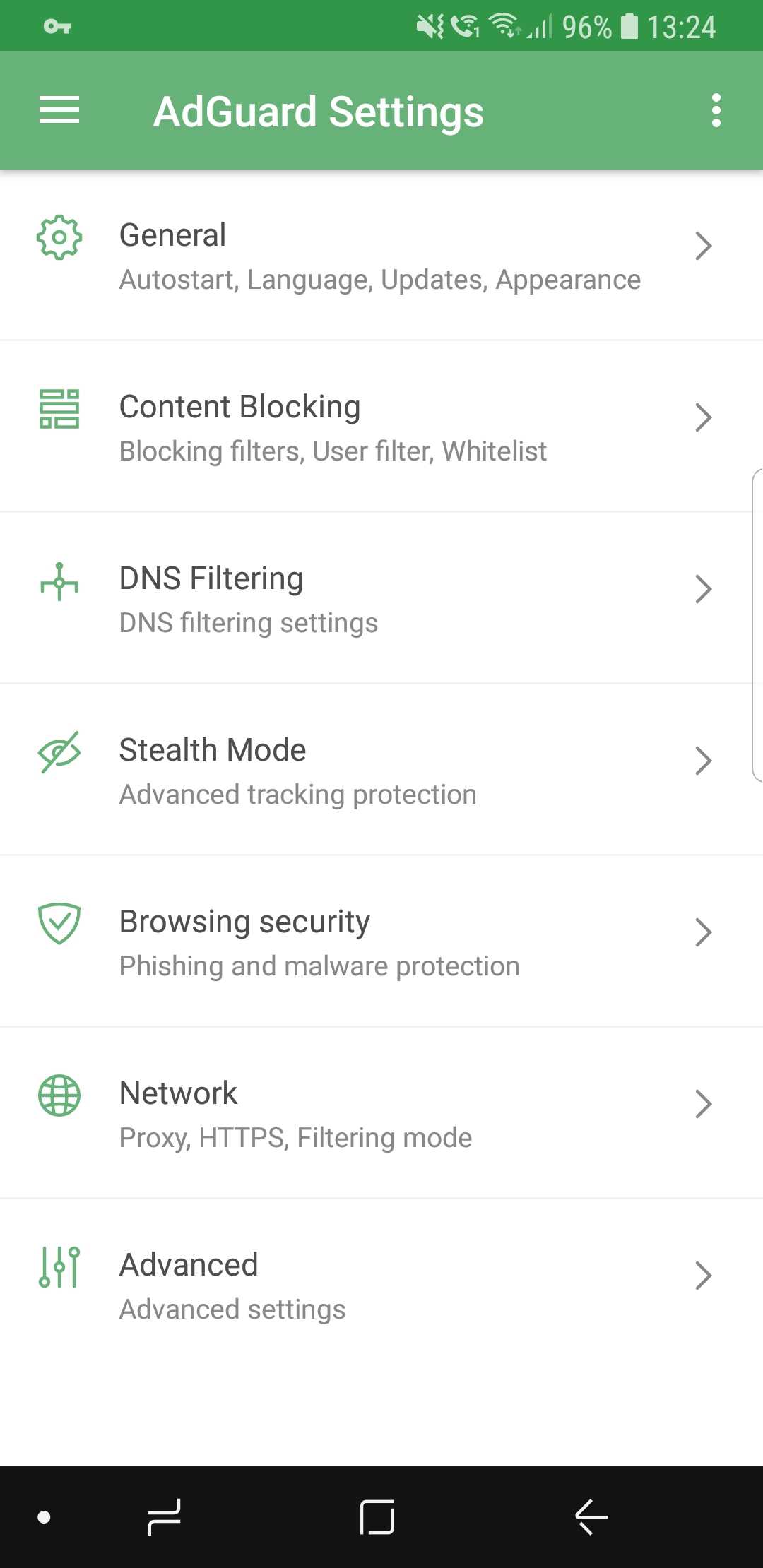
New AdGuard for Android design

We did a lot of tidying up, removed all the elements that clogged up the screen, and added intuitive icons. If you want to get somewhere, it will be very clear to you how to do so.

Dark theme #104

This is probably one of the most desirable features ever. We’ve received requests from users to add a dark theme basically since the app was introduced for the first time more than three years ago. Finally, it has arrived.
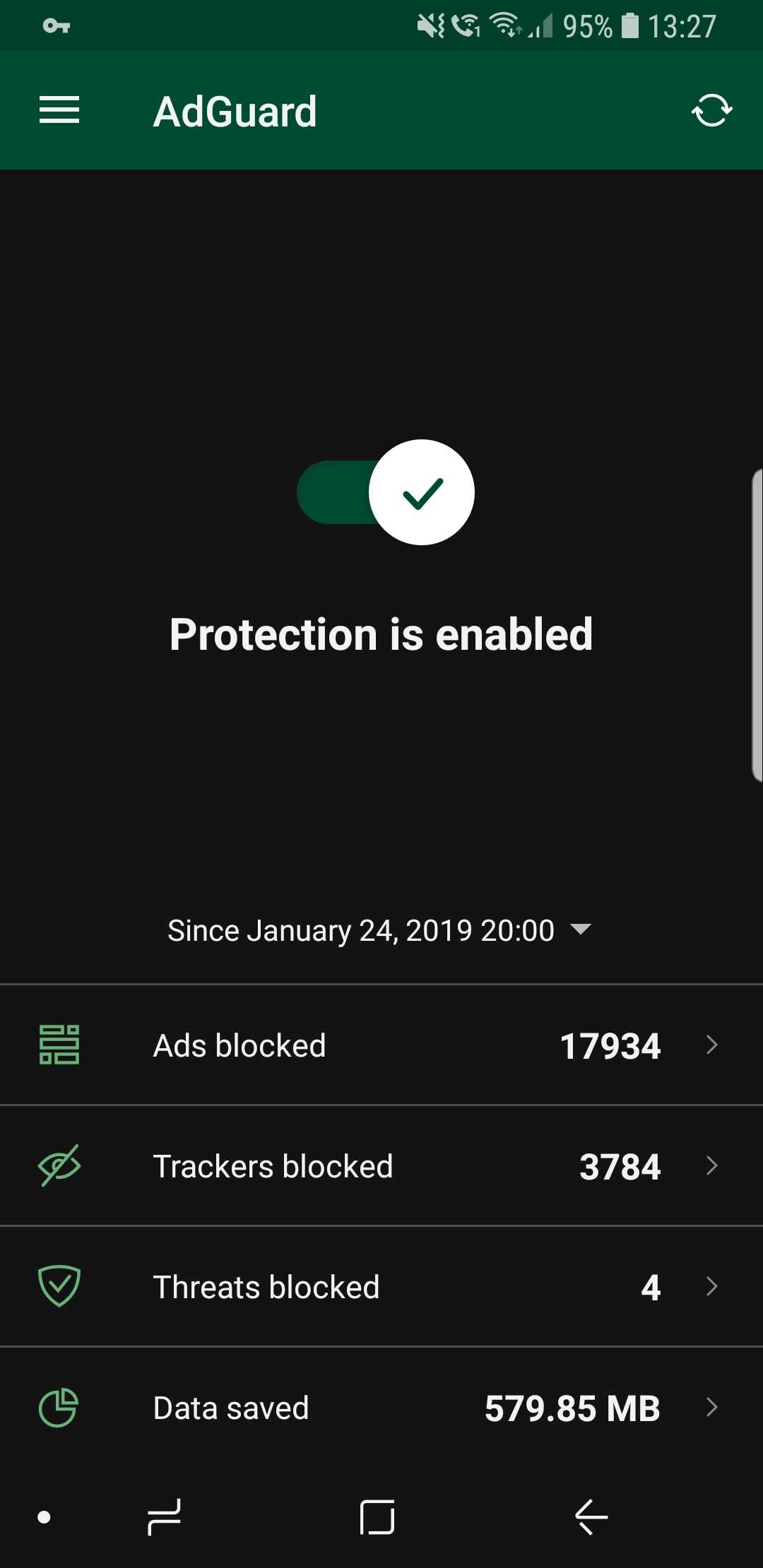
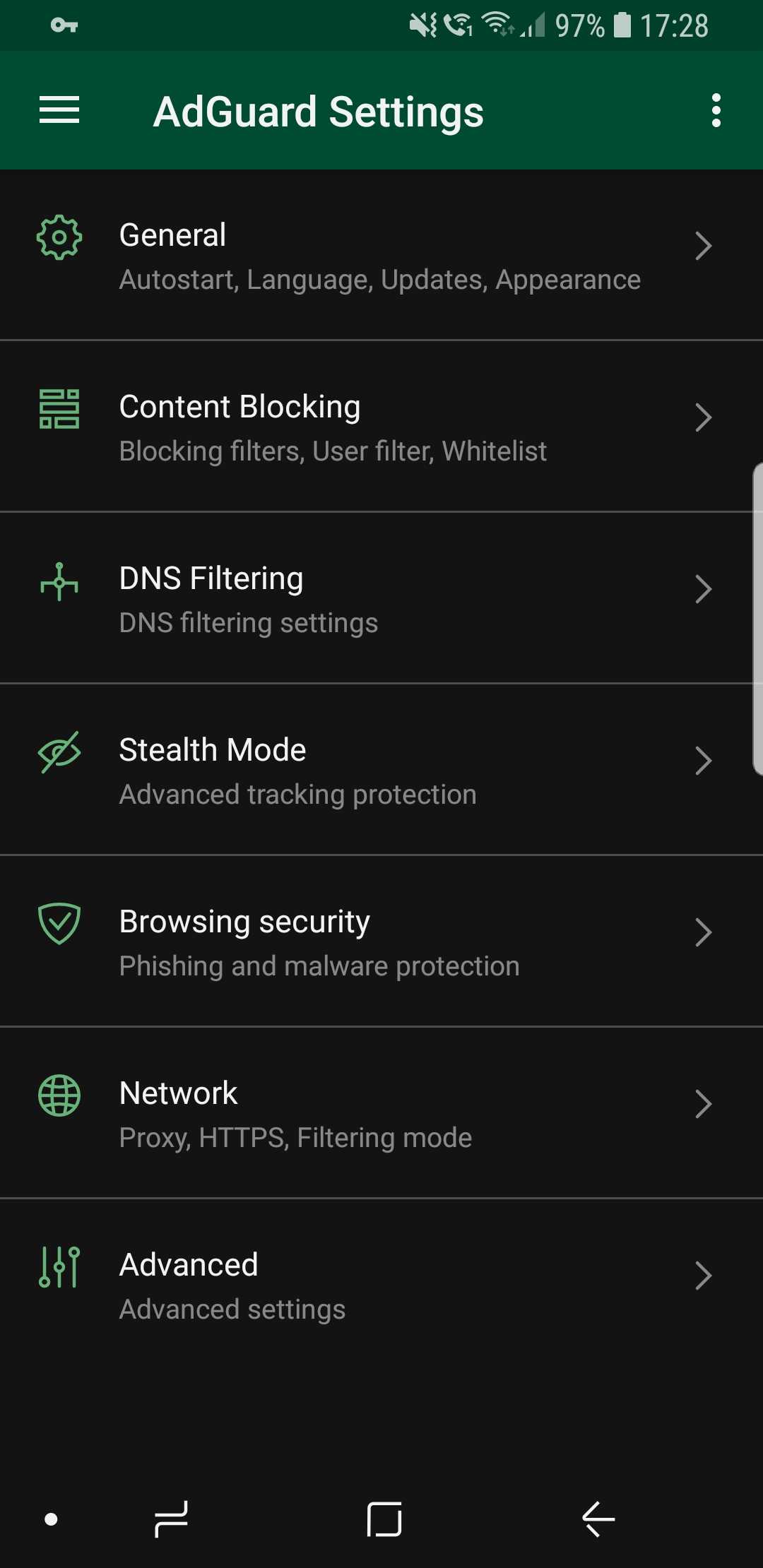
Dark theme looks awesome! (source: us)

It is also true that for every voice that demands a dark theme, there is an equally loud one that goes against it. We would never betray our more conservative users, so the classic light theme is still available (and it's still the default one, for what it's worth).

Statistics charts #2083

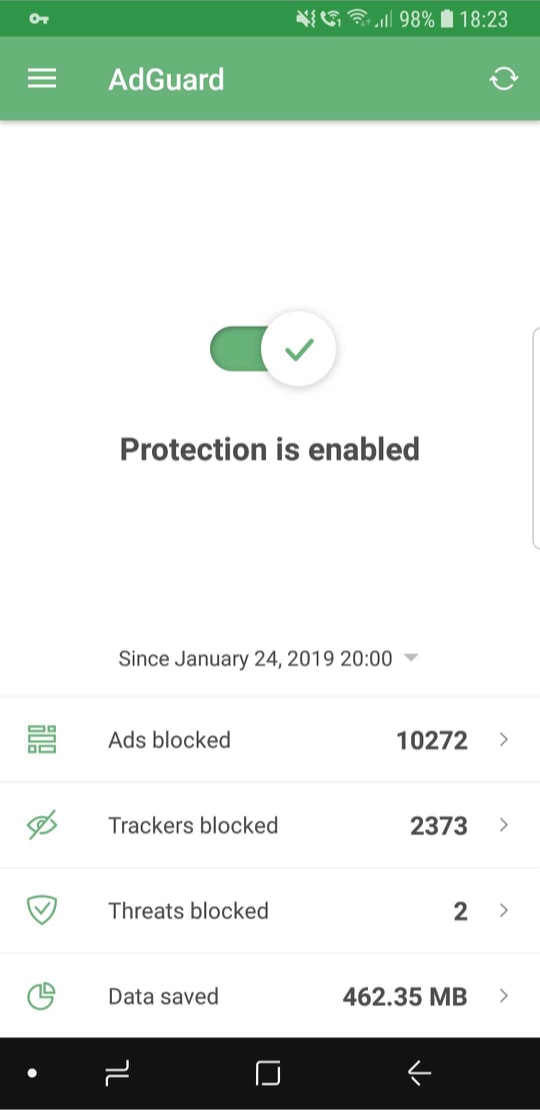
Statistics are useful; it’s always nice to know how many ads were blocked, how much traffic was saved, and so on. But simply looking at bland numbers is not very informative, and also plain boring. Charts provide more information and are much more comprehensive.
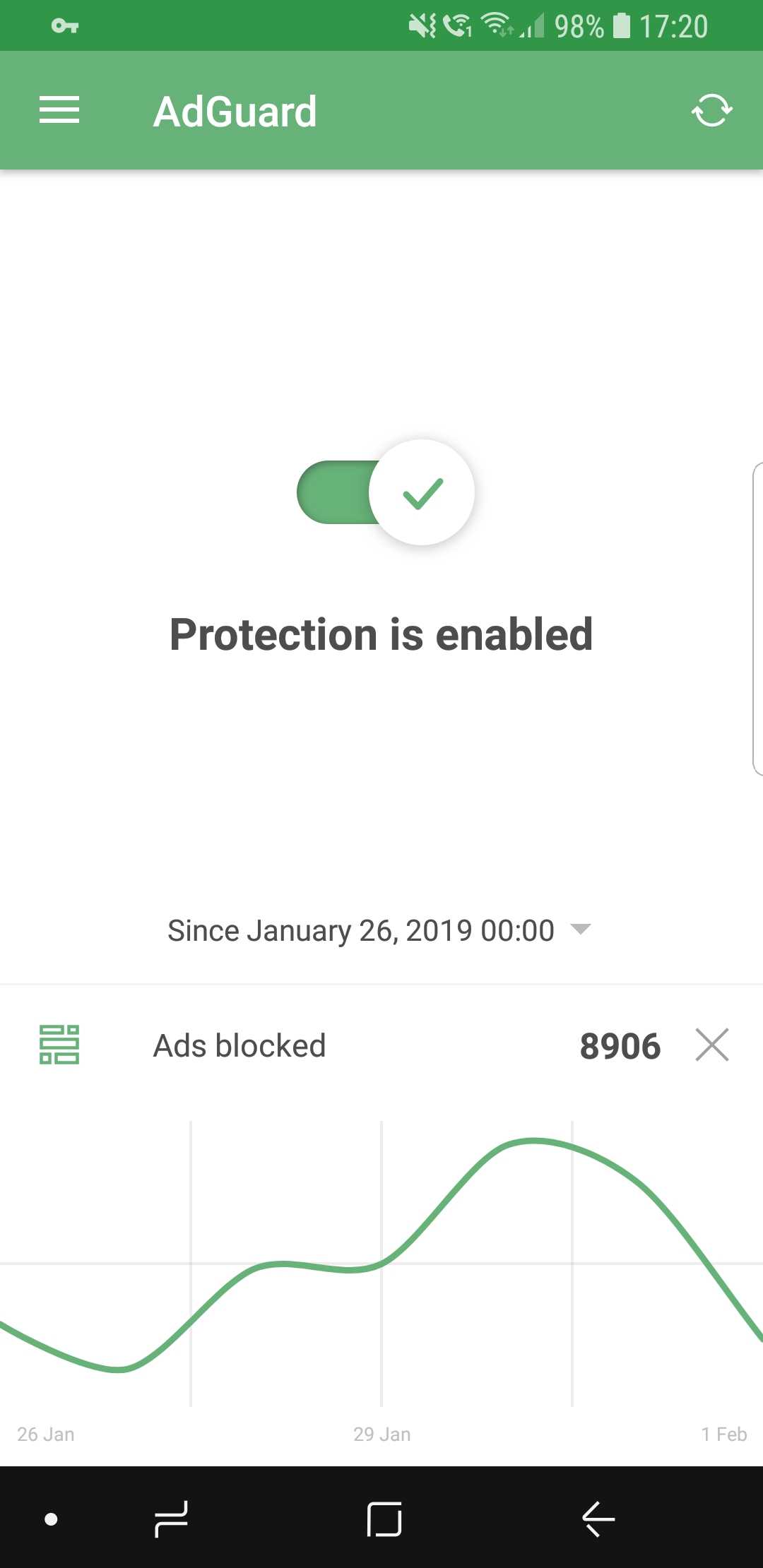
Curves are much better than numbers (that's a fact)

While on the main screen, select the preferred time period and tap on the stat you're interested to display the chart (or go inside Apps Management to look at app-specific charts).

First launch wizard #1965

The wizard's goal is to make you familiar with AdGuard if its your very first time interacting with it. Upon the first launch, it will walk you through the available features and make some suggestions. Feel free to enable or skip any of them, depending on your preferences.
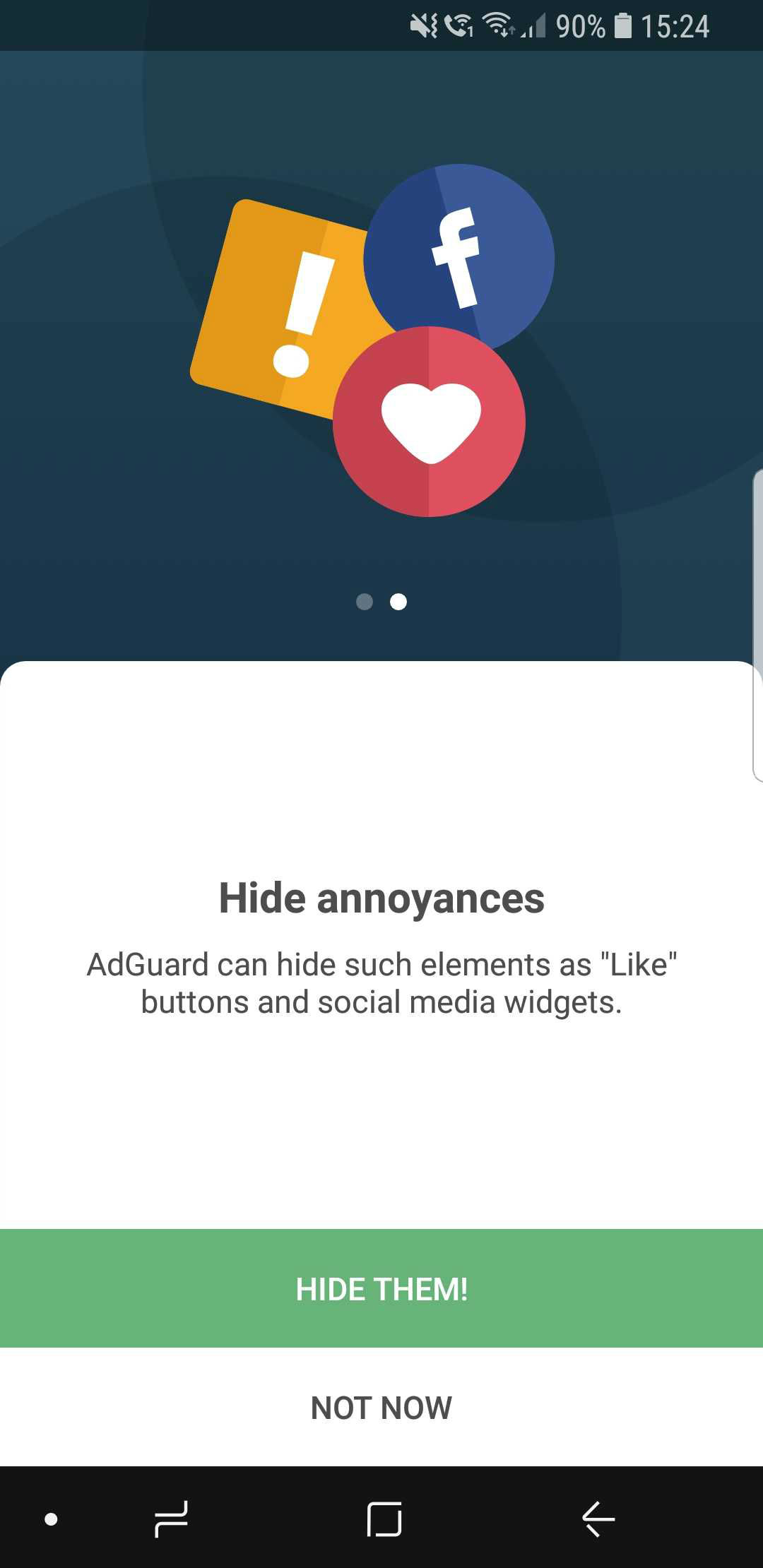
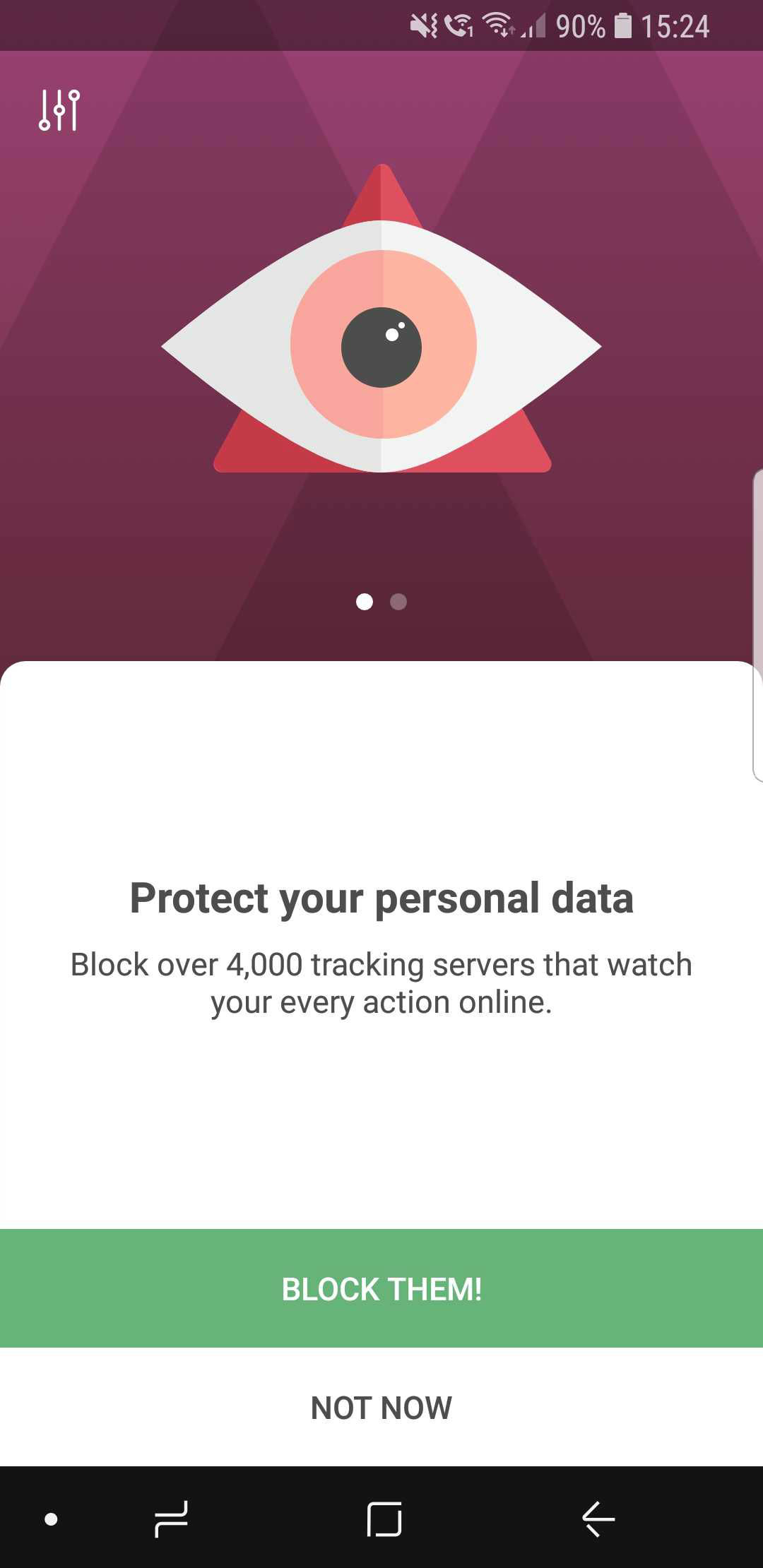
The wizard will help you avoid getting overwhelmed at first

Widget redesign #2354

The apps icon has changed, so the widget needed to be altered as well. Not much to say here: aside from the change in looks, widgets now provide some statistics about blocked requests and so on.
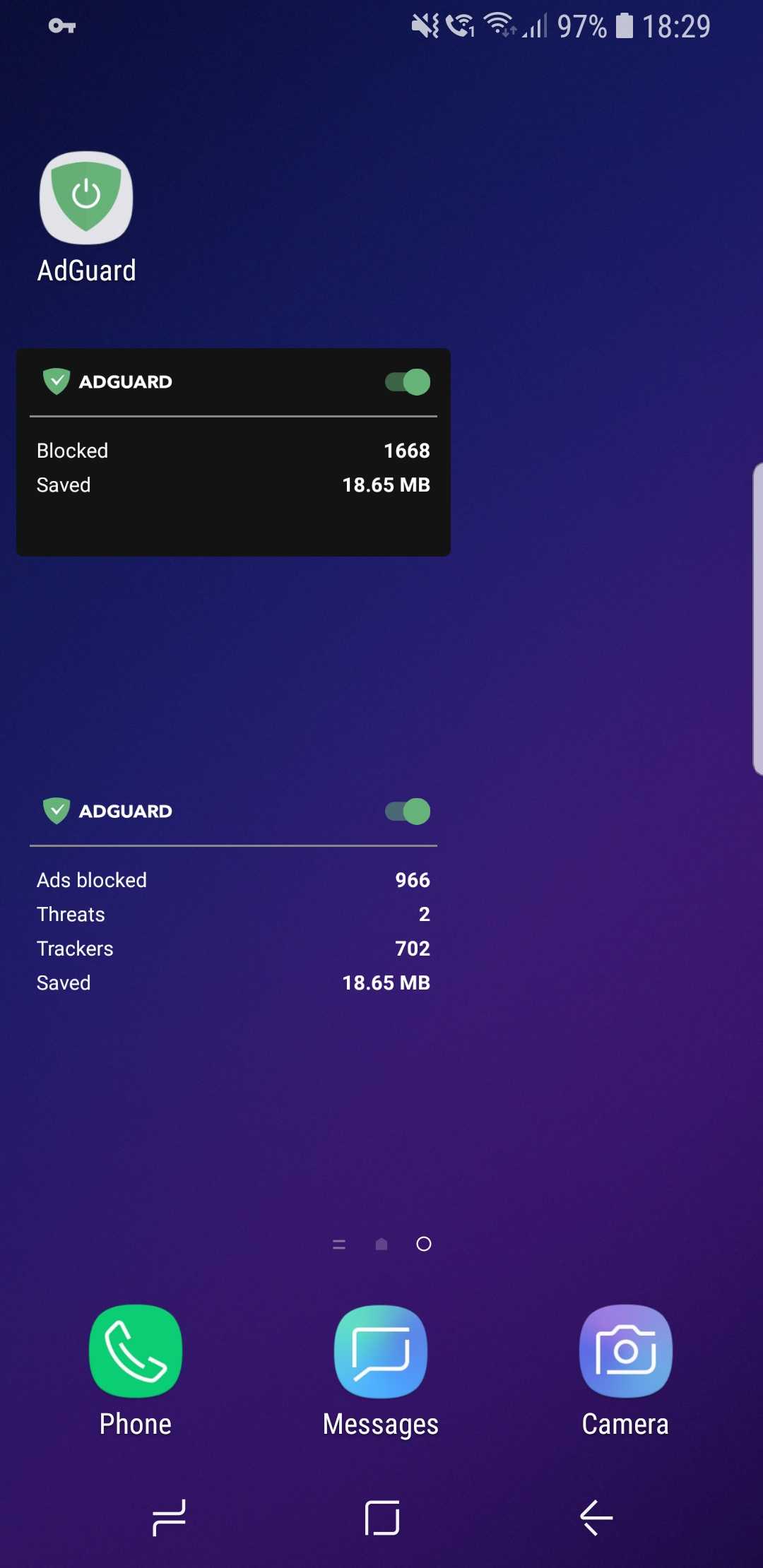
New AdGuard widgets

CoreLibs update

In case you need a refresher, CoreLibs is the new filtering engine that AdGuard is built upon. What AdGuard can and can't do is defined by it, so no wonder it's so important. One of the biggest advantages of CoreLibs compared to the previous engine is that it's cross-platform. This means AdGuard for Android can now take the best from the other AdGuard apps, and you can already see it in action with Stealth Mode.

In this update, CoreLibs receives a further boost, granting better performance and filtering quality. About 150 improvements were made to the filtering engine. We cannot list them all here, but here is a link if you want to check them out.

Other changes

Here are some of the more niche features that will primarily appeal to more tech-savvy users.

Improved DNS functionality #2415

We are now using our own DNS proxy server, which supports all existing DNS protocols. What does that mean for you, the user?

  1. AdGuard now supports the DNS-over-TLS protocol, which is one of the most secure modern DNS protocols
  2. To configure a DNS-over-HTTPS (another secure DNS protocol) server, you don’t need to know the SDNS and can use a simple string like https://dns.adguard.com/dns-query
  3. You can indicate any number of upstream servers for your custom DNS server setup

More filter subscriptions #12
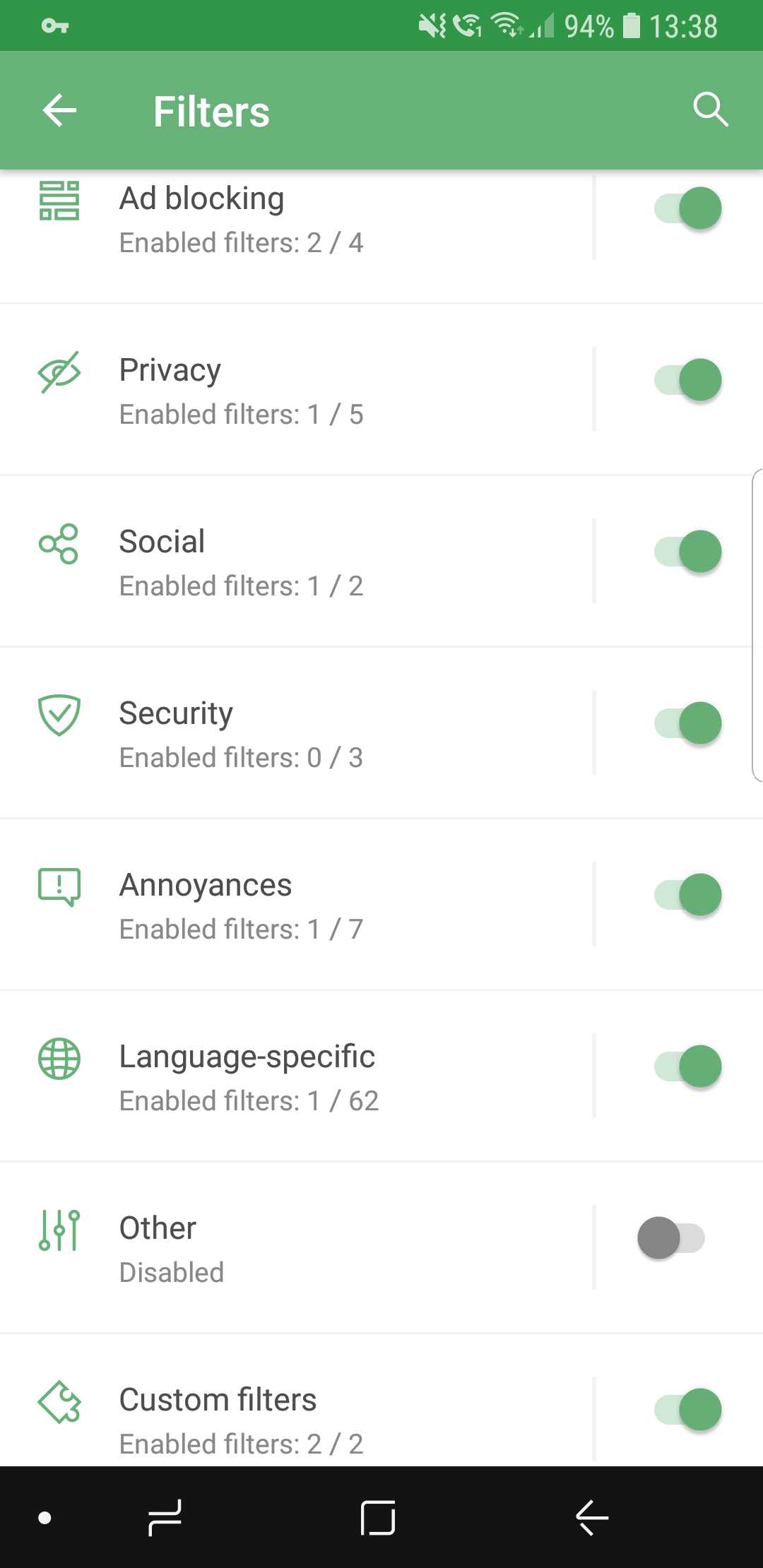
More filters! More!

Self-explanatory: the more, the better! If your favorite subscription wasn’t in the default list before, check it again.

Custom subscriptions by URL #13

…and if it's still not there, no big deal! Just add it manually, because now it's extremely easy. Just tap the respective button, enter the URL, and your filter will appear among the rest. The new filter will be updated automatically, and of course you can add more than one at a time.
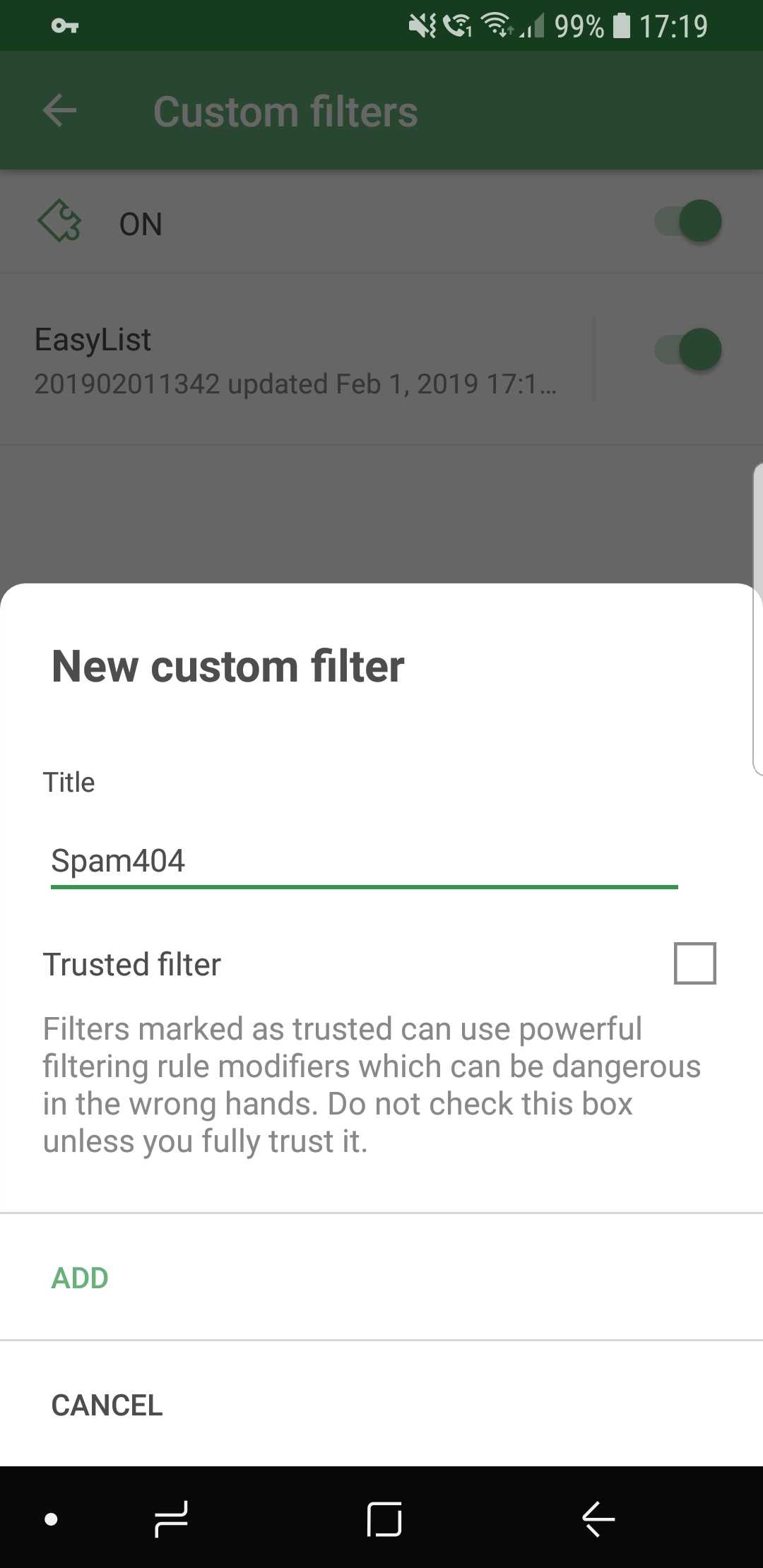
Ok, just one more, I swear...

Conclusion

And that wraps it up for AdGuard 3.0 for Android! Traditionally, the full changelog is available on GitHub. Make sure you install the new version by checking for updates (an icon on the main screen of the app), and if you are new to AdGuard, check out the free trial by downloading the app from our official website.

Let us know about your first impressions of the new AdGuard by leaving a comment below, and see you soon with more news!

PS: Unfortunately, all these wonderful changes would have not been possible without using some of the features available only on newer Android OS versions. Similar to Windows XP, the days of Android 4.x are coming to an end. And despite this wasn't an easy decision, starting with this version AdGuard will only work on devices with Android OS 5+. Owners of devices with Android 4.x can find previous versions of AdGuard on GitHub.

We are currently answering questions about the update on Product Hunt, so if you have any — we are waiting for you there. Oh, and by the way, there is an exclusive 40% discount for "hunters" there, don't tell anyone :)


Suka postingan ini?
AdGuard VPN DNS AdGuard AdGuard Mail AdGuard Wallet
Layar utama AdGuard untuk Windows
Layar Perlindungan AdGuard untuk Windows, menampilkan fitur dan pengaturan perlindungan
Layar Statistik AdGuard untuk Windows, menampilkan statistik untuk iklan dan pelacak yang terblokir
Layar Pengelolaan aplikasi AdGuard untuk Windows, menampilkan opsi pengelolaan perlindungan untuk aplikasi yang terinstal di perangkat
20.534 20534 ulasan pengguna
Sempurna!

AdGuard untuk Windows — pemblokir iklan untuk PC Anda

AdGuard untuk Windows lebih dari sekadar pemblokir iklan. Ini adalah alat serbaguna yang memblokir iklan, mengontrol akses ke situs berbahaya, mempercepat pemuatan halaman, dan melindungi anak-anak dari konten yang tidak pantas
Dengan mengunduhnya Anda menerima ketentuan Perjanjian lisensi
Microsoft Store
Dengan mengunduhnya Anda menerima ketentuan Perjanjian lisensi
AdGuard untuk Windows v8.0, masa percobaan 14 hari
Layar utama AdGuard untuk Mac
Layar Mode Siluman AdGuard untuk Mac
20.534 20534 ulasan pengguna
Sempurna!

AdGuard untuk Mac — pemblokir iklan seluruh sistem

AdGuard untuk Mac adalah pemblokir iklan unik yang dirancang khusus untuk macOS. Selain melindungi Anda dari iklan yang mengganggu di browser dan aplikasi, ini juga melindungi Anda dari pelacakan, phishing, dan penipuan
Dengan mengunduhnya Anda menerima ketentuan Perjanjian lisensi
Pelajari lainnya
AdGuard untuk Mac v2.19, masa percobaan 14 hari
Layar utama AdGuard untuk Android
Layar Perlindungan pelacakan AdGuard untuk Android
Layar Pengelolaan aplikasi AdGuard untuk Android, menampilkan opsi pengelolaan perlindungan untuk aplikasi yang terinstal di perangkat
Layar Statistik AdGuard untuk Android, menampilkan statistik untuk iklan dan pelacak yang terblokir
Layar utama peramban privat AdGuard untuk Android
Kode QR untuk unduh AdGuard untuk Android
20.534 20534 ulasan pengguna
Sempurna!

AdGuard untuk Android: pemblokir iklan semua aplikasi

Memblokir iklan dan pelacak di semua browser, game, dan aplikasi lainnya. Melindungi privasi Anda dan memungkinkan Anda mengontrol bagaimana aplikasi Anda menggunakan internet. Diinstal melalui APK
Dengan mengunduhnya Anda menerima ketentuan Perjanjian lisensi
Pelajari lainnya
Pindai untuk mengunduh
Gunakan pembaca kode QR yang tersedia di perangkat Anda
AdGuard untuk Android v4.14, masa percobaan 14 hari
Layar utama AdGuard untuk iOS
Layar Perlindungan AdGuard untuk iOS, menampilkan fitur dan pengaturan perlindungan
Layar Statistik AdGuard untuk iOS, menampilkan statistik untuk iklan dan pelacak yang terblokir
Kode QR untuk unduh AdGuard untuk iOS
20.534 20534 ulasan pengguna
Sempurna!

AdGuard untuk iOS — pemblokir iklan di luar Safari

Pemblokir iklan iOS terbaik untuk iPhone dan iPad. AdGuard menghilangkan semua jenis iklan dan pelacak di Safari serta melindungi privasi Anda di semua aplikasi pada tingkat DNS
Dengan mengunduhnya Anda menerima ketentuan Perjanjian lisensi
Pelajari lainnya
Pindai untuk mengunduh
Gunakan pembaca kode QR yang tersedia di perangkat Anda
AdGuard untuk iOS versi 4.5
Layar utama AdGuard Content Blocker
Layar filter AdGuard Content Blocker
Layar pengaturan AdGuard Content Blocker
20.534 20534 ulasan pengguna
Sempurna!

Pemblokir Konten AdGuard

AdGuard Content Blocker menghilangkan semua jenis iklan di browser seluler yang mendukung teknologi pemblokiran konten — yaitu, Samsung Internet dan Yandex Browser. Fitur-fiturnya terbatas dibandingkan dengan AdGuard untuk Android, tetapi gratis, mudah dipasang, dan efisien
Dengan mengunduhnya Anda menerima ketentuan Perjanjian lisensi
Pelajari lainnya
Pemblokir Konten AdGuard versi 2.8
Layar utama AdGuard Browser Extension
Layar Perlindungan pelacakan AdGuard Browser Extension
20.534 20534 ulasan pengguna
Sempurna!

Ekstensi peramban AdGuard

AdGuard adalah ekstensi pemblokiran iklan tercepat dan paling ringan yang secara efektif memblokir semua jenis iklan di semua halaman web! Pilih AdGuard untuk browser yang Anda gunakan dan dapatkan penjelajahan bebas iklan, cepat, dan aman.
Pasang
Dengan mengunduhnya Anda menerima ketentuan Perjanjian lisensi
Pasang
Dengan mengunduhnya Anda menerima ketentuan Perjanjian lisensi
Pasang
Dengan mengunduhnya Anda menerima ketentuan Perjanjian lisensi
Pasang
Dengan mengunduhnya Anda menerima ketentuan Perjanjian lisensi
Pasang
Dengan mengunduhnya Anda menerima ketentuan Perjanjian lisensi
Pelajari lainnya
Pasang
Dengan mengunduhnya Anda menerima ketentuan Perjanjian lisensi
Pelajari lainnya
Ekstensi peramban AdGuard versi 5.5
Layar utama Asisten Peramban
20.534 20534 ulasan pengguna
Sempurna!

Asisten AdGuard

Sebuah ekstensi peramban pendamping untuk aplikasi AdGuard desktop. Ini mengizinkan Anda memblokir item kustom di situs web, menambahkan situs web ke daftar izinkan, dan mengirim laporan langsung dari peramban Anda
Asisten AdGuard versi 1.4
20.534 20534 ulasan pengguna
Sempurna!

AdGuard Home

AdGuard Home adalah solusi berbasis jaringan untuk memblokir iklan dan pelacak. Instal sekali di router Anda untuk mencakup semua perangkat di jaringan rumah Anda — tidak diperlukan perangkat lunak klien tambahan. Ini sangat penting untuk berbagai perangkat IoT yang sering menimbulkan ancaman bagi privasi Anda
AdGuard Home versi 0.107
Layar utama AdGuard Pro untuk iOS
Layar Perlindungan AdGuard Pro untuk iOS, menampilkan fitur dan pengaturan perlindungan
Layar statistik AdGuard Pro untuk iOS, menampilkan statistik untuk iklan dan pelacak yang terblokir
20.534 20534 ulasan pengguna
Sempurna!

AdGuard Pro untuk iOS

AdGuard Pro untuk iOS dilengkapi dengan semua fitur perlindungan pemblokiran iklan canggih. Aplikasi ini menawarkan fitur yang sama dengan versi berbayar AdGuard untuk iOS. Aplikasi ini unggul dalam memblokir iklan di Safari dan memungkinkan Anda menyesuaikan pengaturan DNS untuk perlindungan yang lebih baik. Aplikasi ini memblokir iklan di browser dan aplikasi, melindungi anak-anak Anda dari konten yang tidak pantas, dan menjaga keamanan data pribadi Anda.
Dengan mengunduhnya Anda menerima ketentuan Perjanjian lisensi
Pelajari lainnya
AdGuard Pro untuk iOS versi 4.5
Layar utama AdGuard Mini untuk Mac
Layar perlindungan Safari AdGuard Mini untuk Mac
Layar Buat aturan AdGuard Mini untuk Mac
20.534 20534 ulasan pengguna
Sempurna!

AdGuard Mini untuk Mac — pemblokir iklan Safari

AdGuard Mini untuk Mac adalah pemblokir iklan Safari yang kuat. Aplikasi ringan ini menghapus iklan, memblokir pelacak, dan mempercepat pemuatan halaman. Ini membantu Anda menjelajah Web di Safari tanpa gangguan dan menjaga data Anda tetap pribadi
Pasang
Dengan mengunduhnya Anda menerima ketentuan Perjanjian lisensi
Pelajari lainnya
AdGuard Mini untuk Mac versi 2.3
Layar utama AdGuard untuk Android TV dengan perlindungan diaktifkan
Layar pemblokiran iklan AdGuard untuk Android TV, menampilkan fitur dan pengaturannya
Layar pengaturan AdGuard untuk Android TV
Layar Pengelolaan aplikasi AdGuard untuk Android TV, menampilkan aplikasi tempat iklan dan pelacak terblokir
20.534 20534 ulasan pengguna
Sempurna!

AdGuard untuk Android TV

AdGuard untuk Android TV adalah satu-satunya aplikasi yang memblokir iklan, menjaga privasi Anda, dan bertindak sebagai firewall untuk Smart TV Anda. Dapatkan peringatan tentang ancaman web, gunakan DNS yang aman, dan dapatkan manfaatkan lalu lintas yang terenkripsi. Bersantailah dan selami acara favorit Anda dengan keamanan terbaik dan tanpa iklan!
AdGuard untuk Android TV v4.14, masa percobaan 14 hari
Maskot AdGuard, Agnar, memegang penguin Linux
20.534 20534 ulasan pengguna
Sempurna!

AdGuard untuk Linux

AdGuard untuk Linux adalah pemblokir iklan sistem luas pertama di dunia untuk Linux. Blokir iklan dan pelacak di tingkat perangkat, pilih dari filter yang sudah terinstal sebelumnya, atau tambahkan milikmu sendiri — semuanya melalui antar muka baris perintah
AdGuard untuk Linux versi 1.4
20.534 20534 ulasan pengguna
Sempurna!

AdGuard Temp Mail

Generator alamat e-mail sementara gratis yang membuat Anda tetap anonim dan melindungi privasi Anda. Tidak ada spam di kotak masuk utama Anda!
20.534 20534 ulasan pengguna
Sempurna!

AdGuard VPN

75 Lokasi Di Seluruh Dunia

Akses ke konten apa pun

Enkripsi yang kuat

Tanpa kebijakan log

Koneksi paling cepat

dukungan 24/7

Coba gratis
Dengan mengunduhnya Anda menerima ketentuan Perjanjian lisensi
Pelajari lainnya
20.534 20534 ulasan pengguna
Sempurna!

DNS AdGuard

AdGuard DNS adalah cara yang sangat andal untuk memblokir iklan internet tanpa perlu menginstal aplikasi apapun. Mudah digunakan, sepenuhnya gratis, mudah dipasang di perangkat mana saja, dan menyediakan fungsi minimal yang diperlukan untuk memblokir iklan, penghitung, situs web berbahaya, dan konten dewasa.
20.534 20534 ulasan pengguna
Sempurna!

AdGuard Mail

Lindungi identitas Anda, hindari spam, dan jaga keamanan kotak masuk Anda dengan alias dan alamat e-mail sementara kami. Nikmati layanan penerusan e-mail gratis serta aplikasi untuk semua sistem operasi.
20.534 20534 ulasan pengguna
Sempurna!

AdGuard Wallet

Dompet kripto yang aman dan pribadi yang memberi Anda kendali penuh atas aset Anda. Kelola beberapa dompet dan temukan ribuan mata uang kripto untuk disimpan, dikirim, dan ditukar
Mengunduh AdGuard Klik tombol yang ditujukkan oleh panah untuk memulai instalasi. Pilih "Buka" dan klik "OK", lalu tunggu file diunduh. Di jendela yang terbuka, seret ikon AdGuard ke folder "Aplikasi". Terima kasih telah memilih AdGuard! Pilih "Buka" dan klik "OK", lalu tunggu file diunduh. Di jendela yang terbuka, klik "Install". Terima kasih telah memilih AdGuard!
Instal AdGuard untuk perangkat ponsel juga