AdGuard 3.0 for Android

You can say that with this huge update, AdGuard for Android is entering a new era. A jump like this can be only compared to the transition from the very first AdGuard for Android version to v2, and it's still more exciting this time.
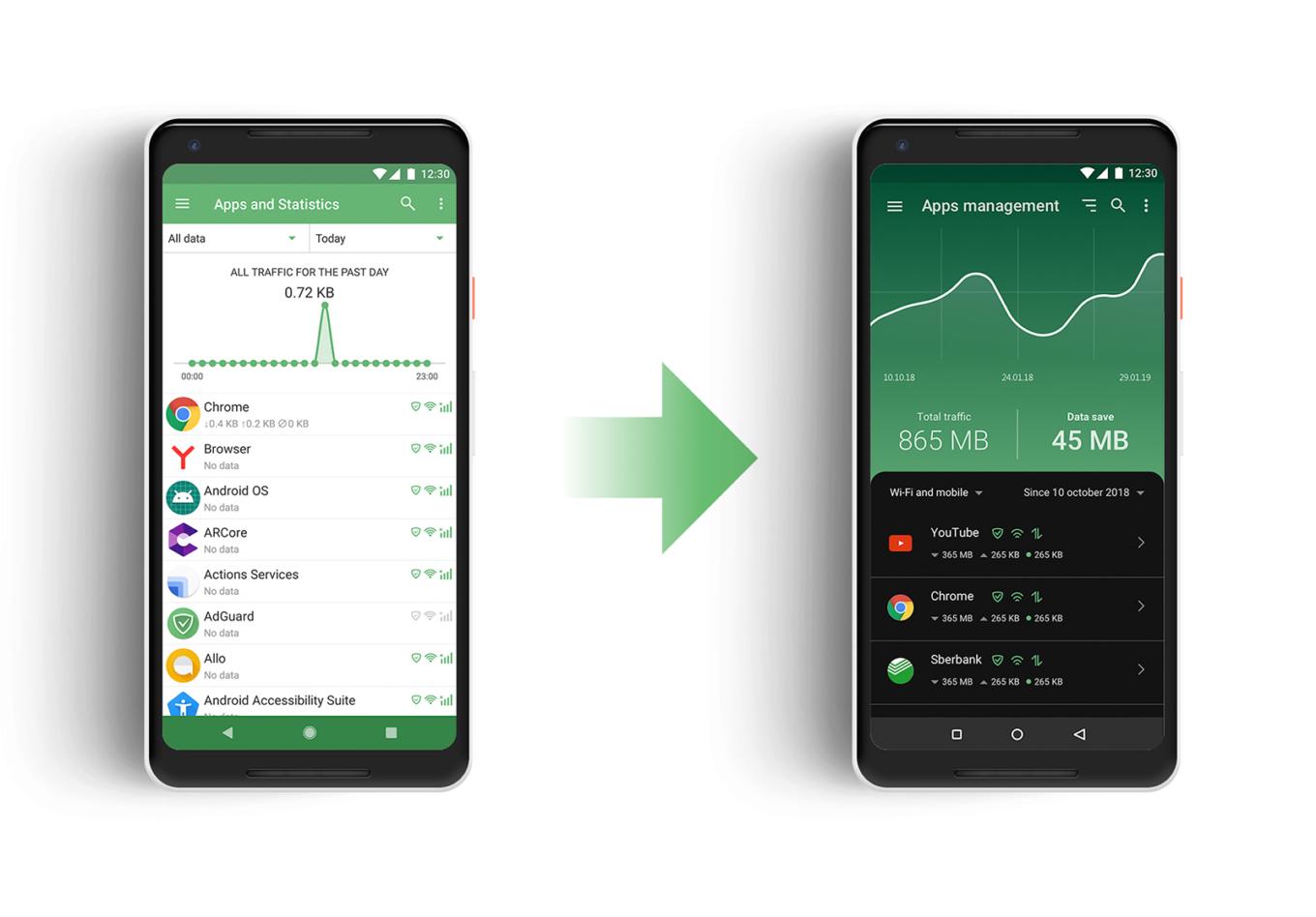
Just look at how better it looks now!

There are significant changes to the UI, as you might expect from an update this big, but in fact the headliner of the new version is Stealth Mode, a new module dedicated solely to privacy protection. Let's kick things off by taking a closer look at the newcomer, and then continue checking out the rest of the changes (there are many more to talk about).

Stealth Mode #2094

It is telling that we’re starting our feature overview with Stealth Mode, listing it even before the redesign, or anything else. With Stealth Mode, AdGuard takes another role in addition to ad blocker and app manager: the role of a privacy protection tool, and a strong one at that. AdGuard has had a special Tracking Protection filter for a long time, but the new module presents an entire range of tools. Some of them will suit almost everyone, and others are for more hardcore users.
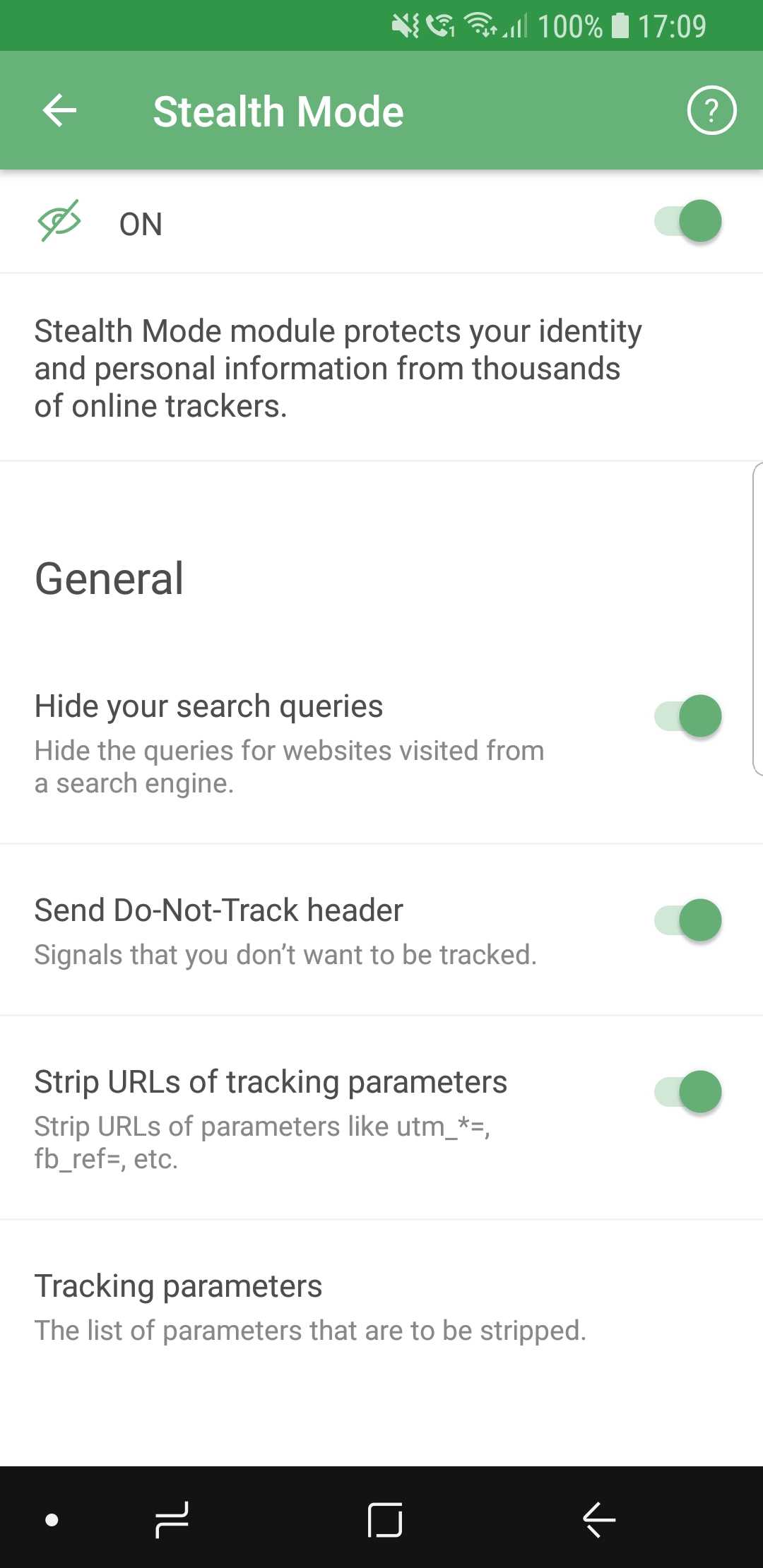
AdGuard Stealth Mode

Let's quickly go over them, but instead of mentioning every single feature, we will group them into categories.

  • General

Here we placed the features that you can enable without any risk of facing much inconvenience. Options like hiding your search queries or removing tracking parameters from URLs are almost strictly advantageous, and you have no reason not to use them if you care about privacy.

  • Tracking methods

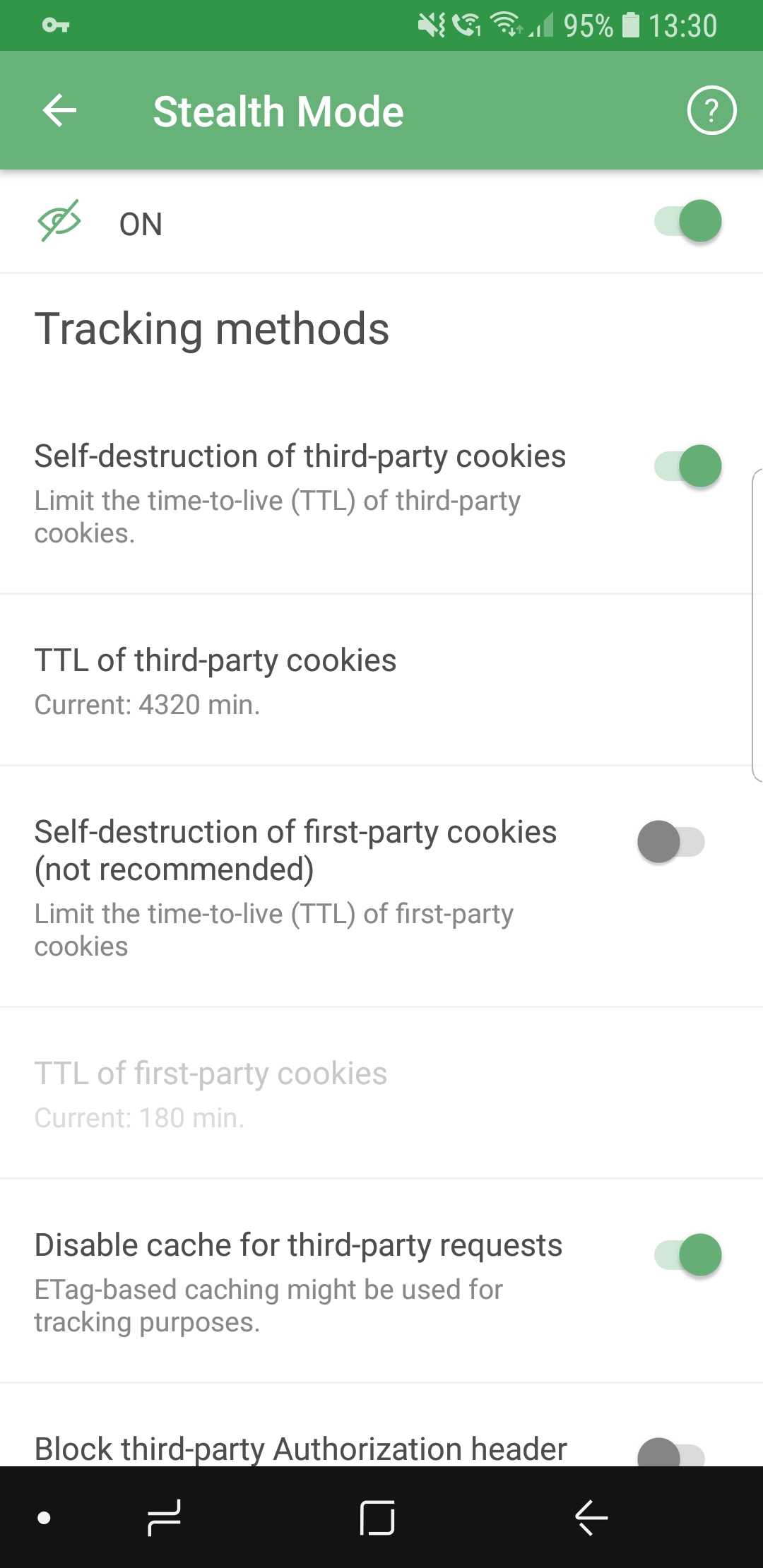
So many options they don't fit on screenshots

Includes options that prevent websites from tracking you by using various mechanisms, for example, cookies. It’s worth mentioning that enabling self-destruction of first-party cookies is not recommended unless you want to take privacy protection to the absolute limit, as it may cause some websites to work improperly, or not work at all.

  • Browser API

In this section, you can enable or disable browser API-related options. Read the description for each of them first to find a good balance between privacy and convenience (for example, blocking Push API will prevent servers from sending any notifications to your browser).

  • Miscellaneous

As the name suggests, this category contains a mish-mash of options. Hiding your User Agent or masking your IP address are the sort of features you will find there.

If you feel intimidated by the variety of available options, you will like the new first launch wizard that will help you choose the configuration most suited for you — more on that later.

New UI

As important as Stealth Mode is, the tone of the update is largely dominated by the visual changes, and this time there are plenty. Almost every aspect of the old design was reworked, revamped and (hopefully) improved. There’s too much to mention in one chunk of text, so let's divide them into more digestible paragraphs.

App redesign #713

Everything is new here. New overall style, new icons, new layout. Our designers spent countless hours on it, going through many iterations. The end goal was to make users feel confident in their ability to navigate the app quickly and easily, and we believe we managed to achieve that.
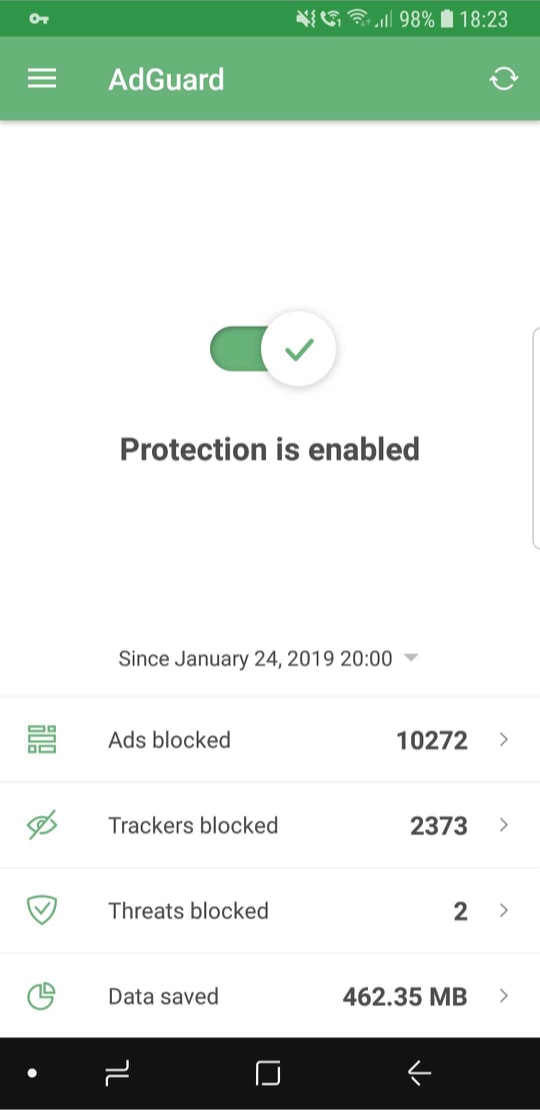
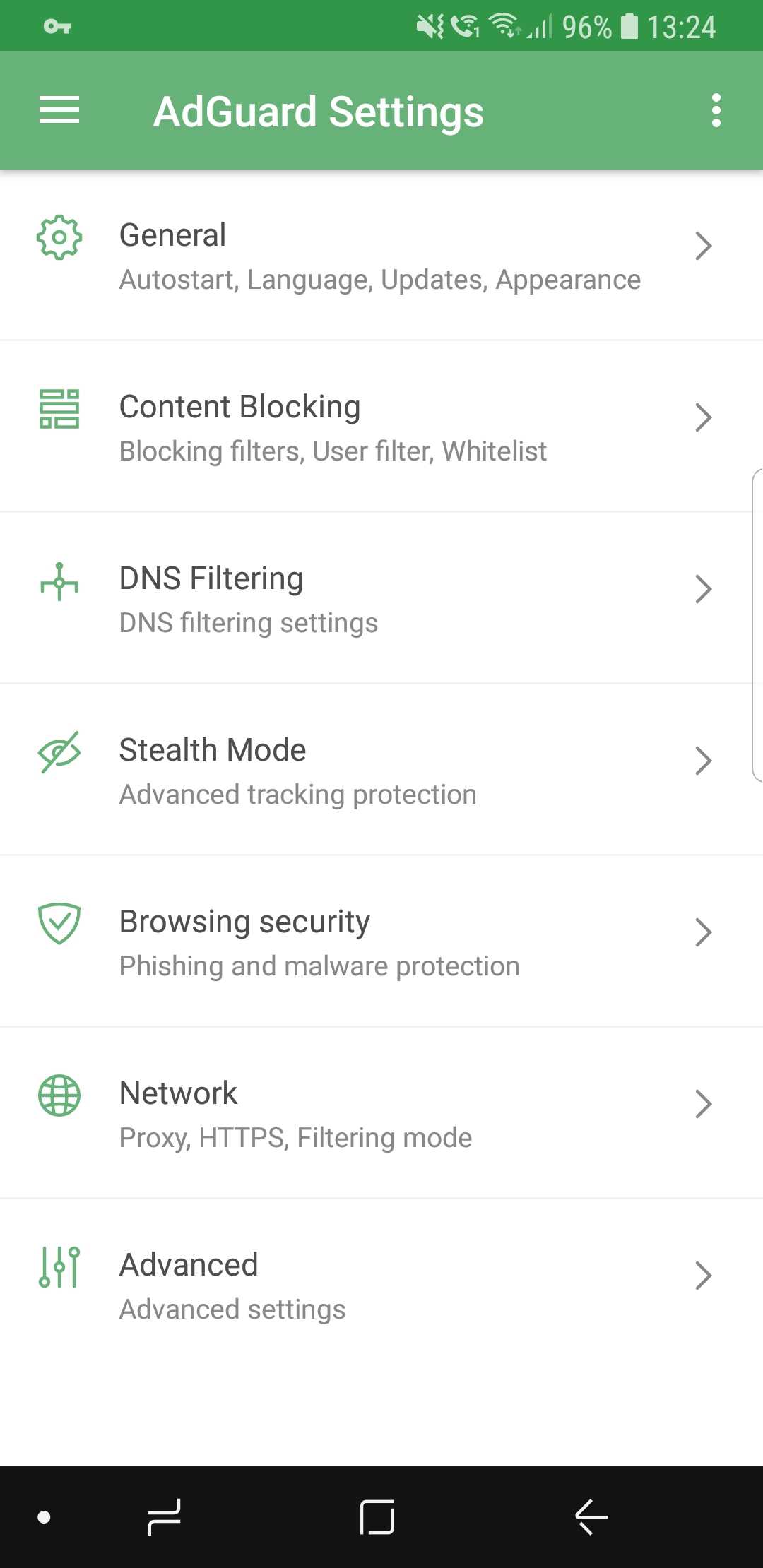
New AdGuard for Android design

We did a lot of tidying up, removed all the elements that clogged up the screen, and added intuitive icons. If you want to get somewhere, it will be very clear to you how to do so.

Dark theme #104

This is probably one of the most desirable features ever. We’ve received requests from users to add a dark theme basically since the app was introduced for the first time more than three years ago. Finally, it has arrived.
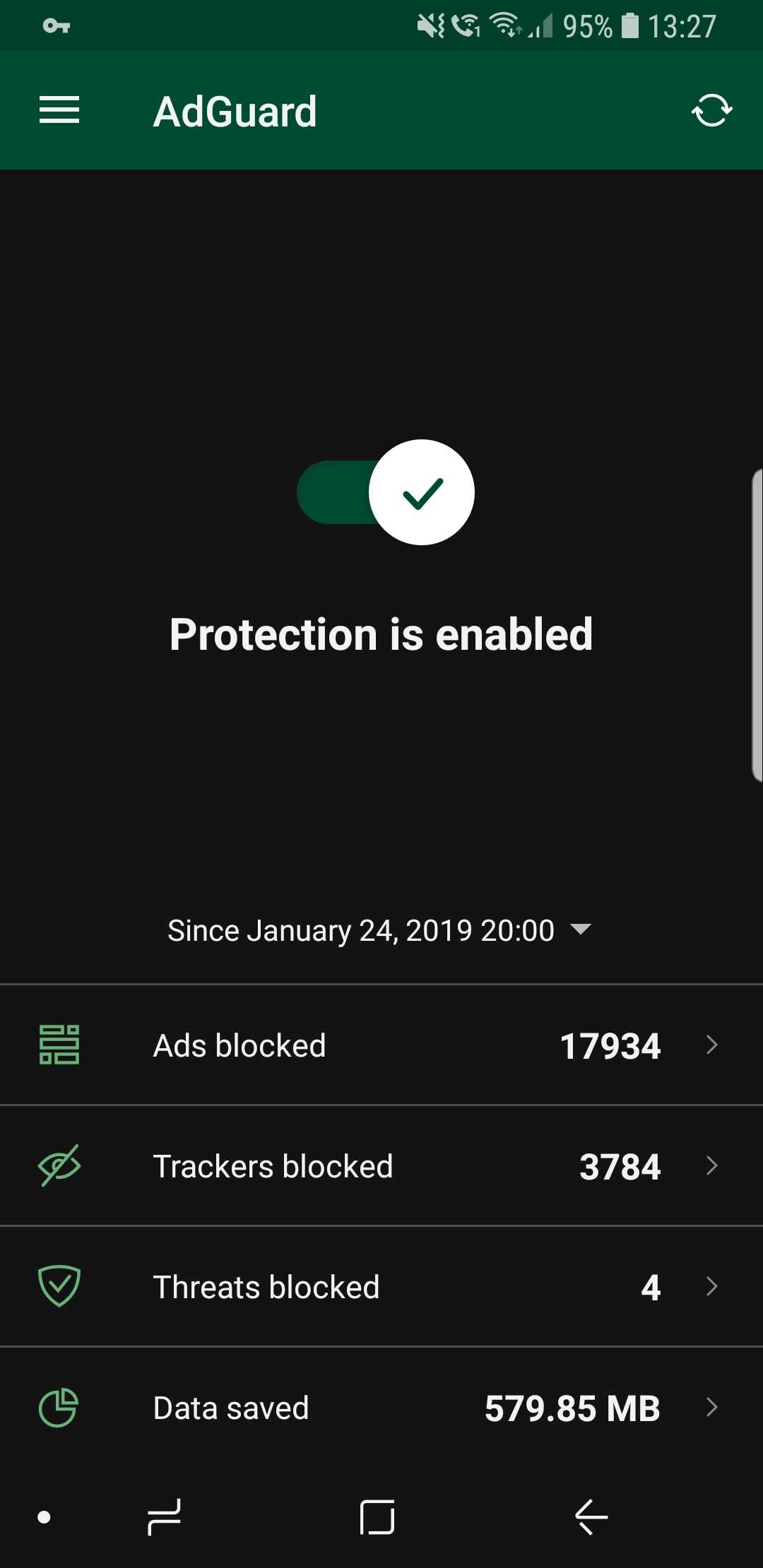
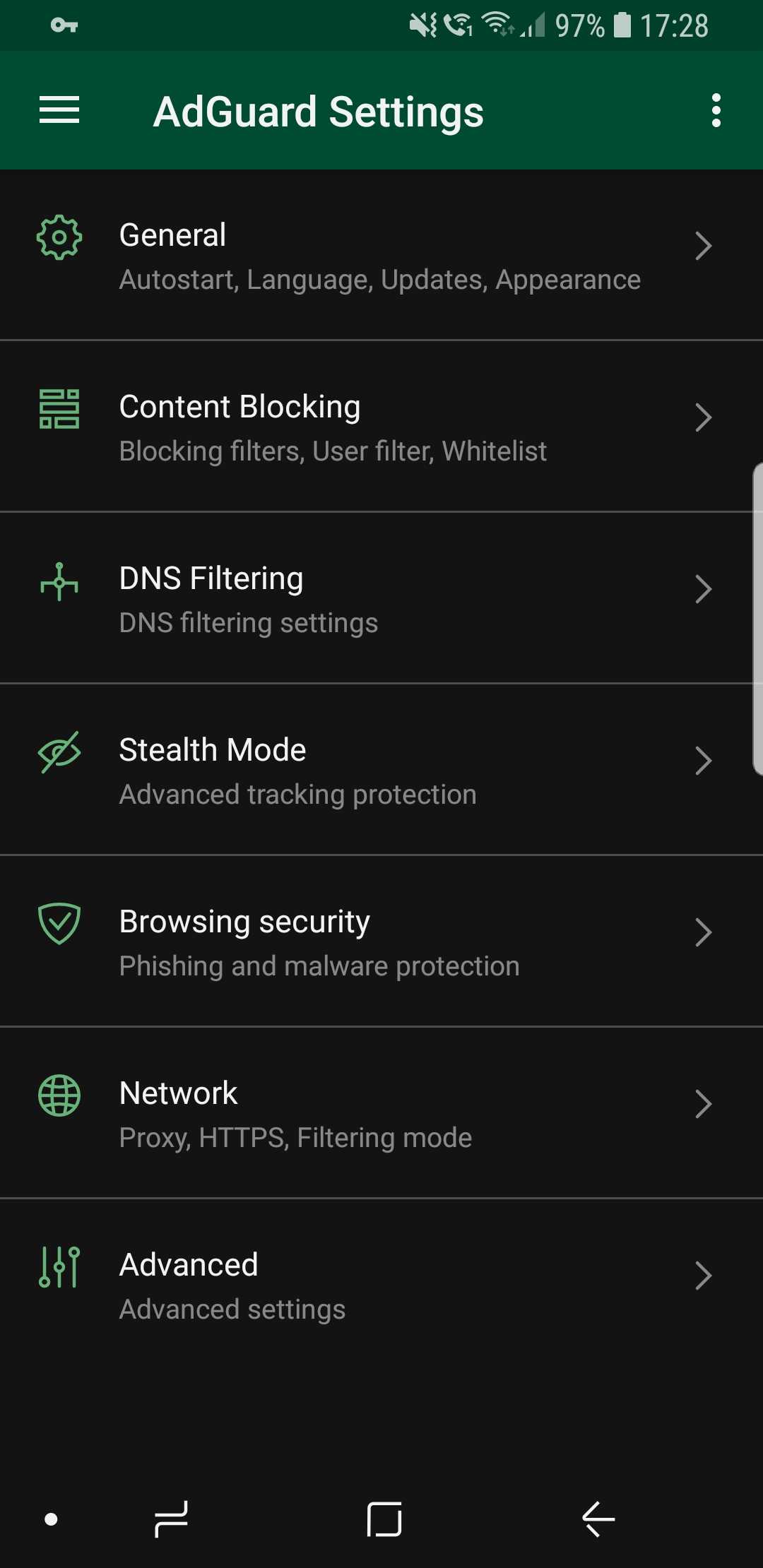
Dark theme looks awesome! (source: us)

It is also true that for every voice that demands a dark theme, there is an equally loud one that goes against it. We would never betray our more conservative users, so the classic light theme is still available (and it's still the default one, for what it's worth).

Statistics charts #2083

Statistics are useful; it’s always nice to know how many ads were blocked, how much traffic was saved, and so on. But simply looking at bland numbers is not very informative, and also plain boring. Charts provide more information and are much more comprehensive.
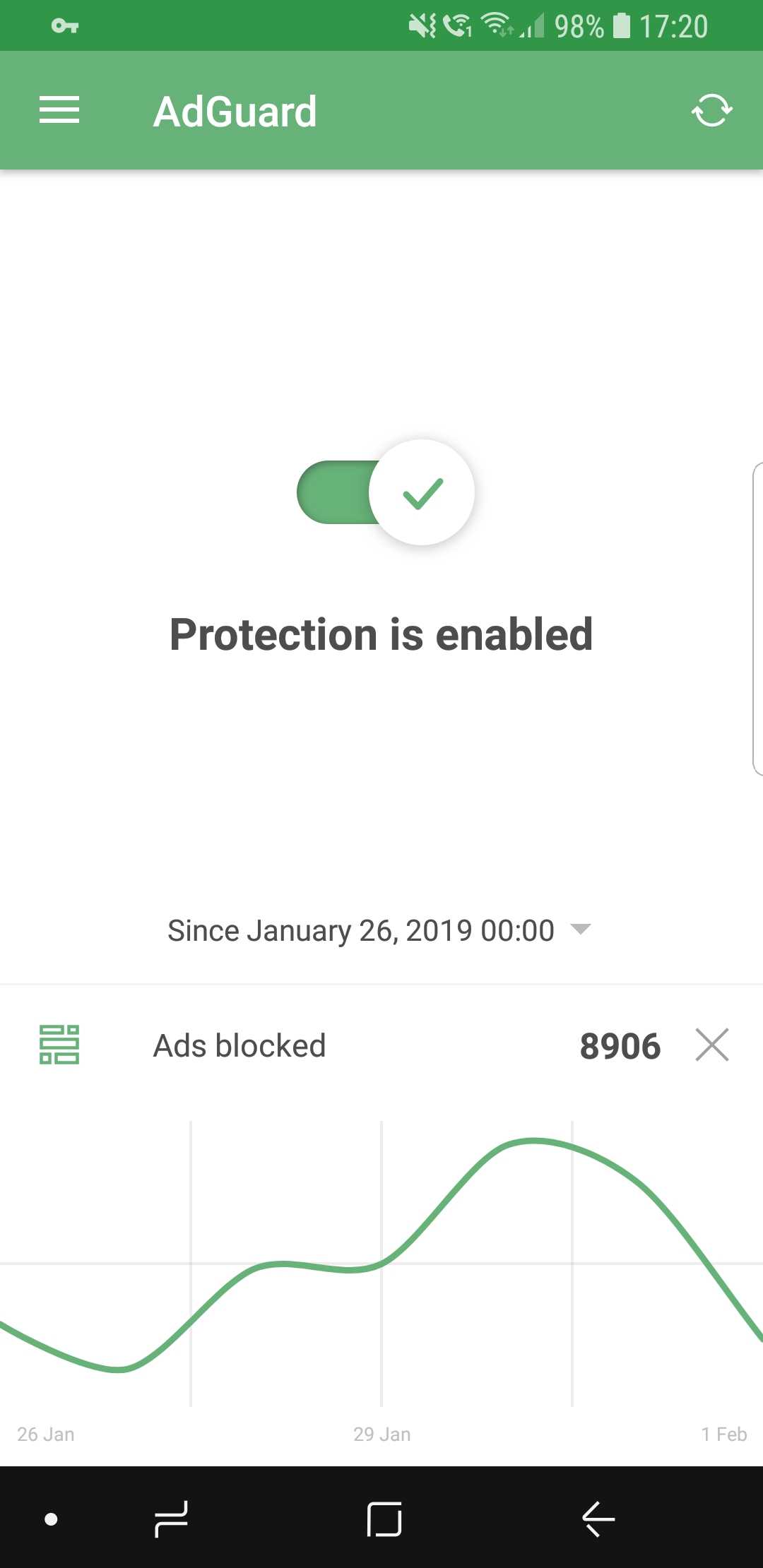
Curves are much better than numbers (that's a fact)

While on the main screen, select the preferred time period and tap on the stat you're interested to display the chart (or go inside Apps Management to look at app-specific charts).

First launch wizard #1965

The wizard's goal is to make you familiar with AdGuard if its your very first time interacting with it. Upon the first launch, it will walk you through the available features and make some suggestions. Feel free to enable or skip any of them, depending on your preferences.
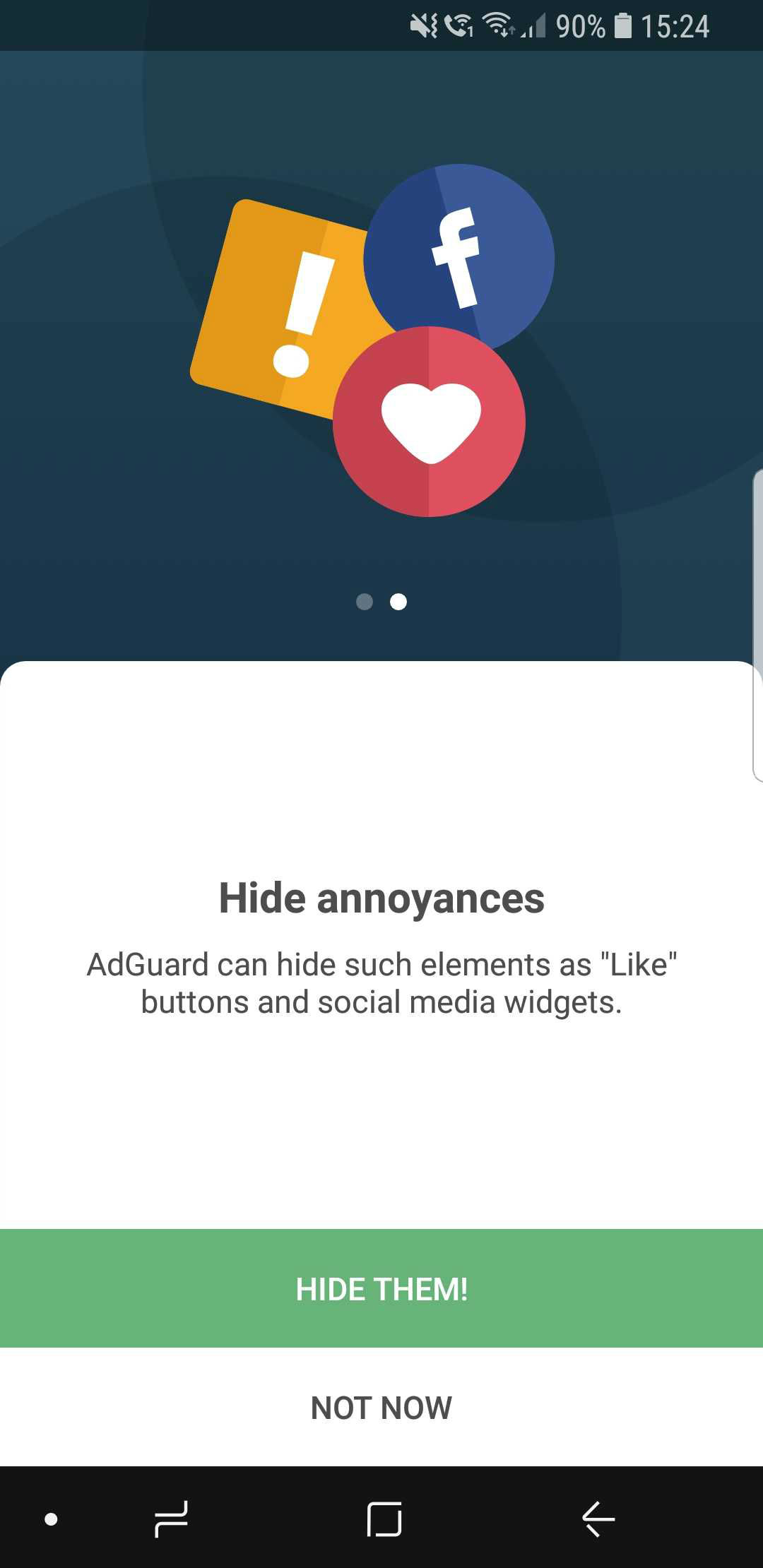
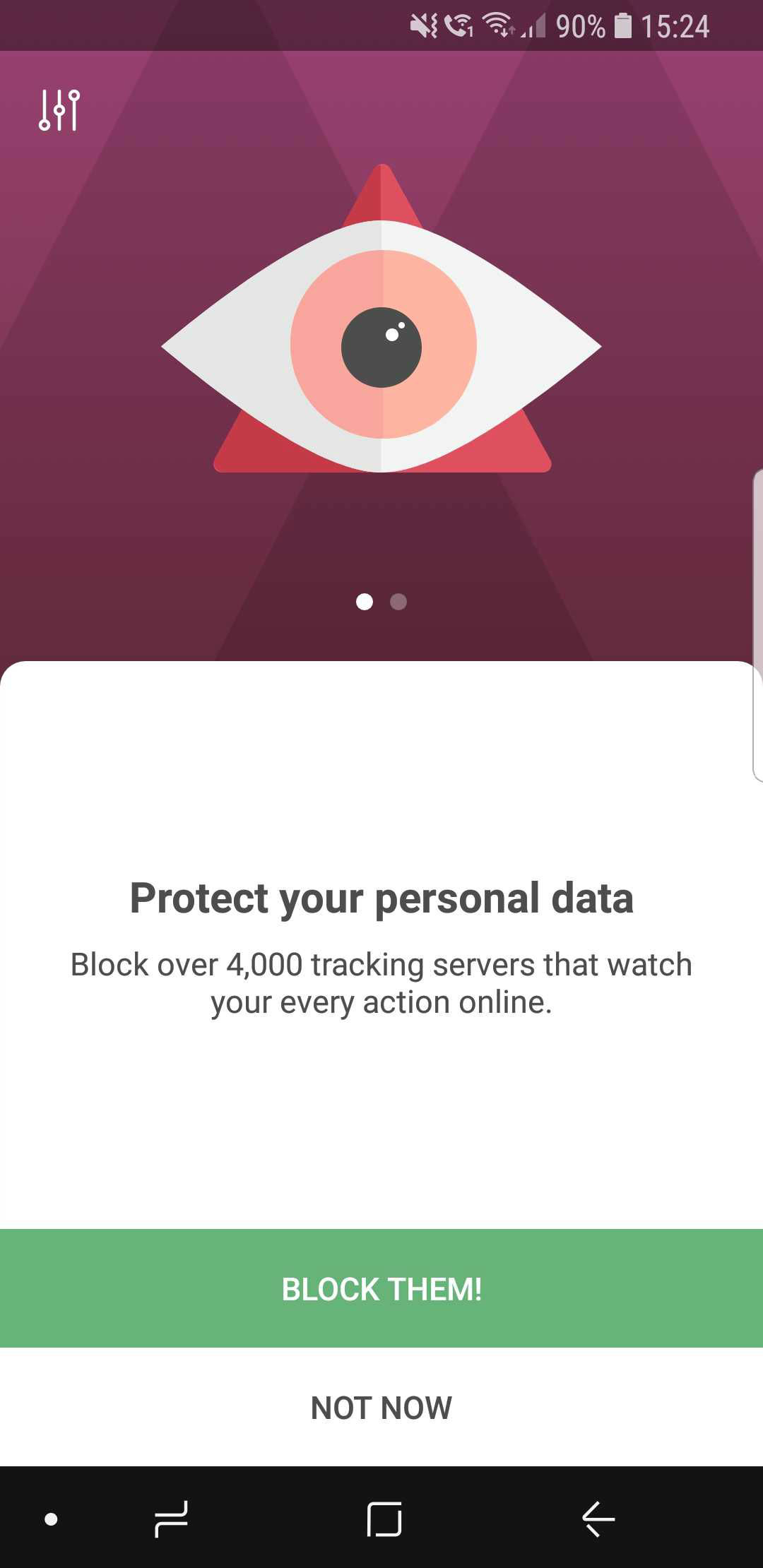
The wizard will help you avoid getting overwhelmed at first

Widget redesign #2354

The apps icon has changed, so the widget needed to be altered as well. Not much to say here: aside from the change in looks, widgets now provide some statistics about blocked requests and so on.
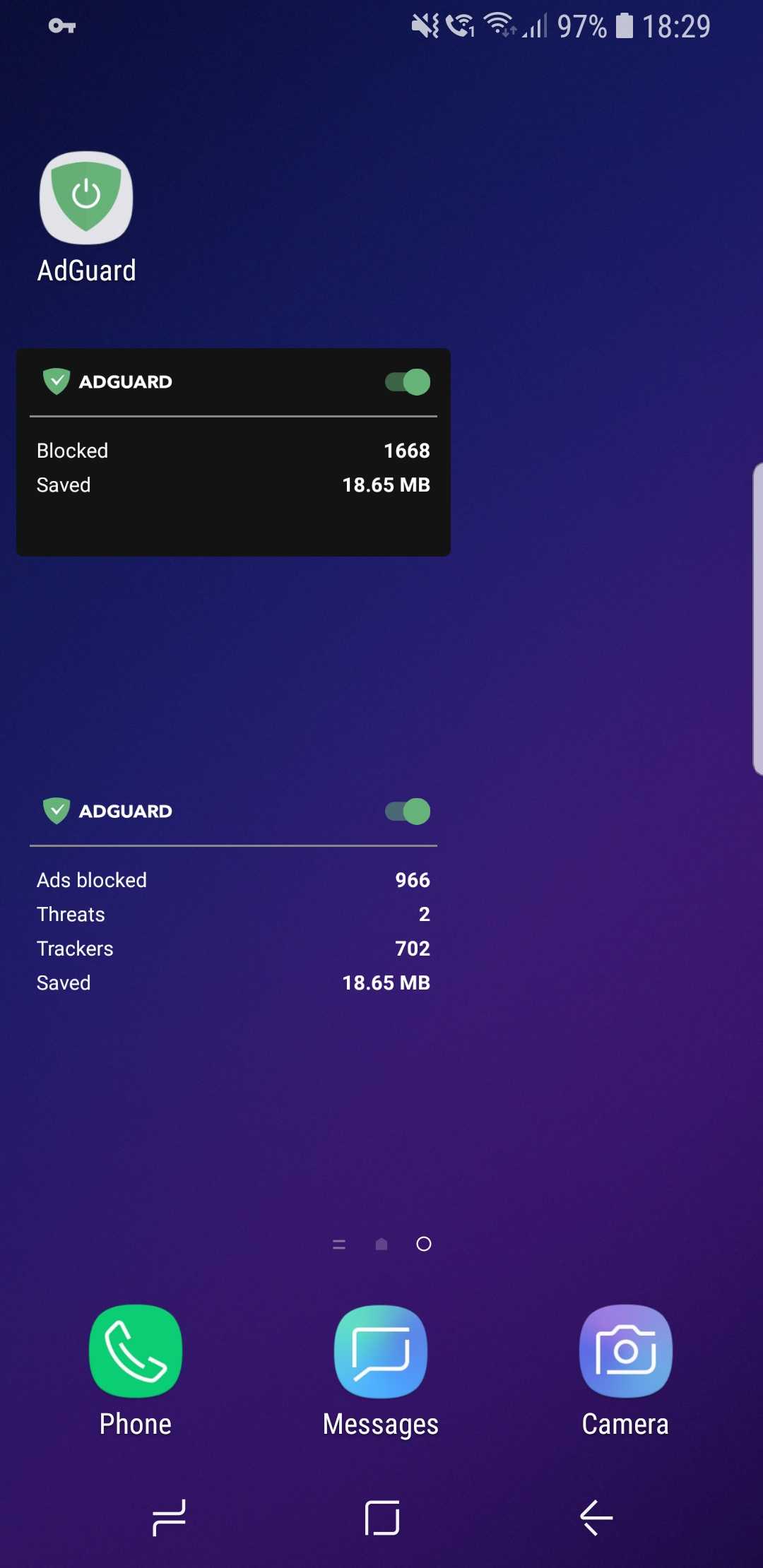
New AdGuard widgets

CoreLibs update

In case you need a refresher, CoreLibs is the new filtering engine that AdGuard is built upon. What AdGuard can and can't do is defined by it, so no wonder it's so important. One of the biggest advantages of CoreLibs compared to the previous engine is that it's cross-platform. This means AdGuard for Android can now take the best from the other AdGuard apps, and you can already see it in action with Stealth Mode.

In this update, CoreLibs receives a further boost, granting better performance and filtering quality. About 150 improvements were made to the filtering engine. We cannot list them all here, but here is a link if you want to check them out.

Other changes

Here are some of the more niche features that will primarily appeal to more tech-savvy users.

Improved DNS functionality #2415

We are now using our own DNS proxy server, which supports all existing DNS protocols. What does that mean for you, the user?

  1. AdGuard now supports the DNS-over-TLS protocol, which is one of the most secure modern DNS protocols
  2. To configure a DNS-over-HTTPS (another secure DNS protocol) server, you don’t need to know the SDNS and can use a simple string like https://dns.adguard.com/dns-query
  3. You can indicate any number of upstream servers for your custom DNS server setup

More filter subscriptions #12
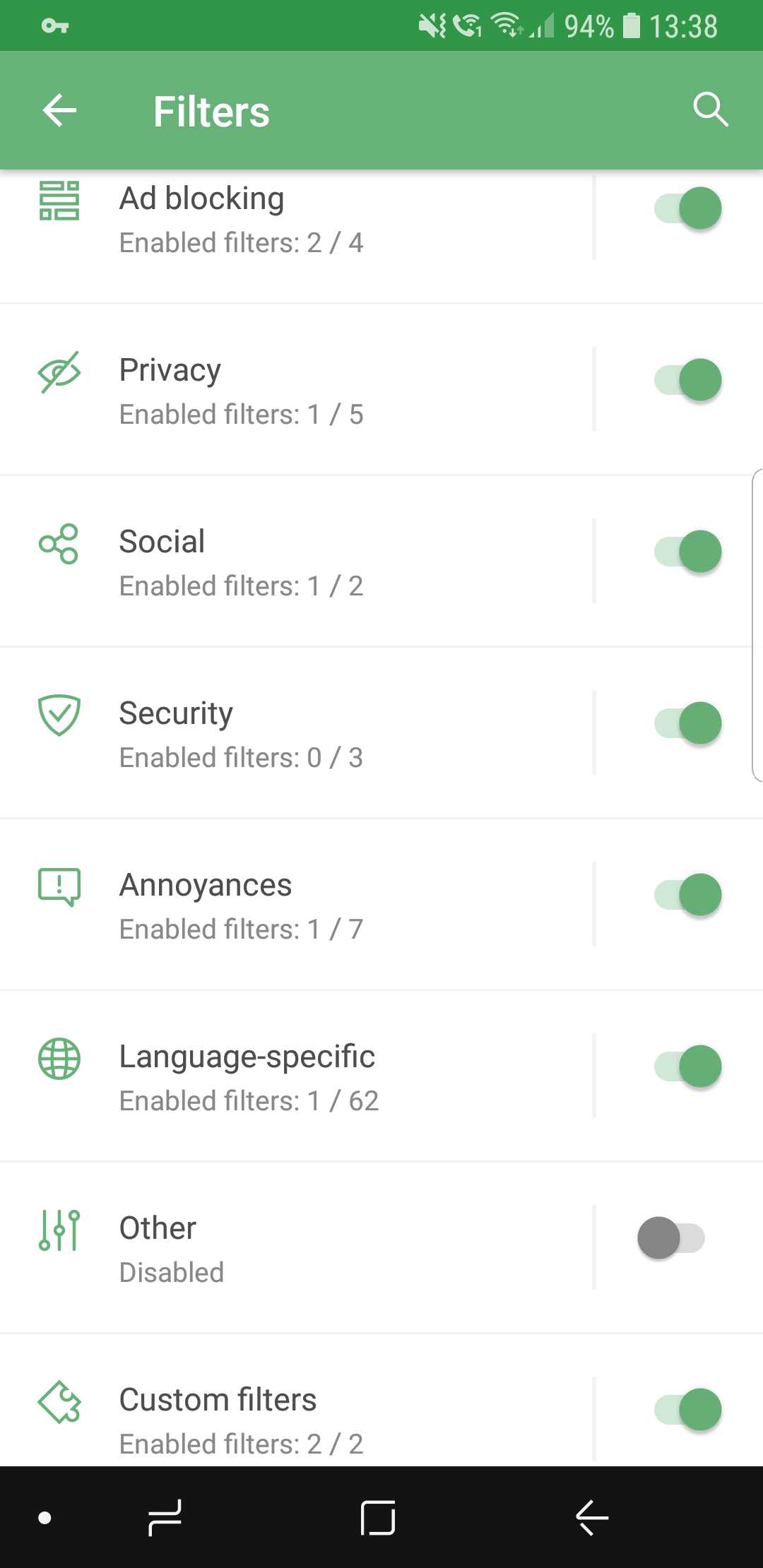
More filters! More!

Self-explanatory: the more, the better! If your favorite subscription wasn’t in the default list before, check it again.

Custom subscriptions by URL #13

…and if it's still not there, no big deal! Just add it manually, because now it's extremely easy. Just tap the respective button, enter the URL, and your filter will appear among the rest. The new filter will be updated automatically, and of course you can add more than one at a time.
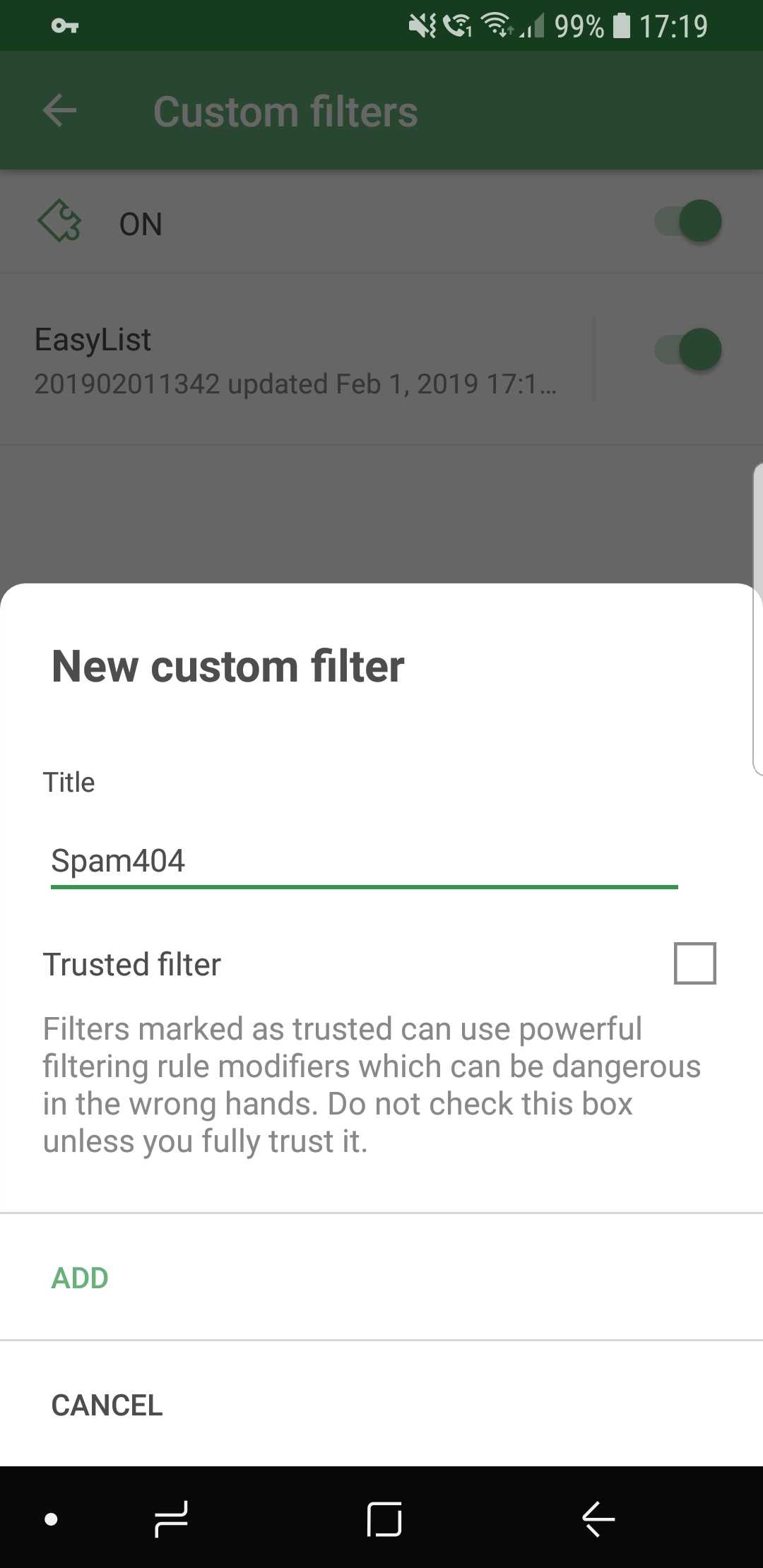
Ok, just one more, I swear...

Conclusion

And that wraps it up for AdGuard 3.0 for Android! Traditionally, the full changelog is available on GitHub. Make sure you install the new version by checking for updates (an icon on the main screen of the app), and if you are new to AdGuard, check out the free trial by downloading the app from our official website.

Let us know about your first impressions of the new AdGuard by leaving a comment below, and see you soon with more news!

PS: Unfortunately, all these wonderful changes would have not been possible without using some of the features available only on newer Android OS versions. Similar to Windows XP, the days of Android 4.x are coming to an end. And despite this wasn't an easy decision, starting with this version AdGuard will only work on devices with Android OS 5+. Owners of devices with Android 4.x can find previous versions of AdGuard on GitHub.

We are currently answering questions about the update on Product Hunt, so if you have any — we are waiting for you there. Oh, and by the way, there is an exclusive 40% discount for "hunters" there, don't tell anyone :)


Vond je dit bericht leuk?
AdGuard VPN AdGuard DNS AdGuard Mail AdGuard Wallet
Het hoofdscherm van AdGuard voor Windows
Het beschermingsscherm van AdGuard voor Windows, met de beschermingsfuncties en -instellingen
Het statistiekenscherm van AdGuard voor Windows, met statistieken over geblokkeerde advertenties en volgers
Het appbeheerscherm van AdGuard voor Windows, met de opties voor beschermingsbeheer van apps die op het apparaat zijn geïnstalleerd
20.557 20557 gebruikersbeoordelingen
Uitstekend!

AdGuard voor Windows: advertentieblokker voor pc

AdGuard voor Windows is meer dan een advertentieblokker. Het is een multifunctioneel hulpmiddel dat advertenties blokkeert, de toegang tot gevaarlijke sites regelt, het laden van pagina's versnelt en kinderen beschermt tegen ongepaste inhoud
Door het programma te downloaden accepteer je de licentievoorwaarden
Microsoft Store
Door het programma te downloaden accepteer je de licentievoorwaarden
AdGuard voor Windows v8.0, 14 dagen proefperiode
Het hoofdscherm van AdGuard voor Mac
Het Incognitomodus-scherm van AdGuard voor Mac
20.557 20557 gebruikersbeoordelingen
Uitstekend!

AdGuard voor Mac: systeembrede advertentieblokker

AdGuard voor Mac is een unieke advertentieblokker die is ontworpen met macOS in gedachten. Het beschermt je niet alleen tegen vervelende advertenties in browsers en apps, maar beschermt je ook tegen volgen, phishing en fraude
Door het programma te downloaden accepteer je de licentievoorwaarden
Meer lezen
AdGuard voor Mac v2.19, 14 dagen proefperiode
Het hoofdscherm van AdGuard voor Android
Het scherm 'Bescherming tegen volgers' van AdGuard voor Android
Het appbeheerscherm van AdGuard voor Android, met de opties voor beschermingsbeheer voor apps die op het apparaat zijn geïnstalleerd
Het statistiekenscherm van AdGuard voor Android, met statistieken over geblokkeerde advertenties en volgers
Het hoofdscherm van de privébrowser van AdGuard voor Android
De QR-code om AdGuard voor Android te downloaden
20.557 20557 gebruikersbeoordelingen
Uitstekend!

AdGuard voor Android: advertentieblokker voor alle apps

Blokkeert advertenties en volgers in alle browsers, spellen en andere apps. Beschermt je privacy en geeft je controle over hoe jouw apps internet gebruiken. Geïnstalleerd via APK
Door het programma te downloaden accepteer je de licentievoorwaarden
Meer lezen
Scannen om te downloaden
Gebruik een QR-codelezer die beschikbaar is op je apparaat
AdGuard voor Android v4.14, 14 dagen proefperiode
Het hoofdscherm van AdGuard voor iOS
Het beschermingsscherm van AdGuard voor iOS, dat de beschermingsfuncties en -instellingen toont.
Het statistiekenscherm van AdGuard voor iOS, met statistieken over geblokkeerde advertenties en volgers
De QR-code om AdGuard voor iOS te downloaden
20.557 20557 gebruikersbeoordelingen
Uitstekend!

AdGuard: advertentieblokker voor iOS

De beste advertentieblokker voor iOS op iPhone en iPad. AdGuard verwijdert alle soorten advertenties en volgers in Safari en beschermt je privacy in alle apps op DNS-niveau
Door het programma te downloaden accepteer je de licentievoorwaarden
Meer lezen
Scannen om te downloaden
Gebruik een QR-codelezer die beschikbaar is op je apparaat
AdGuard voor iOS v4.5
Het hoofdscherm van AdGuard Inhoudsblokker
Het filterscherm van AdGuard Inhoudsblokker
Het instellingenscherm van AdGuard Inhoudsblokker
20.557 20557 gebruikersbeoordelingen
Uitstekend!

AdGuard Content Blocker

AdGuard Content Blocker elimineert allerlei soorten advertenties in mobiele browsers die technologie voor het blokkeren van inhoud ondersteunen, namelijk Samsung Internet en Yandex Browser. De functies zijn beperkt in vergelijking met AdGuard voor Android, maar het is gratis, eenvoudig te installeren en efficiënt
Door het programma te downloaden accepteer je de licentievoorwaarden
Meer lezen
AdGuard Content Blocker v2.8
Het hoofdscherm van de AdGuard-browseruitbreiding
Het scherm 'Bescherming tegen volgers' van AdGuard-browseruitbreiding
20.557 20557 gebruikersbeoordelingen
Uitstekend!

AdGuard Browserextensie

AdGuard is de snelste en lichtste advertentieblokkering uitbreiding die alle soorten advertenties op alle webpagina's effectief blokkeert! Kies AdGuard voor uw browser om advertentievrij, snel en veilig te surfen.
Installeren
Door het programma te downloaden accepteer je de licentievoorwaarden
Installeren
Door het programma te downloaden accepteer je de licentievoorwaarden
Installeren
Door het programma te downloaden accepteer je de licentievoorwaarden
Installeren
Door het programma te downloaden accepteer je de licentievoorwaarden
Installeren
Door het programma te downloaden accepteer je de licentievoorwaarden
Meer lezen
Installeren
Door het programma te downloaden accepteer je de licentievoorwaarden
Meer lezen
AdGuard Browserextensie v5.5
Het hoofdscherm van AdGuard Assistant
20.557 20557 gebruikersbeoordelingen
Uitstekend!

AdGuard Assistant

Een bijbehorende browseruitbreiding voor AdGuard desktop-apps. Het stelt je in staat om aangepaste items op websites te blokkeren, websites toe te voegen aan de toelatingslijst en rapporten rechtstreeks vanuit je browser te versturen
AdGuard Assistant v1.4
20.557 20557 gebruikersbeoordelingen
Uitstekend!

AdGuard Home

AdGuard Home is een netwerkgebaseerde oplossing voor het blokkeren van advertenties en volgers. Installeer het één keer op je router om alle apparaten in je thuisnetwerk te beschermen — geen extra clientsoftware vereist. Dit is vooral belangrijk voor verschillende IoT-apparaten die vaak een bedreiging vormen voor je privacy
AdGuard Home v0.107
Het hoofdscherm van AdGuard Pro voor iOS
Het beschermingsscherm van AdGuard Pro voor iOS, met de beschermingsfuncties en instellingen
Het statistiekenscherm van AdGuard Pro voor iOS, met statistieken over geblokkeerde advertenties en trackers
20.557 20557 gebruikersbeoordelingen
Uitstekend!

AdGuard Pro voor iOS

AdGuard Pro voor iOS wordt geleverd met alle geavanceerde beschermingsfuncties voor het blokkeren van advertenties. Het biedt dezelfde tools als de betaalde versie van AdGuard voor iOS. Het blinkt uit in het blokkeren van advertenties in Safari en laat je DNS-instellingen aanpassen om je bescherming aan te passen. Het blokkeert advertenties in browsers en apps, beschermt je kinderen tegen ongepaste inhoud en houdt je persoonlijke gegevens veilig
Door het programma te downloaden accepteer je de licentievoorwaarden
Meer lezen
AdGuard Pro voor iOS v4.5
Het hoofdscherm van AdGuard Mini voor Mac
Het Safari-beschermingsscherm van AdGuard Mini voor Mac
Het 'Regel aanmaken'-scherm van AdGuard Mini voor Mac
20.557 20557 gebruikersbeoordelingen
Uitstekend!

AdGuard Mini voor Mac — Safari-advertentieblokker

AdGuard Mini voor Mac is een krachtige Safari-advertentieblokker. Deze lichtgewicht app verwijdert advertenties, blokkeert volgers en versnelt het laden van pagina's. Het helpt je om in Safari zonder afleiding op het web te surfen en je gegevens privé te houden
Installeren
Door het programma te downloaden accepteer je de licentievoorwaarden
Meer lezen
AdGuard Mini voor Mac v2.3
Het hoofdscherm van AdGuard voor Android TV met ingeschakelde bescherming
Het advertentieblokkeringsscherm van AdGuard voor Android TV, met zijn functies en instellingen
Het instellingenscherm van AdGuard voor Android TV
Het appbeheer-scherm van AdGuard voor Android TV, waarop de apps worden getoond waar advertenties en volgers worden geblokkeerd
20.557 20557 gebruikersbeoordelingen
Uitstekend!

AdGuard voor Android TV

AdGuard voor Android TV is de enige app die advertenties blokkeert, jouw privacy bewaakt en fungeert als firewall voor je Smart TV. Ontvang waarschuwingen over webbedreigingen, gebruik veilige DNS en profiteer van gecodeerd verkeer. Ontspan en duik in je favoriete programma's met eersteklas beveiliging en zonder advertenties!
AdGuard voor Android TV v4.14, 14 dagen proefperiode
De AdGuard-mascotte, Agnar, houdt de Linux-pinguïn vast
20.557 20557 gebruikersbeoordelingen
Uitstekend!

AdGuard voor Linux

AdGuard voor Linux is 's werelds eerste systeem-brede AdGuard Advertentieblokker. Blokkeer advertenties en volgers op apparaatsniveau, kies uit vooraf geïnstalleerde filters, of voeg je eigen toe - allemaal via de interface
AdGuard voor Linux v1.4
20.557 20557 gebruikersbeoordelingen
Uitstekend!

AdGuard Temp Mail

Een gratis tijdelijke e-mailadresgenerator die je anoniem houdt en jouw privacy beschermt. Geen spam in je hoofdinbox!
20.557 20557 gebruikersbeoordelingen
Uitstekend!

AdGuard VPN

75 locaties wereldwijd

Toegang tot alle inhoud

Sterke versleuteling

Geen logboekregistratie

Snelste verbinding

24/7 ondersteuning

Gratis proberen
Door het programma te downloaden accepteer je de licentievoorwaarden
Meer lezen
20.557 20557 gebruikersbeoordelingen
Uitstekend!

AdGuard DNS

AdGuard DNS is een alternatieve oplossing voor advertentieblokkering, privacybescherming en ouderlijk toezicht. Het is eenvoudig in te stellen en gratis te gebruiken, biedt een minimum aan optimale bescherming tegen online advertenties, volgers en phishing, ongeacht welk platform en welk apparaat je gebruikt.
20.557 20557 gebruikersbeoordelingen
Uitstekend!

AdGuard Mail

Bescherm je identiteit, vermijd spam en houd je Postvak IN veilig met onze aliassen en tijdelijke e-mailadressen. Geniet van onze gratis service voor het doorsturen van e-mail en apps voor alle besturingssystemen
20.557 20557 gebruikersbeoordelingen
Uitstekend!

AdGuard Wallet

Een veilige en privé crypto-wallet die je volledige controle geeft over jouw activa. Beheer meerdere wallets en ontdek duizenden cryptocurrencies om op te slaan, te verzenden en te ruilen
Downloaden AdGuard Klik op het door de pijl aangegeven bestand om AdGuard te installeren. Selecteer "Open" en klik op "OK" - wacht even tot het bestand gedownload is. Sleep dan in het geopende venster het AdGuard icoontje naar de "Applications" map. Dank u dat u voor AdGuard gekozen heeft. Selecteer "Open" en klik op "OK" - wacht even tot het bestand gedownload is. Klik dan in het geopende venster op "Installeren". Dank u dat u voor AdGuard gekozen heeft.
AdGuard op je mobiele apparaat installeren