Browser wars, Privacy Day, malicious tracking prevention: AdGuard's digest

Congrats folks! January 28th was the globally celebrated Data Protection Day. Make sure you celebrate it properly by reviewing your online behavior to satisfy the safetly guidelines.

On 26 April 2006 the Council of Europe decided to launch a Data Protection Day to be celebrated each year on 28 January, the date on which the Council of Europe's data protection convention, known as "Convention 108", was opened for signature. Data Protection Day is now celebrated globally and is called Privacy Day outside Europe.

The purpose of Data Privacy Day is to raise awareness and promote privacy and data protection best practices. It is currently observed in the United States, Canada, Nigeria, Israel and 47 European countries.

Of course it's clear that absolutely every day of any year must be a Data Protection day. But the "official" date is quite an occasion to give it an extra thought, to review your habits and practicies regarding personal data safety, to test some new tools, to boost your understanding of the problem. We wish you safe online experience and hope you'll never have to deal with any data abuse!

And now to the meat of the digest.

Chrome's high throne becomes shaky

In the previous digest we've written about the new secure browser released by creators of the DuckDuckGo search engine, and about how the Brave's privacy-oriented browser is gaining market share.

And all the while the market leader is having an uneasy time. Who ever reads Google's blog about new Chrome releases? Apparently, a bunch of geeks and IT media reporters do. But a recent Google's post had made a small British tabloid publish at least two pieces ([1], [2]), calling readers to update their browser. No wonder: Google beat their own record claiming several dozens of high risk vulnerabilities in the app. Once in a lifetime, even a British tabloids says something sound. Update your Chrome browser, if you haven't yet.

A web browser is your entry point into the wonderful, but also dangerous digital universe. The choice of the browser you use at home and at work dictates not only the perofrmance and convenience, but also the security of your data. It's useful to audit it from time to time. If you are not a browser expert yourself, obtain a habit to read experts' reviews from time to time. Type your favorite browser's name into the Google News' search box — to see if it was recently compromised, hacked, if it leaked data, if there were any serious security problems found. And, of course, install the updates to all the browsers you use as soon as they arrive.

Meanwhile, the Microsoft Edge browser gains 10.22% of the desktop browser market share, the best result in its history. And Google Chrome in November, 2021 became the only browser that had lost some of its audience.

It may lose even more yet. People have finally discovered the fact that Google had never tried to hide: the "incognito" mode does not make them invisible online and does not prevent tracking. Alphabet's CEO Sundar Pichai will have to explain this to the federal court.

On the other hand, there has been found at least "seven reasons to stop using Microsoft Edge". The author of the piece highlights a really important turn in Microsoft's web policy: "Microsoft seems to be grooming Edge to be a shopping tool rather than a web browser". Besides, even if you already use Microsoft's broswer, you'll be seeing intrusive and aggressive ads of a Microsoft browser. Ads that directly insult Google and their Chrome.
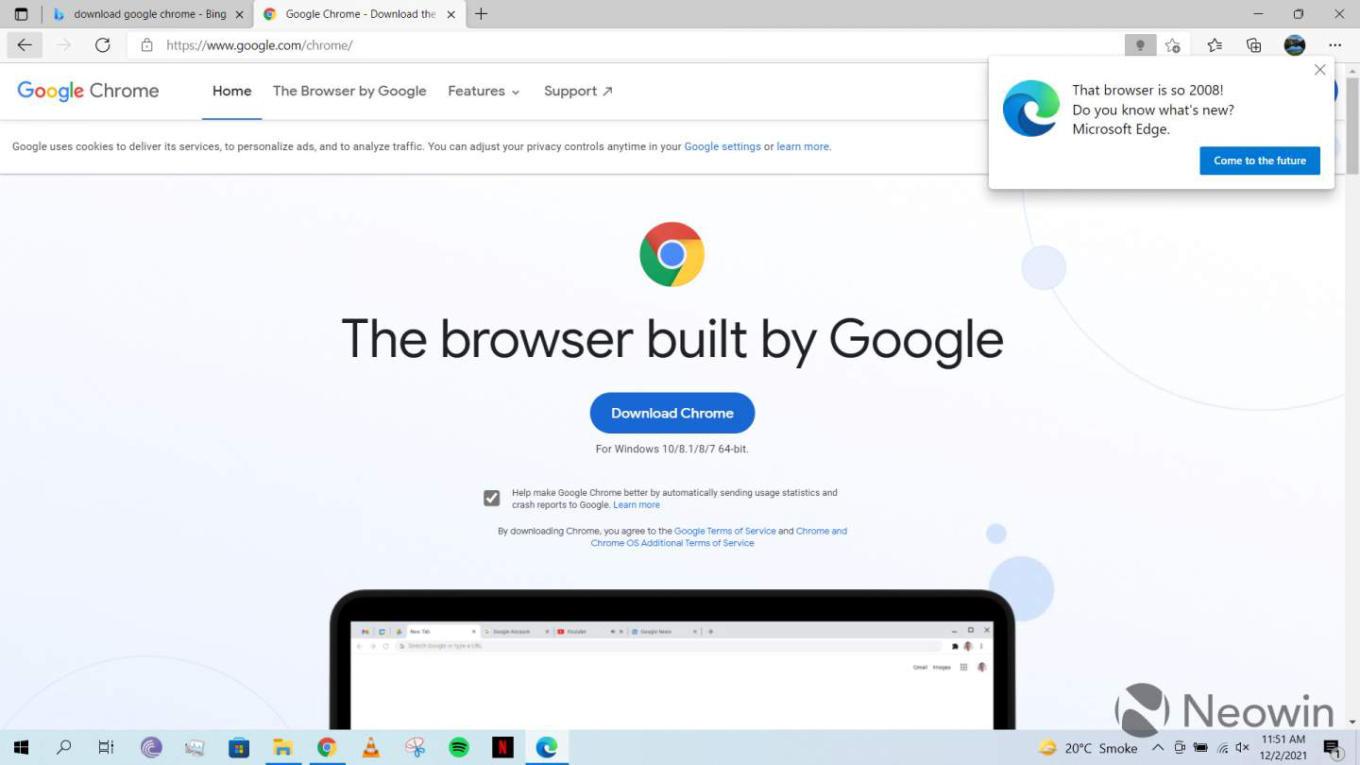
It is good that privacy-oriented browsers emerge, evolve, and expand. But now we can hardly afford the luxury to put all eggs in one basket and trust one single vendor when it comes to personal data security. So a mainstream browser like Chrome armed with trustworthy third party extensions seems like a solid option.

One doesn't simply turn location tracking off

Yet another lawsuit to Google: it kept tracking users' location after they'd switched off Location History on their Android devices. This had been happening "between 2014 and 2019", but the four attorneys that filed separate lawsuits hope to get Google punished for making people think that their location information was not being tracked, while it was. The same old lesson here: the basic device settings might be more of a decoration then an actual set of controls over your data.

And a few days ago, Google has reacted to these lawsuits and published a blog post calling them inaccurate, outdated, and mischaracterizing Google's services. The post is quite angry, but quite honest: yes, Google says, we do need your location data, so what, everybody does. But if you put some effort into it, you can at least gain some illusion of privacy. Here are Google's tips on managing the access to your location data.

What are popular messengers reporting to FBI?

A dubious document titled “Lawful Access” is being cited by various media outlets for the last month or so. They say, it describes ”the kinds of user data various secure messaging apps can share at the request of law enforcement agencies”. It was “obtained by a group called Property of the People through an FOIA request”, whatever that means. I strongly suspect that it’s a fake concocted by people related to some of the mentioned messengers, but if you can you can make some use out of it, here it is.

Apple Air Tag can be used for tracking you

We are already used to being tracked by our devices. But what about being tracked by a device planted into your pocket by some weird guy (or gal), like in a cheap spy movie? Apple Air Tag is a small thingy meant to be attached to keys, wallets, dentures, kids — all the things you tend to lose and would like to know where they are and where you've left them. But a model named Brooks Nader found out that she was being tracked by an Air Tag device that someone else had dropped into her coat's pocket while she had been bar-hopping in New York.

Let's give Apple some credit where it's due: they anticipated this kind of abuse and tried to protect people: "To discourage tracking without your knowledge, Find My will notify you if an unknown AirTag or other Find My network accessory is seen moving with you over time. An AirTag that isn't with the person who registered it for an extended period of time will also play a sound when moved so you can find it, even if you don't use an iOS device".

We are all overloaded with notifications nowadays, but we should somehow manage to pay attention to those that matter. Find My is an official Apple's app to manage items with Air Tags, it is integrated into iOS and can be turned on in the settings. There is also a free app by Apple for Android called Tracker Detect.

What if the golden era of privacy finally came?

A sudden piece of utopia: what would our digital experience and the life itself look like if the golden era of privacy and security began? The article highlights the being-recently-developed privacy-related technologies like privacy preserving IDs and control over ads. As well as some recently recognized human rights like the right to be forgotten, the right not to be working outside the working hours, and, after all, the right not to worry about their privacy since it is not being attacket all the time anymore.

US senators go after targeted ads — and fail

And we've saved the best for last: this January, three US senators introduced the so-called "Banning Surveillance Advertising Act". I'll take the liberty to predict that the bill will not become a law since it virtually annihilates targeted ads on the Web. It...

…prohibits advertising networks and facilitators from using personal data to target advertisements, with the exception of broad location targeting to a recognized place, such as a municipality. The bill also prohibits advertisers from targeting ads based on protected class information, such as race, gender, and religion, and personal data purchased from data brokers. The bill makes explicit that contextual advertising, which is advertising based on the content a user is engaging with, is allowable.

Well, what can we say about this yet another utopia? I'll just remind you that "Google reported 27% higher U.S. lobbying expenditures for 2021 compared to 2020, spending $9.6 million for the year". Google and Facebook are also "biggest spenders on EU lobbying". Targeted ads are here to stay, and your data is to be harvested and sold.

Some good news and some advice

Meanwhile, in the EU its police agency, Europol, is being forced to delete the personal data it has collected on the scale of mass surveillance.

The unprecedented finding from the European Data Protection Supervisor (EDPS) targets what privacy experts are calling a "big data ark" containing billions of points of information. Sensitive data in the ark has been drawn from crime reports, hacked from encrypted phone services and sampled from asylum seekers never involved in any crime.

As usual, the opinions got devided, the search of the balance between security and privacy seems to take its place among the eternal questions that have no certain answer. Just remember that you do not have to be a criminal to get under surveillance. It's time to get proactive, to get it clear what is important for you and what your best interests are. There is no universal solution for everybody, but at least there are still enough tools to implement the solution you choose for yourself.


Vond je dit bericht leuk?
AdGuard VPN AdGuard DNS AdGuard Mail AdGuard Wallet
Het hoofdscherm van AdGuard voor Windows
Het beschermingsscherm van AdGuard voor Windows, met de beschermingsfuncties en -instellingen
Het statistiekenscherm van AdGuard voor Windows, met statistieken over geblokkeerde advertenties en volgers
Het appbeheerscherm van AdGuard voor Windows, met de opties voor beschermingsbeheer van apps die op het apparaat zijn geïnstalleerd
20.558 20558 gebruikersbeoordelingen
Uitstekend!

AdGuard voor Windows: advertentieblokker voor pc

AdGuard voor Windows is meer dan een advertentieblokker. Het is een multifunctioneel hulpmiddel dat advertenties blokkeert, de toegang tot gevaarlijke sites regelt, het laden van pagina's versnelt en kinderen beschermt tegen ongepaste inhoud

Door het programma te downloaden accepteer je de licentievoorwaarden
Microsoft Store
Door het programma te downloaden accepteer je de licentievoorwaarden
AdGuard voor Windows v8.0, 14 dagen proefperiode
Het hoofdscherm van AdGuard voor Mac
Het Incognitomodus-scherm van AdGuard voor Mac
20.558 20558 gebruikersbeoordelingen
Uitstekend!

AdGuard voor Mac: systeembrede advertentieblokker

AdGuard voor Mac is een unieke advertentieblokker die is ontworpen met macOS in gedachten. Het beschermt je niet alleen tegen vervelende advertenties in browsers en apps, maar beschermt je ook tegen volgen, phishing en fraude
Door het programma te downloaden accepteer je de licentievoorwaarden
Meer lezen
AdGuard voor Mac v2.19, 14 dagen proefperiode
Het hoofdscherm van AdGuard voor Android
Het scherm 'Bescherming tegen volgers' van AdGuard voor Android
Het appbeheerscherm van AdGuard voor Android, met de opties voor beschermingsbeheer voor apps die op het apparaat zijn geïnstalleerd
Het statistiekenscherm van AdGuard voor Android, met statistieken over geblokkeerde advertenties en volgers
Het hoofdscherm van de privébrowser van AdGuard voor Android
De QR-code om AdGuard voor Android te downloaden
20.558 20558 gebruikersbeoordelingen
Uitstekend!

AdGuard voor Android: advertentieblokker voor alle apps

Blokkeert advertenties en volgers in alle browsers, spellen en andere apps. Beschermt je privacy en geeft je controle over hoe jouw apps internet gebruiken. Geïnstalleerd via APK
Door het programma te downloaden accepteer je de licentievoorwaarden
Meer lezen
Scannen om te downloaden
Gebruik een QR-codelezer die beschikbaar is op je apparaat
AdGuard voor Android v4.14, 14 dagen proefperiode
Het hoofdscherm van AdGuard voor iOS
Het beschermingsscherm van AdGuard voor iOS, dat de beschermingsfuncties en -instellingen toont.
Het statistiekenscherm van AdGuard voor iOS, met statistieken over geblokkeerde advertenties en volgers
De QR-code om AdGuard voor iOS te downloaden
20.558 20558 gebruikersbeoordelingen
Uitstekend!

AdGuard: advertentieblokker voor iOS

De beste advertentieblokker voor iOS op iPhone en iPad. AdGuard verwijdert alle soorten advertenties en volgers in Safari en beschermt je privacy in alle apps op DNS-niveau
Door het programma te downloaden accepteer je de licentievoorwaarden
Meer lezen
Scannen om te downloaden
Gebruik een QR-codelezer die beschikbaar is op je apparaat
AdGuard voor iOS v4.5
Het hoofdscherm van AdGuard Inhoudsblokker
Het filterscherm van AdGuard Inhoudsblokker
Het instellingenscherm van AdGuard Inhoudsblokker
20.558 20558 gebruikersbeoordelingen
Uitstekend!

AdGuard Content Blocker

AdGuard Content Blocker elimineert allerlei soorten advertenties in mobiele browsers die technologie voor het blokkeren van inhoud ondersteunen, namelijk Samsung Internet en Yandex Browser. De functies zijn beperkt in vergelijking met AdGuard voor Android, maar het is gratis, eenvoudig te installeren en efficiënt
Door het programma te downloaden accepteer je de licentievoorwaarden
Meer lezen
AdGuard Content Blocker v2.8
Het hoofdscherm van de AdGuard-browseruitbreiding
Het scherm 'Bescherming tegen volgers' van AdGuard-browseruitbreiding
20.558 20558 gebruikersbeoordelingen
Uitstekend!

AdGuard Browserextensie

AdGuard is de snelste en lichtste advertentieblokkering uitbreiding die alle soorten advertenties op alle webpagina's effectief blokkeert! Kies AdGuard voor uw browser om advertentievrij, snel en veilig te surfen.
Installeren
Door het programma te downloaden accepteer je de licentievoorwaarden
Installeren
Door het programma te downloaden accepteer je de licentievoorwaarden
Installeren
Door het programma te downloaden accepteer je de licentievoorwaarden
Installeren
Door het programma te downloaden accepteer je de licentievoorwaarden
Installeren
Door het programma te downloaden accepteer je de licentievoorwaarden
Meer lezen
Installeren
Door het programma te downloaden accepteer je de licentievoorwaarden
Meer lezen
AdGuard Browserextensie v5.5
Het hoofdscherm van AdGuard Assistant
20.558 20558 gebruikersbeoordelingen
Uitstekend!

AdGuard Assistant

Een bijbehorende browseruitbreiding voor AdGuard desktop-apps. Het stelt je in staat om aangepaste items op websites te blokkeren, websites toe te voegen aan de toelatingslijst en rapporten rechtstreeks vanuit je browser te versturen
AdGuard Assistant v1.4
20.558 20558 gebruikersbeoordelingen
Uitstekend!

AdGuard Home

AdGuard Home is een netwerkgebaseerde oplossing voor het blokkeren van advertenties en volgers. Installeer het één keer op je router om alle apparaten in je thuisnetwerk te beschermen — geen extra clientsoftware vereist. Dit is vooral belangrijk voor verschillende IoT-apparaten die vaak een bedreiging vormen voor je privacy
AdGuard Home v0.107
Het hoofdscherm van AdGuard Pro voor iOS
Het beschermingsscherm van AdGuard Pro voor iOS, met de beschermingsfuncties en instellingen
Het statistiekenscherm van AdGuard Pro voor iOS, met statistieken over geblokkeerde advertenties en trackers
20.558 20558 gebruikersbeoordelingen
Uitstekend!

AdGuard Pro voor iOS

AdGuard Pro voor iOS wordt geleverd met alle geavanceerde beschermingsfuncties voor het blokkeren van advertenties. Het biedt dezelfde tools als de betaalde versie van AdGuard voor iOS. Het blinkt uit in het blokkeren van advertenties in Safari en laat je DNS-instellingen aanpassen om je bescherming aan te passen. Het blokkeert advertenties in browsers en apps, beschermt je kinderen tegen ongepaste inhoud en houdt je persoonlijke gegevens veilig
Door het programma te downloaden accepteer je de licentievoorwaarden
Meer lezen
AdGuard Pro voor iOS v4.5
Het hoofdscherm van AdGuard Mini voor Mac
Het Safari-beschermingsscherm van AdGuard Mini voor Mac
Het 'Regel aanmaken'-scherm van AdGuard Mini voor Mac
20.558 20558 gebruikersbeoordelingen
Uitstekend!

AdGuard Mini voor Mac — Safari-advertentieblokker

AdGuard Mini voor Mac is een krachtige Safari-advertentieblokker. Deze lichtgewicht app verwijdert advertenties, blokkeert volgers en versnelt het laden van pagina's. Het helpt je om in Safari zonder afleiding op het web te surfen en je gegevens privé te houden
Installeren
Door het programma te downloaden accepteer je de licentievoorwaarden
Meer lezen
AdGuard Mini voor Mac v2.3
Het hoofdscherm van AdGuard voor Android TV met ingeschakelde bescherming
Het advertentieblokkeringsscherm van AdGuard voor Android TV, met zijn functies en instellingen
Het instellingenscherm van AdGuard voor Android TV
Het appbeheer-scherm van AdGuard voor Android TV, waarop de apps worden getoond waar advertenties en volgers worden geblokkeerd
20.558 20558 gebruikersbeoordelingen
Uitstekend!

AdGuard voor Android TV

AdGuard voor Android TV is de enige app die advertenties blokkeert, jouw privacy bewaakt en fungeert als firewall voor je Smart TV. Ontvang waarschuwingen over webbedreigingen, gebruik veilige DNS en profiteer van gecodeerd verkeer. Ontspan en duik in je favoriete programma's met eersteklas beveiliging en zonder advertenties!
AdGuard voor Android TV v4.14, 14 dagen proefperiode
De AdGuard-mascotte, Agnar, houdt de Linux-pinguïn vast
20.558 20558 gebruikersbeoordelingen
Uitstekend!

AdGuard voor Linux

AdGuard voor Linux is 's werelds eerste systeem-brede AdGuard Advertentieblokker. Blokkeer advertenties en volgers op apparaatsniveau, kies uit vooraf geïnstalleerde filters, of voeg je eigen toe - allemaal via de interface
AdGuard voor Linux v1.4
20.558 20558 gebruikersbeoordelingen
Uitstekend!

AdGuard Temp Mail

Een gratis tijdelijke e-mailadresgenerator die je anoniem houdt en jouw privacy beschermt. Geen spam in je hoofdinbox!
20.558 20558 gebruikersbeoordelingen
Uitstekend!

AdGuard VPN

75 locaties wereldwijd

Toegang tot alle inhoud

Sterke versleuteling

Geen logboekregistratie

Snelste verbinding

24/7 ondersteuning

Gratis proberen
Door het programma te downloaden accepteer je de licentievoorwaarden
Meer lezen
20.558 20558 gebruikersbeoordelingen
Uitstekend!

AdGuard DNS

AdGuard DNS is een alternatieve oplossing voor advertentieblokkering, privacybescherming en ouderlijk toezicht. Het is eenvoudig in te stellen en gratis te gebruiken, biedt een minimum aan optimale bescherming tegen online advertenties, volgers en phishing, ongeacht welk platform en welk apparaat je gebruikt.
20.558 20558 gebruikersbeoordelingen
Uitstekend!

AdGuard Mail

Bescherm je identiteit, vermijd spam en houd je Postvak IN veilig met onze aliassen en tijdelijke e-mailadressen. Geniet van onze gratis service voor het doorsturen van e-mail en apps voor alle besturingssystemen
20.558 20558 gebruikersbeoordelingen
Uitstekend!

AdGuard Wallet

Een veilige en privé crypto-wallet die je volledige controle geeft over jouw activa. Beheer meerdere wallets en ontdek duizenden cryptocurrencies om op te slaan, te verzenden en te ruilen
Downloaden AdGuard Klik op het door de pijl aangegeven bestand om AdGuard te installeren. Selecteer "Open" en klik op "OK" - wacht even tot het bestand gedownload is. Sleep dan in het geopende venster het AdGuard icoontje naar de "Applications" map. Dank u dat u voor AdGuard gekozen heeft. Selecteer "Open" en klik op "OK" - wacht even tot het bestand gedownload is. Klik dan in het geopende venster op "Installeren". Dank u dat u voor AdGuard gekozen heeft.
AdGuard op je mobiele apparaat installeren

















































