The inscrutable ways of user data: AdGuard research announcement
Understanding the importance of our personal data, we are forced to maintain a certain balance between security and openness. We have to share our data if we want to buy online, use apps and services. But, trusting our data to a certain business, we expect that it would use it within laws, ethics, and would take our interests into consideration.
We decided to investigate several popular mobile applications and see which third parties have access to the personal data of their users. We chose applications that correspond to two principles: they are popular (or belong to well-known, reputable companies), and they collect "sensitive" information, control of which is of particular importance to people and any abuse can create serious problems for them.
We will publish the results of this research in several days. As an introduction to it, we have made this compilation to show, what can happen to your personal data, when companies share it with each other and use it for marketing.
1. Sberbank and Segmento
Attention to the joint activity of these companies arose after a representative of Segmento spoke about a successful marketing case at a technology conference.
Sberbank is the largest bank in East and Central Europe. It holds the control share of Segmento's company-owner. The latter is an ad-tech service that provides solutions for targeting ads. Segmento has access to Sberbank cardholders’ purchases and can use it to select audience for advertising campaigns.
For the campaign of the new McDonald's burger, they selected people who visited fast food venues.
For the fur coat store "Snow Queen" they measured the effectiveness of the advertising campaign by comparing the number of purchases in two groups — people who saw ads and people who did not see them. On the page describing the case, the text "Segmento has access to data on consumer behavior and preferences of 84 million Russians, active users of Sberbank cards" disappeared after the coverage of cooperation with McDonald's in the press.
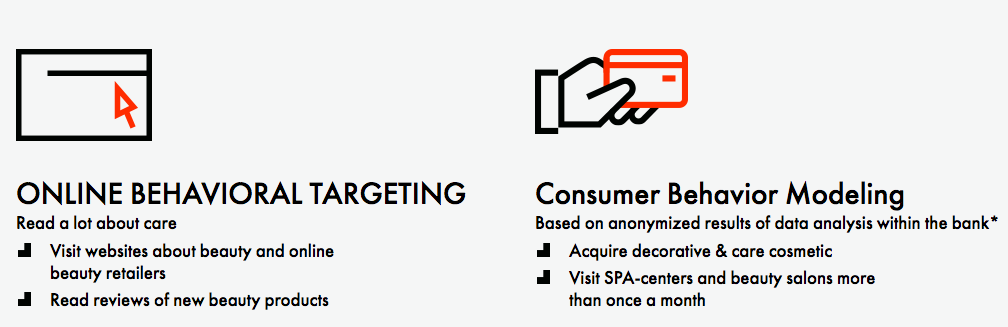
For the campaign of L'OREAL PARIS, they selected Sberbank clients who bought decorative and care cosmetics and paid in a SPA or a beauty salon more than twice a month.
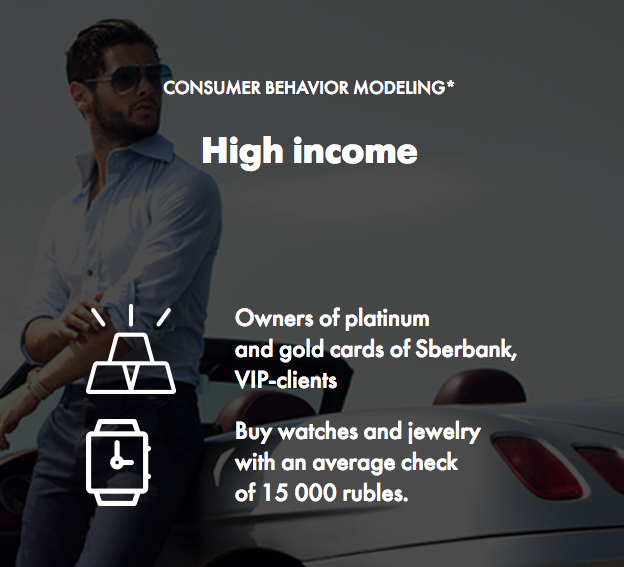
To stimulate pre-orders of Samsung smart watches, Segmento chose people with high income - VIP clients of Sberbank, holders of platinum and gold cards - and picked from them those who buy watches and jewelry with an average check of 15 000 rubles.
For a mineral water ad campaign "party people" were picked - those who often pay in night clubs, bars, pubs and other "places of sale of alcoholic beverages." It’s okay to be a part of such segment if it would be used for targeting water ads, but not so comfortable if, for example, HR managers are interested in this technology when hiring new employees.
For many of its customers, Segmento selects an audience with an income above average or high. To cut a long story short, an ad-tech startup uses information about bank transactions to serve third-party advertisers.
2. Shopogolik.ru and "a certain bank"
Bank transactions are a real gold mine for marketing. What could describe the needs, desires, interests, habits and other aspects of consumer behavior more accurately, rather than the purchases already made?
So, even in a technologically backward Russia information about bank transactions is being used for advertising for at least five years already. The founder of Shopogolik.ru Nikita Khalyavin said in an interview that by analyzing purchases, his service increased the conversion of contact with a potential buyer by 106% in 2012.
He described the organization of the process stating that "they (the bank) do not have the right to transfer to us the transactions information, but we come to the bank, put there a server that formally belongs to them, and it processes the information on transactions. From our side, it takes the information about offers that we have, from the side of the bank it receives information about the transactions, analyzes all this and generates proposals targeted to users on behalf of the bank." The name of the bank was not voiced.
A representative of Segmento Roman Nester, talking about the above-mentioned McDonald's case, admitted that the bank's clients have the right to be displeased: "Not so long ago, an initiative was raised in the bank to adjust the user agreement so that every person, becoming a client of the bank, could directly and immediately understand how his data would be used."
3. Google and all banks at once
In May 2017, Google announced that it would use information about bank cards transactions to analyze the effectiveness of advertising. The analysis will be done by an unnamed contractor who has "access to 70% of credit and debit cards transactions in the US." It's even surprising that Google started using transactions data only now, while in a distant backward Russia, not very well-known companies have doing it for at least five years. Or maybe Google had its reasons not to hurry?
4. Social networks and advertising with a personal delivery
While banking transactions tell all about customer behavior, social networks can tell a lot about a person. First and last name, address, phone number, family, hobbies, wishes, income, job ... A few years ago, webmasters of commercial sites found a way to track their website visitors in social networks.
Big businesses got Even More Big Data for analysis and subsequent advertising manipulations. And small businesses got an opportunity to open a person’s profile on a social network and send a message like "Hi, John. Yesterday you went to our web store, looked through this and that category of goods, put two items in your cart, then deleted them and did not buy anything. Tell us why, let us persuade you to make a purchase!"
Some Johnes/Janes perceived this mindful attention as spam, emotional pressure and an infringement on their personal time, which they did not want to devote to explaining themselves to web stores.
Larger businesses that have no time to talk to every John/Jane personally, spam-"liked" posts, or tricked users into subscribing to their communities, or collected phone numbers… A number of strategies arose.
Yandex, the Russian largest search engine, had to start lowering search result rankings of websites that used those techniques (called social clickjacking). But businesses still keep on tracking website visitors in social networks.
5. NaviStone and data that wasn’t to exist
It's unpleasant when McDonald's shows you advertising based on data you’ve given to a bank. But it's even more unpleasant when advertising uses the information you decided not to give.
Online calculators of prices for various services, questionnaires and forms on sites can transfer to third parties the data entered into them as soon as fields are filled. Users believe that the data will be sent only after they press the "Send" or "Submit" buttons. They hope that there is an opportunity to change their mind about leaving information about themselves, closing the page in the browser. The interface of the site misleads them.
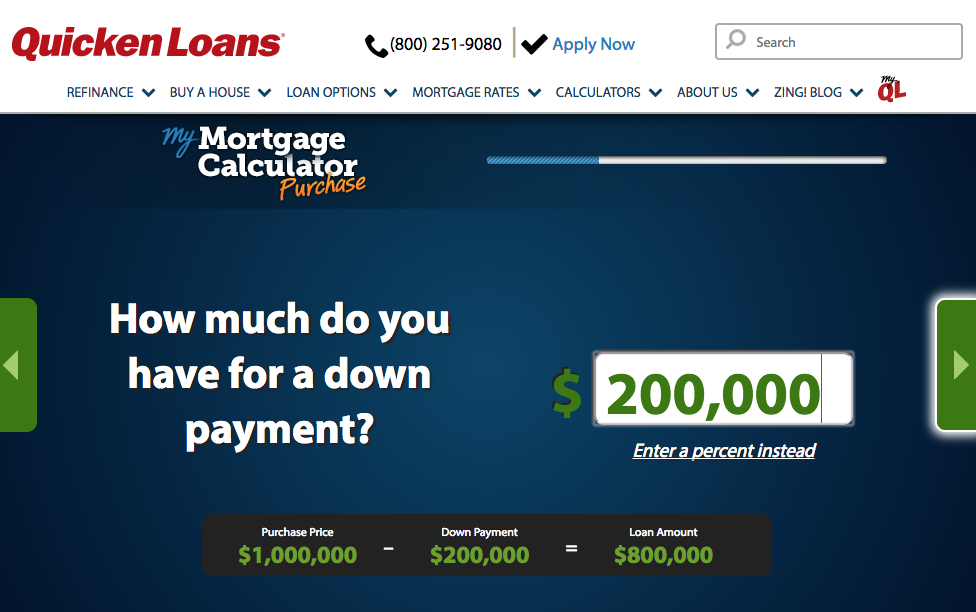
One of the companies that have access to data gathered with this technology is NaviStone. It offers businesses to harvest names and addresses of their website visitors and send them postcards with personalized offers. That is, the company collates online data with offline, financial information with a name and address. NaviStone code could be found on about a hundred websites, Gizmodo columnists checked a random dozen of them. Only one of the sites had a Privacy Policy with an honest indication that "the information you enter will be collected even if you cancel or do not complete the order."
6. HP and the "forgotten spy"
А company may have no plans to collect and use a certain type of data, but it accidentally is accumulated somewhere. Until the moment someone finds it and uses in its own interests.
Back in 2016, users of some HP laptops noticed something strange in their performance. And only in 2017, experts figured out what one of the system processes was doing that slowed a computer down. He saved everything typed on the keyboard into a file accessible for any user. That is, acted as a keylogger, a program that hackers use to steal private data typed on a keyboard.
It turned out that HP employees accidentally forgot the keylogger in the system during debugging. As a result, for a year HP users’ passwords, credit card numbers and other less sensitive information was being vulnerable on 20 million laptops. Whether someone managed to use it for criminal purposes is not known. It is also unknown how many users have installed the patch HP released to disable the keylogger.
But it is known that Windows 10 gathers by default and sends to Microsoft all strokes on keyboard “in order to improve the operation of the selection and recognition platforms”.
7. CarPrice and "random phone number generation"
When too much is known about you, you can be comforted at least by finding out the sources of information. If they are willing to reveal themselves.
One day, a girl named Maya visited carprice.ru website, that sells cars online, to compare prices. She submitted an email address there, and later received a phone call from Carprice. Maya asked where had they got her number, and received the following response: "Your visit to our website and the phone call do not have any connection with each other. That's a coincidence. Your number was generated automatically, within our separate branding campaign: the robot dials a random combination of digits, and then an employee tells the respondent about our company, about our services ... "
It is interesting that the mechanism described by the representative of Carprice is illegal in Russia. According to Article 18 of the Law "On Advertising", it is prohibited to distribute advertising on the phone without obtaining the subscriber's prior consent.




















































