Google will cough up $392mn for misleading users about geo-tracking. It says all is in the past. Should we believe it?
Google has agreed to fork out a record $392 million to settle a privacy lawsuit, one of the biggest of its kind. The lawsuit was brought by attorney generals of 40 US states, who accused Google of employing dark patterns to mislead people about location tracking. The lawsuit alleged that “from at least 2014 to at least 2019 Google misrepresented and omitted material information regarding the Location History and Web & App Activity settings.” Those “misrepresentations and omissions” led users to believe that once they turned Location History off, Google would no longer be able to trace their whereabouts and use the collected information to target them with highly personalised ads. As the investigation has shown, this could not be further from the truth.
The illusion of control
Regardless of whether users had their Location History turned on or off, Google could track their location through the Web & App Activity setting, which is “on” by default. Google did not disclose that it uses Web & App Activity to harvest location data until at least mid-2018.
The tech giant had more tricks up its sleeve. Even if users somehow saw through its game and disabled both settings, Google was still able to track them while leaving them under the impression that it no longer could.
“Regardless of whether the user has disabled Web & App Activity or Location History, Google collects, stores, and uses location data when a user engages with certain Google products, such as the Google Play Store, Music, Search, and Maps.”
Ads Personalization is another setting labeled deceptive by design. The setting implies that users can opt out of personalised advertising and “control” Google’s use of their location data. In reality, toggling Ads Personalization off doesn’t impede Google’s ability to use location information for personalised ads, the investigation found. Even with the setting disabled, Google “continues to target ads based on a user’s location — both on and off Google products.” If anything, it only gives the user “an illusion of control,” the attorneys said.
And if the user decides to log out of the Google account, thinking that this way Google’s tentacles wouldn’t reach them, they are in for another surprise. According to the attorneys, “Google collects and stores the same type of location information from signed-out users when they use Google products as it collects and stores from signed-in users.” The only difference is that Google assigns “unique pseudonymous identifiers” to the users who have logged out. It wasn’t until May 2018 that Google revealed it could store location information from the signed-out users.
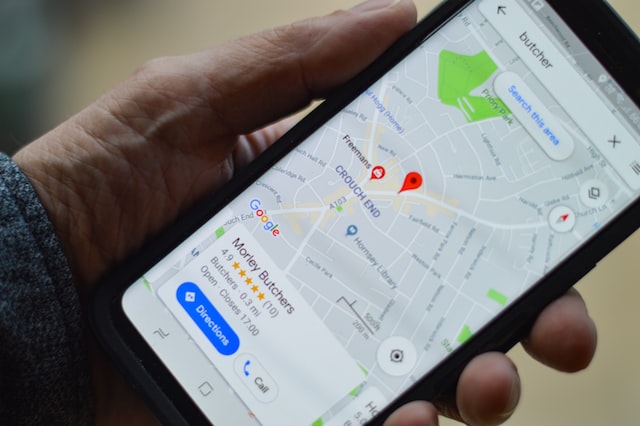
PHOTO: Henry Perks/Unsplash
But even though Google has tweaked its privacy policy since then, it still remains convoluted enough even now to keep users in the dark about its geo-tracking methods, the attorneys note. “Even today” Google fails to explain that it “also stores and deploys the location information of users who are not signed in to a Google account when they use Google products,” they note.
The settlement, which has already been branded “historic”, is not equivalent to the admission of guilt. However, it is as close as it gets to it. As part of the deal, Google agreed to show users more information when they turn location settings on and off, and provide them with details about the types of location data it collects about them.
The fine also broke the record for the largest amount Google has ever paid in a privacy settlement. A previous record was set in 2019, when Google was fined $170 million by the US Federal Commission for tracking child viewers on YouTube.
What Google has to say about this?
As is often the case with big tech companies caught violating privacy laws, Google painted its recent and ongoing practices as a relic of the past. And promised to do better (of course).
In a blog post of November 14, Google said that it has already rolled out many tools that “minimise” its ability to collect data. Some of these tools allow users to set a time limit for how long their data is stored by Google, use incognito mode on Google Maps, and delete their data in Maps and in Search without leaving the apps.
“Consistent with those improvements, we settled an investigation with 40 U.S. state attorneys general based on outdated product policies that we changed years ago,” the company stated.
Google also promised to make it easier for people to delete location data, and said it would clarify its location tracking methods in the Google account set-up.
Teasing the new features, Google cast location tracking in a positive light. For example, it promised “to give users setting up new accounts a more detailed explanation of what Web & App Activity is, what information it includes, and how it helps their Google experience.” While the benefit to the user from a swarm of personalised ads paid for by the highest bidder is questionable, Google itself benefits greatly from location tracking. Over 80% of its revenue comes from digital advertising. And, as the lawsuit says, “Google’s ability to track users’ physical locations after they click on digital ads is its unique selling point.”
On the face of it, it does not make sense for Google to voluntarily give up its competitive advantage, that is to stop or severely restrict its own location data collection. Presenting the user with full control over this process on a silver platter does not make sense either — as the saying goes, “the secret of tyranny mass data collection is keeping them ignorant”. Still, Google makes a point out of its alleged respect for privacy and promises to do more in this regard. The settlement is just “another step along the path of giving more meaningful choices and minimising data collection while providing more helpful services,” Google says. The language it uses is rather bland and leaves Google lots of wiggle room. But does that mean we shouldn’t believe in its good intentions? Tech giants have always honored their promises, or haven’t they?
Promises made, promises… not kept
Google, together with Meta and other Big Tech, have a lousy record when it comes to keeping promises to protect people’s data. It’s hard to keep track of all the instances when large corporations have been accused of violating some privacy law and tried to justify their actions with a varying degree of convincibility. Sometimes, they would say what went wrong (or rather, what somebody got wrong about their policies). Sometimes, they would make some additional promises they would later break. Their privacy lapses lost their shock value long ago; at this point, rather, we’d be shocked if they stopped happening.
In June 2016, Google reneged on its promise to keep personally identifiable information (PII) it collected from Gmail and its other services separate from the web-browsing data used for ad tracking. The company literally erased a line in its privacy policy that promised the two pools of data would not mix. Old users were prompted to opt into tracking with a vague “some new features for your Google account” request, while new users were enrolled by default. At the time, Google brushed off any privacy concerns. A company spokesperson said that Google was merely adapting to the smartphone revolution and that the change was “100% optional.”“We provided prominent user notifications about this change in easy-to-understand language as well as simple tools that let users control or delete their data,” Google said at the time. Fast forward to 2022 — those “simple tools” have yet to fully materialise.
As for data removal, Google is known to not have always followed through with its promises to delete the data. In a 2012 letter to the British regulator, Google acknowledged that it had not deleted all personal data collected through its Street View program two years after it had promised to do so. The data included passwords, legal and medical materials from unsecured Wi-Fi networks, and was not supposed to be collected in the first place. At the time, Google said it was “an error” and apologised.
As for more recent privacy breaches, in January 2019, the French regulator slapped a 50 million euro fine on Google for making it difficult for users to find out what the company was doing with their personal information, such as what data was used to personalise ads. The regulator also said that Google failed to obtain an expressed consent from users to ad targeting.
Google responded with a statement: “People expect high standards of transparency and control from us. We’re deeply committed to meeting those expectations and the consent requirements of the GDPR.”
In January 2022, Google (along with Facebook) was fined another 150 million euro by the French regulator, this time for forcing users jump through hoops to refuse cookies — the most common tracking method.
Like the previous time, Google’s response was just as bland: “People trust us to respect their right to privacy and keep them safe. We understand our responsibility to protect that trust and are committing to further changes and active work with the CNIL in light of this decision.”
These statements sound like something AI might write when prompted to produce a grammatically correct but meaningless word salad of an excuse. At this point, the company’s rhetoric sounds more and more like a broken record. And despite its alleged respect for privacy that it now claims to rediscover, there’s little faith that Google makes a U-turn on how it handles user data unless it changes its revenue model. It seems unlikely that anyone expects either “high standards of transparency” or “respect to privacy” from Google anymore. Though, we will always be happy to be proven wrong.
Google is by no means the only tech giant guilty of making lame excuses about its privacy transgressions and promises mostly filled with hot air.
Facebook & Instagram
In 2018, Facebook admitted that political consulting firm Cambridge Analytica had scraped up the data of up to 87 million users through a third-party quiz app. The scandal dealt a powerful blow to Facebook’s reputation and prompted the company to limit the amount of data it shares with third-party apps. In the days after the scandal broke, Facebook CEO Mark Zuckerberg promised to protect user data going forward.
“We have a basic responsibility to protect people’s data and if we can’t do that then we don’t deserve to have the opportunity to serve people,”Zuckerberg said.
Zuckerberg, however, apparently swears by a concept of data protection that is strikingly different from what regular people normally associate data protection with. Facebook (now Meta) has been mired in countless privacy-related controversies after it paid a $5 billion penalty stemming from the Cambridge Analytica fiasco.
The year after the Cambridge Analytica debacle, the phone numbers of some 419 million Facebook users were exposed in an open online database. With the help of the database, anyone could link a phone number to a user’s unique Facebook ID. Some of the entries also featured names and countries. Facebook said that the data set was “old” and was scraped up before the company made it impossible to find a person on Facebook by their phone number. A company spokesman also claimed that half of the phone numbers were duplicates.
Earlier this year, Instagram was accused of illegally “storing millions of biometric identifiers” through certain types of filters without user consent. Meta disagreed with the allegation, but made the filters unavailable in Texas, where the lawsuit was filed. A year ago, Facebook announced that it would sunset its face recognition program and delete “more than a billion people’s individual facial recognition templates” amid growing privacy concerns.
In September, Meta (along with Google) was fined $22 million by the South Korean regulator. The regulator accused the company of tracking users outside its own platforms, that is Facebook and Instagram, without consent. The collected data was then used for targeted advertising. Meta said that it was “confident” that it works in “a legally compliant way” and threatened to challenge the ruling in court.
Most recently, Meta was accused of circumventing Apple’s privacy rules that allow users to opt out of third-party tracking on iOS. Meta clapped back at the accusation: “These allegations are without merit and we will defend ourselves vigorously,” a company spokesperson said. Apple’s policy, known as App Tracking Transparency (ATT), is projected to cost Meta south of $10 billion. The feature reduces Meta’s ability to collect personal data and sell personalised ads based on it. Like Google, Meta is wholly dependent on ad money, so it’s only logical for the company to look for workarounds.

Photo: Niv Singer/Unsplash
Meta might deny that it puts people before profits, but its deeds continue to speak louder than words. Last year it was revealed that Facebook allowed advertisers to target children as young as 13 with ads promoting smoking, gambling and extreme weight loss. The company did not stop the practice until several months after it was first reported.
The list is far from exhaustive, but it shows that Meta continues to fail at protecting people’s data and privacy. In Zuckerberg’s own words, if Meta is unable to do so, then it does not deserve to exist. However, we would not expect Meta’s CEO to keep this promise (or any promise, for that matter).
When money does the talking
It would seem that by now companies should run out of excuses for why they continue to compromise user privacy despite promises to respect it. From meek apologies and vows of ‘never again’ to emphatic denials, tech companies whose main product is the user feign interest in privacy protection. In today’s increasingly privacy-conscious society, these companies cannot afford to openly go against the trend. However, their whole model is built on profiteering from user data, and there’s no indication that this will ever change.
It doesn’t really matter how many heartfelt or lukewarm promises, apologies, and clever-worded statements their PR departments churn out. The reality is that stopping the collection of your personal data is not in their real interest. All of the measures that they take to “protect” user privacy are reactive and not proactive (even though they try to make them appear otherwise), meaning they have to enforce them under pressure from regulators and lawsuits. And unless regulators start enforcing privacy protections in earnest, Big Tech is unlikely to lift a finger.
To the casual observer it might seem that there is no alternative to a revenue model based on digital advertising, and, consequently, no alternative to milking user data for profit. In 2018, then-Facebook Chief Operating Officer Sheryl Sandberg said there wouldn’t be one opt-out button for everything on the site, because in that case Facebook would be a “paid product”. But while some platforms are weary of changing their modus operandi, others are moving to the freemium model. Twitter, which is now admittedly a mess, has set its sights on expanding its paid Twitter Blue subscription. And while attempts to introduce new features into Twitter Blue look extremely rushed and clumsy, when the dust settles, they could serve Twitter well in the long run (or fasten its demise — that we are yet to find out).
The hot new social media network BeReal, which encourages users to post their unretouched — “real” — photos, is reportedly also considering introducing paid features. The big question is whether users will be willing to back a product with their own hard-earned money, but this is where the real competition, the pursuit of innovation and added value, begins.




















































