The rise of ad-free BeReal and Mastodon shows people are sick of the old social media
A decade ago Instagram unveiled its mission statement: “To capture and share the world’s moments”. For a while, users indeed mostly took to Instagram to share unretouched moments from their daily lives with friends and the world. We posted our food, our pets, selfies, occasional holiday snaps and… not much else. Other than a few filters (and those ghastly frames), there were not many in-app tools to temper with the content, and no big incentive to do so.
The ad-free Instagram of yore gave out a much more authentic feel than that of today: a space swarming with ads, populated by brands and ubiquitous influencers peddling goods and breeding unrealistic expectations with their heavily edited pics. Gen-Z did not have to experience Instagram before it turned into a soulless money-making machine steered by Meta. But they crave its long-lost authenticity, and apparently have been finding it in the hot new thing — BeReal.
‘Not your another social network’
BeReal, a social media app that has been rapidly gaining traction with the younger generation, has racked up 53 million installs across the App Store and Google Play as of last month. Developed by Alexis Barreyat and Kévin Perreau and released in 2020, the app rose from relative obscurity to the social media stardom this year. The number of its monthly active users has jumped 2,254% since January, with about 500,000 new users now joining the app every day. As of October, it reportedly boasted 20 million daily active users.
BeReal styles itself as an anti-Instagram skinned of any filters, or rather, what Instagram once aspired to be. The app promotes simplicity and in-the-moment authenticity in a rather uncompromising fashion: by giving users no choice but to post unfiltered snaps of themselves.
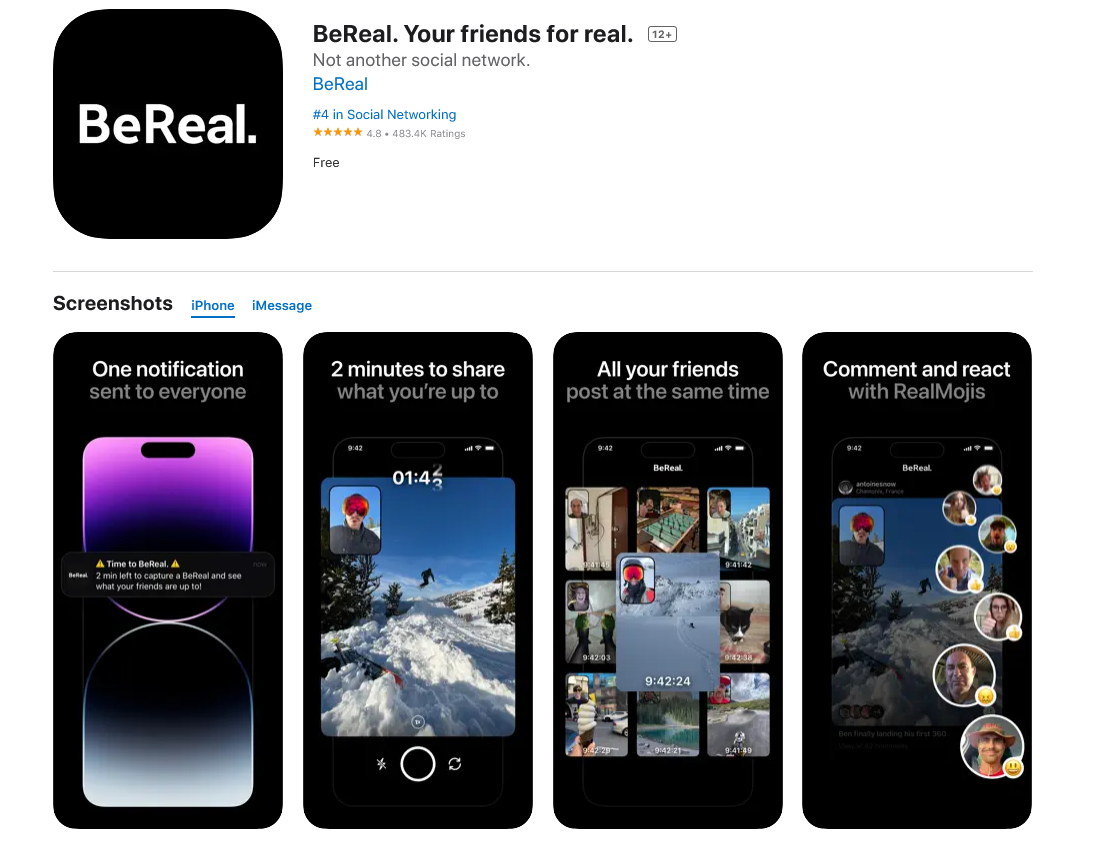
BeReal sends users an alert to post at a random time adjusted for timezone once a day. After you receive the notification, you have two minutes to take the picture. The app will capture the photo from your front and back camera at the same time, with your selfie automatically appearing in the left-hand corner of the main image (you can also choose to make selfie the main photo). If you’re not on time with the photo, you can take it later. However, the app will show exactly how late you were to the party by displaying “X hours/minutes late” at the top of your post. You can retake the photo an unlimited amount of times within the 2-minute timeframe, but your friends will see how many takes you did. If the final image is blurry or otherwise is not to your liking, you can delete it — the caveat is, though, that you can delete only one photo per day.
It may not be that flexible, but BeReal is a breath of fresh air in terms of content you’re being exposed to. For one, it’s a welcome change from Instagram, where sponsored ads and suggested posts conjured by the algorithm pounce on you as soon as you open the app. They take over your feed and make the whole Instagram experience miserable. And if you’re still using the app, you can probably relate.
Embracing privacy and shunning ads
Unlike Instagram, where your profile is set to public by default (unless you’re a minor), everything your post on BeReal is private by default. But even if you make your BeReal profile public, other users will be able to see only your latest snap. All your previous images will be stored in ‘Memories’, and be only visible to you — that feature makes it practically impossible to become a BeReal ‘influencer’.
BeReal knows that it is not tailor-made for chasing clout and appears to take pride in the fact: “BeReal won’t make you famous. If you want to become an influencer you can stay on TikTok and Instagram,” the company says. BeReal has also found an uncanny way to curb harassment, unwanted advances and spam on the platform: you can comment on your friends’ posts, but you can only leave a “RealMoji” — an in-app version of an emoji which requires you to take an image of yourself imitating the chosen emoji — under a stranger’s public post.
The app offers the “Maps” feature that allows users to geolocate their friends and share the location with them. BeReal claims, though, that the feature “in no way” enables the app to track users in real time. If anything, the app portrays itself as anti-tracking and anti-ads. “Because your privacy is of great importance for BeReal, please note that we will never sell your data nor use it in a way you are not informed of”, the app says in its Terms of Service (ToS).
Moreover, the BeReal ToS expressly prohibit using the app to “publish or facilitate the transmission of advertising, commercial solicitation, spam, "chain letters", "pyramid schemes" or to collect information, data or Content about other Users without their permission.” The list encompasses a big portion of what drives people away from traditional social networks, but also a big portion of what they are making money off. Instagram’s and TikTok’s main revenue source and lifeline is advertising. That begs the question: how is BeReal planning to survive without following into their footsteps?
The monetization question
So far, the app’s meteoric growth has been aided by investor money. In June 2021, BeReal secured $30 million in Series A funding from American investors. Earlier this year, the startup reportedly completed a Series B round, attracting another $60 million. That has pushed the company’s valuation to €600 million. It goes without saying that Investors are not showering the company with tens of millions of dollars for the sake of it, but expect to get their money back, and then some more. And while BeReal has not officially announced anything, it is reportedly toying with the idea to adopt a freemium model.
Citing sources close to the startup, The Financial Times reported last month that BeReal was considering introducing paid features, while leaving the basic photo-sharing functionality free. However, right now the developers behind the app are focused on mitigating side-effects of its exponential growth, namely, glitches and bugs. BeReal is not expected to release any paid features till at least the second half of the next year, according to the Times.
Whether BeReal repeats the fate of Clubhouse, with its rapid rise and equally rapid demise, or takes the social media world by storm for real, is unclear. What is clear, however, is that BeReal has caused traditional social media to take notice of its success and churn out copycat features. This summer Instagram released the Dual Camera feature for Reels, designed for users to record their reactions to videos. The Meta-owned app has also been testing a Candid Challenges feature, branded a BeReal “clone.” The feature looks like a complete rip-off of BeReal’s core functionality and prompts users to take a photo within 2 minutes after receiving a notification at a different time everyday.
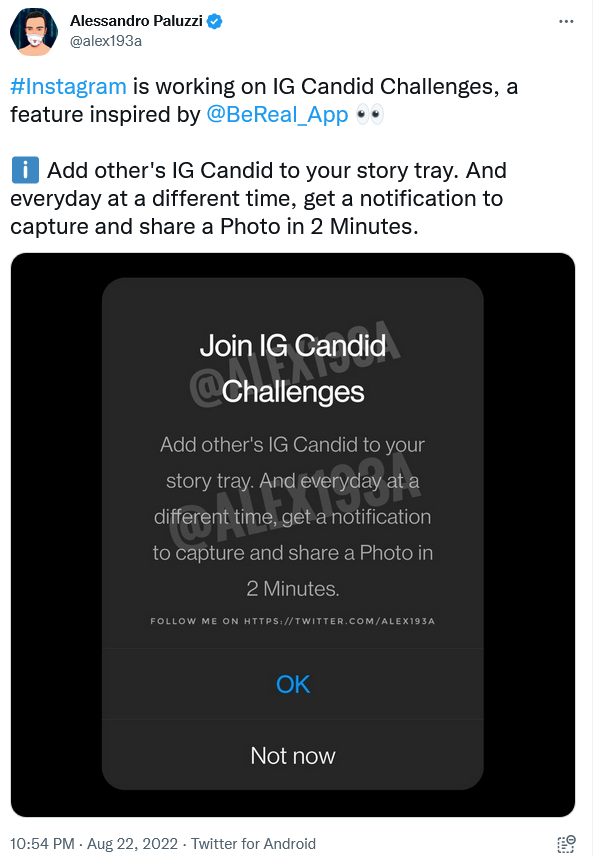
As recently as September, TikTok released its own attempt to parrot BeReal, called TikTok Now. The feature lets users capture a 10-sec video or a photo within a 3-minute window when prompted. Snapchat also was eager to board the BeReal hype train and released its own Dual Camera feature in August, but without having users take a photo at any specific moment.
However, the adoption of the BeReal functionality by social media giants did not appear to cut into its user base, which continues to grow. The problem with traditional social media is not that gen-Zs are itching for new features, it is likely much deeper. The new generation, despite knowing nothing better, are starting to get sick and tired of the fake glitz and glamor of commercialized social media, their ad-cluttered feeds and the fake influencer cult endorsed by the algorithm. The migration to alternative platforms does not stop with BeReal. Another such example, although on a far lesser scale, is Twitter-like app Mastodon.
Mastodon: a decentralized Twitter?
While BeReal’s rise is not tied to a specific thing a competitor did, it is obvious that the popularity of decentralized social media network Mastodon has exploded on the back of the ongoing Twitter drama. Faced with uncertainty over the future of the platform and the fate of its blue and grey ticks, Twitter users have scrambled to search for alternatives. Mastodon, which was initially released in 2016 and which sports a very familiar design, has become the perfect candidate for the vacant spot.
Since October 27, when Musk closed his deal with Twitter, Germany-based Mastodon has added 1 million users and 1,124 new servers, according to founder and CEO Eugen Rochko. It should be noted that it’s hard to count Mastodon users since it is a decentralized network. According to CNET, though, it now has some 6.3 million users spread across its many servers.
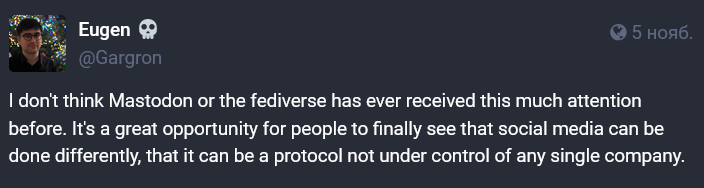
Speaking of Mastodon’s growing profile, Rochko said that it was “a great opportunity for people to finally see that social media can be done differently, that it can be a protocol not under control of any single company”. Mastodon currently has no paid ads (unlike Twitter), but already allows users to edit their posts (unlike Twitter, which rolled out the feature only to Twitter Blue subscribers). Mastodon’s official apps are available for iOS and Android.
The belief that a social media platform should not be controlled by one entity which would wield absolute power over its members lies at the heart of Mastodon. And while such structure has its advantages, it also comes with challenges. The many servers or “instances” Mastodon is composed of have their own rules and policies. As CNET’s reporting has shown, one has to jump through many hoops to start following someone from another server, to find someone or to simply like a post. In some cases, you will have to manually type your username to do it. That is if you are able to join a server at all, as some servers reportedly paused accepting new users amid the influx. Suffice to say that the Mastodon experience does not appear that user-friendly at the moment. And while the concept is cool, it’s geared more towards nerds with specific interests, than the general public.
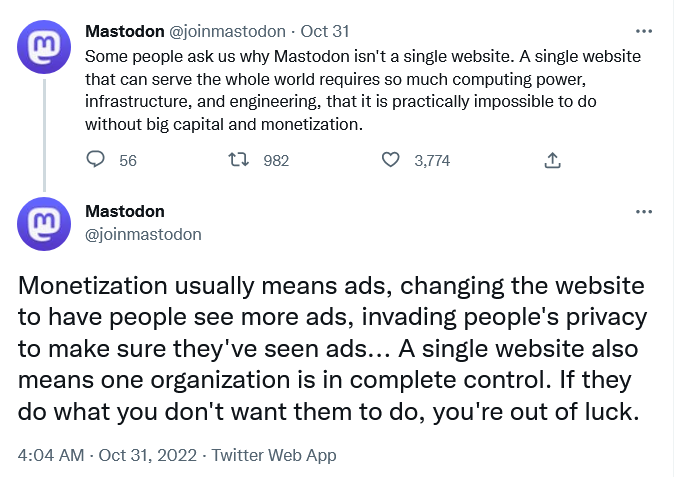
As for monetization, Mastodon argues that a decentralized platform does not necessarily need a lot of money. “Monetization usually means ads, changing the website to have people see more ads, invading people’s privacy to make sure they’ve seen ads,” the company argues.
But it still needs some. Mastodon has disclosed that it received a modest €8.900 grant from a German open-source fund financed by the government in 2021, and further €45.000 — from the NGI0 Discovery Fund, established with the financial backing of the EU Commission. Mastodon is otherwise supported by the community through Patreon and Stripe.
Will the new social media replace the old?
The rise of BeReal and Mastodon is the direct consequence of the disdain that more and more people, especially from the younger generation, have for traditional social media and their advertising-based revenue models. It remains to be seen whether these new sites fall back into obscurity, become niche things or grow into viable substitutes or competitors to the social media giants. If anything, the growing popularity of these apps has again revealed a trend towards more authenticity, more privacy, more control over personal data and less advertising.
For our part, we support a vision of the Internet free from advertising trash and distractions. We also see that regular users increasingly support this vision too. That’s why we help them declutter their online spaces. At the end of the day, it doesn’t really matter whether you’ve switched to alternative social media platforms or are still using the old ones. Either way, you have tools at your disposal to make your online experience better. If you use an ad blocker or DNS filtering, you’re already making a dent in the ad revenues of big corporations, thus prompting them to explore monetization models other than those based on selling your data and bombarding you with ads.




















































