The best AdGuard contributors of 2020
AdGuard is inseparable from its community. Even if we tried, we couldn't distance ourselves from it. And why would we? Somehow AdGuard users happen to be some of the most caring and genuinely involved people out there. Unless you are a frequent guest to our forums and online chats, you probably don't have any idea about the overwhelming amount of feedback, new suggestions, and other help we receive daily in all imaginable forms. It would be a crime to ignore this resource we have at our fingertips, and we're anything but guilty.
Ever since we came up with the idea of a contribution program, the community members relentlessly translate AdGuard products, create new filter rules, test beta versions. They do that good of a job that we simply wouldn't be able to sleep at night if we weren't giving back to the community. And so we do! Apart from the usual free license keys that we gift to everyone who helps our cause, we prepared something special to thank those amazing people who contributed the most.
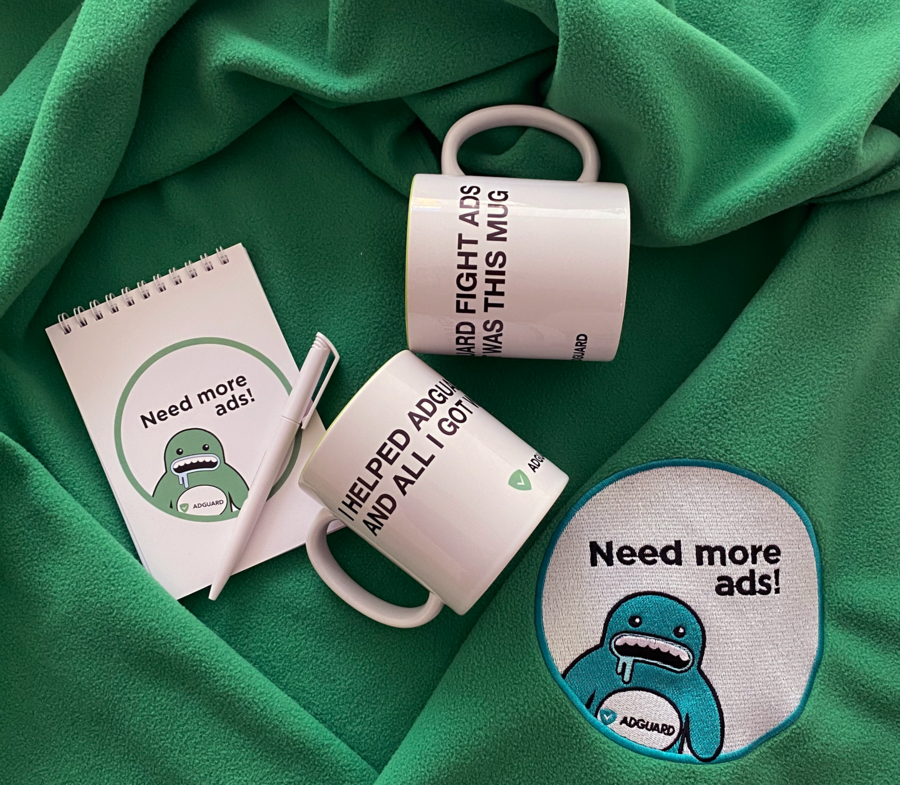
Some of the presents that await you
This is the yearly award that we hold, you can see what it looked like in 2019 and 2018. The only difference is that this year we decided to reward more people – there are not only translators but also beta testers, filter and code contributors, and many more whose aid is immense.
Passionate contributors are AdGuard’s driving force
We are so inspired by our contributors’ enthusiasm! If you like our products and feel like helping us, you are welcome to become part of the AdGuard community.
We don’t want to play favorites, every person on the lists is cool! We have tried to select the most active contributors treated on their merits. We have also offered them to share their experience so that you can get to know them, too. Below you’ll find some quotes from them.
Contributors of the year
- Oskari Lavinto (olavinto) – translator and proofreader to Finnish in Crowdin
“Crowdin is one of the best localization platforms out there. I have done a lot of translating on a tablet and even on my phone while not at my computer at home. It was great to discover that localization has become so easy and accessible. What is the use of knowing some foreign language (or whatever skill) if you have no actual use for it, right? As long as it benefits someone I'm very happy to do it”.
- Oizaro – translator and proofreader to Italian in Crowdin
“During my translation I enjoyed the fact of improving an already good app with a little gift (my translation obviously), which in turn improved my approach to the English language”.
- Andy Kleinert (AndyKl) – translator and proofreader to German in Crowdin
“I am a pretty quiet guy. I translate first of all for myself when I use the product on my devices. I’m happy if I get a little appreciation or the product for free. I started translation for extensions for Firefox and Thunderbird, was a Mozillian on their platform. There I learned to pay attention to correct translations”.
- lancelot.moon – translator and proofreader to Chinese Traditional in Crowdin, beta tester
“Russia, a mystic country. However, its security softwares are not unfamiliar at all, and AdGuard also inherits the excellent tradition. In the stereotype, Russians are icy. Oppositely, start to be aware of friendly AdGuard's staffs after direct interaction. It's my pleasure to localize AdGuard apps for all platforms since they bring us clean and ad-free internet”.
- Peter Hubinsky (hubak) – translator and proofreader to Slovak in Crowdin
“I am really glad that combination of my ability to translate English texts into Slovak is useful for the community. Crowdin offers really comfortable functions which make the translation easy. To tell the truth, is is much easier to translate AdGuard than many other applications”.
- IONIL – translator and proofreader to Hebrew in Crowdin
“Crowdin made the translation process much more easier with Translation Memory and Glossaries. I use AdGuard for Windows and AdGuard for iOS so translating them to Hebrew was a priority for me”.
- Eduardo Addad de Oliveira (eduardoaddad) – translator and proofreader to Portuguese and Portuguese, Brazilian in Crowdin
"I liked to translate AdGuard products mainly for Android and Windows to help users who use the products in Portuguese and Portuguese Brazilian and over time improve the localization of the AdGuard products".
- Görkem Emrah Güler (gork7777) – translator and proofreader to Turkish in Crowdin
“AdGuard was half-translated into Turkish, and I started translating to complete it. I enjoyed doing it and I’m very happy that I have the opportunity to translate for my own nation and Turkish users. AdGuard’s service is very good, friendly and welcoming. Every time I have a problem, they do everything they can to solve it”.
Yuki2718 – actively contributes to AdGuard filters. He added a whole lot of new filtering rules, cleared out the obsolete ones, and helped us a lot with the Japanese filter.
Boo Berry – forum and Telegram group moderator
“Gosh, where to begin? I first started using AdGuard for Windows when it was released with English language support around early 2012. AdGuard for Windows didn't even have HTTPS filtering support yet! They were looking for beta testers on the forum, I volunteered and started beta testing. Over the years I've helped find multiple issues and happily given lots of feedback and suggestions. In addition, I've always enjoyed solving others' problems, so I started helping my fellow users with any problems they had on the forums. Then I was asked if I wanted to become a forum moderator which I accepted and to this day I still help out where I can and make sure the forums are clear of those pesky keto spam bots.
Being part of the AdGuard community has been pretty fun and gratifying for over 8 years now and I plan to stick around as much as I can helping where I can. The absolute best part has been seeing AdGuard grow over the years with all the new products they've released, and all the positive attention they've gained, and the awards, and all their hard work paying off. Can't wait to see what they come up with next!”
Congratulations! We are unspeakably delighted to work with such conscientious and allegiant people as you are.
It was hard to choose only ten: we had to take into account each contributor's cooperation. And by the number of translated words/found bugs/filters contributed, some volunteers came in a close second. We believe that they should be rewarded too.
Runner ups
- Nicolae Liviu (nicklcanada) – translator and proofreader to Romanian in Crowdin
“When I translate AdGuard into Crowdin, I feel at home. The virtual atmosphere in the network is excellent, respectful and without politics. We all work as a team for the same goal: to create a high-quality product so that everyone can benefit, both the company and the customers. In my opinion, AdGuard is the best ad removal program in the world. By translating it, I help all Romanians to have access to an exceptional tool in their language. Languages are not what separates us, they are something that unites us. We develop separately, we compete, the competition leads to excellence, then the best, through translations, is assimilated by the least good. And the cycle continues now but from the best level”.
- Aleksandar Đurić (agasoft) – translator and proofreader to Serbian аLatin at Crowdin
“I am completely blind and use screen readers to work on computers and phones. There are a lot of blind people in Serbia who do not speak English, and I like helping our community with my translations. AdGuard developers went the extra mile for accessibility for screen readers, motivating me to stay active and keep all translations up to date”.
- Rik Demeyer (foreveryoungforty) – translator and proofreader to Dutch at Crowdin
“My personal goal is to keep translation & proofreading for Dutch at 100% on a daily basis. In 2020 I’ve managed to translate the whole website into Dutch and also the support texts on my own; and it was nice to translate the newborn AdGuard VPN product from its first days up to the recent release”.
Sanjay Nand (ag_bug_finder) – beta tester of AdGuard for Windows
BigDargon – contributed the hostsVN project as a source to the list of AdGuard DNS, proposed some new features during the development of AdGuard for iOS, reported bugs — making every effort for the application to become more perfect.
iDjay – outstanding beta tester of AdGuard for iOS. Besides, he has helped us test AdGuard VPN.
Aikatsui – active contributor to AdGuard Home, reports tons of bugs and feature requests, helps keep the Github issues in order.
Oleg Chashko — very active beta tester of AdGuard for Safari. We admire his testing skills, he does this professionally.
Сергей Зозуля (sviperz) — active member of our Telegram group, beta tester who helped us develop products compatible with Android 11.
zznosar — active beta tester focused on AdGuard for iOS. Not only he helps us with bug reports, but also with valid points.
“I am an iOS user and most of my friends and family are, too. Some of the issues asked on the AdGuard Forum were asked by them and some of them were already experienced by me. It’s great if you can contribute on something that helps people”.
Imre Kristoffer Eilertsen (DandelionSprout) – maintainer of “Dandelion Sprout’s Nordic Filters” that are included in all AdGuard tools, and “Game Console Adblock List” included in AdGuard Home. Submitted a lot of bug reports. Current translator of AdGuard to Norwegian Bokmål.
krystian3w – very active filter contributor, helps us with filters, scriptlets, and extended CSS. Kudos to him!
PiQuark6046 – filter contributor.
TPS – bug finder, filter contributor, helps us with updating the Knowledge base.
superlex – helps us with scriptlets, filters, and AdGuard for Safari.
Thank you for your invaluable help! We don’t know what we’d do without you.
We have already contacted the winners to discuss the details of the prizes’ delivery. What's next? We’ll gather the addresses of all recipients, pack your gifts and write you when we send them. Preparation and shipping might take some time but we’ll do our best to deliver your presents as soon as possible.
P.s. If you somehow didn't receive a message from us, please write us an email at translate@adguard.com.
How can one help AdGuard?
So, these are four most popular options:
- contribute code to AdGuard open source products (there are many),
- contribute to AdGuard content blocking filters,
- translate AdGuard products to your native language,
- participate in the beta testing.
Every option is welcome. Translating AdGuard products to your native languages will contribute a lot to their availability. We will appreciate your help with translating ANY language. So if you wish to, you can submit to add new locales that are not yet present – we will more than welcome this initiative! And you will definitely help us become better if you test our products or come up with an idea of a filter.




















































