Coming soon: AdGuard VPN — fast and reliable

Imagine this: you got everything sorted out. Your ad blocker protects you from all kinds of ads (except for that one website you really want to support). You have configured AdGuard DNS on your router and it stops all trackers in their tracks on every device in your home. You know what, you even got yourself an antivirus! Just to be 100% safe. It seems that you got all bases covered when it comes to your online privacy and security. You can finally find some peace and watch that new TV series that everyone can't keep their mouth shut about. But wait, what's that? "This video is not available in your country". After all this work?! Turns out, you missed one thing to truly complete your responsible web surfer suit: a VPN.

And we're going to give it to you! AdGuard VPN is about to officially hit the digital shelves of Chrome Web Store (you can already try the beta), and you can become one of the first to try it.

What is VPN?

First of all, let's get it out of the way: what's a VPN? What do you need it for? I'm sure many of you know the answer to these questions but it won't hurt to have a quick recap. The acronym stands for Virtual Private Network, but it alone doesn't clarify much. The point of a VPN is to create a secure connection to another network over the Internet.

Imagine there's an underground tunnel that leads from your house to your neighbour's. When you go through it and then outside, to everyone on the street it looks like you live there. It's roughly the same with VPNs. You establish a secure connection with another network and to everyone outside of this network it looks like your traffic comes from there. In fact, nobody even knows that it's your traffic. In our example VPN would be your neighbour's house, and the tunnel is an encrypted connection.
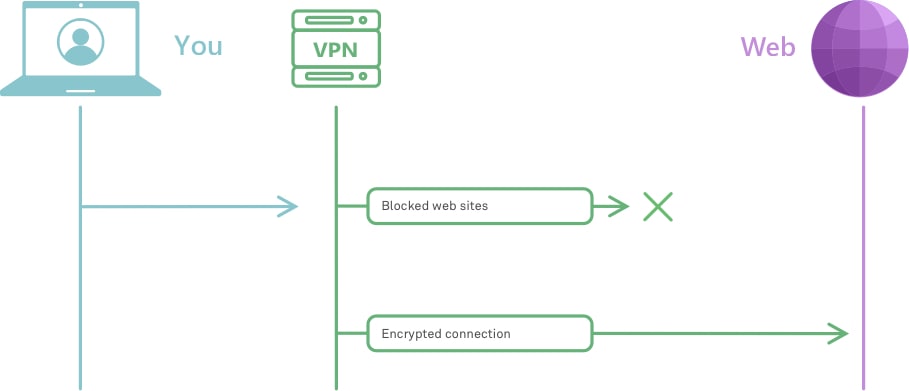
How VPN works *mobile
Very roughly, this is how VPN works

To understand better how it works, check out this article. And to really, really understand how it works, head to this one instead.

But why would you need it? We've already established that VPN masks your traffic so that no one knows that it's actually yours. And this has several real life applications:

  • provides online security, hides your location and other information about you and your computer;
  • protects your privacy by encrypting your data and masking IP address;
  • allows to see geo-restricted content;
  • helps avoiding geo-targeted ads.

These are only some of the ways VPN can be helpful when you browse online. So, now that you have an idea about how VPN works and why it is useful, it's high time to introduce our own brand new VPN!

Meet AdGuard VPN

So many people asked us in the past if we were going to develop a VPN, and every time we answered that it's not really our area of expertise. But one day we thought: "Hey, why not? We've got a lot of experience in privacy protection and other adjacent areas, we could do it!" And so we did. To test the waters, we kicked things off by developing a Chrome browser extension.
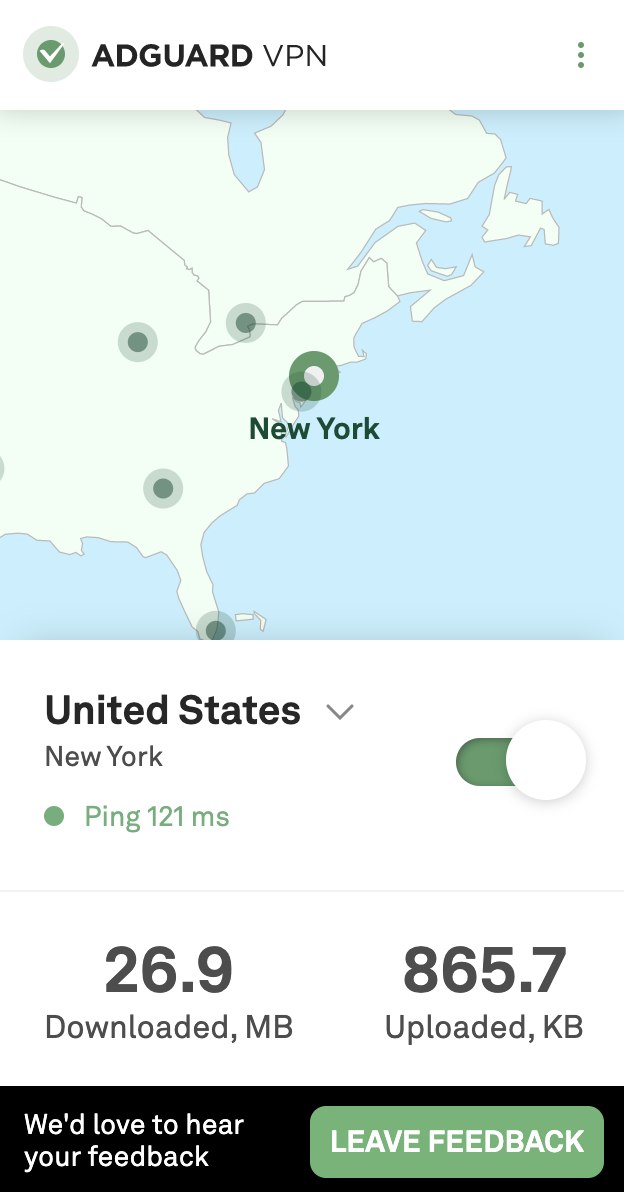
VPN extension main *mobile
Simple yet stylish, this is how we like it

To make things clear from the get-go: it's still work in progress. By this moment, only a beta version is available. Mostly to try out how well our server infrastructure will handle the traffic load and other technical things like that. There's still a lot to do, but it's functioning, and you can even join the beta test right now. Despite being in its infancy, the extension has all the basic stuff that you want from your VPN. A wide selection of server locations from all around the globe, a whitelist, a selective mode, traffic statistics. Fast speed and high reliability too, of course. In fact, more about this in just a moment.

Why AdGuard?

That's a valid question. There are hundreds of VPNs around, many of them proved to be good at their job and earned trust of millions of users. You could choose any of them, what can we offer to counter that? We've got a couple of unique advantages.

All in one

First, let's track back to our analogy. One of the biggest drawbacks of current VPNs is that they can be detected. Imagine you emerge from that little tunnel of yours and exit the neighbour's house all covered in dirt. It'll be pretty obvious that you don't live there. Same with VPN. Your ISP, or anyone else who has access to your traffic, will be able to tell you’re using a VPN.

There are solutions. You could be crawling through your tunnel more carefully to remain clean, but it would take much more time. There are some VPN protocols that conceal the fact that any VPN is being used, as a trade-off their speed is generally significantly lower. It seems that there are really no VPN protocols that have the best of both worlds.
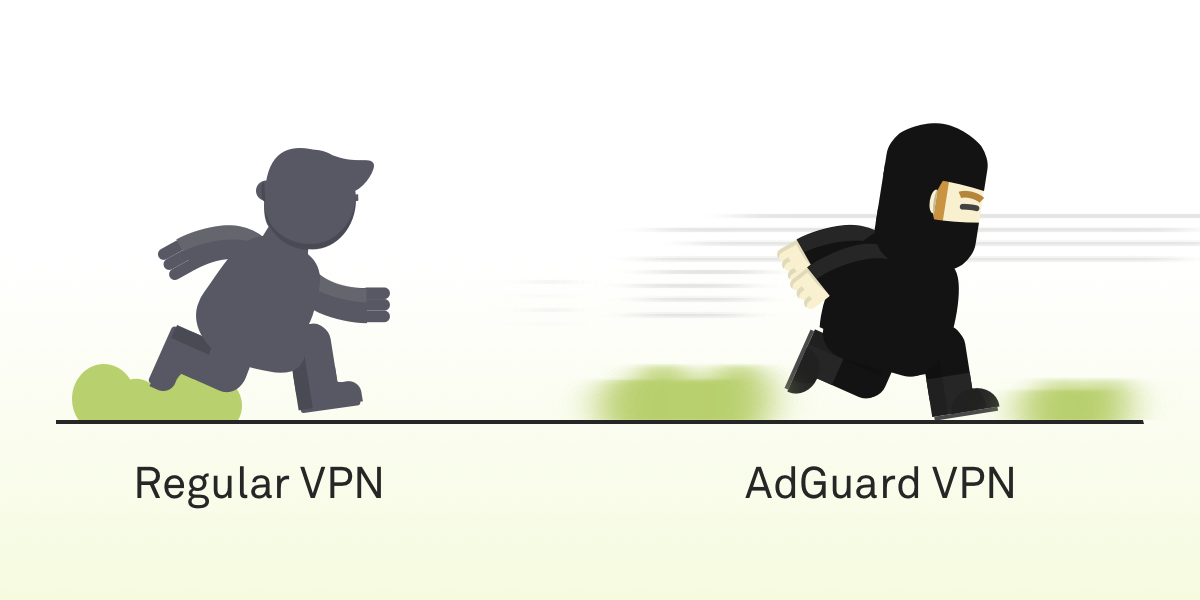
Fast *mobile
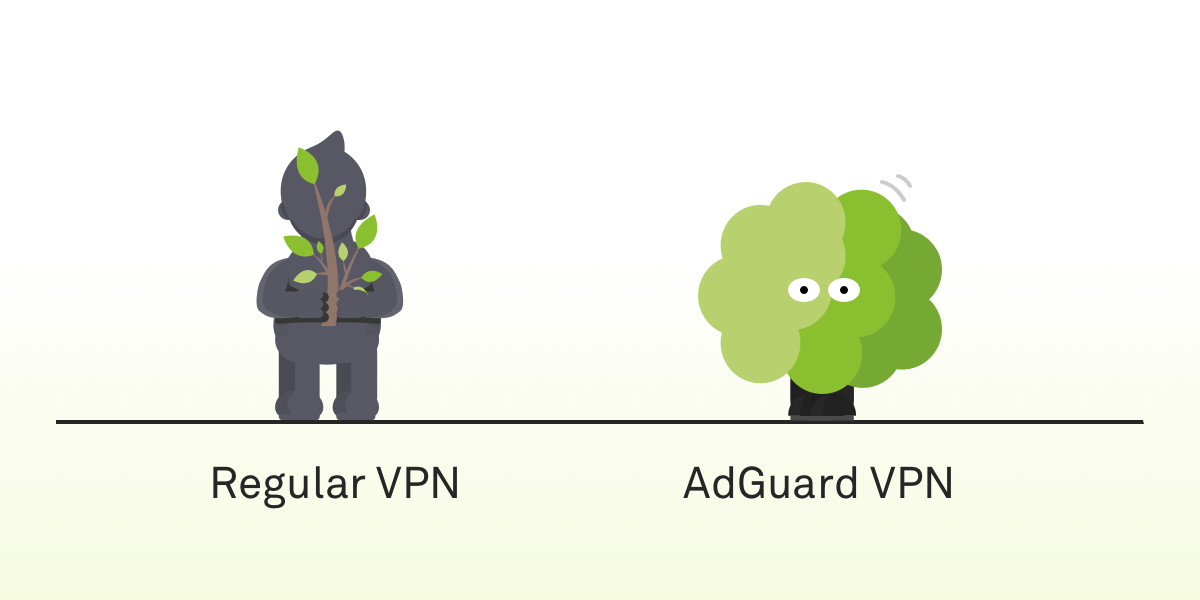
Safe *mobile
AdGuard VPN is both fast and hard to detect

And this is the ace up our sleeve. The protocol AdGuard VPN will employ is, in fact, both fast and hard to detect. It is brand new, we are developing it from scratch, and no other product is using it. It's still getting polished, so it will probably get added only by the time of the official release.

We often repeat ourselves about the importance of open source, and we stand by our words. Multiple AdGuard products, AdGuard DNS, AdGuard Home — we have a long list of open source projects and once the work is done, when the new protocol is up and running, tested and approved, then we'll make it open source too.

Compatibility with AdGuard ad blockers

Another advantage that we can offer to our users is that AdGuard VPN, unsurprisingly, will be able to work alongside the AdGuard mobile ad blocking apps. The struggle is familiar to any Android or iOS AdGuard user. To properly block ads on those platforms a local VPN is required; on Android you can't use two VPNs at the same time at all, on iOS not any two VPNs will work together. With AdGuard VPN, this will shortly become an ex-problem.

Future plans

Our plans reach far. It's clear our current priority is finishing the Chrome browser extension. Implementing the new protocol, stuffing it with more features. Adding more servers and new server locations. Eventually, we're going to release extensions for other browsers (e.g. Firefox), mobile apps for iOS and Android. Desktop apps are somewhere in a more distant future, but not out of the question either.

Don't want to miss all of it? Join the waitlist now and get an email notification the very day when AdGuard VPN becomes officially available to the public.

We should also mention that AdGuard VPN will be a freemium product. Part of the features will require a subscription, and we, of course, will give more details on that in a separate blog article when we near the big day. By the way, speaking of that...

Take part in the giveaway

If you sign up for early access now, you'll automatically join the giveaway of 10 free yearly AdGuard VPN subscriptions. To do that, follow this link and enter your email in the form. The winners will be announced in our social media: Twitter, Facebook, Telegram. Feel free to subscribe!


There's a lot to unpack here, so take your time. Ask us any questions about the present and the future of AdGuard VPN, we'll make sure to answer each and every one of them. And if you're brave enough to try the beta, give us your feedback! We're in that stage where you can influence how the app will look like in the end.

And most importantly — stay safe online!

Vam je bila objava všeč?
AdGuard VPN AdGuard DNS AdGuard Mail AdGuard Wallet
Glavni zaslon AdGuard za Windows
Zaslon zaščite AdGuard za Windows, ki prikazuje funkcije zaščite in nastavitve
Zaslon statistike AdGuard za Windows, ki prikazuje statistiko blokiranih oglasov in sledilcev
Zaslon Upravljanje aplikacij AdGuard za Windows, ki prikazuje možnosti upravljanja zaščite za aplikacije, nameščene v napravi
20.368 20368 ocen uporabnikov
Odlično!

AdGuard: blokator oglasov za Windows

AdGuard za Windows je več kot blokator oglasov. Je večnamensko orodje, ki blokira oglase, nadzoruje dostop do nevarnih spletnih mest, pospeši nalaganje strani in ščiti otroke pred neprimerno vsebino
S prenosom programa sprejemate pogoje Licenčne pogodbe
Microsoft Trgovina
S prenosom programa sprejemate pogoje Licenčne pogodbe
AdGuard za Windows v8.0, 14-dnevno preizkusno obdobje
Glavni zaslon AdGuard za Mac
Zaslon Prikritega načina AdGuard for Mac
20.368 20368 ocen uporabnikov
Odlično!

AdGuard: blokator oglasov za Mac

AdGuard za Mac je edinstven blokator oglasov, zasnovan z mislijo na macOS. Poleg zaščite pred nadležnimi oglasi v brskalnikih in aplikacijah vas ščiti pred sledenjem, lažnim predstavljanjem in goljufijami
S prenosom programa sprejemate pogoje Licenčne pogodbe
Več o tem
AdGuard za macOS v2.19, 14-dnevno preizkusno obdobje
Glavni zaslon AdGuard za Android
Zaslon Zaščita pred sledenjem AdGuard za Android
Zaslon Upravljanje aplikacij AdGuard za Android, ki prikazuje možnosti upravljanja zaščite za aplikacije, nameščene v napravi
Zaslon statistike AdGuard za Android, ki prikazuje statistiko blokiranih oglasov in sledilcev
Glavni zaslon zasebnega brskalnika AdGuard za Android
QR koda za prenos AdGuard za Android
20.368 20368 ocen uporabnikov
Odlično!

AdGuard: blokator oglasov za Android

Blokira oglase in sledilnike v vseh brskalnikih, igrah in drugih aplikacijah. Ščiti vašo zasebnost in vam omogoča nadzor nad tem, kako vaše aplikacije uporabljajo internet. Nameščeno prek APK-ja
S prenosom programa sprejemate pogoje Licenčne pogodbe
Več o tem
Preglejte za prenos
Uporabite kateri koli razpoložljivi bralnik QR kod v vaši napravi
AdGuard za Android v4.14, 14-dnevno preizkusno obdobje
Glavni zaslon AdGuard za iOS
Zaslon zaščite AdGuard za iOS, ki prikazuje funkcije zaščite in nastavitve
Zaslon statistike AdGuard za iOS, ki prikazuje statistiko blokiranih oglasov in sledilcev
QR koda za prenos AdGuard za iOS
20.368 20368 ocen uporabnikov
Odlično!

AdGuard: blokator oglasov za iOS

Najboljši blokator oglasov za iOS za iPhone in iPad. AdGuard odstrani vse vrste oglasov in sledilnikov v Safariju ter ščiti vašo zasebnost v vseh aplikacijah na ravni DNS
S prenosom programa sprejemate pogoje Licenčne pogodbe
Več o tem
Preglejte za prenos
Uporabite kateri koli razpoložljivi bralnik QR kod v vaši napravi
AdGuard za iOS v4.5
Glavni zaslon AdGuard Content Blocker
Zaslon filtri AdGuard Content Blocker
Zaslon nastavitve AdGuard Content Blocker
20.368 20368 ocen uporabnikov
Odlično!

AdGuard Zaviralec vsebine

AdGuard Content Blocker odpravlja vse vrste oglasov v mobilnih brskalnikih, ki podpirajo tehnologijo blokiranja vsebine — in sicer Samsung Internet in Yandex Browser. Njegove funkcije so omejene v primerjavi z AdGuardom za Android, vendar je brezplačen, enostaven za namestitev in učinkovit
S prenosom programa sprejemate pogoje Licenčne pogodbe
Več o tem
AdGuard Zaviralec vsebine v2.8
Glavni zaslon razširitev brskalnika AdGuard
Zaslon Zaščita pred sledenjem razširitve brskalnika AdGuard
20.368 20368 ocen uporabnikov
Odlično!

AdGuard Razširitev brskalnika

AdGuard je najhitrejša in najlažja razširitev za zaviranje oglasov, ki učinkovito onemogoča vse vrste oglasov na vseh spletnih straneh! Za brskalnik, ki ga uporabljate, izberite AdGuard in hitro ter varno brskajte brez oglasov.
Namesti
S prenosom programa sprejemate pogoje Licenčne pogodbe
Namesti
S prenosom programa sprejemate pogoje Licenčne pogodbe
Namesti
S prenosom programa sprejemate pogoje Licenčne pogodbe
Namesti
S prenosom programa sprejemate pogoje Licenčne pogodbe
Namesti
S prenosom programa sprejemate pogoje Licenčne pogodbe
Več o tem
Namesti
S prenosom programa sprejemate pogoje Licenčne pogodbe
Več o tem
AdGuard Razširitev brskalnika v5.5
Glavni zaslon Pomočnik brskalnika
20.368 20368 ocen uporabnikov
Odlično!

AdGuard Pomočnik

Sopodajalna razširitev za brskalnik za AdGuard namizne aplikacije. Dovoli vam, da blokirate po meri nastavljene elemente na spletnih straneh, dodajate spletne strani na seznam dovoljenih in pošiljate poročila neposredno iz vašega brskalnika
AdGuard Pomočnik v1.4
20.368 20368 ocen uporabnikov
Odlično!

AdGuard Home

AdGuard Home je omrežna rešitev za blokiranje oglasov in sledilcev. Namestite ga enkrat na usmerjevalnik, da pokrijete vse naprave v domačem omrežju — dodatna programska oprema odjemalca ni potrebna. To je še posebej pomembno za različne naprave IoT, ki pogosto ogrožajo vašo zasebnost
AdGuard Home v0.107
Glavni zaslon AdGuard Pro za iOS
Zaslon zaščite AdGuard Pro za iOS, ki prikazuje funkcije zaščite in nastavitve
Zaslon statistike AdGuard Pro za iOS, ki prikazuje statistiko za blokirane oglase in sledilce
20.368 20368 ocen uporabnikov
Odlično!

AdGuard Pro za iOS

AdGuard Pro za iOS vključuje vse napredne funkcije zaščite pred oglasi z omogočeno blokado. Ponuja ista orodja kot plačljiva različica AdGuard za iOS. Odličen je pri blokiranju oglasov v Safari in omogoča prilagajanje DNS nastavitev za prilagojeno zaščito. Oglase blokira v brskalnikih in aplikacijah, vaše otroke ščiti pred neprimerno vsebino ter ohranja vaše osebne podatke varne.
S prenosom programa sprejemate pogoje Licenčne pogodbe
Več o tem
AdGuard Pro za iOS v4.5
Glavni zaslon AdGuard Mini za Mac
Zaslon zaščite Safari v AdGuard Mini za Mac
Zaslon ustvarjanja pravila AdGuard Mini za Mac
20.368 20368 ocen uporabnikov
Odlično!

AdGuard Mini za Mac — zaviralec oglasov Safari

AdGuard Mini za Mac je zmogljiv Safari blokator oglasov. Ta lahka aplikacija odstranjuje oglase, blokira sledilce in pospešuje nalaganje strani. Pomaga vam brskati po spletu v Safariju brez motenj in varuje vaše podatke
Namesti
S prenosom programa sprejemate pogoje Licenčne pogodbe
Več o tem
AdGuard Mini za Mac v2.3
Glavni zaslon AdGuard za Android TV z omogočeno zaščito
Zaslon blokiranja oglasov AdGuard za Android TV, ki prikazuje njegove funkcije in nastavitve
Zaslon nastavitev AdGuard za Android TV
Zaslon Upravljanje aplikacij AdGuard za Android TV, ki prikazuje aplikacije, kjer so oglasi in sledilci blokirani
20.368 20368 ocen uporabnikov
Odlično!

AdGuard za Android TV

AdGuard za Android TV je edina aplikacija, ki zavira oglase, varuje vašo zasebnost in deluje kot požarni zid za vaš Smart TV. Prejmite opozorila o spletnih grožnjah, uporabite varen DNS in izkoristite šifriran promet. Sprostite se in se potopite v svoje najljubše oddaje z vrhunsko varnostjo in brez oglasov!
AdGuard za Android TV v4.14, 14-dnevno preizkusno obdobje
Maskota AdGuard, Agnar, ki drži Linux pingvina
20.368 20368 ocen uporabnikov
Odlično!

AdGuard za Linux

AdGuard za Linux je prvi sistemski zaviralec oglasov za Linux na svetu. Onemogočite oglase in sledilce na ravni naprave, izberite med vnaprej nameščenimi filtri ali dodajte svoje — vse preko ukazne lupine vmesnika
AdGuard za Linux v1.4
20.368 20368 ocen uporabnikov
Odlično!

AdGuard Temp Mail

Brezplačen ustvarjalec začasnih elektronskih naslovov, ki vas ohranja anonimne in ščiti vašo zasebnost. Brez neželene pošte v vašem glavnem predalu!
20.368 20368 ocen uporabnikov
Odlično!

AdGuard VPN

75 lokacij svetovnega spleta

Dostop do katere koli vsebine

Močno šifriranje

Politika 'Brez dnevnikov'

Najhitrejša povezava

stalna podpora

Poskusite brezplačno
S prenosom programa sprejemate pogoje Licenčne pogodbe
Več o tem
20.368 20368 ocen uporabnikov
Odlično!

AdGuard DNS

AdGuard DNS je brezhiben način zaviranja internetnih oglasov, ki ne zahteva nameščanja nobenih aplikacij. Je preprost za uporabo, popolnoma brezplačen, enostavno nastavljiv na kateri koli napravi in vam zagotavlja minimalne potrebne funkcije za zaviranje oglasov, števcev, zlonamernih spletnih strani in vsebine za odrasle.
20.368 20368 ocen uporabnikov
Odlično!

AdGuard Mail

Ščitite svoj identitet, izogibajte se neželeni pošti in ohranite svoj nabiralnik varno z našimi vzdevki in začasnimi e-poštnimi naslovi. Uživajte v naši brezplačni storitvi posredovanja e-pošte in aplikacijah za vse operacijske sisteme
20.368 20368 ocen uporabnikov
Odlično!

AdGuard Wallet

Varna in zasebna kripto denarnica, ki vam omogoča popoln nadzor nad vašimi sredstvi. Upravljaj več denarnic in odkrij tisoče kriptovalut za shranjevanje, pošiljanje in zamenjavo
Prenos AdGuarda Za namestitev AdGuarda kliknite gumb, označen s puščico Izberite 'Odpri' in kliknite na 'Vredu', nato pa počakajte, da se datoteka prenese. V odprtem oknu povlecite ikono AdGuarda in jo spustite v mapo 'Aplikacije'. Hvala, ker ste izbrali AdGuard! Izberite 'Odpri' in kliknite na 'Vredu', nato pa počakajte, da se datoteka prenese. V odprtem oknu kliknite na 'Namesti'. Hvala, ker ste izbrali AdGuard!
Namestite AdGuard na svojo mobilno napravo


















































