Convenient but treacherous: Why baby monitors are so dangerous
Baby monitors can look quite innocent: they resemble teddy bears, toy puppies, plush giraffes, and flowers on long, easily bendable stems. They should not scare the baby while doing an essentially scary thing: stare at the child non-stop and track his or her every movement and sound, be it a cry or a snore. They relay video to the parents in real time and can alert them if something is amiss, such as if the baby’s nose and mouth are covered or if the baby ventures out of the crib — the designated “smart zone”.
The nannies of tomorrow
Monitors can’t replace a babysitter, but they can help parents keep an eye on their little ones wherever they are: in the next room or, in the case of Wi-Fi-enabled monitors, in another city. Some cameras can pan 360 degrees on their own and zoom in on the baby. If a baby’s having a tantrum, the monitor will sooth it with a lullaby that can be turned on remotely in the mobile app. And if this doesn’t help, parents can talk to the baby and hear it cooing and giggling (or crying) thanks to the two-way communication feature.
But baby monitors’ innocent appearance can be deceptive. Like any other modern tech, they are vulnerable to breaches. And once they fall prey to hackers, they can bring the entire smart home system down with them. A compromised baby monitor can serve as a gateway to the local home network and to any other device connected to that network: a smart voice assistant, smart speakers, smart plugs, smart bulbs, a smart vacuum cleaner — you name it.
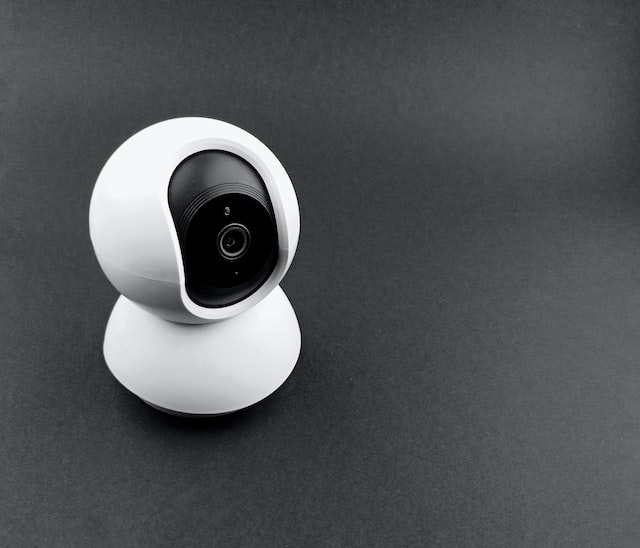
Photo: Manik Roy/Unsplash
What’s more: while criminals who may be looking for a backdoor to a smart home are bad enough already, there are also sexual predators lurking around, who may leave the baby’s psyche scarred.
Lackluster security and extreme vulnerability to attacks are what baby monitors with internet connection became notorious for. But that did not curb their popularity. The global baby monitor market is valued at more than $1 billion, and it continues to grow. While there are also digital and analog monitors, they lack one major perk which busy parents seek in baby smart tech: an unlimited range. Even the best digital monitors cover up to 1,000 — 1,200 feet (300 meters) max.
So, unless new parents are ready to lose remote access to the monitor, they have to accept the risks that go with it and try to minimize them. But in order to do the latter, one needs to know just exactly how bad actors hijack baby monitors.
It takes several clicks to hack a baby monitor
In this article, we will focus on Internet-connected baby monitors: they are rich in features and therefore often become the default choice of new parents. It helps that they are quite easy to set up: the only thing you should do is to pair your smartphone to the monitor.
Once the baby monitor is connected to the internet, it becomes a low-hanging fruit for hackers. Most attacks are not targeted, but rather begin with an internet scan to discover devices with vulnerabilities that can be exploited. To pin them down, bad actors use publicly available search engines, such as Shodan and Censys. These engines scan Internet of Things (IoT) or smart interconnected devices for vulnerabilities. Shodan, for instance, indexes all publicly exposed IoT devices, including baby monitors, webcams, and routers at least once a week.
Using one of these mapping tools, security researchers and hackers alike can look up a specific device type with an unfixed vulnerability or with firmware that lacks updates. Hackers may also look for a specific port, the latter being a network protocol that receives or transmits communication for a specific service. From that, they can narrow down a search by a country, an internet service provider and an IP range.
Once a hacker zeroes in on one specific device, they will try to access it with default credentials, which many parents leave in place after setting up the device, thus leaving a door to their smart homes virtually open. The credentials can be retrieved through a simple google search, be stated in the product manual, be the easily guessable pair of “admin” and “admin,” or some other equally ingenious word combination.
Once they’ve hijacked the camera, hackers can simply spectate, but also move the camera, change where the images and videos are saved to and do all other nasty things.
Home router, smart fridge — anything can be an entry point
It often does not start with the baby monitor, but with an unsecured router or any other unsecured internet-connected device on your home network.

Photo: Sigmund/ Unsplash
Take the router as an example. Your router stores the settings for your home network to which the smart devices are connected. If you want to change the settings, you need to log in your router’s firmware (its software) through a browser. To gain access to the router, an intruder needs to know its IP address, as well as your remote access password and login credentials. Routers are among internet-connected devices routinely scanned and monitored by Shodan and similar tools on the lookout for vulnerabilities. For most of the routers, the default username and password are ‘admin.’ And if it’s not, you can easily find default router credentials by googling a router’s name and model... Using one of the search engines we mentioned above, hackers can hack your router and hijack your home network, gaining access to all the devices connected to it.
It might not be a hacked router, but a hacked smart fridge or even your own PC that will serve as an entry point for attackers. From there, they can break into and interfere with your other devices, including baby monitors.
Bug-infested firmware
The most sensible thing to do is to change default credentials of both the router and the baby monitor as soon as you set them up. While this will no doubt protect you from less sophisticated attacks, it does not necessarily mean you’re out of the woods yet.
An issue that lies outside a user’s direct control is that a baby monitor’s software can be infested with bugs and the manufacturer may not release timely updates, paving the way for attackers to exploit vulnerabilities.
A vulnerability in a popular Wi-Fi-enabled video baby monitor discovered by the researchers from Bitdefender and PCMag allowed malefactors to access live footage, take screenshots, play music and learn the device ID. The vulnerability stemmed from misconfigured cloud storage permits, due to which everyone with access to one baby monitor could gain access to all the videos and photos stored by all other baby monitors of the same make and type. The issue was not fixed until after the researchers went public with their findings, nine months later after the vulnerability was first discovered.
In the case of another popular baby monitor with 50,000-100,000 installs on the Google Play, it took the vendor a year and a half to patch the vulnerability that could allow attackers to access audio-video feed and execute a malicious code on the device.
As we mentioned earlier, guessing the baby monitor password is not rocket science. But a bug that once crept into the software of a webcam used in baby monitors spared hackers even that trouble: a security hole allowed attackers to access the web interface of the camera simply by pressing the "OK" button when prompted for username and password.
Vulnerabilities like these are what attackers look for when they set out to break into a device. And while it sometimes takes months for manufacturers to come up with a fix, hackers are scanning for vulnerabilities non-stop. According to latest research, hackers start scanning for vulnerabilities within 15 minutes after a vendor publishes a disclosure report known as Common Vulnerabilities and Exposures (CVE) document. You can browse sites like CVE Details to check your devices for any publicly known vulnerabilities.
What can happen if your baby monitor is hacked?
Given that baby monitors are such easy prey, anyone from a bored teenager to a child predator to a potential burglar, could be behind an attack. Accounts of hacked monitors are numerous, so are the motives behind them.
In one case, a hacker reportedly spouted sexual expletives to a baby via the camera and threatened to kidnap the child. In another case, a man who hacked into a baby monitor told the 3-year-old girl that he “loved” her.

Photo: Azamat E/Unsplash
Creeps that hack into baby monitors are known to have made attempts to “befriend” children. A mother claimed that a stranger tried to “shush” her 2-year-old back to sleep through the monitor. Some attackers chose to focus on the parents instead. A woman claimed that she woke up only to find her wireless puppy-faced baby monitor staring at her. She also saw the monitor moving by itself towards the place where she usually breastfed.
And while Wi-Fi monitors are more likely to fall victim to such attacks, digital and analogue monitors are not immune either. However, hacking a digital monitor is quite a chore: an attacker will have to find and follow the device’s signal, be physically close to the monitor and have a special listening tool.
Malefactors may not interfere with your daily life, and instead just silently watch you for reconnaissance purposes, as a preparation for a burglary. They may save videos to blackmail you in the future. Or they may use a baby monitor to break into other smart devices on the same network. The possibilities are endless, and are solely dependent on how wicked and skilled the hacker is.
Tips: how to secure a baby monitor
A baby monitor is a great way to keep tabs on a child. On the other hand, baby monitors, especially those connected to the internet, pose a danger not only to the little one, but also to the entire household. And if you don’t want to invite strangers to the nursery, you need to make sure that your device is as secure as it can be.
There are levels to security, and Wi-Fi monitors are, as a rule, more susceptible to breaches than those without Wi-Fi. So, if you need a monitor that would work only within your home, opt for a non-Wi-Fi monitor. It would relay data through non-static channels that are way harder to hack. However, if you want to view your bub from afar, then these are the rules to follow:
- Change your baby monitor’s default login and password provided by the manufacturer. Make sure you create a strong password that is not reused across your other devices. Change your password from time to time and do not forget to remove inactive invited users.
- Opt for a baby monitor model from a trusted manufacturer that comes with embedded security features, such as two-factor authentication, strong encryption, a button to turn Wi-Fi connectivity on or off and permission-based family access.
- Keep your baby monitor’s software updated. If possible, register your device with the manufacturer — this way you’ll get notices on security vulnerabilities and recall as soon as they are out.
- Update your router’s firmware and change your router’s username and password from factory values.
- Use a firewall that would serve as a buffer between your local home network and the world wide web. It filters harmful traffic and stops intrusion attempts from the outside.
- Break down your Wi-Fi network — create a separate Wi-Fi and password for your kid’s baby monitor and other smart home devices.




















































