Bye, Internet Explorer, you won’t be missed: Once omnipresent browser king retires in exile

We all knew that this would happen, and finally, the day has come: Microsoft officially ended support for its first-born but long estranged browser, Internet Explorer 11, on June 15, 2022 for Windows 10.

From king to outcast

Don't expect an outpouring of condolences, long mourning processions and weepers huddling over the famous blue "e" orbited by a golden ring. Internet Explorer that took the internet by storm after its launch in 1995 and was first toppled by Chrome as the world's most used browser exactly 10 years ago has since long fallen out of favor with both users and web security advocates.
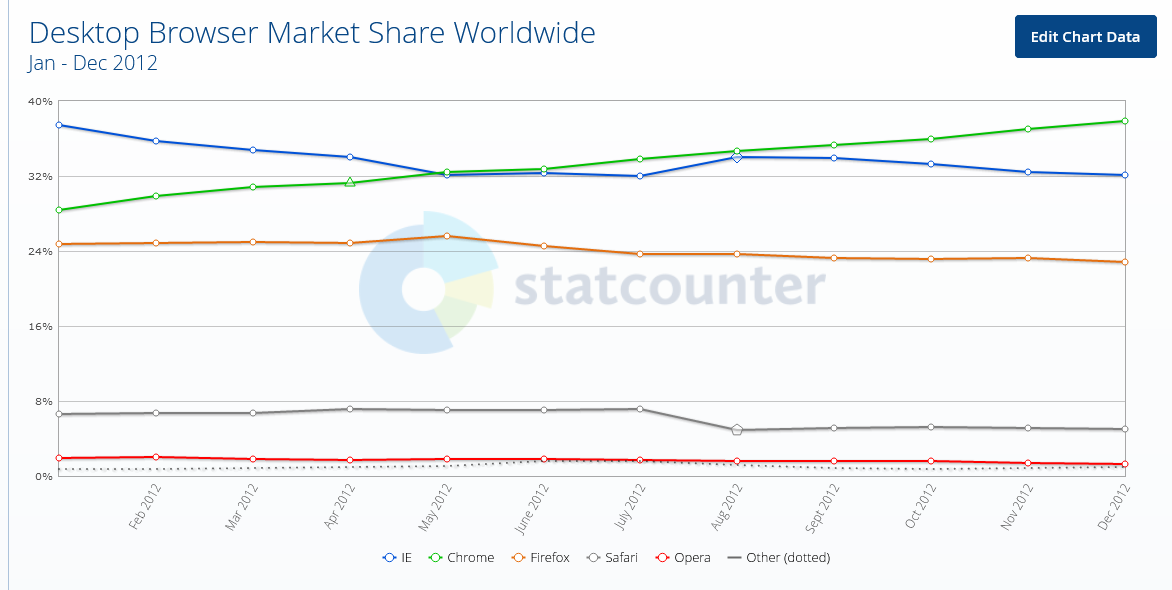
Chrome surpassed Internet Explorer for the first time 10 years ago

Internet Explorer has become the butt of a joke for its torturously slow speed: sites would crash, your screen would freeze or the page you wanted to open wouldn't download at all due to the compatibility issues — all of which were partially the consequences of Microsoft putting the IE updates on the backburner and the fact that the technology the IE was based on was over 25 years old.

Internet Explorer has been notorious for its slow speed

Microsoft's neglect for its first but somewhat dimwit browser-child was in the open. The tech giant would fully focus on developing and promoting its much more competitive Microsoft Edge, launched in 2015, relegating Internet Explorer to the role of "a legacy browser" that was "architecturally outdated and unable to meet the security challenges of the modern web'.

The release of Windows 11 in October 2021 marked the first time Microsoft had not bundled Internet Explorer with its operating system, making Chromium-powered Edge the only default browser.

Not as useless as it seems

The most of the world has turned its back on the user-unfriendly browser that was continuously plagued by various security issues: according to Statcounter, Internet Explorer's market share among desktop browsers amounts to mere 1.65% and it's a safe bet that it continues to plummet in the years to come. However, while regular consumers — like me and you — have overwhelmingly ditched IE in favor of faster and more reliable alternatives, Internet Explorer still remains a popular solution for many enterprises, among them government-run websites.

And we are not talking about some woebegone remote place that has yet to reap the fruits of digital progress. High-tech wonderland Japan, of all countries, stands to take a major hit from Microsoft's decision to put a final nail in IE's coffin. Bloomberg has cited a March survey indicating that 49 percent of companies in Japan still use Internet Explorer, including for accounting, data exchange and attendance management. Some 20 percent of the respondents were yet to figure out how to switch to other browsers safely. Among the most affected are reportedly government agencies, manufacturing and logistics companies that need IE to access websites that are not compatible with modern browsers.

Twilight years

In order to not leave businesses and government to their own devices, Microsoft had proactively integrated an IE mode inside Edge, so that users could still access IE-dependent "legacy websites" if they absolutely needed to while also experiencing the benefits of modern-day browsing.
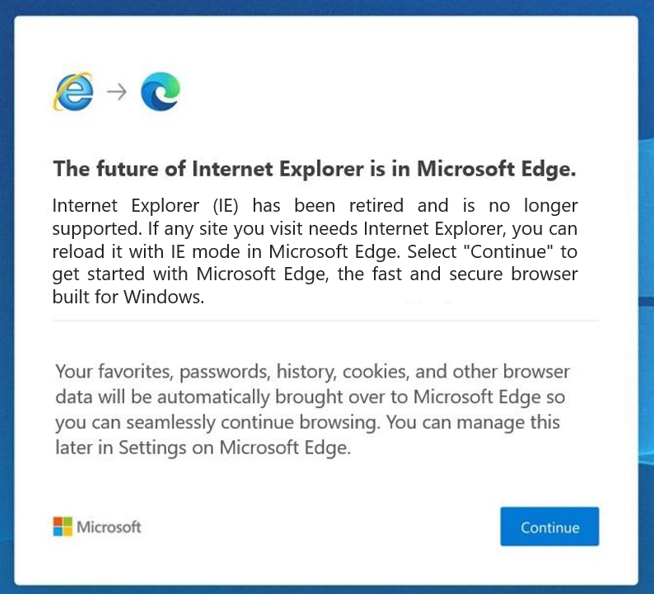
Microsoft has since long nudged users to switch to its Edge browser

Once they have opened Internet Explorer, users will be redirected to Microsoft Edge with an in-built IE mode, the company announced in a blog post on Internet Explorer retirement:

"Users will still see the Internet Explorer icon on their devices (such as on the taskbar or in the Start menu) but if they click to open Internet Explorer, Microsoft Edge will open instead with easy access to IE mode. Eventually, Internet Explorer will be disabled permanently as part of a future Windows Update, at which point the Internet Explorer icons on users’ devices will be removed"

Microsoft made it clear that the IE mode is only a stopgap measure, that would also be retired in its due time. For now, the company said that it plans to support the dual mode at least through 2029, and will give a year's notice before sending it to the dustbin of internet history as well.

While the June 15 marks the day Internet Explorer died for most users, the desktop application will still, for the time being, be running on older versions of Windows, including Windows 8.1, Windows 7 Extended Security Updates as well as some limited versions of Windows 10, most notably, Windows 10 China Government Edition.
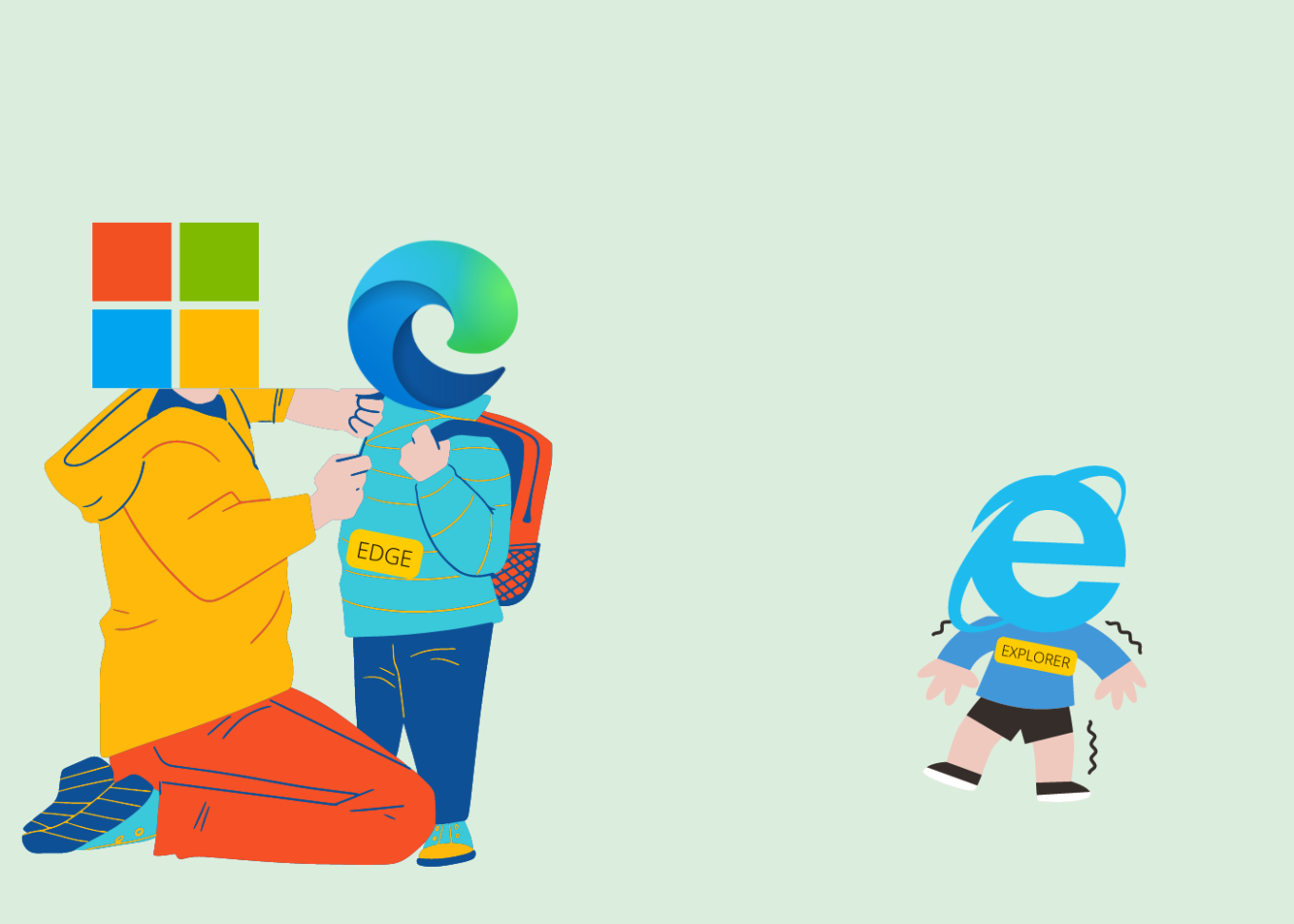
Microsoft put everything on the development of Edge

All fun and memes, but we could not possibly overlook the role Internet Explorer played in revolutionizing the web. And while many of us may still have fond memories of the times that the blue 'e' served as our only portal to the online world, Internet Explorer has aged beyond its years, and as we know: Internet is no country for old menbrowsers.

Challenge for ad blockers

Although it might be considered bad taste to speak ill of the dead, we cannot but mention that Internet Explorer not only made life difficult for its users, but also resisted attempts by third party developers to make users' lives easier through plug-ins and extensions. This fully applies to ad blocking. Developers had to go to great lengths to come up with a viable solution for IE since it has a very specific mechanism of working with plug-ins. Perhaps unsurprisingly, the very first ad blocker was a plug-in for Netscape browser, which was the most widely used browser before being vanquished by Internet Explorer in the First Browser War in the late 1990s.

And while Netscape was already a pile of smoking ruins by 2008, Internet Explorer had yet to give its users some tools to fend off increasingly noisy adverts and trackers. It was not until 2009 that InPrivate filtering was first introduced in Internet Explorer 8, which allowed users to block third-party content, but had to be turned on manually every time. A feature called Tracking Protection was added to Internet Explorer 9 which was released in 2011. Users were finally able to create Tracking Protection Lists (TPLs) themselves — that were the lists of sites they wanted to block — or download ready-made lists provided by third-party maintainers.

At the time Internet Explorer was making its first timid steps towards giving users more control over their browsing experience, users of other browsers were already making the most of various plug-ins, extensions, add-ons, and cosmetic filtering provided by full-fledged ad blockers. Yes, Internet Explorer users were able to block certain web requests, but the result was far from picture perfect: some images were broken, while blocked ads left unremovable blank spaces that littered the screen.

And while Internet Explorer might have proved resilient to changes, ad blockers were becoming ever more sophisticated. It was a rise of system-wide blockers that became a game-changer with Internet Explorer. One of the oldest such tools is Ad Muncher which has been around since the early 2000s. While currently lagging behind its competitors, Ad Muncher's popularity at the time was largely due to the rigidity of Internet Explorer.
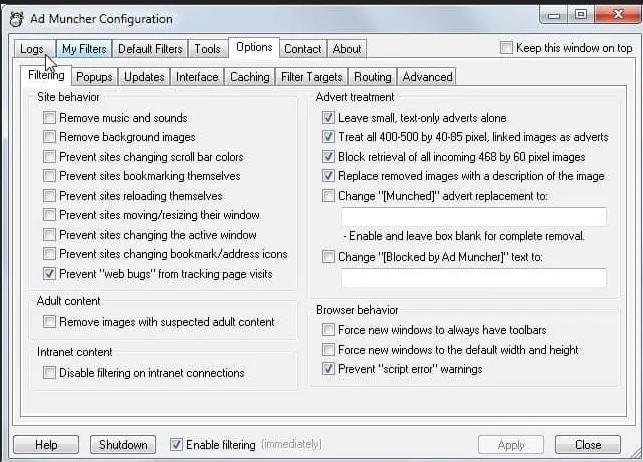
AdMuncher was one of the first system-wide ad blockers

Some system-wide tools, such as Ad Muncher and AdGuard, can block ads and trackers on network level and use cosmetic filtering rules that not only prevent ads from appearing on your screen, but also understand the structure of the page, which allows them to avoid leaving whitespaces and ad leftovers.
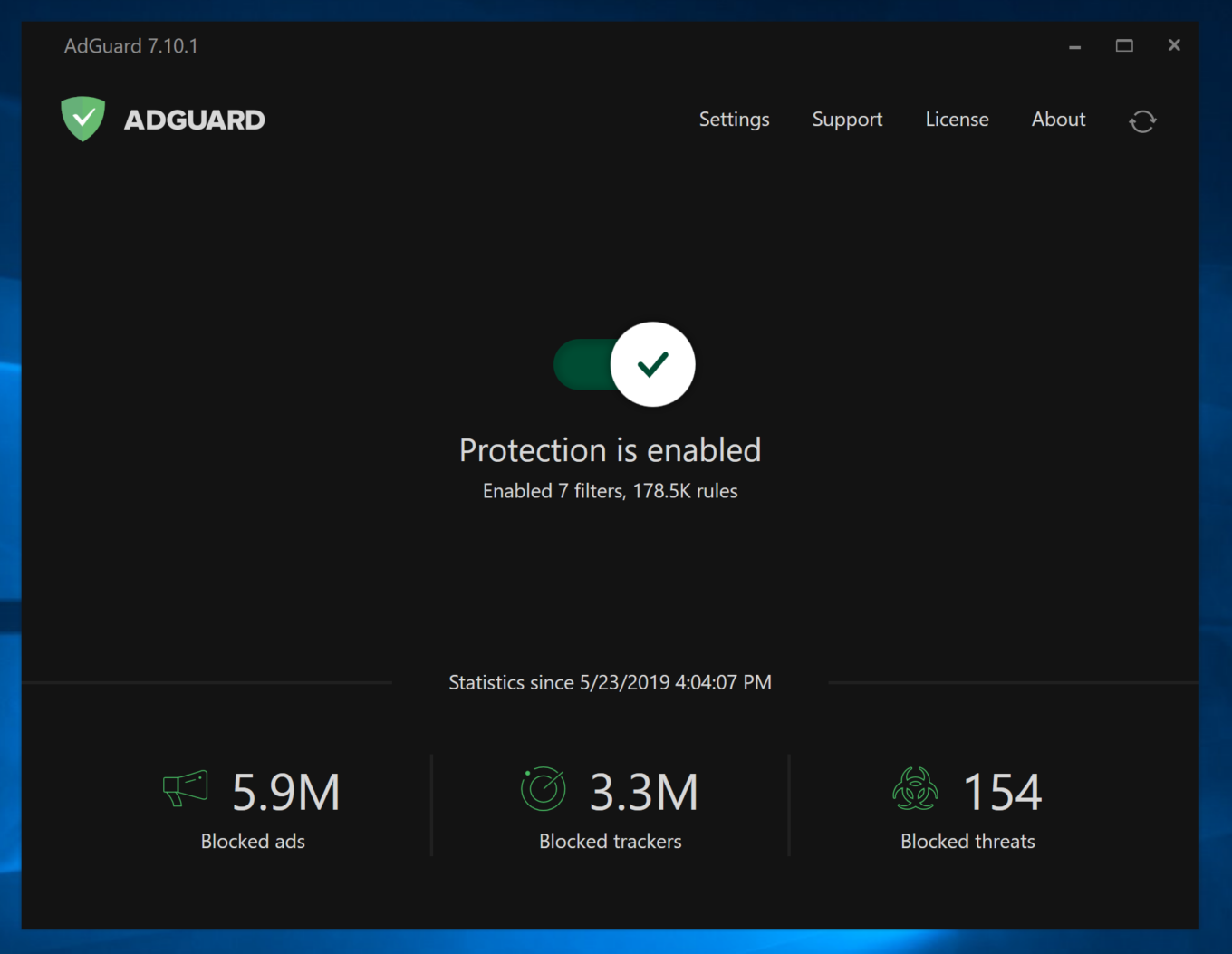
AdGuard protects users from ads and trackers in Internet Explorer as well

Keeping in step with the times, AdGuard offered a comprehensive ad-blocking tool for Windows of its own, which can also be used in Internet Explorer. AdGuard ad blocker works at the system level and therefore is not constrained by browser limitations.

We may not have seen the last of Internet Explorer yet — if anything, it will still live on in its twilight years as part of Microsoft Edge, and its memory is forever ingrained in our minds. However, it is unlikely that most users will miss the browser and wish for its return. We, certainly, will not.


Vam je bila objava všeč?
AdGuard VPN AdGuard DNS AdGuard Mail AdGuard Wallet
Glavni zaslon AdGuard za Windows
Zaslon zaščite AdGuard za Windows, ki prikazuje funkcije zaščite in nastavitve
Zaslon statistike AdGuard za Windows, ki prikazuje statistiko blokiranih oglasov in sledilcev
Zaslon Upravljanje aplikacij AdGuard za Windows, ki prikazuje možnosti upravljanja zaščite za aplikacije, nameščene v napravi
20.369 20369 ocen uporabnikov
Odlično!

AdGuard: blokator oglasov za Windows

AdGuard za Windows je več kot blokator oglasov. Je večnamensko orodje, ki blokira oglase, nadzoruje dostop do nevarnih spletnih mest, pospeši nalaganje strani in ščiti otroke pred neprimerno vsebino
S prenosom programa sprejemate pogoje Licenčne pogodbe
Microsoft Trgovina
S prenosom programa sprejemate pogoje Licenčne pogodbe
AdGuard za Windows v8.0, 14-dnevno preizkusno obdobje
Glavni zaslon AdGuard za Mac
Zaslon Prikritega načina AdGuard for Mac
20.369 20369 ocen uporabnikov
Odlično!

AdGuard: blokator oglasov za Mac

AdGuard za Mac je edinstven blokator oglasov, zasnovan z mislijo na macOS. Poleg zaščite pred nadležnimi oglasi v brskalnikih in aplikacijah vas ščiti pred sledenjem, lažnim predstavljanjem in goljufijami
S prenosom programa sprejemate pogoje Licenčne pogodbe
Več o tem
AdGuard za macOS v2.19, 14-dnevno preizkusno obdobje
Glavni zaslon AdGuard za Android
Zaslon Zaščita pred sledenjem AdGuard za Android
Zaslon Upravljanje aplikacij AdGuard za Android, ki prikazuje možnosti upravljanja zaščite za aplikacije, nameščene v napravi
Zaslon statistike AdGuard za Android, ki prikazuje statistiko blokiranih oglasov in sledilcev
Glavni zaslon zasebnega brskalnika AdGuard za Android
QR koda za prenos AdGuard za Android
20.369 20369 ocen uporabnikov
Odlično!

AdGuard: blokator oglasov za Android

Blokira oglase in sledilnike v vseh brskalnikih, igrah in drugih aplikacijah. Ščiti vašo zasebnost in vam omogoča nadzor nad tem, kako vaše aplikacije uporabljajo internet. Nameščeno prek APK-ja

S prenosom programa sprejemate pogoje Licenčne pogodbe
Več o tem
Preglejte za prenos
Uporabite kateri koli razpoložljivi bralnik QR kod v vaši napravi
AdGuard za Android v4.14, 14-dnevno preizkusno obdobje
Glavni zaslon AdGuard za iOS
Zaslon zaščite AdGuard za iOS, ki prikazuje funkcije zaščite in nastavitve
Zaslon statistike AdGuard za iOS, ki prikazuje statistiko blokiranih oglasov in sledilcev
QR koda za prenos AdGuard za iOS
20.369 20369 ocen uporabnikov
Odlično!

AdGuard: blokator oglasov za iOS

Najboljši blokator oglasov za iOS za iPhone in iPad. AdGuard odstrani vse vrste oglasov in sledilnikov v Safariju ter ščiti vašo zasebnost v vseh aplikacijah na ravni DNS

S prenosom programa sprejemate pogoje Licenčne pogodbe
Več o tem
Preglejte za prenos
Uporabite kateri koli razpoložljivi bralnik QR kod v vaši napravi
AdGuard za iOS v4.5
Glavni zaslon AdGuard Content Blocker
Zaslon filtri AdGuard Content Blocker
Zaslon nastavitve AdGuard Content Blocker
20.369 20369 ocen uporabnikov
Odlično!

AdGuard Zaviralec vsebine

AdGuard Content Blocker odpravlja vse vrste oglasov v mobilnih brskalnikih, ki podpirajo tehnologijo blokiranja vsebine — in sicer Samsung Internet in Yandex Browser. Njegove funkcije so omejene v primerjavi z AdGuardom za Android, vendar je brezplačen, enostaven za namestitev in učinkovit
S prenosom programa sprejemate pogoje Licenčne pogodbe
Več o tem
AdGuard Zaviralec vsebine v2.8
Glavni zaslon razširitev brskalnika AdGuard
Zaslon Zaščita pred sledenjem razširitve brskalnika AdGuard
20.369 20369 ocen uporabnikov
Odlično!

AdGuard Razširitev brskalnika

AdGuard je najhitrejša in najlažja razširitev za zaviranje oglasov, ki učinkovito onemogoča vse vrste oglasov na vseh spletnih straneh! Za brskalnik, ki ga uporabljate, izberite AdGuard in hitro ter varno brskajte brez oglasov.
Namesti
S prenosom programa sprejemate pogoje Licenčne pogodbe
Namesti
S prenosom programa sprejemate pogoje Licenčne pogodbe
Namesti
S prenosom programa sprejemate pogoje Licenčne pogodbe
Namesti
S prenosom programa sprejemate pogoje Licenčne pogodbe
Namesti
S prenosom programa sprejemate pogoje Licenčne pogodbe
Več o tem
Namesti
S prenosom programa sprejemate pogoje Licenčne pogodbe
Več o tem
AdGuard Razširitev brskalnika v5.5
Glavni zaslon Pomočnik brskalnika
20.369 20369 ocen uporabnikov
Odlično!

AdGuard Pomočnik

Sopodajalna razširitev za brskalnik za AdGuard namizne aplikacije. Dovoli vam, da blokirate po meri nastavljene elemente na spletnih straneh, dodajate spletne strani na seznam dovoljenih in pošiljate poročila neposredno iz vašega brskalnika
AdGuard Pomočnik v1.4
20.369 20369 ocen uporabnikov
Odlično!

AdGuard Home

AdGuard Home je omrežna rešitev za blokiranje oglasov in sledilcev. Namestite ga enkrat na usmerjevalnik, da pokrijete vse naprave v domačem omrežju — dodatna programska oprema odjemalca ni potrebna. To je še posebej pomembno za različne naprave IoT, ki pogosto ogrožajo vašo zasebnost
AdGuard Home v0.107
Glavni zaslon AdGuard Pro za iOS
Zaslon zaščite AdGuard Pro za iOS, ki prikazuje funkcije zaščite in nastavitve
Zaslon statistike AdGuard Pro za iOS, ki prikazuje statistiko za blokirane oglase in sledilce
20.369 20369 ocen uporabnikov
Odlično!

AdGuard Pro za iOS

AdGuard Pro za iOS vključuje vse napredne funkcije zaščite pred oglasi z omogočeno blokado. Ponuja ista orodja kot plačljiva različica AdGuard za iOS. Odličen je pri blokiranju oglasov v Safari in omogoča prilagajanje DNS nastavitev za prilagojeno zaščito. Oglase blokira v brskalnikih in aplikacijah, vaše otroke ščiti pred neprimerno vsebino ter ohranja vaše osebne podatke varne.
S prenosom programa sprejemate pogoje Licenčne pogodbe
Več o tem
AdGuard Pro za iOS v4.5
Glavni zaslon AdGuard Mini za Mac
Zaslon zaščite Safari v AdGuard Mini za Mac
Zaslon ustvarjanja pravila AdGuard Mini za Mac
20.369 20369 ocen uporabnikov
Odlično!

AdGuard Mini za Mac — zaviralec oglasov Safari

AdGuard Mini za Mac je zmogljiv Safari blokator oglasov. Ta lahka aplikacija odstranjuje oglase, blokira sledilce in pospešuje nalaganje strani. Pomaga vam brskati po spletu v Safariju brez motenj in varuje vaše podatke
Namesti
S prenosom programa sprejemate pogoje Licenčne pogodbe
Več o tem
AdGuard Mini za Mac v2.3
Glavni zaslon AdGuard za Android TV z omogočeno zaščito
Zaslon blokiranja oglasov AdGuard za Android TV, ki prikazuje njegove funkcije in nastavitve
Zaslon nastavitev AdGuard za Android TV
Zaslon Upravljanje aplikacij AdGuard za Android TV, ki prikazuje aplikacije, kjer so oglasi in sledilci blokirani
20.369 20369 ocen uporabnikov
Odlično!

AdGuard za Android TV

AdGuard za Android TV je edina aplikacija, ki zavira oglase, varuje vašo zasebnost in deluje kot požarni zid za vaš Smart TV. Prejmite opozorila o spletnih grožnjah, uporabite varen DNS in izkoristite šifriran promet. Sprostite se in se potopite v svoje najljubše oddaje z vrhunsko varnostjo in brez oglasov!
AdGuard za Android TV v4.14, 14-dnevno preizkusno obdobje
Maskota AdGuard, Agnar, ki drži Linux pingvina
20.369 20369 ocen uporabnikov
Odlično!

AdGuard za Linux

AdGuard za Linux je prvi sistemski zaviralec oglasov za Linux na svetu. Onemogočite oglase in sledilce na ravni naprave, izberite med vnaprej nameščenimi filtri ali dodajte svoje — vse preko ukazne lupine vmesnika
AdGuard za Linux v1.4
20.369 20369 ocen uporabnikov
Odlično!

AdGuard Temp Mail

Brezplačen ustvarjalec začasnih elektronskih naslovov, ki vas ohranja anonimne in ščiti vašo zasebnost. Brez neželene pošte v vašem glavnem predalu!
20.369 20369 ocen uporabnikov
Odlično!

AdGuard VPN

75 lokacij svetovnega spleta

Dostop do katere koli vsebine

Močno šifriranje

Politika 'Brez dnevnikov'

Najhitrejša povezava

stalna podpora

Poskusite brezplačno
S prenosom programa sprejemate pogoje Licenčne pogodbe
Več o tem
20.369 20369 ocen uporabnikov
Odlično!

AdGuard DNS

AdGuard DNS je brezhiben način zaviranja internetnih oglasov, ki ne zahteva nameščanja nobenih aplikacij. Je preprost za uporabo, popolnoma brezplačen, enostavno nastavljiv na kateri koli napravi in vam zagotavlja minimalne potrebne funkcije za zaviranje oglasov, števcev, zlonamernih spletnih strani in vsebine za odrasle.
20.369 20369 ocen uporabnikov
Odlično!

AdGuard Mail

Ščitite svoj identitet, izogibajte se neželeni pošti in ohranite svoj nabiralnik varno z našimi vzdevki in začasnimi e-poštnimi naslovi. Uživajte v naši brezplačni storitvi posredovanja e-pošte in aplikacijah za vse operacijske sisteme
20.369 20369 ocen uporabnikov
Odlično!

AdGuard Wallet

Varna in zasebna kripto denarnica, ki vam omogoča popoln nadzor nad vašimi sredstvi. Upravljaj več denarnic in odkrij tisoče kriptovalut za shranjevanje, pošiljanje in zamenjavo
Prenos AdGuarda Za namestitev AdGuarda kliknite gumb, označen s puščico Izberite 'Odpri' in kliknite na 'Vredu', nato pa počakajte, da se datoteka prenese. V odprtem oknu povlecite ikono AdGuarda in jo spustite v mapo 'Aplikacije'. Hvala, ker ste izbrali AdGuard! Izberite 'Odpri' in kliknite na 'Vredu', nato pa počakajte, da se datoteka prenese. V odprtem oknu kliknite na 'Namesti'. Hvala, ker ste izbrali AdGuard!
Namestite AdGuard na svojo mobilno napravo
















































