Bye, Internet Explorer, you won’t be missed: Once omnipresent browser king retires in exile

We all knew that this would happen, and finally, the day has come: Microsoft officially ended support for its first-born but long estranged browser, Internet Explorer 11, on June 15, 2022 for Windows 10.

From king to outcast

Don't expect an outpouring of condolences, long mourning processions and weepers huddling over the famous blue "e" orbited by a golden ring. Internet Explorer that took the internet by storm after its launch in 1995 and was first toppled by Chrome as the world's most used browser exactly 10 years ago has since long fallen out of favor with both users and web security advocates.
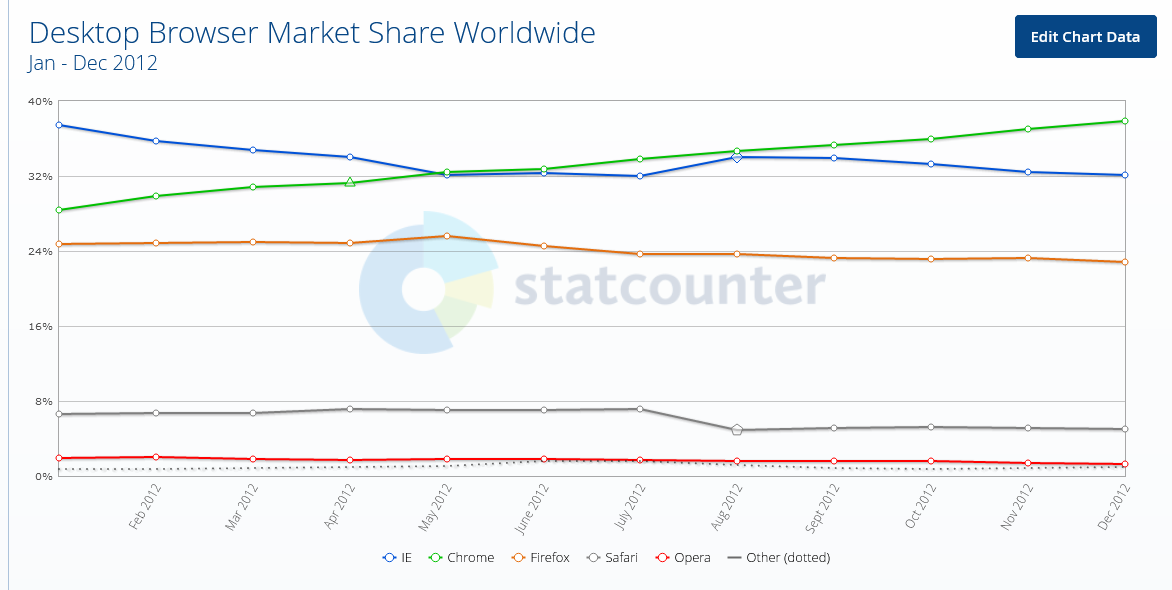
Chrome surpassed Internet Explorer for the first time 10 years ago

Internet Explorer has become the butt of a joke for its torturously slow speed: sites would crash, your screen would freeze or the page you wanted to open wouldn't download at all due to the compatibility issues — all of which were partially the consequences of Microsoft putting the IE updates on the backburner and the fact that the technology the IE was based on was over 25 years old.
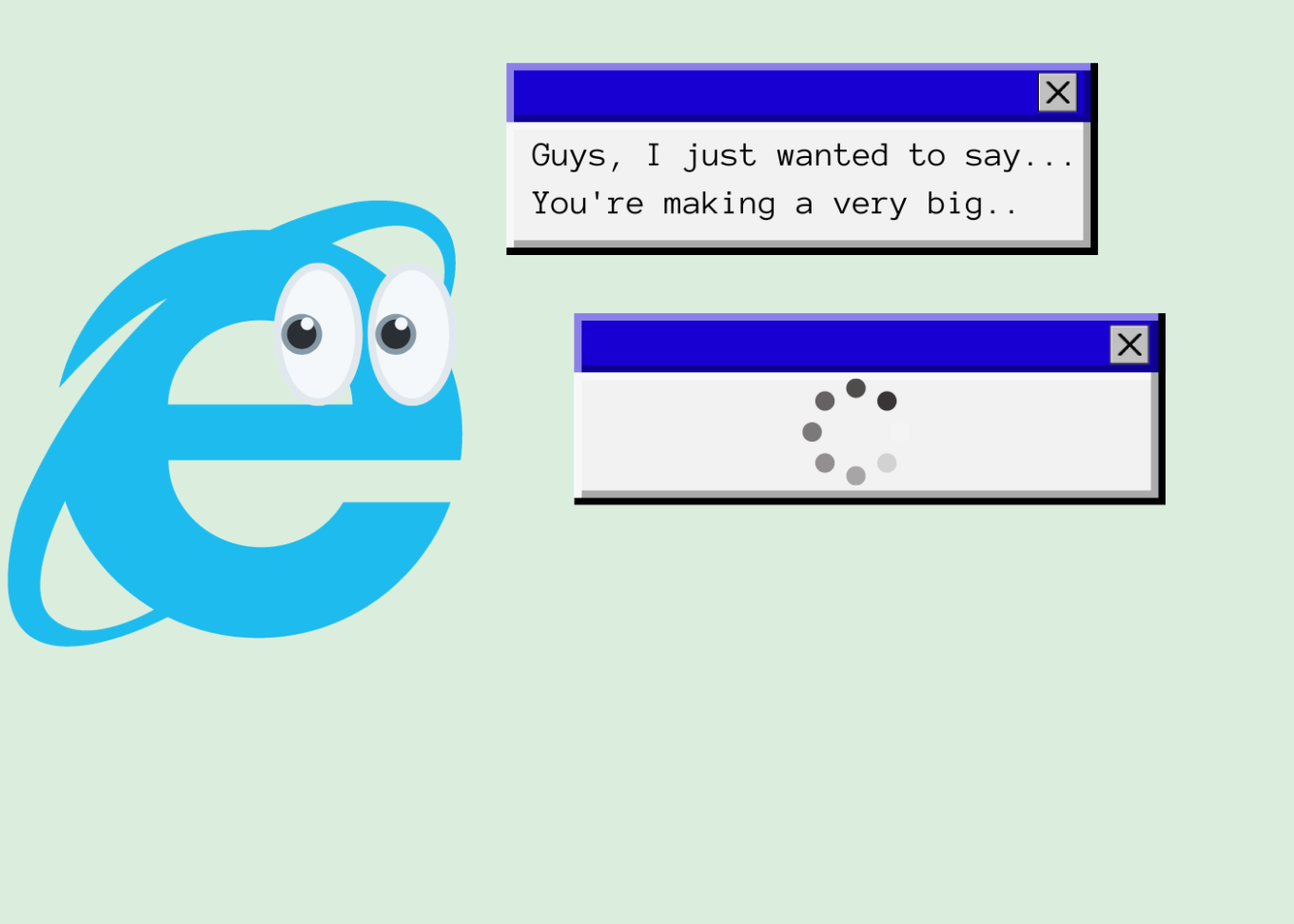
Internet Explorer has been notorious for its slow speed

Microsoft's neglect for its first but somewhat dimwit browser-child was in the open. The tech giant would fully focus on developing and promoting its much more competitive Microsoft Edge, launched in 2015, relegating Internet Explorer to the role of "a legacy browser" that was "architecturally outdated and unable to meet the security challenges of the modern web'.

The release of Windows 11 in October 2021 marked the first time Microsoft had not bundled Internet Explorer with its operating system, making Chromium-powered Edge the only default browser.

Not as useless as it seems

The most of the world has turned its back on the user-unfriendly browser that was continuously plagued by various security issues: according to Statcounter, Internet Explorer's market share among desktop browsers amounts to mere 1.65% and it's a safe bet that it continues to plummet in the years to come. However, while regular consumers — like me and you — have overwhelmingly ditched IE in favor of faster and more reliable alternatives, Internet Explorer still remains a popular solution for many enterprises, among them government-run websites.

And we are not talking about some woebegone remote place that has yet to reap the fruits of digital progress. High-tech wonderland Japan, of all countries, stands to take a major hit from Microsoft's decision to put a final nail in IE's coffin. Bloomberg has cited a March survey indicating that 49 percent of companies in Japan still use Internet Explorer, including for accounting, data exchange and attendance management. Some 20 percent of the respondents were yet to figure out how to switch to other browsers safely. Among the most affected are reportedly government agencies, manufacturing and logistics companies that need IE to access websites that are not compatible with modern browsers.

Twilight years

In order to not leave businesses and government to their own devices, Microsoft had proactively integrated an IE mode inside Edge, so that users could still access IE-dependent "legacy websites" if they absolutely needed to while also experiencing the benefits of modern-day browsing.
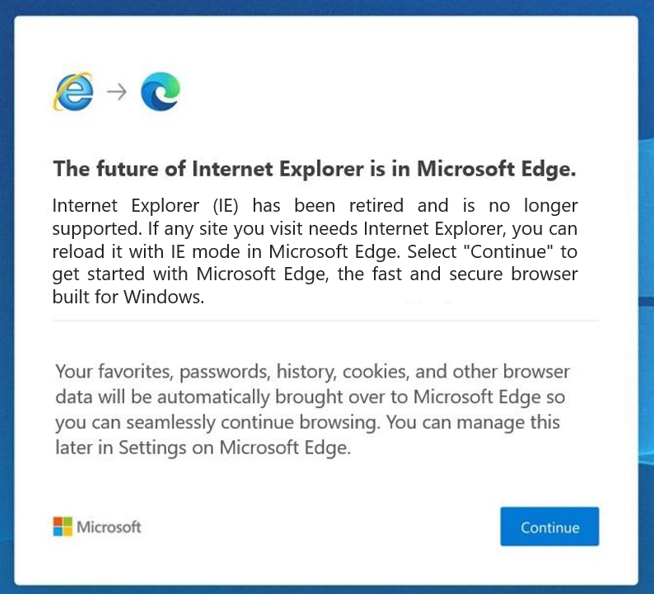
Microsoft has since long nudged users to switch to its Edge browser

Once they have opened Internet Explorer, users will be redirected to Microsoft Edge with an in-built IE mode, the company announced in a blog post on Internet Explorer retirement:

"Users will still see the Internet Explorer icon on their devices (such as on the taskbar or in the Start menu) but if they click to open Internet Explorer, Microsoft Edge will open instead with easy access to IE mode. Eventually, Internet Explorer will be disabled permanently as part of a future Windows Update, at which point the Internet Explorer icons on users’ devices will be removed"

Microsoft made it clear that the IE mode is only a stopgap measure, that would also be retired in its due time. For now, the company said that it plans to support the dual mode at least through 2029, and will give a year's notice before sending it to the dustbin of internet history as well.

While the June 15 marks the day Internet Explorer died for most users, the desktop application will still, for the time being, be running on older versions of Windows, including Windows 8.1, Windows 7 Extended Security Updates as well as some limited versions of Windows 10, most notably, Windows 10 China Government Edition.
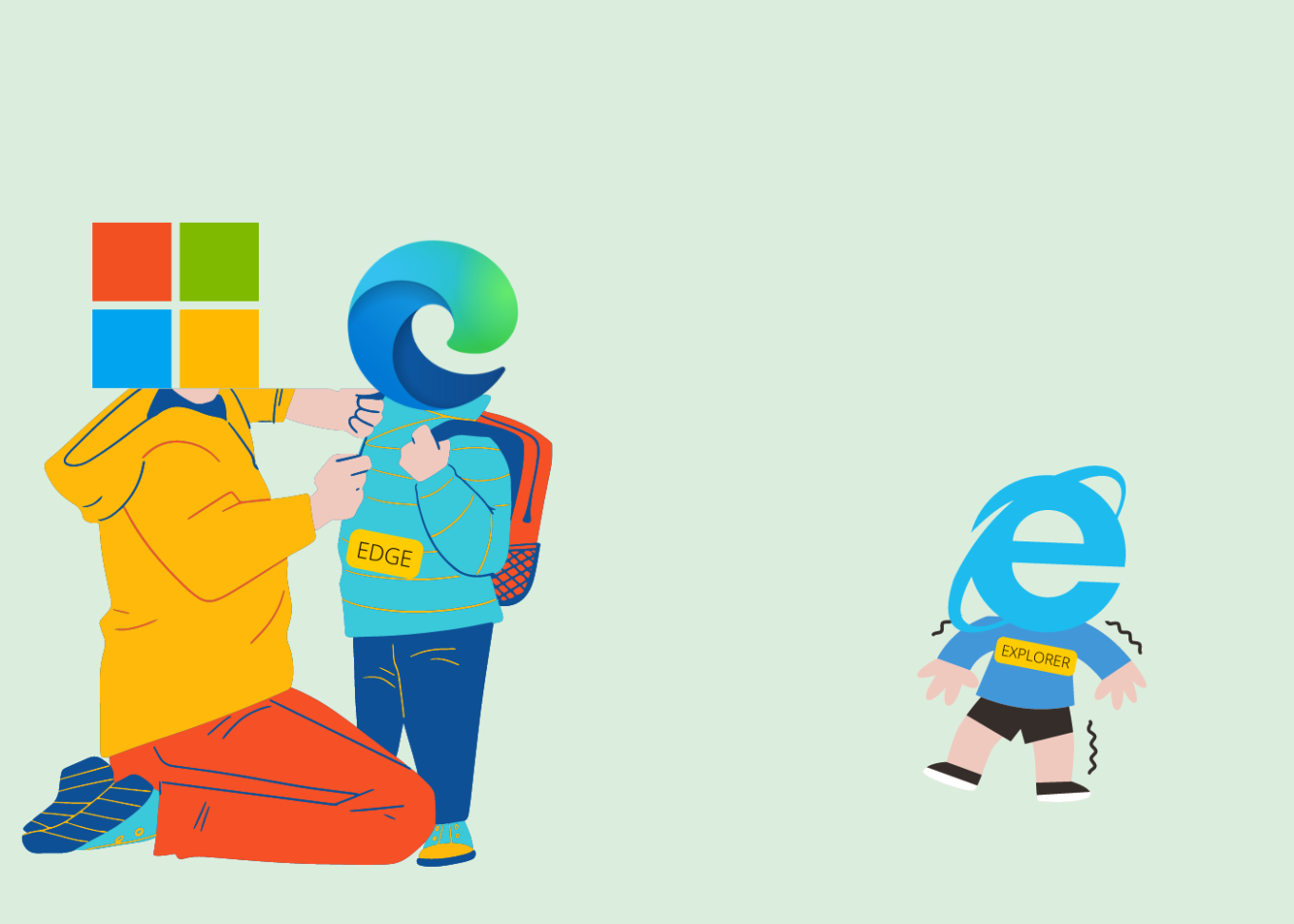
Microsoft put everything on the development of Edge

All fun and memes, but we could not possibly overlook the role Internet Explorer played in revolutionizing the web. And while many of us may still have fond memories of the times that the blue 'e' served as our only portal to the online world, Internet Explorer has aged beyond its years, and as we know: Internet is no country for old menbrowsers.

Challenge for ad blockers

Although it might be considered bad taste to speak ill of the dead, we cannot but mention that Internet Explorer not only made life difficult for its users, but also resisted attempts by third party developers to make users' lives easier through plug-ins and extensions. This fully applies to ad blocking. Developers had to go to great lengths to come up with a viable solution for IE since it has a very specific mechanism of working with plug-ins. Perhaps unsurprisingly, the very first ad blocker was a plug-in for Netscape browser, which was the most widely used browser before being vanquished by Internet Explorer in the First Browser War in the late 1990s.

And while Netscape was already a pile of smoking ruins by 2008, Internet Explorer had yet to give its users some tools to fend off increasingly noisy adverts and trackers. It was not until 2009 that InPrivate filtering was first introduced in Internet Explorer 8, which allowed users to block third-party content, but had to be turned on manually every time. A feature called Tracking Protection was added to Internet Explorer 9 which was released in 2011. Users were finally able to create Tracking Protection Lists (TPLs) themselves — that were the lists of sites they wanted to block — or download ready-made lists provided by third-party maintainers.

At the time Internet Explorer was making its first timid steps towards giving users more control over their browsing experience, users of other browsers were already making the most of various plug-ins, extensions, add-ons, and cosmetic filtering provided by full-fledged ad blockers. Yes, Internet Explorer users were able to block certain web requests, but the result was far from picture perfect: some images were broken, while blocked ads left unremovable blank spaces that littered the screen.

And while Internet Explorer might have proved resilient to changes, ad blockers were becoming ever more sophisticated. It was a rise of system-wide blockers that became a game-changer with Internet Explorer. One of the oldest such tools is Ad Muncher which has been around since the early 2000s. While currently lagging behind its competitors, Ad Muncher's popularity at the time was largely due to the rigidity of Internet Explorer.
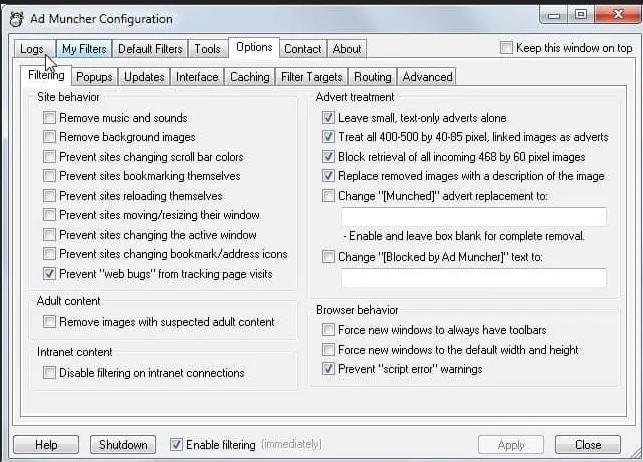
AdMuncher was one of the first system-wide ad blockers

Some system-wide tools, such as Ad Muncher and AdGuard, can block ads and trackers on network level and use cosmetic filtering rules that not only prevent ads from appearing on your screen, but also understand the structure of the page, which allows them to avoid leaving whitespaces and ad leftovers.
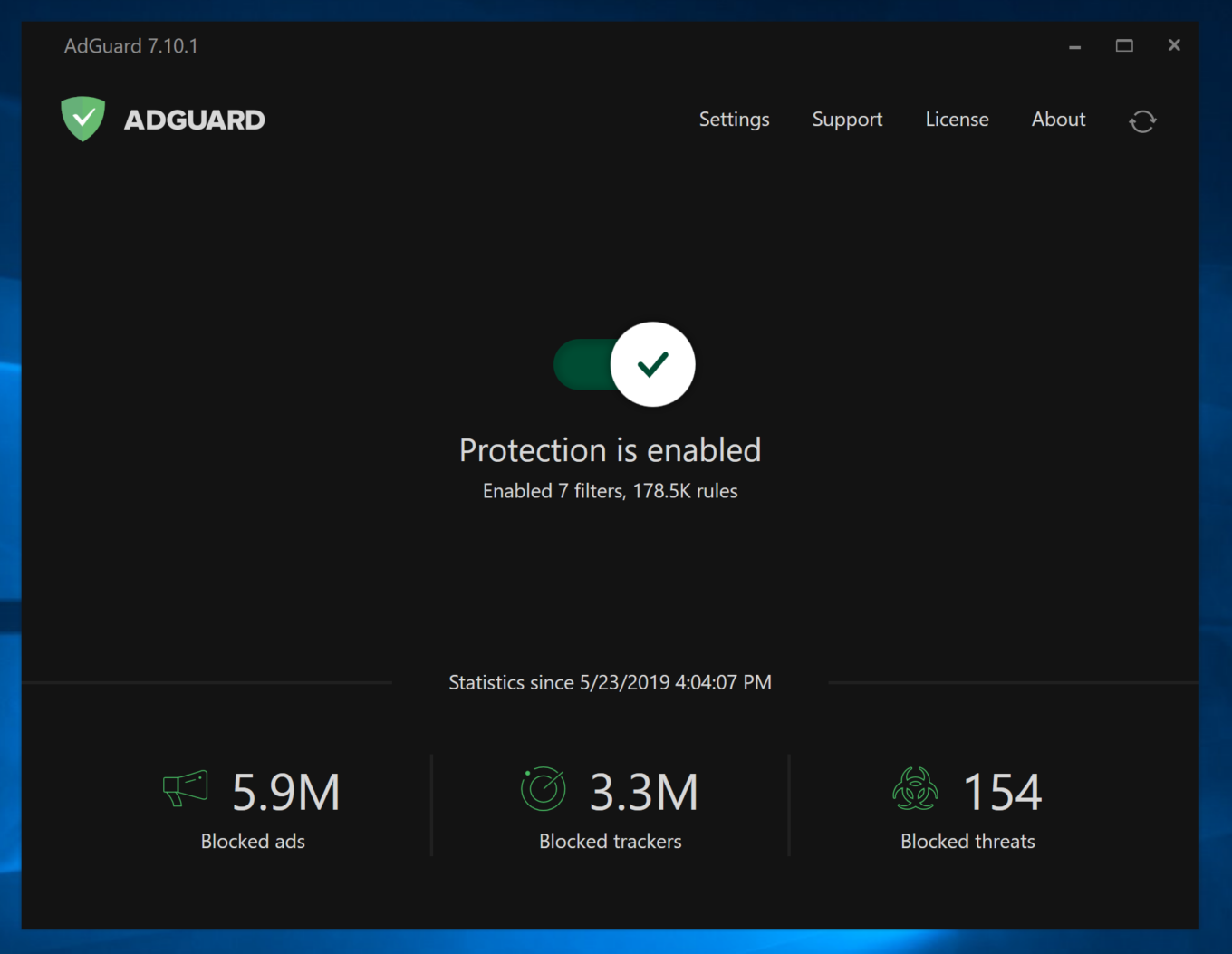
AdGuard protects users from ads and trackers in Internet Explorer as well

Keeping in step with the times, AdGuard offered a comprehensive ad-blocking tool for Windows of its own, which can also be used in Internet Explorer. AdGuard ad blocker works at the system level and therefore is not constrained by browser limitations.

We may not have seen the last of Internet Explorer yet — if anything, it will still live on in its twilight years as part of Microsoft Edge, and its memory is forever ingrained in our minds. However, it is unlikely that most users will miss the browser and wish for its return. We, certainly, will not.


Svidela vam se ova objava?
AdGuard VPN AdGuard DNS AdGuard Mail AdGuard Wallet
Glavni ekran AdGuard za Windows
Ekran Zaštita u AdGuard za Windows, prikazuje funkcije zaštite i podešavanja
Ekran Statistika u AdGuard za Windows, prikazuje statistiku za blokirane oglase i trackere
Ekran Upravljanje aplikacijama u AdGuard za Windows, koji prikazuje opcije upravljanja zaštitom za aplikacije instalirane na uređaju
20.386 20386 recenzija
Odlično!

AdGuard — blokator reklama za Windows

AdGuard za Windows je više od blokatora oglasa. To je višenamenski alat koji blokira oglase, kontroliše pristup opasnim sajtovima, ubrzava učitavanje stranica i štiti decu od neprimerenog sadržaja
Preuzimanjem programa prihvate uslove licenčnog ugovora
Microsoft prodavnica
Preuzimanjem programa prihvate uslove licenčnog ugovora
AdGuard za Windows v.8.0, 14-dnevni probni period
Glavni ekran AdGuard za Mac
Ekran Stealth režima u AdGuard za Mac
20.386 20386 recenzija
Odlično!

AdGuard — blokator reklama za Mac

AdGuard za Mac je jedinstveni blokator oglasa dizajniran imajući u vidu macOS. Pored zaštite od dosadnih oglasa u pregledačima i aplikacijama, štiti vas od praćenja, fišinga i prevara
Preuzimanjem programa prihvate uslove licenčnog ugovora
Saznajte više
AdGuard za Mac v.2.19, 14-dnevni probni period
Glavni ekran AdGuard za Android
Ekran Zaštita od praćenja u AdGuard za Android
Ekran Upravljanje aplikacijama u AdGuard za Android, koji prikazuje opcije upravljanja zaštitom za aplikacije instalirane na uređaju
Ekran Statistika u AdGuard za Android, prikazuje statistiku za blokirane oglase i trackere
Glavni ekran privatnog pregledača AdGuard za Android
QR kod za preuzimanje AdGuard za Android
20.386 20386 recenzija
Odlično!

AdGuard — blokator reklama za Android

Blokira oglase i trackere u svim pregledačima, igrama i drugim aplikacijama. Štiti vašu privatnost i omogućava vam da kontrolišete kako vaše aplikacije koriste Internet. Instalira se putem APK-a

Preuzimanjem programa prihvate uslove licenčnog ugovora
Saznajte više
Skeniranje za preuzimanje
Korišćenje bilo kog QR-kod čitača dostupnog na uređaju
AdGuard za Android v.4.14, 14-dnevni probni period
Glavni ekran AdGuard za iOS
Ekran Zaštita u AdGuard za iOS, prikazuje funkcije zaštite i podešavanja
Ekran Statistika u AdGuard za iOS, prikazuje statistiku za blokirane oglase i trackere
QR kod za preuzimanje AdGuard za iOS
20.386 20386 recenzija
Odlično!

AdGuard — blokator reklama za iOS

Najbolji iOS blokator oglasa za iPhone i iPad. AdGuard uklanja sve vrste oglasa i trackera u Safariju i štiti vašu privatnost u svim aplikacijama na DNS nivou

Preuzimanjem programa prihvate uslove licenčnog ugovora
Saznajte više
Skeniranje za preuzimanje
Korišćenje bilo kog QR-kod čitača dostupnog na uređaju
AdGuard za iOS v.4.5
Glavni ekran AdGuard Content Blocker
Ekran filtera u AdGuard Content Blocker
Ekran podešavanja u AdGuard Content Blocker
20.386 20386 recenzija
Odlično!

AdGuard blokator sadržaja

AdGuard Content Blocker eliminiše sve vrste reklama u mobilnim pregledačima koji podržavaju tehnologiju blokiranja sadržaja – kao što su Samsung Internet i Yandex Browser. Njegove funkcije su ograničene u odnosu na AdGuard za Android, ali je besplatan, lako se instalira i efikasan je
Preuzimanjem programa prihvate uslove licenčnog ugovora
Saznajte više
AdGuard blokator sadržaja v.2.8
Glavni ekran AdGuard Browser Extension
Ekran Zaštita od praćenja u AdGuard Browser Extension
20.386 20386 recenzija
Odlično!

AdGuard proširenje za preglednike

AdGuard je najbrže i najlakše proširenje za blokiranje reklama koje uspešno blokira sve vrste reklama na svim veb stranicama! Izaberite AdGuard za preglednik koji koristite i uživajte u surfovanju bez reklama, koje će postati sigurno i brzo.
Instaliraj
Preuzimanjem programa prihvate uslove licenčnog ugovora
Instaliraj
Preuzimanjem programa prihvate uslove licenčnog ugovora
Instaliraj
Preuzimanjem programa prihvate uslove licenčnog ugovora
Instaliraj
Preuzimanjem programa prihvate uslove licenčnog ugovora
Instaliraj
Preuzimanjem programa prihvate uslove licenčnog ugovora
Saznajte više
Instaliraj
Preuzimanjem programa prihvate uslove licenčnog ugovora
Saznajte više
AdGuard proširenje za preglednike v.5.5
Glavni ekran AdGuard Assistant
20.386 20386 recenzija
Odlično!

AdGuard pomoćnik

Dodatak pregledača za prateće AdGuard desktop aplikacije. Omogućava vam da blokirate prilagođene stavke na vebsajtovima, dodate vebsajtove na listu dozvoljenih i šaljete izveštaje direktno iz pregledača
AdGuard pomoćnik v.1.4
20.386 20386 recenzija
Odlično!

AdGuard Home

AdGuard Home je mrežno rešenje za blokiranje oglasa i tragača. Instalirajte ga jednom na ruteru da biste pokrili sve uređaje na vašoj kućnoj mreži — nije potreban dodatni klijentski softver. Ovo je posebno važno za različite IoT uređaje koji često predstavljaju pretnju vašoj privatnosti
AdGuard Home v.0.107
Glavni ekran AdGuard Pro za iOS
Ekran zaštite u AdGuard Pro za iOS, koji prikazuje funkcije zaštite i podešavanja
Ekran statistike u AdGuard Pro za iOS, koji prikazuje statistiku za blokirane oglase i tragače
20.386 20386 recenzija
Odlično!

AdGuard Pro za iOS

AdGuard Pro za iOS dolazi sa svim naprednim funkcijama zaštite od blokiranja oglasa. Nudi iste alate kao i plaćena verzija AdGuard-a za iOS. Ističe se u blokiranju oglasa u Safariju i omogućava vam da prilagodite DNS postavke kako biste prilagodili svoju zaštitu. Blokira oglase u pretraživačima i aplikacijama, štiti vašu decu od neprikladnog sadržaja i čuva vaše lične podatke na sigurnom
Preuzimanjem programa prihvate uslove licenčnog ugovora
Saznajte više
AdGuard Pro za iOS v.4.5
Glavni ekran AdGuard Mini za Mac
Ekran zaštite za Safari u AdGuard Mini za Mac
Ekran Kreiranje pravila u AdGuard Mini za Mac
20.386 20386 recenzija
Odlično!

AdGuard Mini za Mac — Safari blokator oglasa

AdGuard Mini za Mac je moćan Safari blokator adova. Ova lagana aplikacija uklanja reklame, blokira praćenike i ubrzava učitavanje stranica. Pomaže vam da pretražujete veb u Safariju bez ometanja i da sačuvate svoje podatke privatnim
Instaliraj
Preuzimanjem programa prihvate uslove licenčnog ugovora
Saznajte više
AdGuard Mini za Mac v.2.3
Glavni ekran AdGuard za Android TV sa uključenom zaštitom
Ekran Blokiranje oglasa u AdGuard za Android TV, prikazuje njegove funkcije i podešavanja
Ekran Podešavanja u AdGuard za Android TV
Ekran Upravljanje aplikacijama u AdGuard za Android TV, prikazuje aplikacije gde su oglasi i trackeri blokirani
20.386 20386 recenzija
Odlično!

AdGuard za Android TV

AdGuard za Android TV je jedina aplikacija koja blokira oglase, čuva vašu privatnost i deluje kao zaštitni zid za vaš Smart TV. Dobijajte upozorenja o Veb pretnjama, koristite bezbedni DNS i koristite šifrovani saobraćaj. Opustite se i zaronite u omiljene serije sa vrhunskim obezbeđenjem i nula oglasa!
AdGuard za Android TV v.4.14, 14-dnevni probni period
Maskota AdGuard, Agnar, drži Linux pingvina
20.386 20386 recenzija
Odlično!

AdGuard za Linux

AdGuard za Linuk je prvi sistemski bloker oglasa na svetu. Blokirajte oglase i tragače na nivou uređaja, izaberite unapred instalirane filtere ili dodajte sopstvene — sve kroz interfejs komandne linije
AdGuard za Linux v.1.4
20.386 20386 recenzija
Odlično!

AdGuard Temp Mail

Besplatan generator privremenih email adresa koji vas čuva anonimnim i štiti vašu privatnost. Nema spama u vašem glavnom sandučetu!
20.386 20386 recenzija
Odlično!

AdGuard VPN

75 lokacija širom sveta

Pristup bilo kom sadržaju

Jako šifrovanje

Nema prikupljanja dnevnika

Najbrža veza

24/7 podrška

Probajte besplatno
Preuzimanjem programa prihvate uslove licenčnog ugovora
Saznajte više
20.386 20386 recenzija
Odlično!

AdGuard DNS

AdGuard DNS je alternativno rešenje za blokiranje reklama, zaštitu privatnosti i roditeljsku kontrolu. Lako se postavlja i besplatan je za korišćenje. On obezbeđuje neophodni minimum zaštite od reklama na mreži, praćenja i fišinga, bez obzira koju platformu i uređaj koristite.
20.386 20386 recenzija
Odlično!

AdGuard Mail

Zaštitite svoj identitet, izbegnite spam i održite bezbednost svog sandučeta uz naše alias-e i privremene e-adrese. Uživajte u našoj besplatnoj usluzi prosleđivanja emaila i aplikacijama za sve operativne sisteme.
20.386 20386 recenzija
Odlično!

AdGuard Wallet

Bezbedan i privatan kripto novčanik koji vam daje potpunu kontrolu nad vašom imovinom. Upravljajte više novčanika i otkrijte hiljade kriptovaluta za čuvanje, slanje i razmenu
Preuzimanje AdGuard Da biste instalirali AdGuard, kliknite na datoteku označenu strelicom Izaberite „Otvori“ i kliknite na „U redu“, a zatim sačekajte da se datoteka preuzme. U otvorenom prozoru prevucite ikonu AdGuard u fasciklu „Aplikacije“. Hvala vam što ste izabrali AdGuard! Izaberite „Otvori“ i kliknite na „U redu“, a zatim sačekajte da se datoteka preuzme. U otvorenom prozoru kliknite na „Instaliraj“. Hvala vam što ste izabrali AdGuard!
Instalirajte AdGuard na svoj mobilni uređaj
















































