How ad blocking works: the might behind the magic
How does an ad blocker work? What does the quality of blocking depend on? How do some ads get past it? What differentiates ad blockers from one another? Such questions are not just a matter of curiosity. Knowing the answers can help one select and use a blocker more efficiently.
The essence of ad blocking in a nutshell
The simplest and shortest explanation of the mechanics of ad blocking is this: a blocker does not allow a browser or an application to download unwanted elements of their content. Expanding on this: a blocker prevents communication between a program that displays web content (for example a browser) and servers that contain ads (banners, ads, videos, pop-ups and so on). Or other elements that it is designed to block (for example, analytical trackers or widgets of social networks).
The very first blockers were based on another principle: they hid from the user's eyes the advertising elements that had already been uploaded to the page. Now, this method is still used in some programs as an auxiliary one. But there are some browser extensions presently that hide texts on certain topics from websites and social networks, finding them by keywords. For these, this principle is basic.
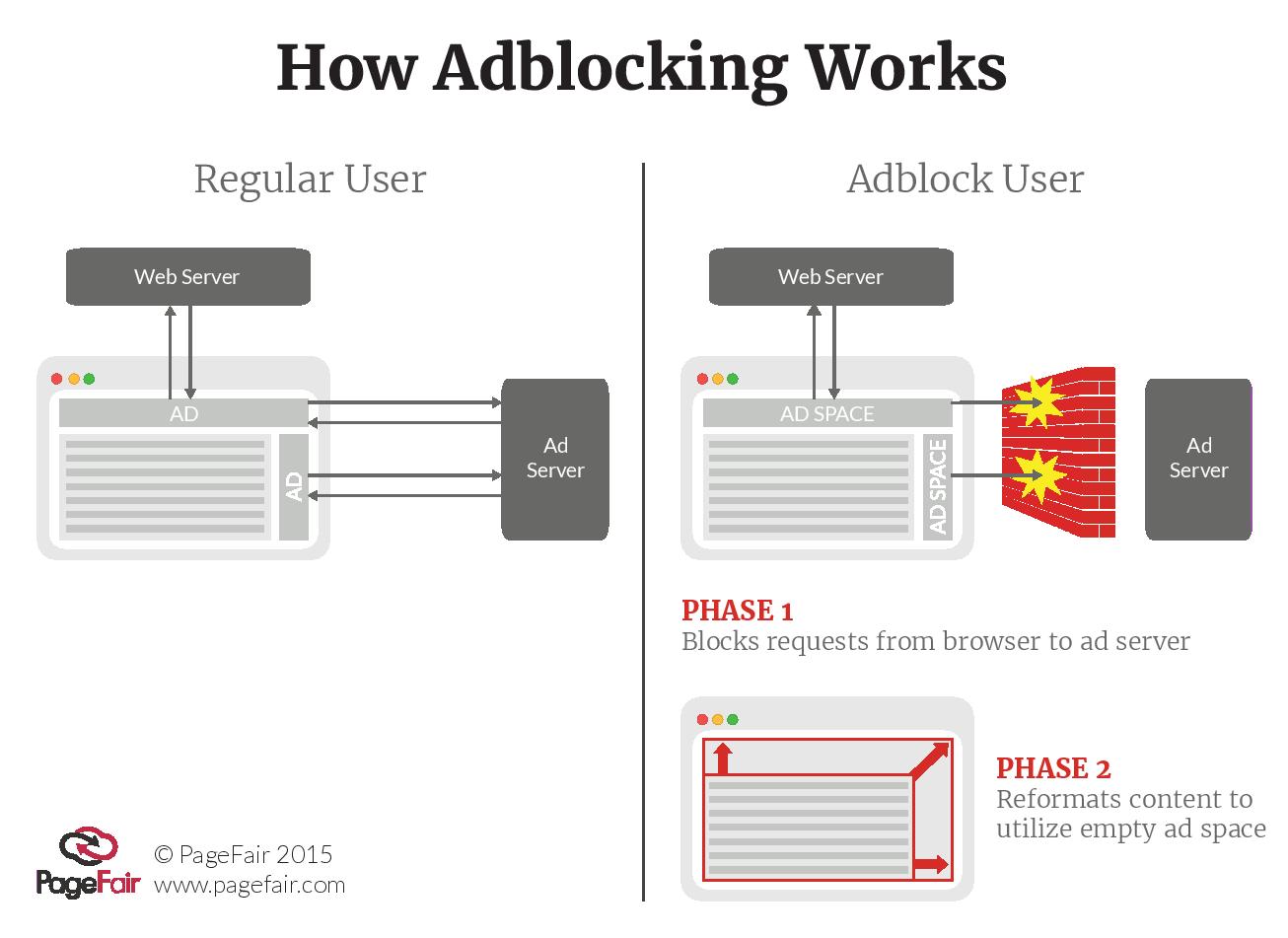
It is important to understand that nowadays ad blocking is powered not by super high-tech means (like artificial intelligence or self-learning neural networks), but by manual labor, not only that of developers but also of a larger community.
Filters and their maintainers
The products of this manual labor are filters, that is, lists of rules for detecting advertisements and separating them from the desired content. Automatic recognition of advertising is difficult because even people do not have a common opinion about what is advertising and what is not. For example, you might go to a web store and see there a banner saying, "Huge sale! Buy two, get a third for free!" The store is advertising itself, so does it make sense to block such promotional content? Do shoppers want to see it?
Another example: is it worth adding a rule that will work for only one website? This might make sense if the site has a very large audience; you just have to decide how large it needs to be.
Rules can describe various aspects of ad recognition: the appearance of an element, behavior, upload address. All aspects that can be described in programming code.
The criteria for separating advertising from other, more desired forms of content, are usually determined by the deliberate decision of the filter's creator. The criteria of ad definition and the corresponding principles of blocking are described in filter’s policy.
The best-known ad filter initiative is EasyList. It is used by the majority of popular blockers (including Adblock Plus, uBlock Origin, and AdGuard).
Ad blocker developers usually do not maintain filter lists of their own. Adguard does. Actually, our filters now evolve faster and are developed more actively than are EasyList’s. Our community of volunteers makes a huge contribution here.
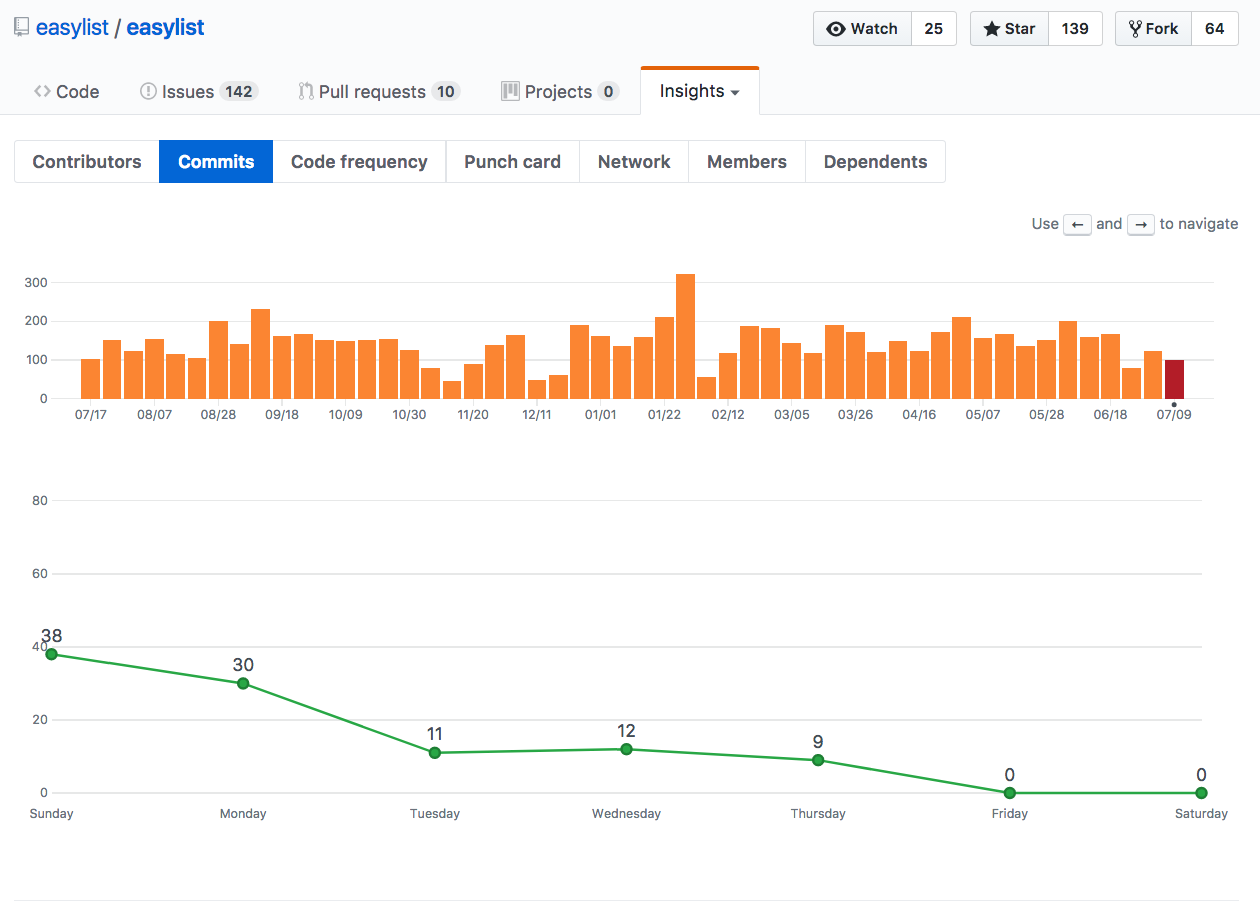 the activity of EasyList team
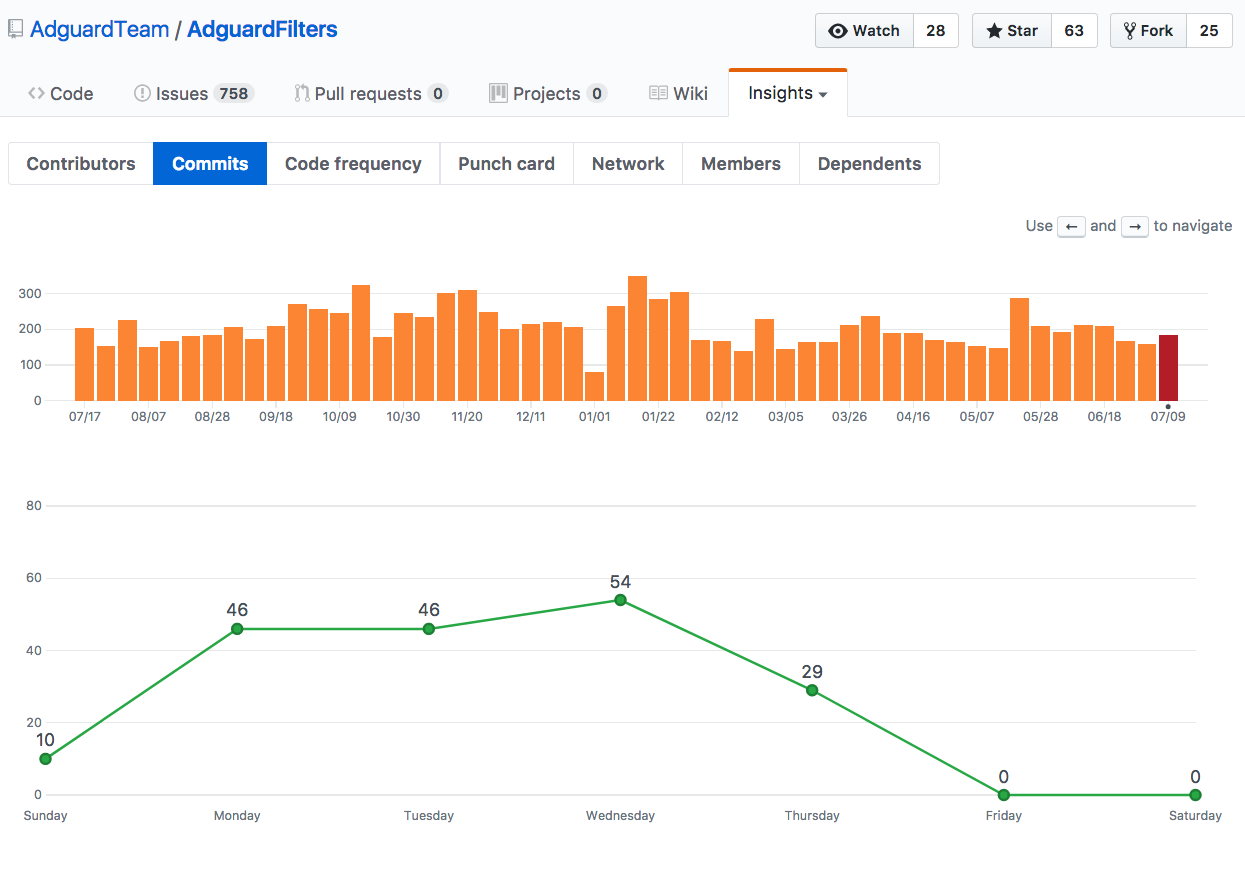 the activity of Adguard filters team
Another unique feature of AdGuard is its analysis of filter statistics. This helps to identify rules that are not used because the elements that they describe are not found in web pages. When such non-used rules are identified, they are then removed from the filter lists so that overall page loading is faster.
Filtration pipeline: from users to developers and back
The quality of a blocker depends on how quickly its filters are updated. Advertising companies always look for ways to defeat or circumvent ad blocking. They might change identifiers of advertising elements that are described in filter rules, or they may encrypt requests to the advertising servers so that blockers cannot stop them. This constant activity requires constant countermeasures.
Users complain about the ads they see when the blocker is turned on. All blockers have forms and buttons for submitting feedback of this kind. The signal goes to the filter maintainers, and they add new rules. They also remove the rules that have become irrelevant, optimize them for lightness and speed, and, if necessary, start new lists.
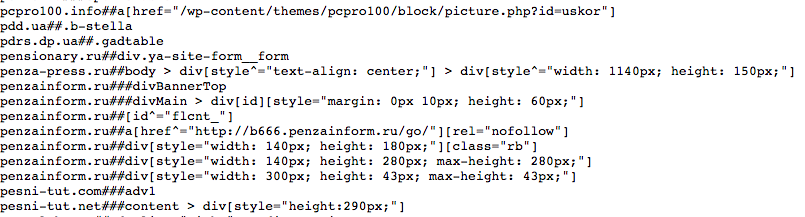 this is how a filter looks from inside: a fragment of rules for the Russian language. You can view all Adguard filters in the Knowledge Base
The developers of each ad blocker decide which of the publicly available filter lists to use. However, not all filters are fully compatible with all programs. Developers improve the syntax (rules for compiling program code) for filters so that they work faster and require fewer hardware resources, as a result filters created for one app may not work perfectly in another. But they still do work.
A user’s desire to install as many filters as possible in order to exterminate all ads may cause some problems. If a filter creator does not have enough resources to constantly support, supplement and optimize his lists, they would gradually fill up with errors and slow down the user’s device. A worst-case scenario is one in which hackers compromise an abandoned or poorly maintained filter list. By controlling a content filter, they can change what users see when they open a web page or an app on their device. For example, you might type google.com on an office computer, but land on a porn site while your boss is looking over your shoulder. An excessive number of filters, especially those that are not perfectly compatible with one another, will slow down the performance of the device and make it feel like the Internet connection is slow.
To protect its users from both accidental and intentional failures in filtering, Adguard uploads all the third-party filter files to our servers and we distribute them from our servers as well, thus guaranteeing us the fullest possible control over their performance.
But filters are just raw materials. It’s a mistake to believe that ad blocker creators just parasitize the labor of filter maintainers.
What do ad blocker developers actually do and how are their products different from each other?
Every ad blocker has its own approach to interpreting and implementing the rules prescribed in filters. A simple example: if a blocker doesn’t come across some elements described in a rule for months, what should I do? Should I disable the rule as obsolete, deciding that web developers have stopped using such elements? After all, the fewer rules, the lighter the app is and the more quickly it works! Or, should I not disable the rule, in case the element could still arise in the field?
Decisions of this kind are based on developers’ experience and expertise, and their understanding of the web and device development trends.
Besides filter maintenance, developing an ad blocker is work that involves processing user feedback, coordinating community efforts, analyzing statistics, controlling third-party filters, and following, understanding and predicting the evolution of advertising and web technologies.
Developers of each program choose their own solutions for all the typical software problems:
- Usage of hardware resources - RAM, disk space, battery charge. Interaction with other programs;
- Interaction with browsers, the correct display of sites and applications with eliminated advertising, without blank spaces, broken links, with proper design and usability;
- Avoiding conflicts with antivirus applications;
- Clarity and convenience of the app’s interface, the balance between flexibility and ease of setup;
- Flawless performance on all the platforms (types of operating system and device) on which the application is to be installed;
- User support — answering questions, solving issues, and fulfilling requests.
Finally, an app can have additional functions besides ad blocking; for example, it may offer parental controls or cybercrime protection.
Mobile apps, desktop software, and browser extensions: what are the differences for ad blockers?
Ad blockers are limited by the nature and features of the platforms they work on.
Browser extensions
These are small programs that work inside a browser and are installed from its application store. These are the simplest products to develop, mostly because the extensions for different browsers are actually the same program, but adapted for each of the browsers.
For users, their main advantage is that they are available free of charge. The main drawback, at first glance, is the necessity to install a blocker separately for each browser program that the user employs. But actually, the main disadvantage is that, since the extension "lives" inside a browser, the blocker is forced to obey the laws of the browser's ecosystem. These laws are often not very favorable to blockers because popular browsers have their own opinion about how advertising should work.
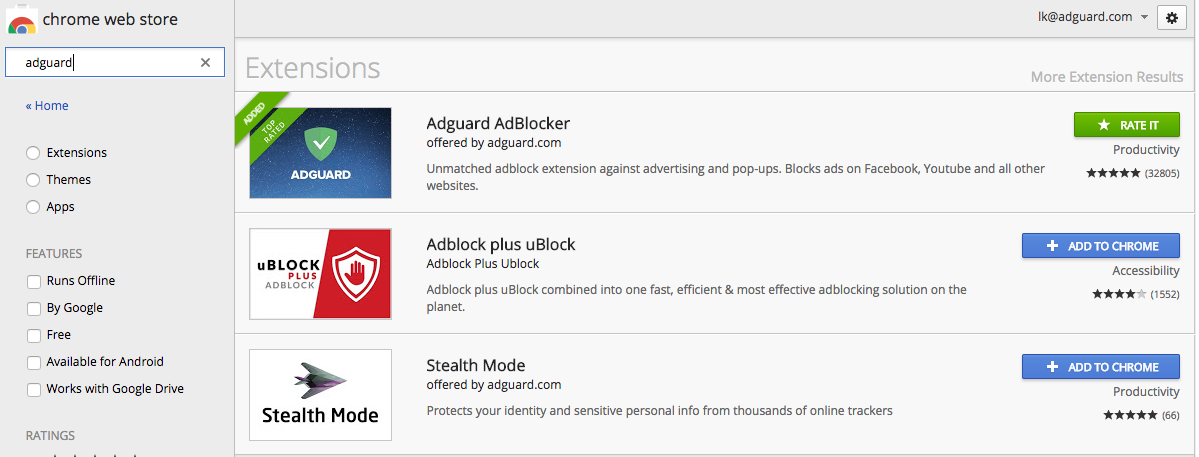 ad blocking extensions in Chrome Web Store
For example, Google Chrome and Russia's own popular Yandex browser belong to companies that are completely dependent on advertising income. They do not forbid ad blockers, but they do limit their performance and are gradually tightening these limitations. Yandex even has a content blocking API (a set of software tools for creating applications for a specific platform) for its mobile browser. But extensions based on the API will not block ads that are served by Yandex's own ad inventory.
The new version of the Content Blocking API for the desktop and mobile versions of the Safari browser has a limit of 50,000 rules for filtering. This is quite a strict limitation, and so far, with the sole exception of AdGuard, none of the blockers have been able to fit it. Everyone uses the old API, which has many functional limitations, plus it works more slowly and it does not allow the user to control some types of requests sent by pages. AdGuard collects performance statistics on its filters, so it can select the most important rules and optimize its filters to fit the limits.
In Chrome and Firefox, extensions are not able to control requests to advertising services via WebRTC protocol. So some part of the requests does get completed, and so some ads are shown. Until recently, a similar problem affected WebSocket protocol requests. For example, a well-known porn site Pornhub.com was caught creating web socket connections to show banners to users with ad blockers.
When Google launched the experimental QUIC protocol to run its own services in Google Chromium based browsers, it experienced the same issue. Users began to report the appearance of advertisements. Ad blockers could not monitor requests through this protocol and therefore they had to make improvements.
Extension-style blockers for mobile browsers are a different story, but not a very enthralling one. Chrome does not allow such extensions. Firefox does. The Yandex browser has been discussed above, all that was said refers to the mobile versions as well. A similar Content Blocking API is provided by Samsung's Internet browser. Adblock Plus has launched a browser with ad blocking of its own, but it is based on Firefox.
Mobile applications
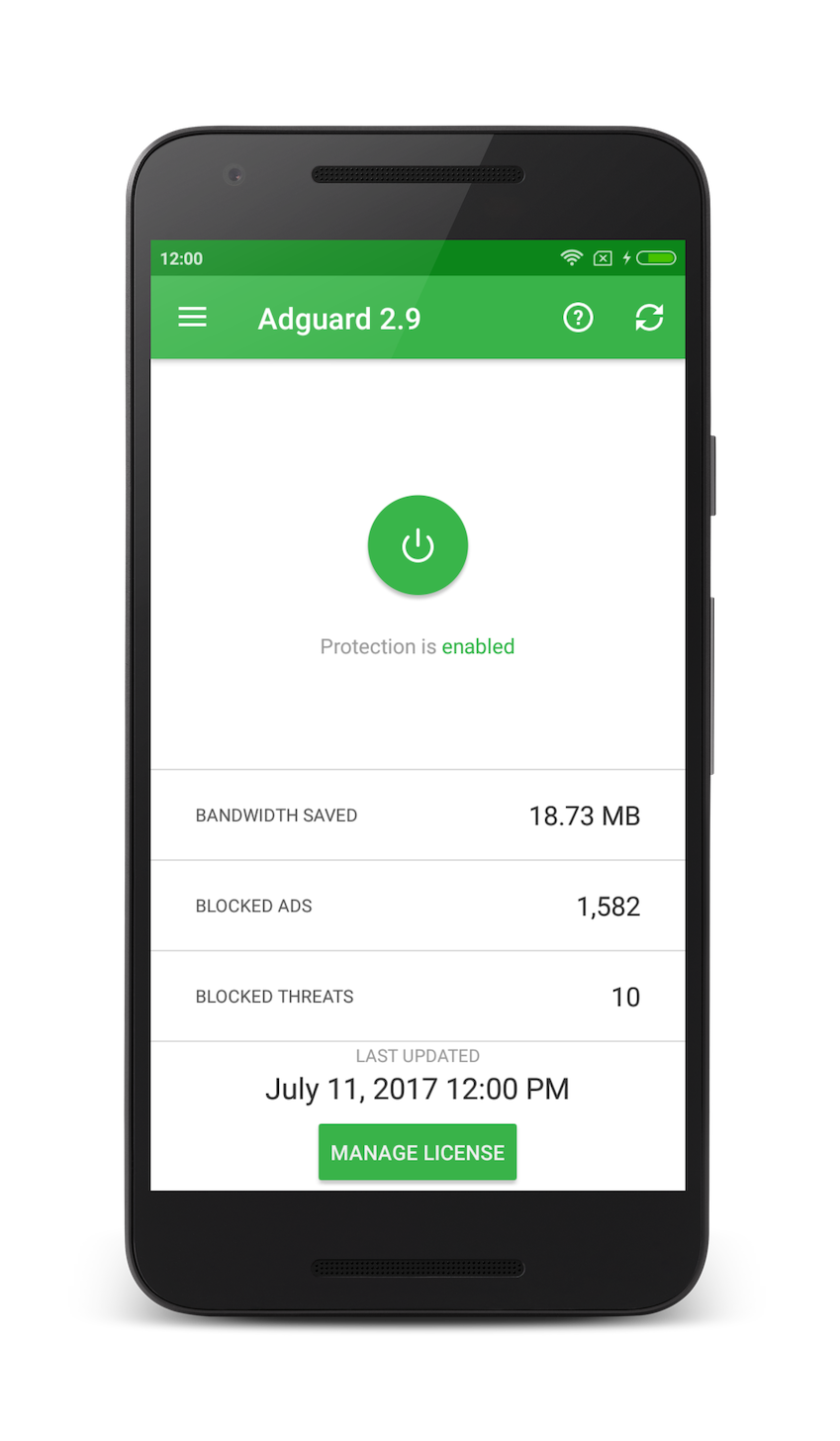
Blocking ads in mobile apps is possible only at the network level. A blocker here is a mobile app too, all web traffic used by other apps on the device goes through it and gets filtered. The blocking app removes advertising from this data stream, and the already "cleaned" information is displayed in other applications.
False modesty aside, Adguard is not only the best, but it is the only large-scale fully functional ad blocker for Android-powered devices.
There is a mobile blocking application called AdAway, but it uses a fundamentally different blocking mechanism. AdAway edits the host's file on the device. This file is responsible for associating host names (URL addresses) with IP addresses. If you edit associations between domains and IPs for advertising services, requests to these domains would not be completed, and ads would not be shown.
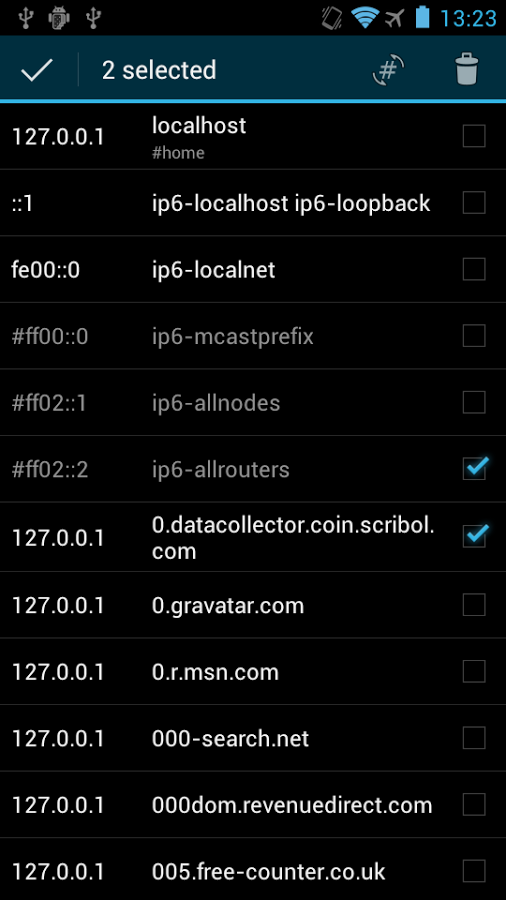 an example of hosts file contents
This method is easy to implement but has significant drawbacks, we have described them in detail in a blog post. In short, it does not allow you to block everything you need to and blocks what you don't need to. For example, if you do not want to see ads provided by the Facebook advertising network (hundreds of applications are connected to this network), you will not be able to use Facebook either.
Adguard filters all network traffic. But it also can be used in DNS-blocker mode, an approach similar to AdAway’s. This is a super-economical mode of operation that does not require hardware resources.
PC and laptop software
We have already mentioned the limitations of ad blocking browser extensions. If you install a blocker as a standalone computer program, these restrictions would be irrelevant. Such a program performs system-wide ad blocking, filtering all traffic on the computer. The result is similar to a mobile blocker, although the implementation mechanism is slightly different. Of course, such a program is much more difficult to develop than browser extensions.
DNS filtering
DNS stands for “domain name system”. Therefore, anti-advertising DNS filtering works in a manner similar to editing the host's file described earlier, with the same drawbacks and limitations. Adguard does use this approach in its iOS app, as this platform gives fewer opportunities to work with web traffic. More information about the capabilities of Adguard DNS can be found in the Knowledge Base.
The best feature offered by this method is cross-platform functioning. This blocks ads on all devices connected to the network that works through the DNS, including the "Internet of things". You can not only block ads on Smart-TVs, refrigerators and other smart home devices but also filter outbound traffic, that is, limit marketing surveillance.
You can read more specifically about the peculiarities of filtering advertising in Adguard in our Knowledge Base. If you have any questions, please post them in the comments.




















































