AdGuard v4.0 for Android: The ultimate update
The moment we've all been eagerly anticipating is finally here: we are thrilled to announce the release of AdGuard v4.0 for Android! This version is the culmination of countless hours of work invested by our developers, beta testers, translators, and other invaluable members of the AdGuard community. Our gratitude extends to each person who contributed to making this release a reality.
The reference point
Such a massive release is a good reason to remember where it all began. So let's take a little stroll down memory lane.
From the very first release, which we introduced on November 13, 2014, AdGuard for Android has not been just an app that filters Internet traffic and blocks ads. It was and still is a universal app that contains all the features you need to make browsing as convenient as possible.
With each new version, AdGuard for Android grew better, constantly acquiring new important features such as HTTPS and DNS filtering, Tracking protection, the AdGuard Assistant, and so on. Let's take a brief look at the history of product development.
Versions history
AdGuard v1.0 for Android
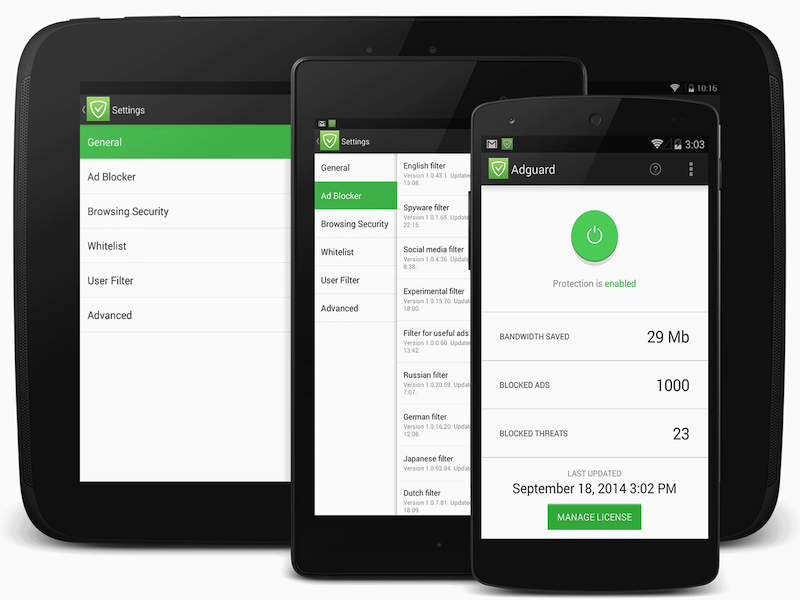
AdGuard v1.0 for Android presented a blend of notable functions, mainly divided into two central modules: Ad Blocker and Browsing Security.
The Ad Blocker, purging all ads before a web page was loaded in a browser, facilitated an ad-free experience, saved traffic and speeded up page loading. The Browsing Security module provided a safety net against threats by scrutinizing accessed web pages and apk files.
Special features included two filtering modes and anti-tracking technology. Furthermore, AdGuard successfully extended ad blocking to games and apps and introduced a social widget filter. Its ad filters operated across multiple languages, promoting a versatile, secure, and ad-free Android experience.
AdGuard v1.0 for Android was so good that Google removed it from Google Play two weeks after its release. According to the official version, this was done for so-called violation of the terms of the “Google Play Software Distribution Agreement”. But it felt like removing our app from Google Play was just a logical step in the “banning policy” that Google was consistently applying to all apps that could in any way prevent the company from making money on Android users.
Yet, this setback did not deter us. AdGuard for Android continued to develop outside the confines of Google Play, offering advanced features, and progressively building a loyal user base that cherished online privacy.
AdGuard v2.0 for Android
At some points, the development of AdGuard for Android was like a battle: if you look at the versions history on our website, you'll understand what we're talking about. The number of fixed bugs and released betas, release candidates and hotfixes is off the charts.
But thanks to the hard work of the team, AdGuard v2.0 for Android could boast of multi-language localization, HTTPS filtering, Firewall, IPv6 filtering, log exporting, and much more. The significant update of the second version was the change of the filtering engine to CoreLibs. One of its main advantages over its predecessor is its cross-platform nature. This allowed AdGuard for Android to take the best from AdGuard products for other OSes!
AdGuard v3.0 for Android
We continued to make AdGuard for Android better: redesigned the app to make it clearer and simpler, added a dark theme, support for custom scripts and hosts files, integration with DnsLibs, protection against DPI, and updated the Browsing Security module.
Version 3.0.24 introduced a new Stealth Mode module, which protects against tracking. And version 3.5 introduced Compatibility mode with AdGuard VPN for Android, which finally allowed to use AdGuard Ad Blocker and AdGuard VPN simultaneously without having to deal with long setups.
But at some point of development we realized that for the product to take a qualitative leap forward, we had to drastically rework the app and rewrite the entire code. Sounds scary, doesn't it? Good thing our development team isn't fearful.
Remarkable сhanges in AdGuard v4.0 for Android
Finally, we are ready to reveal the result of titanic efforts! Let’s take a closer look at AdGuard v4.0 for Android and talk about what has changed since version 3.6.
Total reengineering
We've overhauled the entire app, meticulously rewriting every line of code from the ground up. This transformative revamp has resulted in an app that's not only faster, but also smoother than ever before.
Complete redesign
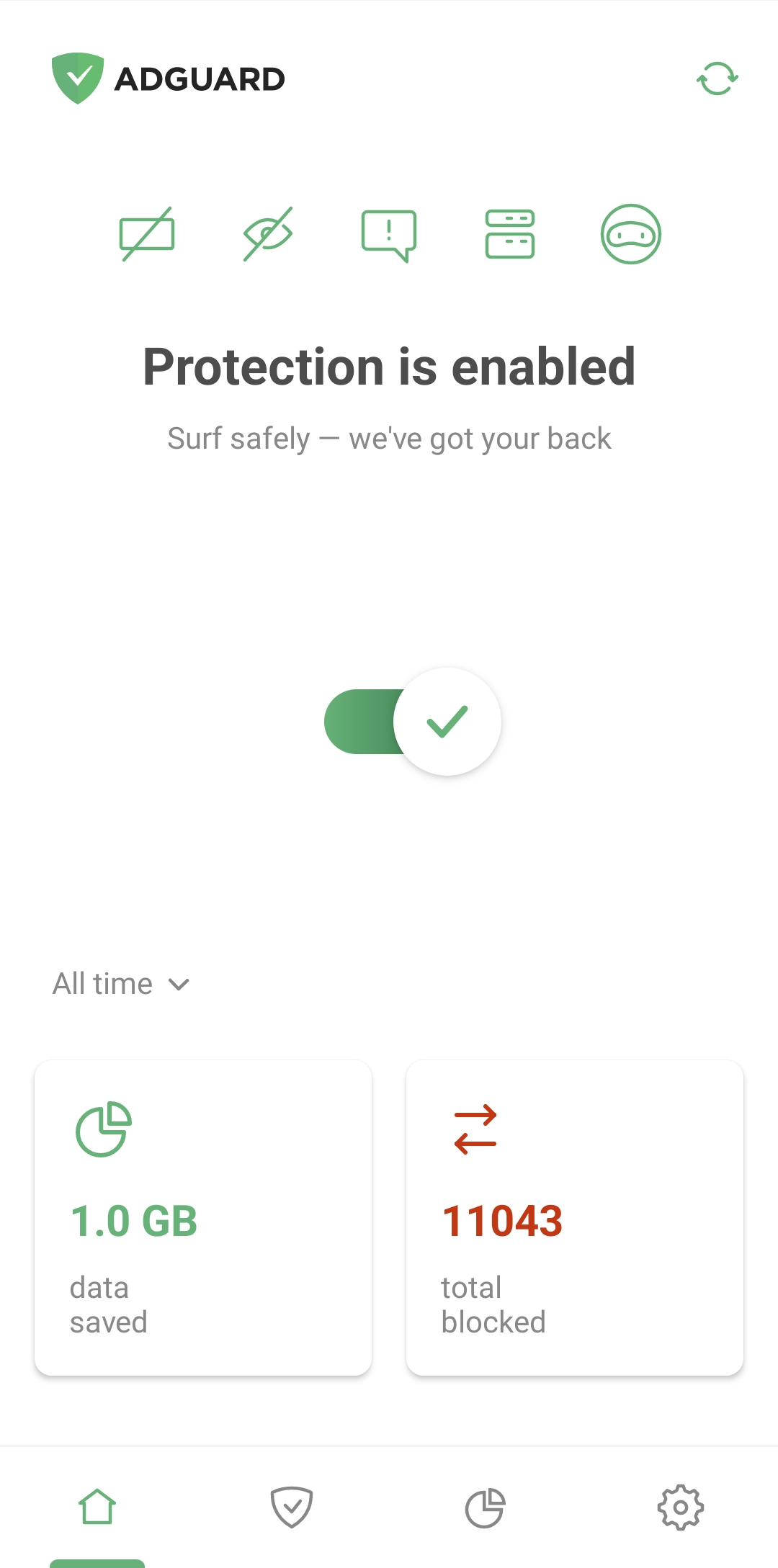
We've reimagined the design to make the app interface simpler and bring core features to the forefront. Now, to turn on Ad blocking, Tracking protection, Annoyance blocking, or DNS protection along with their filters, you can just tap the corresponding icon above the main switch.
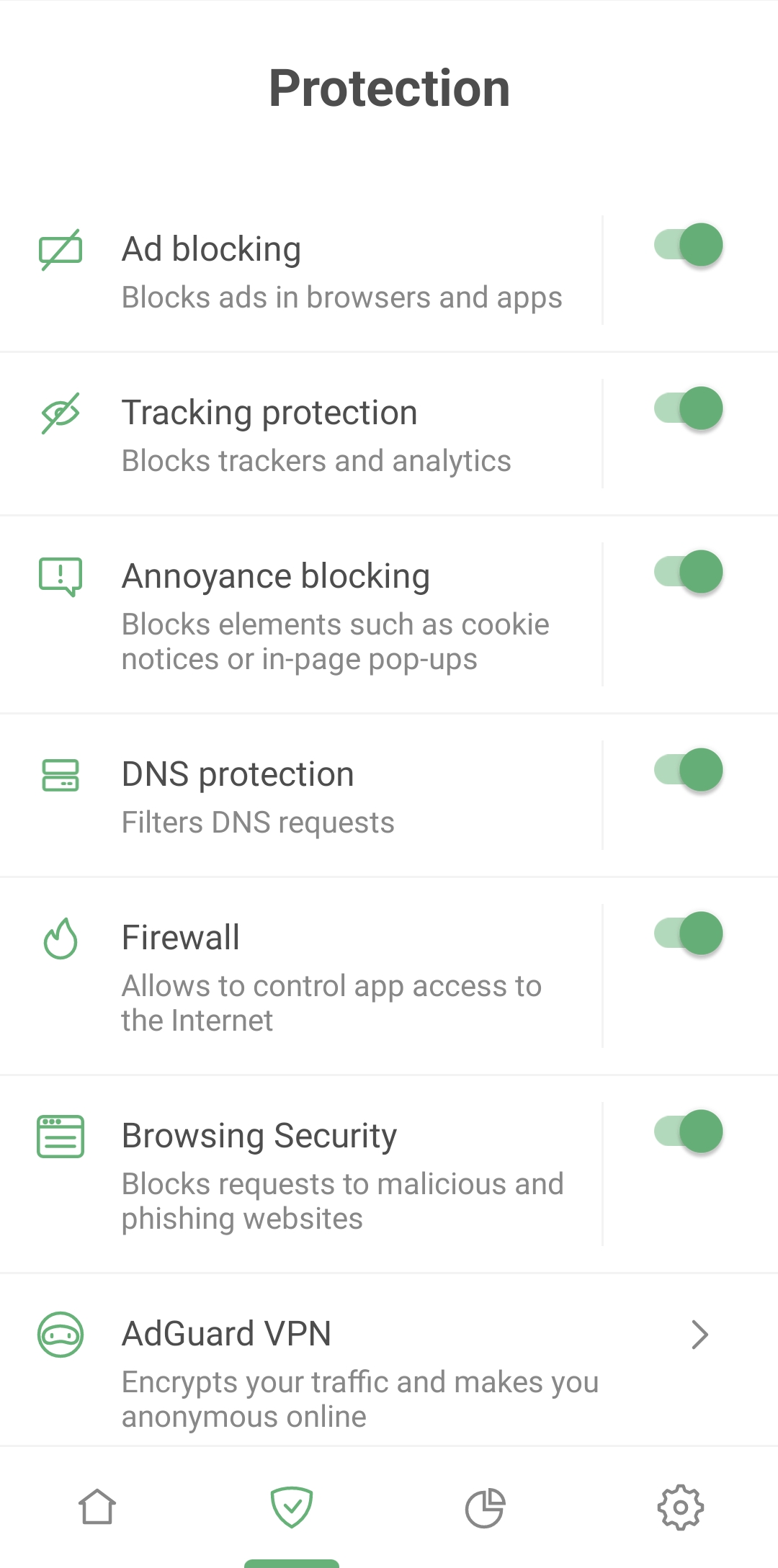
We've also added a separate Protection section. Accessible by tapping the shield icon at the bottom of the screen, this section gives you even more control. Apart from the above-mentioned “core” features, this section allows you to manage Firewall, Browsing Security, and even AdGuard VPN. From the Protection screen, you can turn these modules on or off as you wish and access their settings.
Firewall
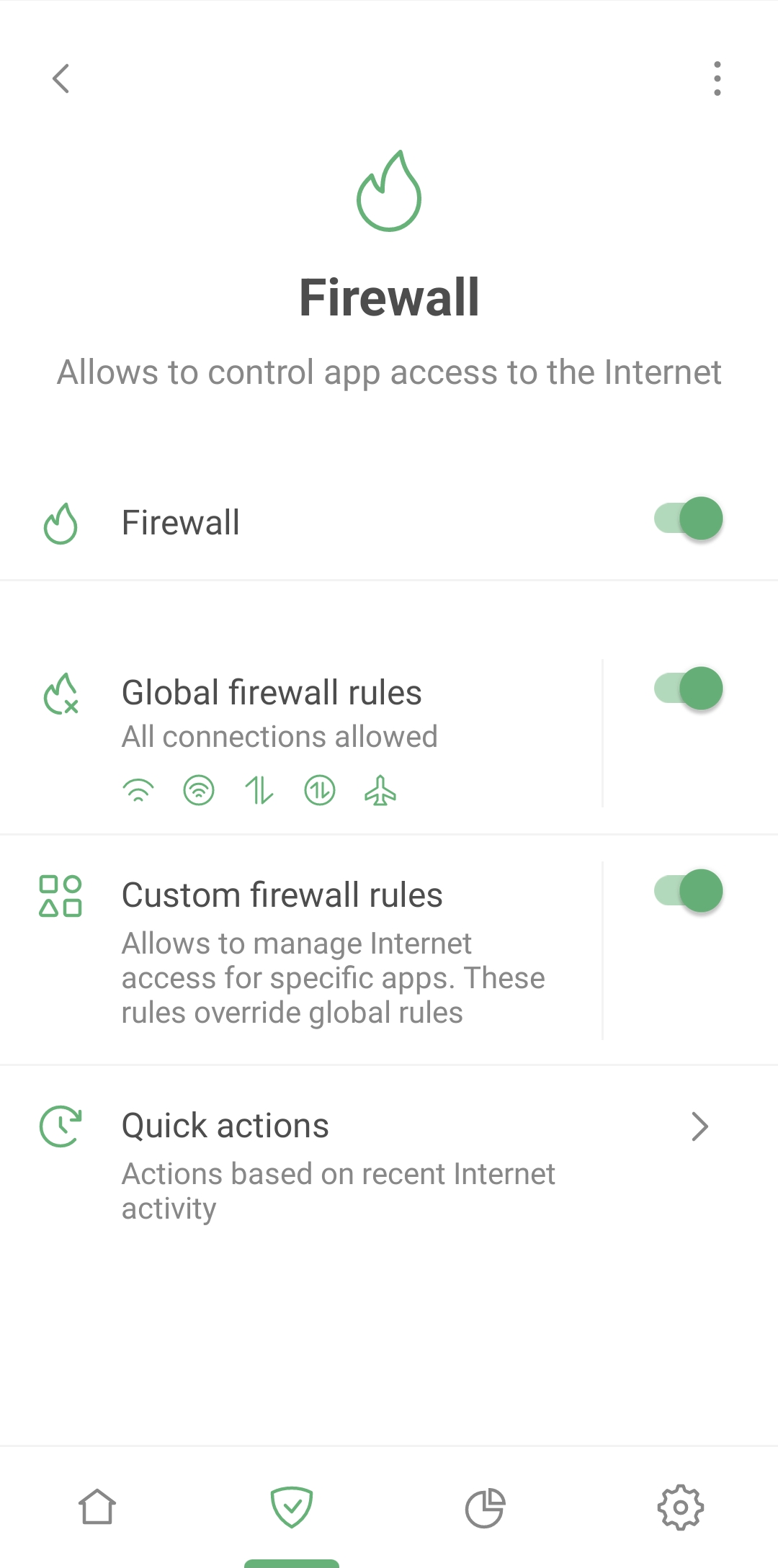
We've uncovered an exciting feature from the depths of AdGuard for Android — Firewall – and given it a full-fledged, independent status. With it, you are the master of your domain, deciding which apps can indulge in mobile data or Wi-Fi when the screen is off. It is designed to keep you in the know with real-time notifications of app activities, so nothing escapes your attention.
And for those lightning-fast modifications, head over to the Quick actions section where updating firewall rules has never been simpler. With Firewall, you can also block apps from accessing the Internet while in roaming, saving your precious megabytes abroad.
Detailed statistics
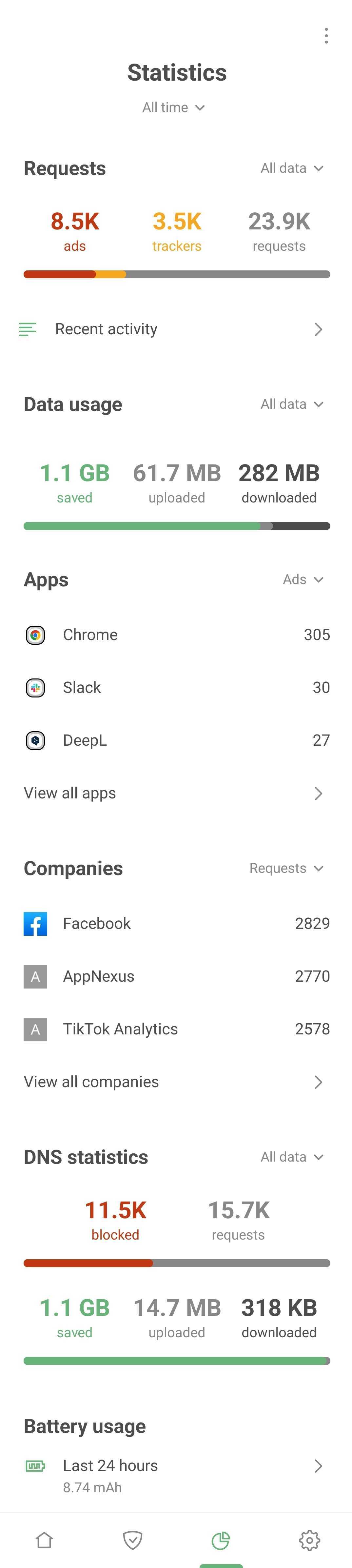
A dedicated tab offers comprehensive statistics about all apps, companies, and domains. Wondering which company's requests are blocked most often? Which apps are trying to send your data and to whom? You can quickly identify and block anything suspicious.
Integration with AdGuard VPN
As we wrote above, Integrated mode with AdGuard VPN was introduced in AdGuard v3.5 for Android. Until then, users had to go through seven circles of hell to get our ad blocker and VPN to work simultaneously. All because normally two different network-filtering apps can’t work alongside each other on Android.
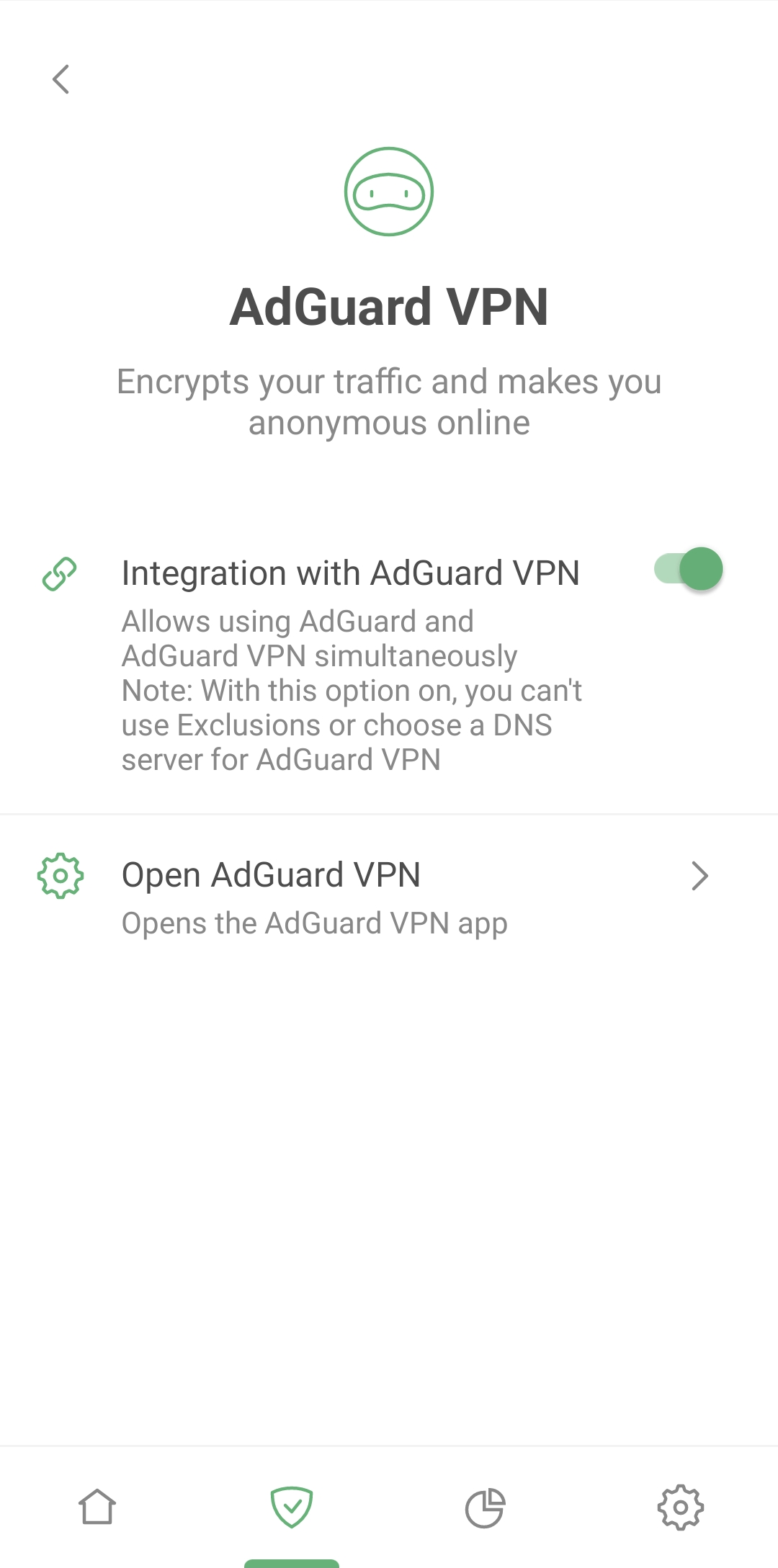
With the release of AdGuard v4.0 for Android, Integrated mode has become more stable than ever. Previously, each time AdGuard or AdGuard VPN was updated or reinstalled, Integrated mode had to be reconfigured. Now, you configure it once and it will withstand updates and reinstalls while maintaining the integration. In addition, more frequent information exchange between AdGuard Ad Blocker and AdGuard VPN enhances the stability of Integrated mode without affecting performance.
Changes in Integrated mode are synced between AdGuard v4.0 for Android and AdGuard VPN v2.3 for Android. Be sure to update both apps to the latest versions to enjoy their most stable and smooth simultaneous operation in Integrated mode.
Selective app proxying
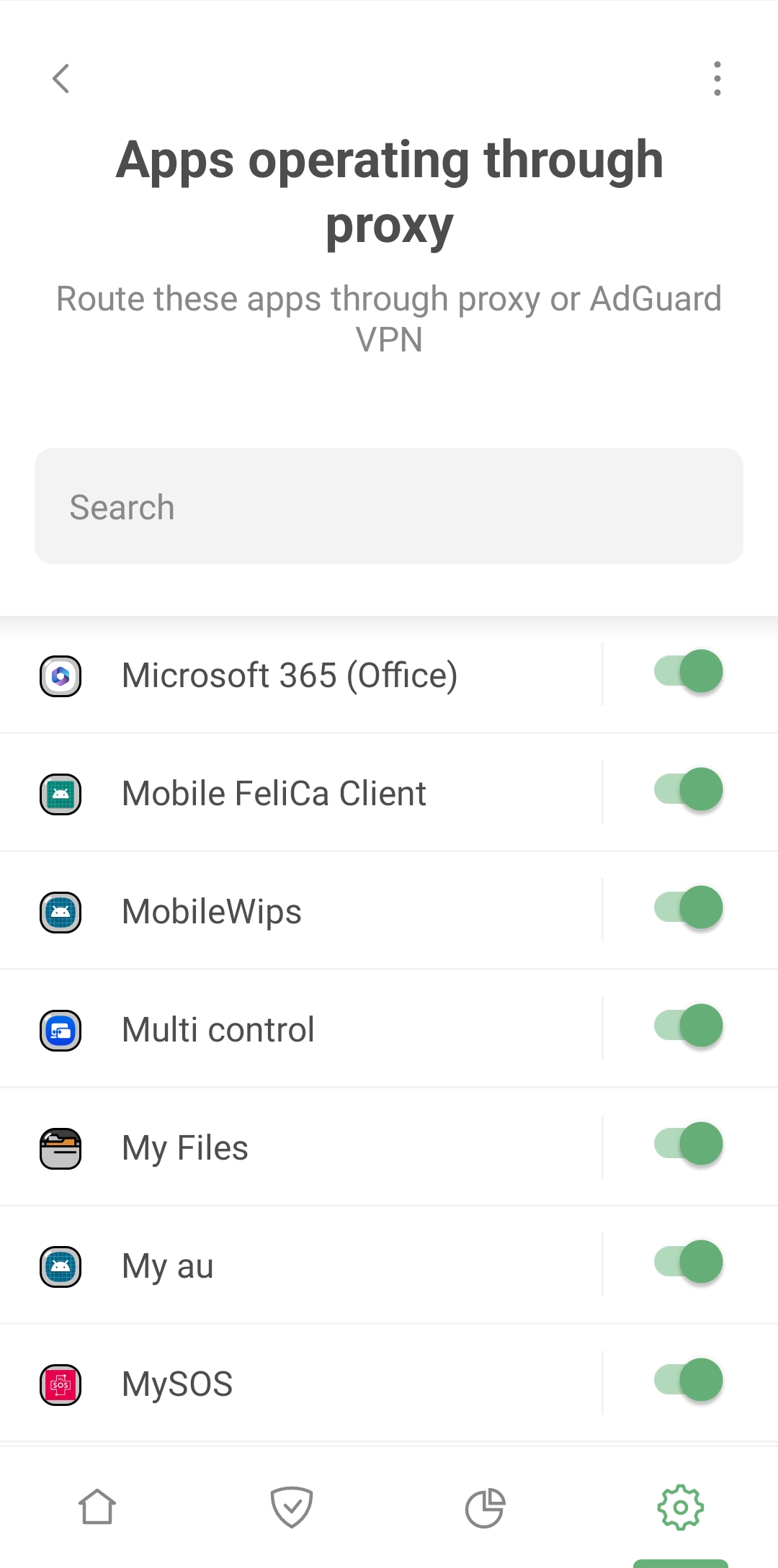
Before AdGuard v4.0 for Android, you could route all of your web traffic through a specified proxy server. With the Apps operating through proxy feature, located at Settings → Filtering → Network → Proxy, you can now choose which apps will work through your proxy. In addition, Apps operating through proxy allows you to specify which apps will route their traffic through AdGuard VPN when operating in Integrated mode.
Root access perks
For all the tech enthusiasts out there, the term “root” is no stranger to you. Rooting is essentially unlocking your device to gain more privileged control. If your Android device is rooted, AdGuard v4.0 for Android offers you unprecedented capabilities beyond any previous version of AdGuard Ad Blocker.
Traditionally, AdGuard routes network traffic to its CoreLibs filtering engine by establishing a local VPN. But now, with root access, you can switch AdGuard to the Automatic proxy mode. Just navigate to Settings → Filtering → Network → Routing mode and switch to Automatic proxy. This action takes local VPN out of the picture and instead configures iptables to accomplish the same goals. And there are several benefits to this change.
Firstly, AdGuard is now able to apply DNS filtering to IPv6 requests, something that was not possible before. Secondly, we've ironed out a few issues that hampered AdGuard from accurately associating web requests with their respective apps. This fine-tuning will enhance the performance of Firewall, Filtering log, and so forth. For those of you with rooted devices, this AdGuard update takes your control and customization to a whole new level!
Low-level settings rework
Diving into the realm of Low-level settings? Found under Settings → General → Advanced, these options are designed with the tech-savvy user in mind. It's a powerful playground, but it's also a place where it's all too easy to mess things up if you're not careful. Despite all the warnings we’ve placed, it's human nature to explore and experiment, often without fully understanding the consequences.
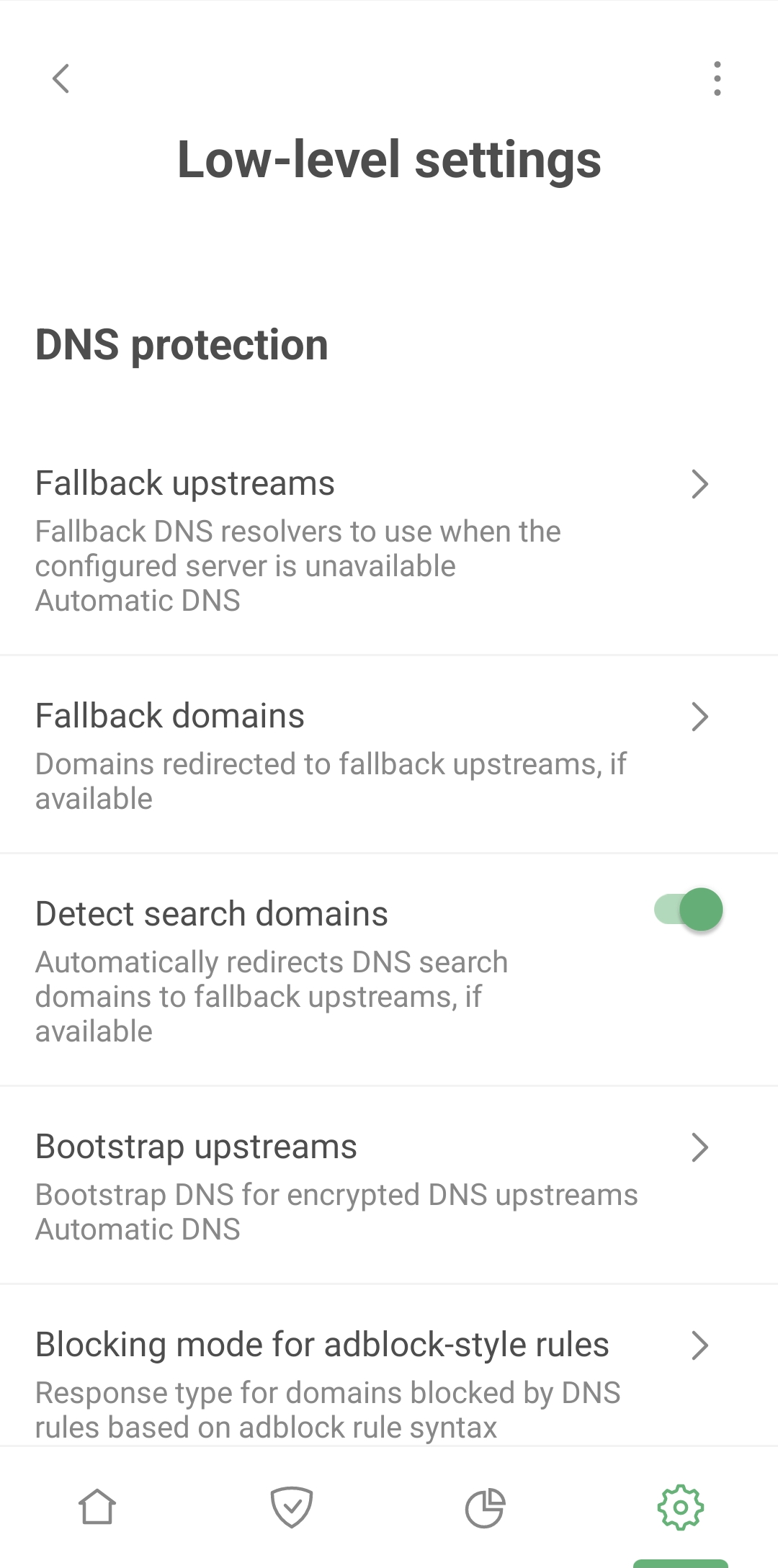
In response to this, we've made the Low-level settings more user-friendly and intuitive. It's now easier to understand what each setting does, and even if you do make a mistake, we've implemented security measures like validation checks for entered values to protect you from major missteps.
As for the settings themselves, we've added new ones, retired old ones, and have continued to refine this advanced toolset. A comprehensive guide on Low-level settings is available in our Knowledge base. So get ready for an enhanced, yet safer deep dive into the depths of customization with AdGuard's advanced settings!
What's next?
Of course, the release of AdGuard v4.0 for Android is a milestone for us, but we're not going to stop there! We'd like to share with you some upcoming features we have on the horizon:
Android TV compatibility. If you'd like to block ads and trackers on your Android TV, you can set up AdGuard DNS on your router. But with AdGuard for Android, adapted for Android TV, you'll have a multi-functional tool that gives you complete control over the traffic on your device.
Expanded statistics. We believe in transparency and want you to understand where and to whom your data goes. That’s why we're looking to further enhance our statistics. For instance, we plan to display not only the names of the companies that receive queries from your device, but also their line of business. So that you can tell at a glance whether these companies are allies or adversaries in protecting your online privacy.
Enhanced integration with AdGuard VPN. Currently, we limit some VPN functions in Integrated mode: there's no Kill Switch and you can't manage app exclusions or select a DNS server from within the VPN app. We plan to incorporate these features in the future.
And that's just a small glimpse into our roadmap. We've got loads more in store! Please read below on how to report feature requests and bugs to us, as your feedback is crucial to our ongoing improvements.
Want to help?
If you want to help shape the future of AdGuard, you can suggest new features, report bugs, and help with translations. We value our contributors and always reward those who help us make AdGuard even better.
This unparalleled release of AdGuard v4.0 for Android is more than just an upgrade – it's a game-changer. We're thrilled to bring you this enhanced, user-friendly version and can't wait to hear your feedback!
Enter the giveaway
We couldn’t have made this version without our users and community, so now it’s time to give back.
So, to celebrate this historic release, we’re giving away 4 Samsung Galaxy S23 Ultra phones and 400 lifetime licenses!




















































