From Glassholes to ‘pervert glasses’: Why smart eyewear keeps failing the privacy test
Few recent tech products have triggered a privacy backlash as intense as the one surrounding Meta’s second-generation AI glasses. What Meta markets as the future of personal computing is increasingly becoming shorthand for covert recording, unwanted exposure, and a complete loss of control for the people caught on camera.
Last July, Meta CEO Mark Zuckerberg said that within five to ten years, people who did not wear AI glasses could find themselves at a “pretty significant cognitive disadvantage” compared with those who did. Zuckerberg has also promoted smart glasses as a device that could ultimately replace the smartphone, putting instant knowledge not merely at your fingertips, but literally at your eyelids.
For a while, the glasses appeared to be building real momentum. Meta and its manufacturing partner EssilorLuxottica reportedly sold around 7 to 7.5 million pairs in 2025 alone, after reaching a cumulative two million sales across 2023 and 2024. On paper, it looked like Meta had finally turned smart glasses from a failed futuristic experiment into a mass-market product.
But commercial success has come with a growing privacy pushback. Despite Meta’s efforts to present the glasses as a universally desirable, cutting-edge gadget, they have increasingly become a liability. Some owners are reportedly now reluctant to wear what critics have branded “pervert glasses” outside their homes.
What went wrong? Almost everything. And much of it was predictable.
In search of an LED light
Meta’s latest smart glasses are the product of its collaboration with EssilorLuxottica, the eyewear conglomerate that owns Ray-Ban. EssilorLuxottica contributes its expertise in frames, lenses, manufacturing, fit, and prescription optimization, while Meta supplies the cameras, microphones, internal hardware, software, and Meta AI.
On June 23, 2026, the partnership launched a new self-branded line simply called Meta Glasses, including a frame style designed with Kylie Jenner whose built-in Meta AI assistant spoke in her voice. By ditching the familiar Ray Ban branding, Meta appeared ready to stop piggybacking on someone else’s reputation and establish itself as a respectable eyewear brand.
That would always be difficult if not impossible, though. By the time the self-branded line arrived, the glasses had already generated a storm of controversy, much of it driven by reports of women being secretly filmed during seemingly genuine interactions. Many later discovered the footage was posted online without their consent. Some videos attracted millions of views, led to recognition by strangers, and were uploaded despite explicit objections, while the women involved said they had not noticed the recording light. Some victims reported that the videos revealed where they lived and made them afraid to go out.
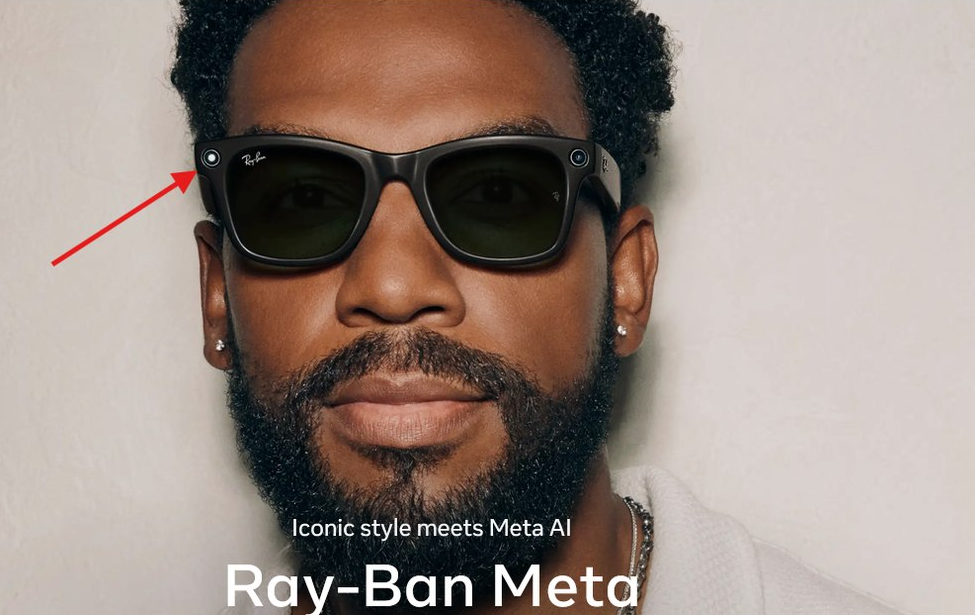
What makes these cases so disturbing is that only one person knows the interaction is being recorded. The wearer is creating content; the person in front of him thinks they are simply having a conversation. That hidden imbalance deprives them of any real choice over whether their image, voice, and personal interaction are captured and shared.
Existing laws do not give smart-glasses users a blanket right to record others: in the US, consent requirements vary by state, and some require everyone in a private conversation to consent. Whether a recording is illegal depends on the circumstances, but legal uncertainty does not equal consent.
Meta’s primary answer to this problem is a small white capture LED on the front of the frames. It flashes when a user takes a photograph or records video, supposedly warning bystanders that the camera is active.
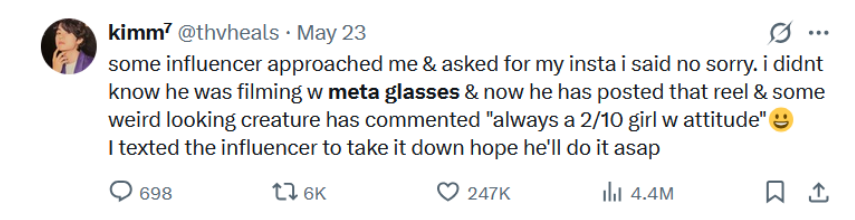
But the light is not a meaningful privacy safeguard. At best, it is a notification — and an easy one to miss. A person must know that the glasses contain a camera, know where the indicator is located, be close enough to see it, and happen to look directly at the wearer while it is flashing.
Predictably, almost as soon as the glasses became popular, people began searching for ways around even that limited warning. Stickers were sold to obscure the LED, while modification services offered more permanent ways to alter or destroy it.

On July 7, 2026, Meta began rolling out a mandatory update that disables the camera if the glasses detect that the LED has been physically tampered with or destroyed. The company said: “No photos or videos can be taken until we detect that the light is unblocked.” Meta also said it would remove advertisements and Marketplace listings for LED-modification services and could take legal action against those offering them.
Closing that loophole is welcome. It is also revealing that the loophole existed, and that Meta had to redesign its protections in response. More importantly, the update cannot fix the underlying flaw of the system: a functioning light is still useless when the people being recorded do not recognize it or notice it.
And the privacy risk does not end once the recording has been made. Meta relied on data annotators employed by Sama, an outsourcing company in Nairobi, to label footage and help train the glasses’ AI to understand what it was seeing. Workers told Swedish reporters that the material they reviewed included people undressing, using toilets, having sex, and exposing bank-card details, while automatic face blurring did not always work. Meta’s response was to sever its seven-year contract with Sama, leaving more than 1,100 workers unemployed, saying only that “they don’t meet our standards.”
The public, meanwhile, has begun developing its own form of enforcement: social ostracism. An X user shared that their friend group started referring to a Meta-glasses owner as “the pervert” until he eventually got rid of them.

The backlash has reached celebrity culture too: Kylie Jenner’s campaign for the glasses was met with criticism, while pop star Lorde bluntly told a festival audience, “Don’t get the glasses. Not sexy.”.
That is not a software bug Meta can patch. It is a social verdict on a product whose appeal to the wearer partly depends on everyone else accepting that an ordinary-looking pair of glasses may also be a camera pointed directly at them.
The history of privacy failure: from Glassholes to Snap Specs and back
Anyone who has followed consumer technology long enough probably remembers the disaster that was Google Glass. The futuristic headset began reaching early users in 2013 and drew excitement from a small group of tech enthusiasts — it even featured in Vogue.
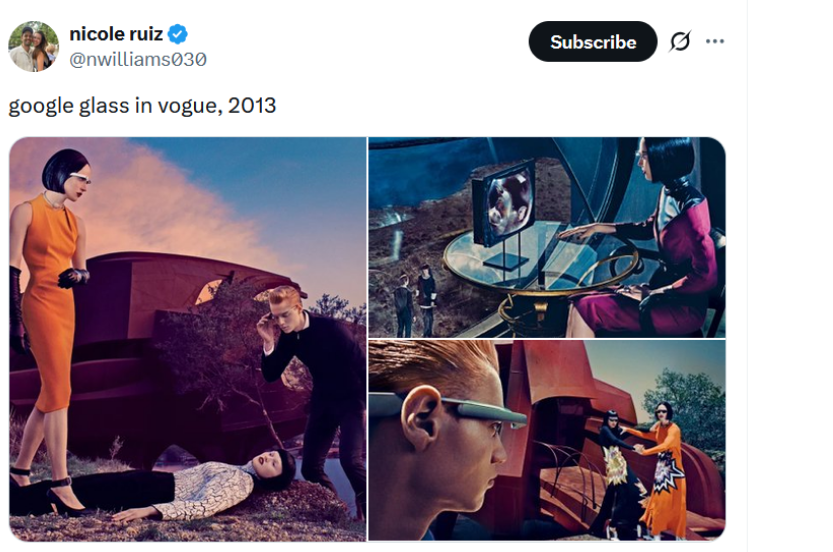
Almost everyone else, though, seemed to hate it.
Some criticism focused on the device itself. Google Glass initially cost $1,500, looked strange, had limited battery life, and simply offered too little to entice a regular person into wearing them. But its biggest flaw was arguably social rather than technical: people could never be sure whether the person looking at them was also recording them.
The backlash became so intense that bars, restaurants, casinos, and cinemas began banning the glasses. Wearers were soon labelled “Glassholes” — a term for Google Glass users who behaved obnoxiously. The word became Urban Dictionary’s word of the day in March 2013, and quickly entered the popular vocabulary.
Google Glass did not fail because of privacy concerns alone. Its steep price, awkward design, immature technology all played a role. But the term “Glasshole” captured the deeper problem better than any product review could: society had rejected not only the device, but also the behaviour it enabled.
Snap tried to learn from that failure when it launched its first Spectacles in 2016. Instead of making them look like a device from a sci-fi movie, the company made them look as unserious as possible. It also placed a conspicuous ring of LEDs around the camera that lit up while the glasses were recording.
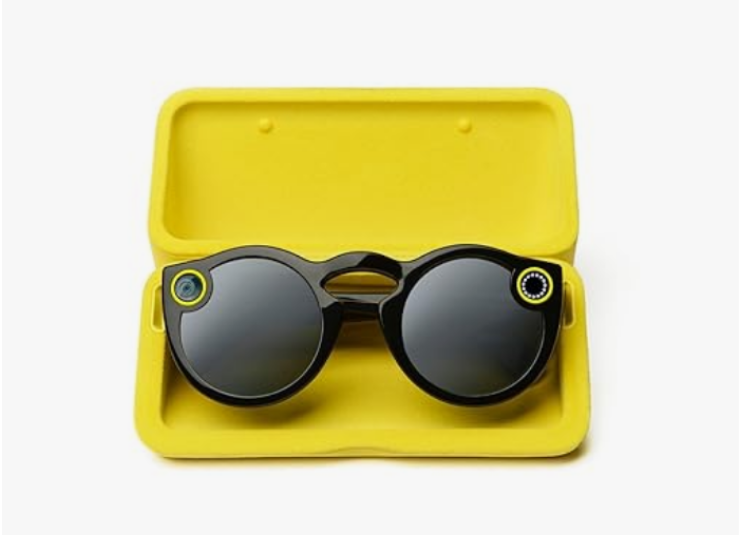
The message was clear: these were a toy, not a surveillance device, and people around the wearer would always know when the camera was active. That did not entirely work. The light was only helpful when bystanders knew what it meant, were standing close enough to see it, and happened to be looking directly at the wearer. A 2016 YouGov survey found that nearly half of US adults would feel uncomfortable around a stranger wearing Spectacles. Just a year after launch, Snap’s first foray into hardware was officially deemed a failure.
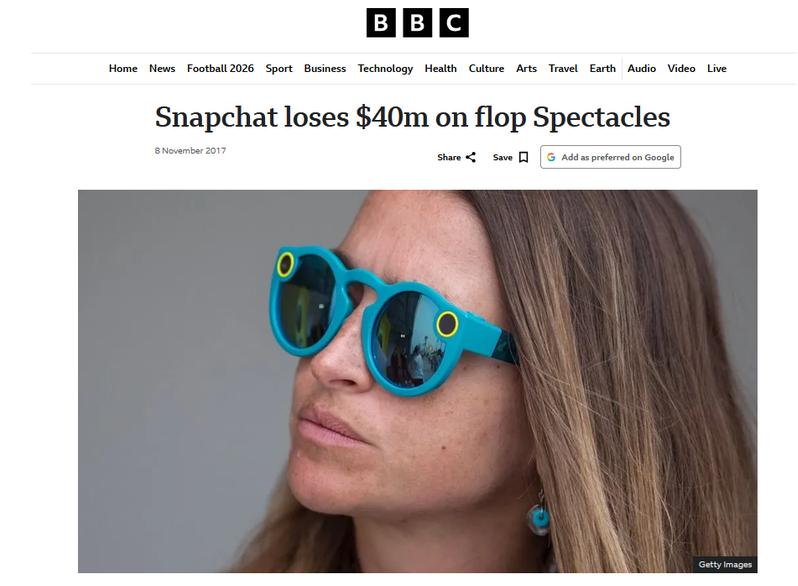
Meta appears to have studied both failures carefully — but drawn a troubling conclusion from them. Google Glass looked too strange. Snap Spectacles looked too much like a toy. Ray-Ban Meta glasses, by contrast, look almost exactly like ordinary eyewear.
That may have helped Meta achieve what Google and Snap could not: sell face-worn cameras at a mass-market scale. But it did not resolve the original privacy problem. It merely made the device — and the fact that someone may be recording you — much harder to notice.
Pushback in action, not words
In a way, the growing popularity of this new wave of smart glasses, now enhanced with AI, has pushed authorities back toward their familiar way of dealing with face-worn cameras: banning them. Recording-enabled glasses have already been prohibited or restricted in courtrooms in New York and Wisconsin. In California, a judge even ordered members of Meta CEO Mark Zuckerberg’s team to dispose of their smart glasses during a no-recording session and warned that if they did not do so they could be held in contempt.
It may only be a matter of time before more privacy-sensitive spaces follow. Google Glass was easy to identify and ban because it looked like a gadget out of this world. Meta’s glasses are harder to police precisely because they are designed to pass as ordinary eyewear.
The same old Meta pattern: convenience without consent
The problem is bigger than one pair of glasses. What connects Meta’s eyewear to many of its other products is a familiar approach: introduce a convenient new way to collect information, place the responsibility for managing the consequences on users and bystanders, and treat consent as something that can be buried in settings, terms of service, or a tiny blinking light.
We saw the same willingness to push past privacy boundaries in 2025, when researchers found that Meta Pixel had exploited Android’s localhost functionality to connect mobile browsing activity — including activity in private browsing mode — with identities logged into Facebook and Instagram apps. Meta paused the practice after it was exposed. The mechanism was very different, but the underlying approach was the same: use whatever access the technology allows first, and deal with objections later.
There is another recurring pattern too. From the metaverse to AI glasses, Meta has repeatedly presented its preferred technological future as inevitable, assuming that public enthusiasm will eventually catch up. Zuckerberg’s warning that people without AI glasses may face a “cognitive disadvantage” takes this logic even further: reluctance is framed not as a reasonable response to a company with a long privacy record, but as a failure to embrace progress.
Yet trust cannot be forged through celebrity campaigns or software updates. It is earned by giving people meaningful control — including people who never bought the product but happen to stand in front of it. That absence of consent is not a minor flaw waiting for a better LED. It is the product’s central privacy problem.




















































