First look at the completely redesigned AdGuard v4.0 for Android Nightly
We haven’t talked about AdGuard’s mobile apps for a long time, but now we're ready to let you in on what we've been up to.
The Android app has been improved so that everyone can enjoy its perks. It is now much simpler to use for people without any technical background and more packed with features for those who want complete control over their data.
Moreover, we’ve completely rewritten the app so that it runs way faster and smoother.
Disclaimer: this is a Nightly version — so the app contains more bugs than usual (here’s the list of known issues). If you’re not ready to report bugs, better not take the risk and wait for the release — we’re actively working on making the app more stable.
This version is only available in English. You can help us localize AdGuard v4.0 for Android on Crowdin — just choose your language and start translating.
Updates useful for everyone
Full redesign
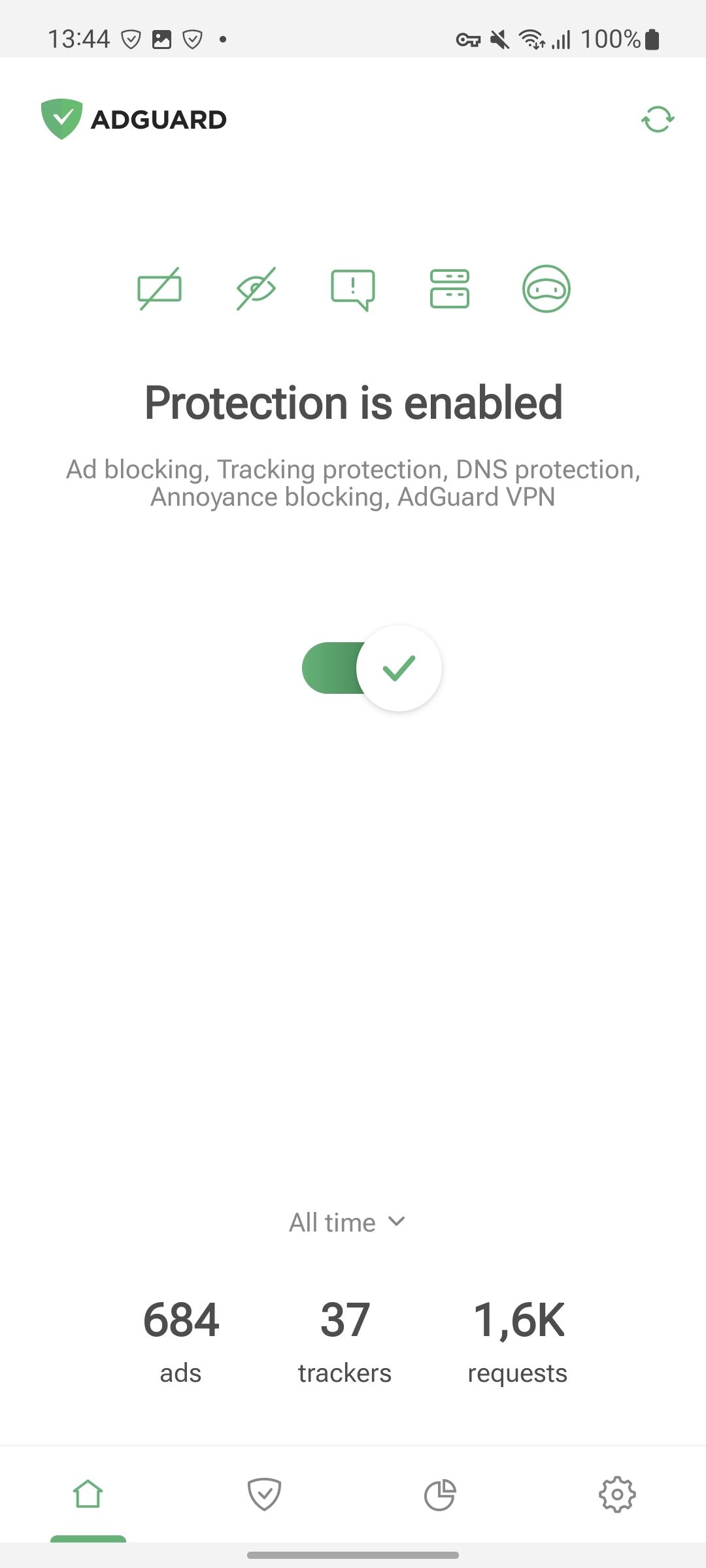
Originally, AdGuard for Android has a plethora of features — it serves as an all-purpose tool for blocking ads, trackers, and other threats. While redesigning it, we tried to simplify access to the “core” features, so that all of them are available with a single tap. Now, to turn on Ad blocking, Tracking protection, Annoyance blocking, or DNS protection along with their filters, you can just tap the corresponding icon above the main switch.
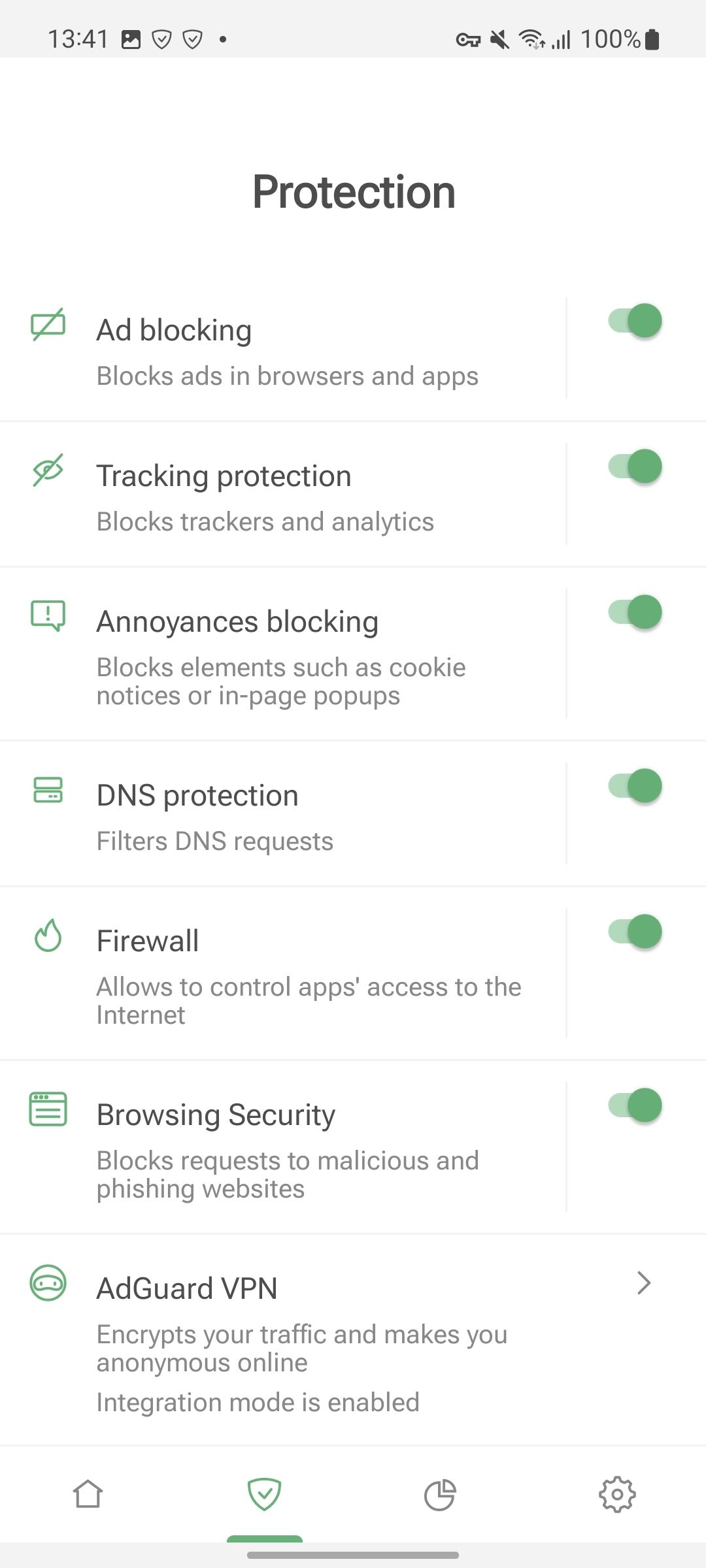
We’ve also added the Protection section. You can find it by tapping the shield icon at the bottom of the screen. Apart from the above-mentioned “core” features, this section allows you to manage Firewall, Browsing security, and even AdGuard VPN. On the Protection screen, you may turn these modules on or off as well as easily access their settings.
Detailed statistics
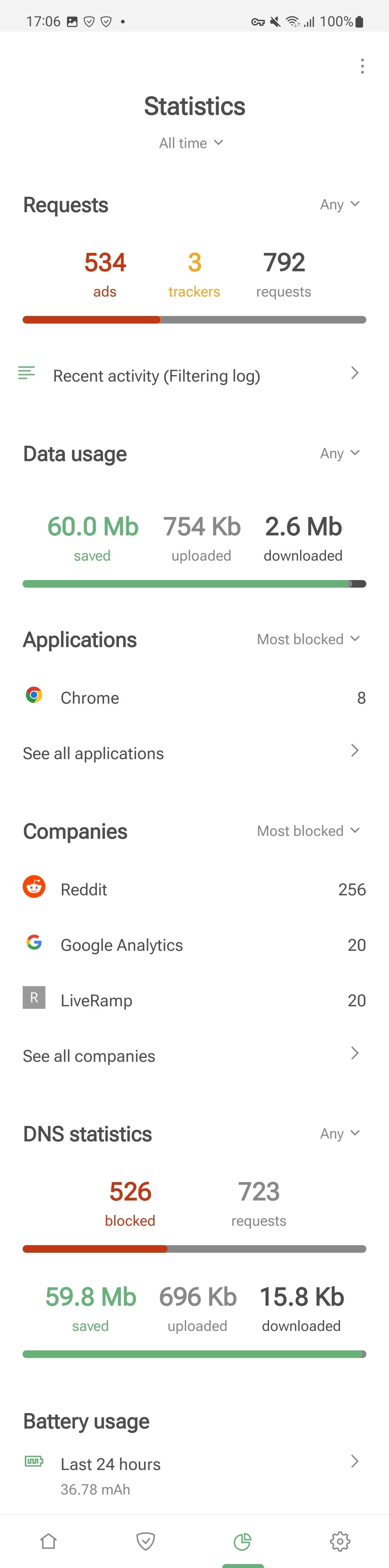
This is not news that apps nowadays do whatever they want with your data and leak it all over the place. And it’s quite logical that the user wants complete control over their data. With AdGuard, it’s already possible — and now we’re introducing a feature that would provide even more transparency! Which apps and companies would potentially leak your data?
With Statistics, you’ll now be able to track which apps send your data to global corporations — and block or allow some requests on the fly.
Firewall
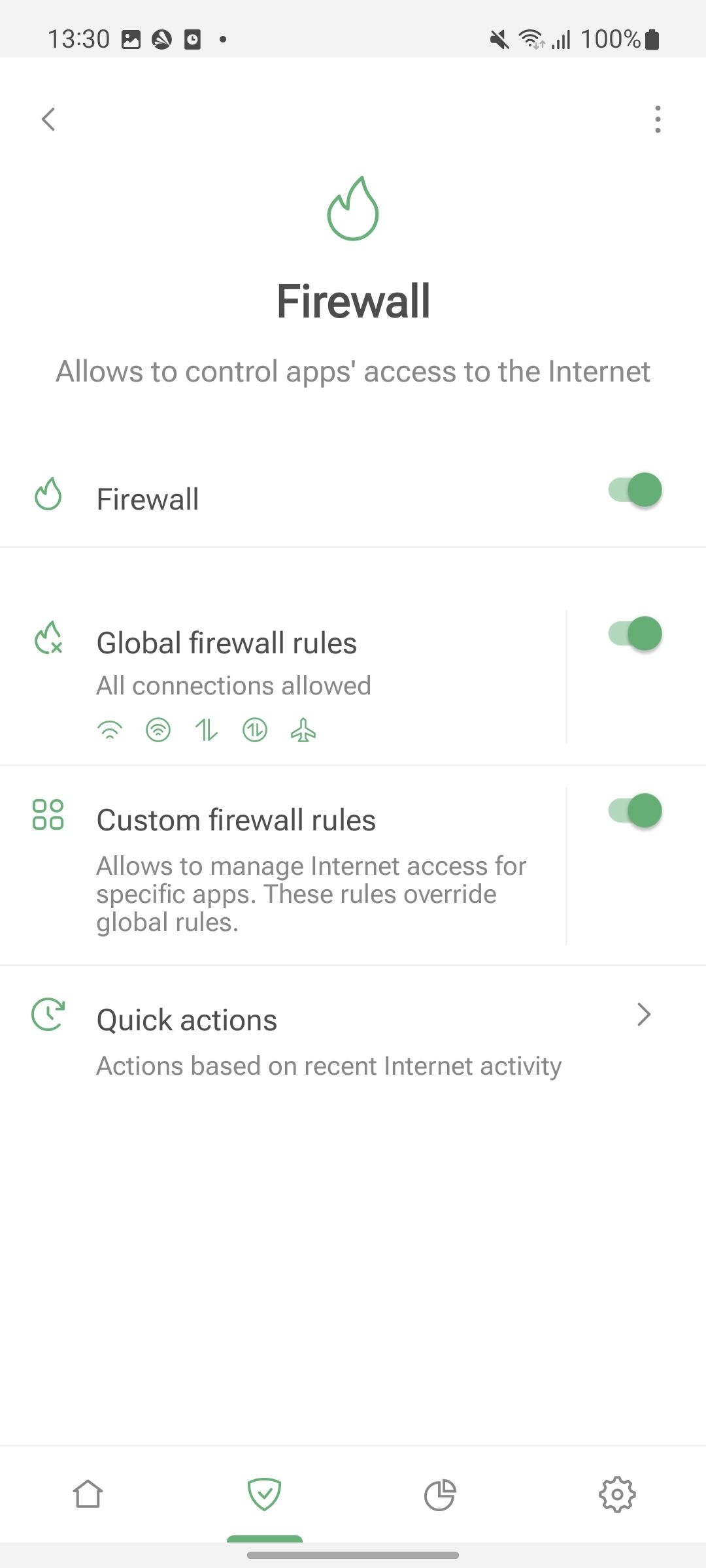
The Android app used to have a functionality similar to Firewall earlier, but it was hidden deep inside the app — in the App management section. Now it’s become a completely standalone feature with well-defined scope of actions.
Firewall allows you to control the apps’ access to the Internet: decide which apps can use mobile data or Wi-Fi with screen off, get real-time notifications on app activity, and update firewall rules in the Quick actions section.
Advanced features
There’s so much more we are eager to tell you about! However, the changes we are about to cover in the next section are aimed at the more tech-savvy users. If you don’t take yourself for one of them or maybe simply are not in the mood to read about more advanced stuff — feel free to skip to the next chapter. Still here? Then let’s dive straight into it.
AdGuard VPN Integration mode
For those who didn’t know: despite the fact that normally two different network-filtering apps can’t work alongside each other on Android, AdGuard Ad Blocker and AdGuard VPN can, thanks to Integration mode. Now, Integration mode existed well before this update, but it’s become much better.
One of the biggest improvements is stability. Before this Nightly, every time either app was reinstalled or even updated, the Integration mode had to be set up again from scratch. This was tedious and certainly not in the spirit of “integration”. No more: configure it once and don’t think much about it. Any updates and even reinstalls will leave the link intact.
To add to that, AdGuard Ad Blocker and AdGuard VPN exchange information more often now. In the end, it too positively reflects on the Integration mode’s stability. Don’t worry, this will not negatively affect performance or anything else.
Unfortunately, this Nightly is not compatible with the current release, or even a beta version of AdGuard VPN. If you use AdGuard VPN, you need to switch to the Nightly update channel.
Selective app proxying
AdGuard allows you to route your web traffic through a specified proxy server — here’s an article about setting up your own proxy. But until this Nightly, this feature had a problem — you could only route your whole web traffic through it.
Now you can choose which apps will operate through your proxy. Apart from giving you more flexibility in managing your web traffic, this feature will be useful in the future when setting up the Integration mode with AdGuard VPN.
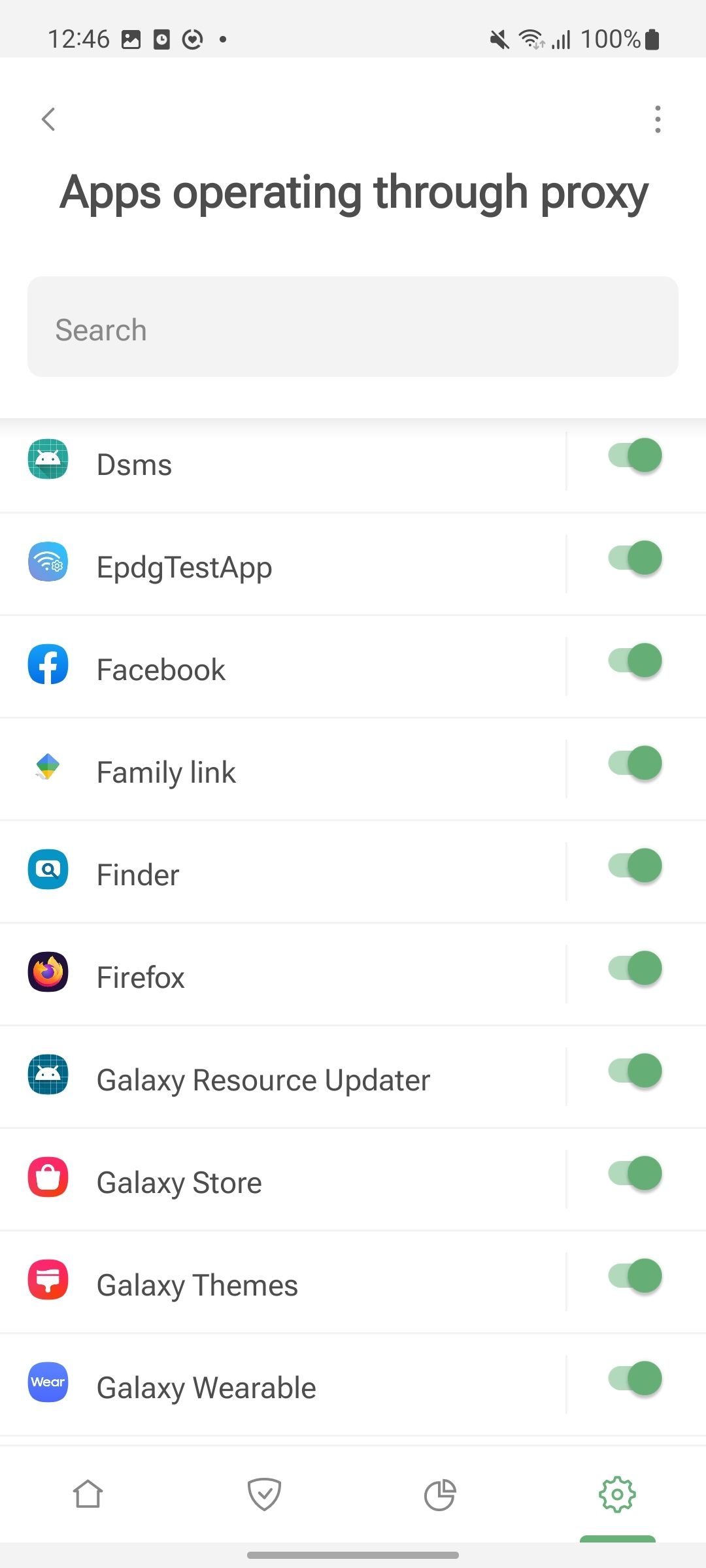
For now, configuring App exclusions for AdGuard VPN is only available in the General mode — so you have to choose between AdGuard and AdGuard VPN. Soon you won’t have to anymore — the Apps operating through proxy feature will allow you to specify apps that send their traffic through AdGuard VPN.
Root access perks
If you’re reading this, you probably know what root is. Rooting is a process of getting a more “privileged” control over the device compared to regular access level. If your Android device is rooted, this Nightly will give you more possibilities than any previous version of AdGuard Ad Blocker.
Normally, AdGuard routes the network traffic to its filtering engine, CoreLibs, by setting up a local VPN. With root access, it is possible to switch AdGuard to the Automatic proxy mode: go to Settings → General → Network → Routing mode → switch to Automatic proxy. When you do that, AdGuard will no longer use local VPN and will reconfigure iptables instead to achieve the same goals. This carries several advantages with it.
First of all, in this mode AdGuard is now able to apply DNS filtering to IPv6 requests, which wasn’t possible before. Second, we’ve fixed some of the shortcomings that prevented AdGuard from determining which web request belonged to which app. It will improve the overall quality of Firewall, Filtering log, and so on.
There are more goodies coming up for root lovers soon, check out the “What’s next” section for more details.
Low-level settings rework
Located under Settings → General → Advanced, Low-level settings are oriented towards the most advanced users. It’s extremely easy to break something if you mess around with them without the know-how — or, at least, it used to be like that. The thing is, no matter what warning we put up there, people are still going to go and play around with them without knowing what they’re doing. That’s just human nature.
What we did is we made Low-level settings more humanly understandable. It’s easier to wrap your head around what they do know, and even if you make the wrong move — we’ve added some safety valves like validations for the entered values and such.
As for the settings themselves, we added some and got rid of some. When we get closer to the open beta and the official release, we’ll put up the exhaustive Low-level settings guide to our Knowledge base.
What’s next
Quite a lot has been done already, but quite a lot is still in the works. Let’s run through the list of things yet to come in the (close) future updates:
- The home screen will be further updated. There won’t be any such drastic changes as between v3.6 and this Nightly, but we want to add some more touches.
- Firewall will support roaming-related rules — you'll be able to choose which apps can use roaming data.
Despite there’s already a Use roaming data item on the Firewall screen, it doesn’t work just yet… That's an authentic Nightly experience for you!
- While in Integration mode with AdGuard VPN, it will be possible to selectively remove apps from the VPN tunnel.
- Right now on devices with root access AdGuard can’t filter HTTPS in Chromium-based browsers. We are going to fix this problem by introducing a second, intermediate certificate.
- The Export/Import option for various custom user rules, allowlists, blocklists, etc. Right now it is only possible to export/import settings entirely.
- Global Encrypted ClientHello (ECH) support. Currently, even with encryption, your ISP can see the domain you connect to, even if it can’t see what you’re doing there. ECH solves this problem. It is already available as one of the Low-level settings, but eventually we will make it global and enabled by default. Find out more about ECH in one of our previous beta version’s changelog.
Test it yourself
We need your feedback! Download the Nightly version of AdGuard v4.0 for Android and the Nightly version of AdGuard VPN, report issues, and send feature requests. Here’s the info you might need.
How to report an issue
If you’ve noticed a bug, please tell us about it by creating a GitHub issue. Describe what you’ve found and share your logs with devteam@adguard.com — this’ll make it easier for us to address the problem.
To collect logs, tap Settings → General → Advanced and select Export logs and system info. We recommend keeping the Auto-report crashes function on.
There are things we’re already working on — they don’t need to be reported. Please consult the list of known issues if you’re about to send us a bug report.
Vote for feature requests
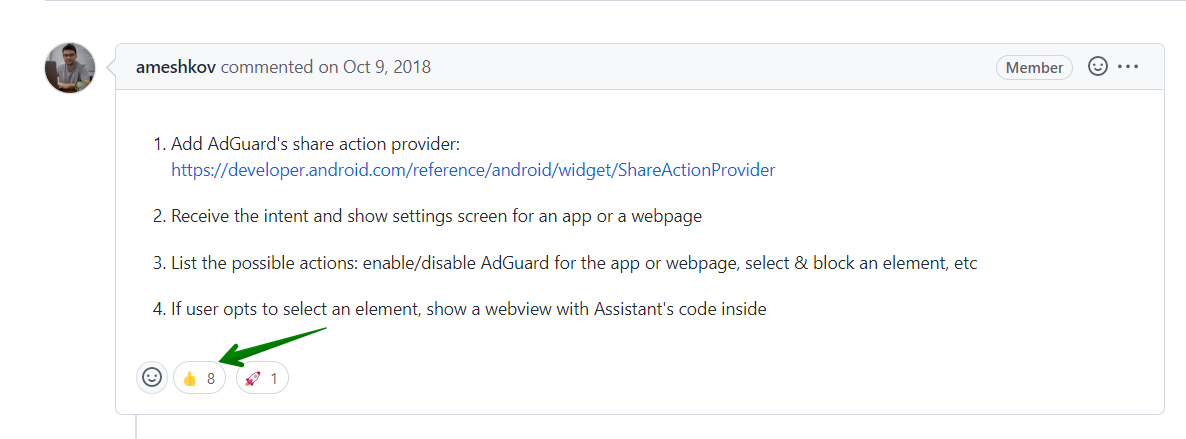
On GitHub, you can leave your reactions on feature requests. That’ll help us find out what most people are interested in. To leave your reaction, select the feature request you like and use an emoji to support its implementation.
In conclusion
We’ve never devoted this much attention to a single nightly version — and for a reason. They are usually of interest only to a small number of die-hard enthusiasts. But this time is different. This version heralds huge changes that will soon come to AdGuard Ad Blocker for Android for a lot of people, and we want to do it right.
With your help, the help of the community, we will be able to track down every single bug and tweak all the knobs just right, so that once the update ships to release, millions of AdGuard users will find it perfect.
Download the Nightly version and the Nightly version of AdGuard VPN and let us know what you think. Let’s make AdGuard better together!
Starting with this Nightly, the minimum supported version is Android 7. Note that to switch back to the Release channel, you’ll need to reinstall the app.





















































