AdGuard 3.0 for iOS: officially released and ready to block ads
About a month ago we posted an article about the first Beta version of AdGuard 3.0 for iOS. Today, it's time to officially release it into the App Store! Why is it such a big deal? Unless you've read the aforementioned article, you probably wouldn't believe how much new stuff there is, so I'll go over the changes one more time here.
It may take up to a week for some users to see the update as available. If you want to get it right now, reinstall the app (be aware that it will lose all your settings).
First of all, there's new design. I'll skip discussing it on purpose, as you'll get a feel of it from the screenshots (or by updating and using the app, really). And also, it's rather intuitive and there's no way it will cause you any troubles, so no need to devote too much time to it. Instead, let's get straight to the main course.
Powering through the rule count limitation
One of the biggest hurdles for any Safari content blocker is the notorious 50k active rule count limitation. For some reason, Apple thinks that 50,000 should be enough for you. For comparison, AdGuard Base filter alone has more than 100,000 rules! We're doing next to impossible things to optimize and compress our filters so that they can be used in Safari but the limitation still shows in the filtering quality.
Well, there is a trick that some content blockers have been using to circumvent this restriction, and AdGuard is going to arm itself with this trick too. The new beta combines five content blockers under one app, each of them has its own cap of 50k rules. That makes it 250k rules total (well, a little less in reality, but not by much). The only minor downside is that you need to enable all five content blockers in Safari settings on your phone/tablet, but that's not too big of an inconvenience comapred to the benefits.
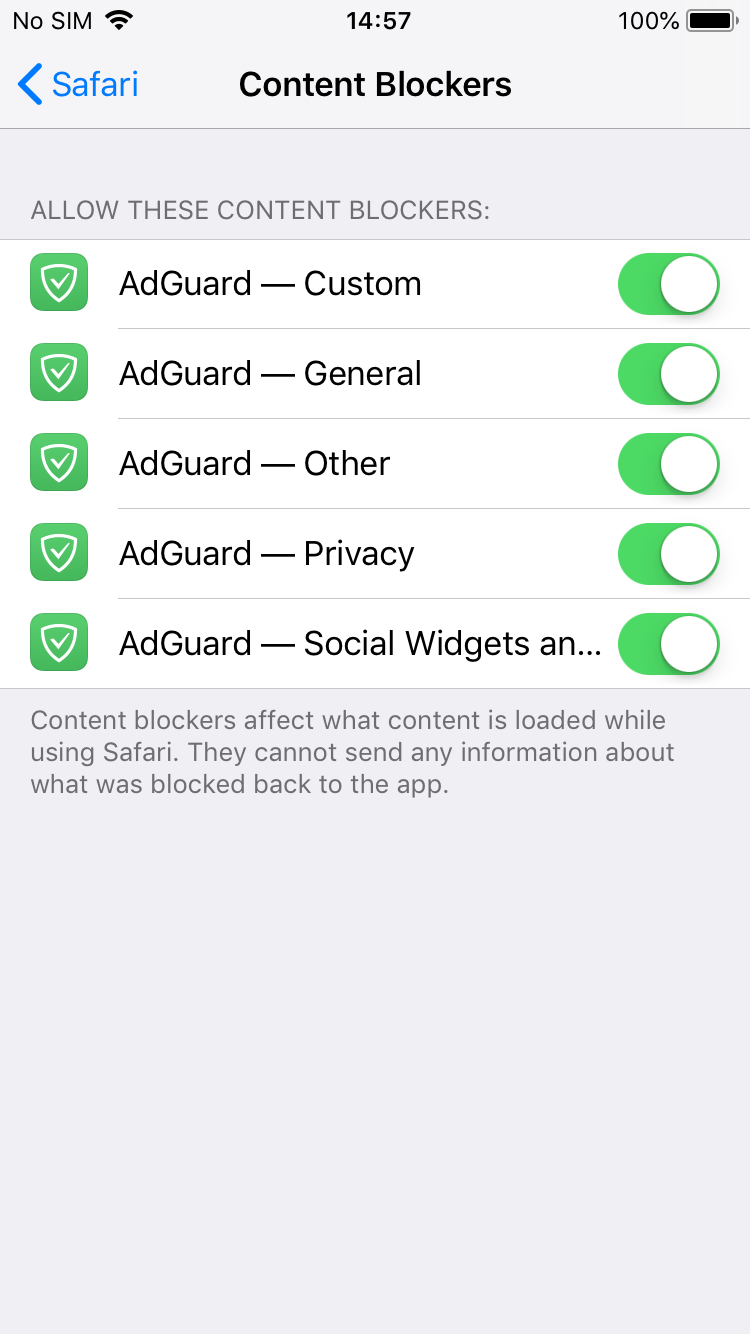
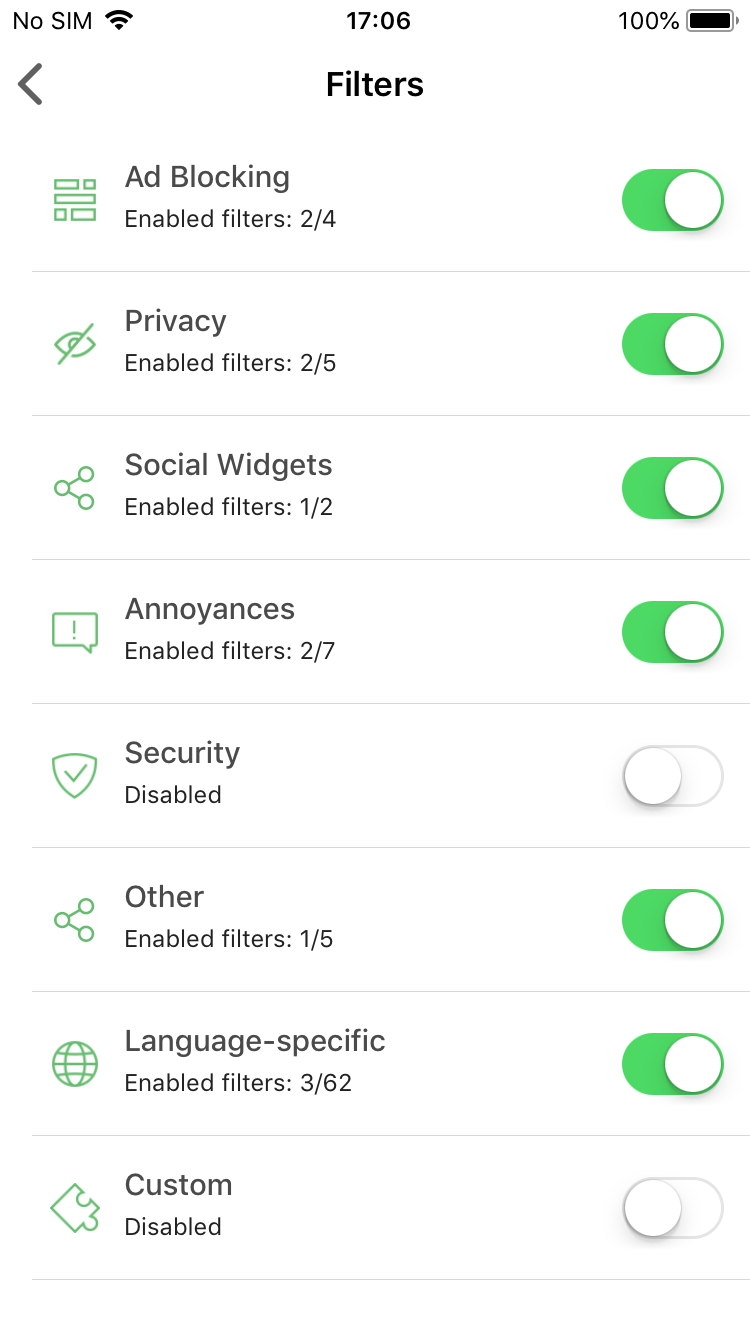
Turn on all five content blockers and enable any filters you want!
Premium features
This is something that we haven't tried before — additional paid features for advanced users. Some of this functionality might be familiar to our veterans from AdGuard Pro for iOS; unfortunately, at the moment it is not clear if it's possible to replicate the rest of it. But, there's also new features that you haven't seen before!
DNS Privacy
This is by far the biggest addition. If you're a user of AdGuard Pro, you'll recognize this immediately — it's good old custom DNS settings. Actually, it's more than that: now AdGuard supports DNS-over-TLS and DNS-over-HTTPS, two of the most secured DNS protocols.
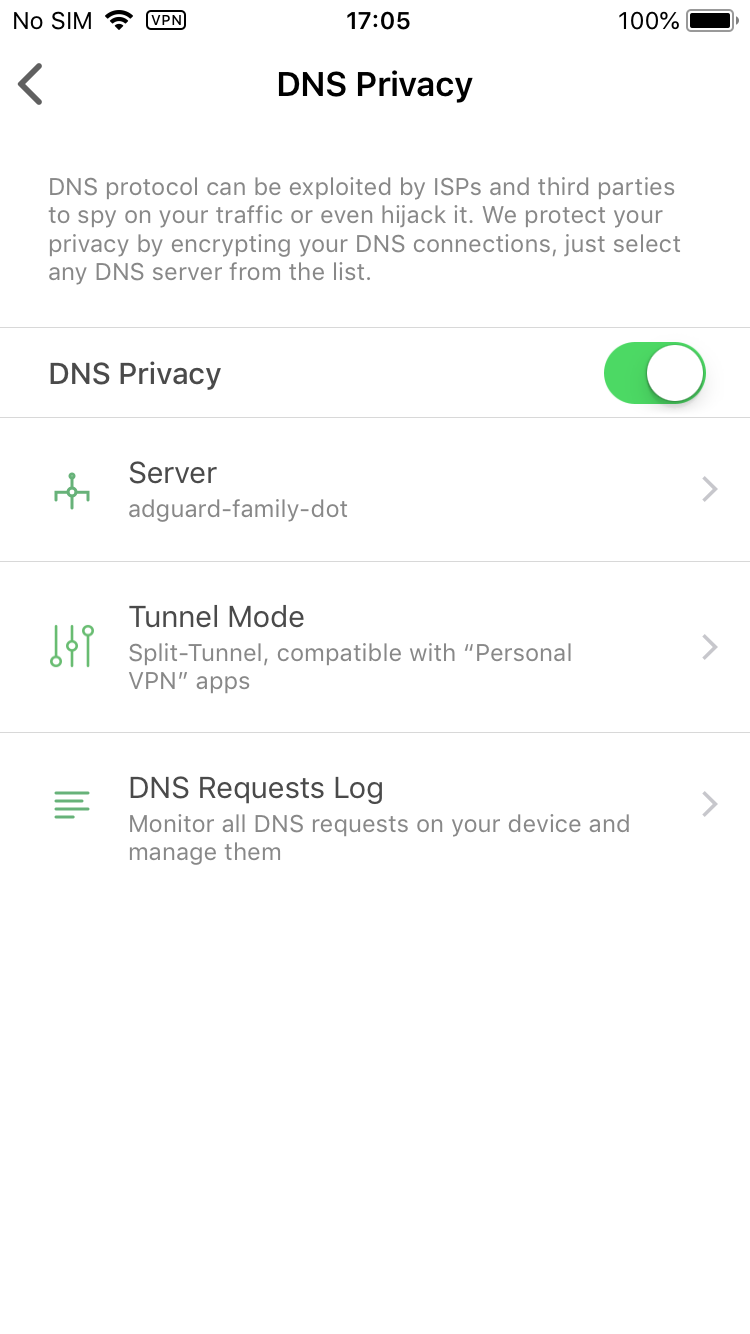
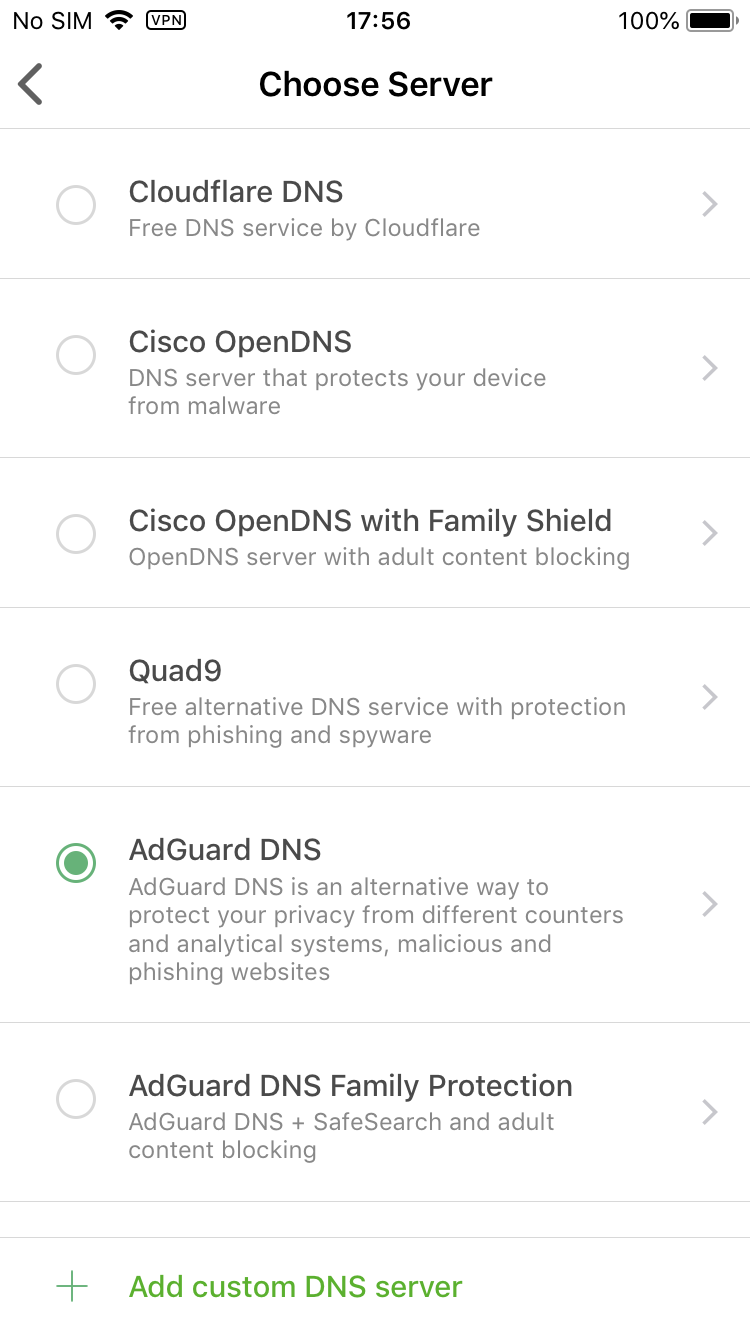
Manage your DNS settings
You select one of the DNS servers included by default or add any custom server you'd like. There's also a DNS requests log to monitor everything that's happening with your device's traffic. What you won't find there is any sort of DNS whitelist/blacklist or other customization. Sadly, this is as far as we can go to remain compliant with Apple Policy.
Dark mode
Wait, wasn't dark mode the default (and only) choice before? Yes, but now we turned back to the classic white/green color scheme, as you could have seen on the screenshots above. Dark mode will be available to Premium users only, but isn't it worth it? :)
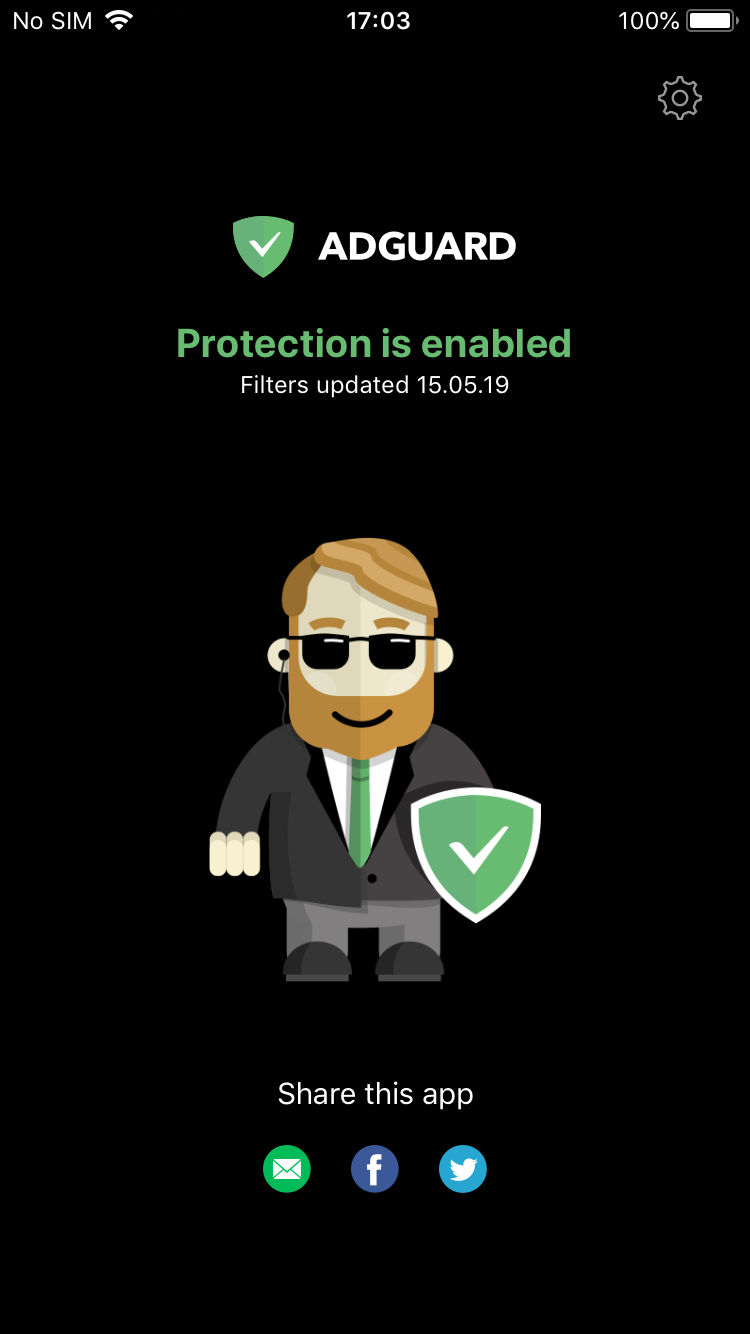
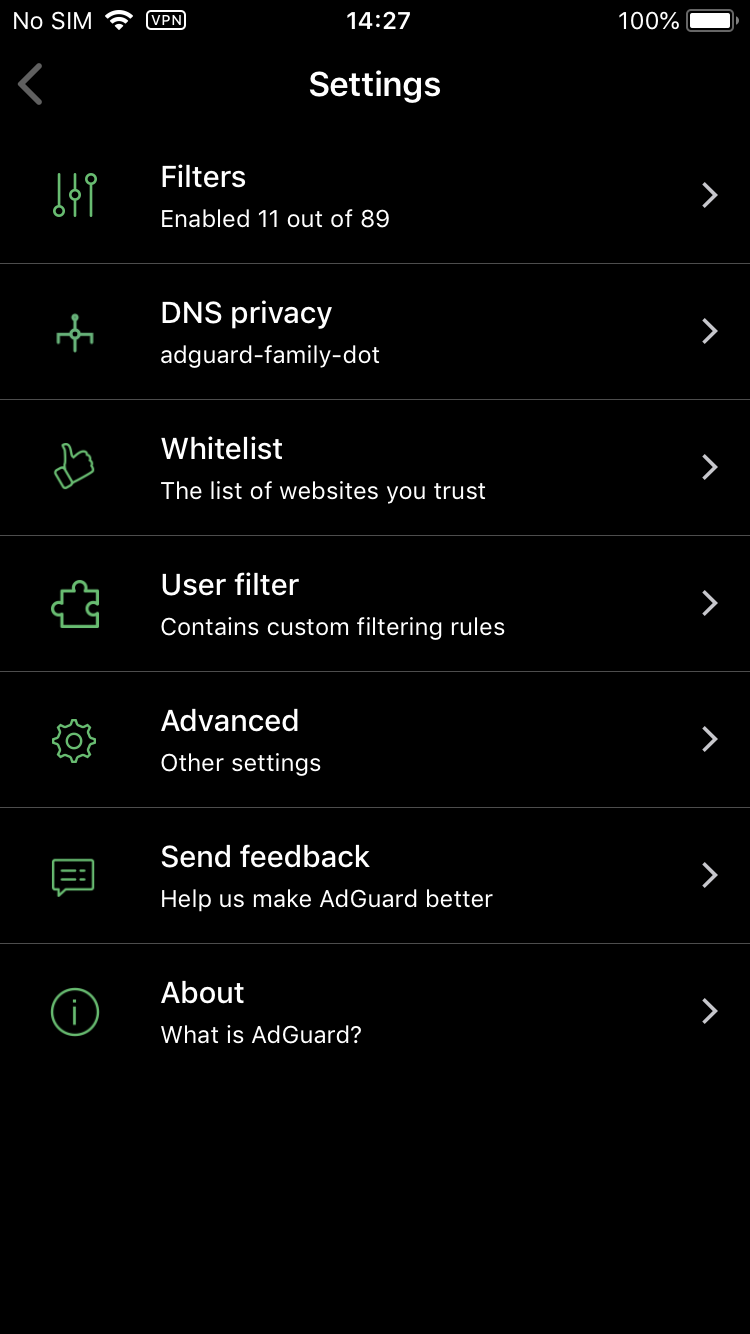
Bruce Wayne approves of this mode
Don't know about you, but I'm a big fan.
Premium filter categories
There are two filter categories that are available exclusively to Premium users:
Custom filters — not to be confused with the User filter that lets you add your own filtering rules and is present in the free version, as always. "Custom filters" is an entirely new filter group, you go there and add any number of filters by URL. Very useful if your favorite filter is not added by default, or if you have a filter of your own. Worth noting that filters added by URL will be automatically updated with the rest.
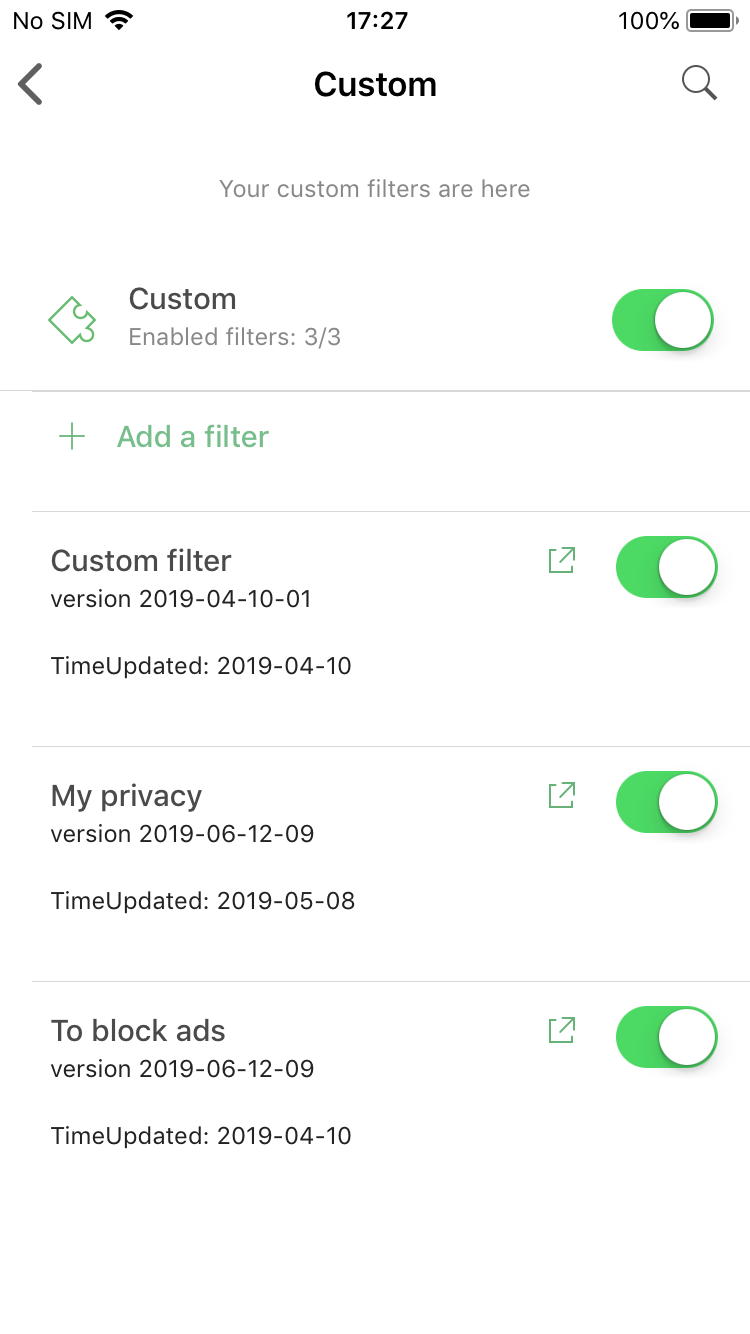
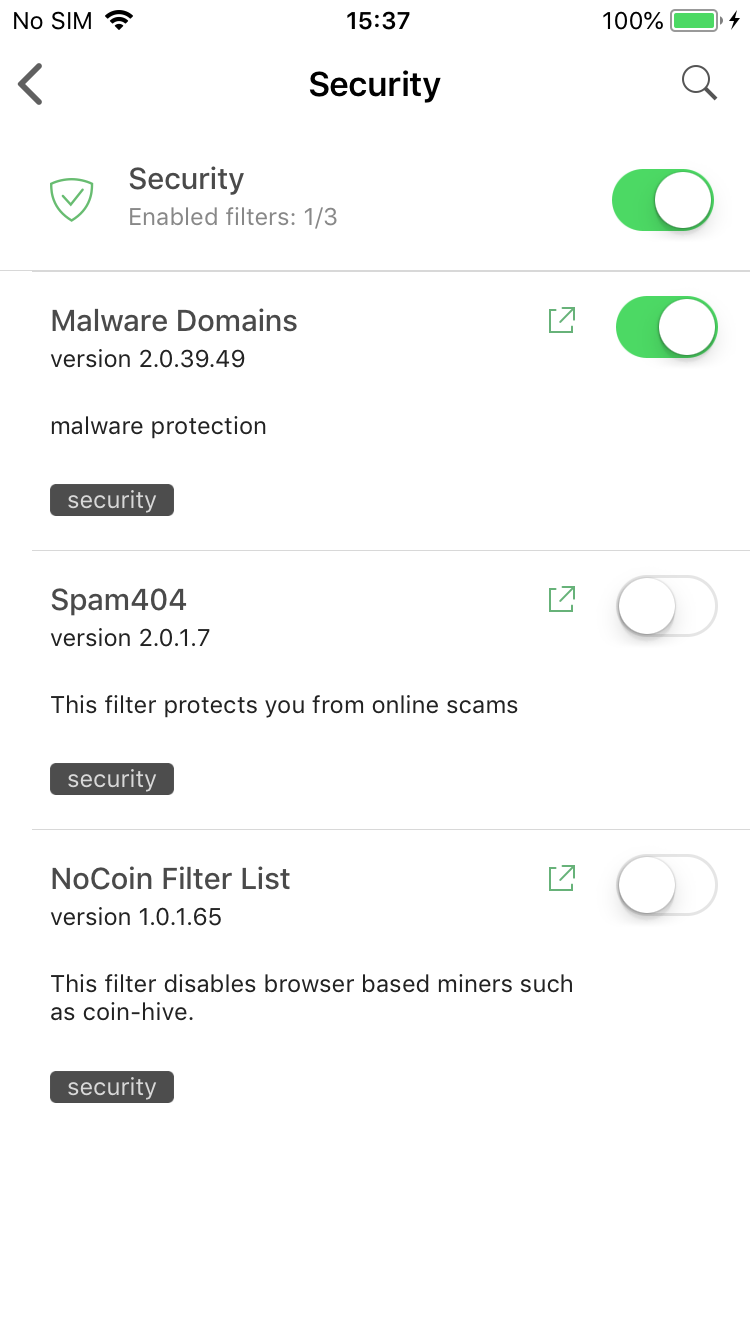
Premium filter categories: Custom and Security
Security filters — again, don't confuse it with the Privacy filter group. Protecting online privacy is essential and we wouldn't dare making it a Premium-only feature. Ensuring security is more about being attentive and careful when browsing the web, but if you look for a little extra insurance — this is for you.
How to get Premium?
There are two main options:
Purchase the subscription
This is the simplest way. Just tap on the "Get Premium" plaque anywhere in the app and you'll be prompted to activate a monthly subscription. All you need to do is enter your Apple ID password and confirm the purchase.
Log into your AdGuard Personal account
Go to the Settings > About > License screen and tap on the Login button there. You'll be asked to enter your AdGuard Personal account credentials. After you do, if you have a valid Premium or Mobile license in your account, it will be used to activate Premium in your AdGuard for iOS app. Friendly reminder that you can purchase any license on our official website.
What about Pro users?
For a long while, AdGuard Pro was stuck in limbo. After Apple tightened their policy almost a year ago, we couldn't update it without stripping from it everything that has been making it 'Pro'. This is why we decided to make the regular AdGuard app as close to it as possible under the circumstances.
It would be not fair to ask AdGuard Pro users who paid for the Pro app pay again straight away. So we offer them a 6-month Mobile license key for free. To prove your purchase please do the following:
- Open Settings on your phone/tablet
- Go to iTunes & App Store
- Press "View Apple ID"
- Go to "Purchase History" and locate the AdGuard Pro purchase
- Click the "Resend" button
- You'll get an email with purchase details. Take a screenshot and send it to support@adguard.com
About a week ago Apple announced more changes to App Store review guidelines, this time seemingly giving ad blockers and other security-oriented apps some more freedom. Only time will tell if it's enough to get AdGuard Pro for iOS back. We'll keep you updated.


















































