AdGuard Browser Extension MV3 comes to Microsoft Edge
Microsoft Edge is phasing out Manifest V2 (MV2) extensions, including AdGuard. But we’re not going anywhere — our Manifest V3 (MV3) version of AdGuard Browser Extension is now available in Microsoft Edge Add-ons.
What happened
As of now, MV2 ad blockers no longer appear in Edge Add-ons search results. This is part of Microsoft’s policy on moving away from MV2 extensions, which the company announced in August.
The Edge Add-ons notice said AdGuard’s MV2 extension “no longer meets Microsoft Edge standards”. But this doesn’t mean AdGuard is leaving the store. This is where our MV3 update comes in.
Please note: even though AdGuard Ad Blocker has moved to MV3, it may not currently appear in Edge Add-ons search results. This is a technical issue on Microsoft’s side, and we expect it to be resolved soon. In the meantime, you can safely download the extension via direct link.
What changes with MV3
With MV2, the extension sees each network request in real time and decides what to block. This changes with MV3: the browser receives a prebuilt ruleset and applies it itself.
This shift has a price: maintaining MV3 functionality close to MV2 is trickier. Rule counts are limited, certain filtering techniques cannot be reproduced exactly, and most filter updates must still be delivered with the extension itself, which means some improvements take longer to reach users.
Keeping MV3 as capable as our MV2 version takes a lot more work. But we’re up for it. For most users, everyday filtering should stay the same.
Setting up
To use custom filters and user rules, turn on Allow User Scripts for the AdGuard Browser Extension in Edge. Here’s how to do that:
- Open edge://extensions, or click Extensions → Manage extensions
- Find AdGuard and click Details
- Turn on Allow User Scripts
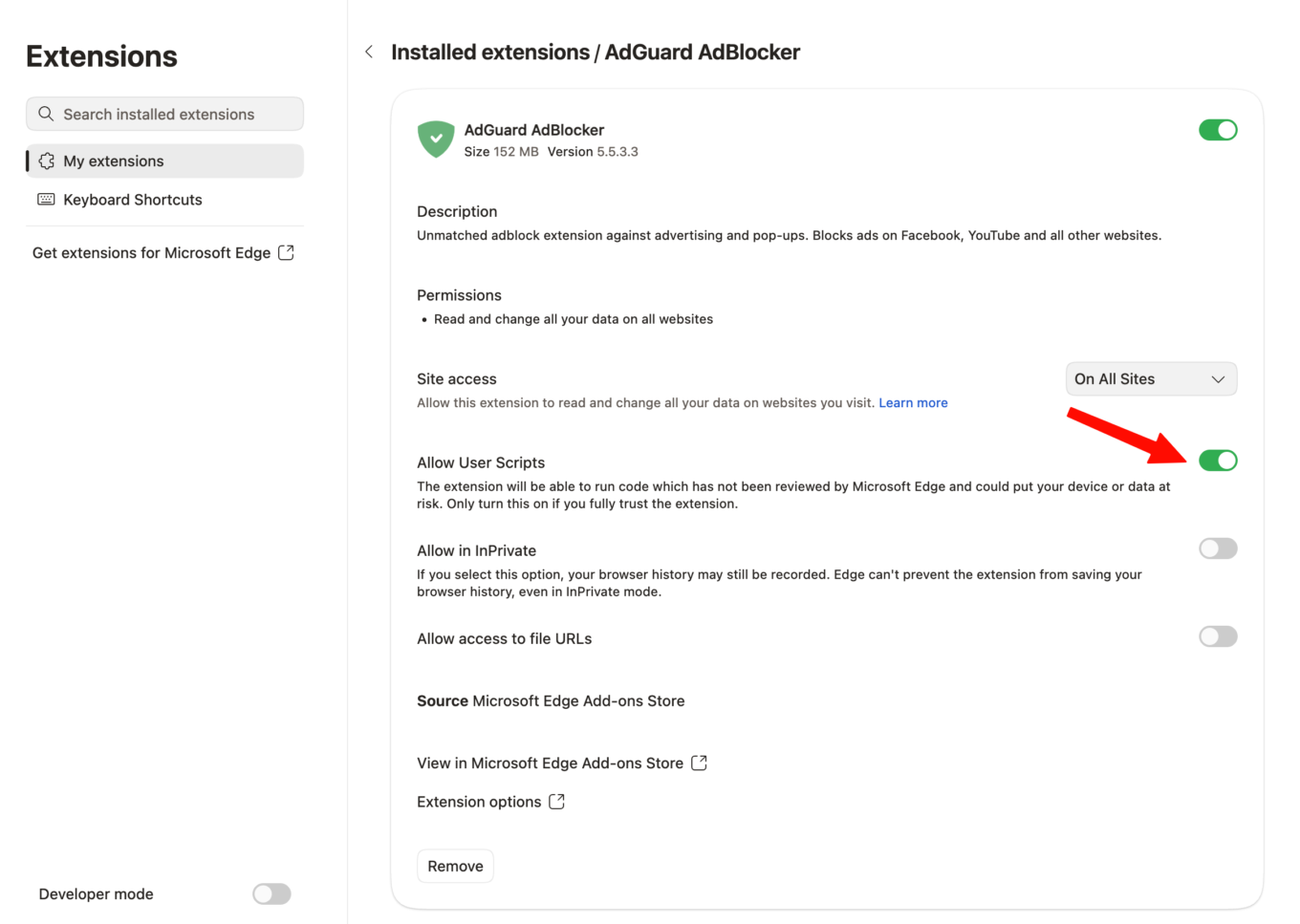
After that, the extension can apply your own rules and custom filter lists. This will allow the MV3 extension to work as intended.
What Edge users can expect
The old MV2 version can no longer be downloaded from Microsoft Edge Add-ons: it has been replaced with the MV3 version.
After switching to MV3, some filter updates may reach you later than before, but we will be working to keep all filters up to date with each release.
If you’d rather stay on MV2
Most browsers are following the same path as Edge by limiting MV2 support, so your options are limited. You can use a browser that still supports MV2 extensions, such as Firefox.
You can also skip browser policy changes altogether with AdGuard Ad Blocker. AdGuard apps for Windows, Mac, and Android block ads across your entire device, offer protection against fishing and malware, and prevent tracking.
And last but not least — your feedback matters. Update your extension and let us know what you think on GitHub and social media.