AdGuard v4.0 for iOS: DNS protection jumps to the next level
Old-timers probably remember those days when AdGuard for iOS was merely an app to block ads in Safari, and AdGuard Pro was for everything else. We've weathered a lot of storms since, mostly thanks to multiple Apple policy changes, and, for better or worse, arrived to where we are today. And let me tell you, this place is nice. AdGuard for iOS is as powerful as it's ever been because the new v4.0 update introduces a bunch of goodies. Some of them might seem familiar to AdGuard Pro users (that's not a coincidence), other are completely new. Let's check them all out together.
Major design changes
Despite there are other changes that deserve the spotlight just as much, might as well start with the design. No way around it, the first thing you notice when you launch the app is always the new UI. And if you didn't have a chance to see for yourself yet, here's a screenshot of the renewed main screen:
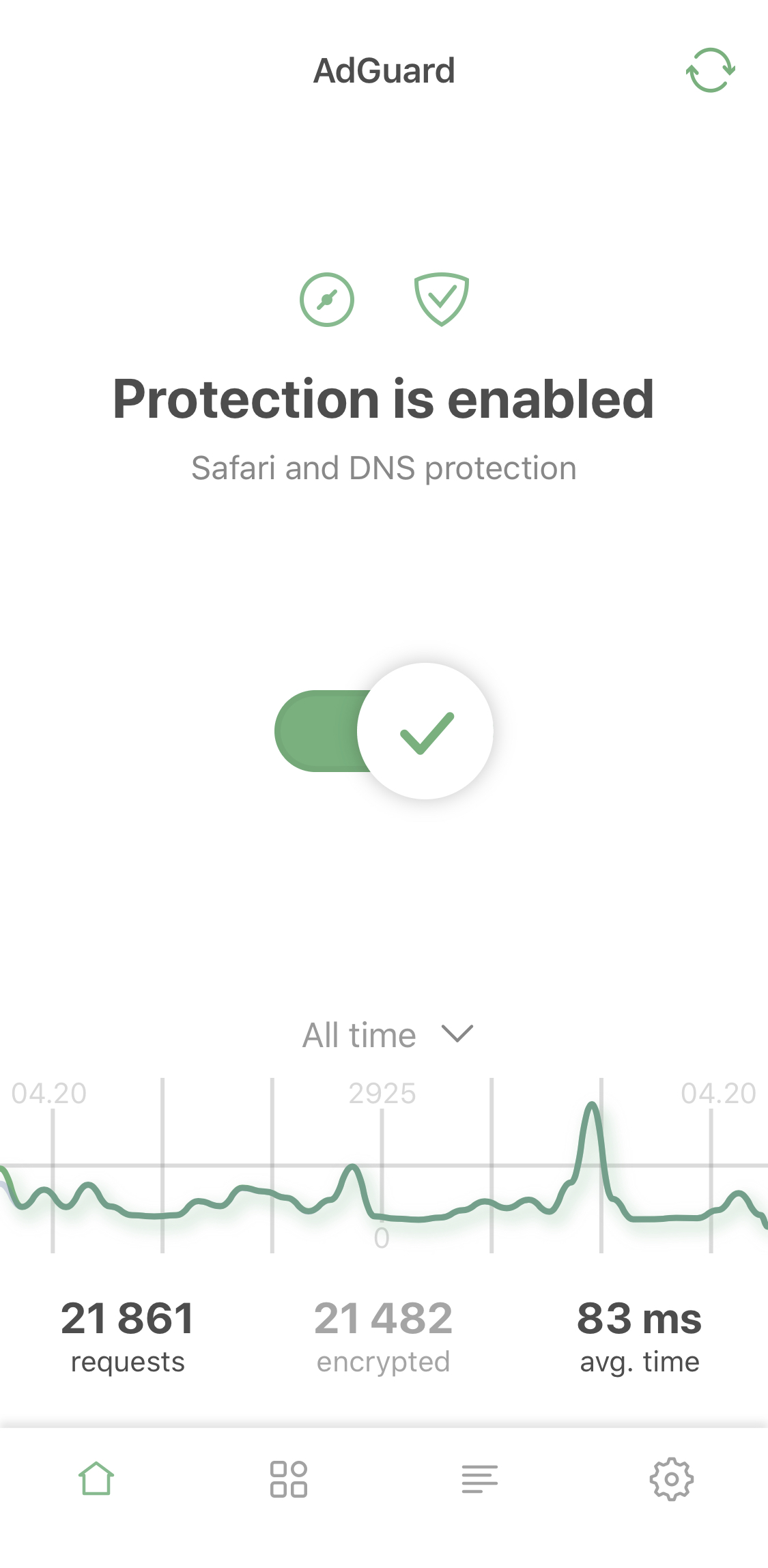
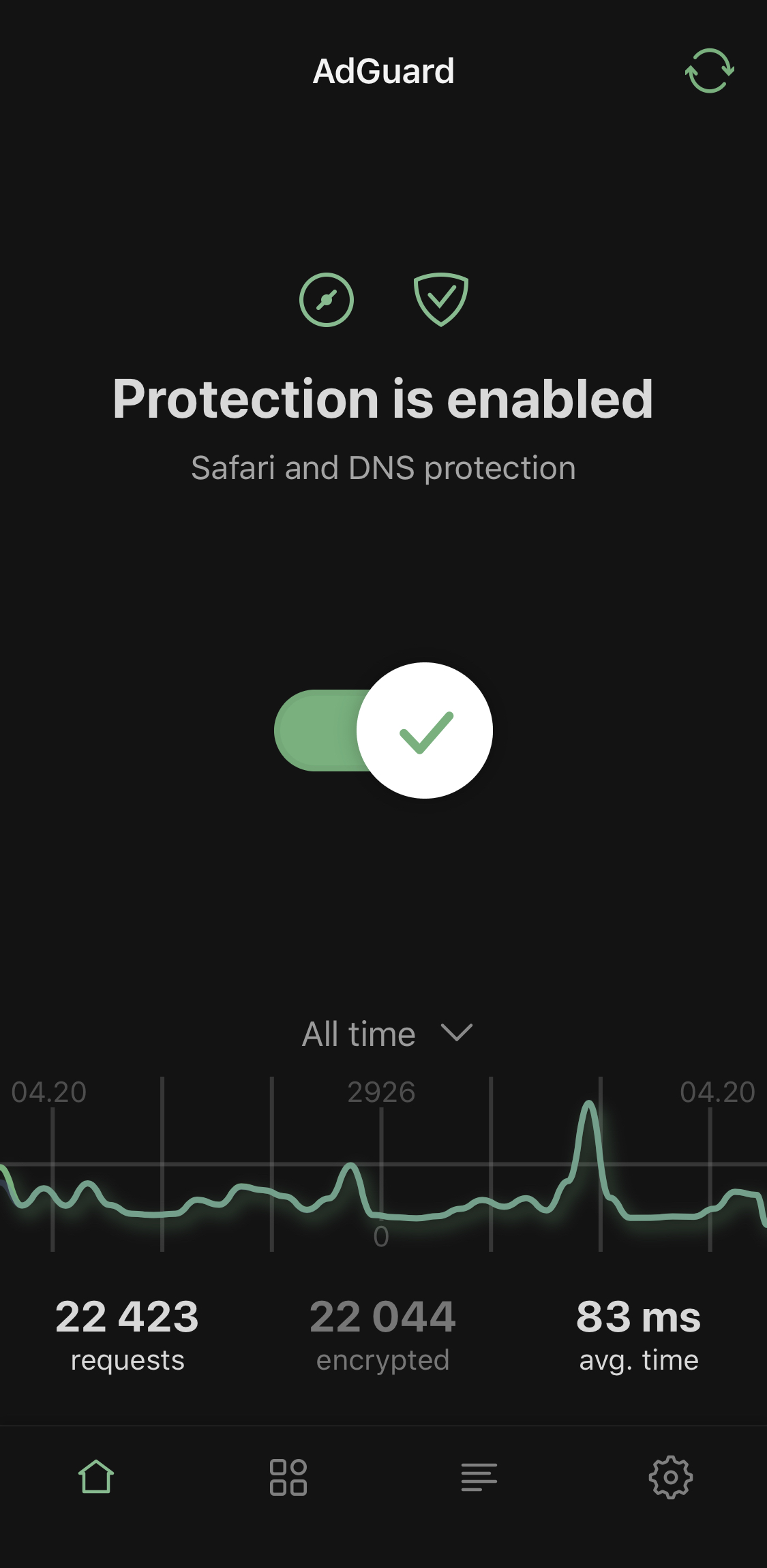
New AdGuard main screen
Looks good, doesn't it? Feel free to disagree, of course. The more opinions, the better! But the UI changes reach beyond just the visual style. The entire menu logic has been revamped. We'd like to think it's even more intuitive now. For example, there's new 'Advanced mode':
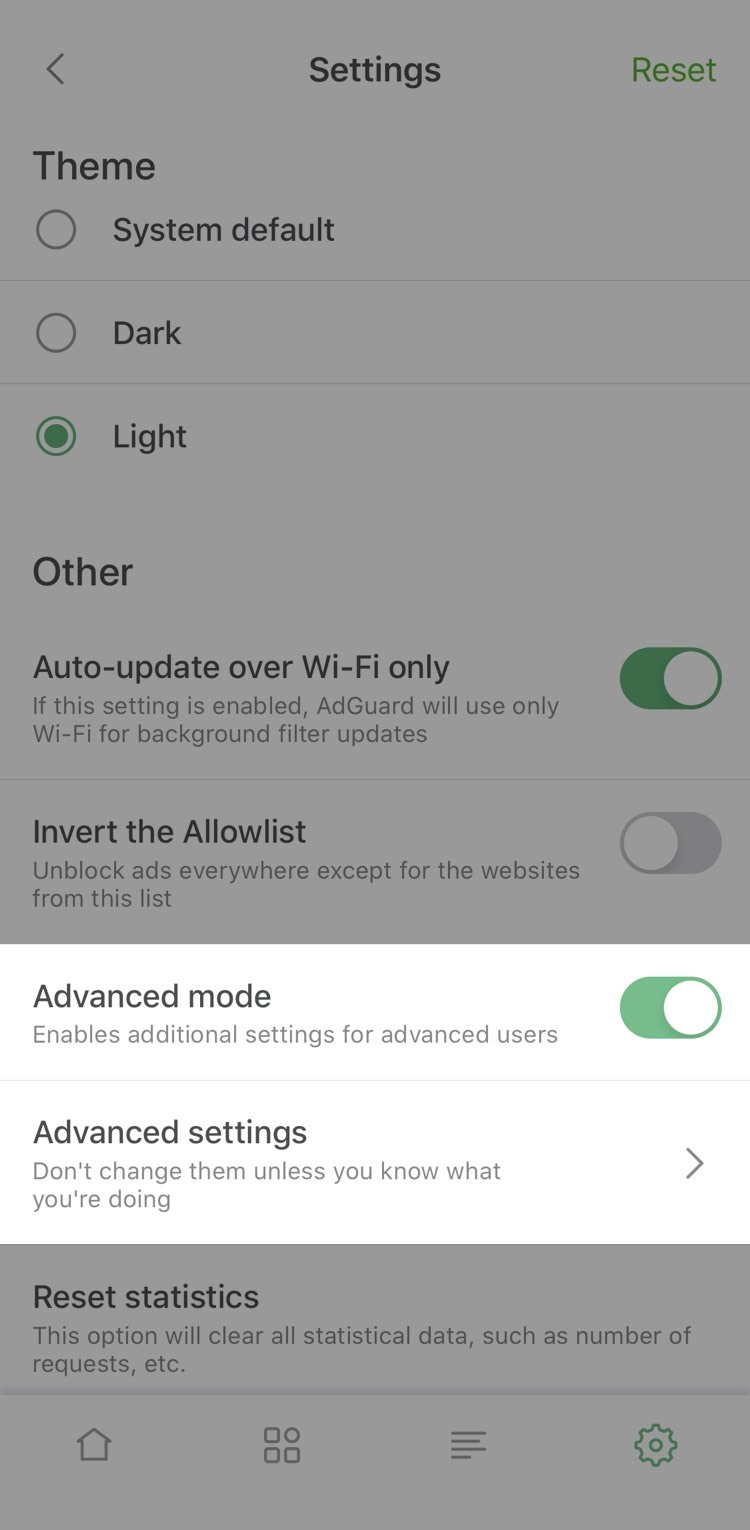
Advanced mode
By enabling it you unlock advanced settings that are intended only for more tech-savvy users (more about it later). Tweak them at your own risk!
DNS activity
What you used to know as DNS requests log has been mercilessly improved too. It's now a part of a new Activity screen:
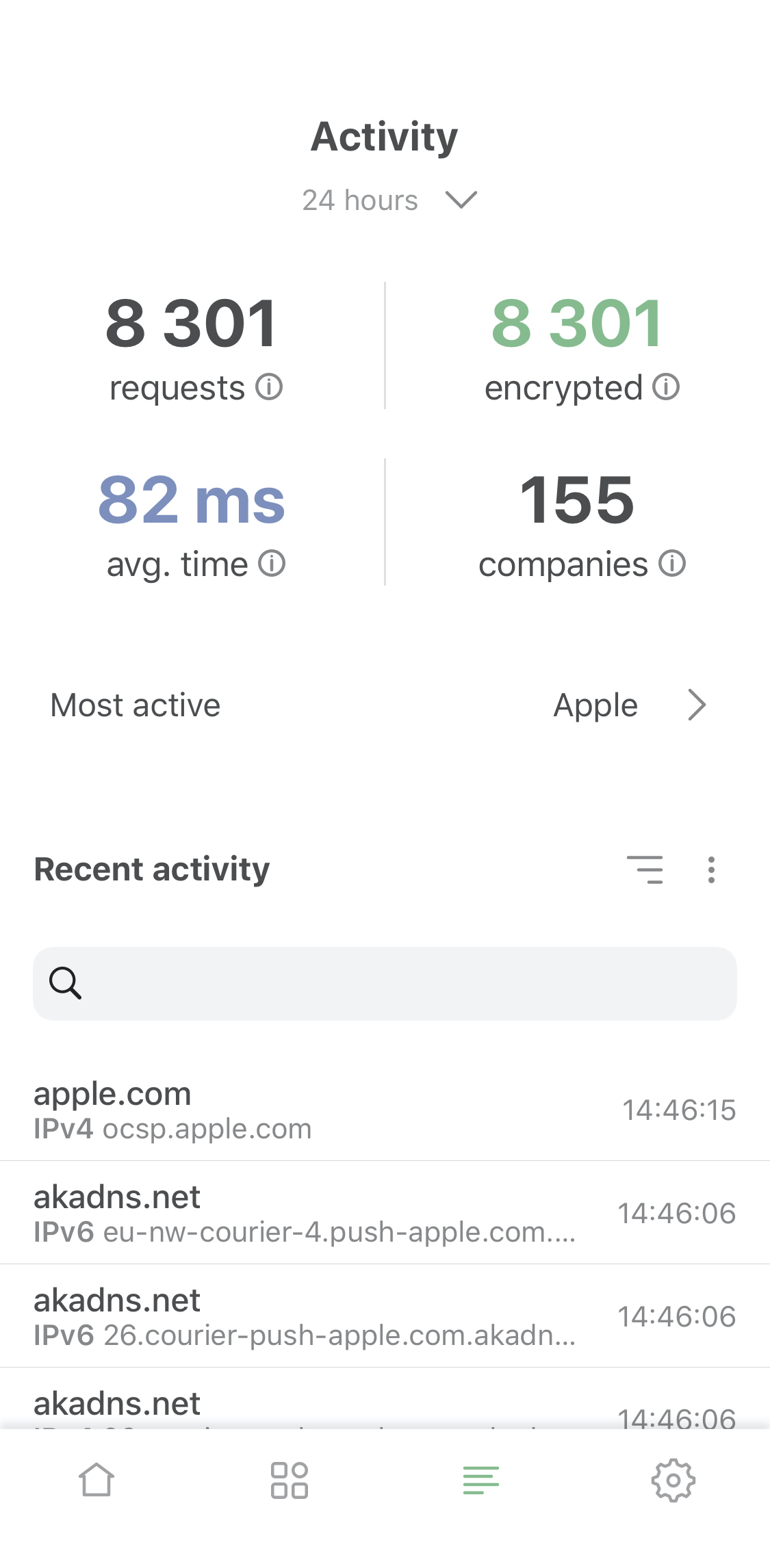
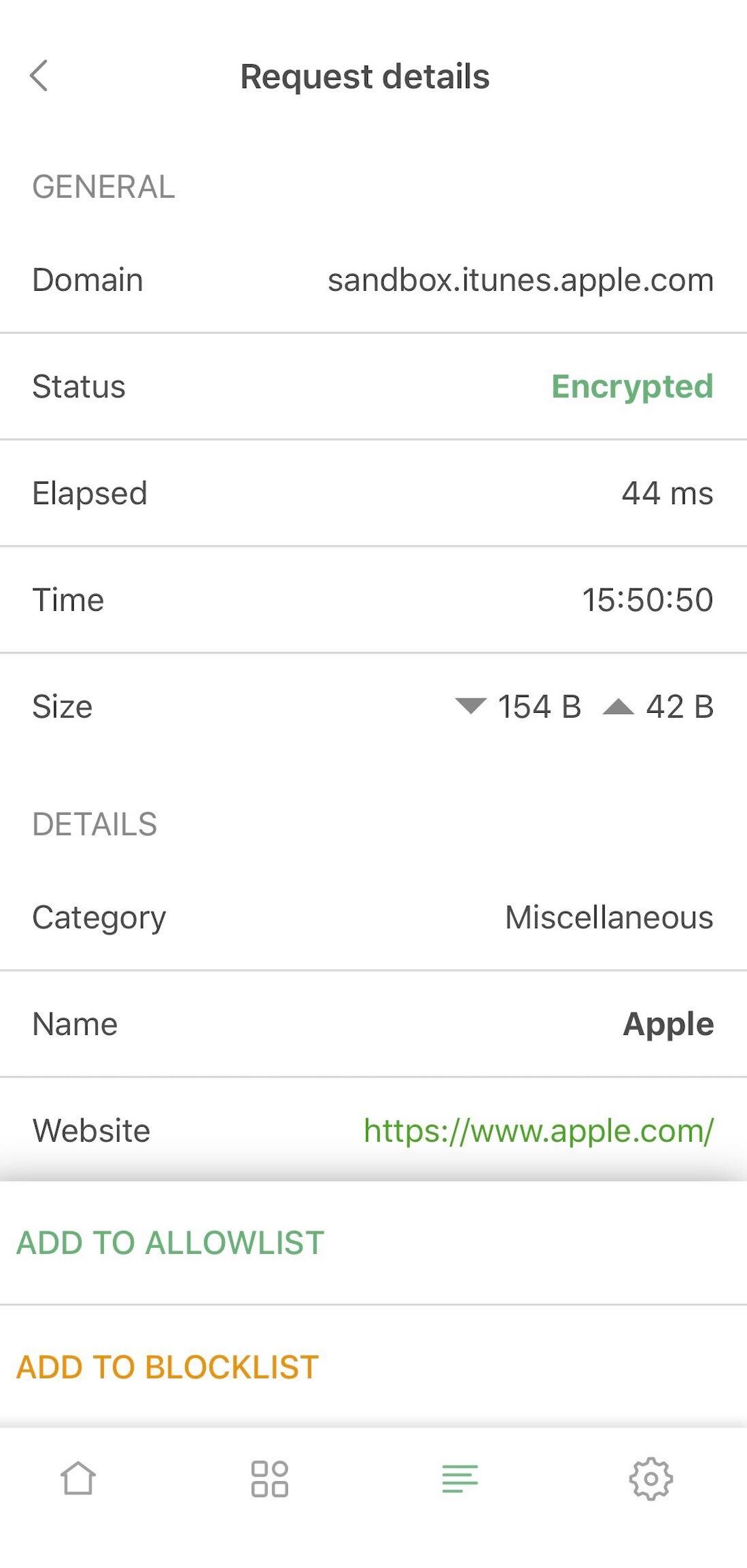
DNS activity screen
As you can see, there's an activity feed for all DNS traffic on your device, with an option to view the exhaustive details of any request: domain, type, status and so on.
But there's more. There are many new stats, such as average request resolution time, total number of sent and encrypted requests, etc. And a completely new stat: most active companies.
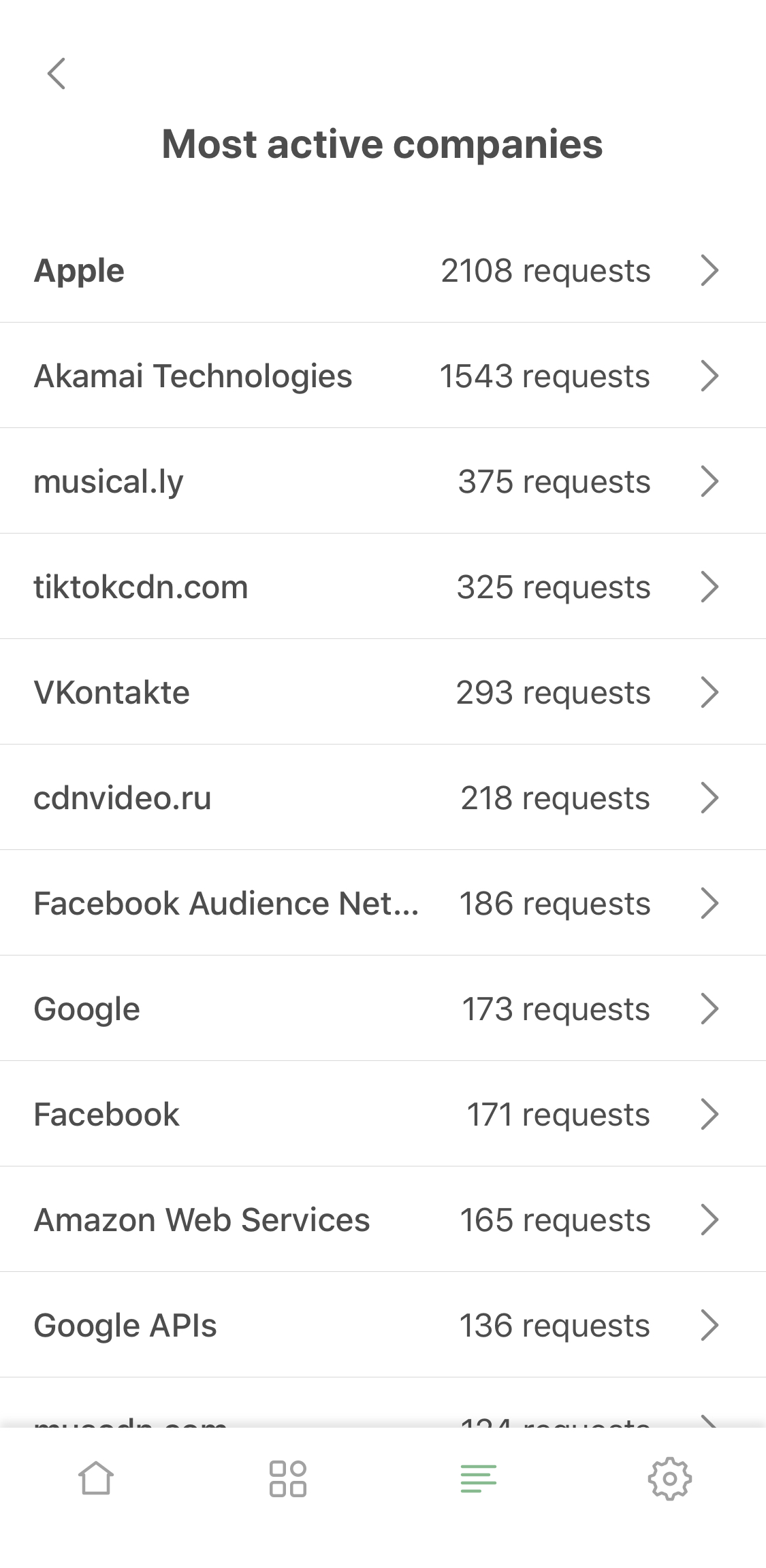
Most active companies
We check every request against a vast database and determine which company it belongs to. You can view this inside request details or look at the big picture on the 'Most active companies' screen.
Ok, I hope you like the new look of AdGuard for iOS, because there's more where this came from! We'll get to it in its time, for now let's talk about the DNS protection.
DNS protection enhanced
DNS protection is an extremely important part of AdGuard, of course. It allows you to encrypt your DNS traffic by choosing any DNS server from a wide selection, or even by setting up a custom one. All of that is still available, of course. So what's new here?
First off, if you proceed to network settings, you'll find some new features: for example, you can exclude your mobile network or specified WiFi networks from DNS protection. You may want to do that for your home network, for example, if you have AdGuard Home.
And for advanced users we have more exciting stuff. If you go to settings and enable 'Advanced Mode', a new option will appear on the DNS protection screen: DNS filtering.
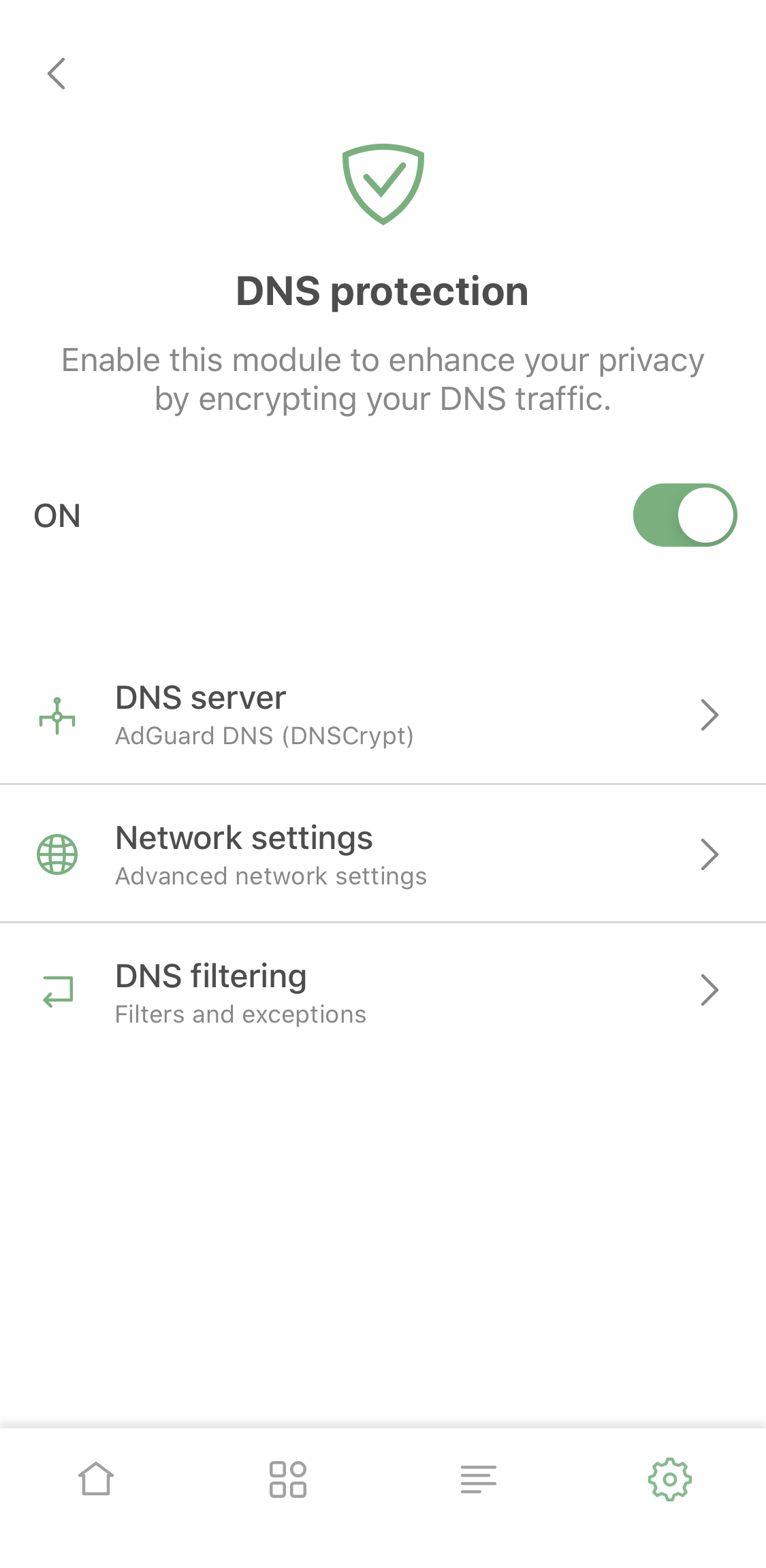
DNS protection
It offers you to add your own hosts files or filters (such as AdGuard SDN filter) to have more agency over DNS traffic on your device. Finally, AdGuard for iOS has caught up with AdGuard Pro in this regard, too.
New AdGuard widget
Another previously AdGuard Pro-exclusive feature that all AdGuard for iOS users will now be able to enjoy. And, of course, much more good-looking than it used to be. Look at this beauty:
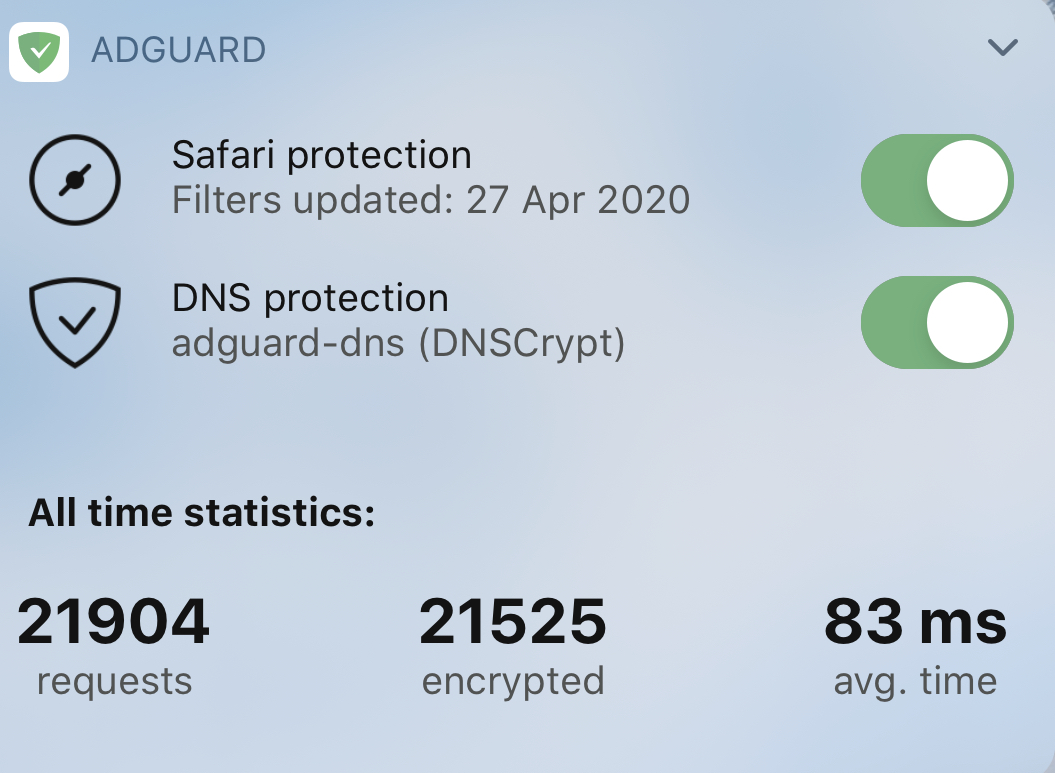
AdGuard widget
It has everything you might need: quick switches to enable or disable DNS protection and Safari content blocking, current DNS server, key statistics. You almost don't need to open the app anymore! Just kidding, how else would you be able to see these gorgeous graphs?
General statistics
I'm speaking of this:
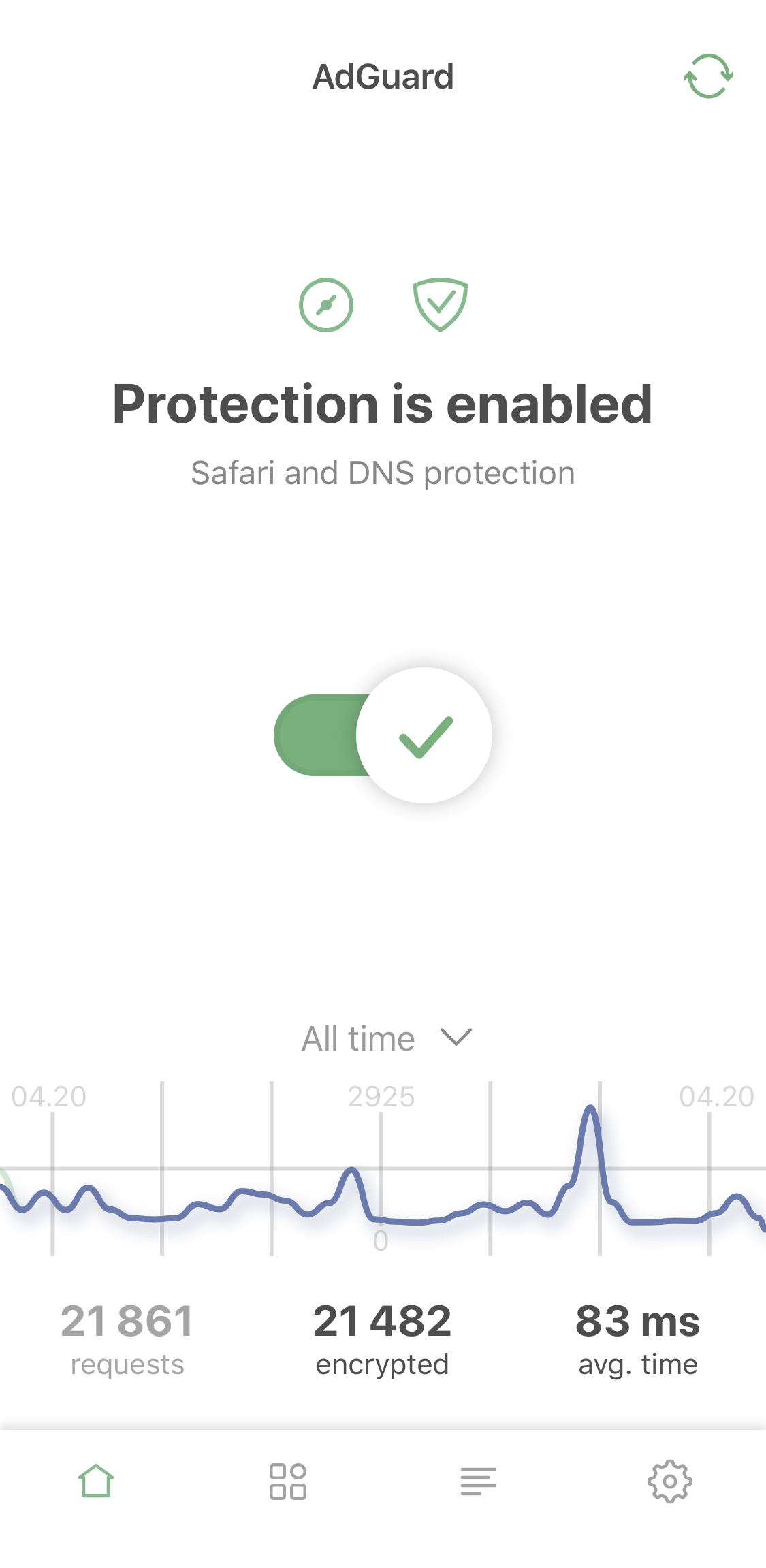
Statistics
Yet another feature that we were finally able to transition from the Pro app to AdGuard for iOS (you might have noticed a trend here). Switch between all-time, monthly, weekly or daily request stats. Alright, but what to do with all of that? This may be a curious toy for some users, or an important instrument to control your traffic for others — everyone will find it at least amusing, if not useful.
Well, hopefully you are impressed! Because we threw at you everything we had. Ok, there's some more, actually: the complete list of all changes, including less exciting ones, is traditionally available on GitHub.
Have you already had a chance to try the new update? Let us know in the comment section! We're always looking for feedback to continue making our app better. Or, if you have any questions, we'll be around to answer them. In any case, have fun with new AdGuard for iOS and see you soon!
UPD: By the way, AdGuard for iOS is not our only iOS app that's going to get an update! Expect AdGuard Pro to follow in its steps soon!


















































