AdGuard v4.3 for iOS: the new era in Safari ad blocking
In iOS 15 Apple has added the support for so-called Safari Web Extensions. This is truly a revolutionary change, no need to tone it down. Safari has become the first iOS browser to support browser extensions that we all know and love. Yes, the extensions in Safari are somewhat limited in their capabilities compared to their desktop counterparts, but it should not take away from Apple and the team that worked on this innovation.
What it means for you
Ok, but how will this change impact AdGuard ad blocker? After all, AdGuard uses Content Blocking API to block ads in Safari that — or rather, has been using it up until now. Web Extensions open the door to a completely new world filled with new opportunities.
The thing is, due to their "declarative" nature regular content blocking rules are quite narrow in terms of what you can achieve with them. The obvious example is blocking YouTube ads in Safari: it's a hard and non-trivial task, up to the point that we had had to add a special shortcut that needed to be prompted manually every time you opened YouTube.
Forget about that like it's never happened. We added a new module to AdGuard called "Advanced Protection", and it's called like that for a reason. It takes advantage of, well, advanced filtering rules (like CSS rules, selectors, and scriptlets) and therefore can deal even with the complex ads, like the aforementioned YouTube variety. And it will do so without any manual input. It just works!
How to enable Advanced Protection
We remind you that Advanced Protection only works on iOS versions 15 and later.
It requires two steps: enabling AdGuard's Safari Web extension in Safari settings and turning on the Advanced Protection itself.
First, open Settings > Safari > Extensions.
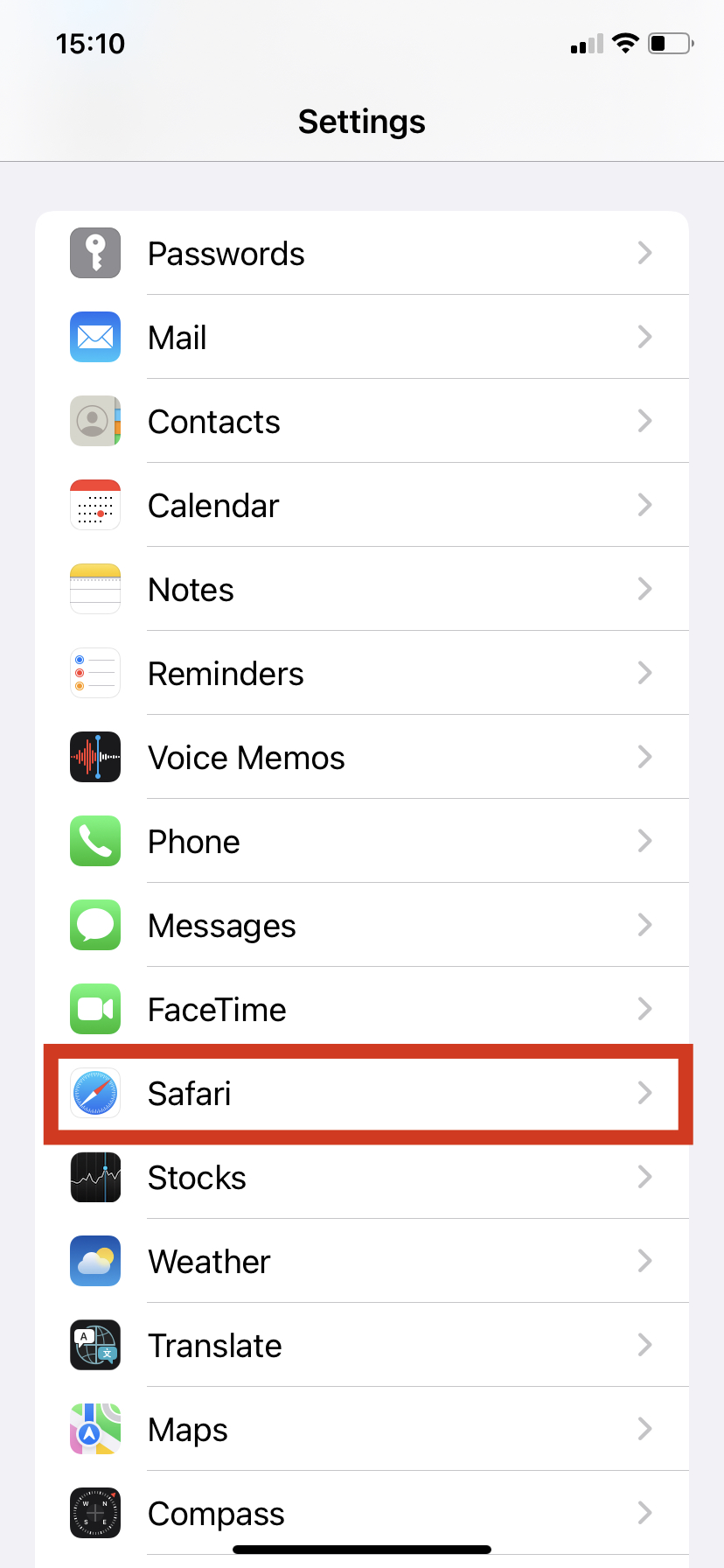
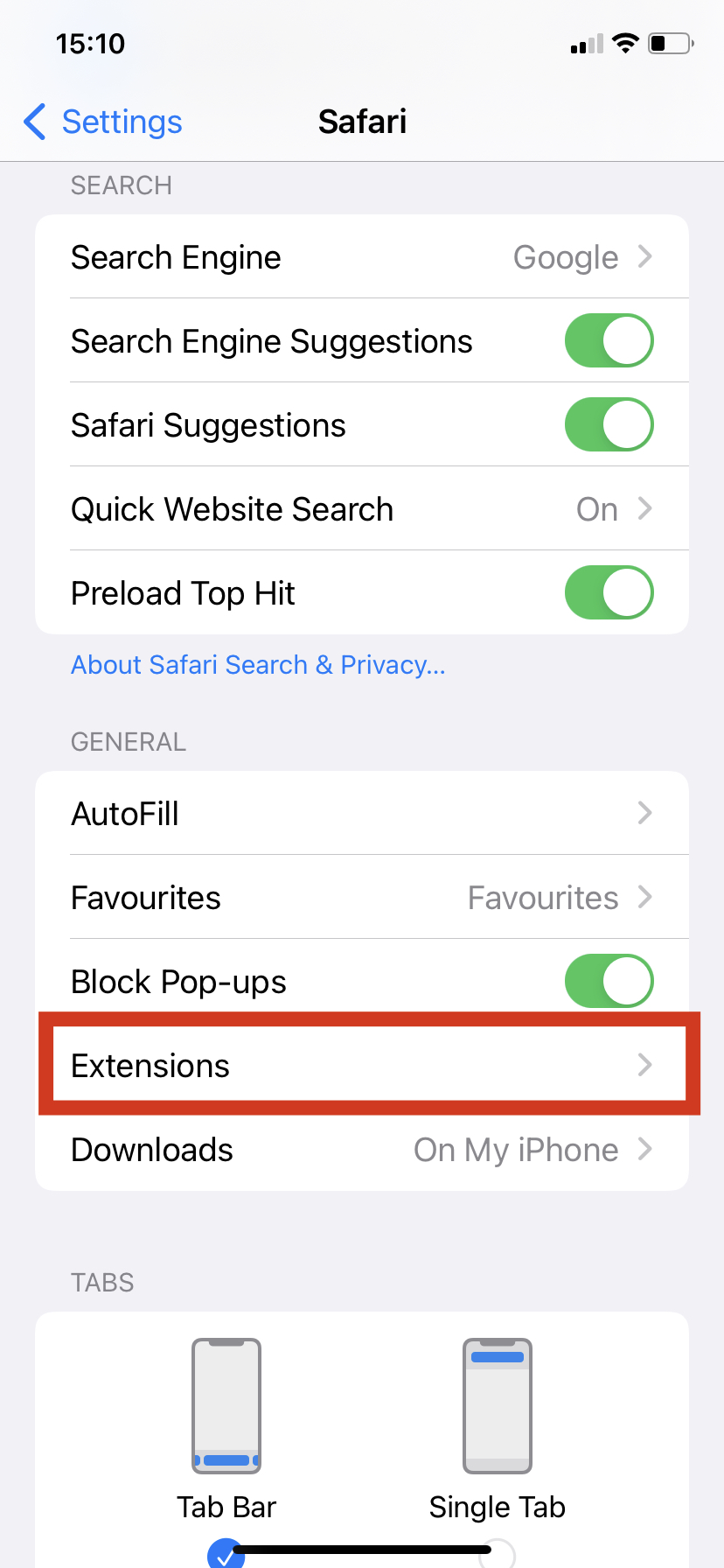
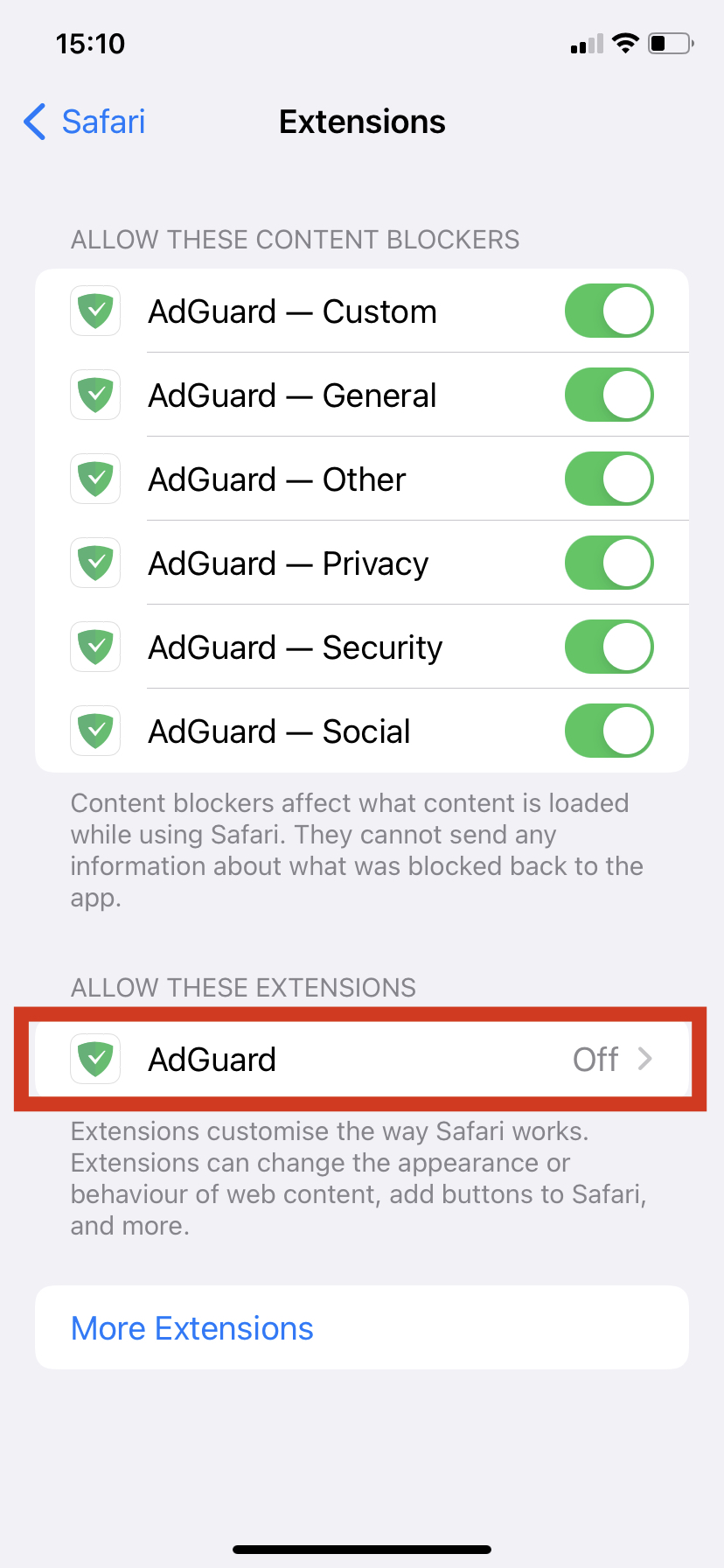
Find Allow these extensions section and then find AdGuard among the available extensions.
Tap it, then turn on the switch. On the same screen make sure that the AdGuard extension has required permissions: All Websites should have the Allow status.
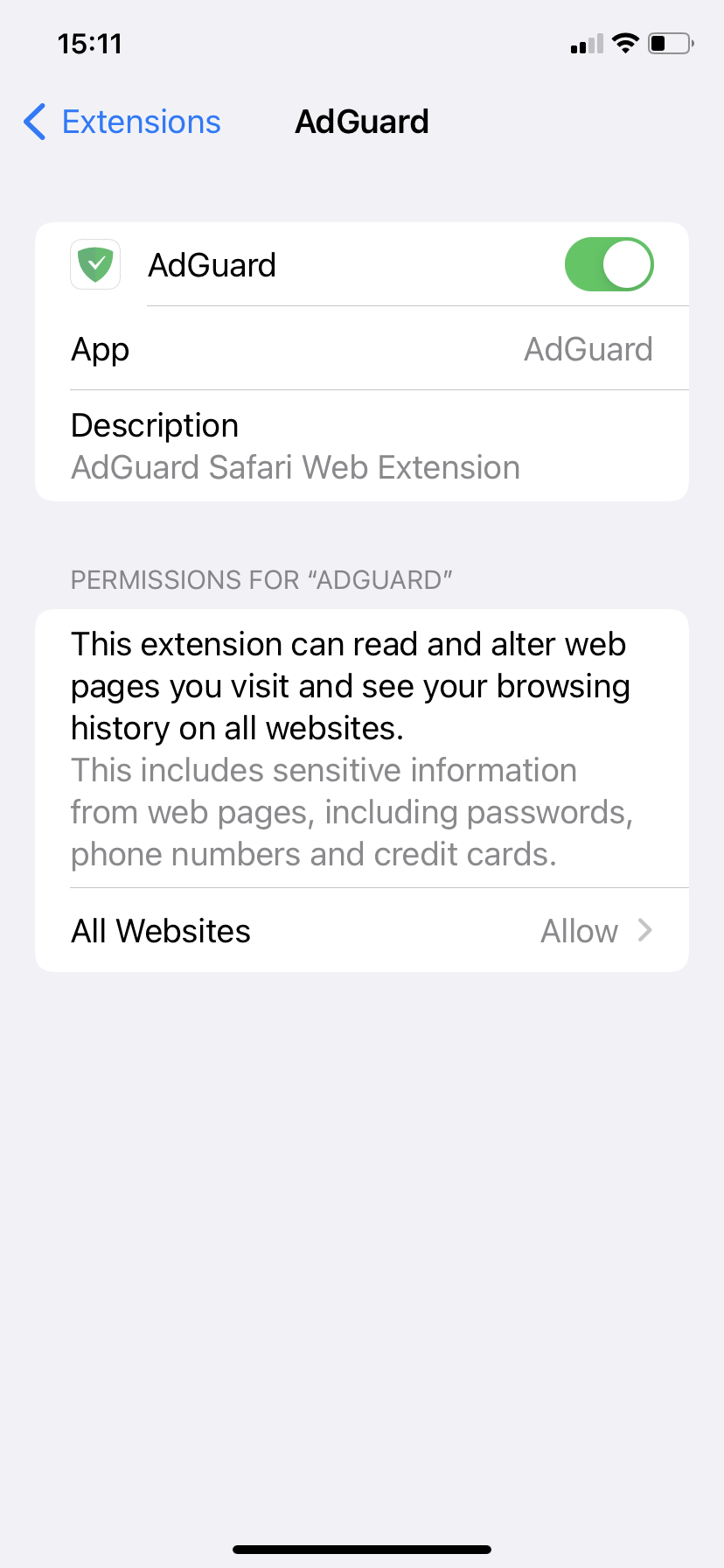
AdGuard's Safari Web extension requires access to the web pages' content to operate, but doesn't use it for any purpose other than blocking ads.
You can also turn AdGuard extension on from the Safari browser. Tap the Extensions button (if you don't see it next to the address bar, tap the aA button).
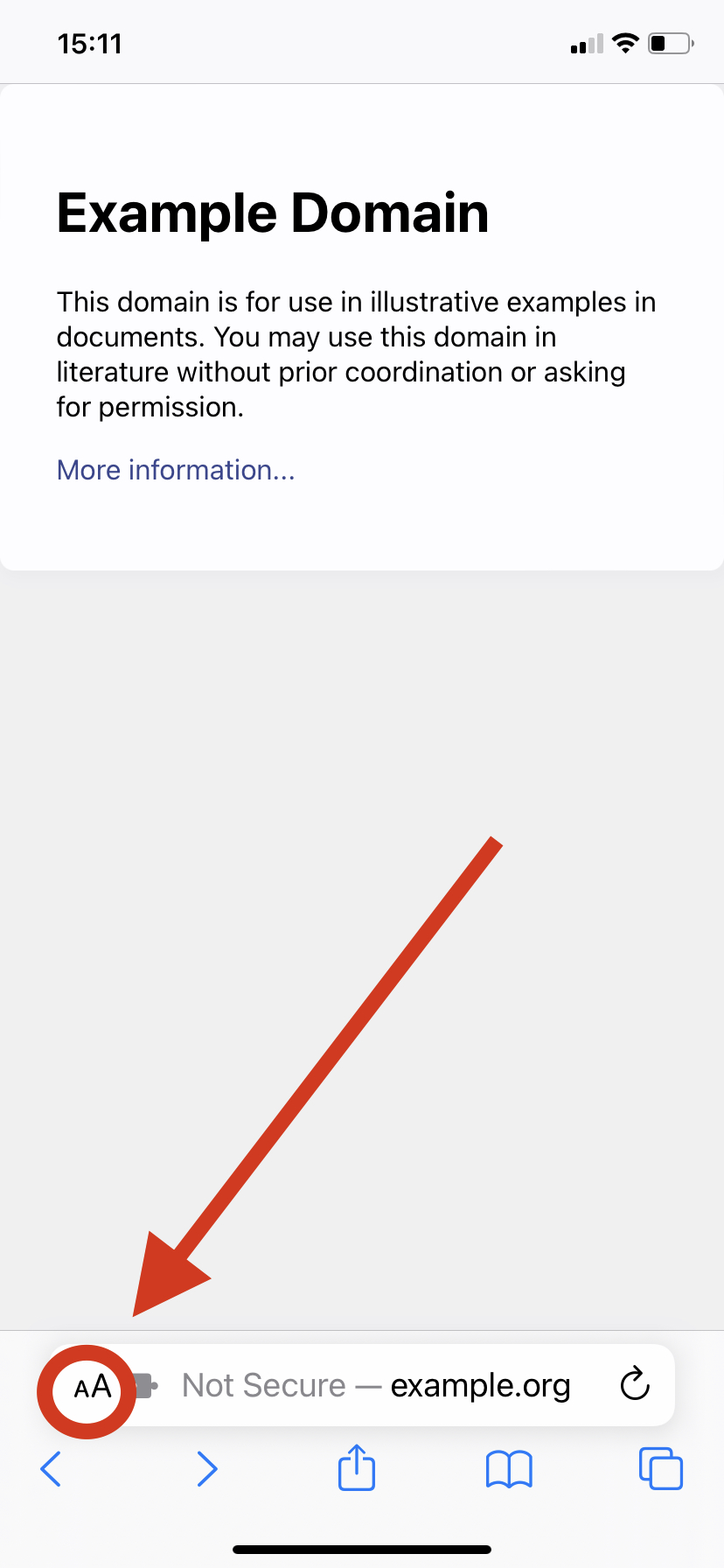
Then find the Manage Extensions option in the list and tap it. In the opened window turn on the switch next to AdGuard.
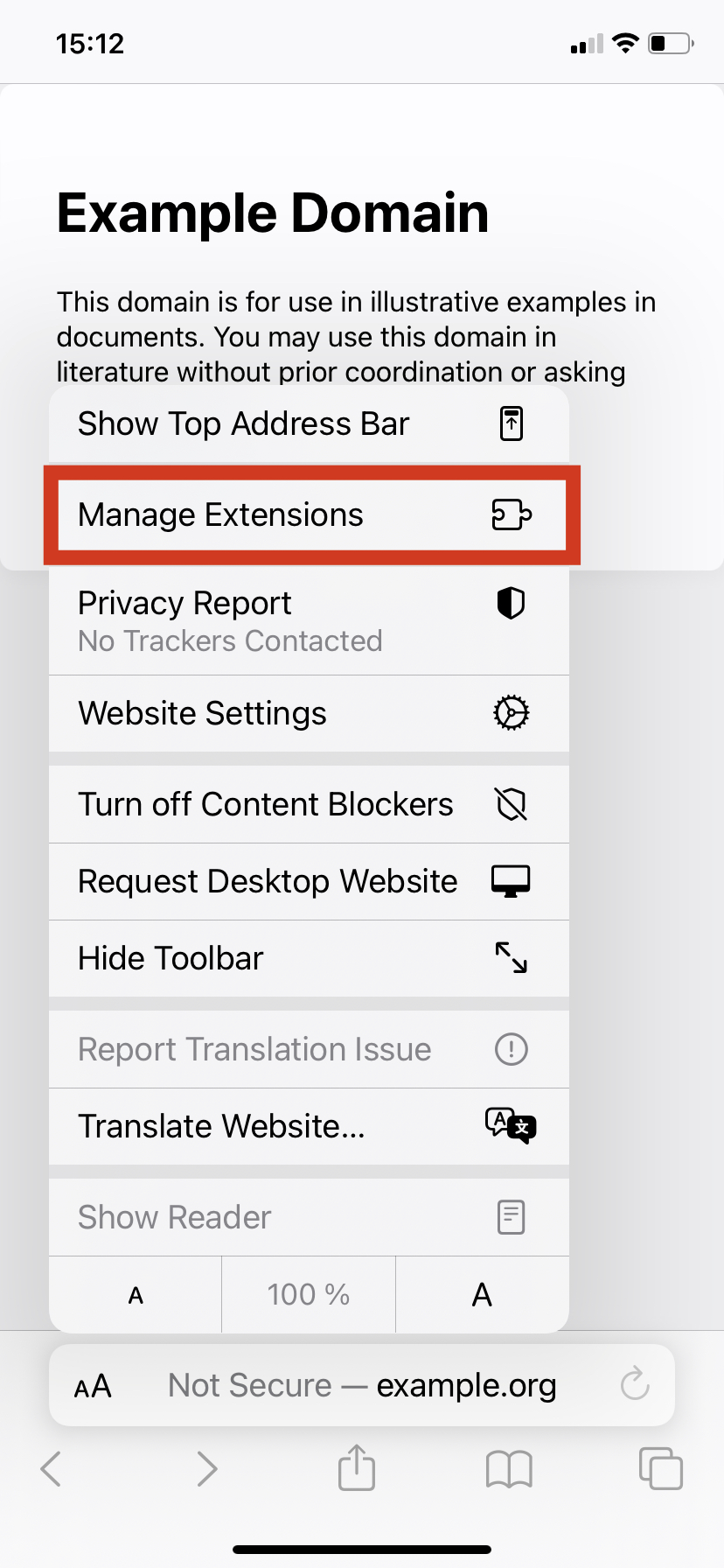
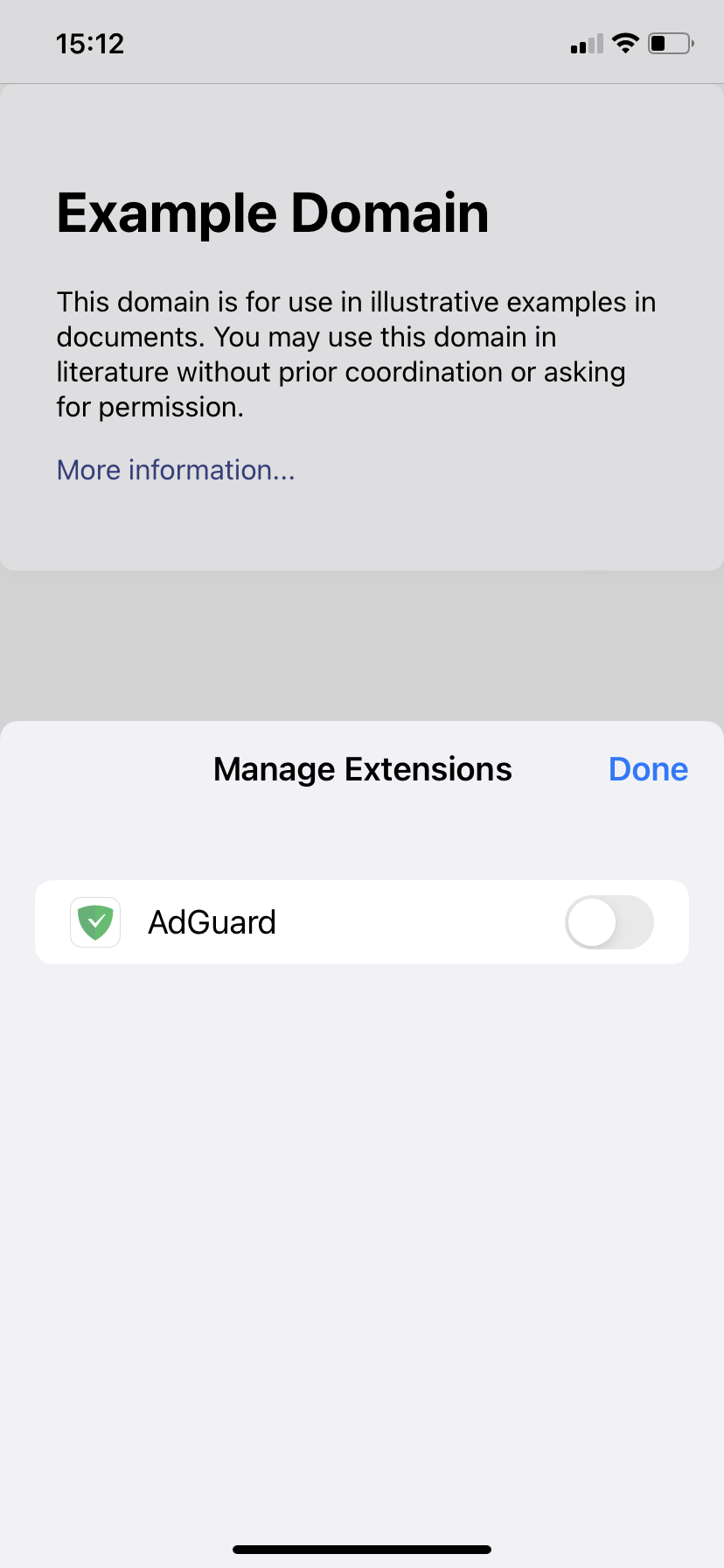
If you use this method, you may have to go to Safari settings to grant AdGuard extension the necessary permissions anyway.
You should now be able to see AdGuard among the available extensions. Tap it, and then tap the yellow i icon. Enable Advanced protection by tapping the Turn on button and confirming the action.
If you use AdGuard for iOS without Premium subscription, you won't be able to enable Advanced protection.
Alternatively, you can enable Advanced protection directly from the app, in the Protection tab (second from the left in the bottom icon row).
Congratulations! You are now ready to take on the toughest ads Safari can offer.
Available features
As we said, the main purpose of Advanced Protection is to block ads that couldn't be blocked before. But besides that, AdGuard's Safari Web extension can be used to quickly manage AdGuard for iOS right from the browser. Tap the Extensions button — it's the one with a jigsaw icon, depending on your device type it may be located to the left or to the right of the address bar. Find AdGuard in the list and tap it.
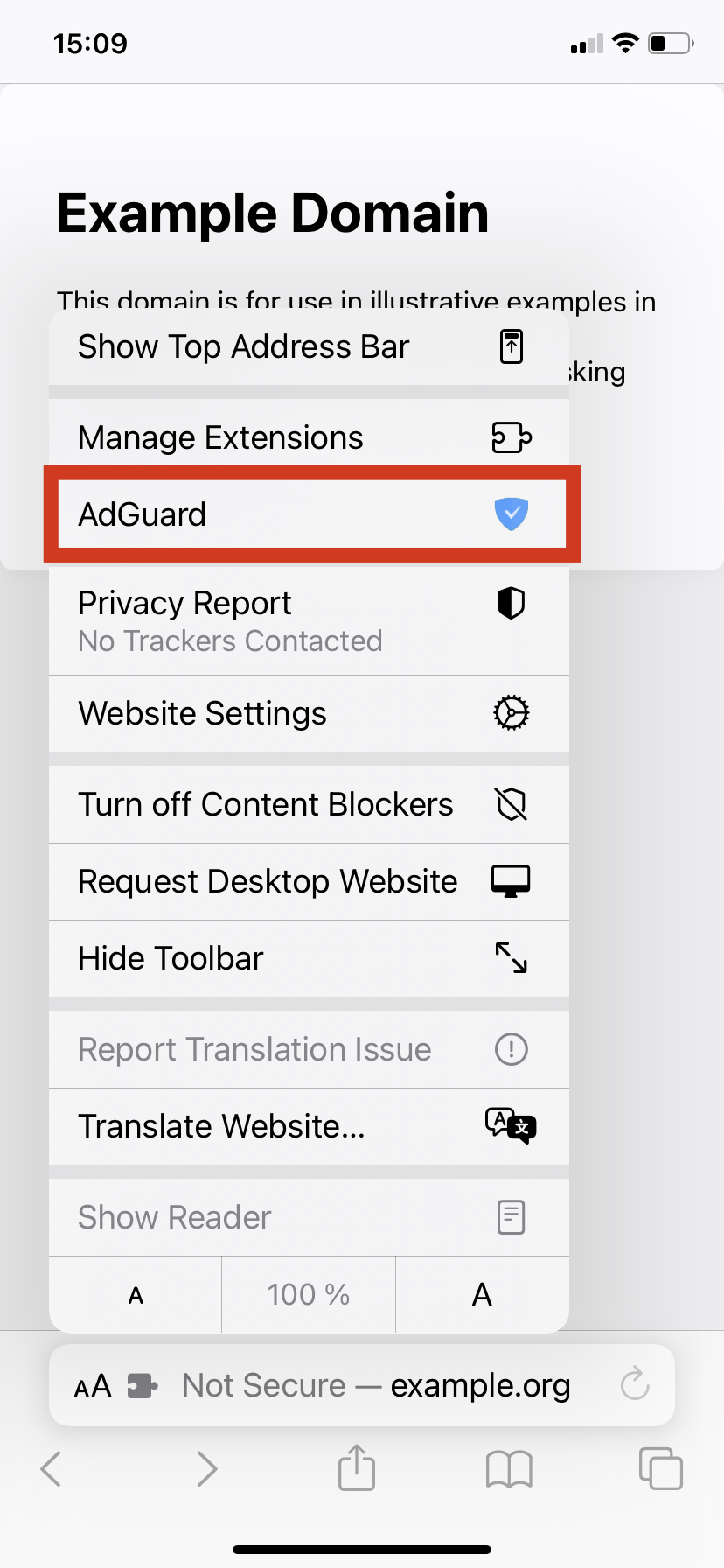
On iPads AdGuard's Safari Web extension is accessible directly by tapping the AdGuard icon in the browser's address bar.
You will see the following list of options:
Enabling/disabling protection on the website. Turning the switch off will disable AdGuard completely for the current website and add a respective exclusion rule. Turning the switch back on will resume protection for the website and delete the rule. Any such change will require some time to take effect.
Blocking elements on the page manually. Tap the Block elements on this page button to prompt a pop-up for element blocking. Select any element on the page you want to hide, adjust the selection zone, then preview changes and confirm the removal. A corresponding filtering rule will be added to AdGuard (that you can later disable or delete to revert the change).
Report an issue. Swipe up to bring out the Report an issue button. Use it to report a missed ad or any other problem that you encountered on the current page.
Advanced Protection is only available to Premium users of AdGuard for iOS.
This is one of the biggest level-ups in the history of AdGuard for iOS. Web extensions open so many new avenues, we actually felt like a kid in a candy shop. Hopefully, you share our enthusiasm! So what are you waiting for? Go and show them ads who's boss! The update is already available in the app, or you can download AdGuard for iOS anew from the AppStore.


















































