AdGuard for Android v.2.6 official release
Hello everyone!
It feels like we were releasing version 2.5 just yesterday, and yet we are ready to present to you a new one: Adguard for Android v.2.6!
You will find quite a lot of improvements and new features there. Last version introduced HTTPs filtering, and in this one we made it faster by A LOT! :) Now it is so much faster and more stable.
Also, our users get the ability to configure which DNS servers to use with DNS filtering, compatibility with other apps is improved, UI undergoes some tweaks, new filters are added to make filtering more comfortable… and much more!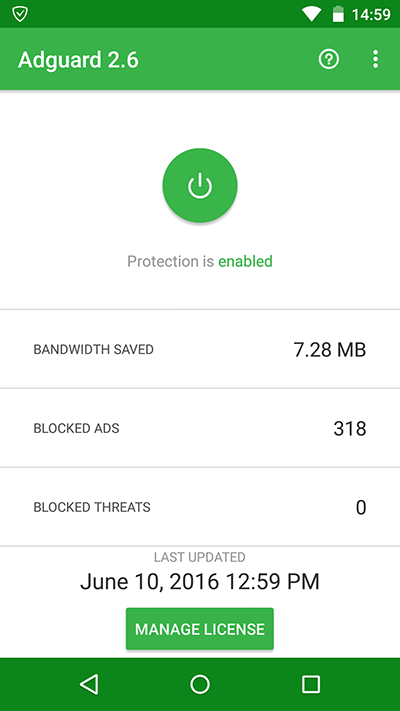
Ad Blocking
[Added] Annoyances filter: #594
We have decided to create a new separate filter for irritating elements that disturb users or interfere with web surfing. As you may know, we already have a Social media filter that removes numerous social media widgets and different buttons – “Like”, “Share”, “Tweet” etc. (we are sure you have noticed how many of them are on certain websites). Our new filter will go further in making your surfing even more comfortable.
You can learn more about it in our blog: https://adguard.com/en/blog/annoyances-filter.html
[Added] Custom DNS servers: #139
With Adguard you can now override system DNS settings and use any DNS servers you like. Just as with proxy settings, Android does not allow you to do it when you are on mobile data, so Adguard is your only option. To do it: go to Settings – Advanced – Low-level settings – tap pref.vpn.dns and enter preferred DNS servers addresses (one per line).
Other changes
[Added] Korean Adblock list: #556
[Added] Fanboy’s Swedish filter: #627
[Added] Fanboy’s Vietnamese filter: #589
[Added] LastPass app added to the browsers list: #476
[Fixed] Improved ad blocking in Youtube app: #573
[Fixed] Adguard fails to detect HTML on some websites: #554
Networking
[Added] Upstream proxy settings: #51
One of the most asked questions about Adguard is “can I use it with another VPN?”. The usual answer was “no, you can’t have two VPN running together (unless you have root and use AG in proxy mode)”. We are very excited to announce that we have brought a new solution suitable for non-rooted devices.
Does this allow you to use two VPNs at the same time? No, unfortunately this is still impossible. However, most popular VPN providers allow you to use proxy instead and that’s what you can do now with Adguard.
For instance, if you are a PIA VPN user, you now can setup Adguard to use their SOCKS5 proxy. Learn more about it here (scroll down until you see “SOCKS5 proxy” link).
You may want to use TOR along with Adguard and it is also possible now! Here is a short instruction on how to setup Adguard to work with Orbot: Proxy with Tor.
- Run Orbot.
- Open Adguard.
- Go to Settings – Advanced, open Proxy settings.
- Select SOCKS4 proxy type, set host to 127.0.0.1 and port to 9050.
- That’s it, run Adguard protection and all your traffic is now going through TOR.
One more thing worth noticing is that Adguard is currently the only way to use proxy when you are on mobile data. Otherwise Android just does not provide such possibility.
[Added] New low-level setting allowing to block IPv6 traffic in Proxy+Auto filtering mode: #601
It appears that in Proxy+Auto mode Adguard cannot filter IPv6 traffic. As a temporary solution we’ve introduced new low-level setting “pref.proxy.block.ipv6″ allowing to block IPv6 traffic to public networks. It is disabled by default, so if you have IPv6 offered by your ISP, you may want to enable it.
[Added] Low level switch for AG to dump HTTP/HTTPs content to a file: #502
This switch will be very useful to filters developers and enthusiasts. Adguard saves HTTP(s) requests in a HAR (http archive) v1.2 format which can be easily analyzed with a Fiddler app: #502
[Improved] HTTPs filtering performance: #501
Another popular question was about download speed drop over HTTPs. HTTPs filtering is a heavy operation, so that was expected. What was unexpected to us is that some services like Google Play may download apps over HTTPs. So, we have greatly optimized the filtering speed. On our test device it has showed an increase in 5-10 times!
Other changes
[Changed] Updated default https exclusions list (almost 1k domains there now): #579
[Fixed] Do not start VPN when another VPN is in use: #527
[Fixed] Wi-Fi calling in UK EE network does not function if Adguard is active: #582
[Fixed] No HTTPs filtering of Google domains in Chrome browser: #365
[Fixed] Empty ad placeholders are visible in some apps with HTTPS filtering enabled: #402
[Fixed] Adguard does not block connections when an app switches to SSL 3.0: #562
[Fixed] Some apps repeat ad requests every second (Play music issue): #511
[Fixed] HTTPs filtering does not work for Google domains (Android N): #486
[Fixed] Error generating certificate for certificates w/o alternative name: #548
[Fixed] Added workaround for update procedure on Android N: #634
[Fixed] Not starting VPN service on quick network change: #636
UI
[Added] Default language is now “System” (just uses the system language even if you change it): #131
[Added] Added Adguard shortcut for fast enabling or disabling Adguard: #481
[Added] Show warning when user tries to set notification icon to “None”: #497
[Changed] 1-place widget appearance: #481
[Fixed] An issue with Adguard shortcut opening app UI: #610
[Fixed] Tethering “conflict” notification is shown every time: #503
[Fixed] Statistics detalization for low-res devices: #525
[Fixed] Dialog windows width: #557
[Fixed] Accessibility problem for visually impaired users: #519
Compatibility
[Fixed] Aliexpress: #615
[Fixed] Yandex Navi and Maps: #447
[Fixed] Wire: #517
[Fixed] Sberbank and manual proxy mode: #545
[Fixed] Adwords app: #327
[Fixed] Outlook mobile app: #560
[Fixed] Openbank: #504
[Fixed] Samsung Theme Store: #571
[Fixed] SimpleNote sync: #540
[Fixed] Wawa: #543
[Fixed] Yelp (cannot complete a transaction): #603
[Fixed] PrivatBank: #567
[Fixed] Angry Birds Friends: #546
[Fixed] HERE Maps: #530
[Fixed] FarPost Кино: #529
Other
[Fixed] Samsung Battery saving feature interferes with Adguard: #378
[Fixed] HTC battery optimization mode interferes with Adguard: #536
[Fixed] License key can be found in the log file: #595
[Fixed] Limit the number of license check requests: #574
[Fixed] HTC devices power saving mode: #536
Update is already available through the app. Try the new version, it is even better than the previous one :)
We are looking forward to your comments!


















































