Did Safari 13 disable all your browser extensions? AdGuard for Safari to the rescue
Almost exactly a year ago Apple severely maimed Safari browser extensions, and ad blockers took an especially big hit. Recently, they finished the job and put the last nail in the coffin: Safari 13 doesn't support extensions anymore, at all. Instead all we have now are apps from Mac AppStore. They aren't able to fully substitute extensions, but it's a topic for a different article. What matters is that users of ad blockers were left with nothing — or rather, they would have, if not for AdGuard.
After the last year events we looked into our crystal ball, saw the future and immediately started developing an ad blocker specifically for Safari that would have been available in AppStore. We've been improving it ever since, and today AdGuard for Safari is a quite powerful ad blocking and privacy protection instrument. With the release of version 1.5 it only becomes better, and this is what we're going to talk about today.
The biggest, baddest, and the most infuriating limitation Safari has for ad blockers is that they are only allowed to use 50.000 filtering rules simultaneously. This is an outrageously small amount, even some filters have more. Want to use several filters? Tough luck. Fortunately, there's a way to circumvent this restrcition which Apple seems to not mind, at least for now. An ad blocker can scatter itself over several content blockers. Each of them uses less than 50k rules but together they amount to much more. This little trick is being used in AdGuard for iOS for a while, and it's time for its Safari brother to pick up this technique.
New version has all filters grouped into 6 different content blockers. The grouping is not random, of course: for example, Privacy content blocker includes all kinds of anti-tracking ad filters, Security is a home to filters that block malvertising, etc etc. Remember, each of them can support 50k rules, that makes 300.000 rules total. Not too shabby!
Just like you had to enable AdGuard content blocker in Safari settings for it to work, you'll need to separately turn on any of the new six content blockers that you'd like to use. For the best filtering quality we recommend enabling them all.
And that brings us to the next feature. It's hard to remember which content blockers are enabled and which are not, and it's tiresome and frustrating to delve into Safari settings every time you want to check it. To avoid that, we introduce the new Content blockers screen.
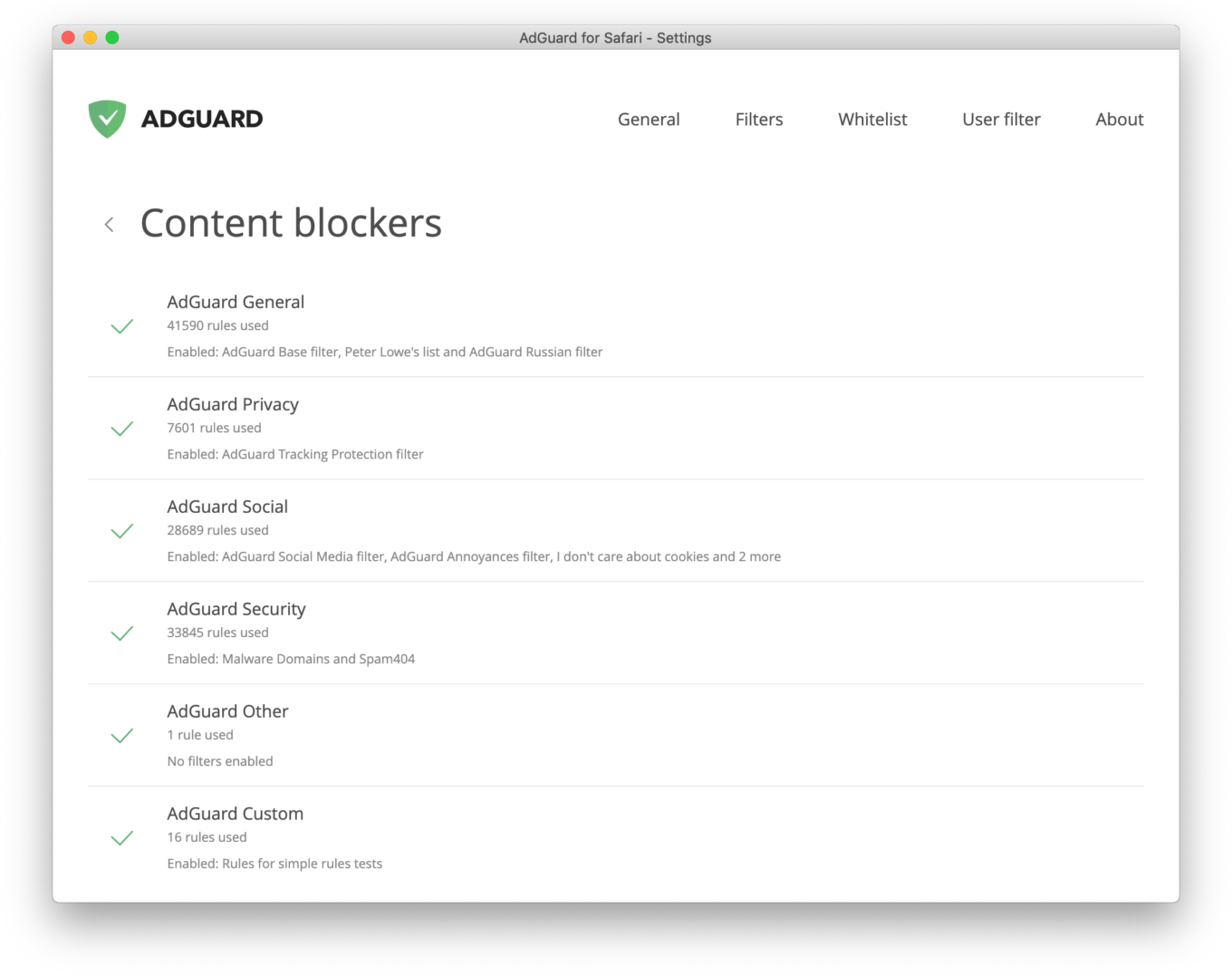
Everything you need to know in one place.
Located in AdGuard settings, it will provide you with all details about which content blockers are enabled, what filters are currently in use and how far towards the 50k rules limit each of them has moved. By the way, it will be hard to forget that not some content blockers are disabled. Notifications both in extension menu and settings will draw your attention to this fact.
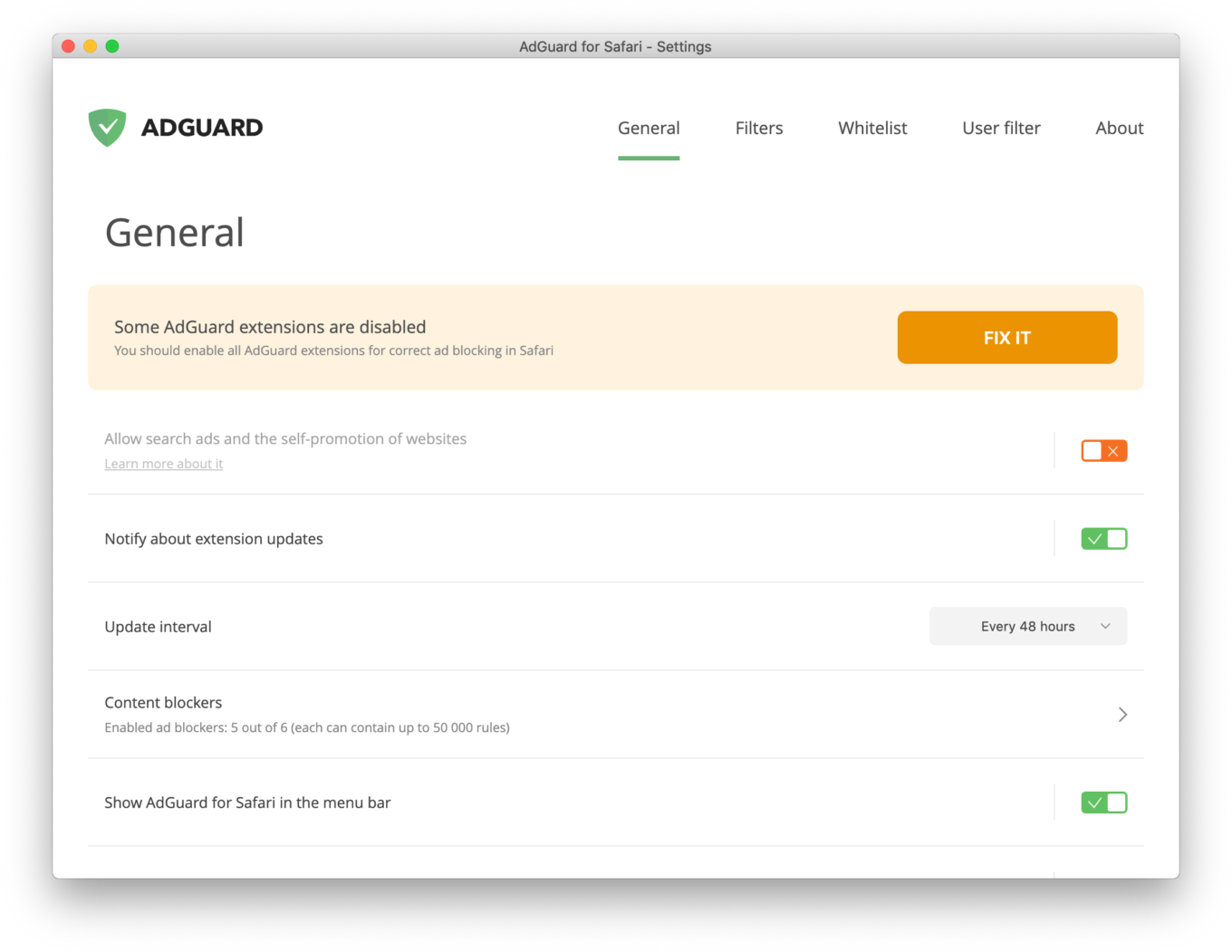
You don't have to turn them all on, but it would improve filtering quality.
In other news, in October, the next macOS version — Catalina — will become available to the general public. Many have tried it already, and developers across the world tinker their software to be compatible with the new OS when the release day comes. We are not an exception, and AdGuard for Safari is already prepared for the upcoming update, it's fully compatible with Catalina and can be used on Developer Beta build even today.
Do you want to know more about AdGuard 1.5 for Safari? Are you sure, even the smallest details? Head over to GitHub then. You can find standalone builds and Mac AppStore installation instruction there, too.
AdGuard for Mac: even more powerful, and with a discount!
We also have a standalone AdGuard for Mac app that works even better! Unlike Safari-based ad blockers, it doesn't have to play fair, and will block all and any ads in all browsers and even other applications. And to commemarate all the good ad blocking browser extensions that were killed today, we offer a 30% discount on license keys for AdGuard for Mac.
And traditionally, if you have any questions about the new version, comment section below is the best place to fire them. I'll be around and answer them as soon as I can.


















































