AdGuard v2.10 for Mac: DNS filtering by default, ECH support, new Advanced Settings
We are excited to announce the release of AdGuard v2.10 for Mac. This version has a lot of new features in the Advanced Settings section that we hope you'll love, especially if you're a tech-savvy user. For example, we've added experimental support for Encrypted ClientHello. And to make it work, we've enabled DNS filtering for all users. Check out all the details in this post!
DNS filtering enabled by default
Starting with this version, DNS filtering is enabled by default for all users but if you are already using a DNS server, all settings will remain the same. This change was partially necessary to implement another important feature: experimental support for Encrypted ClientHello (ECH).
Experimental Encrypted ClientHello support
What is Encrypted ClientHello?
Nowadays, almost every HTTPS connection is encrypted and no one can see what’s inside it. However, the very first packet of the connection, called ClientHello, indicates the name of the server you are connecting to. Say you want to open www.google.com, your ISP cannot see what exactly you send and receive from it, but they know what website you are communicating with.
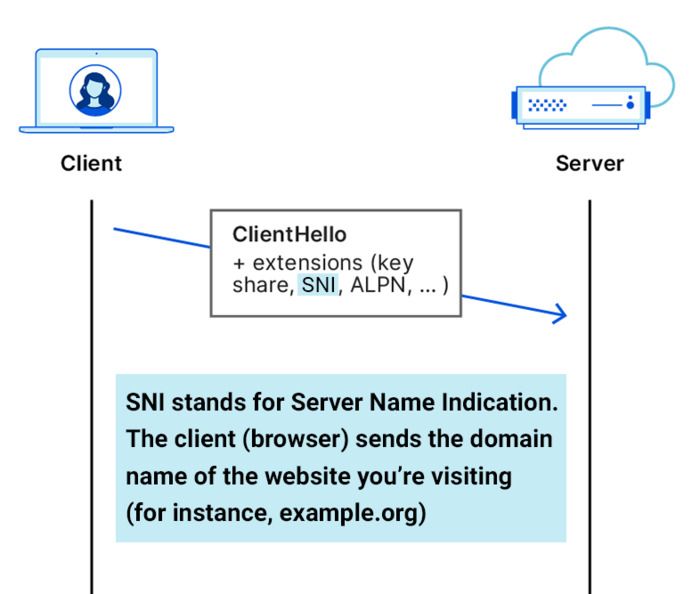
This is where Encrypted ClientHello (ECH) comes in handy. It encrypts this last bit of unencrypted information, making your HTTPS connection fully encrypted. This means that third parties, such as your ISP, will not be able to see what is inside the connection or which site the connection was made to.
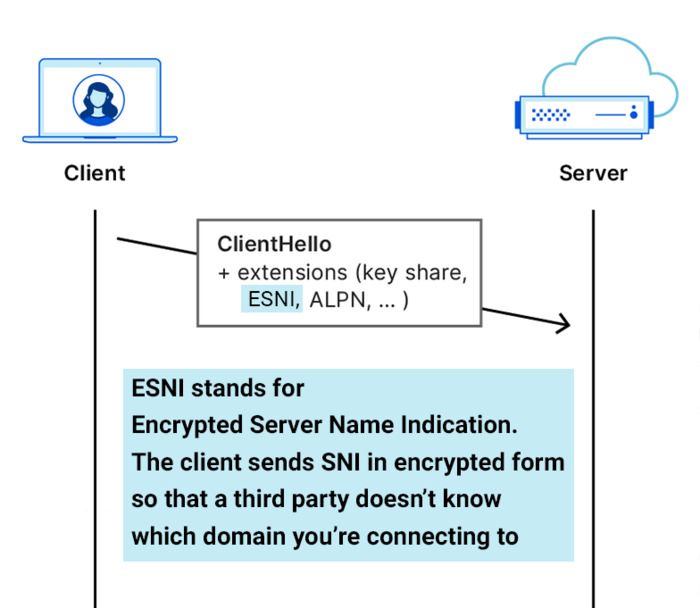
AdGuard is not the only one working to support ECH. Browsers such as Chrome and Firefox are also in the process of adding ECH support. However, AdGuard has a significant advantage.
Assuming that Chrome has added support for ECH, it means it only works within Chrome and does not extend to other apps and browsers. In contrast, AdGuard's ECH support automatically works in all apps and browsers that AdGuard filters. Therefore, you don't have to wait for operating systems or apps to support this feature, as it is automatically available in your pocket with AdGuard.
How to enable ECH support
To enable ECH support, follow these steps:
Make sure that DNS protection is on. ECH relies on data obtained through DNS, so in order for AdGuard to receive this data and enable ECH globally for users, DNS filtering is necessary.
Check if the
dns.proxy.block.encrypted.client.hello.response.parametersoption is turned off, as it may interfere with this feature.Go to Advanced Settings and turn on
network.https.ech.enabled.
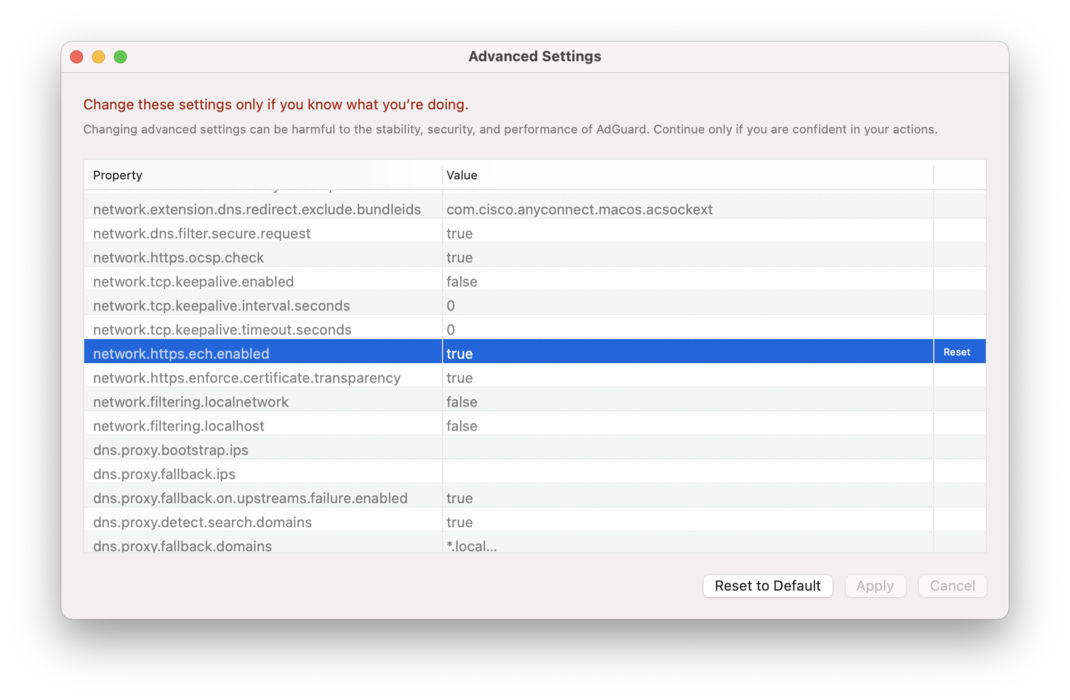
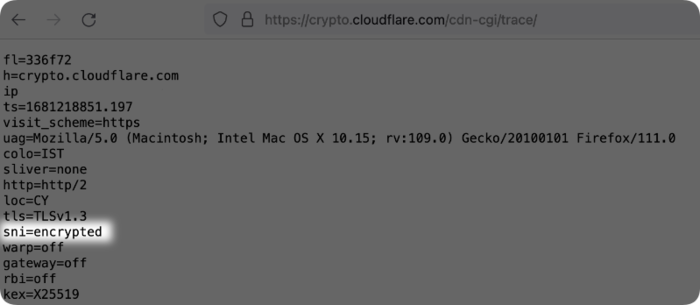
To make sure ECH is working, use one of the following methods:
- Go to https://crypto.cloudflare.com/cdn-cgi/trace/ and check if it says
sni=encrypted.
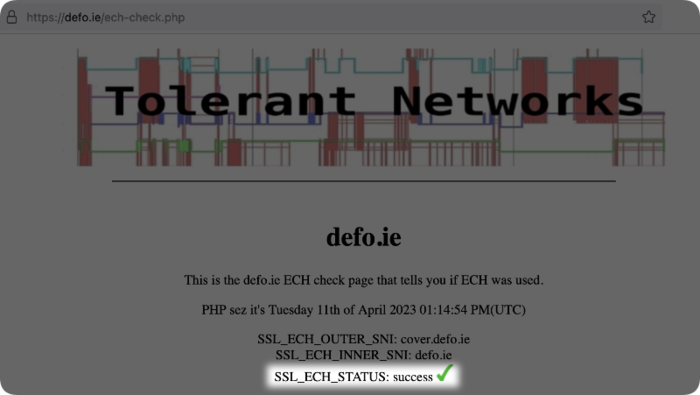
- Go to https://defo.ie/ech-check.php and check if it says
SSL_ECH_STATUS: success.
Limitations and issues
ECH is a new technology, so you may encounter some issues when using it.
ECH support may slow down your browsing speed a bit. However, we are already working on improving this!
ECH support must be implemented on both sides. AdGuard supporting it is not enough; the server must also support it. Currently, these servers are few, because the technology is new and has not yet been finalized. However, the number of servers supporting ECH is expected to grow.
New Advanced Settings
In addition to ECH support, we have added many other new features to Advanced Settings. We want to make sure you get the most out of these, but just a friendly reminder: be careful when setting them up. If they're not configured properly, it could affect the app's performance.
All of these features can be divided into 4 categories:
- Anti-DPI options allow low-level modification of filtering requests to protect user traffic from Deep Packet Inspection (DPI).
- Keepalive options allow you to configure settings for working with TCP keepalive connections filtered by AdGuard. This will provide a more stable connection for some problematic providers.
- DNS-related options can help you fine-tune your DNS settings. For instance, you can now enable HTTP/3 for DoH (experimental) and adjust the behavior of the DNS proxy when errors occur.
- Certificate security options allow you to verify the certificates of websites and web services based on various criteria. AdGuard aims to verify website certificates in the same way that browsers do. Recently, browsers have started requiring compliance with the Certificate Transparency Policy, so AdGuard also checks whether certificates follow this policy.
You can learn more about Advanced Settings in our Knowledge base, and about new settings in the Versions history.
Besides, many changes have been made to CoreLibs, DnsLibs, Scriptlets, and ExtendedCss. Also we've added the Ukrainian filter. The full changelog of AdGuard v2.10 for Mac can be found on Github.
We hope you enjoy the new features. If you have any feedback, please feel free to share it in the comments or on social media.


















































