Google AI Overviews aren’t just bad — they come bundled with an ad
Two weeks since their official launch, Google Search’s AI Overview has become the butt of Internet jokes, dispensing advice that ranges from simply incorrect to outright hazardous. The new AI-powered feature with the hope of which Google sought to catch up with rivals such as AI-savvy Microsoft and its Bing’s Copilot, has fallen spectacularly short of expectations. Despite being in development for a year, the feature appears extremely raw. Nevertheless, Google has already seen fit to intersperse it with ads.
But before we dive any deeper into this, let’s take a step back and look at what Google’s AI Overviews are.
AI Overviews: half-baked and will give you a stomach ache
AI Overviews are short summaries generated by AI in response to search queries. The feature has already started rolling out to the users in the US, and will launch globally by the end of 2024.
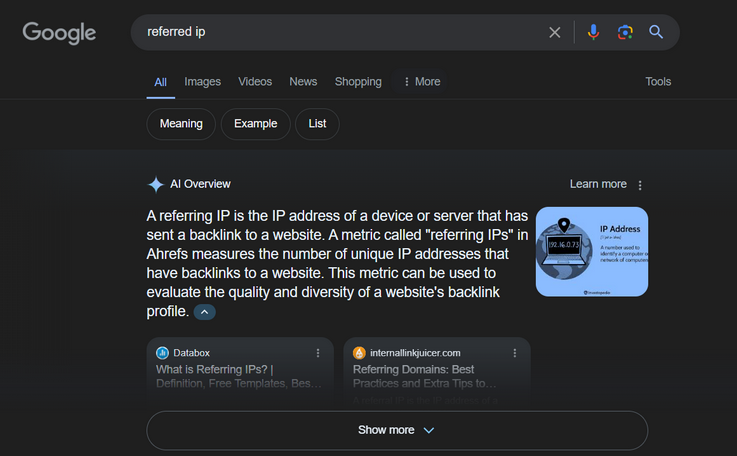
Example of an AI-written summary in response to a referring IP query
This feature is a successor to Google’s experimental Search Generative Experience (SGE), which was launched about a year ago. We wrote about it here at the time. At first glance, there’s hardly more than a cosmetic difference between SGE and AI Overview, indicating that Google has been testing this tool for quite some time already. While unveiling AI Overview at Google’s annual Google I/O developer conference, Google CEO Sundar Pinchai said that its Gemini AI had facilitated answers to over one billion queries through SGE.
“People are using it to Search in entirely new ways, and asking new types of questions, longer and more complex queries, even searching with photos, and getting back the best the web has to offer,” Pichai said, according to Digiday. He added that the Google developers were encouraged with the feedback they were getting when testing this feature “outside of Labs,” saying that not only they’ve seen “an increase in Search usage, but also an increase in satisfaction.”
It’s not entirely clear how Google gauged user satisfaction, but some of its AI Overview answers definitely carry a high comedic value. Platforms like X and Reddit are flooded with screenshots of what appear to be AI Overview summaries. Some of the AI-generated gems include suggestions to chow down on rocks and extol the health benefits of running with scissors.
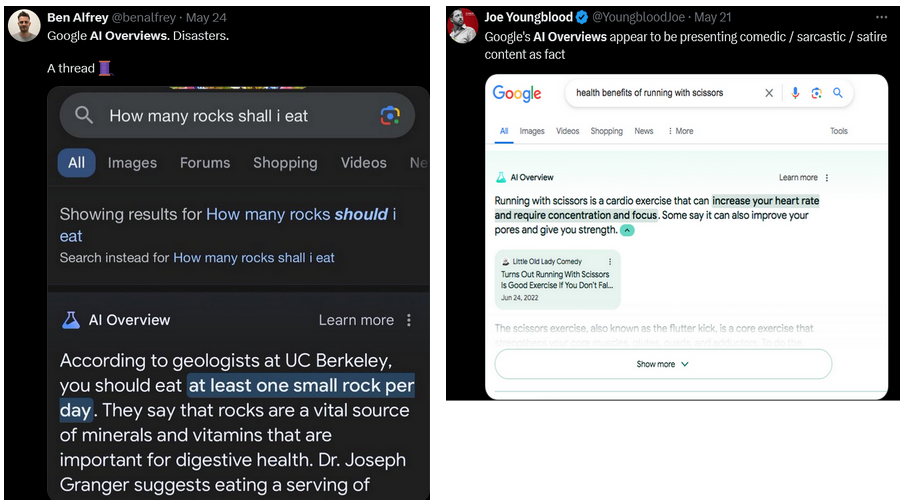
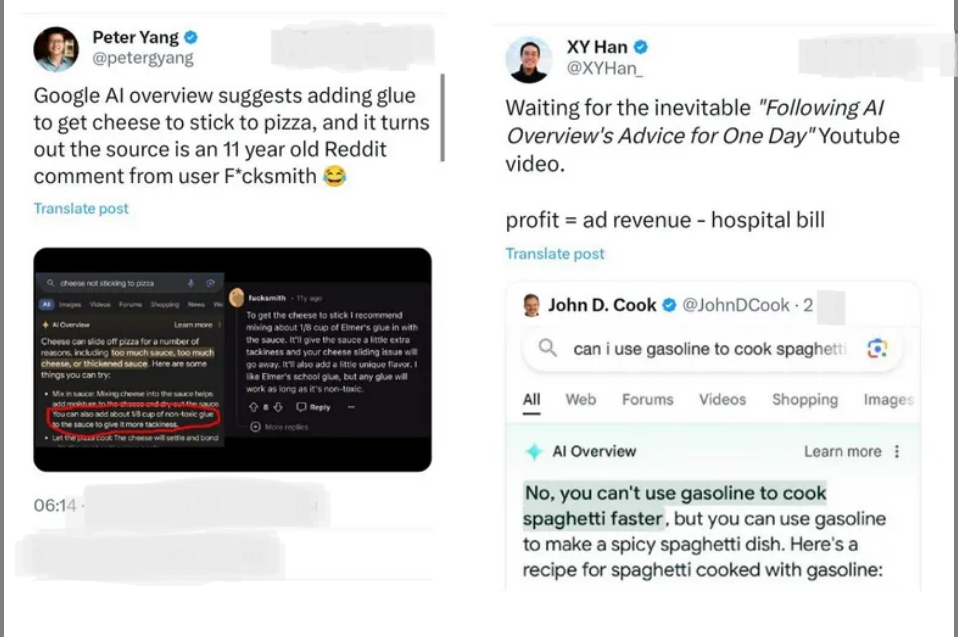
Other equally questionable advice includes adding glue to make cheese stick to pizza and using gasoline to make a spicy spaghetti dish.
In an effort to put out the fire, which had the Internet raging with memes, Google told the Verge that it has been “taking swift actions” to remove nonsensical AI responses. Google blamed questionable nature of some responses to the uncommon queries they were generated from, and alleged that some of the queries were “doctored or that we couldn’t reproduce.”
Ads as part of the experience
Even if some of the results are indeed a work of fiction (or rather photoshop), it is obvious that the problem is real and is making Google look bad. You’d think if Google realized that its AI Overview feature wasn’t ready for prime time or still had kinks to work out, it would hold off on introducing ads. After all, it wouldn’t reflect well on Google to embarrass advertisers, like featuring an ad for super glue in a pizza-related query or promoting stainless steel scissors in a search about running. However, Google, which derives around 80% of its revenue from ads, chose not to delay. It waited just a week before announcing that ads would be incorporated into AI Overviews, potentially appearing both above and below the AI-generated summary.
In a blog post on May 21, Google’s VP of Ads, Vidhya Srinivasan announced that Google will soon embark on testing search and shopping ads in AI Overviews for users in the US. While she did not give a clear timeline, we expect ads to launch sooner than later if not already (in our tests we have yet to see ads in AI Overviews). That is especially since Google claims they’ve “heard that people find the ads appearing above and below the AI-generated overview helpful” (a highly questionable statement in itself).
Blocking AI Overview ads with AdGuard
Based on Google’s preview, the ads will be labeled as “sponsored” and will be separate from the AI-generated response. Since the ads are not integrated in the response itself, it’s highly probable that AdGuard will be capable of blocking them using the current set of rules. In other words, the manner in which the ads are displayed, does not require us to come up with some out-of-the-box solution: traditional ad blocking methods shall suffice.
To block such ads, you need to make sure that search ads and self-promotion are not allowed in your AdGuard extension or app.
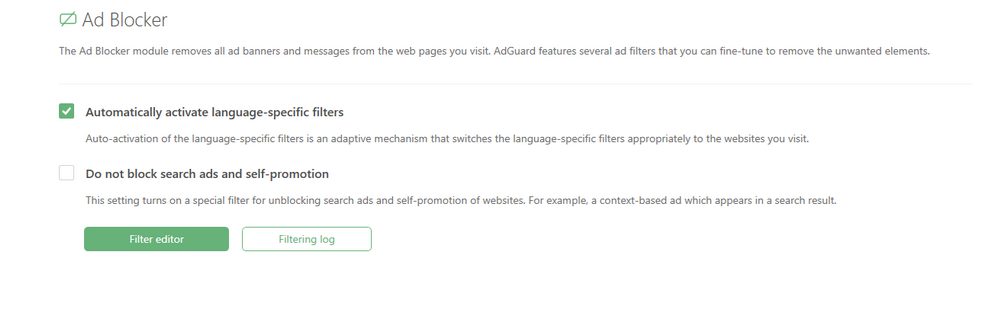
Once we get our hands on Google’s AI Overviews and see how ads are handled, we might update this article. Right now, we’re cautiously optimistic about our ability to block ads in AI Overviews.


















































