How to efficiently block YouTube ads in Safari
In this post, we'll show you how to block YouTube ads on iPhone and iPad in Safari browser. If you don't want to read entirely, skip directly to instructions.
UPD: added support for YouTube Music, several minor bugs fixed. You need to reinstall the shortcut to get the update: https://agrd.io/ios_youtube_shortcut
To get a shortcut that updates automatically download a newer version: https://agrd.io/ios_youtube_shortcut_remote
Several weeks ago we started receiving complaints about some YouTube ads that somehow managed to infiltrate Safari. As you may know, because of Safari Content Blocking API our hands are quite tied when it comes to content blocking opportunities. We explained why in this article and in all detail, hoping that Apple will pay attention to the current situation.
UPD: And they did! There is definitely a chance that the situation will improve in the future.
We managed to quickly solve the problem with ads in the AdGuard for Safari extension, on macOS it was easier to do: thanks to the "AdGuard Advanced Blocking" extension, we can compensate for missing Safari content blocking capabilities. But with iOS, the problem persisted, and we must admit that it was rather sad that we could not get rid of ads, like we used to.
And then... eureka! We remembered that YouTube works without reloading the page. It turns out that you can run a special script that will work and remove ads until the page is reloaded. After realizing this fact, the way to implement it came quickly — last fall, Apple added shortcuts that are great for this task. In the blink of an eye, we developed our own quick command (shortcut) that outright removes YouTube ads.
We're thrilled to have come up with a solution to help iOS and iPadOS devices owners. If you too have been hit by the sudden flurry of YouTube ads popping up in Safari, then this is the solution for you. In the next version of AdGuard for iOS, such a command will appear automatically, and we are already working to bring this version out as soon as possible. But if you don't want to wait, here's what you need to do to activate it right now.
How to add a shortcut to block YouTube ads in Safari
- Open the "Shortcuts" app. It can be found in system settings or downloaded from App Store.
- If you have not used shortcuts before, then to launch ours you will first have to run any shortcut offered by Apple.
- Go to the "Shortcuts" app, launch any, then Proceed to iOS device settings -> Shortcuts and enable the "Allow Untrusted Shortcuts" option.
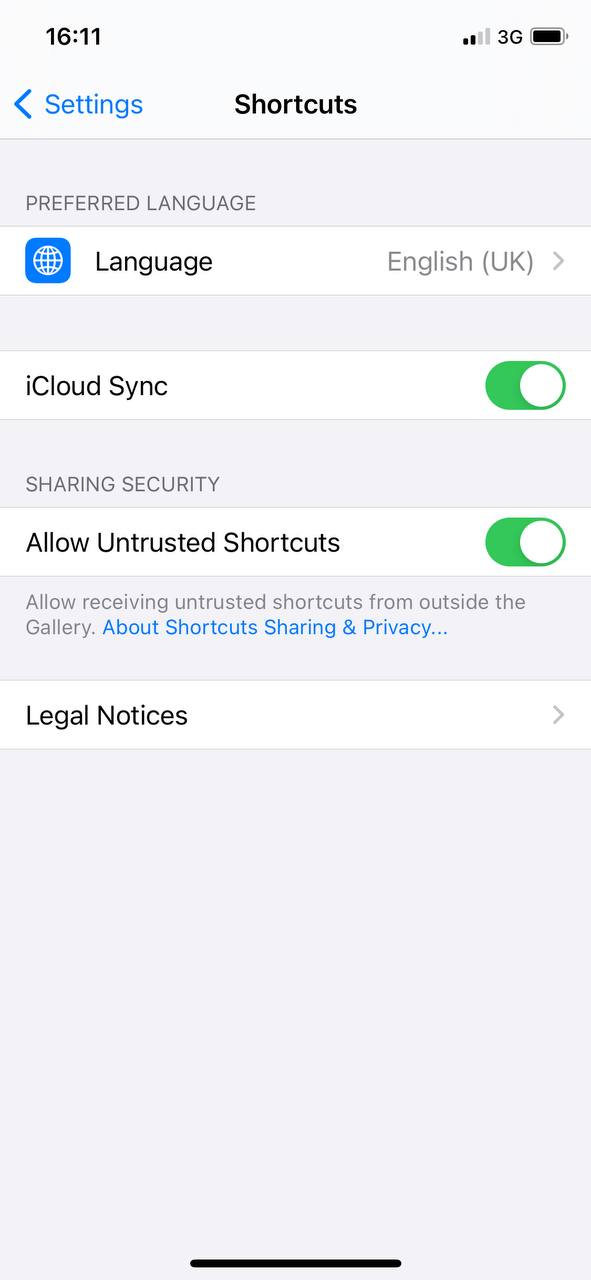
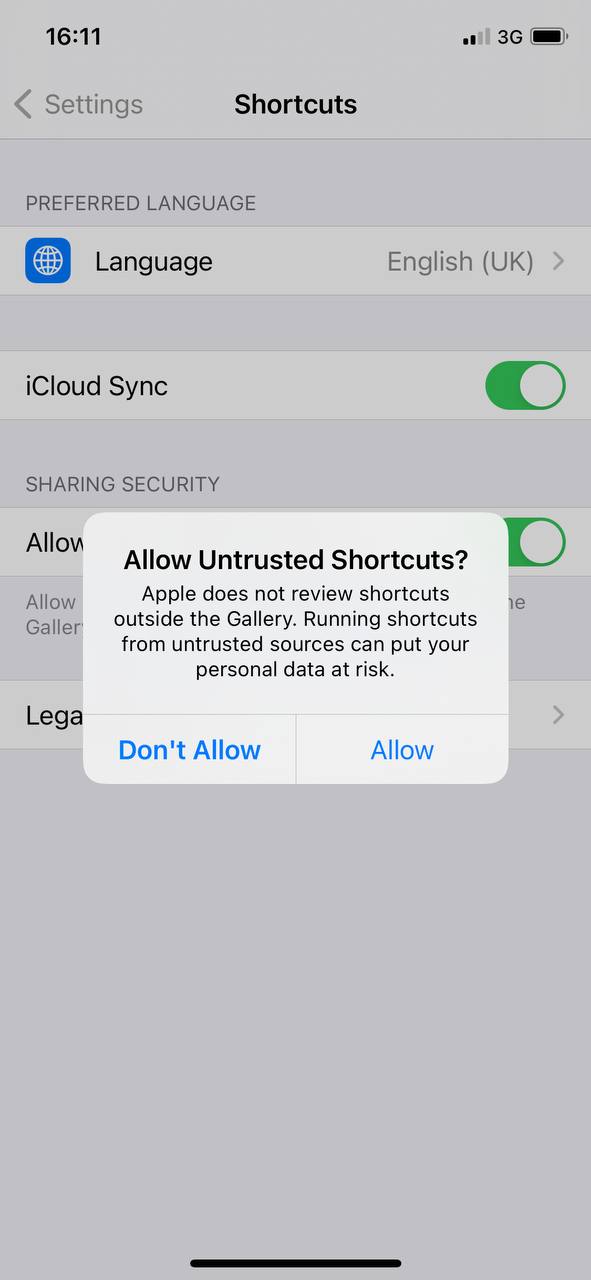
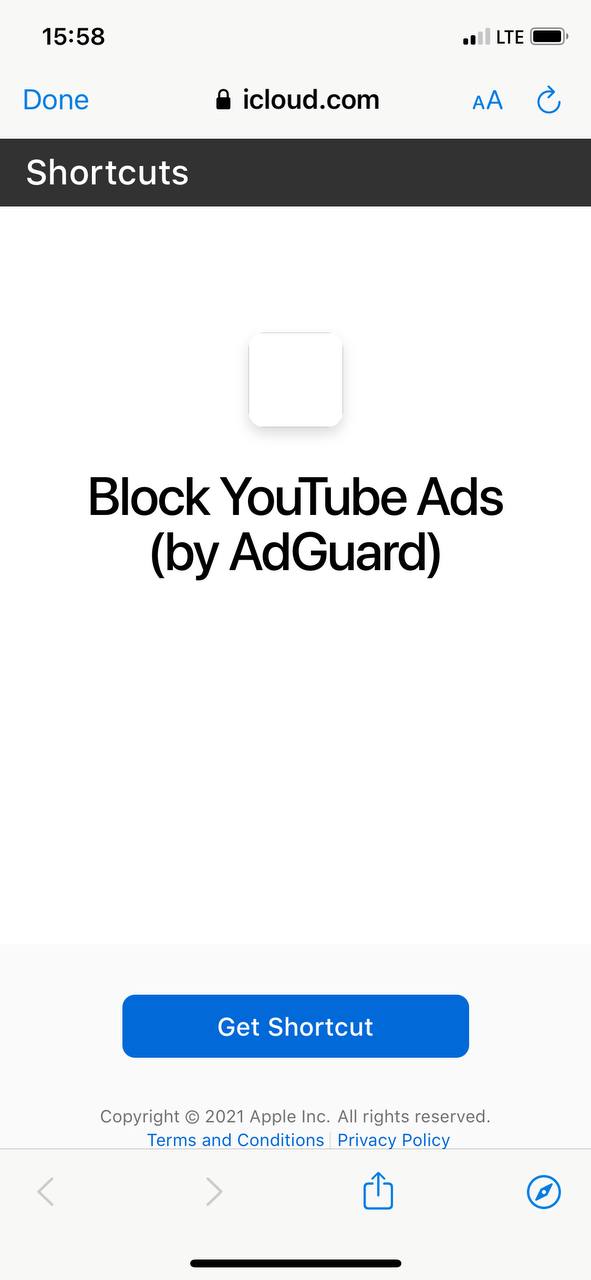
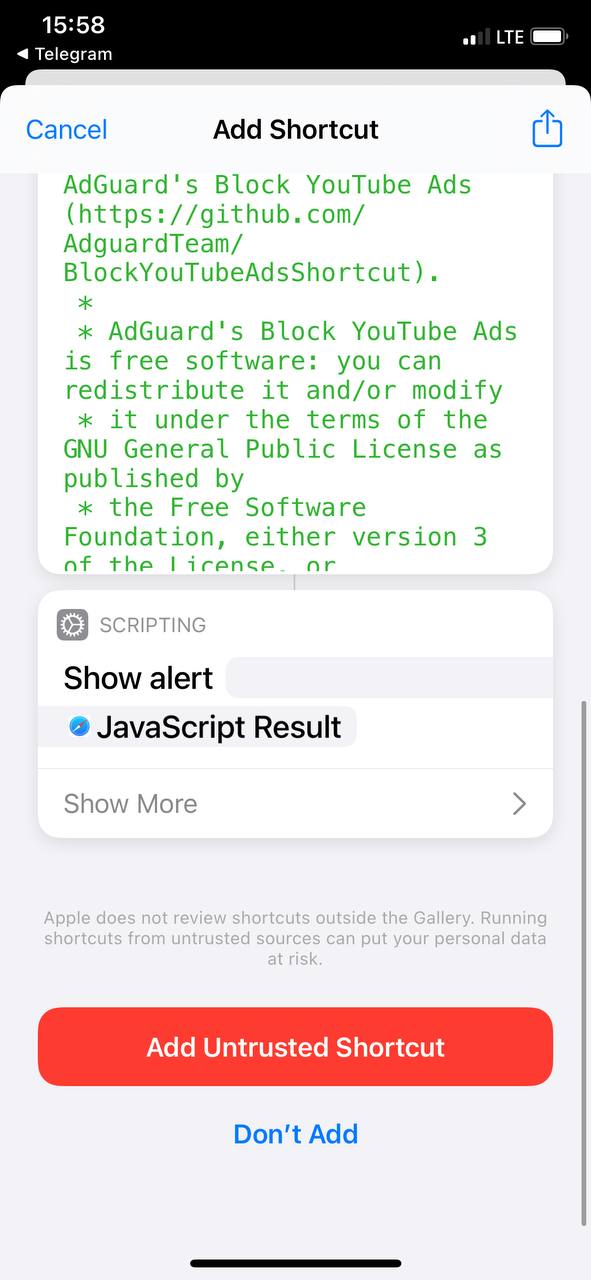
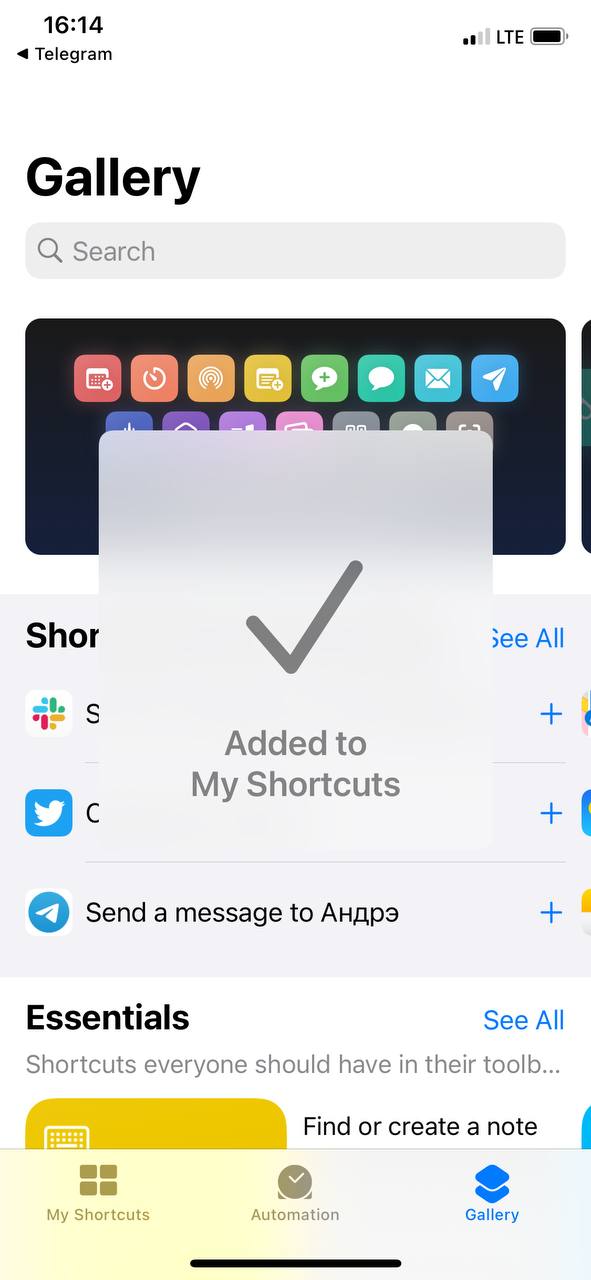
- Now proceed at this link, tap "Get Shortcut", and you'll see the contents of the AdGuard shortcut. To install it, scroll a bit down and tap "Allow Untrusted shortcut" (yeah, we know, it doesn't sound too good).
- Now open YouTube in Safari. Click on the bottom icon in the middle, scroll to the end and select Block YouTube Ads (by AdGuard).
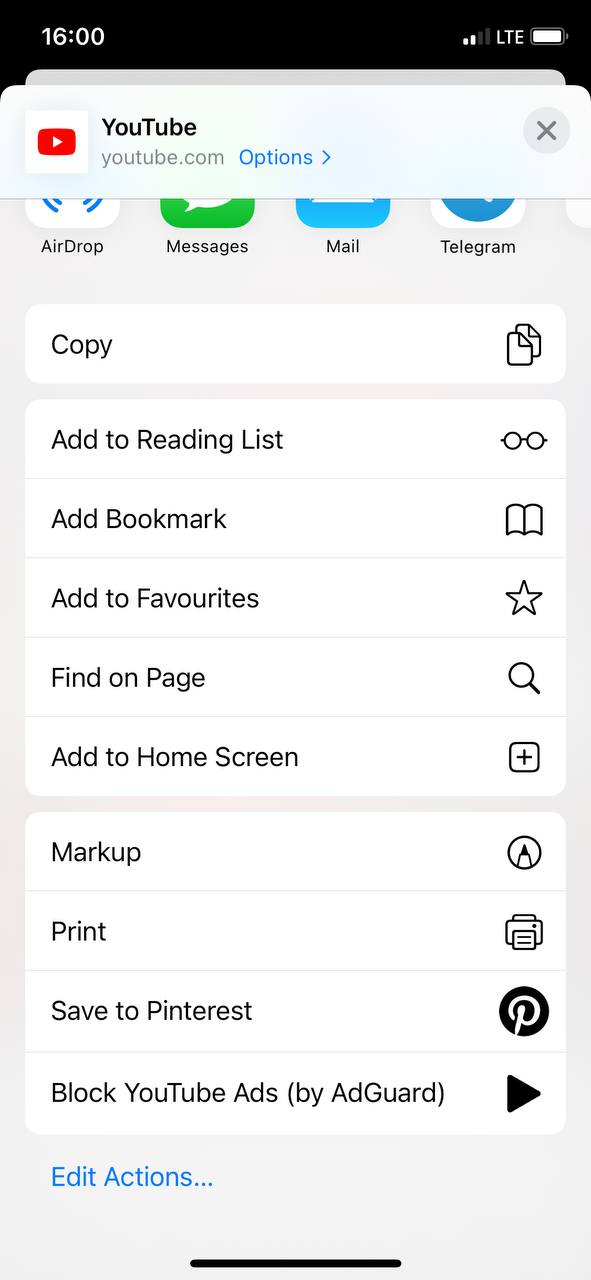
Tap "Allow" in the appeared notification.
All done! Now you can watch YouTube without ads.
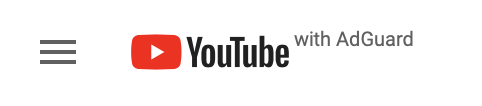
If the shortcut is enabled and working, the inscription "with AdGuard" will appear next to the YouTube logo. If it is not there, you probably reloaded the page and the shortcut needs to be restarted.

Apple considers any third-party developer to be untrustworthy, so AdGuard is naturally one of them. But if you know and use our applications, then you can be sure that you can trust us :)
Please note that when you reload the page, you will need to rerun the command.
Important:
- This shortcut is open-source. In this repository you can see everything it does.
- The shortcut is not updated by itself. This means that if we change something in it, it will need to be reinstalled. But when the new version of AdGuard comes out, there will be no need to think about it.
- The shortcut can be used without AdGuard. Even if you don't use any blocker on iOS at all, it will completely clean YouTube from ads.
This is a temporary solution, of course. But right now it seems to be the best possible option. The problem is especially noticeable on iPads, where a white blank field appears instead of ads. But even if you have an iPhone, using the shortcut will make the situation better: in addition to advertising, an extra click will disappear, which interferes with the autoplay of the video. If you are used to living happily without YouTube ads and are annoyed to see them again in Safari, try our shortcut.
We will be glad if you can share your opinion on it. Waiting for your feedback here in the comments section or on our social networks!



















































