Introducing AdGuard VPN for Android (beta)
VPN is a signature product for AdGuard. Being a company that puts user security in the foreground, we couldn't shy away from developing our own VPN service. We’ve been working around the clock to put in a strong performance of AdGuard VPN. And it came into being – our own, real, flesh-and-blood VPN.
Four months ago we announced the very first version of it. Now AdGuard VPN will be present not only as an extension in Chrome, but also in Firefox and, drumroll please, as an app in Android!
AdGuard VPN for Android (beta)
So yay! We are finally launching our app! You can download it here.
The app has more features than the extension, and it looks very impressive. Well, what do we have here?
Fastest endpoints
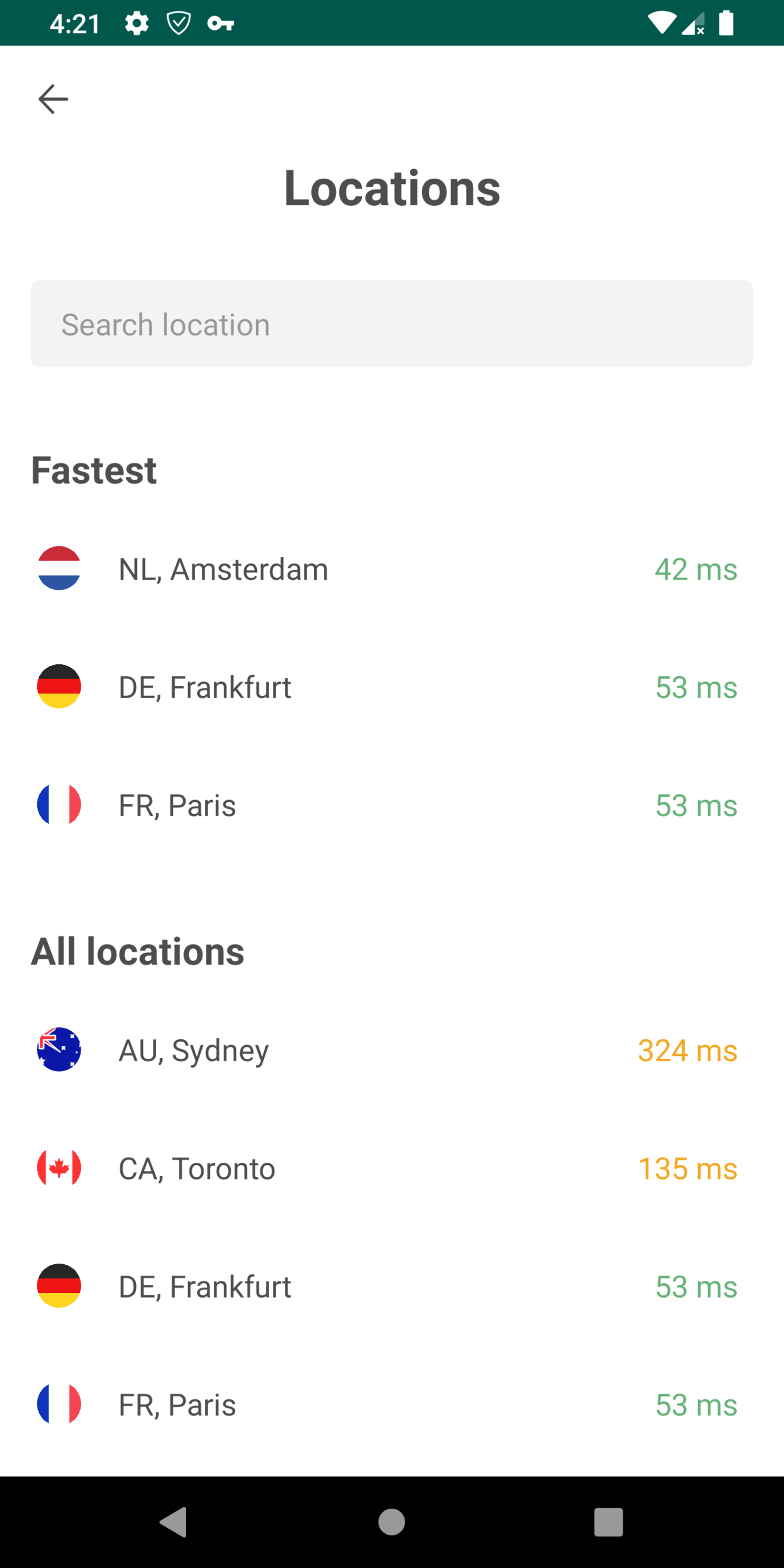
All locations have different pings. The logic is simple. The closer the VPN server is to you, the lower the ping is. And the lower the ping, the higher connection speed.
Many VPN services don’t show those pings at all. Our feature is that we do, and we also show top 3 fastest locations. Very convenient, isn’t it?
Regular/Selective mode
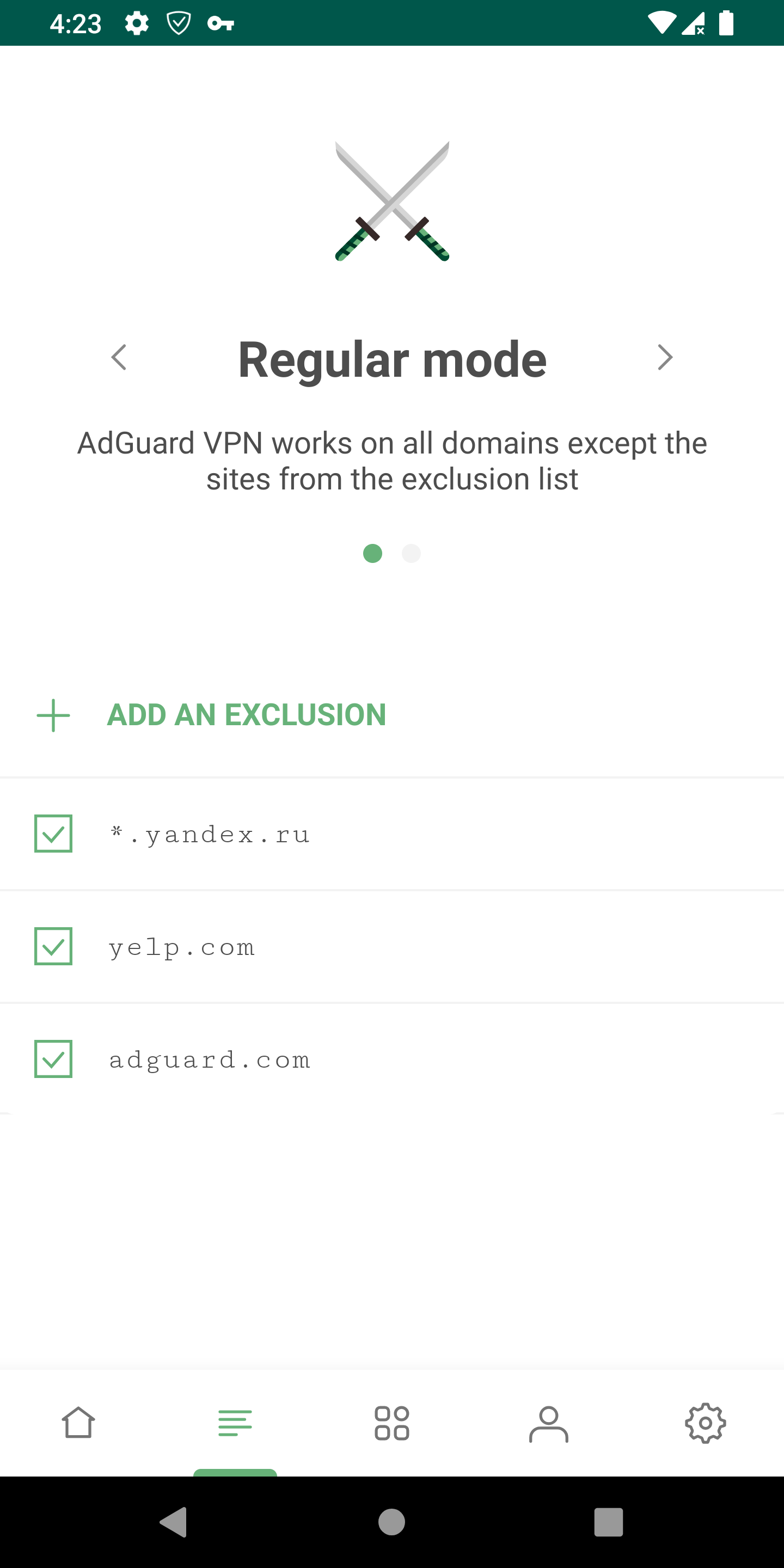
One of our main features. Users can configure themselves where VPN works and where it doesn’t work.
For example, you want your VPN to work on all websites except Yelp. Regular mode is enabled by default, so you don't need to turn it on. Simply add this website to the list of exceptions. That’s it!
And the opposite case. Let’s say you have one or two websites where you really need to use VPN. Turn Selective mode on, take these websites and add them to the list. Done! Now AdGuard VPN will only work there.
Basically, you create lists of websites, adjust them to suit your needs, and enjoy a secure Internet without being tracked or blocked.
App exclusions
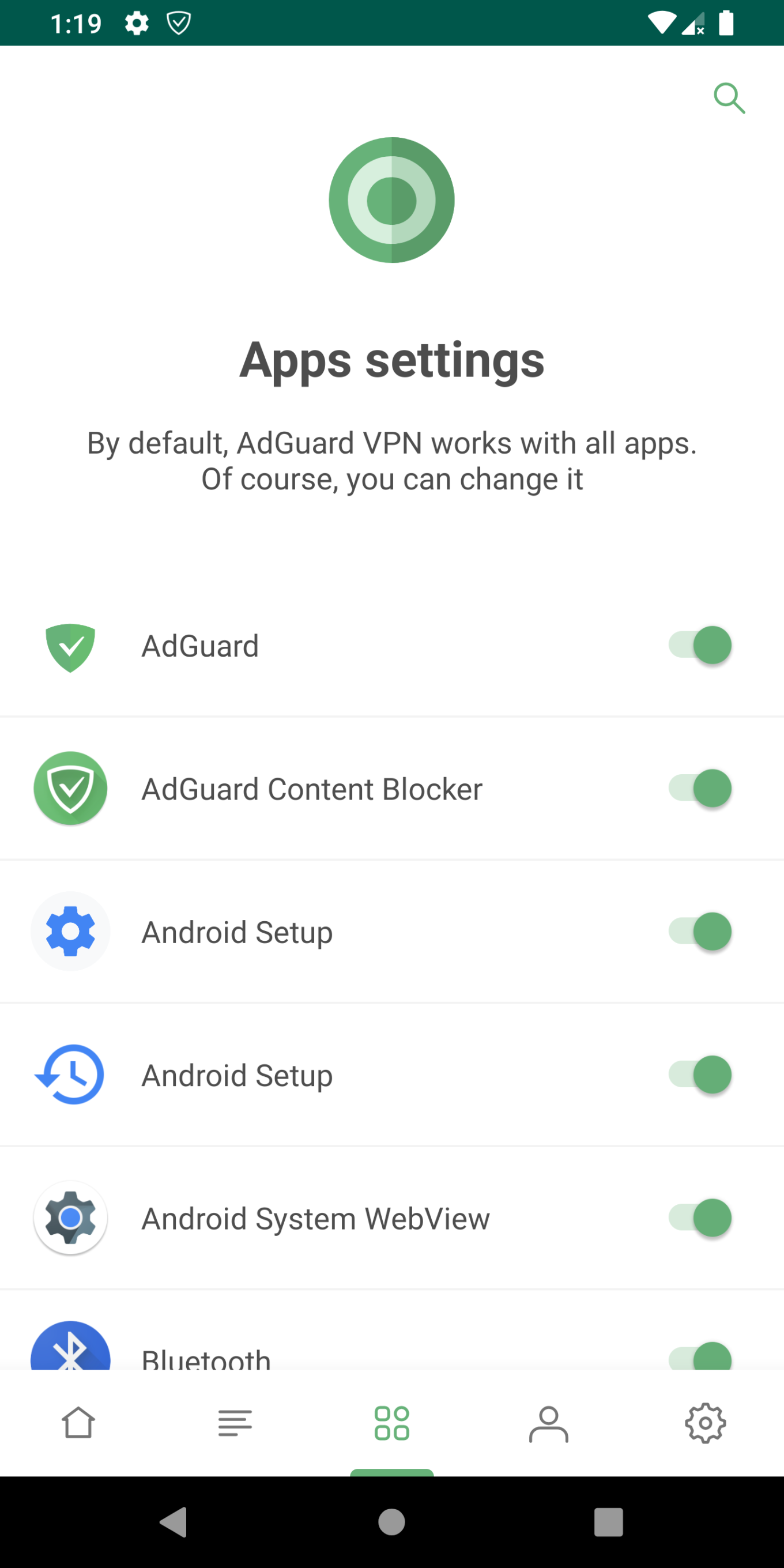
It’s open and shut – there is a possibility to exclude certain apps from using the VPN connection.
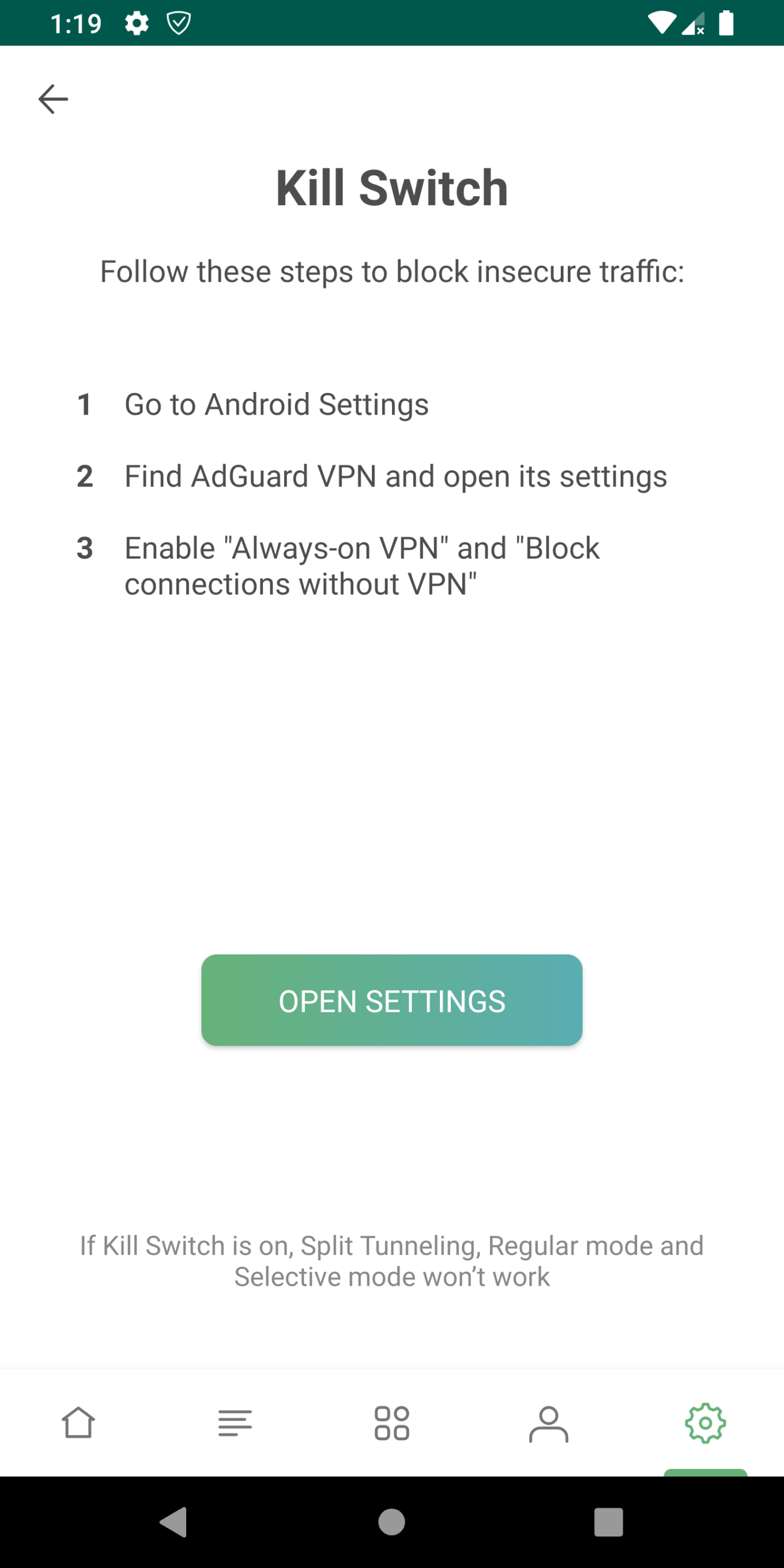
Kill Switch
Thanks to this feature, AdGuard VPN constantly monitors your connection to a VPN server. If the connection drops, Kill Switch blocks access to the Internet. This measure secures your private data so that it doesn’t get exposed to someone. Your Internet connection will be blocked until the problem with the VPN tunnel is fixed or until you disable this function.
Compatibility with the AdGuard main app
We’ve also added the operation mode where AdGuard VPN serves as a proxy server with SOCKS5 protocols, which allows you to simultaneously use the VPN and the blocker. You don’t have to pick one anymore – and honestly, who wants to choose between an ad blocker and a VPN?
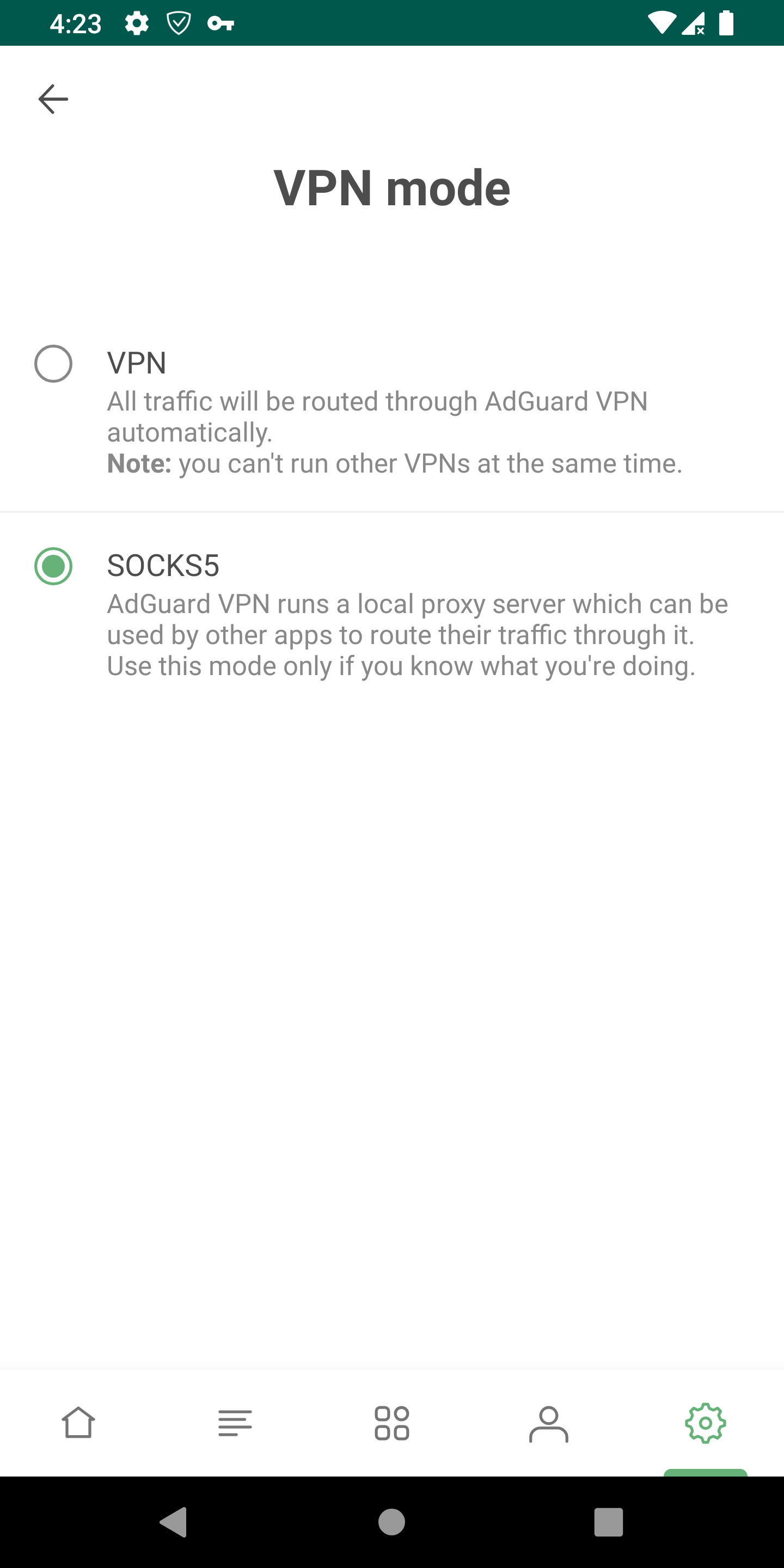
To enable proxy, follow the instruction below. P.s. This is not a final solution. In the future, we will automate this process, and you won’t need to go to the settings to enable integration. It will be easy and beautiful.
Stage one: Add an exception (watch the gif below)
- Open AdGuard for Android app.
- Go to AdGuard Settings — Advanced — Low-level settings.
- Find
pref.excluded.packagesand make sure that the option contains thecom.adguard.vpnline at the end. If it doesn’t, please, enter it manually.

Stage two: Configure the VPN (watch the gif below)
- Open AdGuard VPN app.
- Go to AdGuard VPN Settings — Advanced settings — VPN mode and choose SOCKS5.
- Tap “Connect” on on the main screen.
The proxy server is working now.

Stage three: Complete the integration (watch the gifs below)
- Open AdGuard app again.
- Go to Settings — Net — Proxy and add the new one proxy with the IP address
127.0.0.1, port1080, typeSOCKS5. You can check whether the connection works by tapping the button at the bottom of the dialog. - Don’t forget to turn on the proxy.
- Turn on the switch on the main screen.
Now two apps are working together.


Here is also a video instruction, just in case.
Please note: this is only beta, so bugs are still possible there. Use and test it, and in case of errors write to support or open an issue on GitHub.
Other important changes
AdGuard VPN for Firefox (beta)
We know you've been waiting for it for a long time! And finally, it's ready: The beta version of AdGuard VPN for Firefox is available. You will find all the same features in it as in the similar extension for Chrome.
Meanwhile, we would be very grateful if you could help us test it.
The subscription will cease to be free of charge (coming soon)
Unfortunately, we must inform you that both the VPN extension and Android application will begin to charge fees. At launch, everything was free, because we just started and had to test the load on the servers, and the VPN was only being debugged. Since that time we’ve built and extended user base, and consequently, costs of web hosting of the servers increased as well. So, AdGuard VPN service will become paid in a couple of weeks, but there are a few bonuses.
On the bright side:
We will still give 500 MB of free traffic every month (pay attention: this extends to all devices: i.e., if you spend 100 MB in the AdGuard VPN extension, then you will have the rest 400 MB that can be spent in the Android app).
And at this stage, we will make the lowest possible prices. So don’t miss the opportunity to buy a subscription at a cheap rate.
By the way, you only need to buy one subscription for AdGuard VPN – it will be valid for all devices (whether it be the extension in both browsers, the app in Android or future products that are yet to come)
Common user account (coming soon)
If you have an AdGuard personal account, AdGuard VPN will be present there, too. A common user account proves to be very convenient: all your purchases, license keys to the AdGuard ad blocker, and AdGuard VPN subscriptions will be in the same place.
As for the future…
We’ve got big plans. Blueprint for the future includes an iOS and desktop versions for Windows and Mac.
Meanwhile, you can already download the extensions or the app for Android. Those can be found at our website.
Thank you for your interest and support, we really appreciate that. Stay tuned!


















































