How big bad ads target your kids through apps
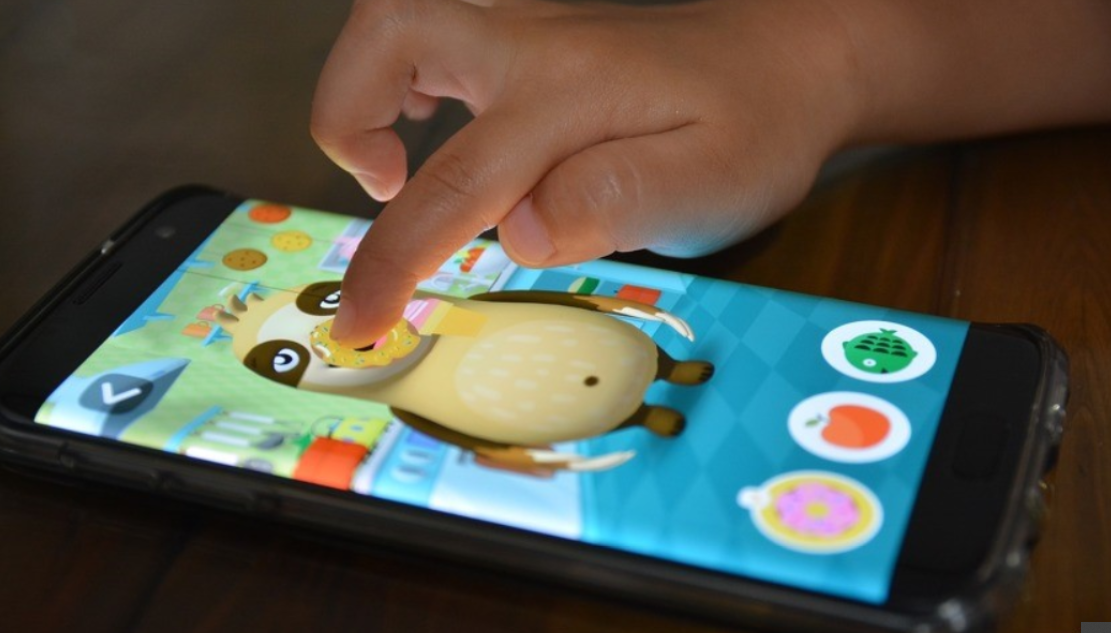
According to a recent study, most mobile apps for children aged 5 and under are in fact riddled with ads. Those apps are mostly being positioned as educational, and many of them indeed are, but the useful content is often crammed with distracting elements: banners, pop-up windows and such. Obviously, children are the most susceptible and impulsive category of users, and although it may sound cynical, these qualities are more likely to bring extra income to the developers.
A few words about the study itself
The study was initiated by Jenny Radeski, a pediatrician, assistant professor of developmental behavioral pediatrics at the University of Michigan Medical School. Initially, the goal of the study was to test “educational” applications, and find out that some of them barely live up to the name because of distracting functions and elements that simply prevent children from getting to any useful information.
While previous studies on the same topic concerned the most popular and recommended applications, Dr. Radesky decided to study the most downloaded programs, usually free.
After spending hundreds of hours playing various games with a team of researchers, Jenny and her assistants had to face far more serious problems. For example banner ads offering paid content popped up at odd moments during the game. It would be impossible for a child to close them without help as new banners would pop up immediately, and the whole screen ended up filled with advertisements.
The researchers found that approximately 95% of apps contain at least one type of advertising. Aside from that, unfair and often deceptive advertising violates the rules of the U.S. Federal Trade Commission (FTC). As a result, more than a dozen different media outlets and child protection organizations sent FTC a letter asking to initiate an investigation.
The letter urged to carefully review Android applications and bring developers to justice. In this case, the appeal was accompanied by specific examples: in the Olaf’s Adventures app published by Disney, the player is redirected to the online store by clicking on a glowing cake that is not marked as an advertisement; and in Doctor Kids, published by Bubadu, the character cries if the player tries to exit the built-in store. Comments were made on Google’s policy, believing that such applications should not be categorized as children’s games at all.
A statement by a Google representative said that application developers can advertise on condition that they comply with company policies and privacy laws. “Applications designed primarily for children should be included in our Designed for Families program and must meet more stringent requirements, including content and advertising restrictions,” the statement said. The representative also added that Google Play always warns whether the application contains ads or in-app purchases, letting parents make well-informed decisions before installing.
Dr. Radeski herself hopes that the study will encourage parents to question the games played by their children more, and hopes that this critical situation will change soon.
Our take on the problem
Obviously, we take the task of protecting users from intrusive and annoying advertising close to heart. Moreover, we cannot be indifferent when it comes to children, whom we also strive to protect.

Unfortunately people often go to extreme measures in attempts to get a bigger profit. That is why we see a lot of applications that press completely unnecessary and sometimes harmful information on young users.
In any case one has to wonder: what is the real purpose of such applications? Education with minimal and non-obvious elements of advertising, or earnings under the guise of an educational game?
You can answer this question yourself. To do this, just open the application you like and see if it lives up to its marketing. If the game doesn’t look like a nightmare filled with pop-up banners that need endless clicks to shut them down, or hundreds of thousands of random transitions to the built-in store and attempts to get out of it, or crying heroes upset by your refusal to buy any extras, then you can entrust your child’s attention to this application.
So the above article is not just about the interesting news, which we are always happy to share with you, but a wake up call of sorts, begging you to be more vigilant and selective about the choice of games and applications for your child.
Well, we hope that this story will reach its logical conclusion, and we will be able to see more content for children that is both safe and of high quality.


















































