Apple’s covert tracking, Microsoft’s AI drama, Signal’s surprise feature, and more. AdGuard’s Digest
In this edition of AdGuard’s digest: Apple’s privacy opt-out does not seem to work, programmers sue Microsoft for using their code to train AI, Signal reinvents Stories, Siri may lose ‘hey’, as Google brings its own VPN to desktop.
GitHub users say Microsoft & partner leeched off their work to train AI
GitHub users have accused the owner of the platform, Microsoft, and its partner, Open AI, of violating the conditions of their open-source licenses. A class-action lawsuit alleged that the companies “unfairly profit from the work of open-source creators,” by training an AI-powered coding assistant, CoPilot, on their code. A legal firm representing the plaintiffs said that the case is “the first major step in the battle against intellectual-property violations in the tech industry arising from artificial-intelligence systems.” OpenAI argues its CoPilot tool meets the definition of “transformative fair use,” and says that 99% of its output “does not match training data.”
As we explained in our recent article, there are no rules or regulations regarding AI training. At present, nothing stops AI-powered tools from feasting on terabytes of personal data and copyrighted content that they may stumble upon on the Internet. Companies, such as OpenAI and Stability AI, currently do not ask permission from content creators to essentially make their work part of their products. We believe AI can bring a lot of good into this world, but users need to be given a clear way to opt out of becoming part of AI training material. As of now, AI poses a serious privacy threat, and it won’t go away on its own.
Schrödinger’s opt-out: Apple keeps tracking you even with privacy settings on
Regardless of which personalization options you tick for Apple’s native apps, the tech giant will be harvesting the same amount of data about you, security researchers from software company Mysk found. The researchers investigated a number of Apple’s own apps for iPhone and found that the majority of them (App Store, Apple Music, Apple TV, Apple Books, and Apple Stocks) continue to collect detailed usage data in real time even if the user turns off iPhone Analytics. The researchers “switched all the possible options off,” including personalized ads, personalized recommendations, sharing usage data and analytics. But that has changed nothing in terms of how Apple collected data, they claimed. “Opting-out or switching the personalization options off did not reduce the amount of detailed analytics that the app was sending,” security researcher Tommy Mysk told Gizmodo. Most of the examined apps are said to share “consistent ID numbers,” which could allow Apple to track the user across parts of its ecosystem.
Apple has faced criticism for not being upfront about its data collection practices before. Since last year, Apple has required third-party apps to ask users for permission to track them. However, its own apps are exempt from this. That is because Apple’s tracking stays within its own ecosystem and therefore is not considered tracking according to the App Store policy. Last month we wrote in detail about how Apple’s ads business stands to benefit financially from its crackdown on third-party tracking .
Instagram vibes: Signal launches end-to-end encrypted Stories
Secure messaging app Signal has started rolling out its own version of Stories, making it available to users on Android and iOS. Signal’s Stories bear uncanny resemblance to those of Instagram, both in design and functionality. Users can share images, videos, and texts through Signal Stories, as is the case with Instagram and other social media platforms that have already adopted the feature. Signal Stories will likewise automatically expire after 24 hours.

However, being a privacy-first messenger, Signal has also made its Stories more private. Signal says that Stories will be end-to-end encrypted and ads-free, and users will be able to opt out of seeing them altogether. Who can watch their stories will be up to users to decide as well. Signal provides several sharing options: for example, you can share stories with a certain group of people, such as your colleagues, send them to all your Signal contacts, or only to those that you’ve chatted with. Unlike it is with Instagram, users won’t be able to see random people’s stories.
Signal said that the new feature is not about “building a following or amplifying content for engagement,” but about facilitating private communication. While Stories might not be everyone’s cup of tee, their privacy-friendly and ads-free version may be worth a try.
Google expands its limited VPN service to desktop
Google’s very own VPN service has arrived to Mac and Windows in two dozen select countries. The VPN apps will be available only to premium Google One subscribers, who pay $9.99/month or $99.99/year for cloud storage. The VPN can be used on 6 devices at the same time.
Google One VPN promises to hide your IP address and protect your data from being intercepted via public Wi-Fi. It won’t let you access geo-restricted content, though, since it assigns you an IP address from your own region.
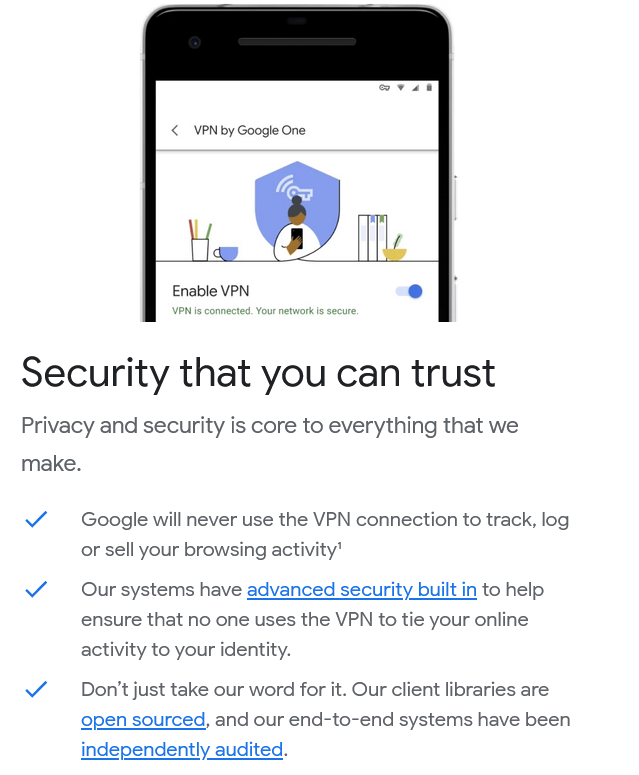
Google says that it’ll “never use the VPN connection to track, log or sell your browsing activity” except for “some minimum logging” needed to make the service better. However, while it may be convenient to use a VPN that comes bundled with a storage subscription, we would not necessarily recommend tasking Google with the protection of your privacy. After all, the company’s main business is selling targeted advertising, which requires it collecting huge amounts of user data.
Nothing can go wrong, right? Apple may drop ‘Hey’ from ‘Hey Siri!’
Apple apparently thinks that a canonical ‘Hey Siri!’ catchphrase that wakes up its voice assistant is not confusing simple enough, and now wants to get rid of ‘Hey’ so that users do not strain themselves by uttering a two-word trigger. The company “has been working on the change for several months” already and hopes to launch it next year or the year after, according to Bloomberg. The task is reportedly proving quite a challenge since it’s easier for the robot to pick up a longer phrase. The shift would require “significant amount of AI training and underlying engineering work,” Bloomberg reported.
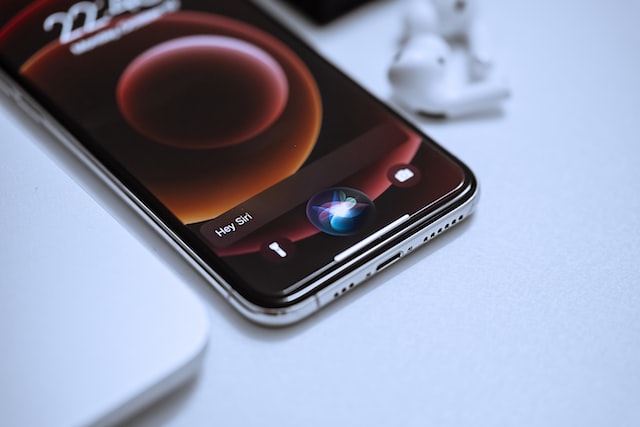
PHOTO: Omid Armin/Unsplash
By shortening the wake phrase, Apple apparently wants to catch up with Amazon’s Alexa, which responds to just “Alexa.” And while any pursuit of innovation should be applauded, the report has sparked concerns that the change could make Apple’s voice assistant even more error-prone. Siri (and its fellow smart assistants) are notorious for mistaking random words for catchphrases. Moreover, once Siri is activated, it can record your data, and in some cases, send it to Apple contractors to decipher.


















































