One does not simply delete Facebook
Calls to "delete Facebook" across different social media are growing in popularity. This is users’ reaction to recent publications in media about how a certain analytics company purchased personal data of 50 Million Facebook users from one of the app’s developer, and then proceeded to use this information to influence elections and political campaigns outcomes.
Facebook accumulates immense amounts of information about people and gives third-party apps access to this information. And in reality developers of these apps can easily sell this data, or use it in any other way that goes against their own policies.
The problem is, even if you delete the Facebook app from your smartphone and never ever again visit their website, you still won’t be able to stop analytics companies from gathering information about you or to control its use. Facebook is secretly present in numerous mobile apps, thanks to a product called Facebook Audience Network.
This is an ad network and a service to analyze app audiences, two in one. Developers sign up for Audience Network to monetize their apps through ads and to analyze their users. Well, it is Facebook who does the ‘analyze’ part — effectively, you are sharing your data with the social network giant even if you haven’t used it once in your life, just by installing some other app and giving it permissions.
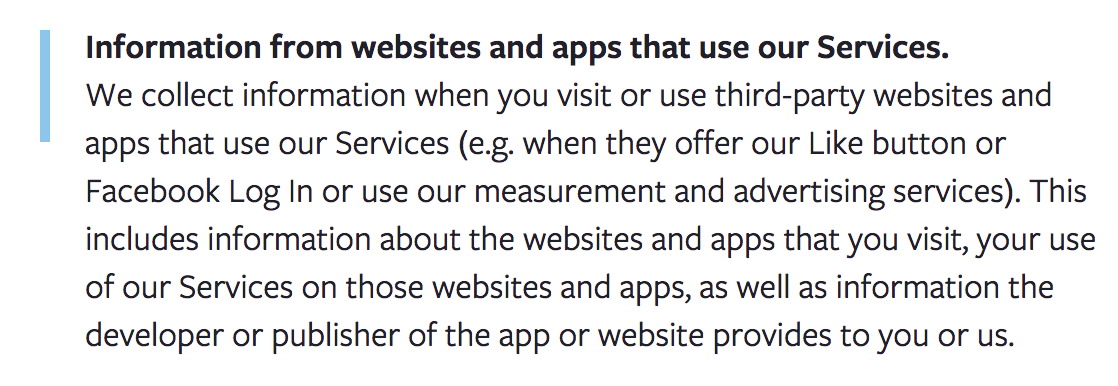
According to the Facebook privacy policy, it can collect and store data about its partners’ users, even if those users have not registered an account on the social network.
We did a research on Android mobile apps to find out what information they hand out to Facebook, what are possible ways to process it and how big of a problem it is.
Methodology
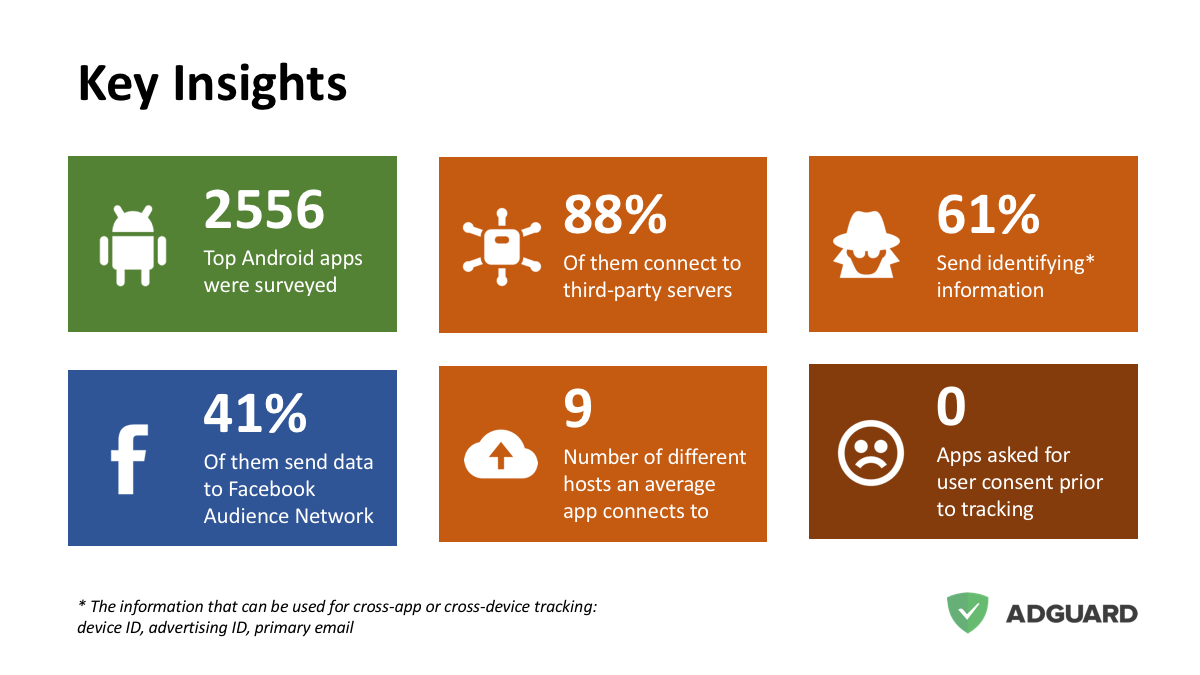
We developed an automated platform to analyze top apps from Google Play. Each app gets installed on the device, its traffic gets scanned and analyzed, then the app’s code gets decompiled and analyzed, too. We applied this method to the top 2,556 popular apps (by the androidrank.org information). We have already used this platform before to discover popular apps stealing your email address.
Our research does not cover iOS apps per se, but general principles of Apple ecosystem are similar to those of Android. There are also developer tools, there are also ad networks and trackers that provide their owners information about users — nothing that you haven’t heard of by that point.
Research Summary
- We scanned the top 2556 most popular Google Play apps.
- We recorded all these apps network activities and data they send to remote servers.
- We discovered that there are two obvious leaders that collect most of the information. Obviously, one of them is Google. The second one is Facebook. It appears that "Facebook Audience Network" is the most popular third-party service among the surveyed apps.
What data is being collected
We observed that on a device with no Facebook apps installed, it collects at least the information listed below.
Google Advertising ID "is a unique, user-resettable ID for advertising, provided by Google Play services".
Device information (OS, brand, model, screen resolution).
Language code and timezone.
Mobile carrier name.
App information including the name of the current activity. It does not sound too bad, but consider this: it is often used in the apps that work with private information (banking apps for instance), and activity names might be pretty descriptive (i.e.
TransferFundsActivity).Your IP address.
Ensuring accurate location and device-level information for our platform is paramount and one of the core signals we use is the device IP.
Whatever the app developer decides to include additionally. For instance, they can send information about in-app purchases, user registration, etc.
Here is what Facebook is telling about that in their privacy policy.
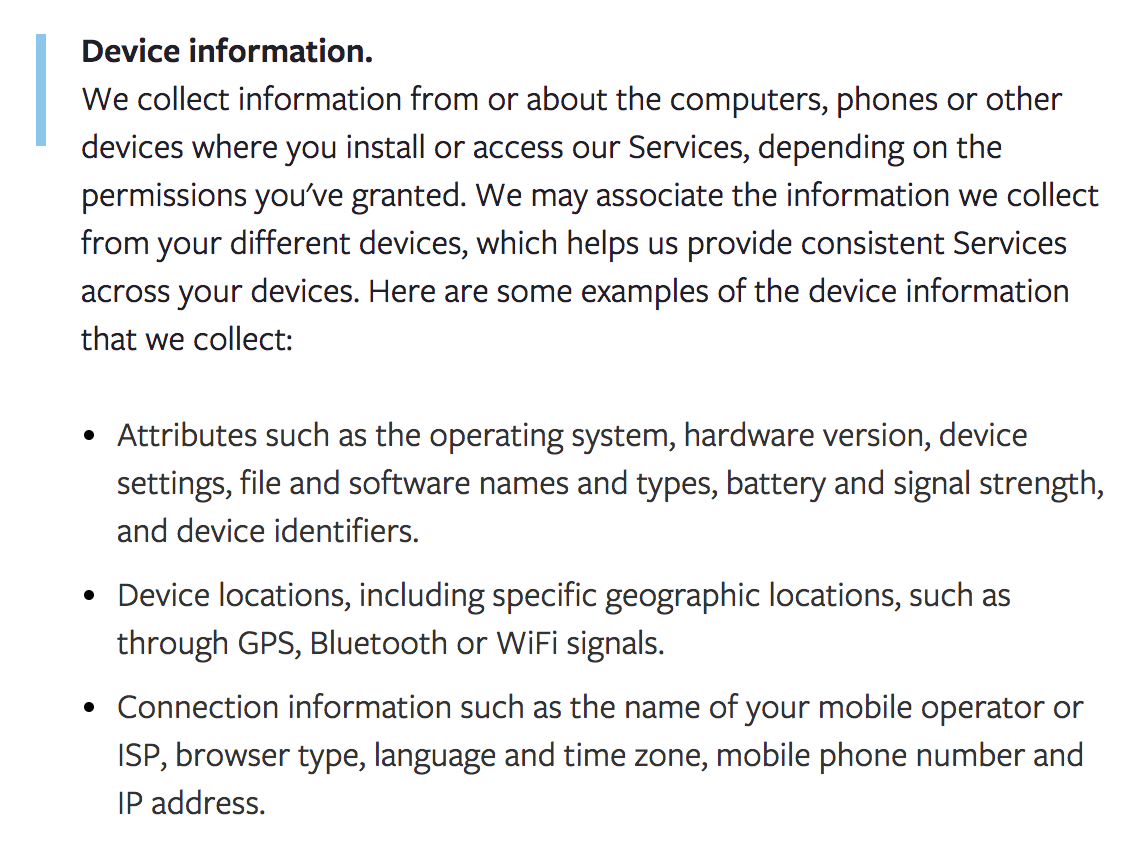
Apparently, "Services" are not just Facebook own apps. And, by the way, Audience Network is not the only tool that Facebook offers to developers.
Not just Facebook
Facebook is not the only company that wants to grab your sweet data through analytics, ad networks, and other developer-oriented services. Google, Yahoo and a lot of other lesser companies are known to do that.
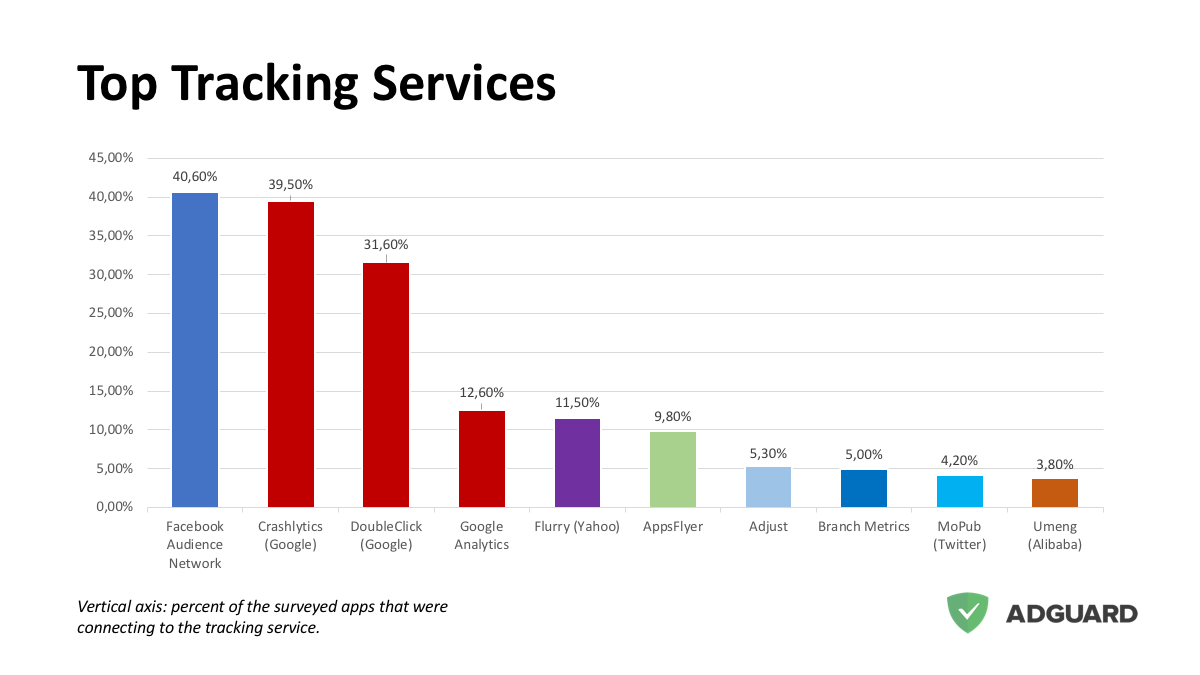
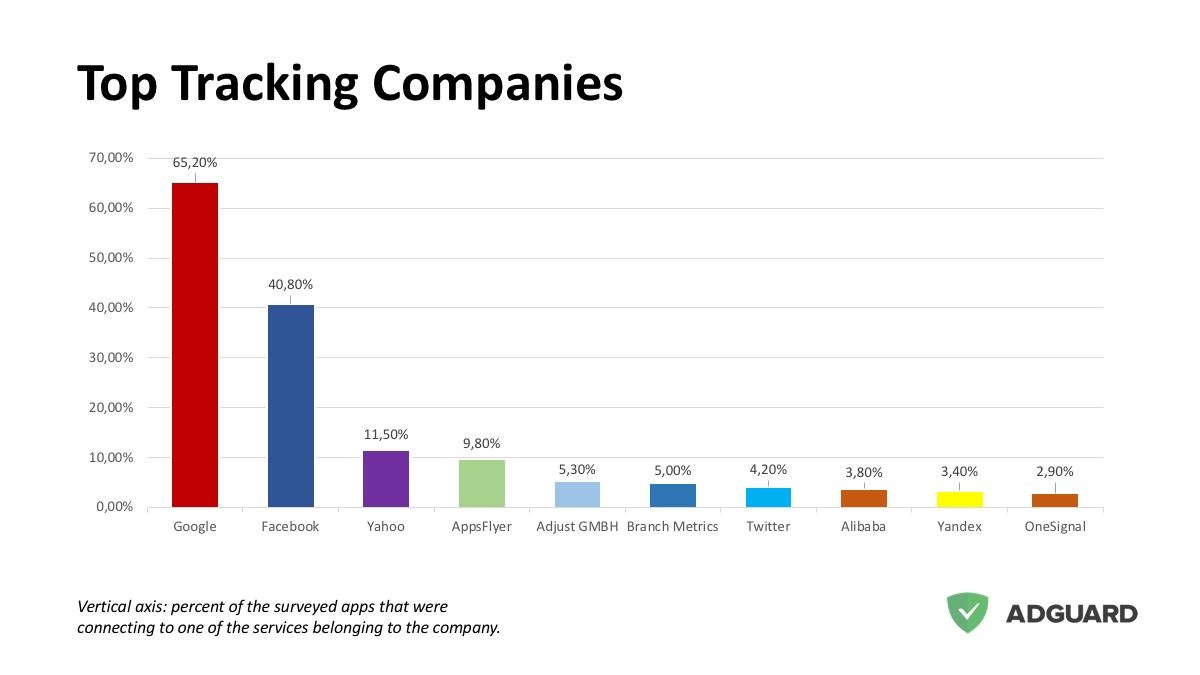
Trackers that belong to various Google services, for example, were discovered in 62.5% of all apps (this is not surprising, though, considering that Google owns Android itself). Even Chinese Alibaba got ‘caught in the brights’ during our research; to be fair, it was only present in less than 3.8% of apps we checked.
What can you do to get rid of Facebook for real?
Actually, it is not that hard. All the information is sent to a single domain graph.facebook.com. So to make sure that nothing leaks to Facebook, block this domain in your mobile ad blocker. Please note, that you'd need an ad blocker capable of network-level device-wide blocking. For instance, both AdGuard for Android and AdGuard Pro for iOS can block it device-wide on the network-level.
- Photo source: Businessinsider.com


















































