Meta, aided by Big Tech frenemies, takes very personal revenge on ad-free Instagram ‘clone’
Meta, Apple, Amazon, Microsoft, Google — what do these companies have in common? All of them are tech behemoths juggling different assets that are increasingly intertwined. How did they get there? Much can be said for innovation, top talent, but we also should spare a thought or two for all those small and medium-sized fish the sharks of the technical world have swallowed whole: Instagram was not always part of Meta, YouTube was not always part of Google — you get the idea. As a result of these mergers and acquisitions, we are now living in a world where a few companies control our digital lives. And if we are crazy enough to challenge their unchecked dominance, then we need to remember that we front not only one company, but the vengeful ecosystem as a whole, and be prepared to lose an arm and a leg in an unequal battle. The story of an ad-free Instagram client that dared to challenge Meta is a perfect example of how far the tentacles of Big Tech stretch and how fast they can strangle you if need be.
Nipping it in the bud
Who would have thought that one thing that could unite Meta and Apple, two bitter rivals, would be an app for those frustrated with their ad-cluttered Instagram feeds, but not enough so to stop using the photo-sharing service? Yet, that seems to be the case. Last month Apple yanked a newly-minted Instagram client from the App Store for violating Instagram’s terms of use shortly after approving the app. The offending app, called the OG App, is, perhaps, too good to be true to survive in the profit-driven ad tech world anyway.
The client app was created by Un1feed, a startup founded by Ansh Nanda and Hardik Patil. The app cut trash, such as suggested posts and ads, from your Instagram feed, and left it up to you to decide what you want to see there. For instance, you could create several separate feeds, each focused on a particular topic such as sports, shopping or friends and choose a default feed you saw after opening the app.
In addition to these features, users could also disable the Explore tab and Instagram’s old-new favorite — reels. Those who wanted to wean themselves off social media, but lacked the willpower to do so, can toggle “Disable feed updates for 24 hours” feature on.
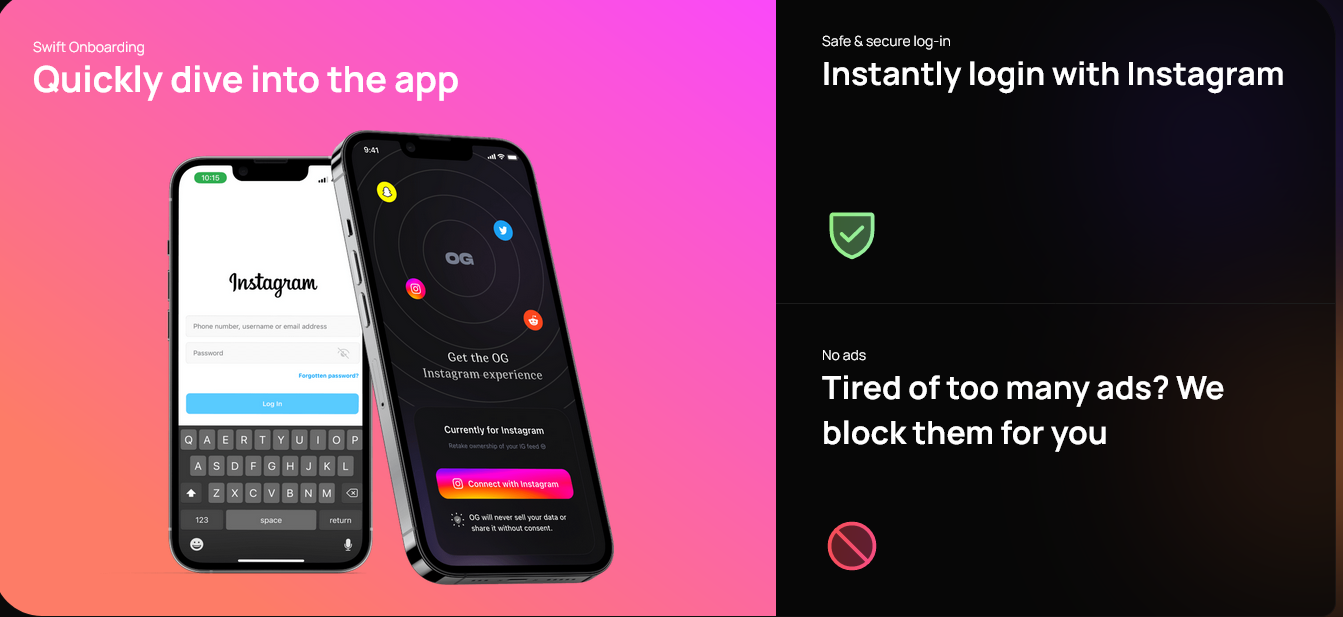
Developers planned to add more functions in later versions of the app so that users could customize the Instagram experience even further. Un1feed claimed that the app would “always be free to use” and would “never show you ads or sell your data.”
However, the app might not be able to ever spread its wings after all, as its rapid rise through the App Store ranks (it scored nearly 10,000 downloads in just a few days) was cut short mid-flight. In a statement to TechCrunch, Apple explained that it removed the app because it provided access to Instagram in an “unauthorized” manner. Apple further referred to its own App Store review guidelines that require an app to abide by the terms of use of a third-party service which content it is displaying.
Apple did not elaborate if it was asked by Meta to go after the OG App. Meta, however, hinted that it had done exactly that. The company told TechCrunch that they have been taking “all appropriate enforcement actions” against the OG app, accusing it of violating its policies. Meta specifically referred to a post detailing how it cracks down on Instagram “clone sites”. Meta defines a clone site as a “third-party site that duplicates, in whole or in part, the content of an existing site.” In the post, Meta cites security risks people are facing when using these sites and vows to continue taking legal action against “unauthorized scraping and clone sites.” It is worth noting that in addition to security (which has never been Meta’s strongest suit anyway), the company’s profits will suffer if free “clones” such as the OG App are allowed to proliferate.
About a week later the OG app was yanked from the App Store, Google followed Apple’s foosteps and removed the app from its Google Play Store as well.
Legal issues
The OG App appears to have rubbed Meta wrong in more than one way. For starters, the OG App was doomed already after it made an inexusable mistake of urging people to “delete” Instagram right in its app store description.
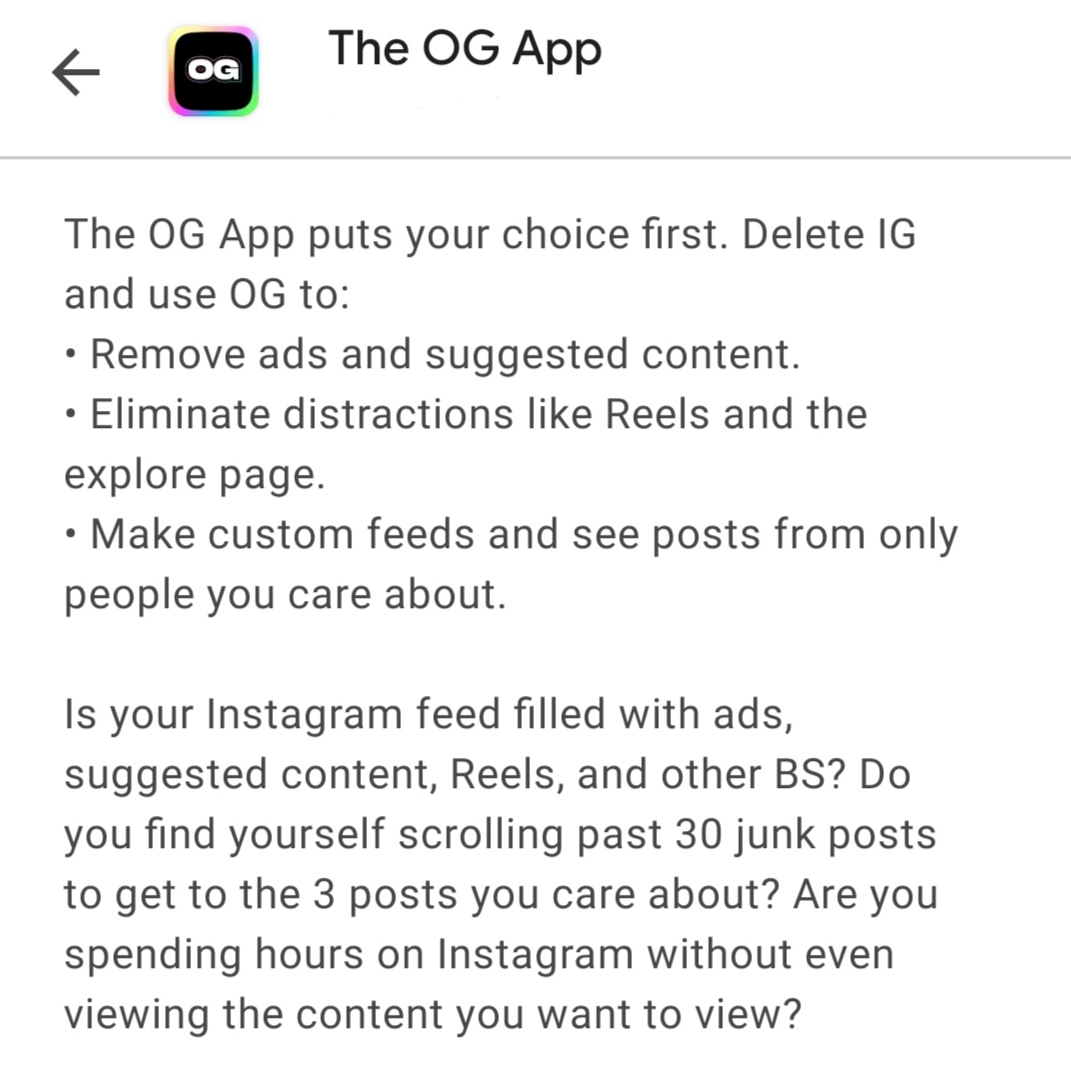
Excerpt from The OG App’s description in the Google Play Store
On a more serious note: the OG app developers used the Instagram official API so that users could log in with Instagram credentials. As a result, some of the users receieved an Instagram alert that they were logging in from a different location. Un1feed explained that this was because they reverse-engineered the Android API for Instagram and limited the data they use to request access to the photo-sharing app to an IP address. That, apparently, set Instagram’s alarm bells off.
The way the app was created puts it at odds with Instagram’s terms of service. Meta’s ToS expressly prohibit reverse engineering the company’s products. “You can’t modify, translate, create derivative works of, or reverse engineer our products or their components,”Meta states in its ToS.
Meta does not provide a public API for developers to build their own versions of Instagram. Instagram shut down its public API platform in 2018 and replaced it with a far more restricted Instagram Graph API. Moreover, before a third-party app which uses one of Meta APIs can launch, it must undergo Meta’s own app review. Researcher Alessandro Paluzzi was one of the first to point out that the OG app’s presence in app stores might be short-lived due to apparent legal issues. “This app uses Instagram’s private API without permission, it won’t last long on the app stores,” Paluzzi predicted.
The OG App might have indeed broken some rules to warrant Meta’s righteous wrath. The punishment was so swift, abrupt and severe that the OG App team accused Apple of helping Facebook “bully” them after clearing the app in the first place.
The story might have ended right there with the OG app receiving its deserved punishment (or undeserved, if you believe that the whole system is screwed), but it did not. In a surprising move, Meta decided to execute very personal revenge on the OG App developers.
When things get personal
On Twitter, the OG App has revealed that Meta disabled personal Instagram and Facebook accounts of everyone on their team. Meta gave OG team members a notice stating that they have a chance to appeal the ban in 30 days, after which their accounts would be gone for good.
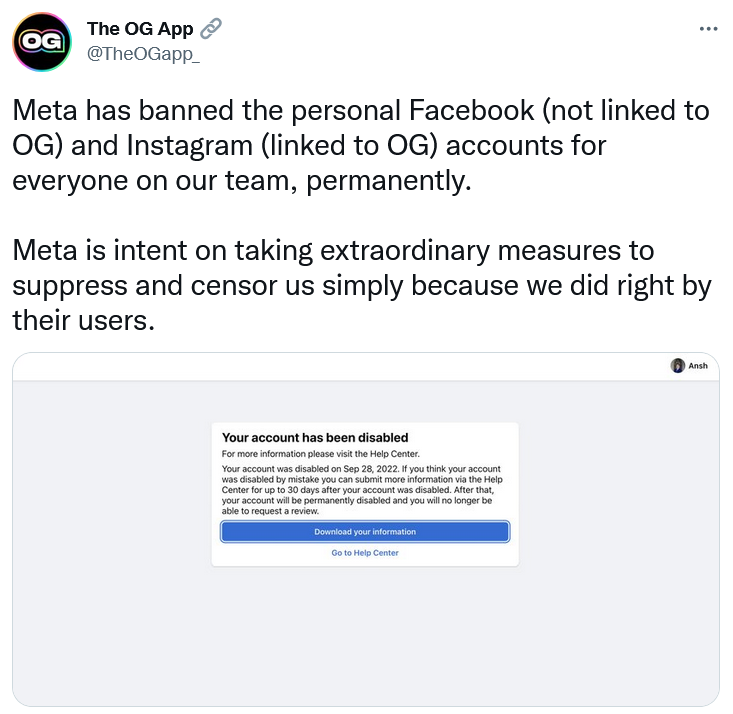
The developers claimed that their personal Facebook accounts were never linked to the OG App. They suggested that Meta might have looked up information on each of them on LinkedIn or Google, found out their full names and manually removed the corresponding accounts.
Meta hasn’t responded to these allegations so far, but it would not be the first time a tech behemoth takes out its anger on individuals behind a product.
In August this year, Microsoft-owned open source software development platform GitHub shut down accounts of three people who contributed code to a project sanctioned by the US government. The project in question was cryptocurrency mixing service Tornado Cash, which the US Treasury accused of helping to launder money. The US move to sanction the project is questionable in itself because it is directed against a tool that can be used for any purpose. Compare it to a kitchen knife — it can be used both to chop vegetables or to attack someone.
GitHub’s move to delete an open source Tornado Cash has drawn a backlash from privacy advocates. The debate is still ongoing whether code should be deemed free speech, and whether those who write it should be considered people exercising their right to free speech. US courts previously ruled that code is indeed protected by the First Amendment.
Broader implications
Either way, both Meta and Microsoft cases expose big tech’s outreach when it comes to our digital lives. Whether we like it or not, we are beholden to big tech’s tools. As tech giants concentrate more power in their hands by acquiring new services, we are increasingly at their mercy.
Facebook (now Meta) serves as a prime example of this never-ending thirst — Meta’s empire started with the purchases of Instagram in 2012 and WhatsApp in 2014. Amazon bought Twitch in 2014, and Microsoft acquired GitHub in 2018.
One may think that gone are the times when big corporations drove out smaller competitors out of the market or unceremoniously snapped them up. In fact, this business continues as usual. Antitrust regulations have done little so far to curb the big tech’s domination, and the buying spree is in full swing.
Microsoft, Amazon, and Google parent company Alphabet announced more acquisition deals last year than any other year in the past decade. In 2021 alone, Google closed 22 deals, Microsoft — 56 deals, and Amazon — 29 deals, according to Dealogic as cited by CNBC. Some notable purchases of late include Microsoft bying video game maker Activision Blizzard for $68.7 billion and Alphabet acquiring cybersecurity firm Mandiant Inc. for $5.4 billion.
It may sound far-fetched now, but what if Microsoft or any other big tech entity decides to punish individuals that wronged one of its products by denying access to its another product? If Meta can justify closing Facebook accounts of the OG app team, why can’t Microsoft shut down a GitHub account for repeated cheating in a Blizzard video game? It does not mean that it will, and we surely hope that this scenario won’t ever play out in real life, but a dangerous precedent has already been set.
It’s true that we, as individuals, can do very little to stop Big Tech companies from acting like dictators within their own, ever-growing feudal domains. However, if anything, high-profile tech behemoths like Google, Microsoft, Apple and Facebook still fear public backlash. And sometimes, as history shows, it works wonders. Last year, Apple dropped a controversial child protection feature that would have involved scanning all photos on your phone for CSAM (child sexual abuse materials). This was primarily due to a barrage of criticism from industry players, including from AdGuard. So, one thing we can do is not to stay silent when Big Tech is testing the limits of its power, and spread the word.




















































