Discord delays global age checks rollout after fierce pushback: full breakdown

Discord, like several other major platforms including Reddit and Roblox, has been facing mounting regulatory pressure to better protect minors from adult content.

After implementing age checks in compliance with the UK’s Online Safety Act and Australia’s Online Safety Amendment Act — which bans social media access for users under 16 — Discord attempted to preempt similar legislation in the EU, the US, and elsewhere by expanding its age assurance program globally.

On February 9, Discord announced that “all new and existing users worldwide will have a teen-appropriate experience, with updated communication settings, restricted access to age-gated spaces, and content filtering that preserves the privacy and meaningful connections that define Discord.”

The phrasing did not land well.

Many users interpreted the announcement to mean that everyone would be downgraded to a “teen experience” by default unless they verified their age — either through a face scan or by submitting a government-issued ID. Panic spread quickly across forums, social media, and YouTube commentary channels.

Discord later clarified that the “vast majority of people can continue using Discord exactly as they do today, without ever being asked to confirm their age.” But by then, the damage was done. The backlash had already snowballed into a full-blown public trust crisis.

Discord breaking its promise of on-device processing

Throughout its announcement, Discord emphasized privacy safeguards. Among the key features highlighted was “on-device processing,” with the company stating that video selfies used for facial age estimation “never leave a user’s device.”
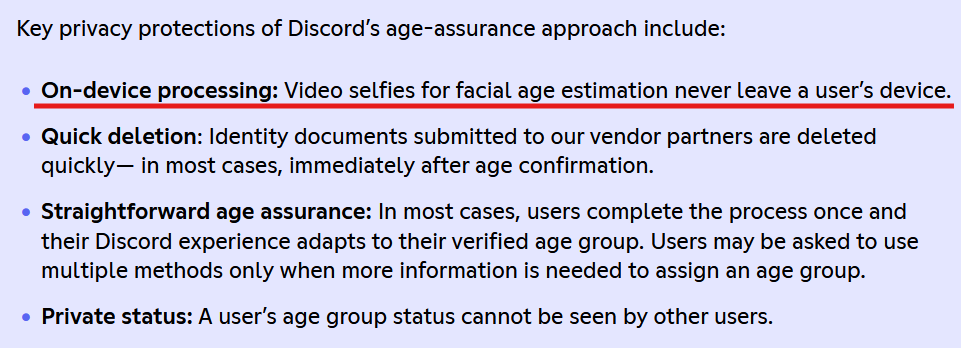
A quote from Discord’s statement

Notably, it did not make the same explicit claim about ID-based verification.

The overall impression many users took away was that sensitive personal data would remain local — processed on-device and never transmitted to third parties. That reassurance was meant to calm privacy concerns.

Instead, it fueled them.

Discord’s old support page (it can now be accessed through web archive) revealed that users in the UK “may be part of an experiment” involving the age-verification vendor Persona.

The disclaimer read:

“Important: If you're located in the UK, you may be part of an experiment where your information will be processed by an age-assurance vendor, Persona. The information you submit will be temporarily stored for up to 7 days, then deleted. For ID document verification, all details are blurred except your photo and date of birth, so only what's truly needed for age verification is used.”
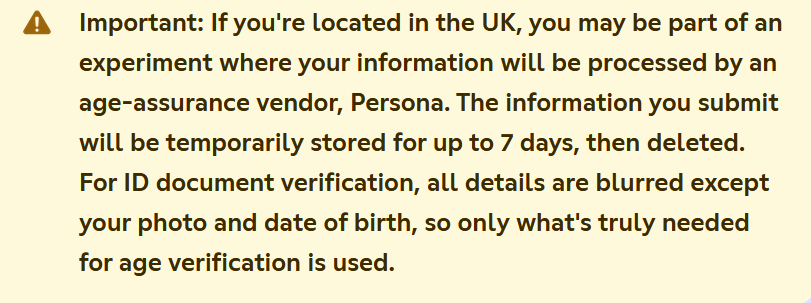
A quote from Discord’s support page

Persona is a cloud-based identity verification service. By definition, that means user data is transmitted to and processed on external servers, not purely on-device.

While the admission did not directly contradict Discord’s earlier messaging — after all, the company never explicitly promised that all age-verification data would be processed on-device — it made one thing unmistakably clear: the system was not purely local after all. Even if limited to a UK experiment, it created the perception that Discord had been speaking in half-truths or at the very least communicating extremely poorly.

Concerns deepened due to Persona’s broader data practices. Internet sleuths examining its policies pointed out references to checks against “third party databases, government records, and other publicly available sources.”
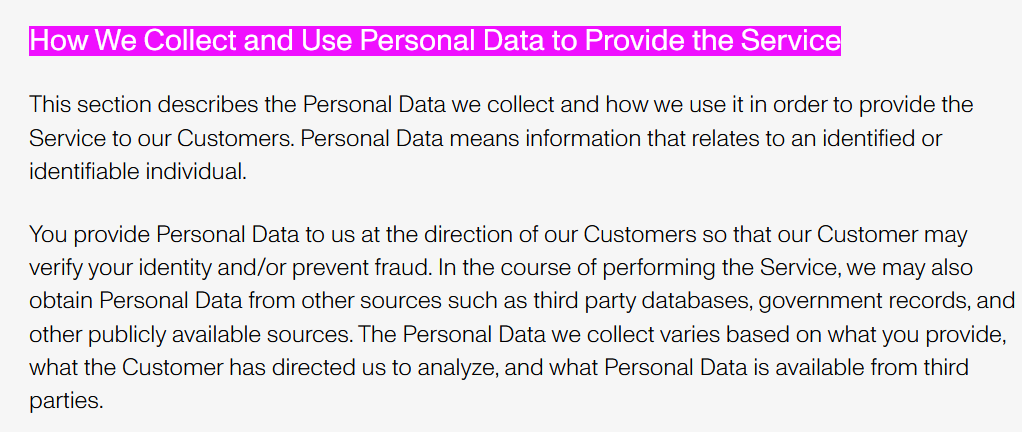
Persona’s data collection policy

Persona CEO Rick Song later told Ars Technica that data from verified individuals in Discord’s test was deleted immediately. However, the fact that data could have been stored for up to seven days, combined with Persona’s external processing model, only intensified skepticism.

Matters worsened when reporting revealed that a Persona frontend had been left exposed, potentially allowing unauthorized access to sensitive verification data. According to Malwarebytes, the exposure stemmed from a misconfigured web component that made internal resources accessible from the internet before being secured. Though there was no confirmed evidence of exploitation in the Discord case, the timing amplified public distrust.

Meanwhile, critics pointed to a far more damaging episode: a September 20 breach in which attackers accessed data held by Discord’s third-party customer service provider. The compromised information included government ID images submitted by users who were appealing failed age determinations, along with usernames, emails, limited billing details, IP addresses, and support messages. For many observers, the incident confirmed their worst fears — that even if ID checks are meant to be a one-off occasion, forcing users to resubmit sensitive documents in edge cases dramatically increases the risk of real-world exposure.

Although references to Persona were quietly removed around February 15 — as noted by The Verge — the damage was already done. For many users, the mere fact the partnership existed contradicted the spirit of Discord’s privacy-forward branding.

Apologies and belated clarifications: Will they be enough?

With backlash mounting, Discord’s CEO Stanislav Vishnevskiy published a lengthy post on February 24 aimed at calming fears.

He reiterated that for roughly 90% of users, nothing would change. Most users, he said, do not access age-restricted content or modify default safety settings.

Vishnevskiy also revealed that Discord already uses an internal system to estimate age based on account-level signals, stating:

“Age determination works the same way, using the same category of account-level signals: how long your account has existed, whether you have a payment method on file, what types of servers you're in, and general patterns of account activity. It does not read your messages, analyze your conversations, or look at the content you post.”

He acknowledged that “trust us” is not sufficient reassurance and promised to publish a technical blog post explaining the methodology before a global launch.

As for the Persona partnership, Vishnevskiy confirmed it was a limited UK test conducted in January and stated that Discord no longer uses the service because it “did not meet the bar for entirely on-device processing.”

The question remains whether these clarifications came too late, or if they are enough.

Bottom line

Age verification is one of the most contentious issues facing online platforms today. Regulators see it as a necessary safeguard for minors. Users often see it as a slippery slope toward surveillance.

Even when implemented with privacy protections, age verification inherently introduces new risks. It creates additional data flows, expands the number of entities handling sensitive information, and increases the attack surface for potential breaches. Every additional verification vendor becomes another possible point of failure.

Discord’s experience illustrates a broader tension: platforms are trying to navigate tightening regulatory requirements without alienating privacy-conscious users. But in doing so, they risk eroding the very trust that made them successful.

Whether Discord’s delayed global rollout reflects a lesson learned — or simply a pause before renewed controversy — will depend on how transparently and cautiously it proceeds next.


Спадабаўся пост?
AdGuard VPN AdGuard DNS AdGuard Mail AdGuard Wallet
Галоўны экран AdGuard для Windows
Экран абароны AdGuard для Windows, які паказвае функцыі абароны і налады
Экран Статыстыка AdGuard для Windows, які паказвае статыстыку заблакіраванай рэкламы і праграм сачэння
Экран Кіраванне праграмамі ў AdGuard для Windows, які паказвае параметры кіравання абаронай для праграм, усталяваных на прыладзе
20 363 20363 водгукі
Выдатна!

AdGuard: блакіроўшчык рэкламы для Windows

AdGuard для Windows — гэта больш, чым блакіроўшчык рэкламы. Гэта шматфункцыянальны інструмент, які блакуе рэкламу, кантралюе доступ да небяспечных сайтаў, паскарае загрузку старонак і абараняе дзяцей ад непажаданага кантэнту

Спампоўваючы праграму, вы прымаеце ўмовы Ліцэнзійнага пагаднення
Microsoft Store
Спампоўваючы праграму, вы прымаеце ўмовы Ліцэнзійнага пагаднення
AdGuard для Windows версія 8.0, 14 дзён пробнага перыяду
Галоўны экран AdGuard для Mac
Экран рэжыму нябачнасці AdGuard для Mac
20 363 20363 водгукі
Выдатна!

AdGuard: блакіроўшчык рэкламы для Mac

AdGuard для Mac — гэта ўнікальны блакіроўшчык рэкламы, распрацаваны з улікам macOS. Акрамя абароны ад надакучлівай рэкламы ў браўзерах і праграмах, ён абараняе вас ад адсочвання, фішынгу і махлярства
Спампоўваючы праграму, вы прымаеце ўмовы Ліцэнзійнага пагаднення
Чытаць далей
AdGuard для Mac версія 2.19, 14 дзён пробнага перыяду
Галоўны экран AdGuard для Android
Экран Абарона ад сачэння ў AdGuard для Android
Экран Кіраванне праграмамі ў AdGuard для Android, які паказвае параметры кіравання абаронай для праграм, усталяваных на прыладзе
Экран Статыстыка AdGuard для Android, які паказвае статыстыку заблакіраванай рэкламы і праграм сачэння
Галоўны экран прыватнага браўзера AdGuard для Android
QR-код, каб спампаваць AdGuard для Android
20 363 20363 водгукі
Выдатна!

AdGuard: блакіроўшчык рэкламы для Android

Блакуе рэкламу і трэкеры ва ўсіх браўзерах, гульнях і іншых праграмах. Абараняе вашу прыватнасць і дазваляе вам кантраляваць, як вашы праграмы выкарыстоўваюць Інтэрнэт. Усталёўваецца праз APK
Спампоўваючы праграму, вы прымаеце ўмовы Ліцэнзійнага пагаднення
Чытаць далей
Сканіраванне для загрузкі
Выкарыстоўвайце любы счытвальнік QR-кодаў, даступны на вашай прыладзе
AdGuard для Android версія 4.14, 14 дзён пробнага перыяду
Галоўны экран AdGuard для iOS
Экран абароны AdGuard для iOS, які паказвае функцыі абароны і налады
Экран Статыстыка AdGuard для iOS, які паказвае статыстыку заблакіраванай рэкламы і праграм сачэння
QR-код, каб спампаваць AdGuard для iOS
20 363 20363 водгукі
Выдатна!

AdGuard: блакіроўшчык рэкламы для iOS

Найлепшы блакіроўшчык рэкламы для iOS для iPhone і iPad. AdGuard ліквідуе ўсе віды рэкламы і трэкераў у Safari і абараняе вашу прыватнасць ва ўсіх праграмах на ўзроўні DNS
Спампоўваючы праграму, вы прымаеце ўмовы Ліцэнзійнага пагаднення
Чытаць далей
Сканіраванне для загрузкі
Выкарыстоўвайце любы счытвальнік QR-кодаў, даступны на вашай прыладзе
AdGuard для iOS, 4.5
Галоўны экран AdGuard Content Blocker
Экран фільтры ў AdGuard Content Blocker
Экран налады ў AdGuard Content Blocker
20 363 20363 водгукі
Выдатна!

Блакіроўшчык кантэнту AdGuard

AdGuard Content Blocker ухіляе ўсе віды рэкламы ў мабільных браўзерах, якія падтрымліваюць тэхналогію блакіроўкі змесціва — напрыклад, Samsung Internet і Яндэкс.Браўзер. Яго функцыі абмежаваныя ў параўнанні з AdGuard для Android, але ён бясплатны, просты ў усталёўцы і эфектыўны
Спампоўваючы праграму, вы прымаеце ўмовы Ліцэнзійнага пагаднення
Чытаць далей
Блакіроўшчык кантэнту AdGuard, 2.8
Галоўны экран браузернае пашырэнне AdGuard
Экран Абарона ад сачэння ў браузернае пашырэнне AdGuard
20 363 20363 водгукі
Выдатна!

Браўзернае пашырэнне AdGuard

AdGuard — самае хуткае і лёгкае браўзарнае пашырэнне для блакавання ўсіх тыпаў рэкламы! Абірайце AdGuard для хуткага і бяспечнага сёрфінга без рэкламы.
Усталяваць
Спампоўваючы праграму, вы прымаеце ўмовы Ліцэнзійнага пагаднення
Усталяваць
Спампоўваючы праграму, вы прымаеце ўмовы Ліцэнзійнага пагаднення
Усталяваць
Спампоўваючы праграму, вы прымаеце ўмовы Ліцэнзійнага пагаднення
Усталяваць
Спампоўваючы праграму, вы прымаеце ўмовы Ліцэнзійнага пагаднення
Усталяваць
Спампоўваючы праграму, вы прымаеце ўмовы Ліцэнзійнага пагаднення
Чытаць далей
Усталяваць
Спампоўваючы праграму, вы прымаеце ўмовы Ліцэнзійнага пагаднення
Чытаць далей
Браўзернае пашырэнне AdGuard, 5.5
Галоўны экран Браўзерны памочнік AdGuard
20 363 20363 водгукі
Выдатна!

Памочнік AdGuard

Пашырэнне для браўзера-компаньён для настольных прыкладанняў AdGuard. Яно дазваляе блакіраваць карыстальніцкія элементы на вэб-сайтах, дадаваць вэб-сайты ў спіс дазволеных і адпраўляць справаздачы непасрэдна з вашага браўзера
Памочнік AdGuard, 1.4
20 363 20363 водгукі
Выдатна!

AdGuard Home

AdGuard Home — гэта сеткавае рашэнне для блакіроўкі рэкламы і праграм сачэння. Усталюйце яго адзін раз на вашым маршрутызатары, каб ахапіць усе прылады ў сетцы — дадатковае праграмнае забеспячэнне не патрабуецца. Гэта асабліва важна для розных прылад IoT, якія часта ўяўляюць пагрозу вашай прыватнасці
AdGuard Home, 0.107
Галоўны экран AdGuard Pro для iOS
Экран абароны ў AdGuard Pro для iOS, які паказвае функцыі абароны і налады
Экран Статыстыка ў AdGuard Pro для iOS, які паказвае статыстыку заблакіраванай рэкламы і праграм сачэння
20 363 20363 водгукі
Выдатна!

AdGuard Pro для iOS

AdGuard Pro для iOS пастаўляецца з усімі дадатковымі функцыямі блакіроўкі рэкламы і абароны, якія ўключаны. Ён прапануе тыя ж інструменты, што і платная версія AdGuard для iOS. Выдатна блакіруе рэкламу ў Safari, а таксама дазваляе наладжваць налады DNS, каб адаптаваць вашу абарону. Ён блакіруе рэкламу ў браўзерах і дадатках, абараняе дзяцей ад недапушчальнага кантэнту і захоўвае вашы асабістыя даныя бяспечнымі
Спампоўваючы праграму, вы прымаеце ўмовы Ліцэнзійнага пагаднення
Чытаць далей
AdGuard Pro для iOS, 4.5
Галоўны экран AdGuard Mini для Mac
Экран абароны Safari ў AdGuard Mini для Mac
Экран стварэння правіла ў AdGuard Mini для Mac
20 363 20363 водгукі
Выдатна!

AdGuard Mini для Mac — блакіроўшчык рэкламы ў Safari

AdGuard Mini для Mac — гэта магутны блакіроўшчык рэкламы для Safari. Гэта лёгкая праграма выдаляе рэкламу, блакуе праграмы сачэння і паскарае загрузку старонак. Яна дапамагае вам аглядаць вэб у Safari без адцягненняў і захоўваць вашы даныя ў прыватнасці
Усталяваць
Спампоўваючы праграму, вы прымаеце ўмовы Ліцэнзійнага пагаднення
Чытаць далей
AdGuard Mini для Mac, 2.3
Галоўны экран AdGuard для Android TV з уключанай абаронай
Экран блакіроўкі рэкламы AdGuard для Android TV, які паказвае яго функцыі і налады
Экран налады AdGuard для Android TV
Экран Кіраванне праграмамі AdGuard для Android TV, які паказвае праграмы, дзе рэклама і праграмы сачэння заблакіравана
20 363 20363 водгукі
Выдатна!

AdGuard для Android TV

AdGuard для Android TV — адзіная праграма, якая блакіруе рэкламу, ахоўвае вашу прыватнасць і працуе як міжсеткавы экран для вашага Smart TV. Атрымуйце папярэджанні аб вэб-пагрозах, выкарыстоўвайце бяспечны DNS і атрымлівайце перавагі ад шыфраванага трафіку. Адпачывайце і атрымлівайце асалоду ад улюбёных шоу з першакласнай абаронай і без рэкламы!
AdGuard для Android TV версія 4.14, 14 дзён пробнага перыяду
Маскот AdGuard, Агнар, трымае пінгвіна Linux
20 363 20363 водгукі
Выдатна!

AdGuard для Linux

AdGuard для Linux — гэта першы ў свеце сістэмны блакіроўшчык рэкламы для Linux. Блакуйце рэкламу і трэкеры на ўзроўні прылады, выбірайце з папярэдне ўсталяваных фільтраў альбо дадавайце ўласныя — усё праз інтэрфейс каманднага радка
AdGuard для Linux, 1.4
20 363 20363 водгукі
Выдатна!

AdGuard Temp Mail

Ваш часовы паштовую скрыню, каб на асноўную пошту не прыходзіў спам
20 363 20363 водгукі
Выдатна!

AdGuard VPN

75 лакацый па ўсім свеце

Доступ да любога кантэнту

Моцнае шыфраванне

Без лагавання

Самае хуткае злучэнне

Цэладзённая падтрымка

Паспрабуйце бясплатна
Спампоўваючы праграму, вы прымаеце ўмовы Ліцэнзійнага пагаднення
Чытаць далей
20 363 20363 водгукі
Выдатна!

AdGuard DNS

AdGuard DNS – гэта альтэрнатыўны спосаб заблакаваць рэкламу, абараніць асабістыя дадзеныя і ахаваць дзяцей ад дарослых матэрыялаў. Ён просты ў наладзе і выкарыстанні і забяспечвае патрэбны мінімум абароны ад рэкламы, трэкінгу і фішынгу, незалежна ад платформы.
20 363 20363 водгукі
Выдатна!

AdGuard Mail

Абараняйце сваю асобу, пазбягайце спаму і трымайце ўваходную пошту ў бяспецы з дапамогай нашых псеўданімаў і часовых адрасоў электроннай пошты. Скарыстайцеся нашым бясплатным сэрвісам перасылкі электроннай пошты і праграмамі для ўсіх аперацыйных сістэм.
20 363 20363 водгукі
Выдатна!

AdGuard Wallet

Бяспечны і прыватны крыпта-кашалёк, які дае вам поўны кантроль над вашымі актывамі. Адкрывайце для сябе тысячы крыптавалют для захоўвання, адпраўкі і абмену
Спампоўка AdGuard Каб усталяваць AdGuard, пстрыкніце файл, пазначаны стрэлкай Выберыце «Адкрыць» і націсніце «ОК», затым дачакайцеся спампоўкі файла. У акне, якое адкрылася, перацягніце значок AdGuard у папку «Праграмы». Дзякуй, што выбралі AdGuard! Выберыце «Адкрыць» і націсніце «ОК», затым дачакайцеся спампоўкі файла. У акне, якое адкрылася, націсніце «Усталяваць». Дзякуй, што выбралі AdGuard!
Усталюйце AdGuard на мабільную прыладу

















































