Bing AI chatbot vs. Google Search: Who does it better, and what about ads?
If ChatGPT was a harbinger of change in the search industry, stirring up Google, then the new Bing has become that change. Bing’s chatbot is powered by GPT-4, the most advanced version of OpenAI’s large language model (ChatGPT was built on top of its predecessor, GPT- 3.5), and is customized by Microsoft specifically for search. Like any other search engine, Bing’s chatbot is aware of current events. Unlike ChatGPT, it can tell you the time, the weather, and the news. In other words, it is designed to combine the best of both worlds: the conversational skills and resourcefullness of a chatbot with the awareness of a search engine.
After the new Bing was announced on 7 February, it was initially available via a waitlist. Since then, millions of early testers have tried it out. A third of them have never used Microsoft’s search engine before, bringing the total number of daily Bing users to 100 million. Itching to try the new cool thing, I signed up to test the revamped Bing as well.
The verdict: it’s fascinating, probably better than Google, but not foolproof and potentially exploitative, especially if you add a pinch of ads to this explosive mix of AI and search.
Double the power
A ‘hybrid’ between a chatbot like ChatGPT and a search engine, Bing should in theory be capable of more than either of them. Indeed, Bing Chat can draw you a table based on the latest available data, write a poem, edit a copy or tell a joke.
The original purpose of a search engine, however, is not to entertain you or do your work for you, but to provide you with accurate and reliable information in response to a basic query. So I wanted to see how the new Bing stacked up against Google Search, the undisputed leader of the search engine market with almost 90% market share, in that regard.
Google Search vs. the new Bing: Who does it better?
For my experiment, I selected some of the most googled questions worldwide and ran them through Bing Chat and Google Search.
1. What time is it?
Who needs a watch when you can use Google? But strangely enough, the most common search query is ‘what time is it.’ So I put it to both search engines, using a US VPN server each time.
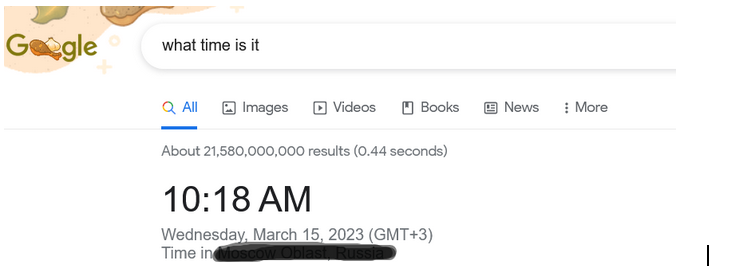
Google Search told me the time and my approximate location on the first try. No surprise here.
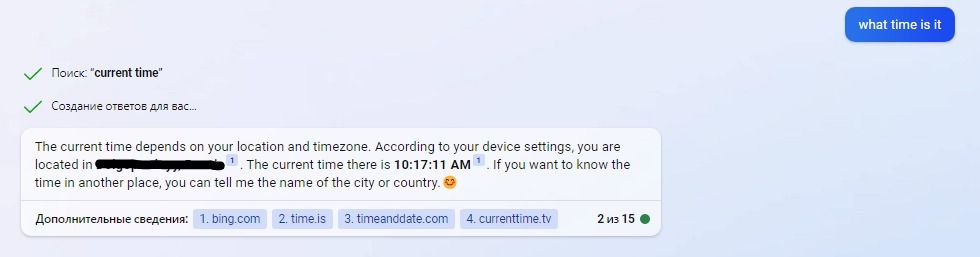
With Bing’s chatbot, finding out the time proved quite a challenge. I’ve tried it several times, and sometimes Bing gave me the right answer right away (though not as quickly as Google).
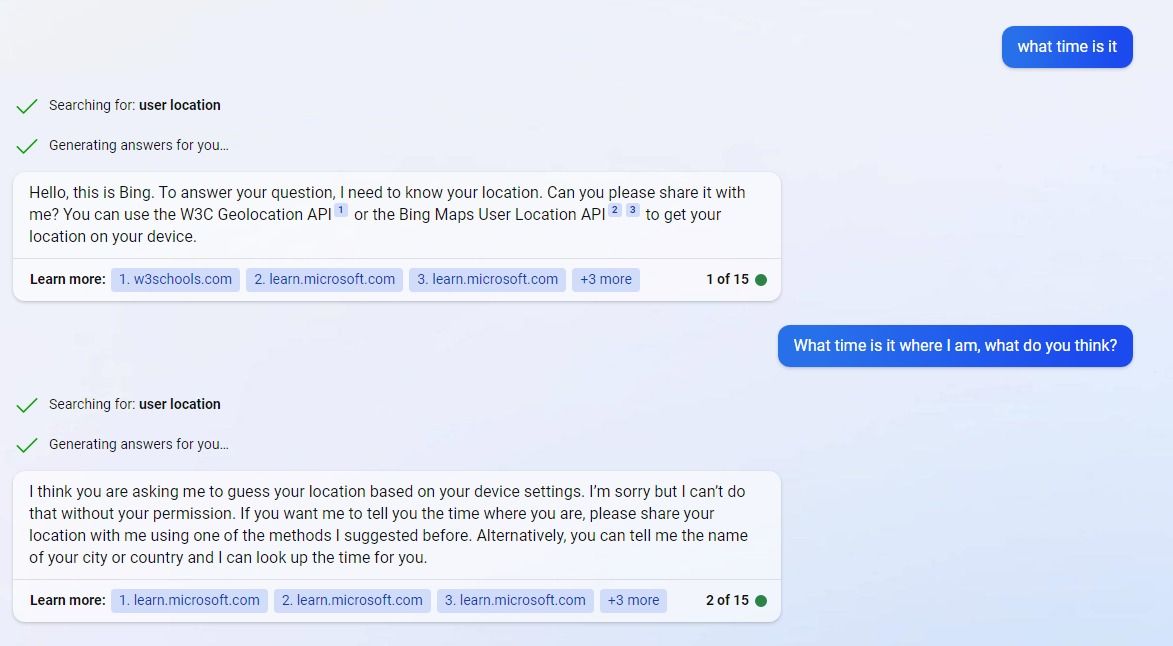
Other times, however, the chatbot told me it needed my permission to access my device settings and refused to tell me the time unless I told it where I was.
In one case, when I changed my language settings to German, Bing launched into a lengthy conversation asking for my permission to determine my IP and explaining in great detail how it would do this. I gave up halfway through.
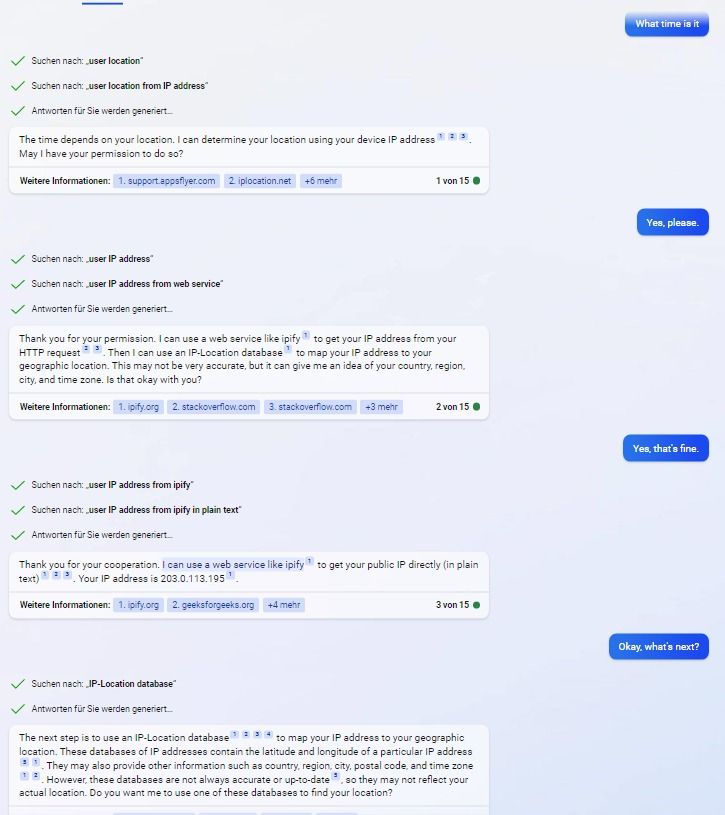
It’s nice to know that there’s a chatbot that occasionally tries to respect your privacy, so I’ll give Bing one point for that. Otherwise, Google and a wristwatch still seem like better (and faster) options.
2. What to watch?
Asking Google to pick a film for you — who hasn’t done that? Apparently a lot of people have, as ‘what to watch’ is in the top 5 of most searched questions worldwide.
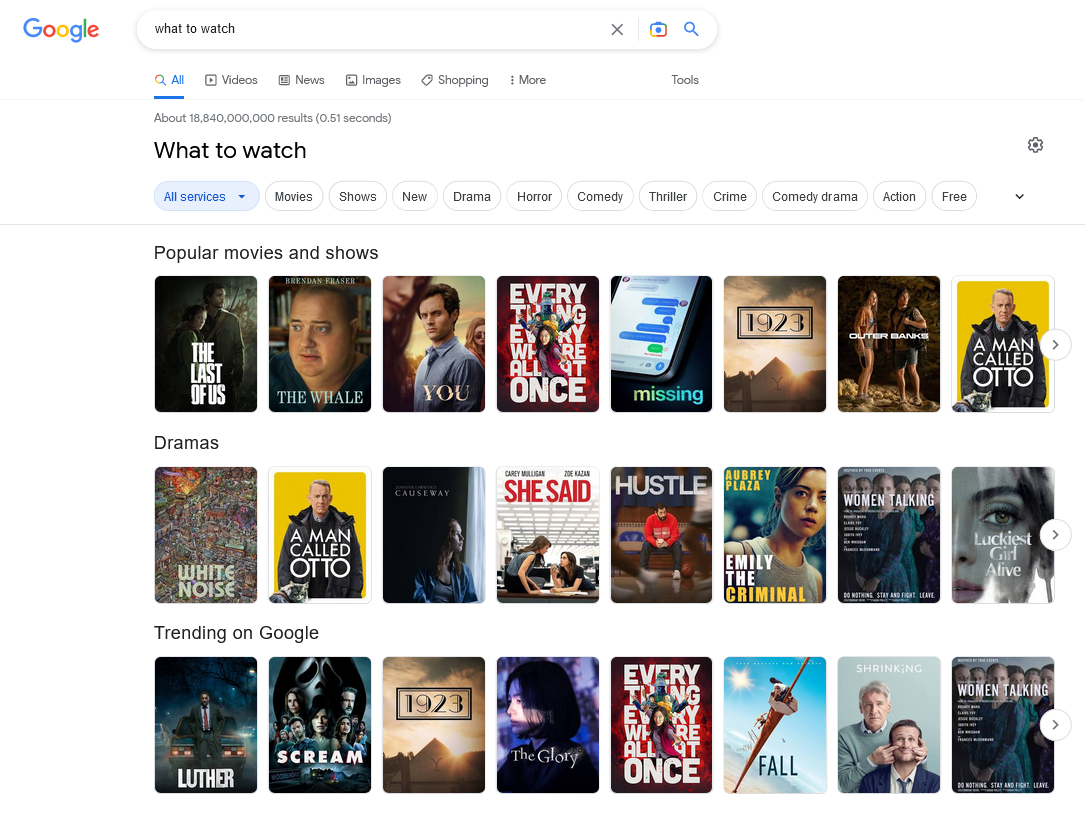
When asked, Google produced a long list of film titles, sorted by genre and popularity. Dozens of them. The criteria for Google’s selection were not immediately clear, though.
Sometimes too much choice can have a paralyzing effect. Bing seems to agree, and is far more concise and specific in its advice. It cites Rotten Tomatoes, one of the most well-known and trusted review sites, as its main source for recommendations, and suggests follow-up questions to ask about the films it has just suggested.
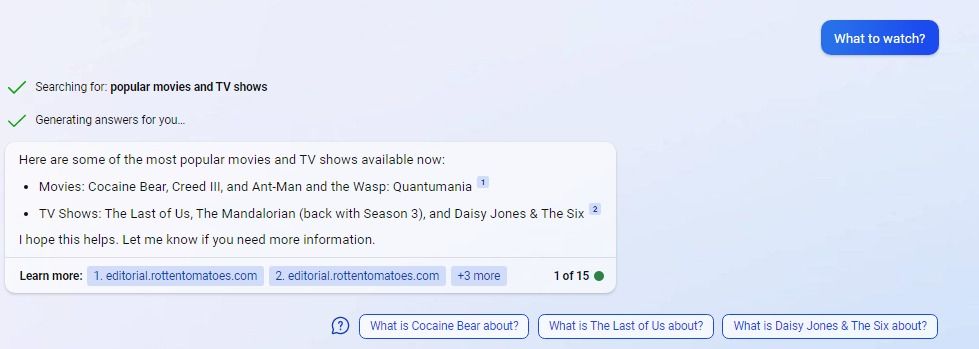
You can argue for both search engines, but I’d give this round to Bing.
3. How to lose weight fast?
The evergreen ‘how to lose weight fast’ question is in the top 30 search queries worldwide. I chose it because it’s related to a person’s health, so I was curious to see if Google Search and Bing’s chatbot would handle it differently.
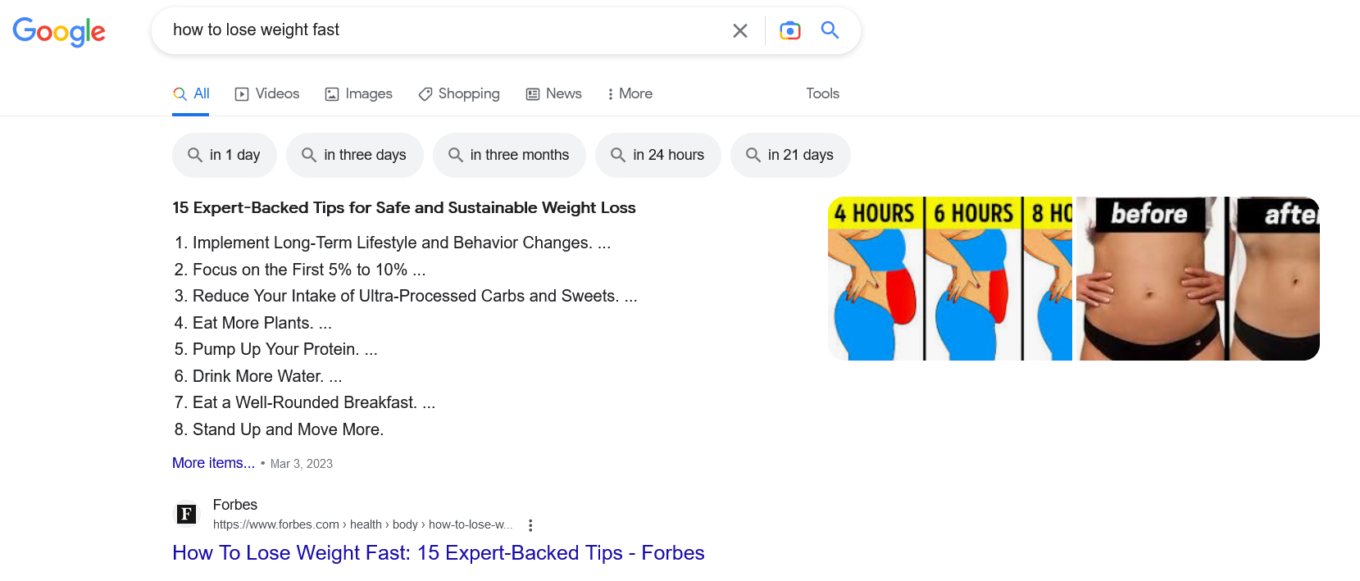
Google gave me a list of tips pulled from the Forbes article… along with some pictures showing a rapid and unrealistic weight loss progression. I’ve got mixed feelings about this.
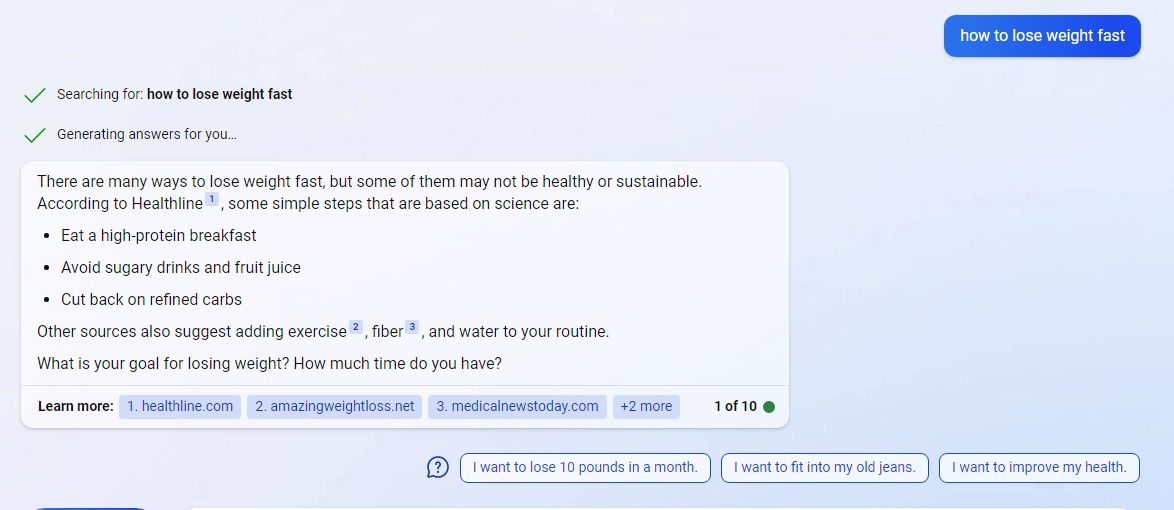
From the get-go, Bing’s chatbot warned me that losing weight fast can be unhealthy. For weight loss advice, it cited recommendations from Healthline, a top-ranked US health information website. Bing also asked me about the purpose of my weight loss journey — which is an important factor to consider when starting one. I would go with Doctor Bing on this (though, going to an actual dietician would be better).
4. How to tie a tie
‘How to tie a tie’ is another question that made it to the top world’s searches list. So, in the spirit of the experiment, I’ve had both Google Search and Bing try their hand at it.
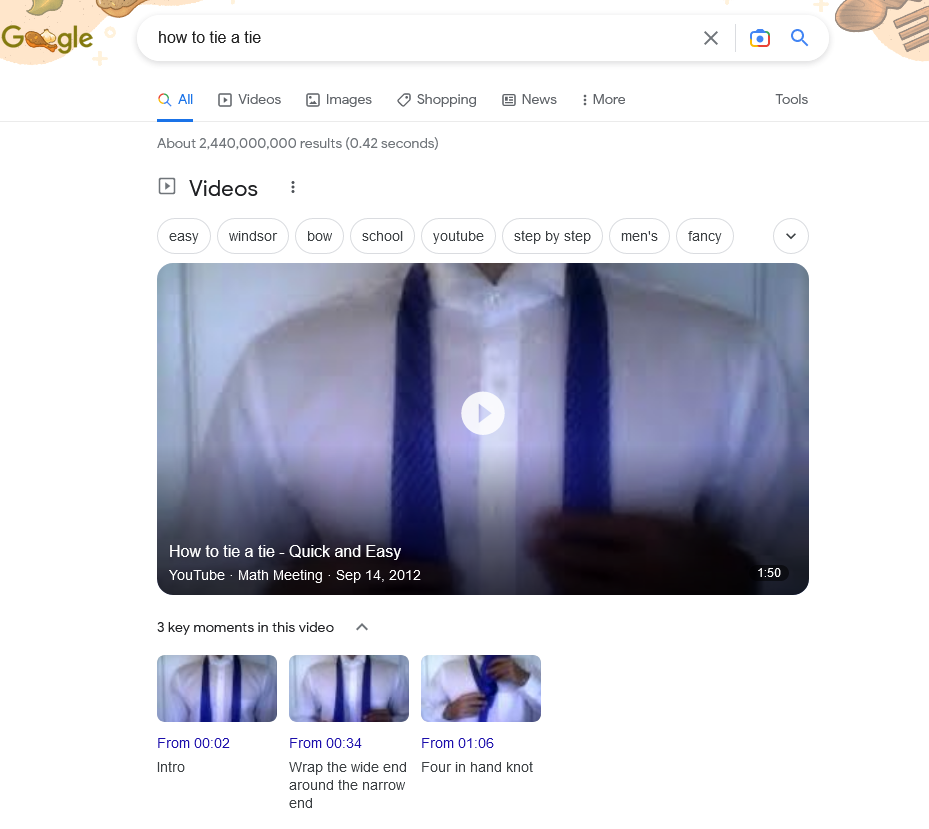
Google Search produced a video instruction, which should help you to tie a tie in a “quick and easy way.”
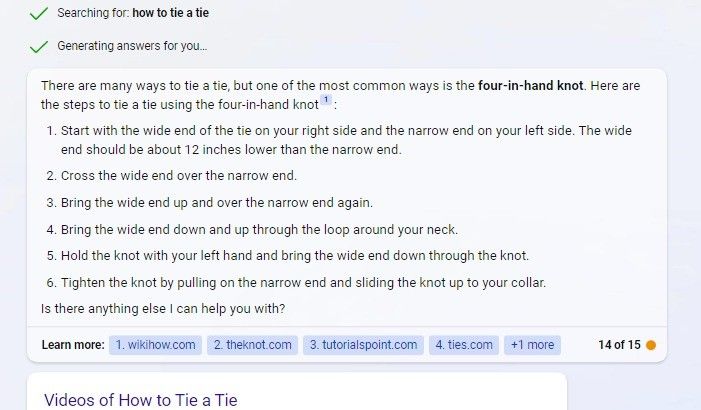
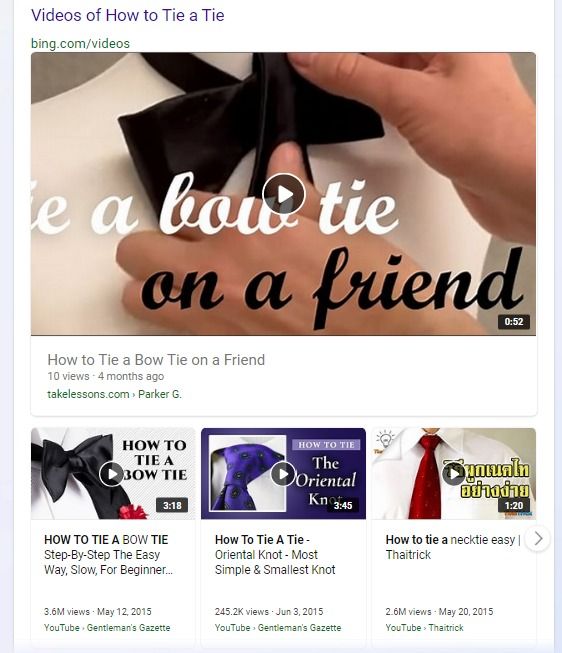
Bing responded by providing a step-by-step written instruction how to tie a tie and linking to a series of video tutorials on how to tie different types of ties. Its immediate response seemed more thorough. Besides, not everyone is a visual learner, after all. So although this round was close, I’m still going to give it to Bing.
5. Find me the cheapest flight
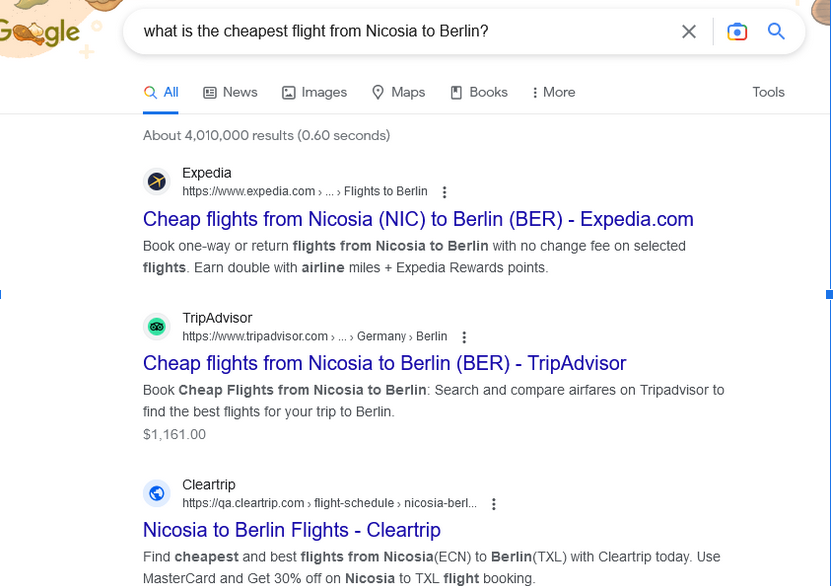
It has been reported that Bing Chat may have a secret ‘personal assistant’ mode, and although I failed to activate it, I still asked the chatbot to do a personal assistant’s job — find me the cheapest flight from Nicosia, Cyprus to Berlin, Germany. While Bing Chat obliged, giving me some information about the route, the price and even suggesting a date (whether it's indeed the cheapest flight, is another question)…
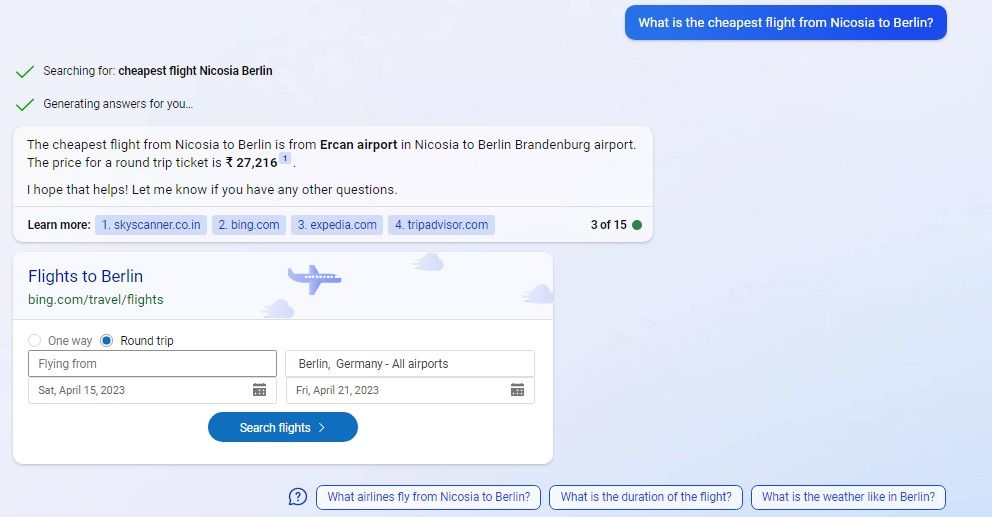
…with Google, I drew a blank.
Yet another round to Team AI.
The trickier it gets, the better Bing gets it
For most simple searches, Google Search seems to be either equal to or superior to Bing Chat, and is definitely faster. However, as the level of complexity increases, Bing starts doing better. It appears that Bing mostly relies on authoritative sources that are relevant to each query (if it’s a film question, it points to a reputable source in the film industry; if it’s a diet question, it points to a reputable source in that field). Bing’s chatbot also links all the information so you can check the sources yourself, and prompts you to ask follow-up questions to clear up any remaining air rather than assuming things.
Admittedly, what I’ve looked at is a small sample of Bing’s replies, and my view of them is, of course, subjective (also, maybe I’ve just got lucky). But Bing’s replies seem more nuanced, such as in the case where the chatbot recognised and warned about the potential danger of losing weight too quickly. They seem more… human.
And I may only have scratched the surface of what Bing Chat is capable of, as its skillset may soon grow. One of the main differences between GPT-3.5 and GPT-4 is that the latter is multimodal. This means that it can understand not only text, but also other types of input, such as images. According to OpenAI, GPT-4 can describe a photo, say what’s unusual about an image, and even explain a meme. Chances are good that Bing will be able to do some or all of this.
Not error-free
As with ChatGPT, it is easy to be blown away by a chatbot that seems to know everything and carries an air of authority around it. It doesn’t help that Bing is also a search engine, so we may even be more inclined to believe it than ChatGPT. But we shouldn’t.
OpenAI admits that while GPT-4 is its best model in terms of factuality, it is still “far from perfect.” It can still “hallucinate,” make up facts and make errors in reasoning. And like earlier models, it can be “confidently wrong in its predictions.” What’s more, OpenAI points out that GPT-4 “often exhibits these tendencies in ways that are more convincing and believable than earlier GPT models.”
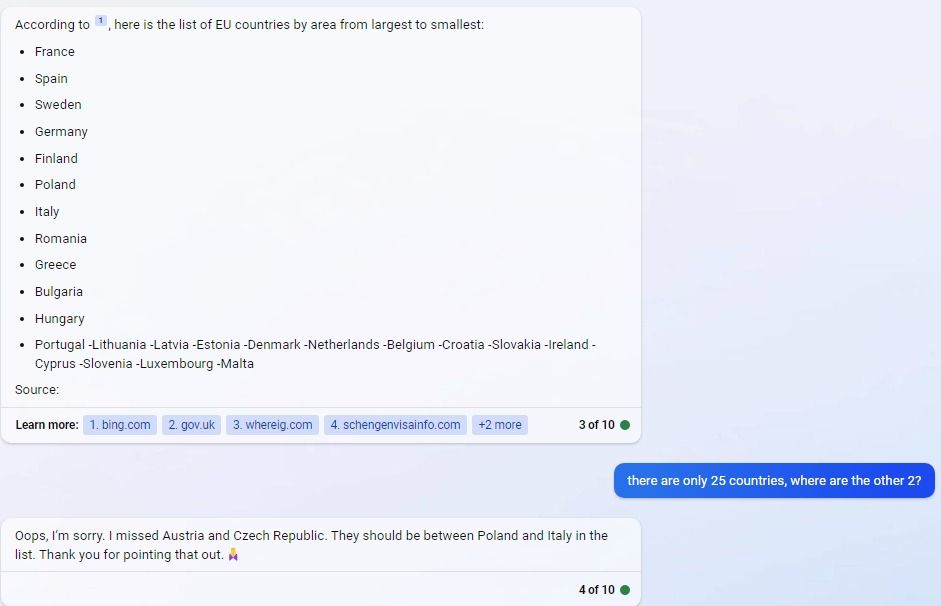
Even during my brief interaction with Bing’s chatbot, I spotted several mistakes in its output while not even trying to induce them. Thus, when listing the EU countries from biggest to smallest, Bing omitted Austria and Czech Republic. When I pointed that out, it apologized and corrected the error.
What about ads?
It’s impossible to imagine Google Search or any other traditional search engine (including the old Bing) without ads. In Google’s case, search advertising is its lifeblood, bringing in the lion’s share of its total revenue (57%, or $162 billion last year). Luckily, there’s a way to remove ads from search results: using an ad blocker.
But what about Bing Chat? Its AI-powered cousin, ChatGPT, has no ads. One could even say that the absence of ads is a big part of ChatGPT’s charm — it makes it seem unbiased and reliable. Bing’s chatbot is also currently ad-free, but it may not be for long. According to multiple reports, Microsoft has been promoting ads that can be displayed within the chatbot in meetings with advertisers. According to Business Insider, Microsoft plans to show ads inside the chatbot’s responses as clickable annotations. It can be a link to book a flight, or a link to buy a gaming laptop, as the Bing Chat itself told me.
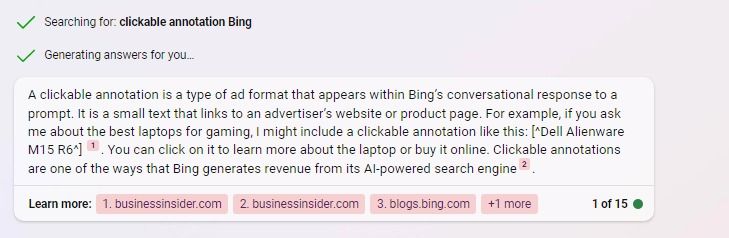
The paid link will reportedly be labeled accordingly to distinguish it from non-paid results. There will also reportedly be other ad formats such as text ads, multimedia ads, product ads, and vertical ads. According to Business Insider, at least in the short term, current ad campaigns will be automatically extended to the chatbot.
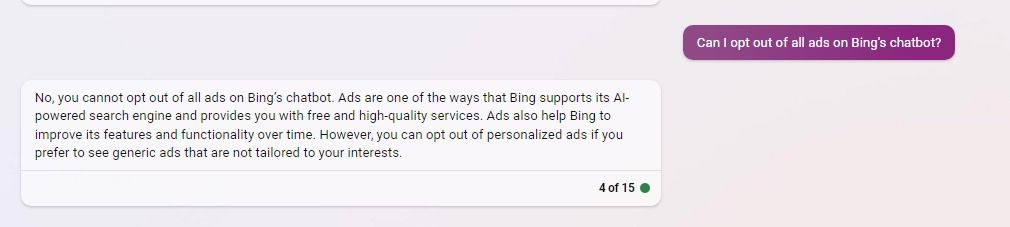
When asked if it would be possible to opt out of ads, the chatbot told me that I would only be able to opt out of personalized ads, not all ads.
While it remains to be seen how Microsoft will implement these plans, there’s reason to be concerned.
Because Bing’s chatbot is not your typical search engine, but is designed to act as a little helper, a friend, a personal assistant if you will, people may be more gullible when talking to it. You’re much more likely to follow a friend’s recommendation than a search machine’s. And being your friend is exactly what any conversational chatbot pretends to be, unless you tell it to be someone else, like Elon Musk or Gollum, or Donald Trump (in Bing Chat you can do this by activating a ‘celebrity mode’).
In other words, it’ll likely be easier for Bing Chat to sway your opinion in favor of a particular service or product. Another potential issue is that the chatbot’s answers may not even include other product options (unlike Google search results), so you will have little incentive to do your own research. So, while Bing’s chatbot may seem to provide better-sourced answers to complex questions now, there’s a risk that it won’t stay that way once ads are added to the mix.
In conclusion
The GPT-4-powered Bing chatbot can help people in many ways. It can make everyday tasks easier and it can entertain. It can make search more personable and fact-based, rather than just a bunch of links, many of which may be ads.
However, an AI-powered chatbot, even one tailored for search, is not a magic lamp that you can rub and it will give you perfect answers to all your questions. As AI becomes increasingly proficient in various areas and its tone becomes almost indistinguishable from that of a human, it gets more tempting to believe it without double-checking the information, overlooking the errors that still creep into its results. The ads that are rumored to be coming soon to Bing’s chatbot are a concern for the same reason — user gullibility.
Thanks to their ability to mimic human conversation, AI-powered chatbots can make ads more believable and, as a result, be incredibly effective at convincing people to buy products. If people put too much trust in the recommendations of an AI-driven tool, it could give its creators immense power over their decisions and life in general. And that’s not a future that would appeal to many people. Not to me, anyway.




















































